
Adobe is rolling out updates to a few AI-powered Photoshop features today, including referencing objects in Generative Fill. Here’s everything new.
New adjustment layers

Photoshop is adding three non-destructive, maskable adjustment layers today: Clarity, Dehaze, and Grain.
Adobe says the new adjustment layers will help creators more precisely refine the texture, the depth, and the detail of their work:
Add dimension to images with Grain, cut through atmospheric haze and balance lighting with Dehaze. and enhance subject structure and crispness with Clarity, all while masking and blending each adjustment seamlessly for total creative control over your final output.
Reference objects on Generative Fill
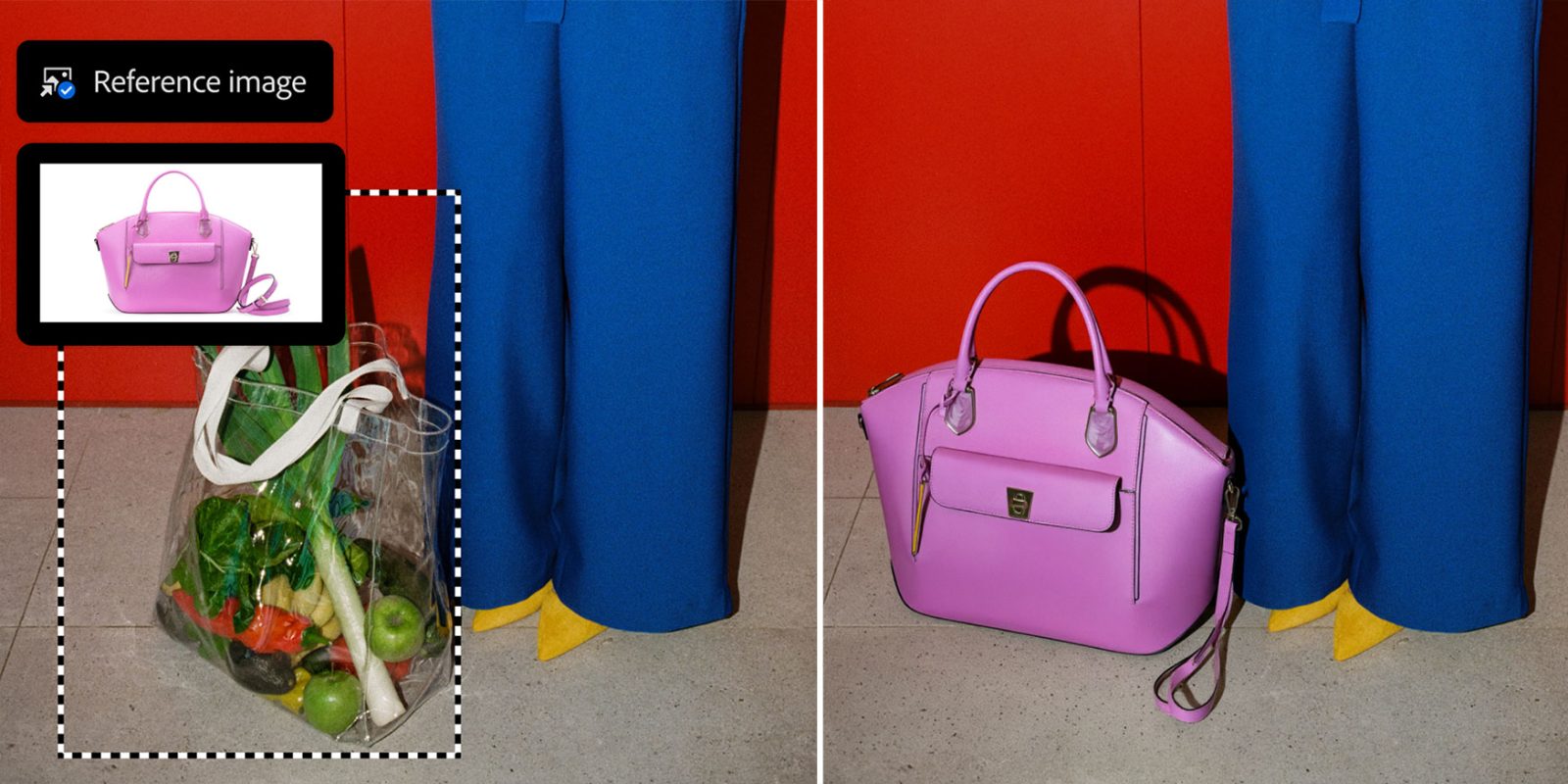
Reference Image for Generative Fill is one of the most useful tools in Adobe’s AI offerings for Photoshop, as it allows users to upload an image that Photoshop considers when generating AI-powered edits.
In fact, Adobe says Generative Fill is currently “a top-five feature,” as it significantly speeds up tedious editing tasks that even the most experienced users would take much longer to complete manually.
Now, Reference Image for Generative Fill can preserve the identity of the actual object from the reference image, meaning Photoshop can insert or adapt those objects more accurately within a scene rather than just approximate the object’s look and feel.
Adobe says that “reference Image with objects delivers geometry-aware results that better match the scene, reorienting to the correct scale, rotation, lighting, color, and perspective”.
Firefly upgrades across multiple tools

Adobe is rolling out an upgraded Generative Fill, Generative Expand, and Remove tools, now based on an improved Firefly model that delivers “higher-quality results with 2K resolution output, sharper detail, and fewer artifacts”.
The company says that these tools will now rely on the latest Firefly Fill & Expand, and Remove Tool 3 models, improving adherence to the users’ prompts, reducing seams, and creating a more globally coherent light and depth effects “for more realistic, polished edits”.
Beta: Dynamic Text

Starting today, users will get access to a beta version of Dynamic Text that makes it easier to transform text layers into circular, arched, or bowed shapes.
Adobe says that users simply need to “select Dynamic Text and choose a shape, and Photoshop will automatically fit and resize your text, so you can create, move, and refine text along paths quickly,” rather than relying on workarounds to try to reach the same results.
Accessory deals on Amazon
- AirPods Pro 3
- Beats USB-C to USB-C Woven Short Cable
- Wireless CarPlay adapter
- Logitech MX Master 4
- Apple AirTag 4 Pack


FTC: We use income earning auto affiliate links. More.




Comments