

The new generation of Apple AirTag finally landed this week, almost five years after the convenient item tracker accessory first debuted in 2021.
You’d be hard pressed to tell the AirTag 2 — technically the ‘AirTag (second-generation)’ — apart from the first version, by eye. But inside, it packs in some meaningful upgrades that make this tracker even better at finding your misplaced items …
The essentials of the first AirTag’s appeal carry over into this new model.
It’s easy to set up, and benefits from a network of over a billion iPhones and other Apple devices that can pick up the tag’s Bluetooth signal and (privately) report back its location. There’s no extra subscription service or ongoing payment needed, and because all the AirTag does is emit a low-power Bluetooth signal forever, it boasts about a year of battery life. And when it dies, you just unscrew the back to pop in a new CR2032 battery and you’re back in business.
Through the Find My app, you can see the last known location of your AirTag on a map. You can also share an AirTag with friends and family members so they can keep tabs on items too, like shared car keys.
If an item is lost, you can look at the map to see where the AirTag is (or at least, where a participant in the Find My network last reported the location of it). When you are nearby, you can then connect directly to the tag to play a sound, or enter the snazzy Precision Finding mode, where the UI directs you where to walk.
All of these features are common across the first- and second-generation AirTags, but the improved AirTag 2 hardware makes for a better experience.
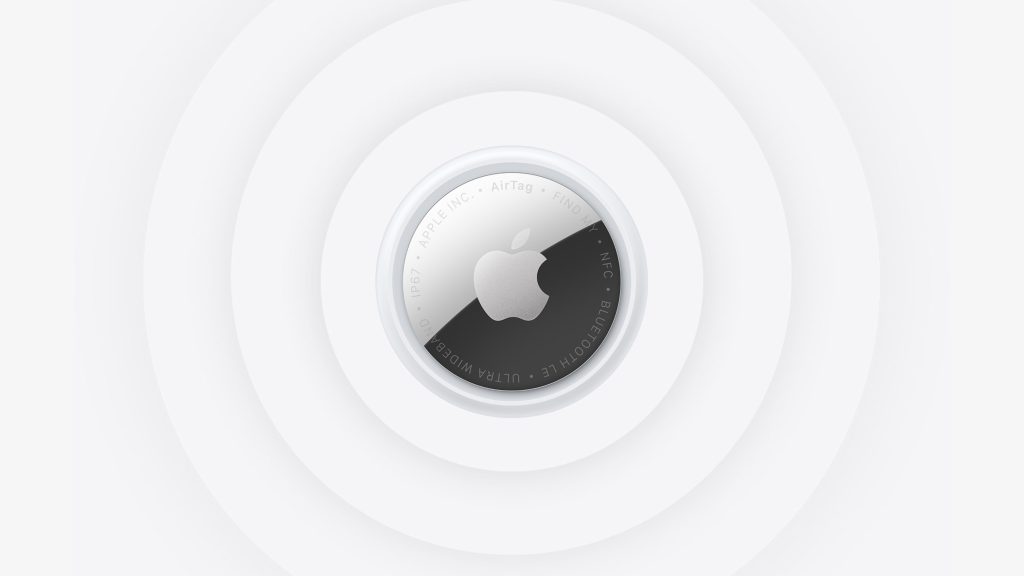
Connection range and sound loudness are noticeably better
Simply, the Bluetooth and ultra-wide band range of AirTag 2 is markedly improved compared to the original AirTag. This means you can pinpoint your item more quickly; you don’t have to fish about to lock on to a tag’s signal anywhere near as much. The other hardware tweak with AirTag 2 is a redesigned speaker, that emits a significantly louder chime. In combination, these changes make the item finding experience faster and more reliable.
In my testing, I ‘lost’ my keys at one end of my house. In the diagonally-opposite upstairs bedroom, I couldn’t actually hear the pings of the first-generation AirTag at all. But the louder volume of the AirTag 2 penetrated the ceiling and doors, and was clearly discernible. It was also faster to connect to, probably because of the updated Bluetooth chip. The Bluetooth range seems a bit larger too, although it varies and is hard to measure accurately. (In an unobstructed field outdoors, you can easily get your iPhone to ping from >100 meters.)
More pronounced is the boost to range of the ultra-wide band chip, which enables Precision Finding. It is unequivocally larger, and the difference is immediately felt. As cool as Precision Finding was on the first-gen AirTag, it ultimately became a bit of a gimmick because the detection range was so short, especially when indoors and the ultra-wide band signal had to go travel through obstructions and walls. AirTag 2 makes Precision Finding feel like a truly worthwhile feature, thanks to the increased range.
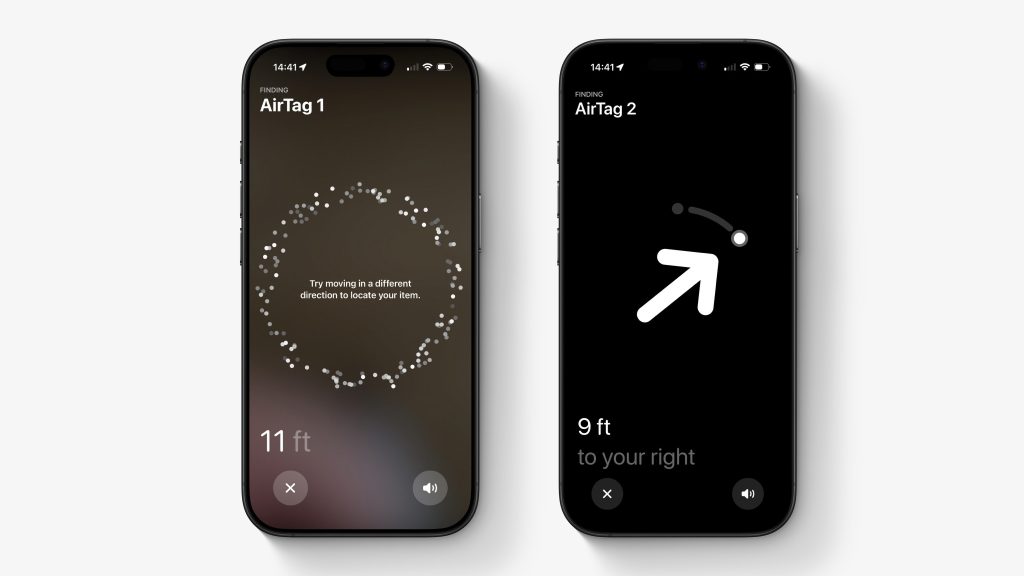
Improved range makes Precision Finding genuinely useful
I found that I could actually use Precision Finding to quickly track down my keys (with AirTag 2 attached on a keyring) in my house from almost any room.
With the item misplaced on my downstairs kitchen counter, I could walk out of my upstairs office onto the landing and Precision Finding would start reporting distance and direction. In contrast, the original AirTag needed to be much, much, closer before the “weak signal” state would change to offering directions. If blocked by walls, this effective distance can be as short as 10-12 feet, in my experience. AirTag 2 with Precision Finding can operate reliably in these conditions at up to 35 feet away.
I think most people will still just play a sound, and that’s fine. But if you are in a noisy environment where the ping would be hard to pick out from the hubbub, or perhaps in a place where making a noise would be inappropriate (maybe you lost your item in a library, or your partner is sleeping and you just want to find the keys in the pile of clothes in your bedroom), Precision Finding could now actually step up to that situation.
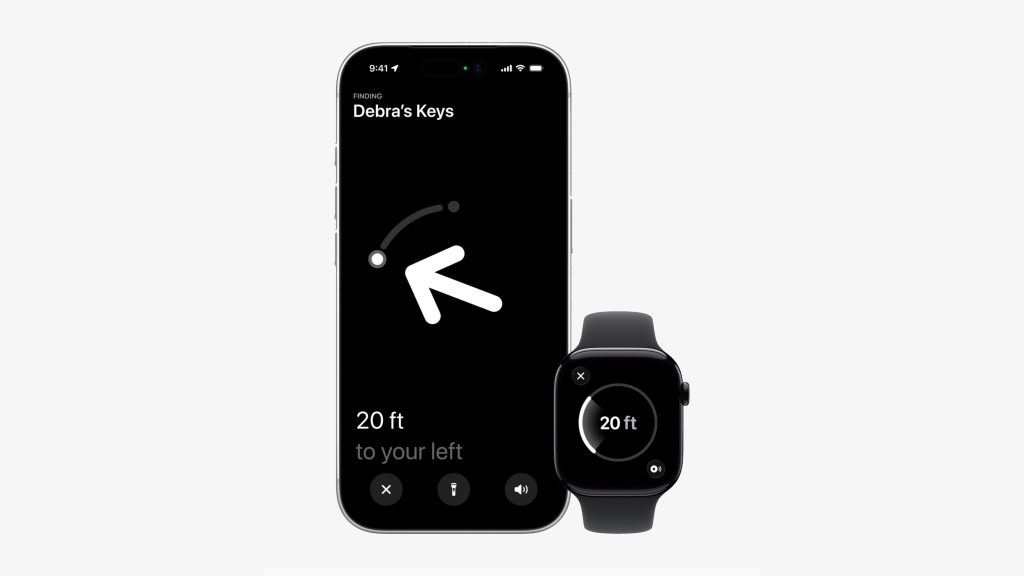
Precision Finding on Apple Watch
With the new AirTag, you can also do Precision Finding using your Apple Watch Series 9 or later, no iPhone required. This sounds cool. Unfortunately, it was a bit of a let down in practice. The working range is shorter than when using your iPhone, and what’s really annoying is that to initiate Precision Finding on your watch, you have to first add a dedicated widget for it in Control Center. If you have four AirTags, you need four separate Control Center widgets set up (and remember which is which).
Inexplicably, the actual Find Items app on Apple Watch simply does not expose the Precision Finding feature at all. The software here feels a little rushed.
AirTag accessories still required
In physical dimensions, the new AirTag is the same as the original. On the plus side, that means all your existing holders and cases will still be compatible. On the downside, it means you still need all those holders and cases. I use this simple Belkin keychain holder to keep an AirTag on my keys, for instance.
It would be nice if the AirTag design itself incorporated some method of ring attachment, like a drilled hole. Maybe that’s something Apple could consider for a future model, or a future expansion of the product range, at least.
Conclusion
The AirTag is an understated-but-beloved component of the Apple ecosystem, and the second-generation model moves the product confidently forward. The size of the Find My network easily makes these the best Bluetooth trackers in their product category.
AirTag (second generation) is available as a one-pack for $29, or a four-pack for $99. Find a place for some in your life.


FTC: We use income earning auto affiliate links. More.



Comments