

I’m a firm believer that Apple Music is the best music streaming service out there. Here are four features in Apple Music I’ve been loving lately that you should check out.
AutoMix
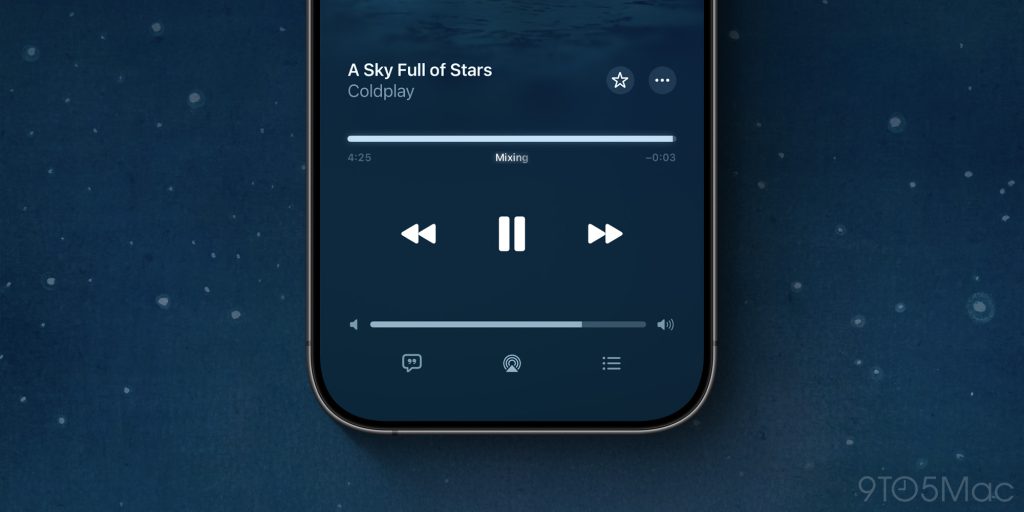
AutoMix in Apple Music is essentially a supercharged version of crossfade. It mixes one song into the next by using AI to analyze audio features and crafting a unique transition. It’s basically like having your own personal DJ.
AutoMix doesn’t always get it right, but it does most of the time. And when it does, it’s incredibly fun and impressive.
Pinned items
One of the problems with streaming music services versus the old days of buying our music outright is that it’s easier for things to get lost as our libraries continuously expand.
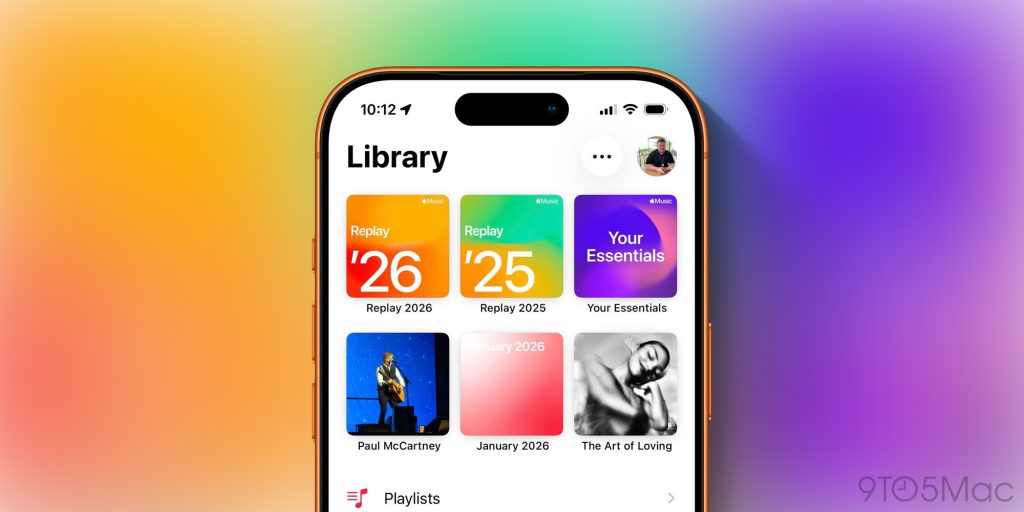
In iOS 26, Apple added a new feature that lets you pin your favorite music to the top of your Library for easier access. You can pin albums, artists, and playlists. You can also long-press to customize the “Tap Action” for each of those pinned items. It’s a really well-executed feature that helps you keep track of your favorites as they evolve.
In my case, I keep my Apple Music Replay playlist pinned year-round, along with my “Your Essentials” playlist. Other pinned items vary throughout the year as I cycle between different trends and favorites. If I could make one feature request, it’d be support for pinning radio stations.
iCloud Music Library
This is one of the biggest reasons I use Apple Music over Spotify. I love that I can add my own music to the Music app on my Mac and it shows up in the Music app on all my devices. This is great for music I acquire from other sources like direct from an artist’s website, Nugs, or live performances ripped from YouTube.
All I have to do is download it on my Mac, drag it into the Music app, and boom, it syncs everywhere.
(I’m honestly not sure if this feature is still called “iCloud Music Library,” but the gist of how it works is the same regardless of what it’s called.)
Social features
Apple Music has a built-in social network. It’s not Ping, but it’s a way to see what your friends are listening to. I always enjoy visiting people’s profiles and seeing what they’re listening to and the playlists they’ve made. I also like that when you view a playlist or album, Apple Music will show you which of your friends have also listened to it.
Honorable mention: A clean, simple focus on music
This isn’t a feature necessarily, but it’s something I’ve really grown to appreciate about Apple Music. Unlike Spotify, Apple Music focuses on music and music-adjacent content like interviews and radio stations. It doesn’t try to cram podcasts, audiobooks, and even physical books all into the same interface.
Wrap up
What are some of your favorite Apple Music features? If you’re not an Apple Music subscriber, you can sing up today and get three months for free. It’s also included in the lucrative Apple One bundles.
Best iPhone 17 accessories
- USB-C cable with built-in LED display
- Official Apple Silicone and TechWoven cases
- Apple Crossbody Strap
- Beats iPhone 17 cases with built-in kickstand
- Anker Nano multi-port USB-C charger
- Mujjo Leather Cases for iPhone 17
Follow Chance: Threads, Bluesky, Instagram, and Mastodon.


FTC: We use income earning auto affiliate links. More.



Comments