
 Apple’s latest app Photos is now available for free as part of OS X 10.10.3 for Mac. The new app is the future of photo management from Apple with support for iCloud Photo Library, burst photos, slow-mo and time lapse videos, and more. Here’s how to migrate your photo library to the new Photos app from iPhoto or Aperture, both of which will no longer receive support for software updates going forward:
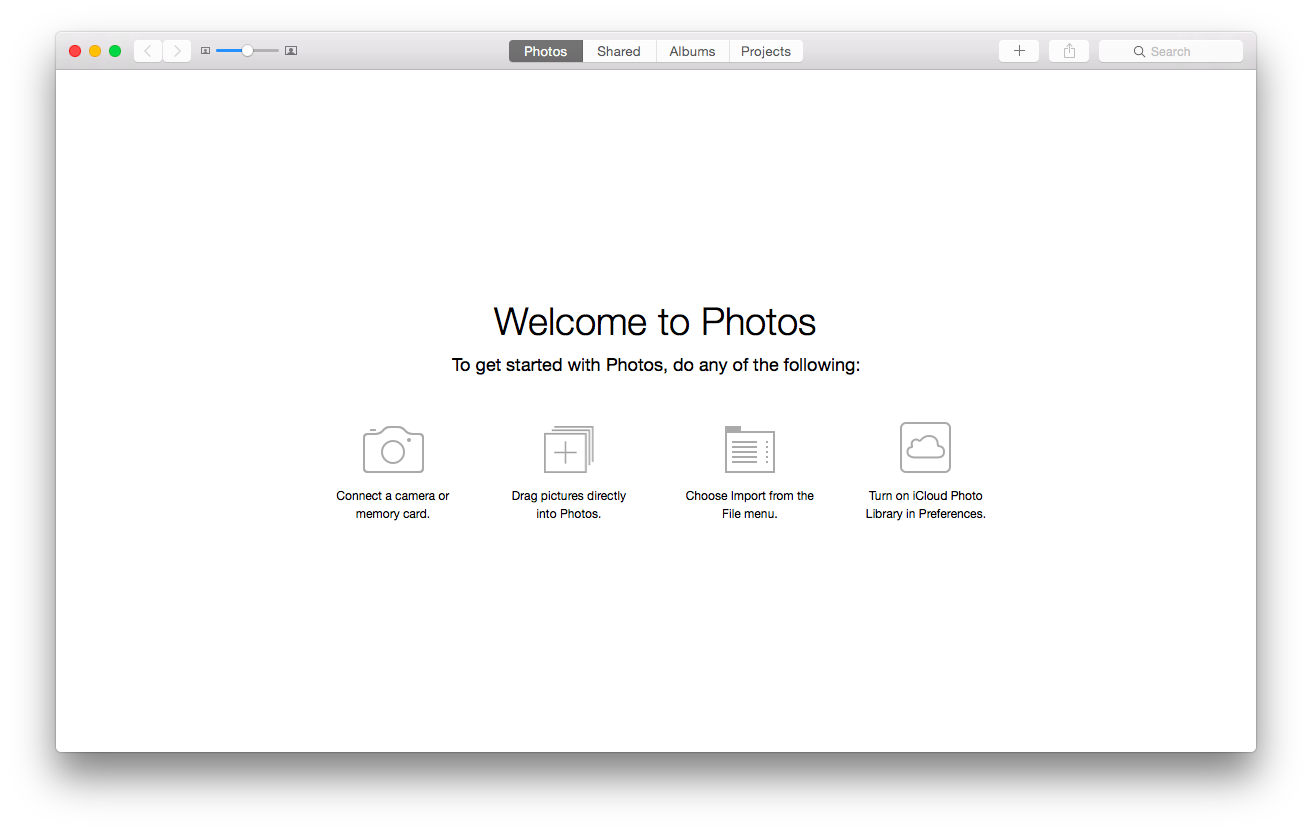
After pressing Get Started in the blue box as seen above, you have two different options. If you are brand new to photo organizing on a Mac and have never used iPhoto or Aperture before, (or if you don’t want to migrate your iPhoto or Aperture library to Photos), you have the option to import pictures from your digital camera or SD card, drag files directly into Photos, import pictures from the File menu or turn on iCloud Photo Library under preferences.
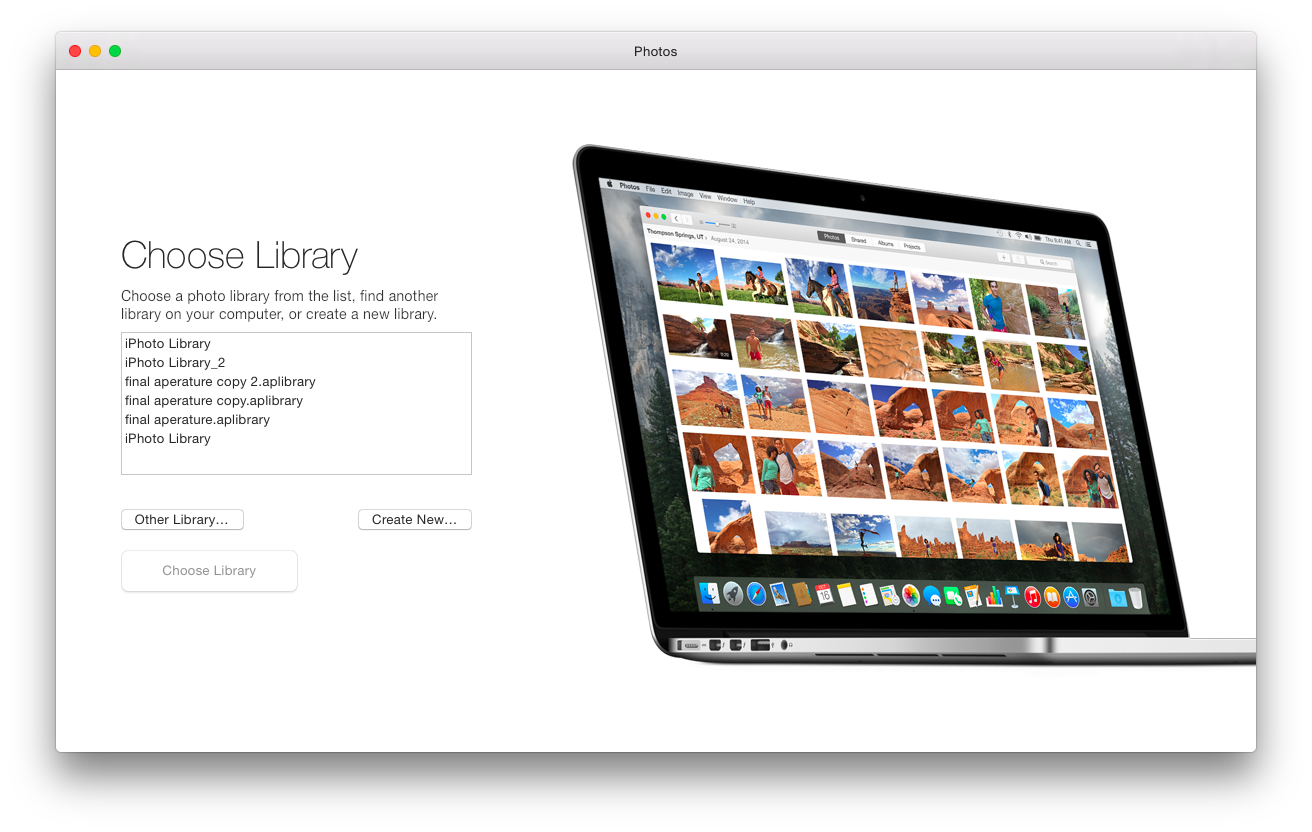
If you were previously using iPhoto or Aperture, after clicking Getting Started, it detects your iPhoto and Aperture libraries. Select which library you want to use with Photos.
Once you select the library, it presents the option to set up iCloud Photo Library, Apple’s iCloud-based photo and video syncing and storage service. This will allow you to sync all the Photos from your Mac and iOS device to each of your other devices, keeping your edits and albums in sync. It then starts to prepare your library to transition to Photos. If you are not sure about putting all of your pictures into iCloud Photo Library, you can always set that up later under Photos’s Preferences from the menu bar; it’s optional and never required unless you want automatic, cloud-based syncing.

Your old photo libraries will still stay on your Mac if you decide you want to use iPhoto or Aperture for doing something. One might still want to use Aperture because it is a lot more advanced with support for plug-ins and more for professional photographers, with powerful editing tools and built-in support to use external editors. However, if you make any changes in those libraries, they will not automatically sync over to your new Photo library.
Most of the data from iPhoto and Aperture will transfer to the Photos app. For example, Faces is still the same. Also, if you were using star ratings, flags and color labels in iPhoto and Aperture, they are still around in Photos, but they are now keywords and assigned to the photos. You’ll notice your Events from your previous photo library is organized alongside albums in the new Photos app preserving your organization.
That is how you move your iPhoto or Aperture library to the new Photos app. If you haven’t done so, make sure you set up iCloud Photo Library on your iOS device. Let us know if you have moved your library from iPhoto or Aperture to Photos and what your impressions are in the comments!


FTC: We use income earning auto affiliate links. More.



What are the options in the new Photos app for IOS for external photo editors, such as Pixelmator? Can you cover the “extensions” feature that Apple announced last year when they introduced Photos for OS X? Is there a photo editing software on the market that is utilizing extensions for Photos that allows one to utilize more powerful photo editing tools available in such a third-party application while using Photos for OS X as a repository of all originals (and edits) and the source for syncing with iCloud?
Does anyone know if you can have multiple, distinct libraries in the new app/cloud as you could with iPhoto an Aperture?
I use one library for personal photos & movies, and a separate library for work, and I don’t want the two to mix.
Does the new Photos app just dump everything into one new library??
Thanks!
Looks like you can. Just hold Option button when launching Photos, it will prompt you to choose library.
I’m very hesitant migrating my Aperture library with 8 years worth of photos to this new thing, I must add.
Same here. I just need to see how it looks. I’m not a power user in the least, relying mostly on iPhoto and using Aperture on occasion for better printing needs. But I need to keep those libraries separate.
Any idea how multiple libraries are handled online?
You can have only one cloud library. This is called the System Photos Library. Changing it is a headache, as I’m already learning.
Also, my imported Aperture library only shows about 5% of my albums in the Albums pane, though the remainder appear to be searchable. Who thought this was a great design idea, I’ll never know.
Oh, and you will find you are locked out of your old Aperture library after migration, because Photos changes the filetype to “.migratedaperturelibrary”.
Similar question. I have my photo library on an external drive. Anyone know if you can change the directory where it saves the “Photos” library. In preferences it only show where the “Photos” directory is located but doesn’t allow for a change.
Does Photos give you any information about the space required on your iCloud account prior to uploading your photos? It would be nice to know what the recurring monthly “subscription” fee will be to use this service prior to handing your photos over to Apple.
I am pretty sure it was prior to uploading that they told me I had 33GB and the subscription cost.
Mine just moved my iPhoto library automatically…
Yea mine too…
Is there a way I can use Aperture as an editor for Photos?
Nope. Once set up, the two keep separate edits and do not integrate.
You can always export your edits from Aperture as a JPEG. Then you can add it to iPhotos. You should do this anyway to make sure your final work is backed up, and not kept as a metadata which can be easily changed or disrupted.
How does the new Photos app deal with images that were “hidden” in iPhoto? Are they uploaded to iCloud and shared among all devices? Are they un-hidden in the process?
Responding to my own question, this Apple webpage says Hidden photos will be placed in a new album titled “Hidden”, but I found no such album was created during library conversion.
https://support.apple.com/en-us/HT201386
It is there but hidden by default. You can find by clicking on ‘View > Show Hidden Photo Album’. For some reason, it is only possible to view if you choose to use ‘View > Show Sidebar’ first.
What about GPS information?
Is it transferred into Photos with map location view?
Yes.
Can I tag faces after I have imported library? I mean new faces for new photos (not the ones that were on my iphoto library)
yes u can by selecting individual photo, then click on the information, then add the face. I have yet to find the same functionality to detect untagged faces photo
It’s HORRIBLE… the white background (no preference available to change) is blinding!
Hi,
Our Preparing Library… gets to 62% then it hangs, I even left it over night.
Anyone else having this issue?
Mine just stopped at 64% and has been there for 4 hrs. Did you resolve this issue? has anyone else experienced it?
I’m at 24% after 4 days. Guess it’s time to give up.
Mine stopped at 1% and seems it is gonna be there forever
I am having the same issue (Preparing Library…23% completed) and it has been stuck there for many hours. Does anybody have any solution to this?
Stuck at 24%…. someone please help!!!
Please note that the new Photos lost support for having the library on an external NTFS partition… iPhoto did support this (together with the Tuxera NTFS driver).
Yup, the “System Photos” library must reside on an HFS+ journaled partition.
Why is photo sharing tied to Safari bookmark syncing? My family would like to share all photos, but not have to have all the same bookmarks!
It’s not tied to Safari bookmark syncing. It’s tied to the iCloud account that you set up as your iCloud account on a particular device. The problem is that both Safari bookmark syncing and iCloud Photo Library are tied to the iCloud account that’s set as you main iCloud account on a device. The same thing is with iCloud Keychain. So, either you share everything, including your wife’s phone ringing on your Mac by using the same iCloud account on all of devices belonging to all family members , or you set up individual iCloud accounts as the main account for each person on a particular device, and then, you can’t share your iCloud Photo Library, Safari Bookmarks, or iCloud Keychain even with the people whose iCloud accounts are set up for Family Sharing.
The answer to this problem is to expand Family Sharing to allow people to share some but not all iCloud features. For example, let family members share iCloud Photo Library and iCloud Keychain, but make Safari bookmarks syncing only occur among devices that belong to one person, if he/she so chooses. Until this happens, we have to share photos between family members using iCloud Photo Sharing (via Shared Streams), which is not syncing but sharing, involving manual intervention with each and every photo and video. As for Safari Bookmark syncing and iCloud Keychain, this is not even possible if each person in the family has his/her own iCloud account set up as the iCloud account on his/her devices.
When I try to import my iPhoto library the Photos app says the library is too old and to download the iPhoto Library Upgrader to fix this (I have the newest version of iPhoto so not sure why it think it’s too old). Anyway, I download the utility and it says the iPhoto library is too new. Confused… I haven’t found anyone else online with this issue…
Yesterday I upgraded my icloud account to 200GB, and moved all my pics to Photos. A lot of my photo’s were duplicated. What are my options to delete any duplicate photos?
Photos app has continued Apple’s new tradition of being minimalist on interface. To check for duplicate photos you simply have to press the A+B+C+D keys while rotating the cursor in a clockwise circle immediately followed by a counter-clockwise circle. Or was this the ultimate technique for a Street Fighter character.
:Shrugs: Either way. Don’t you just love Apple’s new intuitive and easy to use user interfaces.
I can still remember the days when I would laugh at “How to” books for Apple products. Not any more.
My duplicates seem to be from Photostream. I don’t know what to do about that yet, but that’s what it is for all that I have checked.
1. I moved 30k pix to Photos but retained my iPhoto library. The Apple Store tells me my full-size images are retained in both libraries but my disk storage does not reflect that. And the two are diff sizes–one’s ~150GB and the other ~170GB. Any idea what’s going on here?
2. My purpose in going to the cloud was to free up space on my computer’s SSD. But once I move my full-size photos to the cloud and delete them on my computer how do I back up? Or am I forever limited to trusting Apple’s cloud backup? (Apple Store didn’t know answers)
Thanks for any help
The original RAW files remain the same, and both programs can access them, but any changes going forward will only be reflected in the respective programs, not shared.
Not sure how backing up works yet.
After migration is complete will there essentially be two copies of the photo library on my hard drive? Is it ok to delete iPhoto after the migration is complete?
Yes, you can delete the iPhoto library and the iPhoto app after the migration. However, I would move your iPhoto library to an external hard drive and would keep iPhoto on your hard drive just in case we find out some issues with the Photos app (like database corruption, etc.) so that you at least have a good copy of all of your pictures. I would keep it this way for a few years at least until we know that Photos is here to stay and is reliable enough.
Here is what Apple recoomends:
Do I need a Backup?
iCloud Photo Library stores all of your original photos and videos in iCloud, but WE ALWAYS RECOMMEND YOU KEEP BACK UP COPIES OF YOUR LIBRARY. You can download your photos and videos from iCloud to your computer and store them as a seperate library, transfer them to your computer with iTunes, or store them on a separate drive.
Always keep a local backup of your photos. You may place them in an external drive for storage.
If there is a power loss or a catastrophic hard drive failure at Apple, then you can be totally screwed, losing lifetime of photos.
It would be completely foolish to think any online service is completely secure and safe.
Remember that if you lose access to your iCloud account, you may be completely hosed.
1. Suppose someone hacked your account and changed your password. You then will have ZERO access to your photos. And you would be forced to use a new iCloud account. Your photos are forever lost.
2. Suppose you forget your account password and your backup access number. Then you are hosed. You lose your Photos. You are forced to use a new iCloud account.
So keep a backup locally. You cannot trust online storage 100% of the time.
Stupid question, but how do I get the picture off my MBP on into my Icloud count? My HD is full of pictures and want free up the space
There is an option to have the full reslution photos move to the cloud and keep an optimized (aka smaller) version on your mac. That should free up some space.
One thing I can’t seem to replicate in Photos from iPhoto is the easy deletion of photos from my i-devices that have already been imported to the library through Photo Stream. Anyone know a work around?
Does anyone know if old slideshows are retained? In old iPhoto versions you were able to make custom slideshows and do things like vary the duration of each slide, etc… Are these slideshows migrated? Do slideshows retain their iTunes tracks and other settings like transitions? I use slideshow more than anything else in iPhoto.
I have almost finished shifting 107,000 pictures from iPhoto into Photos using the option to store originals in iCloud. I only had one slideshow on my 6 yr old MBP but that has been retained perfectly and appears in my new Slideshows folder in Photos. Quite impressed so far, especially with the editing tools!
In my first experience with Photos I have found 2 problematic issues:
1. Once an album is created, I haven’t found a way to add other photos.
2. I haven’t found a way to add or edit the location of the photos.
If someone knows how to deal with these issues, I would be very greatfull.
, sorry.
you can drag and drop the pictures you want to any album on the sidebar, or go to the + sign on the top right corner and select add to an album….
No way to add location to pictures with Photos App.
Damn, how can someone talk of “improvement” movingo from Aperture/iPhoto to Photos????
yeah, this photos app kinda is no bueno. hidden photos cannot be hidden at all. Tried to delete it, but won’t let me, so I removed from my dock and deleted the Photos library and am sticking with iPhoto for everything.
I updated my OS, now I have Photo. Looks kinda cool. I then tried to add some new pics form my iPhone. Nope had to sign in first. Then I went to Facebook and tried to add the new photos to a post… Nope nowhere to bee seen. I restarted the OS and there they were. I got an emil from a friend in France, I use Mail, and tried to add them to Photo via Mail but it only offered iPhoto so I tried that but then I got a message that I didn’t have permission. I then tried to find Photo via Mail… nope. I added the pics by dragging and dropping them to Photo. Went to Facebook to add them into a new post… NOPE, not available.
WTF Apple, does anybody test this crap?
That is exactly what I was worrying about. It seems that it had became new MO for Cook’s apple(( untested crap pushed on us, so we will test it for them
I have two iPhoto libraries. Can I migrate both into a single Photos library?
i have just posted a comment with the steps to do so!
I guess the iPhoto library needs to be in the Pictures folder in my home directory and can’t be on an external drive
Have you found a solution to this? I barely have enough room on my SSD to move my iPhoto library to my mac from my external.
It’s easy enough to keep your iPhoto library on an external drive. Once I’ve played around with Photos for a few weeks on my MBP and made a decision, I may back up my iPhoto library, import it into Photos then migrate this library to the place where my previous iPhoto library was (on an internal HD placed where my former optical drive was on my iMac) That will keep the SSD free of my huge photo library.
It’s very unpleasant that apple no longer supports aperture. The app photos doesn’t even come close to the power of aperture. The only alternative is (but I hate it) is Lightroom
Have you tried Capture One? I’ve played around with it a bit, much more similar to Aperture than the dreaded Lightroom.
Photos didn’t offer to import my iPhoto library presumably because it is on an external hard drive. I now need to work out
1. how to import the iPhoto library – probably move the IPhoto library into the Pictures Folder on my Mac HD and then hold down Alt when starting iPhoto
2. How to change the location of the Photos library. My MacBook Pro has a 500GB SSD, not nearly big enough for a large iPhoto library and a large iTunes library. Surely this is a common problem with the modern Macs with SSDs. Does anyone know how to move the location of the Photos library onto an external drive? If this isn’t possible then Photos is just not going to work for me and probably lots of others.
I have the same issue. Did you figure out how to import the iPhoto library and how to change the location of the Photos library?
I found the answer as I kept scrolling through the comments:
“Hold down the option key while starting the app, then choose the location of your library.”
I tried it and it works nicely. All my photos and albums are in tact. And the library is stored on my external hard drive where my iPhoto library was.
I really appreciate the help from all these comments
1. how to import the iPhoto library: just right click the iPhoto library and choose “open with”, and choose Photos. It will convert the iPhoto library to Photo library (make new one and keep your iPhoto library intact)
2. the first step will create a new Photo library in the same location where your iPhoto library was (maybe a external drive). Open the new Photo library and go to Photos preference, in General tab, click “choose as system photo library”, this means it will upload all your photos and videos to iCloud photo library (I have 50G photos, it took me 3 days to upload). When the you finish the upload, create a brand new Photos Library in your local drive (I think option open Photos app will do that), and open that brand new library, go to preference, set this new library as system photos library, AND more importantly, in iCloud tab, check the “Optimize Mac Storage”, by this way you will be able to put all your photos (mine is 50G) to your little SSD storage (I only have 18G free space in my MacbookAir).
Do I need iPhoto and Aperture now that I have Photo?
Personal advise is if you are a photographer and you take loads of RAW images, then stay with iPhoto. If all photos you have are taken by phone, then it won’t make any difference to switch. Beware that, the Photos App copies everything from your old library, so after the transferring is done remember to delete the old library to save disk space.
What’s wrong with the RAW support in Photos? Am I going to have to live with using old software going forward? I might as well move to Lightroom. It seems to be the only app that has support left, that isn’t severely crippled.
So far you cannot drap and drop from My Photo Stream into Facebook. I hate that. I could do it in iPhoto
DRAG and drop
Has anyone received a message that their iPhoto library is too big to migrate to photos? The message indicates that I need an additional 26 GB ignored to transfer the iPhoto library.
I think this is saying you need more free space on your hard drive to complete the operation…
The main feature that seems to be absent on Photos is dodging and burning. Is there any workflow for using these features in Aperature?
If I don’t want to upgrade to iCloud photo, is there any other option for viewing my photos on my other iOS devices? Or should I just use Flickr or another 3rd party service?
When it asked me whether to use my Aperture or iPhoto library, I thought, “I have an Aperture library?” so I thought I’d say Aperture to see what happened. Of course since I never used Aperture, nothing happened; but now I’m stuck with an empty library and no way to reset that decision! Nice “upgrade”, guys! What idiot decided to force us to replace a familiar, debugged and much-used app with this alpha-test garbage without even asking if we wanted it? This is the last straw. I shall never spend another penny on Apple products.
Try opening the app with the “Option” key pressed. This will allow you to choose another library.
My MAC autoupdated the software for Photos and auto started transferring. Will I be able to ignore Photos and keep using IPhoto? I am not even sure I have ICloud. As you can guess I’m pretty new to MAC! (and a Senior Citizen to boot)
Yes, but your Photos library will devour space on your Mac. If you don’t intend to use Photo you may wish to delete its library especially if you have many thousands of photos. If you are not familiar with Mac I would recommend you have a Mac-savvy friend talk you through this, or visit your nearest Apple Store.
So – I upgraded to OS X Yosemite. I attempt to open my iPhoto library and get a message that says “The version of iPhoto installed on this Mac is not compatible with OS X Yosemite. Download the latest version for free from the Mac App Store.” (I have the most recent version of iPhoto, so not sure what this is about anyway) Then I go to the Mac App Store and get this message : “The item you’ve requested is not currently available in the U.S. store.” WTF?? Apple just told me to go download it, but it doesn’t exist?? So now I can’t access any of my photos. How am I supposed to transfer the whole iPhoto library if I can’t even access it? And Photos for Mac is no where to be found on my laptop since the upgrade, so I would have no where to put them anyway (and don’t want it on iCloud). Had I known this was what was waiting for me, I never would have upgraded in the first place.
Any thoughts on how to fix this steaming mess, or at least how I might be able to look at any of my photos again?
I was previously using iPhoto, and after clicking Getting Started, Photos did not detect my iPhoto library!!! please help
Hold down the option key while starting the app, then choose the location of your library.
I started up the photos app, chose to upgrade my storage plan to 200GB and now its just sitting there saying “Preparing Library…(1% completed) its been that way for about an hour now. My Library is only 54GB with 15,000 photos. Did I do something wrong? Any idea how long this will take?
Pretty much the same here. 1%
I was never given a library option. So the 14000 photos I had in iPhoto seem right now to be completely inaccessible. What do you do if the library option was never shown? I do not want to lose all the organization and categorization I had.
I have 198GB of photos in my iPhoto’s library and there is just no way for me to let Photos App copy all of that (Laptop disk won’t have enough space). So I decided to use Photos to manage my photos taken from phone, and stay on iPhoto to manage my photos taken by my camera.
Sorry if this is an obvious question but once my library has migrated to Photo, will there be duplicates of every photo now with the IPhoto library meaning I will need to delete the iPhoto library.
If not will iCloud sync both libraries to the cloud ? Thanks
My iPhoto library is too big to use iCloud library. Can I continue to use Photostream to sync my new iOS photos back to my Mac without putting the entire library in the cloud?
My eyefi card in my camera used to automatically transfer my photos to my iMac, but since this upgrade, its no longer working, which is a problem, and I use this method to streamline my workflow daily.
New App PHOTOS really bad….not even a kid toy, AND it doesn’t work properly.
Terrible!
I’m desperately trying to save room on my hard drive. Once I’ve moved to Photos App can I delete Aperture and my Aperture library? It seems, even after asking Photos to store originals on iCloud, I’ve still somehow lost 35GB in this process.
Hi Everybody!!!
if you have SEVERAL IPHOTO LIBRARIES like i did, here are the steps to combine them into one library and have all your pictures in iCloud and in the meantime free some space on your Hard drive.
I had 2 different libraries, mostly because of the lack of space on my SSD, i had one iphoto library on a 64gb Micro SDXC card using the nifty adaptor and the other on my MBP Hard Drive. also i have a 200GB icloud subscription.
1.- When i first opened photos i didn’t want to mess things up so i created a new library, and as i suspected all my iphone and ipad pics synced there, didn’t take long to have all the low resolutions pics available in my Mac (Before hand i have selected to Optimize Mac Storage option in the icloud setting from photos).
2. i tried to drag and drop the iphoto libraries into photos or try to find something on the menus to add my other libraries, but nothing worked. Then i noticed a button in the general settings saying “use as System Photo Library” and after some reading in the help section, i found out that this system photo library is the one that icloud uses to sync your devices. so after the system finished preparing/uploading/downloading all my images from my iphone and ipad. i went ahead and close the Photos app.
3. holding down the option button i opened the photos app and then prompt to select a library, i select one of my old iphoto libraries (specifically the one in my HD) and after a few minutes my library has been updated to the new app (tags, star ratings and so on).
4.- And here is when it come the fun part, go to settings, and select to use the current library as system photo library. you will get a warning that doing so will deactivate de icloud photo library settings. Go ahead and press OK. it takes a few seconds of an updating bar and then your current library is set as your system library. (here i had to close the app because it got stuck updating and doing nothing, i reopened and it all went normal again)
5.- Once at this point go to settings and under the icloud tab, reactivate the icloud photo library, photo stream and photo sharing options. BOOM a long process starts to merge your libraries while it uploads your pics to the web and downloads the low-res pics from your iphone/pad. i had about 4.5Kpictures in that library and the process went for about a 20hrs to do the whole thing. I left my MBP overnight to finish the process and the next morning all my pictures are available in all my devices, and freed almost 30GB on my SSD. (make sure your icloud subscription is big enough to hold all your pick, mine was 200gb so i didn’t get any warnings or prompts to update the storage, but i’ve read some comments saying it will ask you to upgrade if its not enough)
6.- go ahead and repeat the process of closing the app, selecting any other libraries you may have, set them as system libraries, and WAIT for the process to finish… eventually you will have all of your pics in the cloud and available in all your devices.
7.- Now all your pics are in one place and your old iphoto events are converted into albums but get stored into a folder in the app and you can move them, rearrange or redistribute your pics into new albums.
Note: your iphoto libraries are not affected by this process. you still have them on your pictures folder or any other partition you may have, and you can still back them up, move them just like you did before.
Hope it helps!
Diego
Does this process simply merge the photos from the different libraries, or does it also maintain all the organization (albums, face identification, etc.)?
It merges all pictures, but keeps all the albums, faces, metadata, into one single library based on iCloud! The iPhoto events are converted into albums and put together into a folder names iPhoto events!
If it’s not broken, don’t fix it. I am singularly unimpressed. It’s crap compared to iPhoto.
Failed to install my Aperture files, so loaded iPhoto, but cannot edit most of them. (Greyed out features)
Took me ages to work out how to do more than basic editing. Not very intuitive. This is like going back to MSdos. Now running Lightroom on one computer, but not as convenient to operate as Aperture.
Apple, Please do not desert Aperture, or at least make Photos as good as Aperture. (And give us some way of using another editor as did Aperture)
Yet another piece of untested trash from Apple. It makes you want to go back to Windows 7. After “migrating” not a single photo appeared in Photos. Anybody know how to scare this trash out without losing photo library?
This is my impression of the Photos app. I think it’s extremely easy to use and very intuitive. It’s intuitive because it complies with the new UI principles that IOS 7 and OS 10.10 (Yosemite) introduced. All applications are starting to function in a similar way, which makes it easy to use various Apple designed applications without having to be aggravated all the time due to each application having its own design principles.
Let me tell you one thing. The learning curve for switchers from Windows to OS X used to be pretty steep because those who used Windows all their lives just couldn’t wrap their mind around the way things were done in OS X. But it was even more aggravating that there were no common UI design principles between various applications. One of the most difficult applications to use is iTunes. It literally a huge mess of incomprehensible hodge lodge of settings thrown all over the UI. Apple has been working on simplifying and streamlining iTunes, but it’s still far from being ideal. It’s simply not anything that an average Windows user can pick up and use. I’m not talking hear about younger generation who grew up using OS X without any baggage from Windows. But for adults in their 30s and 40s who grew up with Windows, iTunes is a mess.
Apple has started a new trend with their in-house developed applications a few years now by completely jettisoning their UIs specific to each application and redesigning those applications from scratch. Every time this happens (Pages, Numbers, Keynote, Final Cut Pro, etc.), there’s a storm of discontent coming from the user base. Mac users are get as aggravated with this change as Windows switchers do when they used to open a new applications and faced an overwhelming learning curve because the UI of each application was so unlike any other application.
I have never used iPhoto or Aperture extensively, but I always had this negative feeling when I had to use either of the two applications. They were so similar and yet so different. The same concepts were called different names in the two applications. Every time I had to deal with one or the other, I anticipated having to spend significant amounts of time just figuring out how to do a certain task. I used them very lightly, as I am not a professional or even amateur photographer; I’m sure if I spent hours in Aperture every day, I would have become proficient with it. My wife, on the other hand, has spent quite a bit of time in Aperture, but she still struggles with its UI at times. Aperture is not very intuitive no matter how much those who are used to Aperture’s UI want to object to this opinion. When I opened Photos for the first time two days ago, I immediately got its UI concepts. Literally 10 minutes after I first saw it, I was extremely comfortable using it. Then I opened iPhoto just to compare, and I was back to my usual level of frustration with the UI.
Apple has always prided itself on the ease of use, but in the last decade, its in-house software became unnecessarily complex to use. While redesigning the UI, Apple is dropping a lot of features that many have come to love. I do not agree with this approach, and it remains to be seen if Apple will re-introduce more advanced photo editing features into Photos in the future. It is quite possible that Apple decided to concentrate on the hardware and the OS development and let third parties focus on specific semi-professinal and professional level applications. In the case of Photos, I would be completely satisfied if Apple decided to use Photos as a centralized repository of photos and the source of syncing of the photo libraries with iCloud, while keeping only rudimentary editing tools within Photos. If this is Apple’s approach to Photos, all they need to do is to provide APIs to third-party applications to integrate with Photos for professional-level photo editing functionality while giving those third-party applications a way to use Photos as the repository for the masters and the edits. In fact, I believe this would be the best approach as each Mac User would be able to choose his/her own semi-professional or professional level photo editing application while still using Photos as the repository of all of their images and the syncing source with iCloud. In fact, Apple announced the Photos extension capability for iOS last year. I hope they have something like this in store for Photos for OS X. There’s a blog post on the Pixelmator’s site made last year that hints on Pixelmator working with Apple on such integration with Photos for OS X. Perhaps Apple will announce this new API during this year’s WWDC.
Intuitive means, I look at it and can immediately see what is needed – not it’s the same as the rest. This particularly counts if the others are also not intuitive. And yes I’ve been using computers since 1983, and Apple since 2009 (changed because of simplicity to use, which is fading)
You are wrong.
The iPhoto app is no longer functioning.
Once you update the OS-X, the iphotos will claim that you will need to update the application but since it no longer exits on the app store, you can no longer use it.
That’s weird. I can use iPhoto and Photos side by side, open both application and look at photos in either. Don’t you have two libraries in your Picture folder, one for each application ? The import from iPhoto to Photo was automatic when I installed 10.10.3
Not sure.
I just got a macbook air 13.
It asked me to choose the picture library and I did. Now the iPhoto will not load, claims it is an older, unsupported version.
I can post a pic of it if you have a place.
This is a real disaster. Is there any way to migrate the photo library back to iPhoto? Now I even can’t send photos via mail :( Moreover, the iPhoto hasn’t been deleted and now, I don’t know which to use…
I think all my photos are now moved to photos app. Can I remove iPhoto now? or will it delete all my photos?
Aarghh… my iPhoto library was ported automatically, but when I open the Events, they only contain one photo per event, even when t!?!?! What happened to my photos????
Just migrated my Aperture library and it did move all my projects correctly. I can see how it converted metadata like star ratings to keywords like “4 star”, but it did not map my Aperture “projects” to Photos “albums” correctly. Multiple projects are now lumped into misnamed Albums and I’d have to use the keywords to separate them out again…I guess, I’m not sure. It seems to have nested Projects together into Albums in odd ways. I was tired of the complexity of Aperture and was willing to give Photos a shot, but now I’m not sure.
James, I’m about to do the same thing. I have dozens of events, projects, and self-created albums, in addition to the photo stream albums that Aperture creates on its own. Does/did Photos give you a choice what to import or any mapping choices, or did it just give you the one choice of a wholesale upload? And did it prompt you to let you know how big your library was before it did that? Did your albums (if you had any) also get lumped together?
Is there any way of automating the import of the album structures from iPhoto to Photos? I have 23,000+ photos, all within albums, which themselves have sub albums. So far, it would appear, that the only way to maintain the old structure/layout of the old in the new is to manually recreate each album and sub album and import each one manually. Please tell me this isn’t the only way?? So far, very disappointed with apple on this front. I need them to help make my life easier, not infinitely more tedious and complicated!
I agree. The Photos app completely ignored my iPhoto library, giving me no opportunity to any do any kind of import. I have no idea what to do next. Superficially, it’s like I deleted all my photos by installing the app. Further, I no longer have iPhoto available to access the photos. The new app evidently overrides that. This is not a good thing.
I was able to find iPhoto in the Applications folder even though it had been removed from the Dock when the upgrade installed Photo. I was also able to launch it no problem.
Hold down the option key while starting the app, then choose the iPhoto library you want to use.
My iPhoto library lives on an external drive so Photos doesn’t see it when starting. Is there another way to import the iPhoto library? Thanks.
To anyone that is concerned about having duplicate photos in iPhoto and Photos, this is straight from the support page at http://www.apple.com/support/mac-apps/photos/:
“When you migrate a photo library from iPhoto or Aperture, the Photos app creates a new library structure but doesn’t duplicate your images. Instead, Photos saves disk space by creating links to the original and preview versions of your images.
When Finder reports the file size of your Photos library, it includes all your originals and previews. It may look like your remaining iPhoto or Aperture library is taking up twice the space on your hard drive, but it isn’t—your images exist only in one location, even though you may have more than one photo library.
After you migrate your iPhoto or Aperture library to Photos, you might feel tempted to delete your original iPhoto or Aperture library. Because the migrated library takes little additional space, you don’t need to delete the original library.
You can still use your original photo library with iPhoto 9.6.1 and Aperture 3.6 after you’ve migrated it to Photos. Any changes you make in iPhoto or Aperture after you migrate to Photos, like image edits or album changes, will be visible only in iPhoto or Aperture.”
I’m not sure this is how it is actually working. I have a series of Aperture libraries (one per year) and on one of them I tested the migration. The old Aperture library remained (16.27 GB) and a new Photos library was created (16.1 GB). Even though the old library was changed to kind “Migrated Aperture Library” I was able to open it in Aperture, and subsequently its kind reverted to “Aperture Library”. Anyhow, it looks like a duplication despite what the support page says.
Nice, i did noticed that after the import process completed i still had the SAME EXACT FREE SPACE on the hard drive, but i’ve never investigated why.
If the above is true, i’ll performa test: i’ll create inside Aperture a new Project and i’ll copy some test image inside it. Will close Aperture and will open Photos and i’ll see IF and WHAT changed something..
Unfortunately I now have two libraries, “Photos Library” is 63 GB and “iPhoto Library” is 50Gb.. And Im scared to delete one, but getting pretty empty on space!
How do you move photos from all libraries in iPhoto to a single library in Photos?
on iphoto i use to import and everything was saved under events. now i imported and don’t know where it saved. HELP PLEASE!!!
Once I’ve selected to migrate my iPhotos Library to the new Photos app Library, can I now directly delete my old iPhotos Library? Or best to give it a few weeks or so?
I’m asking because I notice the two libraries have roughly the same size. The new Photos Library in fact is slightly smaller, which I believe is due to the fact that I selected to “Optimise my Mac storage”.
I find it to be waste of space if I were to keep both libraries available on my Mac.
I heard nothing new of the new Photos. So the more interesting questions is: can I keep iPhoto?
I didn’t have to do anything. My entire iPhoto library carried over to Photos.
Oh, and set up iCloud Photo Library? Ha! I have over 20gbs of photos. You think I’m paying for that!
how do I import both old libraries into photos?
When I try to open my photos library, I get the following message: “Photos Library” is damaged and can’t be opened. You should move it to the Trash. And when I connected my iPhone/iPad to my iMac in my photos sync it said I only had 69 photos instead of the 5000+ I already have, and didn’t want to lose, so I have had to un-tick sync photos. Can anyone help?
Hope you have some time Machine backup or manual backup somewhere, because with a faulty library you’re wasting your time in dealing with it
I’ve updated to Photos from iPhoto & all my pics are in Photos app now. I don’t know why photo keeps on crashing & a message comes up saying photos corrupted & needs to quit. How do I fix this????
I just imported a photo from an email, and it showed up in Photos. All my Events are now an album, and I want to add this specific photo to a specific event. How do I do this?
The biggest problem with moving to iCloud is the COST.
With over 500GB of photos, the cost is going to be $240 A YEAR. And this is for 1 TB of storage.
In contrast
* Amazon Prime customers get UNLIMITED PHOTO STORAGE for $99 a year.
* Microsoft OneDrive customers get UNLIMITED STORAGE of any file.
Come on Apple.
Make the storage of Photos and Videos UNLIMITED like competing services at the very least.
Don’t forget Flickr has 1 TB of FREE, full resolution uploads.
i moved my 120 gb iphoto library located on a synology ds214 nas (primary computer is a late 2010 air, 64 gb) to photos with no problems, purchased the 200gb icloud storage plan thinking i could sync all my photos to my iphone 5s and ipad air, but then I had a major problem: the photos app wont let me activate icloud foto library if my photos library is on a volume not formatted with hfs/hfs+ (my synology is formatted in ext4). does this make any sense to anyone? worlaround needed! i cannot upgrade my macbook air’s internal storage, i am not willing to loose raid1 on my nas and copy my library on some usb disk…
The only way to sync pictures from your library to iCloud storage is to set the library as system library.
AND
the only way to do that is to have the library located on a HFS volume.
My pwersonal situation is similar to yours: 50gb Aperture Library on an external disk, i had to set that library as system library and then Photos started to upload all the images. And now i also have all of them synched with my 5S device.
What happened to all of the events? My photos moved over automatically, but they’re organized by date, and I don’t know how to look at my organized events that I had on iphoto.
Problem is, even though I save a copy of each photo to my Mac hard drive, whenever I delete something in the iCloud library, it also removes it from the hard drive (which I’ve read isn’t supposed to happen). Everything I’ve read says the hard copies should stay saved, only the cloud changes, but that’s not the case.
I’ve tried moving photos from iPhoto to the new Photos app. by clicking the Get Started button, it did not show me which iPhoto library to select. Is it because I have only one iPhoto library? And then, it started spinning and didn’t stop spinning for more than 2 full days and does not allow me to quit. Fortunately, there was a power failure about midnight yesterday, and was automatically quit.
What do you think is my problem and how can it be resolved.
I was concerned that the Aperture 1/2 photo library would not import into photos and I would have to fork out $79.00 to upgrade. WELL good news it did the import just fine! Happy I am indeed! Lightroom has offered an importer but only from Aperture 3, not 1/2. I just may stay with photos, time will tell.
I have about 5000 RAW photos in Aperture & have invested too many hours editing them…after reading every troubled comment about Photos, my strategy has become clear: don’t transfer to Photos! Now what? Just continue to use Aperture? Lightroom? Capture One? I want a robust editing program which is reasonably intuitive (like Aperture) & am hoping to do some kind of batch export of these edited files to a new program…is this even possible? If yes, how to best go about it? I love Apple but now color me frustrated, confused, stressed & somewhat angry with a company that many have become too big.
I tend to agree. I’m going to leave things as they are until the dust settles more with Photos and some of the early problems get fixed. In the interval I’m going to have a look at other options.
When I updated the system, I have around 18000++ photo and videos, I still couldn’t open 90% of it , while I already tried many times to download this photo again from my library, what I should do now to retrieve it back , the problem is I can see the place for each photos in the album but it is lie empty Fram ,,when I choos it to open it, there an alert said couldn’t fine the file
How do I copy photos to use in PowerPoint or word from Photos?
On this page http://www.apple.com/support/mac-apps/photos/ that someone else posted, I see that there is an article “Photos saves disk space by sharing images with your iPhoto or Aperture libraries” https://support.apple.com/en-us/HT204476 So what happens if you were to delete your iPhoto or Aperture library after migrating?
I did a test migrate on another system (with the public beta), and the file size appeared to indicate that it had physically copied the photos over, not linked them. Has this changed? If so, this would allow upgrading with minimal space requirements.
Does not work this way. At all. Here’s what I have tried:
I have my Aperture library on an external hard drive 48000 images, 100GB. I tried the way described above. Nothing happened and Aperture refused to open after the first try. I had to repair permission, rebuild the library database. Nothing. I have tried relocating original, consolidated the originals, made a copy of the library and tried each possibility in turn. Photos recognises the images/albums but crashes every time. Original image library ( created in insstallation) opens fine. When I try to open original Aperture library in Photos it says that images have already been moved. Way to go, Apple. Help? Anyone? Please?
I installed, and now I have two photo libraries, both taking up space.. but Im afraid to delete the old one because apples websites says they’re integrated and it isn’t actually taking up extra space..
Im very confused.
One called “Photos Library” is 63.22gb
One called “iPhoto Library” is 50.04gb
can I delete one!?
After migrating to Photos I have one additional folder called “Photos 2015.photoslibrary_prepare”. Anyone else seen this, can i delete it?
My suspicion is that since I have my photo libraries in a subfolder to standard Picture folder and also that its not named as standard this is a bug in the migration process. If it had been all standard this folder would automatically been deleted after the migration was finished.
Hi! Did you manage to find out about that file? I have the same thing, “Photos Library.photoslibrary_prepare” and its taking up 130gb of my hard drive!!
some of the photos would not migrate. I got an error message saying the “metadata was missing”
I see the following libraries – Aperture 3 Library.aplibrary, iPhoto Library, APTS Aperture3 Library.aplibary, and APTS iPhoto Library. What does APTS mean? Also I thought I had merged the iphoto library with the Aperture library, so why am I seeing two choices here? Or does it matter which I select? Want to be careful here as I think Photos can only use one library.
Thanks,
Mark
How about the reverse? If I migrated to photos, and then want to move back to Aperture. The reason being that iPhone sync now does not show an option to sync with Aperture.
Try File > Export
Photos got moved from Aperture but none of the text boxes that were part of an album I was building. And ow no way to go back to Aperture as I get an error message about needing to upgrade but then the Ap Store not letting me. What a bummer!
I ran into the same problem. It is a bummer…a lot of lost work.
Hello
I have uncheck’d copy photos to library in the preferences, but it still copying and photo’s app becomes more than 20 GB and its keep on increasing if i add photo’s . how to resolve this.
Many Thanks
Set up Photos and turned on iCloud photo library on iPhone, iPad and iMac. My library is about 300 GB. It has been 4 days and iCloud Photo Library on my iMac says updating with no progress shown on status bar. Anyone have this issue? How long have others had their libraries take to upload?
Mine is nearly that bog…around 200 go and it migrated quickly.. Like in minutes.
Now in my third day of uploading >16,000 No progress on status bar and no storage space use on my iCloud for which I am paying $13 per month!
Whoopee! After another 2 hours a few hundred have uploaded – Only 15,900 to go so at this rate it will be done in 333 days if I let it go 24/7 but of course I cannot because it slows my home wifi too much for my wife, grandson and me to put up with.
Apologies to Apple my maths is way off – Actually will take only another 2-3 days at this rate.
No uploads for last 15 hours – Maybe my first estimate was correct!
I can not open my iPhoto anymore… it says the version is not compatible with OS X Yosemite and I need to download the latest version for free from the Mac App Store. In the Mac App Store it says: “The item you’ve requested is not currently available in the Dutch Store”….. HOW CAN I GET TO MY PHOTO’S??????
I can not move them to Photos cause it says I don’t have enough space….. HELP!
You may need to move the iPhoto library to an external drive then from there try importing to Photos.
I have the same problem and I am in the USA. Problem is, there is no file named “iphoto library”. Any suggestions? I can’t find my pictures with the exception of a handful. Very upset to say the least.
How do I get back to the “Choose Library” option once I’ve dismissed it? I’m starting with a fresh install and manually moving from my old computer. I’ve tried File > Import but that doesn’t let me select my Aperture library.
Hold the OPTION key down when you boot Photos to choose library
THANK YOU!!! :-)
I downloaded the new version of OS X without knowing that I would lose all my photos. I was just trying to get Safari to work again!! Now I have the new version and Aperture won’t open and I fear all of my lifetime’s worth of photos are gone. Including my wedding photos. HELP
Have you figured anything out? I have a similar issue, but with Iphoto.
That happened to me. With the help of our computer tech at work, I got them back.What he had me do is move aperture to the trash, make sure it isn’t in the applications folder yet, either. Then go into the app store and go under purchases. With aperture in the trash, it should give you the option of down loading it again. And when I opened up the newly downloaded Aperture–They were there!!!! I hope this can help!
How i can import videos from iPhoto to iMovie?
Can I delete my iPhoto library and the iPhoto software now that Apple is going to Photos and I have transferred my library? I don’t need to 250gb libraries and 2 memory gulping programs!
I would like to know about this too Nancy. I have everything backed up and would like to delete one set of libraries.
Just found the answer. Basically the pictures are stored in only one place and they use previews of to view in the other software. https://support.apple.com/en-us/HT204476 and http://recode.net/2015/04/24/too-embarrassed-to-ask-apples-new-photos-app/
https://youtu.be/s1x82cs-ZzE
can you delete the photos on your phone after importing them to your computer using icloud? or are they like connected to icloud so if you delete them theyre gone forever?
I hate photos. Bring back iPhoto. Can’t make folders, can’t move anything. I am wanting to ditch apple altogether and get a nice program through microsoft or something. Too confusing.
I agree, I hate Photos, can’t do ANYTHING useful on it, has made life so much worse.
I am so mad I updated (by mistake) .I am a professional Interior Designer. I have spent 5 years organizing 37,000 photos. I need to see many photos at a time, within many folders. Now we can only preview 1 folder at a time. I don’t even know how to move photos around now. So I have to take a course to learn this? It basically looks like a bad PC computer now. Bravo Mac. I have a huge project due and I now have to spend hours figuring out. Great.
As well my MAC drafting program doesn’t work as well now. So now my time will be spent compensating.
How do I rename a jpg for posting onto a blog photo. In iphoto you could rename at the point of export from library to a folder for blog posts – but that is not available any more. Many thanks
i have my iPhoto library on an external hard disk. Now after installing photos when i tried to make my iphoto library to open via photo.. I get a message preparing library … 9% complete … and this has taken almost 2 hours…..
please held
Have the same problem, except, mine is only 10% complete after 7 (7!!!) hours. How did this worked for you? Did it upload everything fine? Did you just waited like forever for the upload?
mine uploaded, but now overtime i go to photos and try to open the iPhoto library, it takes hours and hours every time … says its preparing library. wtf?
Yeah, I waited for a few DAYS (!!) And it finally payed off. ;)
Did you ever get this resolved? I have 15,000 photos (130GB) and it sat at 3% after 15 hours! Did this ever upload for you, or did you try another fix???
Photos won’t launch for me. shows its running but nothing is happening. I get the screen asking if i want to use iCloud photo library but nothing happens when I click on “not now” or the Blue button
I can’t drag photo files to my google drive since I upgraded to Yosemite. Help!!! Trying to upload sports photos – this is my volunteer job.
If it aint broke, don’t fix it…
Now that I’ve got Photos up and running just fine, should I delete iPhoto and Aperture? They’re still sitting there, taking up a lot of hard drive space.
since the new photos I am unable to upload anythng to my facebook page, this is causing me problems
There are no longer events – this is terrible! All my photos are one big timeline and all my photo edits just duplicate so there are 2 of everything. I want iPhoto back!
I totally agree.
So far not very impressed. I liked Aperture. I only updated one iMac, I may move all my aperture vaults to that system and Not do the update. I spent a lot of time making projects. After moving to Photo the only things that show up under projects are slide shows. Can’t find my projects anywhere. I had very descriptive names for the projects. Photos does show by date but I like the way I had them organized. Took a number of hours 5+ to start the app after pointing to my library which is 254GB. All pictures seem to be there, just not easy to find or use. Since I paid for Aperture not real happy with the change. I was also a little unhappy when moving from iPhoto to Aperture, but with the improvements in editing overall I was OK. But this seems like a giant step backwards.
I guess the other way to do is ditch Photo and start using photoshop. Right now I have photoshop and use it for some of the more complicated edits as a plug in to Aperture. Didn’t want to have to re-organize again, but since it looks like Apple will make me do that anyway with Photo maybe bite the bullet and go to Adobe.
Definitely staying away from this app. Basic as it was, iPhoto was totally fine for me to use as an organizational system. I know Adobe has something similar, but iPhoto was free and I hate Adobe products. Photos is clearly not ready for prime time, and I’ll stick with what works and what I know. Same reason my work computer still runs WinXP!
I entered a pretty negative comment last night after initial upgrade. All that still applies but I did find something I like. Keywords is much easier to use and displaying info about a photo is also much better. I have also upgraded my phone and iPad. It looks like they might see the stuff that was in project files by the name of the project. There are a number of projects listed some with a few pictures in them many with zero count. Looking at what has been uploaded to iCloud only about 3 GB out of 254 GB have been uploaded. So maybe they will show up after the long upload. Looks like it will take a few days for that to happen. This was the same as the first time iTunes Match uploaded. So I’ll report back after that and update my assessment.
I migrated to Photos a week or so ago and it was definitely a step in the wrong direction.
I can’t find any way to add location information to the metadata. It was easy in iPhoto using the Info panel and the map/satellite display to simply drop a pin to indicate where the picture was taken. Or for pictures taken in the same location it was easy to copy and paste location information to a photo. For those pictures containing location information there is no option for the satellite view, just a very crude map.
Also missing is being able to right click on a thumbnail to edit the picture in another application. I use Photoshop Elements for editing and reducing jpeg file size to save bandwidth when attaching a jpeg to an email. Apple has now made that a little bit more inconvenient.
I hope Apple has Version 1.1 of Photos on the front burner with the intention of introducing some of the things that are missing.
If you haven’t made the move to 10.10.3, hold off until Photos is a usable application.
THIS APP IS AN INSULT TO APPLE. Where is my original Aperture library? After the auto migrate, I have lost my Aperture library. Years of hard work. where is it now? And after looking at Photos, I will not be using it. What a step down from Aperture. What an insult to Apple customers! Answers please Apple!!!
I got a major problem after the upgrade. I can’t access my Photos!!!
It says “Photos must quit because the photo library has become corrupted or its data is corrupt.”
HELP!!! I need to get my Photos!!! :(
Hey 9to5 – aren’t the problems with Photos worth a bit of investigation? I tranferred my Aperture library and it’s had the following effects:
1. Lost thousands of image edits and adjustments. Levels, saturation, masking, just hundreds of hours of work.
2. Organisation all screwed up – my projects and their albums are still there, but they’re now hidden within “iPhoto events” in the main menu – and they’re unavailable as sync options, for example, with iPhone. (But random albums *do* appear in the main screen… mostly smart albums from Aperture…)
3. Tags and ratings mostly lost (I knew about this “turn ratings and flags to keywords” issue, but it’s worse than I thought.
Worse still, while I appreciate Apple is sunsetting Aperture, I paid for that thing! First, I discovered that my Aperture library was no longer available in iTunes as a source for syncing photos. Then I realised it was out of the screensaver pref pane (although iPhoto remains available…)
And now, when I re-open Aperture to start using it again as my default photo library after the above disappointments… Everything has gone! It’s entirely empty.
Apple’s “it just works” philosophy has been slipping for years. But to have software I paid for borked in this way – it’s really, REALLY bad.
To make things worse: Adobe Lightroom 6 appears to be only available as a cloud program, not standalone. Lightroom 5 is still available, but without the improvements, and for how long?
More Aperture, Pleeeease!
I cannot stand “Photos” – it is extremely un-user friendly, I cannot do all the useful things I used to do, it is SO unhelpful and rubbish – why oh why or why? I profoundly regret agreeing to the update.
Yeah, this is the new normal for Apple. I used to update as soon as any update appeared, now I wait a long time, sometimes years to update the OS and apps because it seems like every step they take is the wrong direction—dumping functionality at every turn.
the titles of my photos did not transfer to photo my iPhoto – how can i get them to transfer
With the photos app how do you create a photo cd? It used to be seamless and painless not so much anymore!
This is awful. I had no idea this would happen when I “upgrade” to Yosemite. Now it seems that I have lost many many years worth of pictures because I can’t find them. I have no idea what has happened to the many thousands of photos I had on aperture.
is Photos going to be upgraded to do more advance things? Now (5/29/15) It seems very elementary and unable to do most of what I could do on aperture. I am not a professional, either. I have a LOT of pictures and it’s looking like my new computer won’t be able to accommodate them. Very, very disappointing.
Not to mention in looking for help online, photos is a word that is found in many references, unlike the word iPhoto which was unique and made searches easier. What good is great picture quality when you can’t move your past work from your old computer to a newer one?
I have been reading the comments and have to agree…I was completely fine with iPhoto. I use FB a lot for business and it was very easy to upload a picture from my iPhoto library. Now, when I click on “add a photo” from FB, it will pull up the new Photo file, but not all the pictures that are IN the photo file will even show up. Example: In one folder I have 25 pictures, but when I try to “add a photo” from FB and pull up that folder, only 6 of the pictures even show as an option to add. What in the world? In the actual Photo app all the pictures are there…labeled and all, but aren’t showing when needing to add them on FB :( iPhoto was so much easier and all the pictures always showed up! Sigh……
Why would anyone want to downgrade to Photos? Perhaps people hate their smart albums and want them ruined—if so, Photos is for them.
how do you find “hidden albums” or photos? did they not migrate? nothing in the “help” gives any clue.
i cant even open PHOTOS i get this message “Photos cannot find the System Photo Library named “Photos Library.photoslibrary”
Please help me someone !
Hello I have just loaded Yosemite … photos has never progressed beyond 24% loading from iPhotos, i have left the update running for hours. I can’t access my photos… what can i do?
I hate it. I miss iphoto and how easy it was to organize, to edit, to find what I was looking for. This app is not as user-friendly in my opinion and I am so worried that I have lost some photos somehow in the transfer. Unhappy with this change. I really hope that mac Photos improves RAPIDLY. Big thumbs down.
I didn’t realize this change was happening. I have no idea where my iPhoto photos went! Thank goodness I saved most in other folders in another location. I’m extremely frustrated with this change. It really screwed up my photo filing system! I don’t know how to recover my old iphoto stuff either. I’m just glad I kept all my current photos on my phone or I would have lost a ton of family pictures!
Hello All- Somehow iPhoto’s update started on my computer and it has been updating for over 15 hours. Is this normal? I do have a few thousand photo’s but 15+ hours? I can’t shut down or open iPhotos. Can someone please reply to this ???? Thanks.
Pity I live where I can’t get more than ADSL-1 speeds & don’t have unlimited broadband to upload my 70GB of photos/movies to the Cloud. A NAS would be better.
Downloaded my Iphoto Librarary to an external hard dirive to increase space. Then downloaded Yosemite (after deleting Library on Imac). It’s a crime that Apple didn’t put a warning of the effect of trying retreive images so stored ( I would never have ‘upgraded’). Obviously, I’m not the only one who got what I can only politely call the shaft, if the company can’t make transitions seamless, they are in trouble. A good idea, poorly delivered. There is probably a solution – to somehow open the Iphoto Library & retreive & reorganize images, but the time loss & fustration, so far, is absurd.
how do I import a photo book from Aperture?