Author

Avatar for 9to5 Staff

9to5 Staff

Mike Huckabee praises Apple, says process of switching easy

Site default logo image

You may or may not agree with his politics, but you’ll probably agree with him that the switching to MacBook move is made much easier by Apple’s attention to detail and customer service (at least compared to the others out there).  Go to 1:28 if you want to just see the Apple part.

We didn’t expect that he would be sitting at a Genius Bar in New York City. Anyone out there peep Hucks getting his Mac on?

Via MacDailyNews

(we’ll be deleting political comments btw)

Apple to announce 1st quarter earnings on January 21st webcast

Site default logo image

Q1 - 2009Apple Inc. announced Monday that it would release its earnings results for its fiscal first quarter of 2009 on a Wednesday, January 21st  live, streaming webcast of the event.  We’ll be ‘there’ in some capacity to bring you the numbers as soon as they are released.

Apple’s conference call webcast discussing Q1 – 2009 financial results will begin at 2:00pm PT/5:00pm ET on Wednesday, January 21, 2009.

We don’t expect Steve Jobs to drop in this time around.


Apple spending $500 Million on LG Displays for the next 5 years

Site default logo image

The AP today revealed that Apple and LG have come to a big agreement over the next five years for display technology. The agreement spells out that the displays won’t just be for monitors but also for iPhones and iPods.  Also there isn’t anything in the way of exclusivity in the press release but perhaps Apple would like to have first dibs on LG’s displays.

The release…

SEOUL, South Korea (AP) — LG Display Co. has reached a long-term deal with Apple Inc. to supply flat panels to the iconic maker of computers, music players and smart phones. The contract between the two companies is for five years and calls for LG to receive an advance payment of $500 million sometime this month, the South Korean company said in a regulatory filing Monday. Seoul-based LG Display and Apple, headquartered in Cupertino, California, planned to decide later on details such as the number of panels LG will provide, LG said. LG Display declined to provide further details. Shares in LG Display fell 0.8 percent to close at 23,550 won ($17.33).

LG is also working on 3D displays:

Cutting-edge High Tech but Affordable Price
– No additional cost for 3D contents conversion plug-in
– Only Invest initial affordable cost for getting tremendous benefits from 3D
Apply 3D to your dream
– Various applications & usages without glasses
Feel free to make 3D contents
– Various Professional 3D Contents Conversion Softwares
– True3D Player(3D Contents Player)
– True3D Still Image Maker(Still Image Conversion S/W)
– True3D 3DS Max Plug-in(3DS Max Rendering S/W)
– True3D Mixed Reality(2D, 3D Compounding S/W)
Easiness of 3D Contents Conversion
– Software Easiness
– Stable & Fast
– Simple & intuitive interface
– Readiness of converting function for various 3D authoring software with igs file
Hardware Easiness
– Simple usage(display & filter exchange)
– Simple 3D photography usage

Dense view number
– The world best 25 views make sure comfort viewing

Microsoft also announced a screen manufacturing agreement today.  Theirs was a much smaller agreement with Israeli touch screen manufacturing firm N-Trig

LG and Apple compete (obviously) in the LCD display business and also in smartphone handset (LG Voyager, Prada etc.).  This compete/cooperate model isn’t uncommon in the electronics industries where conglomerates that cross industries are common.

It may also make sense that Apple makes large investing agreements while the US dollar is still strong.


http://www.reuters.com/resources/flash/include_video.swf?edition=US&videoId=96785

Micromat starts to ship TechTool 5

Site default logo image

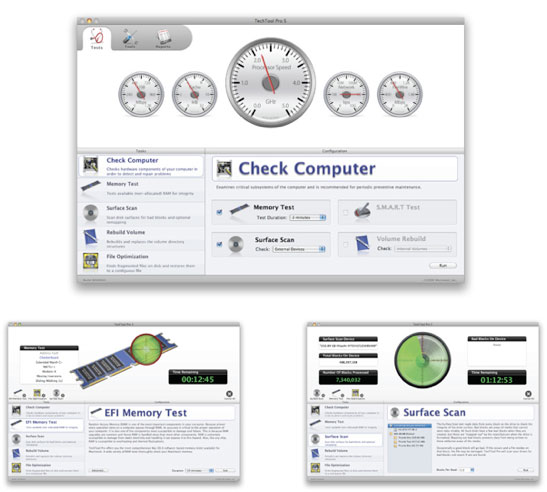
We almost let this one slip by.  Techtool, the Gold standard in Macintosh hardware diagnostics has finally started shipping their version 5 upgrade.

So what is new? (from MacUser)…

Beyond the new interface, you can now identify files that reside on bad blocks, you can see a trash history to help recover deleted files, you can check for specific types of file corruption, and set up an automatic monitoring system to watch the free space on your disk drives. A new interface when running all tests shows you all the queued up tests, and you can selectively disable those tests you don’t wish to run, even after you’ve started the (lengthy) process of running all the tests.

Micromat still lists Techtool 4 as current on their webpage but allows you a free update to version 5 if purchased in 2009.

AP covers Apple, Fake Steve drills real Steve

Site default logo image

The AP goes Youtube:  This one covers Stevo’s health issue and won’t have too much you don’t know already:

Contrast this with Newsweek’s Dan "Fake Steve" Lyons who says in today’s column:

Jobs, in contrast [To outgoing Microsoftie Bill Gates], seems determined to hang on at Apple no matter what. See, in the world of Steve, it’s all about Steve. When he does go, he will be remembered as a tremendous genius—but also as a petulant narcissist with a grandiose sense of his importance and a sadly limited view of the world around him. Ironically, it is Gates, his archnemesis, who will likely go down in history as the classy one: the one who knew how to exit gracefully, the one who is devoting the later years of his life, and all of his billions, to helping the world’s poorest people—and not clinging to his CEO job while he insults reporters and plays petty cat-and-mouse games with Apple shareholders and fanboys.

Sick’em!


Sunday Deal: Sanyo Xacti VPC-E2 Waterproof Digital Camcorder

Site default logo image

Deal of the week from 9to5mac.com/toys (feed)

Today only, Amazon.com offers the Sanyo Xacti VPC-E2 Waterproof Digital Camcorder in Blue for $149.99 (or white for $190) with free shipping. That’s $49 under our Black Friday mention and the lowest total price we’ve ever seen by a large margin. Features include a 5x optical zoom, rotating 2.5" LCD, digital image stabilizer, face detection, Secure Digital card slot (Also throw in a 16Gb Transcend SD Card for $30.), and USB 2.0 connectivity. 
 
The camera which can be used underwater (think of the children!) or above, retails for $400 but is usually seen around $200 and was recently seen at Buy.com for $190 and on Black Friday at $195.  The videos are 640×480 and can easily be exported to iPhone or iPod.  Note: It doesn’t go HiDef like Sanyo’s other non-waterproof camcorders.


Weekend Deals: EyeTV Hybrid 70% off at Amazon

Site default logo image

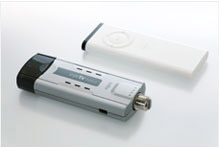
The deal of the week from 9to5mac.com/toys (feed) has to be the 1/2 off EyeTV Hybrid at Amazon.comEyeTV Hybrid allows you to watch both cable and over-the-air stations on your Mac.  With EyeTV’s award-winning software, you can Tivo directly onto your hard drive for playback later from the hard drive or from iPhones and iPods.

It lists for $230 and Amazon has it for $112.  Not inexpensive enough?  OK, J&R Computer offers the refurbished version for $69 (70% off).  Note: This is a year old product.  El Gato’s Store has this year’s for a special Macworld Price of $129.

From Amazon’s description:

Watch, Record, Edit, Enjoy
EyeTV Hybrid is powered by award-winning EyeTV 2 software:

  • Watch analog as well as free over-the-air digital TV on your Mac.
  • Browse EyeTV menus in Full Screen mode.
  • Record hours of your favorite TV shows directly on your hard drive and edit out unwanted content.
  • Find TV shows using the built-in program guide (USA only).
  • Export clips and entire episodes to your video-capable iPod.
  • Connect game consoles and enjoy virtually no latency game play.

It’s the ideal solution for someone who wants both an analog and digital TV solution for the Mac in one small USB stick.

Special Features

Two-In-One TV for Your Mac
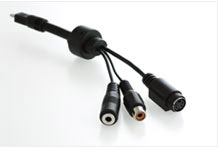
EyeTV Hybrid does the work of two EyeTV hardware products for the price of one. It delivers free over-the-air digital TV to your Mac via antenna, as well as analog TV via antenna and standard cable. In "Analog Mode", EyeTV Hybrid enables you to watch analog TV (NTSC) on your Mac via antenna and standard cable. EyeTV Hybrid also comes with a break-out cable for composite video and S-Video; use it to connect a set top box to receive premium channels, digital cable or satellite (in standard definition). Do you plan to use EyeTV Hybrid with a Dual PowerPC G5 or an Intel Core Duo processor? Then enjoy watching 720p or 1080i HDTV (MPEG-2) in addition to the other digital television standards.

  Made for the Mac
With its classic matte aluminum finish and surprisingly small size for such a versatile product, the EyeTV Hybrid is a perfect complement to the Mac. It features a USB 2.0 interface for the streaming of superior quality, uncompressed TV content to your Mac. It is USB powered and therefore requires no external power supply, and contains a full-size coaxial plug.
  Connect Game Consoles to Your Mac
Connect your game console and enjoy an excellent live play experience–EyeTV Hybrid’s uncompressed analog video signals appear on the screen with virtually no latency.
  Navigate with an Apple Remote
Tired of remote controls scattered around the living room? So are we. If your Mac came with an Apple Remote, you can use it to navigate EyeTV’s Full Screen Menu. The Full Screen Menu will certainly work with an EyeTV IR remote control as well.
  Superb Quality Digital TV Recordings
EyeTV Hybrid records digital TV in one quality setting, Lossless. The digital stream is recorded unaltered, and so you’re getting full quality digital content as encoded by the broadcaster. EyeTV supports multilingual programming and Dolby Digital sound. Analog TV can be recorded via EyeTV 2’s software encoder, and the quality depends on the Mac’s processor power.

Product Description
This El Gato EyeTV Hybrid Analog and Digital TV Tuner for Macintosh has been Factory-Refurbished to perform as new. It includes a 6 month warranty.

EyeTV Hybrid is a highly acclaimed TV tuner for the Mac. It’s ideal for anyone who wants the flexibility of a free over-the-air HDTV and analog solution together in one small USB stick. EyeTV Hybrid does the work of two EyeTV hardware products for the price of one. It delivers stunning quality free-to-air digital HDTV (ATSC) to your Mac as well as conventional analog TV via standard cable or antenna.
EyeTV Hybrid records digital TV in one quality setting, Lossless. The digital stream is recorded unaltered for full quality digital content as encoded by the broadcaster. EyeTV also supports closed captioning and Dolby Digital sound. With its classic matte aluminum finish and surprisingly small size for such a versatile product, the EyeTV Hybrid is a perfect complement to the Mac. It features a USB 2.0 interface for the streaming of superior quality, uncompressed TV content to your Mac. EyeTV Hybrid is USB powered and therefore requires no external power supply, and contains a full-size coaxial plug. Includes Software and Installation instructions

Google Chrome for Mac coming soon

Site default logo image

As Wired reports, the makeup of Google Chrome 2.0 Alpha indicates that the browser could be hitting the Mac (and Linux) platform at any moment.  The major roadblock for version 1.0 to go cross platform was that it was based on the Windows-only WinHTTP library.  This was likely to get the browser out the door on Windows as soon as possible.

The Chrome 2.0 alpha also has some big news for for Mac and Linux users who’d like to try Chrome: Chrome 2.0 uses its own HTTP network library rather than the WinHTTP library on Windows. 

The Windows-only HTTP library was one of the main stumbling blocks to cross-platform support and now that it’s gone the Mac and Linux versions should see some significant progress in the near future.


Google’s Chrome browser is based on Webkit, as are many other mobile and desktop browsers out there, including Apple’s Safari. 

To get the latest news on Google Chrome for Mac, head over to Google’s dedicated Chromium Mac site.  For those who can wait, Crossover has a version that runs off of the WINE APIs.  That, or you can install it on a VMWare or Parallels partition.

Apple at CES next year?

Site default logo image

Well, someone is BSing here.  We are not sure who, but statements made by Apple and statements made by some blogs around the web about Apple’s taking part in next year’s CES simply don’t mesh.  As Mac Soda points out, Phil Schiller went on record saying this to the New York Times‘ David Pogue…

I spoke with Phil Schiller after his talk. I asked him if he could be any more specific about why Apple pulled out of the Macworld Expo—to the heartbreak of the Mac faithful who have loved making the pilgrimage to this event for 25 years.

He said what the Apple press release said—that Apple stores introduce more people to Apple’s products in a week than 100 Macworld Expos. Trade shows just aren’t worth the effort and the money.

Apple’s "last Macworld" press release says this:


Apple is reaching more people in more ways than ever before, so like many companies, trade shows have become a very minor part of how Apple reaches its customers. The increasing popularity of Apple’s Retail Stores, which more than 3.5 million people visit every week, and the Apple.com website enable Apple to directly reach more than a hundred million customers around the world in innovative new ways.  Apple has been steadily scaling back on trade shows in recent years, including NAB, Macworld New York, Macworld Tokyo and Apple Expo in Paris.

So who is the BSer?  Apple or CoM/AI?  I guess we’ll find out in 365 days.

Quad core iPhones? Not so fast!

Site default logo image

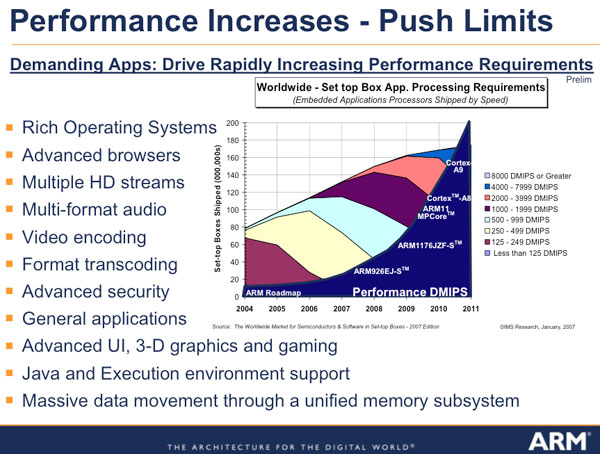
I like reading the rumors of a quad core iPhone coming soon, but I don’t really believe them. If we ignore the problems with ARM’s roadmap, and quad core Cortex processors in 2009, there are still many other issues that ruin the party. If there was an imaginary iPhone with a quad core ARM, it would need amazing power efficiency. 

Instead of the tens of watts drawn by the Atom and supporting chipset, we’re looking at something like a single watt using currently available ARM cores. Going by ARM’s figures for their 2010 products, we can see 4 cores drawing 10 mw each (40 mw) in "average" use, and nothing in sleep states. However, the graphics chip on this device has to be very efficient too. nVidia, who have been ARM-licensees since 2005, have done wonders with their Tegra line, particularly in terms of battery life. Apple has licensed Imagination’s ultra-low-power graphics processor to embed into this new device, and it is likely superior to nVidia’s Tegra 650.

 The problem is that it will take time for Apple’s team at PA Semi to refine their ARM cores, incorporate a highly advanced graphics block, add in the usual cellphone, bluetooth and miscellaneous "stuff" that goes together to make a cellphone. Shoe-horning the contents of five or six discrete ICs into a single die, with groundbreaking power consumption, takes time.

Then you have to make engineering samples and qualify them, design the phone hardware, port the OS, qualify those, then arrange production. Remember this is based around a core component that isn’t expected to appear even as engineering samples until late 2009.

The Cortex-A9 isn’t a requirement, but it is common to all the rumors. ARM11 cores would have similar throughput with a power efficiency penalty. The risk there is that the chip will draw too much power. Doubling the power doubles the size of the battery to maintain the same standby time.

From the hardware point of view, the final rule of the semiconductor business is that first you get it to work, then you get it to work fast, and then you make it power efficient by evolving the fabrication process.

Apple is a design company. When you look at the iPhone one thing is clear: they aim for capable hardware, and implement all the features they want in software. It is obvious they are developing a general purpose hardware platform with capabilities well beyond the needs of even the most powerful cell phone. It seems smart for them to take the longer view and invest the time to come to market with a well-developed platform that has multiple uses, which leads into the other rumors and discussions of games platforms and convergence devices.


Zune Doomed?

Site default logo image

OK, better sit down for this one.  A big surprise here:  Microsoft may be ready to kill the Zune.  We know: shocker!

According to the FT via SAI :

In digital music… Mr Ballmer seemed all but ready to throw in the towel on the Zune mobile device, which has failed to gain ground on Apple’s iPod. But he suggested that the focus of competition in digital media was moving onto ground that Microsoft understands well: software.

He said that, with the market for dedicated portable media players in decline, the future lay in more “general purpose” devices – such as Apple’s iPhone and touch.

So will Microsoft kill the Zune and focus on it’s Danger and Windows Mobile devices?  Sounds like a good long term strategy, even Apple is seeing flattening sales of iPods and most of the innovation is in the Touch/ iPhone area. 


Any other opinions out there?


iLife '09 and iWork '09 hit Amazon

Site default logo image

9to5mac affiliate, Amazon and a few other retailers, are now carrying iLife and iWork at retail prices.  Amazon, however, offers free shipping and often doesn’t charge sales tax like the Apple Store.   If you want to get in on those amazing Faces and Places features of iPhoto, get clicking.  Links and prices below.

iLife ’09 $79
iLife ’09 Family Pack $99 (up to 5 licenses – screw you Brady Bunch!)

iWork ’09 $79
iWork ’09 Family Pack  $99

The Box Set – which includes iLife ’09, iWork ’09 and a Leopard license
Single License: $169
Family License: $229


Remember to check all of the Apple related deals at 9to5mac.com/toys (feed).


Multi-core iPhones in 2009? No

Site default logo image

There are some rumors around the net that can be traced back to the Apple Core about version 3.0 of the iPhone.  The idea put forward was that a quad core processor would grace the next revision of the iPhone. 

It won’t.  Let’s just stop those rumors right here.

The ARM architecture for multi-core chips doesn’t even start picking up steam until 2010.  In 2009, the Cortex A8 will continue to gain momentum.  Toward the end of the year, devices based on the A9 single core architecture could start appearing. 

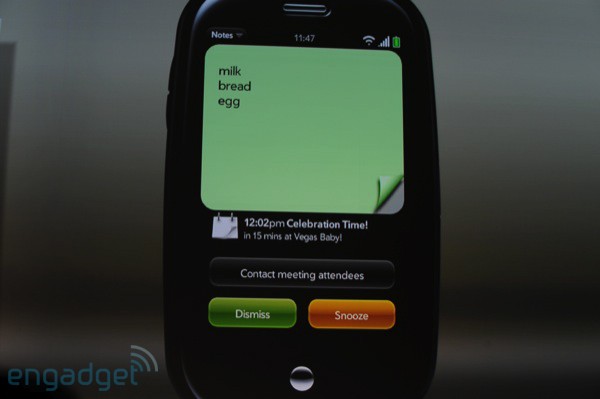
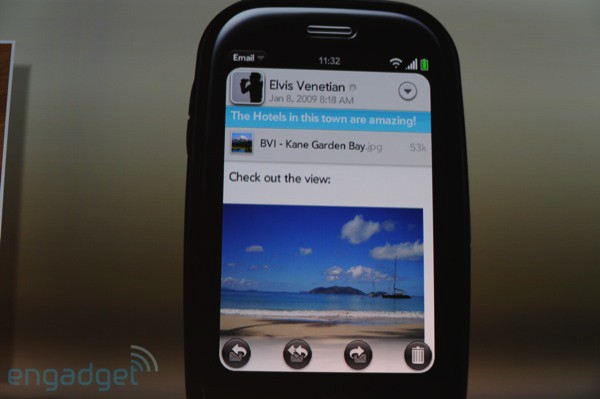
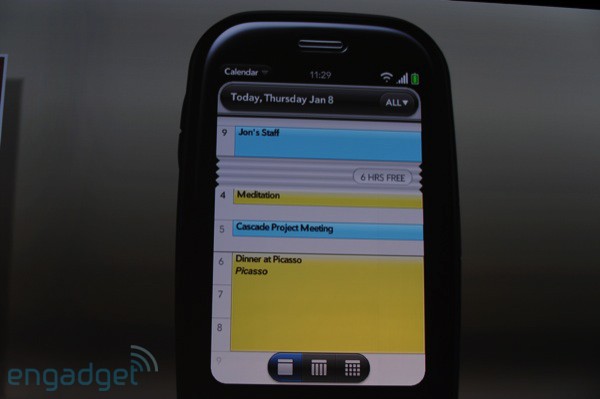
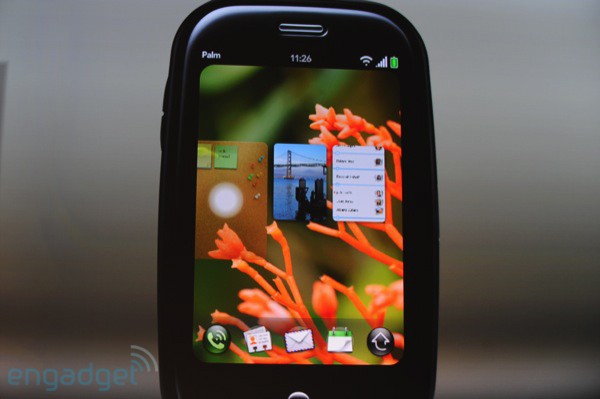
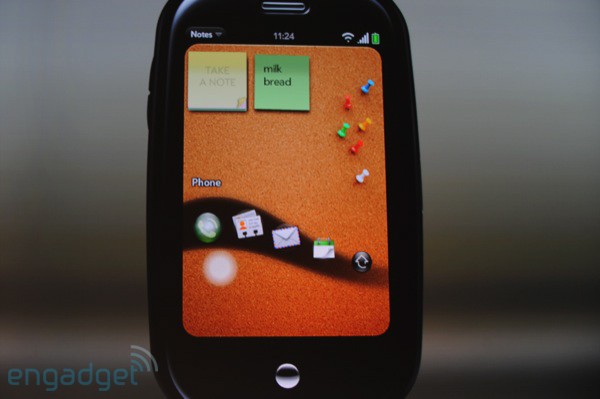
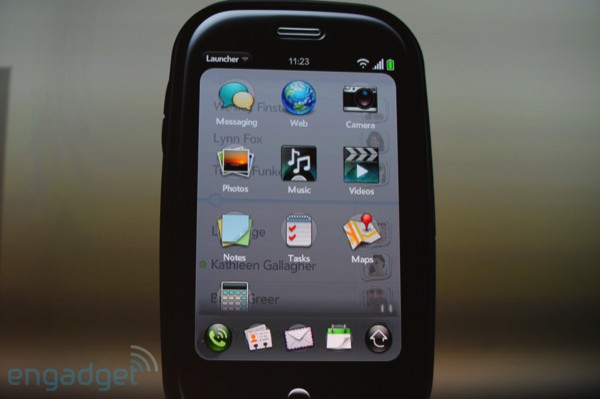
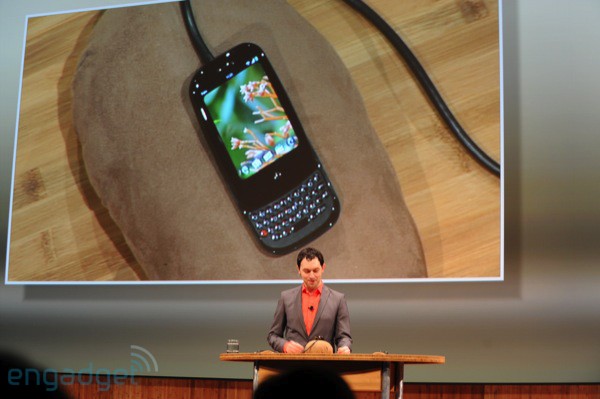
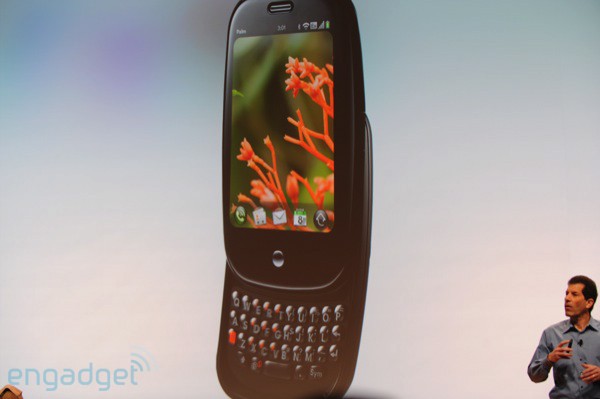
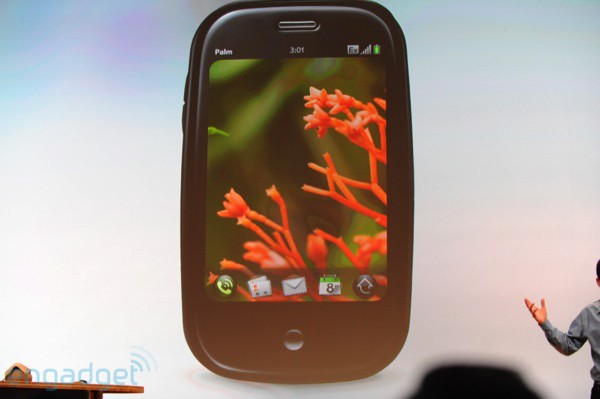
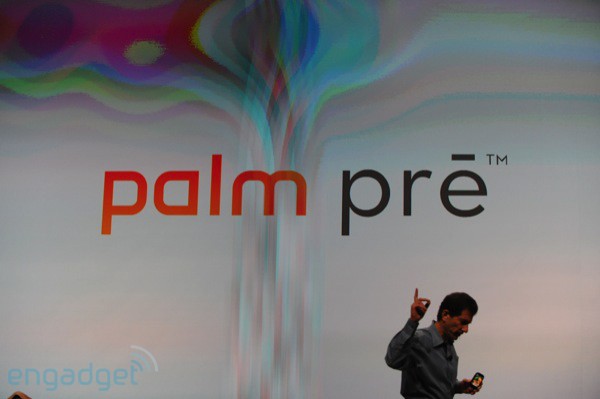
Today, Palm’s Pre announcement included mention that it would have the TI OMAP3430, which is the fastest Processor available for mobile phones right now and it would hit the streets in mid 2009.  It is based on the ARM Cortex A8.  The A9 multi-core is two generations ahead of that.

To be fair to the Apple Core, they weren’t really giving time-lines or specifically anything about the ARM chips that go into the iPhone.  Would the graphics chips be quad core?  Maaaybe.  But probably not. 

From TG Daily (RE: Imagination Chips)

I have said it before and I said it again: GPGPU acceleration may turn into the most significant hardware and software advances in decades and to see that technology emerge on the cellphone as well is exciting. However, Imagination has just begun to license the 543 design, which means that it will take about 18 months for phones that are equipped with the chip to become available for sale. The next iPhone may not get this chip, but rely on the current SGX version (which is a significant step up from the MBX chip.) But two generations out, the 543 could be a stunning platform and the iPhone may run applications you can only run on your PC today.


Will there be a quad-core iPhone?  Probably, in 2010.  Will you see it in 2009?  Not very likely.  Start thinking about Cortex A8 (no slouch) around, say July or earlier if we are lucky, depending on how long it takes PA Semi to crank out their version.

Don’t believe me?  Do a Google search.  If anyone can find any roadmaps with multi-core Cortex A9’s in 2009, we’ll put it up.


TechRestore will matte your Unibody MacBook for $199

Site default logo image

If there was ever any doubt that there is, in fact, a market for matte screen MacBooks of the 13 and 15 inch variety, Techrestore is validating.  For $199 (Apple’s $50 matte-grade doesn’t seem so steep now does it?) and a 24 hour turnaround time, they will replace your mirror screen with a matte screen.  No word yet what happens to the MacBook Logo – maybe they’ll laser etch your name in there for another Benny.

From their site:

Don’t like the shine? Think your MacBook Pro screen is like looking in a mirror? We can help!

This service is for the "Unibody" MacBook Pro systems with 15.4-inch screens that were released by Apple in late 2008. Only fully functional screens qualify for this replacement service. If your screen is defective and you need to schedule a repair, please click here.

What this service includes: Replacement of the super glossy, super shiny LCD screen on your MacBook Pro with a matte finish, non-glossy screen. We also remove the shiny glass cover on your MacBook Pro and replace it with a black bezel that surrounds the matte finish screen. The replacement screen will be brand new and include a 1-year TechRestore warranty. We will perform the service within 24-hours (M-F) of receipt of your Mac.

A Trusted Source with a Proven Track Record

Like you, thoughts of being without our Macs for an extended time period is downright scary. The good news is that we only need your Mac for 24-hours (Monday – Friday) to install a brand new LCD screen and with our nationwide overnight courier service, you’ll have your Mac back before you know it. In addition to the fast turnaround time, we provide you with our exclusive 1-year warranty on parts and labor.

Quick & Easy with no Surprises

Our flat-rate LCD screen replacement includes everything you need to get your trusty Mac back up and running as quickly as possible. Just add this item to your shopping cart and complete your order online, or call 1-888-64-Restore (888-647-3786) to schedule your repair via phone. Choose from our famous Overnight Door-to-Door pickup service, Local Drop-Off at any FedEx location near you or send your laptop to us on your own and get Free return shipping. During the repair process, you’ll be provided with email updates and you can check your repair status online at anytime.

Choose from four shipping options for your repair:

ship options


1. Door-to-Door Overnight Pickup for $99
2. Local FedEx Drop-Off with Overnight Delivery for $49
3. Self-Ship with Return Overnight Delivery for $29
4. Self-Ship with Return Ground (3-5 Day M-F) Delivery: Free

Three options include return Overnight shipping back to your location when your repair is completed. Click here for an illustrated view of your shipping options. The Free Ground return option is valid with any approved repair.

Customers outside the U.S., in Canada, Hawaii & Alaska select the Self-Ship shipping option below. An additional charge of $20 will be added to your order for return overnight shipping.

Don’t take our word for it – take a gander at what our customers have to say about our services.

More Questions? Give us a call at 1-888-64-Restore and speak to an actual human being or contact us via email.

HP Windows-based Media Center wins Macworld award

Site default logo image

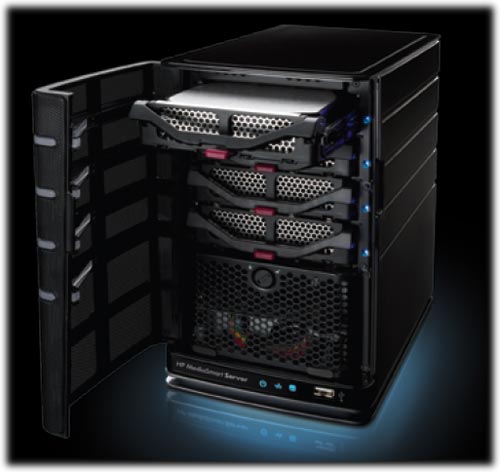
This might be a first (and a last).   HP’s MediaSmart Server EX485 has walked away with one of Macworld Magazine’s coveted best of show awards.  The Windows Home Server based product (!) does offer a lot of services for the Mac platform.  You can do Time Machine backups to the device.  You can store your iTunes online on a central server.   You can also share files/folders with anyone in your house or small office.  With some extra SATA drives, you can have this thing up to 9TB.  Competition for this device includes DLink’s DNS-323 line, Linksys‘s NAS, the Drobo line and (our fav) Netgear’s ReadyNAS.  The others run Linux but the HP runs Windows.

The Apple Competitor?  None for quite awhile.  We’ve heard the only functionality to be added to Time Capsule in the near future is Software Update caching.  If you want to pick one of these HP’s up, head over to Amazon and save over $100 off of retail for the 750GB version.

Macworld said:


HP MediaSmart Server

HP’s MediaSmart Server is a server for the home. The idea is that it gives you one place to store all your family’s shared libraries of photos, music, and video, and provide a backup drive for every computer in the house.

It looks like a mini-tower. It’s got four drive bays. You can buy it with one or two of those bays full, for 750GB or 1.5TB of storage. You can plug any SATA drive into the remaining bays if you need more storage.

The MediaSmart Server isn’t new, but the latest version adds improved Mac compatibility. For one thing, it now works as an iTunes Server. You can copy your iTunes libraries to it, then access those combined libraries from any computer in the house. (Unfortunately, the media collection tool, which can go out and find all those libraries and do the copying on its own, only works with Windows PCs for now.)

The MediaSmart Server can also work as a centralized backup drive for everyone on the network. The key addition there: Unlike other network-attachable drives, it’s compatible with Time Machine.

The HP MediaSmart Server is specifically designed for homes with a mix of Macs and Windows PCs. It requires a PC for the initial installation—in large part because the server itself runs on the Windows Home Server OS. But once you’ve done that set-up, the MediaSmart is fully accessible from your Mac.

All in all, it’s a really promising solution for any home that has both Macs and Windows machines and no central place to store and protect the family’s digital media assets.


Amazon.com Product Description
Automatically back up and protect your digital memories, centralize your media and content for sharing with friends and family, and enjoy your digital media while at home or away with the HP EX485 MediaSmart Home Server. Based on the Microsoft Windows Home Server platform, this sleek, quiet server is ideal if you have multiple PCs on a home network, or want the flexibility to enjoy your digital experiences from anywhere over the Internet. And it’s easy to set up–just plug it in, connect it to your wireless router (sold separately), and load the software onto your PCs and Macs.

The HP EX485 makes backing up your home’s PCs and streaming media a breeze, and it comes with 750 GB of storage.

Centralize your iTunes music libraries on the MediaSmart Server for playback to any networked Mac or PC running iTunes. The HP Media Collector conveniently schedules the MediaSmart Server to copy and centralize digital files and libraries from networked PCs. The pre-installed HP Photo Publisher software enables you to easily upload photos to Facebook, Flickr, Picasa Web Albums and Snapfish. and the MediaSmart Server provides peace of mind with effortless backups of your Windows-based PCs via the Windows Home Server backup feature and Macs running Leopard using Apple Time Machine software.

The EX485 MediaSmart comes with 750 GB of storage right out of the box and four drive bays that allow you to add optional off-the-shelf SATA I or II hard drives–up to a maximum capacity of 9 TB (terabytes). Additionally, the MediaSmart includes four USB 2.0 ports and one eSATA port for connecting an attached external hard drive, and it provides capabilities for offsite backup via automatic upload to Amazon’s S3 service.

The sleek, streamlined micro-tower design is perfect for use in the home office or the living room, with perforated steel exterior panels that provide cool, quiet operation. A Sleep Mode conserves energy and saves you money in more ways than one. The built-in sleep mode consumes only 1W of power, and the server can take on many of your PC’s responsibilities, enabling you to turn off your individual computers to further save energy and money.

Software Features

  • Operating System: Powered by Windows Home Server, a new software solution from Microsoft for storing, accessing, sharing and automatically protecting digital files.
  • HP Control Center: The HP MediaSmart software that sits on top of the Windows Home Server software making access to tasks easier. Users with administrative access privileges can access the Windows Home Server Console from the HP Control Center.
  • Windows Home Server Console: Software accessed from the HP Control Center to manage your HP MediaSmart Server. Software includes setting up shared folders, assigning user access privileges and customizing backups.
  • File Sharing and Storage: Effortlessly centralize your files and access them from any PC and or Mac on your home network.
  • PC Hard Drive Disk Backup: Once the HP MediaSmart Server software is installed on a home PC, the Windows Home Server backup software automatically starts backing up the PCs hard disk drive image every night. You can customize the number and frequency of backups kept.
  • Mac Backup: Back up your Macs to the MediaSmart Server using Apple’s Time Machine software.
  • Shared Folder Duplication: Designate folders that will be copied automatically onto multiple hard drives for an additional layer of redundant protection. Folder duplication replaces traditional RAID-style redundancy.
  • Individual File Restore: If you accidentally delete a file on your PC, you can browse versions of the PC hard drive backup image on the HP MediaSmart Server to find the file and copy it to your PC.
  • PC Hard Drive Disk Restore: In the event of a PC hard drive failure, the included HP PC Restore disc is all you need to restore a hard drive image from the HP MediaSmart Server. Theres no need to locate your original operating system disc.
  • HP Media Collector: Conveniently schedules the server to copy and centralize your Windows PC media files and libraries (including iTunes and playlists).
  • Remote Access: Upon installation, you can set up a personal web address to be used for remote access and by visitors. Using your personal web address, you can remotely access shared folders and files on the HP MediaSmart Server from any Internet-connected computer.
  • In-Home and Remote Media Streaming: Extend your digital media experiences by conveniently streaming photos, music and videos to your TVs, through gaming consoles such as Xbox 360 or PlayStation3, and computer’s within your home. Remotely stream music and photos from your server to any Internet-connected computer for access while you are away.
  • HP Photo Publisher: Easily publish your photos to Snapfish, Facebook, Flickr, and Picasa Web Albums using an Internet-connected computer.
  • HP Photo Viewer: Quickly share photos and albums stored on the Server with friends and family.
  • Server for iTunes: Centralize your iTunes music libraries and playlists on the server for playback to any PC or Mac running iTunes on your home network.

    Satisfy all your backup and media storage needs with four internal hard drive bays, four USB 2.0 ports, one eSATA port, and access to Amazon S3 online backup.

  • Easy Storage Expansion: Add an internal or external hard drive to the HP MediaSmart Server, indicate that you want to add the disk in the Windows Home Server Console, and the HP MediaSmart Server storage grows. No need to power down the unit or manage drive letters for multiple hard drives.
  • Server Anti-Virus Protection: Server side anti-virus trial offer from McAfee for increased protection of your HP MediaSmart Server. Run quick scans of specific folders or deep scans across your entire home server.
  • Server Backup: Protect your digital memories from fire/flood/natural disaster… backup your server shared folders to an external hard disk drive, and/or an online backup to Amazon S3.
  • Server Recovery: The included Server Recovery Disc can be used to recover all data and restore folders or, to reset the server in case the server operating system disk becomes corrupt.
  • Additional Software Add-Ins: Extend the functionality of your server through available software add-ins to enable expanded functionality, server personalization and/or entertainment.
  • Users: Up to 10 user accounts can access the HP MediaSmart Server. In addition, a predefined Guest account can be enabled.

PC Operating System Support

  • Automatic backup of computers running Microsoft Windows Vista (32 & 64 bit), XP Home (SP2), XP Professional (SP2), Media Center Edition 2004 (SP2) or later, and Macs running ApplesTime Machine.
  • File sharing for computers running Microsoft Windows Vista (32 & 64 bit), XP Home (SP2) or XP Professional (SP2), Media Center Edition 2004 (SP2) or later, Mac OS X, or Linux.
  • Remote access to computers running Microsoft Windows XP Professional (SP2), Media Center Edition 2005 (SP2), or Vista Ultimate.

Hardware Specifications

  • Internal Hard Drive(s): One 750 GB drive (SATA, 7200 RPM)
  • Internal Expansion: Four hard drive bays (additional off the shelf SATA I or II hard drives can be added; no tools required)
  • External Expansion: Four USB 2.0 ports (1 front, 3 back); one eSATA port (back)
  • Processor: Intel Celeron 2.0 GHZ 64-bit Processor
  • Memory: 2 GB of DDR2 DRAM (800 MHz)
  • Network Support: 10/100/1000 (Gigabit) RJ45 Ethernet; supports both wired and wireless PCs (via a wireless router).
  • Power: Internal universal power supply
  • Dimensions: 5.5 x 9.8 x 9.2 inches (WxHxD)

What’s in the Box
HP EX485 MediaSmart Home Server, power cable, Ethernet cable (RJ45), PC restore disc, server recovery disc, software installation disc, printed documentation. The MediaSmart Server is backed by a one-year limited warranty and dedicated software technical support both online and by phone.

Product Description
The HP MediaSmart Server is a home server that can automatically backup and protect your digital memories, centralize your media and content for sharing with friends and family, and enable you to enjoy your digital media while at home or away.

Off Topic: ASUS EEE Keyboard (and Sony P). Cool

Site default logo image

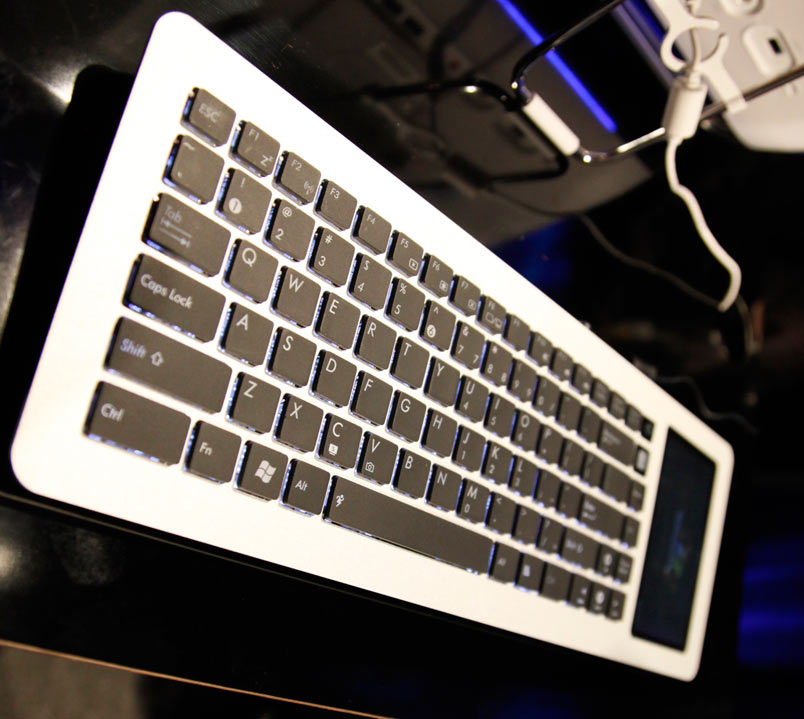
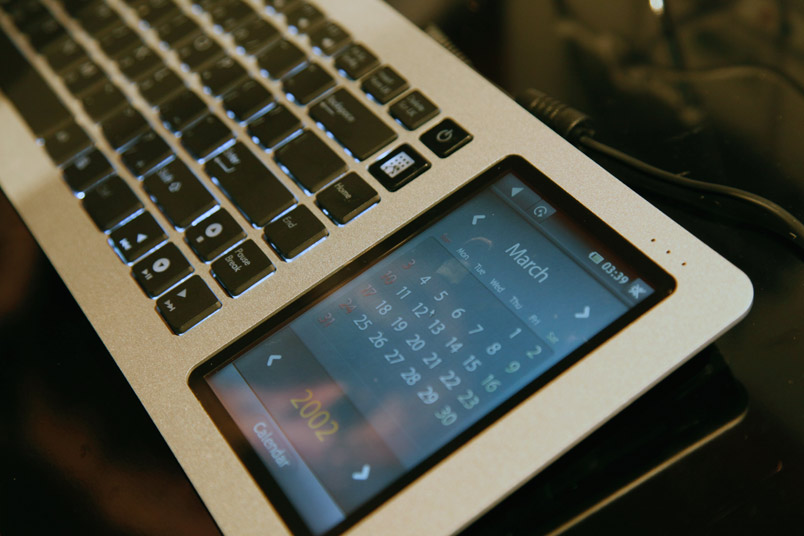
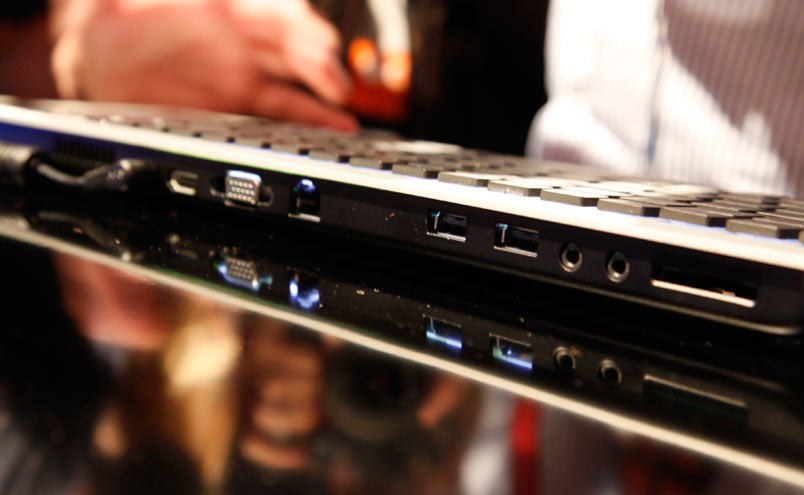
Yes, this is an Apple Blog and of course we love to focus on Apple products but it never hurts to look around the technology landscape just a bit.  ASUS, the company that invented the Netbook category, this year may have invented the "Keybook" category.  They’ve stuffed a whole PC, including small touch screen monitor into a slightly oversized keyboard (Apple // be damned!).  Specs haven’t been given but surely it carries your garden variety Netbook 1.6ish GHz Atom processor and too little RAM and hard drive to run Vista.  If you look below you’ll see a lot of ports including HDMI for 1080P goodness.

Nice work ASUS, we like this concept even if it doesn’t find its way into our homes.   Oh, and then there is the Sony P.  It is so good to see that Apple has some competition in the innovation department.  From Giz:


17 inch MacBook Pro commercial and a few thoughts

Site default logo image

That 17-inch MacBook Pro is a thing of beauty, no doubt. But we have some reservations.  First of all, the five years of battery charges couldn’t have been tested (this new tech/form factor didn’t exist five years ago).   Lithium Polymer might age poorly or differently in real world conditions and differently than in testing.  We are willing to give Apple the benefit of the doubt but know we have been dealt a bit of a wild card there.  Also we know the five hour batteries typically last three hours, so should we expect these 7/8 hour batteries to last 5/6 hours?

Next, that enclosure doesn’t just enclose the battery but it also encloses the hard drive (see no seams in video below).  And you only have a few (Apple only) options out of the box.  The biggest drive you can walk away with is a 320GB.  You can easily replace an Apple drive on a 13 or 15 with one of the many 500GB 2.5 inch SATA drives out there.  Hrmmmph. 

Apple also offers SSD drives in 128 and 256 GB sizes for $500 and $900 respectively.  We’d also like to replace the SSD if/when we choose to.  In a couple of years into that five year battery life, bigger SSDs will cost much much less.  It would be nice to be able to upgrade without major surgery. (more below)

RAM.  We love the ability to go to 8GB of RAM but $1200 is pretty steep.  Especially when RAM prices have fallen so sharply over the past few years.  Even if you could easily get into the case, that type of RAM isn’t cheap from 3rd parties.  Oh, and since the 17 inch can go to 8GB with the exact same memory, can we now upgrade our 13 and 15s?  Not yet.

We are waiting for the iFixit disassembly videos to show us the way to do the surgery.

Macworld new products…Toast, Skype, Picasa…

Site default logo image

9to5mac.com/toys is running down the Macworld Hardware and software releases today.  Some standouts:

Toast 10 was released at Macworld.  You can get it at the Roxio Store for $79 (after $20 mail in rebate).  Or Amazon has it for $85 with no rebate hassles.

  • Roxio Toast 10 Titanium is the easiest and fastest way to burn your music, video, photo and data files on to CD, DVD or Blu-ray Disc for both Mac and PC
  • Locate, convert and burn your favorite shows, music and data to CD, DVD and Blu-ray discs, or sync to your iPhone, iPod and other mobile devices
  • Save and convert video from many popular video sharing websites
  • Automatically capture and tag streaming audio from the Internet right into your iTunes library
  • Roxio Toast 10 Titanium is the essential complement to MacOS X and iLife for disc burning and much more

Picassa for Mac and Skype 2.8Beta are, of course, free.  We are waiting (OMG don’t deny us APPLE!) for Slingplayer on iPhone

On the hardware front, get a MacBook Air from Apple for $999.

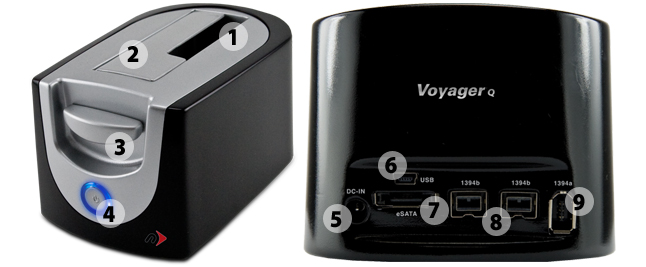
Also, OWC Offers the Newer Technologies new Voyager Q (for quad interface) eSATA, /Firewire400-800/USB SATA Hard Drive Adapter (picture below).  If you only need a USB model, Amazon has the Thermaltake for $32 (60% off).

Need a 1.5TB SATA HArd Drive to go in there?  Amazon offers a Seagate for 140 plus $8 shipping.  Or get them both for $172 (see combination deals).  Not too shabby.

Show's over…notes on Macworld 2009

Site default logo image

Frankly we like to see a little more hardware at events but the 17 inch MacBook was pretty close to our description last week.  The $50 matte version should make people both happy and sad – as wil lthe internal long life battery.  We’d be lying if we said we didn’t want one…with 8Gb (will we be able to up our smaller MacBooks to 8Gb)?   No Mini or iMac however was rough.  We have a feeling they are coming.

iLife and iWork are both looking pretty exciting.   iWork.com is pretty close to what we envisaged.  There were lots of gray areas where we missed some stuff but we think we got the major gist of it across.  GarageBand learn-to-play is exactly what we had heard.  And the Magic hint?  Cool transitions in iWork.  They are Fun!

iTunes.  The end of the DRM era.  Now we don’t have to visit Amazon (but probably will continue for the dealz).  Amazon still beats Apple on price but iTunes is more convenient.

Apple Stock isn’t really reacting (update – whoops – it is tanking).

Overall however, we were left….wanting…although the Macrumorslive (best feed out there)  getting hacked was entertaining.  And obviously we have an Apple Mac hardware event coming up.

We’ll put up Apple’s videos as they become available.  What did you think?