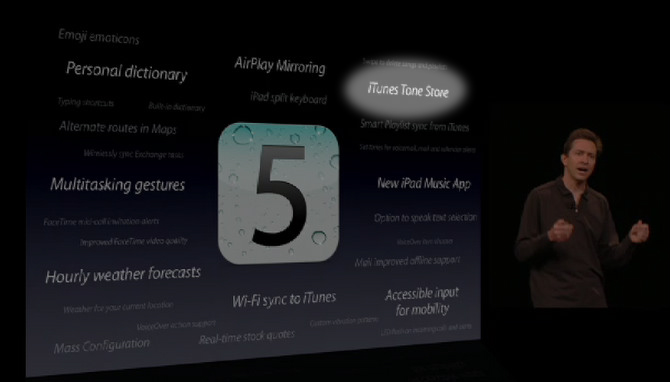
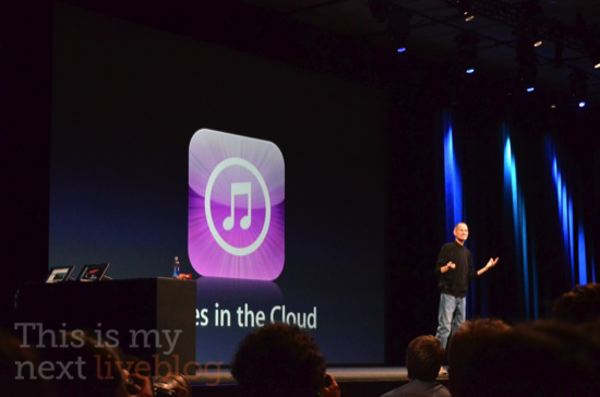
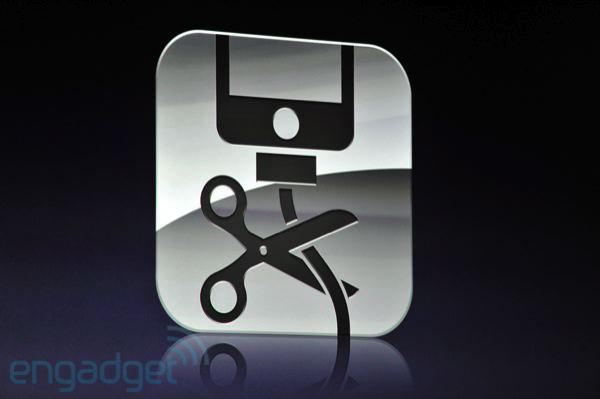
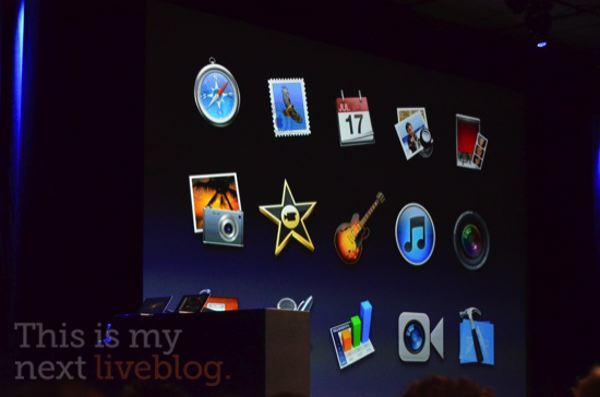
iTunes Tone Store has been outed on this slide from yesterday’s keynote.
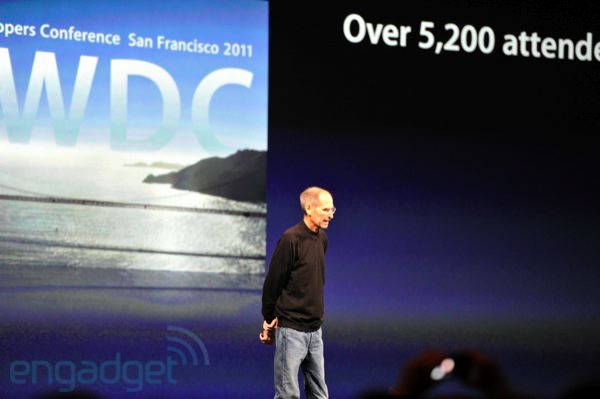
In addition to the big ones, iOS 5 includes dozens of nice-to-haves that have been given little air time during Apple’s WWDC keynote talk yesterday, excluding passing mention on a group slide. So, what do you see in the above snap? Yeah, it’s Apple’s iOS software chief Scott Forstall zipping through the iOS 5 segment of the keynote. See the iTunes Tone Store mention on the slide? Given Apple already sells 99-cent ringtones on iTunes and they let us create our own 30-second snippets from iTunes purchases, we can’t help but wonder – why do we need yet another store? Plus, a Paal, Belgium-based reader creates a YouTube video as a comment to this article, found at the bottom.
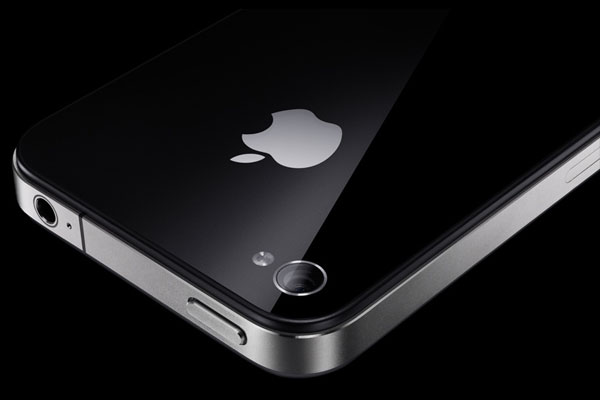
Taiwanese trade publication DigiTimes reported this morning that OmniVision has won a contract with Apple that will see both Sony and OmniVision supply Apple with eight-megapixel CMOS image sensors, presumably for a fifth-generation iPhone.
OmniVision has grabbed a majority of total CMOS image sensor (CIS) orders placed by Apple for the fifth-generation iPhone, market sources have claimed. Meanwhile, power amplifier (PA) supplier Avago Technologies has landed orders for the WCDMA version of the device for its first time, according to the sources. About 90 percent of the CIS orders for Apple’s new iPhone will be supplied by OmniVision, while Sony takes up the remainder, the sources said. The upcoming device will feature a built-in 8-megapixel camera, the sources added. TSMC will use BSI (backside illumination) process technology at its Fab 14 to produce CISs used in the new version of iPhone, the sources revealed.
This is the new default wallpaper in Lion (click for larger)
Yesterday’s on-stage demos of OS X Lion (what, you haven’t heard? They dropped the Mac from OS X) included a fancy new default wallpaper that follows the space theme introduced with Leopard. Want it? Get it here (thanks, Benjad). Matter of fact, you can get all Lion wallpapers as a downloadable ZIP file from It’s all tech.
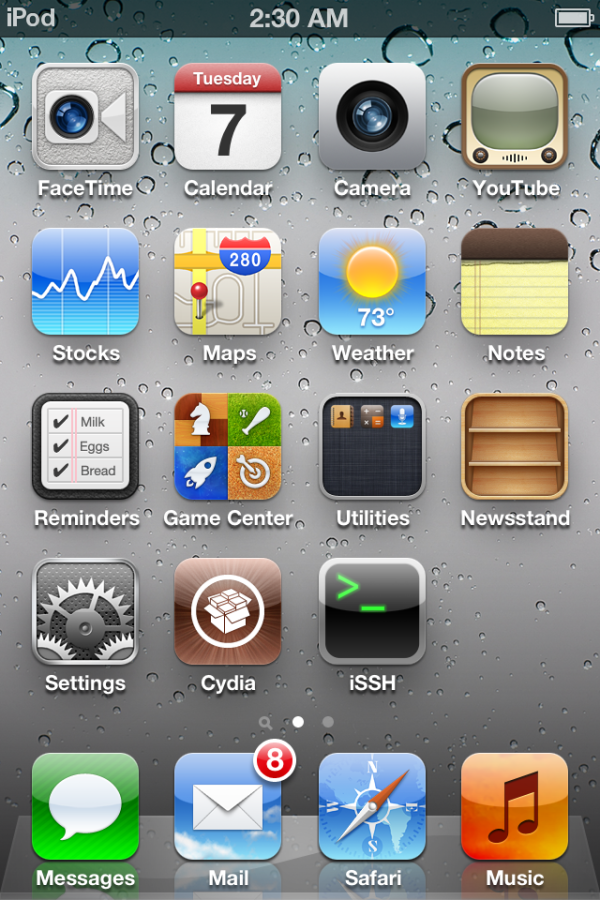
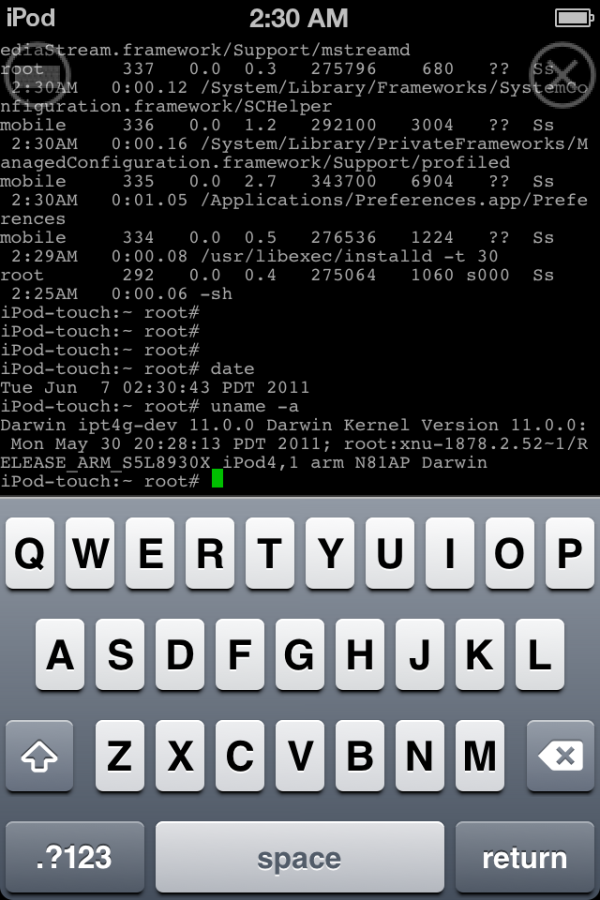
The iPhone Dev Team’s MuscleNerd has confirmed via his Twitter account that iOS 5 has been successfully jailbroken, adding the hack will work on the final iOS 5 version when it ships this Fall.It is a tethered jailbreak so you will have to connect your device to a computer each time it restarts (until they develop an untethered jailbreak). “Cydia works fine from quick testing (I installed SSH)”, he tweeted.
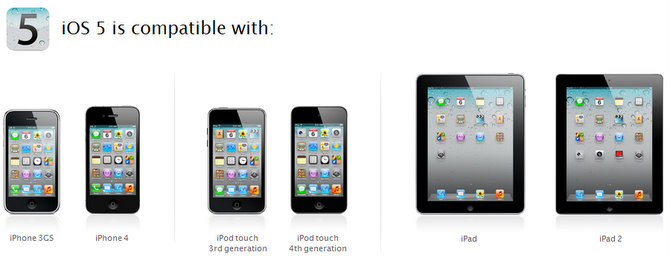
Coming this Fall, iOS 5 will bring along a boatload of exciting new stuff designed for the same devices as its predecessor. Specifically, Jobs has confirmed during yesterday’s keynote talk that iOS 5 will run on the iPhone 4 and iPhone 3GS, iPad and iPad 2 and third- and fourth-generation iPod touch. If history is anything to go by, some of the new features won’t work on older devices due to constrained resources.
Unfortunately, the iOS 5 features page reveals nothing about possible limitations on legacy hardware. Bloggers, however, are beginning to discover what has been implemented in iOS 5 for iPhone 3GS and what features have been stripped away. Take it from a guy in the below clip, “In my opinion, iOS 5 beta works flawlessly on iPhone 3GS”, he concludes. Let’s begin with what works first.
We’re discovering some very interesting and little advertised new features following yesterday’s unveiling of Apple’s iOS 5 software. For instance, did you know there’s a new setting allowing you to tell your iPhone to blink its LED flash on incoming calls and alerts? We’ve also learned about brand new AssistiveTouch section in Settings where you can control your multi-touch experience and even draw custom gestures. Plus, the four-finger pinch gesture that mimics the functionality of the home button? It’s back!
It originally appeared in the first beta of iOS 4.3, but was disabled in subsequent releases unless you were a registered developer who enabled your device for development in Xcode. Needless to say, the home screen pinch has become a jailbreaker’s favorite tweak and it’s been especially popular with iPad owners because performing multi-fingered gestures felt more natural on the tablet’s larger canvas compared to the iPhone’s smallish screen. Even though Steve Jobs made no mention of them during the keynote talk, Apple has detailed new iPad multitasking gestures on its site:
iOS 5 includes a few new moves and shortcuts to help you get around even quicker on your iPad: Using four or five fingers, swipe up to reveal the multitasking bar, pinch to return to the Home screen, and swipe left or right to switch between apps.
Specifically, Apple featured the home screen pinch twice in their iOS 5 promotional video, seen below (mark 0:28 and 5:43). Now, what about those custom gestures?
[youtube http://www.youtube.com/watch?v=LLJIef-e-7g?rel=0&w=670&h=411] Expand Expanding Close
A new developer preview of Safari 5.1 was released yesterday in the Safari Dev Center. Safari 5.1, which ships with Lion in July, will take advantage of GPU acceleration on Windows and enable new HTML5 APIs allowing for the creation of much more sophisticated web apps. In addition to support for the latest CSS3 goodies such Text Emphasis, Vertical Text, Auto-Hyphenation and Transitions and Animations, the 45.3MB download also works with Web Open Font Format and Mathematical Markup Language (MathML). More importantly – and in line with Chrome’s architecture – plug-ins and Safari’s WebKit rendering engine now run in their own process separately of the main Safari process, meaning a misbehaving plug-in or HTML code cannot crash the browser. We’re just getting started, though.
Apple has just updated its free Find My iPhone app for iOS devices. From the release notes accompanying the 5.2MB version 1.2 update.
• when you are unable to locate a device because it is is offline, you will receive an email if the device comes online and is located • ability to remove an offline device from the list using the app
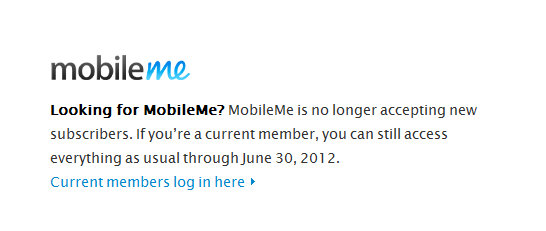
Apple has unveiled the new iCloud service at a morning keynote which kicked off the WWDC 2011 show. The new product actually retires Apple’s $99 a year MobileMe services suite. If you’re among a couple of hundred thousand subscribers, you may wanna check out a new support document outlining things to know as this transition takes place. The document reads,
Effective June 6, 2011, if you had an active MobileMe account, your service has been automatically extended through June 30, 2012, at no additional charge. After this, the MobileMe service will no longer be available.
With necessary licensing agreements from major music publishers in his pocket, Steve Jobs has taken the wraps off of the new feature that lets you re-download music purchases at no cost, via the iTunes Store app on iOS devices. “For the songs you’ve already bought, we’ve added a purchased button”, Jobs explained. This new section of the iTunes app conveniently lists all your music purchases in one place. From there, tap the cloud icon to download the already purchased track for free.
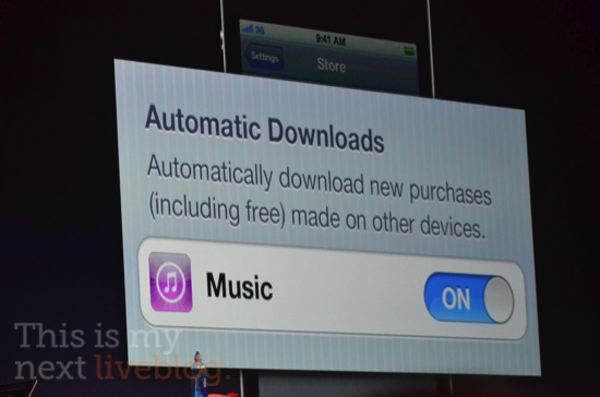
Your other choice is the automatic downloading feature that grabs your purchases, including free ones, made on your other devices. “This is the first time we’ve seen this in the music industry – no charge for multiple downloads to different devices”, Jobs said. But what about music you already own, which didn’t come from iTunes? And what about that rumored scan and match stuff?
A Stevenote is in progress at San Francisco’s Moscone West where Apple’s boss and his top lieutenants are on stage, making headlines with a plethora of iOS 5, Lion and iCloud announcements. The keynote has kicked off Apple’s annual developer conference which runs through June 10.
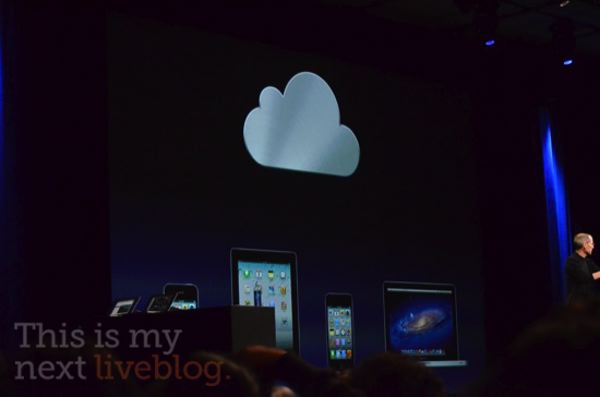
“I get to unveil iCloud”, Jobs said as he announced Apple’s latest online services suite that will replace MobileMe as a go-to solution for all your cloud needs. He argued that the cloud – not your computer – has now become the hub for your digital life. Keeping all your devices in sync makes us crazy, Jobs observed, adding “We’ve got a great solution to this problem… We’re going to demote the PC and the Mac to just be a device.”
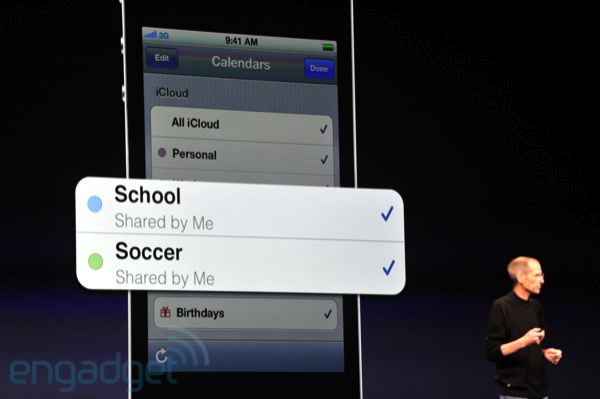
The cloud sync works automatically between iOS devices, PCs and Macs, per Apple’s “It just works” mantra. Any changes in, say, the Calendar or Contacts apps get automatically pushed via the cloud to all of your iOS devices. This is true for any supported app, which includes the recently updated Pages and Keynote apps. Plus, the new Cloud Storage APIs let third-parties write apps that tie with this cloud storage.For instance, you can create a document in Pages for iPhone and it will automagically become available via the cloud on your iPad – they call that Documents in Cloud. Jobs said,
Documents in the Cloud really completes our iOS document storage story. A lot of us have been working for 10 years to get rid of the file system so the user doesn’t have to learn about it.
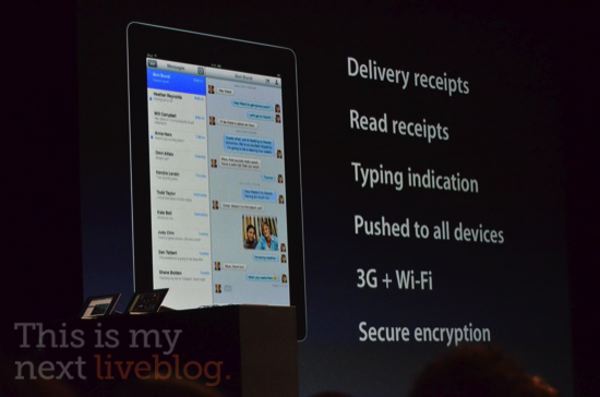
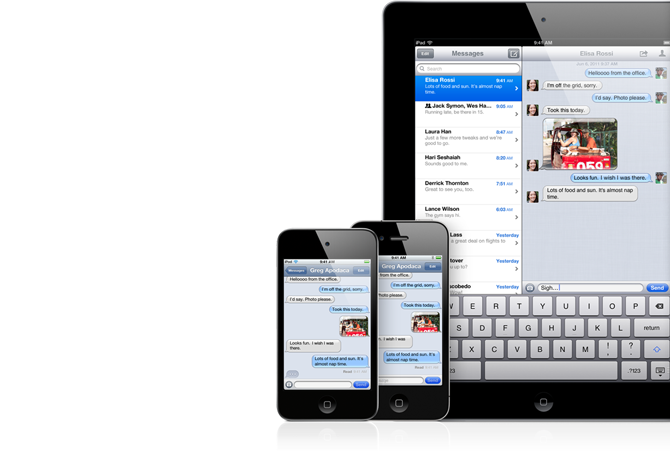
Apple just announced iMessage, a new service designed to facilitate easy exchange of all kinds of messages between iOS 5 devices. iMessages has a boat load of features, including typing indications and read and delivery receipts. Plus, it works with text messages, photos, videos, contacts and supports even group messaging. Messages get pushed to all participants as well as all your iOS 5-compliant devices, allowing you to pick up conversation from iPhone to iPad. Incoming message alerts are delivered via the new Notifications Center so you can continue whatever you’re doing as an unobtrusive notification shows up briefly. Fine print? There’s none as iMessage works over both 3G cellular connections and WiFi networks.
You can finally take your iOS device out of the box, turn it on and begin using it immediately, Apple said at the WWDC keynote. That’s because you can perform all set ups directly on an iOS device instead of having to hook it up to iTunes via a USB cable. Just swipe your finger over the “Welcome” label and you can perform all first-run set ups and activate it directly. Plus, software updates are also delivered over-the-air (we’ll have to see how that stacks up against our limited data contracts).
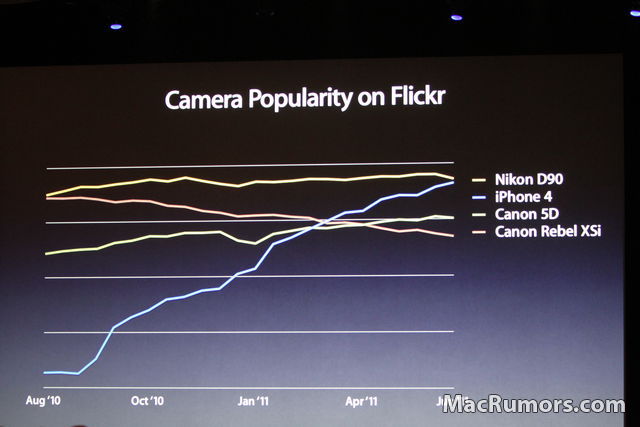
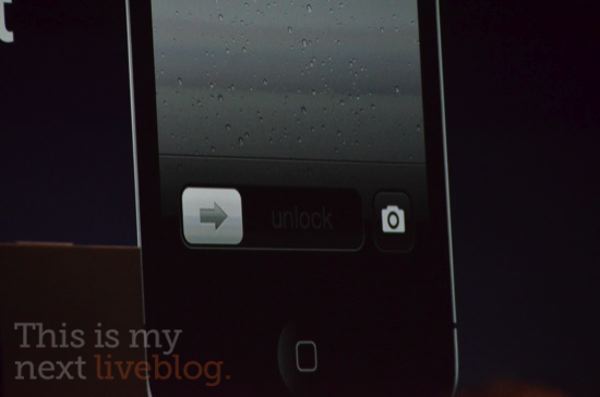
With the news (that we’ve known) that iPhone 4 is the most popular camera on Flickr, Apple’s Scott Forstall unveiled new camera features of iOS 5. It is much faster and you can access it directly from the lock screen! Another steal from some third-party apps: You can use the volume up button to take photos, turn on optional grid lines to align your shots and pinch to zoom instead of using the zoom slider. You can also hold your finger to lock the auto-focus and aut0-exposure settings for higher-quality snaps.
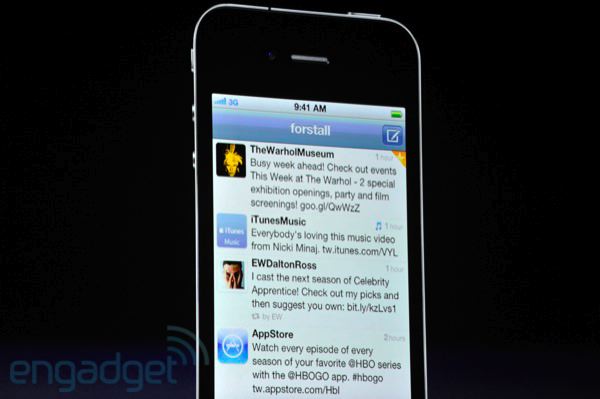
The rumors were true, iOS 5 will sport a tight Twitter integration. You sign in to your Twitter account in the Settings app and all apps that use Twitter can automatically use the sign-in you provided. You can tweet articles from Safari, videos from the YouTube app, location from maps and more. The Contacts app also works with Twitter, allowing you to grab photos for contacts. Twitter integration will no doubt be one of the more popular iOS 5 features, no doubt..
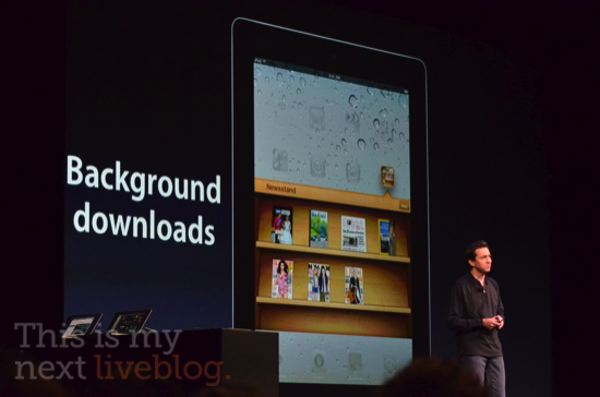
Scott Forstall is up here on stage at San Francisco’s Moscone West and he just unveiled a new iOS store within a store. It’s called News Stand and appears as a new App Store listing that collects digital magazines and newspapers. Looks kinda neat.
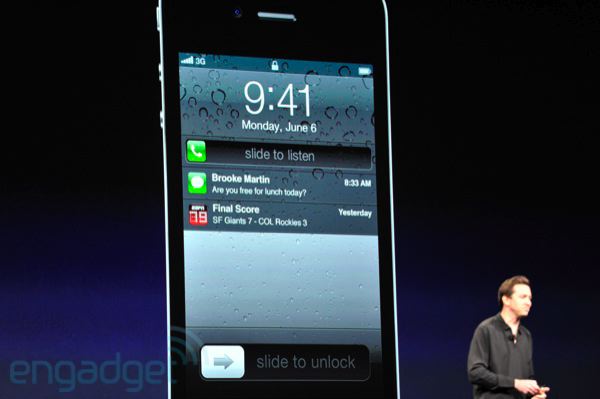
Steve Jobs and the gang have confirmed during the WWDC keynote address in San Francisco’s Moscone West that the iOS 5 software sports a revamped and vastly improved notifications systems. There are over 250 new features in iOS 5 and more than 1,500 new APIs. The first feature Scott Forstall put up on slide is the new notification system. It’s called Notification Center and it’s a new place that collects all you notifications. And how do you access it? Just swipe down from the top, like on Android. Plus, you get stocks and weather in the Notification Center. Stay tuned as we update the post with more info right below the fold. Also, check out our complete WWDC 2011 coverage and follow us @9to5mac as we update you on the latest. More below the fold
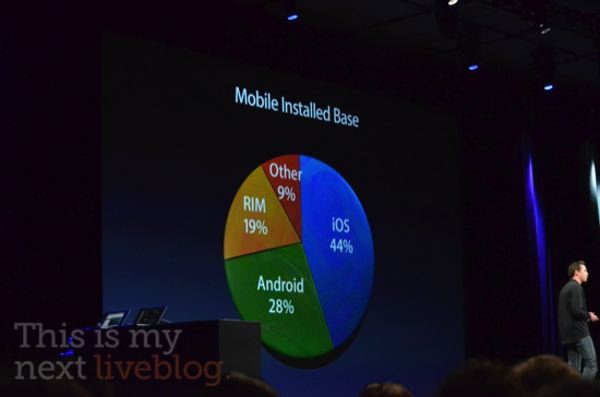
Apple has kicked off its highly anticipated San Francisco developer conference with a Stevenote. As we’re learning more about iOS 5, Lion and iCloud and fastening our seatbelt for a possible “one more thing”, other details emerge as Jobs & Co. provide us with some updates related to Apple’s business metrics. Here are your key takeaways…
• three quarters of all Macs shipped today are notebooks
• the Mac App Store has become the #1 place where users get their Mac apps over the past six motnhs
• Apple sold 200 million iOS devices to date, which includes iPhones, iPod touches, iPads and Apple TVs
• 14 billion app downloads so far2
As Steve Jobs and other Apple executives reveal more product news, we’ll report them in our complete WWDC 2011 coverage. You may also want to follow us @9to5mac for the latest from the keynote.
Apple has just confirmed what we’ve been suspecting all along, that the next upcoming Mac OS X revision dubbed Lion will be sold via the Mac App Store as a digital download price at just $29 and weighing in at a whopping four gigabytes. The software won’t retail as a boxed copy variant. It will be available in July for everyone, with developers receiving a preview build at the show, Apple executives confirmed during the keynote talk that kicked off WWDC 2011 here in San Francisco’s Moscone West. Check out our complete WWDC 2011 coverage and follow us @9to5mac as we update you on the latest.
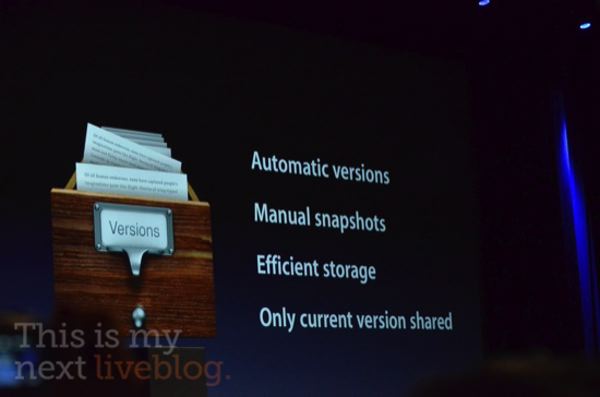
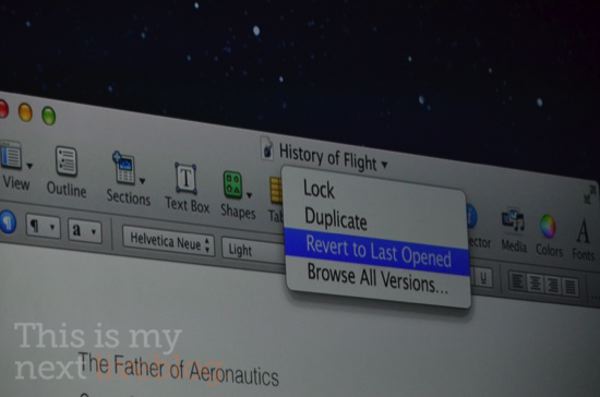
The Mac OS X Lion segment of the WWDC 2011 keynote has just begun. Apple previously previewed some of the features last Fall and on their homepage, including iPad-like Launchpad, full-screen apps, deep multi-touch gestures integration, and Mission Control. There are more than 250 new features in Lion and Apple will be demoing ten today, most of the stuff we’ve seen already.
Go past the fold for an overview of the feaures… We’re updating this story with new capabilities as Phil Schiller reveals them on stage at San Francisco’s Moscone West. For other keynote news, check out the complete WWDC 2011 coverage and follow us @9to5mac.
Our own Seth Weintraub is on hand at San Francisco’s Moscone West where Steve Jobs has taken the stage at 9am Pacific, ready to deliver a landmark presentation on the future of Apple’s operating system and cloud services. A press release issued last Tuesday has divided the agenda for the software-focused WWDC 2011 show between iOS 5, Mac OS X Lion and iCloud segments.
The statement also said “a team of Apple executives” would help Jobs deliver the keynote. We’re guessing Timothy Cook will join Apple’s CEO shortly to provide an update on business metrics and are keeping our fingers crossed for Scott Forstall and Phil Schiller to demo the new stuff in iOS 5 and Lion, respectively, with Jobs jumping in and out between segments… Expand Expanding Close
The conference room in San Francisco’s Moscone West is jam packed and there’s just a few minutes left before Steve Jobs takes the stage to kick off Apple’s annual developer conference. We will be providing remote live coverage so make sure to check the site often for your dose of Apple, iOS and cloud news. The complete list of WWDC 2011 related articles can be found here. You can also follow our Twitter account@9to5mac for big announcements. Another keynote photo below, this one from Engadget. Check out that crowd – the room is seriously packed to the gills. “People nearby are talking about Apple just turning off the WWDC WiFi”, writes MacRumors. We’ll see about that…
Depicted above: Notifications via Cydia tweak MobileNotifier
This is my next’s Joshua Topolsky (a former Engadget editor-in-chief) has some late rumors from a source related to iOS 5. He says iOS 5 will introduce a new notifications bar at the top of the screen which may or may not look like an imaged leaked earlier today. “Messages will appear and then slide back up in a unobtrusive manner, similar to webOS”, the author writes.
Topolsky also describes a dedicated notifications window and – yes, widgets. The lock screen will also provide access to notifications “through a pulldown window which you reach by swiping at the top of the screen downward… just like Android”, Topolsky writes. The notifications screen will also provide access to web widgets such as weather and stocks. As for the BlackBerry-style messaging and widgets…