Learn about the latest news for iOS, Mac, Apple Watch, and Apple TV apps
Apps for iOS, macOS, tvOS, and watchOS power our modern world. 9to5Mac will update you on the latest news, review, and updates for all types of apps. “There’s an App for that”.
The term came became part of our vocabulary when Steve Jobs announced The App Store as part of the iPhone 2.0 software update in 2008.
Over the years, the term has become as common as kleenex for describing applications on all of our devices. Apple’s platforms have apps for just about anything from finance, banking, sports, social media, podcasting, music, and more. We have a guide for helping you discover the best ones as well. Apps are now on everything from our TV, to our smartphones, on our laptops, and all the way down to our wrists.
As new ones are released or existing ones have major updates, the team here at 9to5Mac will bring you the latest news and reviews. If you want to follow along with video footage, be sure to follow 9to5Mac on YouTube. Scroll down below our latest updates on all things relating to applications on iPhone, iPad, Mac, Apple TV, and Apple Watch.
You can rent movies and television shows on iTunes, but not apps for your iPhone, iPod touch and iPad. That could change as compelling evidence surfaces just a day before Apple’s “Let’s talk iPhone” event that app rentals might be in the works.
The Tech Errapoints to some code strings, uncovered by Sonny Dickson from iTunes 10.5 Beta 9, that strongly suggest such a feature could be unveiled at tomorrow’s press conference. The contents of the strings (seen below) clearly points to the app rental ability. Any rented app will be automatically removed from your devices, including your computer, after the rental period expires, one of the string reads:
Apps are automatically removed from your iTunes library at the end of the rental period.
This could be an interesting twist to today’s App Store rules that make a clear distinction between paid and free apps, here’s why.
2K Sports chose the iPhone 5 day to launch its multi-platform basketball series on iOS devices. NBA2K12 will be hitting Apple’s iPhone and iPad for the first time next Tuesday, October 4. CNETplayed the game and walked away pretty impressed. Animations are great and console-like, down to the Signature Style shooting moves. NBA2K12 supports Apple’s Game Center and sports Michael Jordan classic battles. In fact, it’s the first time the famous basketball player has adorned any mobile gaming platform. As for playing modes:
You have the standard Quick Game; there’s a full 82-game Season Mode with player transactions; Playoff Mode, where you’ll skip the regular season and jump right into the games that count; and Situation Mode, which allows you to create custom scenarios where you can try to comeback from 5 points down with a minute left.
Following-up on a Mashablestory that Facebook will launch its long-awaited iPad app at Apple’s ‘Let’s talk iPhone’ media event next Tuesday, TechCrunch has just reported that Facebook’s iPad app is “about to launch”. It’s been ready to go for a while, writes author MG Siegler, and that goes for Project Spartan, too, an HTML5 web app store for Facebook apps. The Facebook for iPad app and Project Spartan are now “joined at the hip”, Siegler writes, noting “one will not launch without the other” (and Apple is cool with that).
Facebook’s iPad app is about to launch. That too has been ready to go for a while now, but it has been held up by some internal back-and-forth between Apple and Facebook. And Project Spartan has been waiting on that iPad app. […] Earlier this week, Mashable reported that Facebook’s iPad app would launch at Apple’s iPhone event this coming Tuesday. For what it’s worth, we’ve heard Facebook is actually planning to launch the iPad app at their own iPad/Spartan event on Monday. But they’re still discussing all of this with Apple. And Apple has been well known to change things at the last second. It is possible that they want Facebook to launch this on stage at their event to showcase some of the new HTML5 capabilities of iOS 5 (which will also be formally unveiled at the event).
Apple is understood to have partnered with Facebook on Project Spartan and the social networking giant is said to tap tens of millions of iPhone users to get the word out.
Nuance released Dragon Go! for the iPhone back in July and we praised the program’s combination of intelligent search capabilities coupled with Nuance’s phenomenal voice recognition technology. Today, Dragon Go! (free download) has been updated with a number of new services that the app taps to deliver accurate results based on your natural-language voice input. Specifically, they added support for Google+ public posts, media content on Netflix and Spotify and search engines Ask.com and Wolfram|Alpha.
Additionally, improved Yelp support now means you can access a map view right within Yelp. You will recall that Nuance powers speech-to-text integration in iOS 5 where a user just taps the microphone icon on the virtual keyboard, speaks aloud and the speech becomes text. The feature ties nicely to the Assistant, a surprise feature allegedly exclusive to iPhone 5 that lets you ask the handset to perform complex operations simply by speaking natural-language commands. Release notes after the break.
MacRumorspoints to a thread on the Apple Discussion Forums where Apple posted a firmware fix for the flickering issue on the Apple 24-inch LED Cinema Display stemming from Thunderbolt. The problem is specifically related to the 24-inch LED Cinema Displays connected to your Thunderbolt-enabled Mac rather than the glitches on the 2011 MacBook Pro causing flickering and lock ups under heavy load. It should be applied only when the display is connected to a Thunderbolt-enabled Mac. It is interesting that Apple decided to release the fix on the forum rather than its Support Downloads page. From the release notes accompanying the 926KB download:
The iPad application Take One – Movie Clapper is a great solution for anyone into film or making movies that wants a cheap and simple way to keep track takes, which assists in keeping filmed video and audio in synchronization. The major difference between Take One and its competitors is price and ease of use. Take One costs $2.99, compared to its $9.99 and $24.99 competitors – but offers an easy-to-use solution and all the necessary features one would expect from a Movie Clapper.
UPDATE [Thursday, September 29, 2011 at 5:35am ET]: Based on numerous reports and tips from our readers, iTunes music as well as movie rentals and purchases are now available in these twelve European Union countries: Bulgaria, Cyprus, Czech Republic, Estonia, Hungary, Latvia, Lithuania, Malta, Poland, Romania, Slovakia and Slovenia.
Additionally, iBookstore is also live in 25 new EU countries (was only available in the U.S., UK, France, Germany, Australia and Canada before): Austria, Belgium, Bulgaria, Cyprus, Czech Republic, Denmark, Estonia, Finland, Greece, Hungary, Ireland, Italy, Latvia, Lithuania, Luxembourg, Malta, Netherlands, Norway, Poland, Portugal, Romania, Slovakia, Slovenia, Sweden and Switzerland.
Licensing complications and the fragmented European Union market have proved thus far too tough a nut to crack for Apple’s iTunes Store which lacks the presence in twelve of the 27 EU member countries. If Polish newspaper Rzeczpospolitais to be believed, things could change “soon” as Apple allegedly gears up to launch the iTunes Music Store in ten new countries in the European Union. This comes from “a person associated with the music industry”. Apple is “technically ready to take off” and another source hinted at an October launch.
The EU member states allegedly getting Apple’s music store include Poland, the Czech Republic and Hungary which have a combined population of 60 million. As for the other seven EU member states getting iTunes, it’s anyone’s guess, but it’s worth mentioning that the UE markets where iTunes does not operate include Bulgaria, Cyprus, Czech Republic, Estonia, Hungary, Latvia, Lithuania, Malta, Poland, Romania, Slovakia and Slovenia.
Perhaps Apple will announce the iTunes Music Store expansion at its iPhone-related event next Tuesday. Meanwhile, reader Juri tipped us that iTunes movie rentals have just gone online in Finland, as you can see in the below screenshot. The Finnish iTunes store has no specific category for movie rentals yet, but it is possible to use the search feature to find and rent flicks for €3.99 (€4.99 for HD rentals, €13.99 per SD purchase).
It also looks like Apple is prepping to launch its movie store in Scandinavia and another reader, Frederik, says movie rentals and purchases hit the iTunes Denmark store. OneMoreThing.nlalso spotted movies in the Dutch and Belgian iTunes Stores. Currently there are about 270 titles from 20th Century Fox, Universal and Buena Vista. Most movies are available for purchase or rent. No sign of TV shows yet. With that in mind, it’s easy to speculate that Apple TV may be showing up in those countries soon.
If you’re still on Firefox (Google’s Chrome is now #2 in the UK and some other countries), you’ll be delighted to learn that Mozilla today release Firefox 7, a major new update. Disregarding the obligatory housekeeping, under-the-hood tweaks, optimizations and bug fixes, Firefox 7 drastically reduces memory consumption over its infamous predecessors which have always been criticized for memory leakage problems. This, in turn, has particularly been a pain in the you-know-what on Mac OS X.
Well, according to Mozilla, a non-profit organization behind Firefox, a MemShrink project used in the browser reduces memory use by 20 to 50 percent. As a result, the browser boots faster, your Mac will have more free RAM when skimming through dozens of web sites in Firefox 7 and there’s a lower likelihood of crashing. A Mozilla representative said last week:
Among the Firefox 7 changes are some amazing memory improvements. When this makes it to users in just under 6 weeks, Mozilla will re-take the memory efficiency crown and give our users the highly responsive Firefox they deserve.
Other perks outlined in Mozilla’s blog post include an improved hardware-accelerated Canvas handling which offloads HTML5 animations to your graphics card, making games such as Angry Birds or Runfield run smoother. Firefox 7 also supports W3C’s navigation timing spec, allowing developers to test their page’s load speed remotely. Mozilla also announced the Android mobile version of Firefox which now includes copy and paste.
Firefox 7 is available in more than 70 languages on Mac OS X, Windows and Linux. Grab your copy over at the Firefox download page or wait for the auto-updated mechanism to kick in and prompt you to update your existing Firefox 6 installation. Changelog is after the break.
AllThingsDtakes a look at an interesting line of upcoming toys from Disney which take advantage of Apple’s iPad in unusual ways. Writer Tricia Duryee explains that AppMATes, as they call those toys, interact with the iPad’s display:
In a live demonstration, Bart Decrem, general manager of Disney Mobile, showed me how it works. First, he placed a miniature car on the iPad’s screen to create a bond with the game — no Bluetooth or wires needed. As Decrem moved the toy car across the screen, the game reacted: Cars skidded out in the mud, knocked over buildings and honked their horns, startling tractor-shaped cows.
There are areas to explore, per-toy achievements to unlock, a bunch of upgrades and power-ups and what not. The idea is likely to appeal to six-year olds, especially if the popularity of Apple’s tablet amongst youngsters is anything to go by. AppMATes are arriving on store shelves October 1, including the Apple Store and Disney Store.
The game will be a free download and toys will cost twenty bucks a pop. Disney will initially sell four characters from their animated movie “Cars 2”: Lightning McQueen, Tow Mater, Finn McMissile and Holley Shiftwell. By the way, Disney, you may wanna consider changing the name – it sounds a lot like Playmates. Just a thought. Another video right after the break.
Skype today updated the native iPad app as well as its iPhone/iPod touch counterpart. The Skype for iPad app now has support for Bluetooth headsets on iPad 2 and contains a “bugfix for security vulnerability”. Plus, the program supports both iPad and iPad 2. The Skype for iPhone/iPod touch also enables Bluetooth support on the iPhone 4, iPhone 3GS and fourth-gen iPod touch.
Image stabilization and emoticons are now also part of the picture (no pun intended). It appears that image stabilization works only when using your rear camera. There has to be some trade-off, right? Adverts! According to release notes, “advertising will be shown to users that do not have Skype Credit, a calling subscription or premium subscription”. Skype is even making the case for their advertising platform, as they call it:
As with our recent Mac update, there will be an advertising platform introduced in this new release. Paying Skype consumers or users with Skype Credit will not see any display ads on their iPhones or iPads. The iPhone update also includes an important security fix.
As most people don’t use Skype Credit, we imagine rubbing their nose into the upgrade offering will be annoying, to say the least. Instead of up-selling us to a paid service, can we please get an elegant interface instead? Check out the image stabilization feature in Skype’s clip, embedded below. The official Skype blog has more information. Full changelog after the break.
Mashable is reporting that Facebook’s long-awaited iPad app will be announced at Apple’s upcoming event, which will most likely occur on October 4th. In addition to the iPad app, Facebook will reportedly be launching a revamped iPhone app and new HTML 5 version of the mobile site.
You may remember that the iPad app was leaked earlier this year, but was subsequently removed from within the iPhone app. According to a post from former Facebook engineer Jeff Verkoeyen the app is ready, and Facebook is waiting to release it. An event alongside Apple seems somewhat logical, though the companies don’t have the greatest history with each other.
Though Facebook wants to move to HTML 5 as their main platform, they will also be releasing a revamped iPhone app with speed improvements according to the report. If true, October 4th is sure to be a big day with the unveiling of the next iPhone, iOS 5, and now the Facebook iPad app.
A native Facebook app for iPad was rumored to be in the works for months and numerous blogs have reported it would launch soon, even big newspapers such as the New York Times. Facebook’s “awesome launch” has come and gone, they integrated with Skype but left millions of iPad fans disappointed with the never-explained absence of iPad functionality. And now, slim hopes have been dashed further by Facebook engineer Jeff Verkoeyen who pulled a Joe Hewitt.
The engineer quit for Google to work on back-end stuff for Android. He blogged about his frustration that Facebook wouldn’t release the iPad app he’s been working on since January of this year. According toBusiness Insider, the app “has been basically done for months” and Verkoeyen “put a ton of time into it:
It was feature-complete back in May, he writes, but Facebook kept pushing its release out another two weeks, then another. Now, he thinks it “may never be released.”
Of course, the iPad app was in an old Facebook for iOS build but they took it out, most likely because Facebook wants folks to use the web interface. Besides, Facebook has never been strong in mobile.
Verkoeyen later reached out to Business Insider saying he updated his blog post to remove details about the iPad app. “It’s no reflection on Facebook as a company, which is an incredible place to work,” he said of the post. Facebook CEO Mark Zuckerberg said in a CNBCinterview that Facebook would probably, someday, release an iPad app.
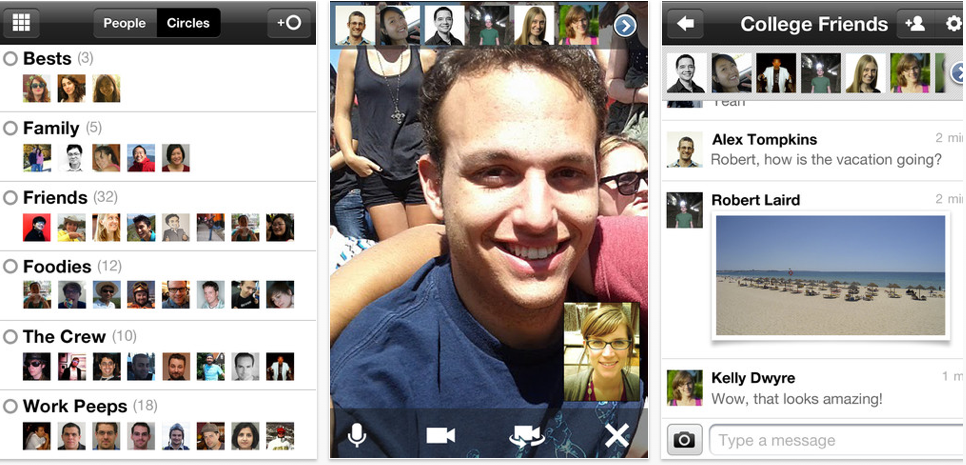
Google Plus (iTunes) iOS users will see a big update in their App Store today with lots of new features and improvements that were detailed earlier this week. Most notable is the ability to start and join video hangouts from a mobile device. In brief testing on both an iPhone 4 and an Android device on Wi-Fi, the Video conferencing worked great. It should work over 3 or 4G but the results obviously won’t be as good. Also, this version changes Huddles to Messenger and you can now send picture files through the messenger application.
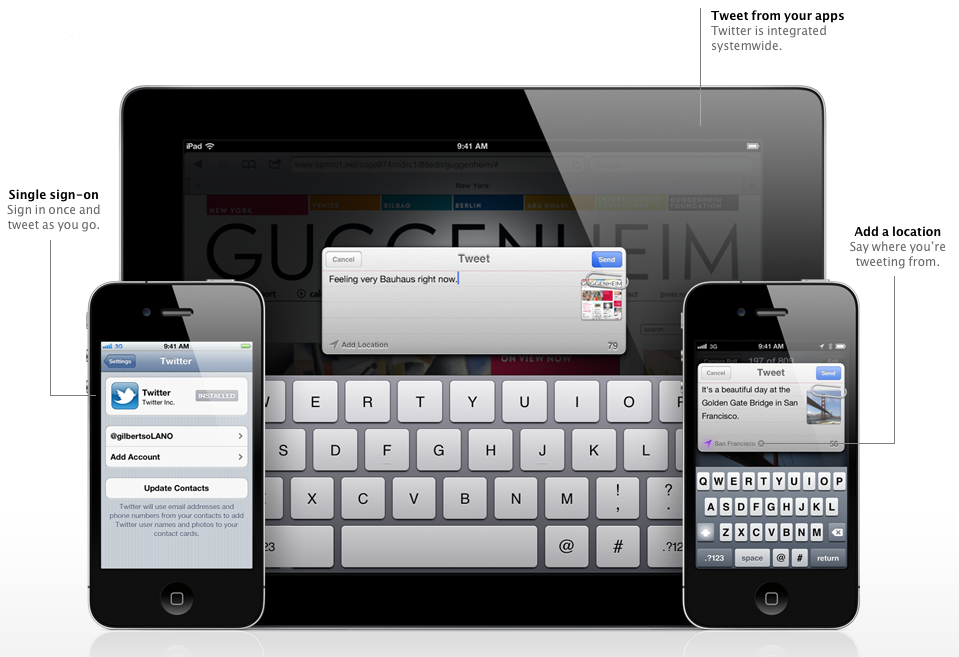
As noted by The Next Web, Twitter has announced two developer conferences coming up on October 12th, in New York and London, to discuss Twitter’s integration into iOS 5. Twitter’s Jason Costa describes the event:
There’s a lot going on in the ecosystem and we’d like to take this chance to share the highlights with you – including the latest developments with the platform, areas of opportunity that we’re seeing, and a heavy focus on the iOS 5 Twitter integration for developers. We’ll also be holding a Q&A session with members of the platform team, plus time to hang out with each other.
If rumors are true, these events will be shortly after the announcement of the iPhone 5 or/and iPhone 4S, and most likely after the release of iOS 5. There’s only 150 spots for developers, so grab your spot fast! Expand Expanding Close
If all of the rumors are true, Amazon has a 7-inch “media tablet” that runs a forked version of Android and will connect to all of Amazon’s services, including its Appstore, Movies, TV, Music and of course eBooks. It won’t be true multi-touch but the rumored price is half of the iPad’s (just like the screen) at $250. Who is making this for Amazon? Foxconn of course.
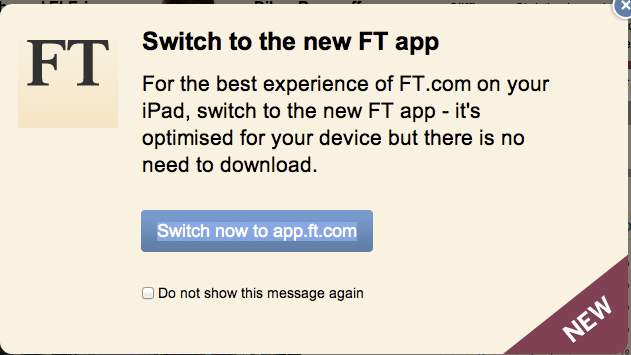
Reuters is reporting that the Financial Time’s web app is more popular than their recently Apple-removed iOS app. You’ll recall that the Financial Times’ iOS app was removed by Apple, due to the publication trying to dodge Apple’s 30% cut regulation. Luckily for Financial Times, they’re not seeing any issues in traffic, getting more than 700,000 users on their newly launched web app. Financial Times is simply drawing in users by displaying a message at the top of their site, linking to their HTML 5 app.
So this draws the question — do publishers really need to have an iOS app on the Store? Maybe not.
You’d be forgiven for thinking that Autodesk’s SketchBook Mobile is just a fad which ranks down below on the App Store earnings chart. I mean, how popular a pro-grade paint and drawing software costing two bucks a pop can become in this freemium economy? You will probably be surprised to learn it amassed a cool seven million paid downloads on the App Store thus far. This would mean revenues in the range of fourteen million dollars for the company, or about $9.8 million after Apple’s customary thirty percent cut. Bloomberghas the story:
Autodesk Inc. spent almost 30 years selling engineering and design software to accumulate 12 million customers. It took a single iPhone app – and less than two years – to attract 7 million more. Autodesk’s SketchBook application, which also works with the iPad and Android devices, has boosted the company’s user base and drawn new kinds of customers, Chief Executive Officer Carl Bass said today.
The San Rafael, California company benefited in ways more than just direct revenue from paid downloads…
Adobe today quietly released Photoshop Elements 10 and Premiere Elements 10, bringing with them new Facebook and YouTube integration, video editing and burring features, object-based search, and new color correcting and text curving and flowing effects.
New Facebook features allow you to auto analyze your images to identify people and tag them based on your Facebook friends. Those tags are then carried over to Facebook when uploading from Elements. A new object-based search is one of the most impressive enhancements, allowing you to find images containing a particular object such as a house or vehicle.
Other features include auto enhance and color correct for video footage, allowing you to “Automatically boost tone and vibrance without affecting skin tones, or use sliders to adjust color with complete control”. You can now also paint 1 of 100 new paint effects onto specific photo areas, add new text effects, and immediately upload video clips to Facebook and Youtube. Learn more about all the new features in these latest releases here.
Instagram has released a huge update today with Version 2.0 in what they’re calling one of the “largest revamps” to the app’s core camera technology since it launched. Along with a UI overhaul, the app now supports images with a resolution up to 1936×1936 on the iPhone 4 (in your camera roll, not on Instagram), in comparison to the 612×612 prior to the update.
As part of a brand new camera UI, the most impressive feature is the new “live filters”. They’ve taken the old filters and rewritten them to be “200x faster”, allowing you to instantly apply effects in real-time within the camera UI. The image above shows off the new UI, but you can go here to learn exactly how all the new elements work. Oh, and you can also now enable and disable borders on every filter. Expand Expanding Close
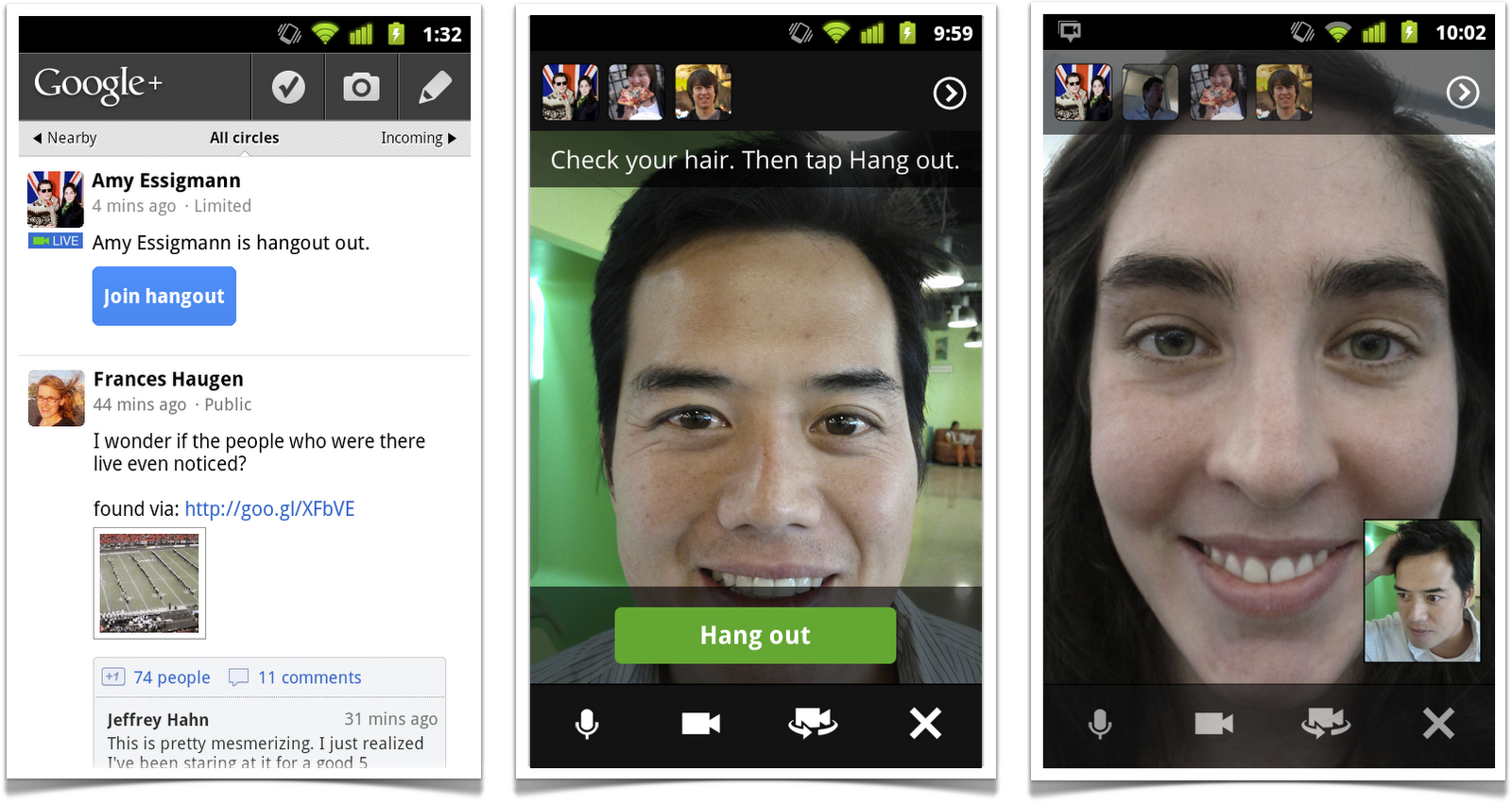
Among a bunch of Google+ improvements announced today, Google said it would bring Hangouts to mobile phones including iPhone (and iPad 2 and 4G iPod likely). We’re big fans of Google Hangouts and having it on mobile is going to be really great. They are also offering Hangout broadcasts which might be fun ways to broadcast a keynote for instance :D
Google announced a bunch of other big Google Plus stuff including open invitations today. Check full coverage on 9to5Google.com Expand Expanding Close
Apple today released a long-awaited update to Final Cut Pro X, its video editing software which fell on def ears with pro video editors. CNETreports that the new version takes into account a number of issues professional users took with the application:
Among the biggest new feature to be added as part of a software update that will go out to users this morning is support for XML. This adds the option to both import and export projects in the XML format, meaning users can take XML formatted projects from Final Cut Pro 7 and other non linear editing software and work on them in Final Cut Pro X.
XML support gives users who previously couldn’t import old projects a workaround solution, requiring them to first export Final Cut Pro 7 projects in XML and then import them into the new Final Cut Pro X. Another big news: Apple says that multicam editing and broadcast-quality video monitoring – the two features absolutely indispensable in professional work – are coming “in early 2012”.
Another glaring omission has been fixed because Final Cut Pro X 10.0.1 now takes advantage of your graphics card to speed up export. Apple also released a new software development kit to camera manufacturers. Using the SDK, vendors can write Final Cut Pro X plug-ins so latest cameras can work with the software provided there’s a FCPX plug-in from its vendor. Previously, users would have to wait until a new Final Cut Pro version is released with support for the latest hardware.
Last, but not the least, there is now a new free version to try before you buy the $300 application. The trial version works for 30-days from the time it’s first launched. Interestingly, Final Cut Pro X version 10.0.1 was not yet available on the Mac App Store at press time. The updater is available from the Final Cut Pro X Software Update page. Compresson 4 and Motion 5 have also been updated to support new features in Final Cut Pro X 10.0.1. In addition, Apple released the ProApps QuickTime Codecs update which adds eight new codecs to apps that use the QuickTime platform. Release notes: Final Cut Pro X 10.0.1, Motion 5.0.1 and Compressor 4.0.1. More on other enhancements and tidbits after the break. Expand Expanding Close
After bringing its Unreal Engine 3 to the iPhone, iPad and iPod touch, Epic Games yesterday announced (viaMacStories) the free Unreal Development Kit beta for OS X which finally lets developers write games for the Mac based on the latest and greatest version of the Unreal Engine. Epic Games explained in a blog post:
Unreal Engine 3 supports developing for Apple’s Macintosh platform for easy cross-platform distribution. The development process is virtually identical for games to be run on the Mac platform, but the packaging and deployment process does require some additional steps.
Hopefully, this development will pave the way to Gears of War and Unreal Tournament for the Mac, which we were promised four years ago.
Last week, code strings were found in iChat’s framework in Lion indicating Apple could be at work developing a cross-platform support for the iMessage protocol in iChat. Today, Fusiblepoints to a set of three trademarks (1, 2 and 3) which surfaced in the United States Trademark & Patent Office’s database. All three are related to iMessage. As you know, iMessage is Apple’s new messaging protocol allowing iOS 5 devices to exchange instant messages and rich media between themselves (think BlackBerry Messenger for the iPhone). It doesn’t take a rocket scientist to figure out it makes a lot of sense to eventually integrate FaceTime, iMessage and iChat into a unified messaging solution on both the Mac and iOS 5 devices. Switching between iChat and FaceTime for Mac is unwieldy and there is no reason we shouldn’t be able to send iMessages from iOS devices to our Mac peers and vice versa.
Apple usually does a commendable job patching the Mac’s security flaws in a rapid order as they arise. Numerous holes have been plugged, bugs squashed and exploits fixed as they are discovered over the years. And just when you thought Lion couldn’t be drastically compromised, arrives a new exploit based on Apple’s old Achille’s heel: The permissions system in OS X.
CNETwarns that any local user on a Lion machine can quite easily change passwords of any other local account, without admin privileges – how spooky is that? Not very good for shared machines certainly. Kudos for discovering this nasty design omission go to the security blog Defence in Depth, which explains that Lion’s Directory Services no longer requires authentication when requesting a password change for the current user: