
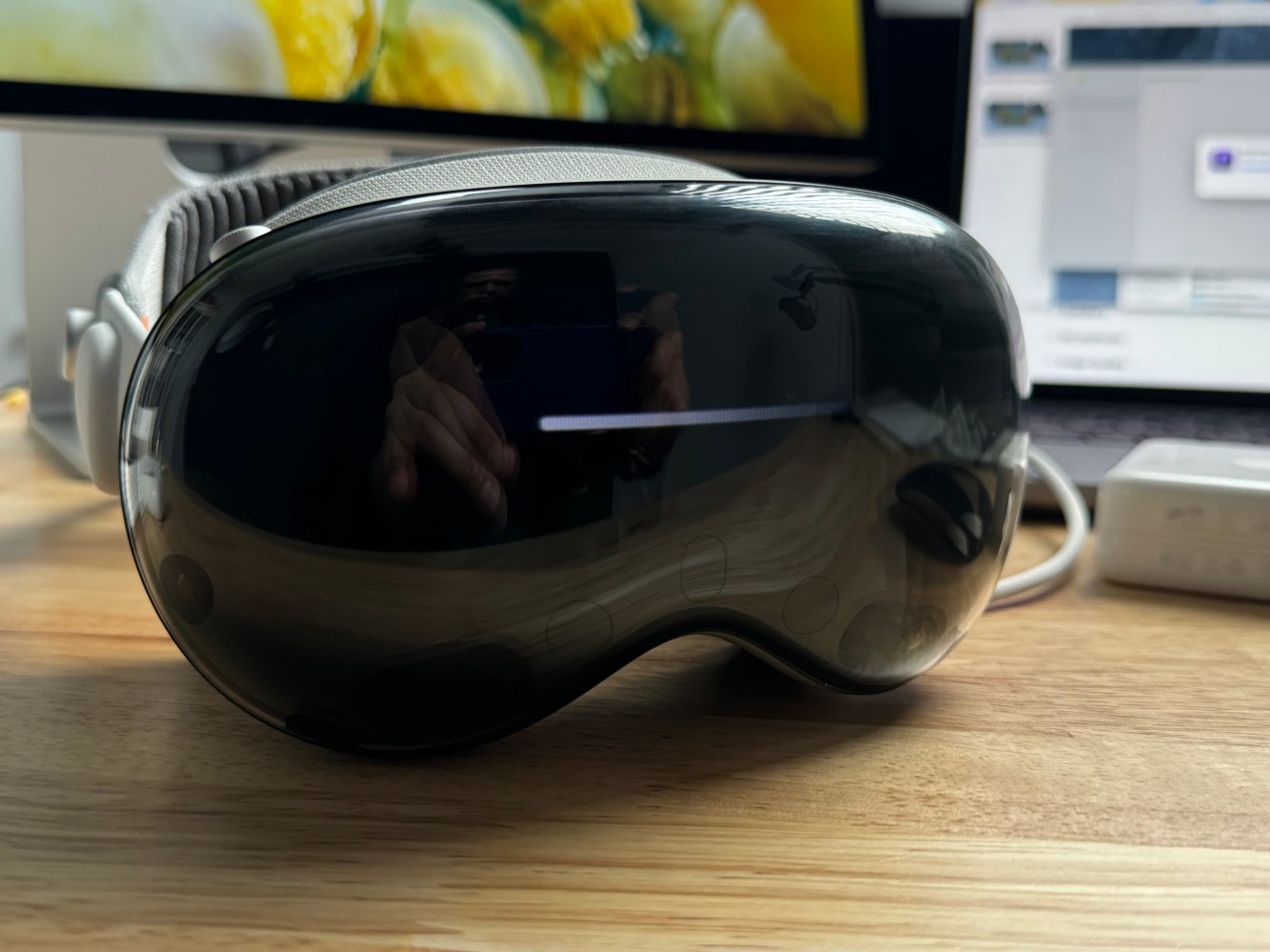
The first Apple Vision Pro reviews arrived last week on January 30 ahead of the February 2 product launch. A week and change later, tech journalists have had even more time to spend with Apple Vision Pro. My new favorite review is from Raymond Wong at Inverse. He spares no words when evaluating Apple Vision Pro, including as a spatial computer.
What’s a (spatial) computer?
Maybe it’s because our roles overlap in terms of how we use computers. Whatever the reason, Ray’s description of Apple Vision Pro as a computer that can play games (and not a game console that can compute) speaks to me. Game consoles are fun, but computers do more. I like to play video games occasionally, but I love to use the Mac almost daily. In his own words:
Thanks to its M2 chip, Vision Pro is a desktop-class general-purpose computer first today that also happens to be a capable console for playing mobile games and AAA streaming game services (and soon via proper apps). The Quest 3 is a virtual reality game console first, with disparate computer functionality slapped together in the hopes it’ll form some kind of consistent platform some day. I’m not saying the Quest 3 is suddenly garbage, because it’s not. It’s a similarly shaped product, but the philosophies for the primary experiences they deliver are different — and that’s okay.
That’s what makes Vision Pro appealing to me. You can bring the full macOS experience into it and enhance what it means to be productive on your Mac.
The iPad does have a relationship with the Mac, but it’s limited by form factor. You can control an iPad from your Mac with Universal Control, and extend your Mac desktop onto a likely smaller iPad screen using Sidecar.
With Apple Vision Pro, the Mac experience gets sucked into visionOS and enhanced in a big way. Like gigantic 4K display in your work space big. The area around the movie screen of a virtual Mac display is completely usable by the rest of visionOS.
Apple Vision Pro doesn’t require the Mac, of course, and I think its compute capabilities exceed the iPad. Specifically, multitasking on the iPad has never reached Mac levels of fluidity and expansiveness. Meanwhile, Apple Vision Pro presents virtually unlimited space for working with any number of apps at the same time. All without your windows battling over which is up front and when.
Apple makes computers
Back to Ray’s review and the comparison between headsets today:
Apple has been making computers for nearly 50 years with billions of devices sold and used daily; Vision Pro builds on past Apple platforms and software experiences and works seamlessly with existing Apple hardware and services. Meta has made zero successful general-purpose computers and work services that anybody truly wants to use. Quest has a strong foothold in VR gaming, and Meta should lean into it instead of trying to compete with janky VR work apps like Horizon Workrooms that not even its own employees want to use.
Woof. It’s absolutely true though. I’m firmly in the camp that would prefer to use an Apple operating system on crappy hardware than have Apple hardware and any other OS.
I do like the Xbox and PlayStation, and both are excellent for watching movies and TV shows, but I don’t try to fit my computing into either console’s browser. Apple doesn’t make the best gaming console, but it does make the best computing platforms.
I’m also noticing that Apple Vision Pro either invokes an epiphany in users or just plain boredom after a few days. “Is that really it?” versus “I can’t believe what all this thing can do!”
Personally, I haven’t copped the cash to get my hands on my own Apple Vision Pro yet. However, I’m already missing the interaction models after spending several hours with a friend’s Vision Pro. I can’t wait to have one myself that I can use my own iCloud account with and actually work from for parts of the day.
And so on…
Anyway, hit up Inverse and give Raymond Wong’s extensive and thoughtful review a close read. He includes many words of wisdom on how Apple Vision Pro should (and should not) fit into everyday life while documenting the ups and downs that come with this first-gen hardware.
Top comment by any sarax
it is a great device but, miles away from calling computer, I DO NOT wanna see iPad app on Vision Pro, give us the full version of the App, why Apple limiting the app version to iPad version, and calling it a Spatial Computer with M2. Safari( iPad version, not Mac version) Firefox ( iPad version, not Mac version) office is iPad version, not Mac version, Webex ( not even iPad version, and miles away from Mac version) for example there is no Webex team chat, when I am logging to Webex on Vision Pro with my company SSO, it should have pulled all my Webex team chat and my Webex groups, it only shows my meetings and my status (green) available, so this is a strip down version. sound quality may be spatial but seems like I am using some cheap $10 speaker, when watching Dolby Atmos content. I use Sonos surround and enjoy any kind of Dolby Atmos content pretty much, even using AirPods Pro with my Apple TV and watching movie gives me great sounds, but not on Vision Pro and I understand, there will be some limitation as the VP speaker are open and pointing towards your ear but still not great., yes I can half cover my ear and speaker to increase the sound quality.
So far only good thing I found using VP is, immersive video and Environments. Spatial video is great but it can be annoying, my Pro Res video shot on 14 pro max and 15 pro max is okay but not the same quality, compares to watching on Apple TV. Surprisingly Pano shot on my Phone looks amazing.
As soon as I have the opportunity to spend a week or two with an Apple Vision Pro of my own, I’ll be sure to share my own review on 9to5Mac.
I’m also Kickstarting a new podcast series, Visioneers: Developing for Vision, where I’ll be interviewing the developers creating the very first visionOS apps. Consider pledging a few bucks to the campaign if you’re interested!
Lastly, some other recent reviews and takes from around the web: Jeff Richardson from iPhone JD, Brian Heater at TechCrunch, and Darrell Etherington of the newly launched Agenda newsletter. The New York Times also has an Apple Vision Pro review now, but I’m not convinced their tech reviewer is allowed to like tech. If you don’t like tech either, you’ll love it (and we’re happy to have you anyway.)
Anyway, stay tuned for Jeff Benjamin’s official 9to5Mac Apple Vision Pro video review, premiering soon. Meanwhile, if you have your own review of Apple Vision Pro, share your thoughts in the comments!
More
- Apple Vision Pro review roundup
- New Vision Pro tidbits and MKBHD’s full hands-on video
- Here’s what it’s like using Vision Pro as an external Mac display
- Vision Pro review-in-progress describes some key wins & losses


FTC: We use income earning auto affiliate links. More.



Comments