9to5Mac Reviews
All the products that the 9to5Mac team has reviewed.

All the products that the 9to5Mac team has reviewed.
All the products that the 9to5Mac team has reviewed.
All the products that the 9to5Mac team has reviewed.


 Retina Display iPads are fully supported
The iPad App Store is packed with many Twitter clients, but most of these clients offer a similar experience. A user interface with a timeline, a button to open up a tweet sheet, and several more advanced features like direct messaging, tweet quoting, translating and more. Crest ($1.99), however, throws the concept of a typical iOS Twitter client away and offers a brand new way to view your Twitter timeline. This view is a plain black background with falling tiles of Twitter user profile pictures. A user taps the small icon and then that particular user’s tweet will popup.
[vimeo http://www.vimeo.com/38238960 w=400&h=225]
The application also allows you to view that user’s profile by tapping on their name. You can view your own profile by swiping your finger across the display to the right, and you can post tweets by swiping to the left. Additionally, you can swipe to the right on a tweet to reply to it. Tapping the top of the user interface brings up a settings module and a search bar. The application is very minimal and we can’t recommend it as a Twitter “power-user’s” only iPad Twitter client, but we can recommend it to Twitter users who focus on reading tweets, and we can definitely recommend it to any Twitter user who wants to complement their main Twitter application with a fun alternative. I’ve been using Crest for about a week and have enjoyed the unique and convenient experience.

[slideshow]
Just seeing Epson’s MegaPlex iOS device projector at tradeshows and in still pictures doesn’t do it justice. Set up in a small, awkward booth and surrounded by bright lights, the projector does not inspire a second look. It was not until I got a private screening at Macworld that I really saw what this thing could do.
The MegaPlex MG-850HD is an incredibly bright 2800 lumen 720P projector with some mighty 10-watt stereo speakers built-in, but it adds something that you would not find in many other high-end consumer projectors: a 30-pin iOS device dock. The dock will accommodate anything from an iPod touch, iPhone, or even any iPad.
This thing is a Portable. Home. Movie Theater—and I mean that in every sense of the word “portable.” At less than eight pounds and with a sturdy handle, it is easy to pack and take it to the parents’ house, or even move it from the basement to the bedroom. Your iOS device is the “brains” of this thing, and it starts working immediately upon plugging in, so it takes only seconds to set up. You can watch your iTunes, Hulu, or Netflix videos in under a minute after choosing a destination.
Similar to most high-end projectors, this one features manual movable feet to adjust projection angles, focus, zoom, and horizontal keystone. The MegaPlex also does auto-vertical keystone and iris controls to make setting it up at angles surprisingly easy.
This thing boasts some range, as well. With the early spring weather this year, we turned an evening birthday party into an impromptu outdoor movie showing on the backside of our house (with a sheet over a window). The MegaPlex is rated for an over 25-foot diagonal screen, and I can attest that it looks fantastic even before it is fully dark outside.
With that said, something even better happened with the release of the new iPad and 1080P Apple TV…

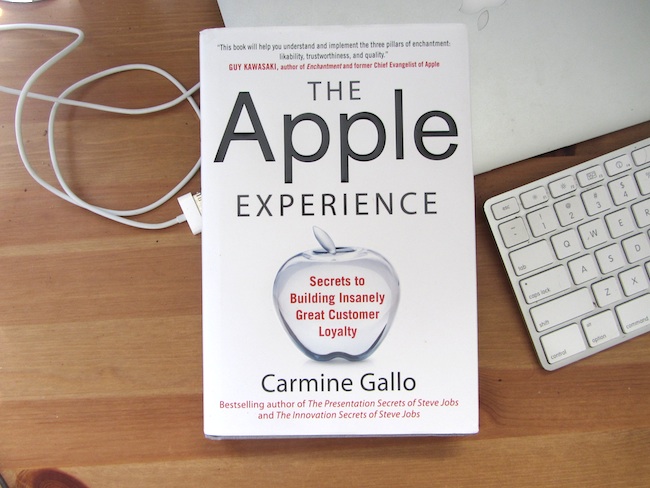
If you are wondering why your recent trip to the Apple Store left you loving Apple more than ever or wanting your customers to feel the same way about your company, we got the book for you.
“The Apple Experience” by veteran Apple/technology author Carmine Gallo deep dives into the Apple retail experience and breaks down exactly what it is that Apple retail employees are trained to do just to make a customer feel good about an experience (and want to come back). The 235-page book goes through every aspect of employee training and pours through countless hours of interviews with employees and shoppers on Apple’s five-step service: Approach, Probe, Present, Listen, and End.
Even if you do not own a retail business and just want to understand how Apple retail works, there is a lot here for you.
Gallo heeds his own advice by delivering a fun and incredibly insightful book that will help people understand the “magic” of the Apple retail experience.
The Apple Experience is at Amazon. The hardcover is $16.50, and the Kindle version is $9.99. When it hits the iBookstore, it will be available here.
An “Apple Experience” excerpt from “Chapter 10: Sell the Benefit” is below:
Expand
Expanding
Close


Following coming under a bit of heat for its report about the iPad running “significantly hotter than” iPad 2, Consumer Reports just published a review of the new Apple TV ahead of its full comprehensive testing. While the review could not help but praise the refreshed set-top box’s 1080p video support, Consumer Report’s “bottom line” is that the device is not worth the upgrade for second-generation Apple TV owners. It also claims the cheaper Roku and D-Link’s Boxee Box offer more content options:
Expand
Expanding
Close

[slideshow]
My new iPad came to my door while I was filming the long lines at New York’s Grand Central and 5th Avenue stores yesterday. I got home around 2 p.m., and I have since played with it almost non-stop. Here are my first impressions:
[youtube=http://www.youtube.com/watch?v=s_xpeAXCfLc]
The last we heard, Apple was working with developers of Siri alternatives such as True Knowledge, the developers behind “Evi,” to iron out similarities between the app and the iPhone 4S‘s flagship feature. Apple is quick to warn developers who are submitting Siri-like apps not to mimic native features of the OS. Apple wants an app’s features to remain “distinctly different from the iOS behaviors and interfaces to avoid causing user confusion.” Developer Sparkling Apps reached out to let us know Apple rejected its latest app submission called “Voice Answer,” with Apple telling the developer the Wolfram Alpha-powered alternative is “too similar to Siri.”
Apple is not flat-out rejecting all Siri alternatives/competitors. Sparkling Apps already has an app called “Voice Ask” on the App Store that sits in the top charts of the Reference category. Evi remains on the App Store as well. However, the Voice Ask app employs the same True Knowledge database as Evi. While Apple did not offer a specific reason for why the app was rejected, it is possible that Apple is more inclined to reject Siri-like apps using Siri’s Wolfram Alpha knowledge base. Unsurprisingly, the developers decided to release Voice Answer as an Android-only app on Google Play. So why would you want a third-party Siri alternative anyway? There are a few features an app like Voice Answer, if Apple were to allow it, would provide that Siri does not.
First off, the app would run on all devices with iOS 4.2 and up. It also provides spoken answers, optional keyboard input, and configurable items stored in the app’s memory. According to the developer, Voice Answer’s “speech recognition works better than that of Siri, especially with foreign accents,” and the app includes a chatbot called “Eve” that you can teach answers. While most of these features are also baked into Evi, it is unclear exactly why Apple is working with some developers to coexist peacefully with Siri, and then flat-out rejecting others without discussion. It is clear that iOS users are interested in these apps. With the 99-cent-Evi sitting around 200,000 downloads shortly after release, and Siri currently limited to only the iPhone 4S, there is definitely a market for voice-powered assistants if Apple allows it. However, Apple’s reasoning is vague for allowing some Siri competitors and rejecting others. An excerpt from Apple’s rejection to Sparkling Apps and screenshots of the unreleased Voice Answer iOS app are below. Unfortunately, if you want to try the app, you will have to on an Android device for the time being:
[youtube=http://www.youtube.com/watch?v=xZcV0c_7pmE&feature=youtu.be]
Right before Apple made AirPlay mirroring for Macs official with the Mountain Lion developer preview, we told you about AirParrot, a third-party app that brings the same functionality to Snow Leopard. The same developers just announced the first solid release of another AirPlay app, but this time it is for iPad 2 and iPhone 4S mirroring to your Mac. “Reflection” ($14.99 single license) allows users to easily view their iPhone or iPad’s screen (and audio) on a Mac’s display over AirPlay. We went hands on…
Expand
Expanding
Close
.
I recently found myself needing nice battery-powered wireless speakers for use with my iPhone, iPad, and Mac.
Airplay is great for stationary speaker systems when you are in one place and on a Wi-Fi network. However, when you want to go to the back yard, on a picnic, over night at a hotel, or anywhere else without a Wi-Fi network, Airplay becomes a pain (make a new network, add airplay peripherals, etc.). Remember that not all Mac or iOS applications support Airplay, and then it becomes a downright nuisance.
Therefore, I decided to go with an old standby: Bluetooth speakers. I needed a built-in rechargeable battery with over 5 hours of output and solid sound, and I was willing to spend around $150. Two of the most popular items in this category are the Jawbone Jambox and the Logitech Wireless Boombox.
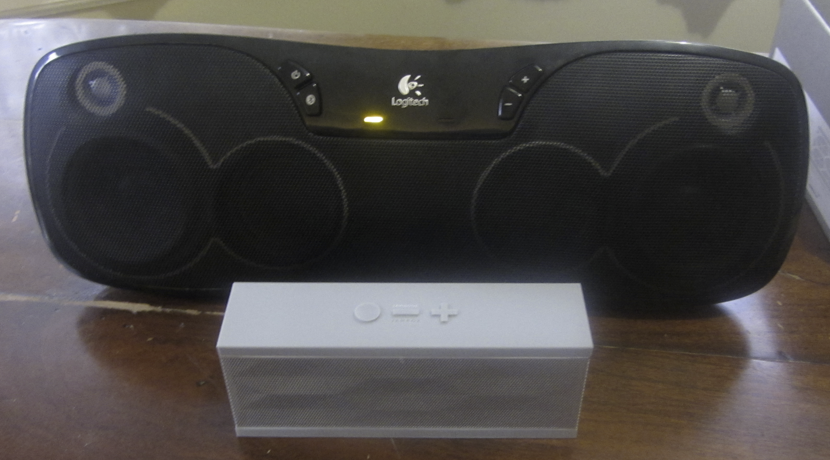
I got my hands on both a few weeks ago and have used them since. Here is how it has gone…
[youtube http://www.youtube.com/watch?v=HikaEE70604]
Readdle released a new application for the iPad called “Remarks” that offers incredibly accurate handwriting recognition, PDF annotating, and more. At the heart of Remarks is PDF annotating, and PDFs can be imported by way of the iPad’s iTunes File Sharing feature or through opening the PDF with an email to the iPad. All of your PDFs are stored in an iWork for iOS-like file system, and a folder system is available.
The interface, though, is powerful and feature-packed, and it is simple for PDF annotating. A user simply taps to open a PDF and then they can do actions such as handwriting, highlighting, panning, and creating shapes like circles and squares similar to what one does in OS X’s built-in PDF annotating application Preview. Remarks also allows you to import photos directly from within the application to place in a PDF, and it also allows users to email, print, and open the created or annotated PDFs in other iOS applications.
While Remarks have been a fantastic PDF annotator in our testing, the marquee feature—perhaps— is its handwriting integration. In our tests, Remarks’ handwriting software is well crafted, very accurate, fast, and features no lag. A great bonus is being able to rest your hand on the display of your iPad without writing anything accidentally. Writing with Remarks with a stylus offers perfect iPad handwriting, but writing with your finger works great as well. Readdle said it is looking to bring more features soon to Remarks, including Dropbox and other cloud storage system support.
Remarks is available for the iPad on the App Store for $4.99.
I had some time to demonstrate some of the upcoming Thunderbolt accessories from external drive makers at CES earlier today. We briefly discussed a few others from OCZ, LaCie, Belkin and Elgato earlier in the week. First up is the Western Digital MyBook Thunderbolt Duo:
[youtube=http://www.youtube.com/watch?v=FX-My424O7g]
These are going to compare nicely to the Promise RAID setup that has similar speeds, but it does not have a price or release date yet. The vibe seemed to be like Q2 with perhaps an announcement at Macworld.
Next up is the Hitachi G-Drive series of Thunderbolt Drives, and these drives are 8TBs…
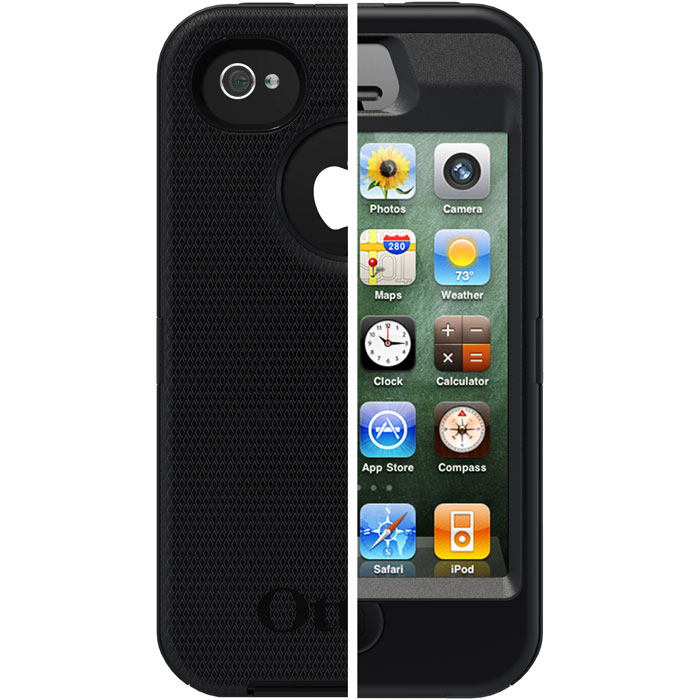
I have been using the Otterbox Defender case for the iPhone 4S for a couple of months now and it is one of the most versatile and most protective pieces of phone protection currently on the market. The outer design of the case, what you and others see, is an apparently rubberized material – but do not be deceived by that soft appearance and soft feel. It is a heavy-duty case that does a fantastic job at protecting your phone.
The Defender is a three-layered case. The first layer is an inner plastic shell that you slide your phone into, and this hard, yet lightweight, plastic protects your iPhone 4S from dents. That first layer is augmented with the rubbery layer that adds more protect against drops, but also protects against scratches. Its rubbery material makes sure that when your phone is dropped in any environment it is safe. The third layer is a belt clip that adds some more protection, but its main purpose is to, of course, allow you to wear your iPhone on your belt or clothing…
(We’re offering a $10 discount/free Parallels MacBook Air contest this week)
If you are not new to Parallels, you will already be familiar with its ability to run Windows in a virtual machine within OS X. You might also be familiar with its Coherence view mode that allows you to run Windows and Mac OS applications side by side, rather than a full-blown Windows 7 in a separate window. However, Parallels Desktop 7 takes it to the next level with some of the deepest Windows/OS X integration yet.
The name of the game for the new Parallels Desktop 7 for Mac is definitely OS X Lion integration. Pretty much every new UI feature incorporated into Lion has been integrated into Parallels, and thus Windows 7. We put the new version to the test with both Windows 7 and Windows 8 developer preview on last year’s iMac with 4GB of RAM.

UPDATE [Tuesday, December 20, 2011 at 2:06pm ET]: It appears the app had originally slipped past Apple’s censors after all as the company just yanked the program out of the App Store.
A new iOS application called Quickpick hit the App Store (no jailbreak!), and it fills a void that many feel Apple left in their implementation of the iOS 5 Notification Center.
For those unfamiliar, Notification Center is a place on the iPhone, iPad, and iPod touch where a user can view their device notifications along with weather and stocks widgets (iPhone and iPod touch only). Many hoped Apple would add a universal launching feature within the Notification Center, but the company did not do so. Until the time comes (if it ever does), Quickpick fills the void.
Quickpick uses the iOS web-based shortcuts feature to initiate phone calls, text messages, website launching, emailing, and more from the Notification Center.
For example, I have set up a calling shortcut, emailing shortcut, web address shortcut, and a shortcut to open YouTube. Since the application uses native iOS URL scheming, the possibilities are endless. Here are some giant databases (1, 2) of URL schemes you can use, and there are cool examples:
The aforementioned calling, texting, website launching, and emailing examples do not require a special URL; the app sets those up automatically.
Quickpick is now available as a universal application for the iPad, iPhone, and iPod touch for $0.99. After the break are instructions on how to setup custom URLs in Quickpick:
[youtube=http://www.youtube.com/watch?feature=player_embedded&v=kT94Ovn7tIE#!]
Over the past month, I’ve been carrying around a Powerbag backpack from ful. The idea is pretty straight-forward. They put a 3000 mA battery inside a backpack complete with adapters for just about any device you’d ever want to charge. On heavy usage days, I have a mobile charge with me at all times. Instead of taking out all of my devices when I get home, I just plug in the bag.
Read on for the full review…
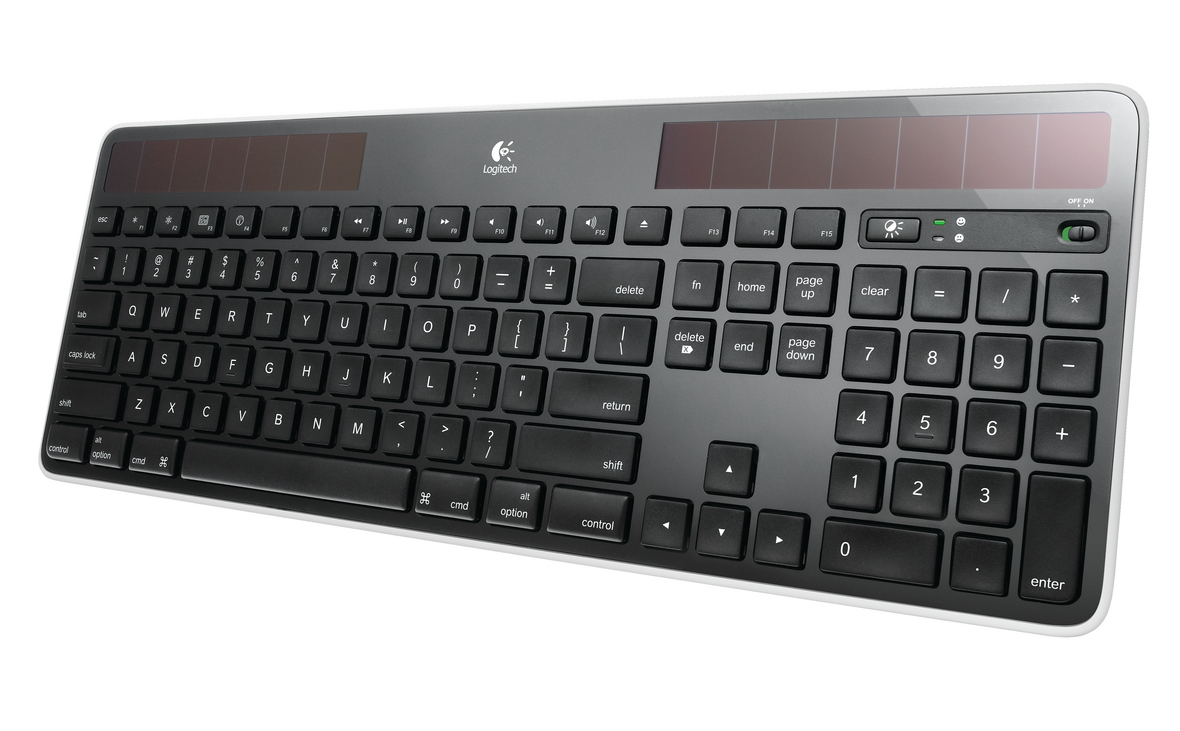
Logitech first started producing solar wireless keyboards for PCs earlier this year but didn’t make a Mac version until a few months ago. The PC version got incredibly solid reviews at Amazon so I thought this would be a good pick up for my Mac workstation when it was released. As a veteran of Apple’s original Wireless Keyboard, I was sick of dealing with battery and connectivity issues plus I wanted the full layout with numeric keypad, extra function keys extra and full arrows. I’ve been using it almost exclusively for the past three months.
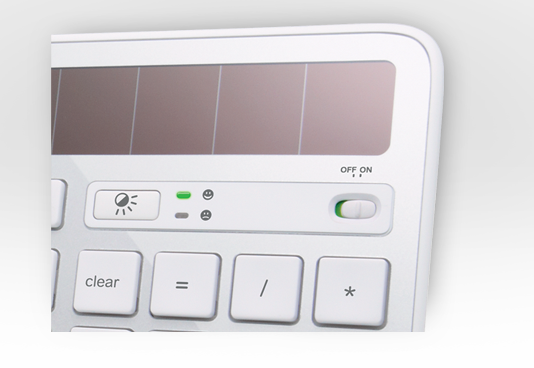 First, I’ll say that the solar panels make the footprint about 25% bigger than a standard full Apple keyboard. That can be a hassle if you are cramped for space at your desk. On the other hand, the keyboard feels a bit more solid, perhaps because of the increased size and weight. Keystrokes are very similar feel to Apple’s standard keyboards and spacing and layout are all but identical. Logitech adds a power switch and battery tester at the top right.
I got the piano black version because it matches my monitor and my Logitech Mouse (which also works with this USB dongle) but there are 5 colors to choose from. I imagine the standard “silver” will be the most popular.
As far as the solar is concerned, I never had a single problem with charging or connection. I have a florescent lit basement office and a workspace with natural light from a shaded back yard and both kept the keyboard charged at all times. The keyboard usually sits in front of a large 30″ monitor, so that probably helps. But from reviews I’ve read, almost no one has a problem keeping this charged with normal office lighting so I don’t think this is a concern.
There are some tradeoffs for having solar, however…
Expand
Expanding
Close
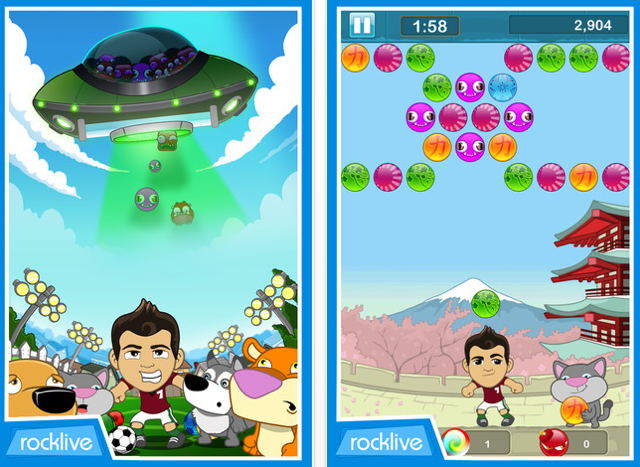
RockLive, best known for their popular Mike Tyson Main Event game for the iPhone and iPod touch, is back for another high-profile game partnership. This time, the game studio has teamed up with world-leading soccer player Cristiano Ronaldo for a very fun and addicting game called Heads Up with Cristiano Ronaldo (now available). The game is insanely addictive and combines aspects from puzzle and brick-breaker type games with eye-popping graphics, crisp animations, simple pick-up-and-play game play to make a great gaming experience.
[youtube http://www.youtube.com/watch?v=4mLap2bB0aQ]
The goal of the game – as displayed in our video above – is to knock out as many soccer balls above Ronaldo in order to advance to the next level. Unlike a simple brick-breaker, knocking soccer balls down is nowhere near the full story. In order to clear the soccer balls, two of the same colored soccer balls (whether they be blue, purple, green, or orange) need to be touching. In order for those two soccer balls to disappear, a third ball of the same color needs to be launched by Cristiano Ronaldo. Knocking away all of the balls, though, is still challenging as combinations need to be discovered by the user in order for all the soccer balls to completely disappear. This makes it a fun, pick-up-and-play puzzle-type game…
[Editor’s note: We got a satchel to review so I asked the style expert of the house do this one]
I’m a big fan of Jill.e’s uncommon (read: not black) camera bags, but the company seems to be expanding its offerings to style-minded users of other technology. I’m talking about women and men who have laptops, iPhones, e-readers and tablets to cart around (sometimes all at once), but who do not find those black polyester padded bags appealing in the least. So it piqued my interest when the company offered to send us a bag to review. As Mrs. 9to5mac and mother of two, I often have gadgets on the go. Even our 3-year-old has his own iPhone. (It’s simcard-free and makes eating out possible. Don’t judge.)
The women’s bag I have been toting for the past week is the laptop satchel, part of the company’s plaid-clad E-GO line. It’s worked well for many configurations of gadgetry: iPad + Canon SLR, MacBook + Canon SLR, Kindle + iPad. This thing is surprisingly huge, which can be a bad thing for your back, or a good thing when you want to commute with your laptop and ereader in style.Truth be told, the satchel has often doubled as a diaper bag, which is the reality of trying to leave the house with a baby and a preschooler.


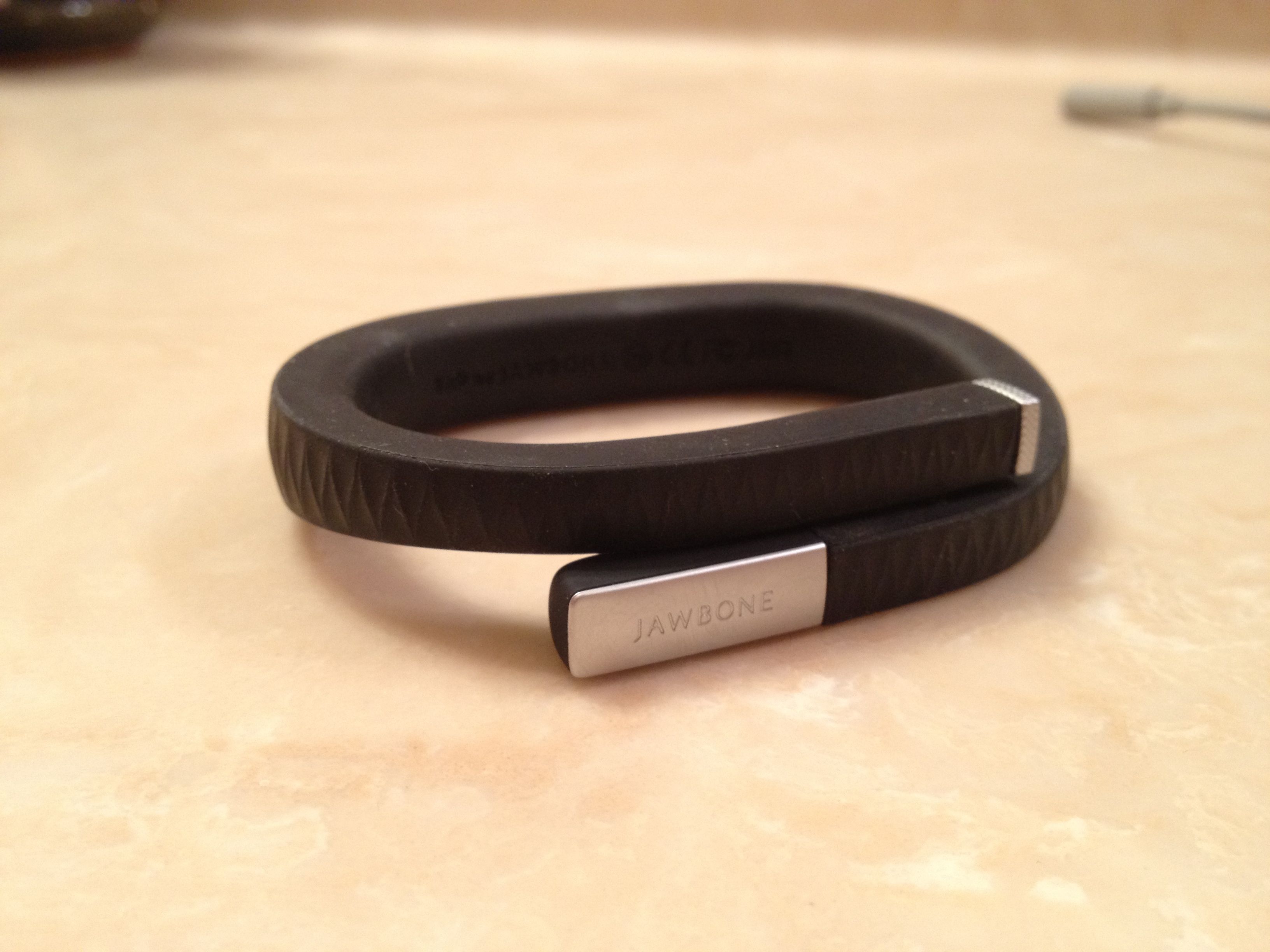
In September, we exclusively leaked the details for the new Jawbone Up fitness band. Fast forward to November, Jawbone, a company used to making Bluetooth headsets, announced the Jawbone Up, a stylish fitness band that tracks your steps, distance traveled, pace and calories burned throughout the day. The band can also track sleeping patterns and energy obtained from food. The Jawbone Up integrates with an iOS app, where users can sync all of their data for detailed reports.
The Jawbone Up is available for $99 on Jawbone’s website and also at Best Buy, Apple, and other retailers. Is the Jawbone Up worth the $99 price tag? What’s with the recent bricking reports? Read on for our full review:
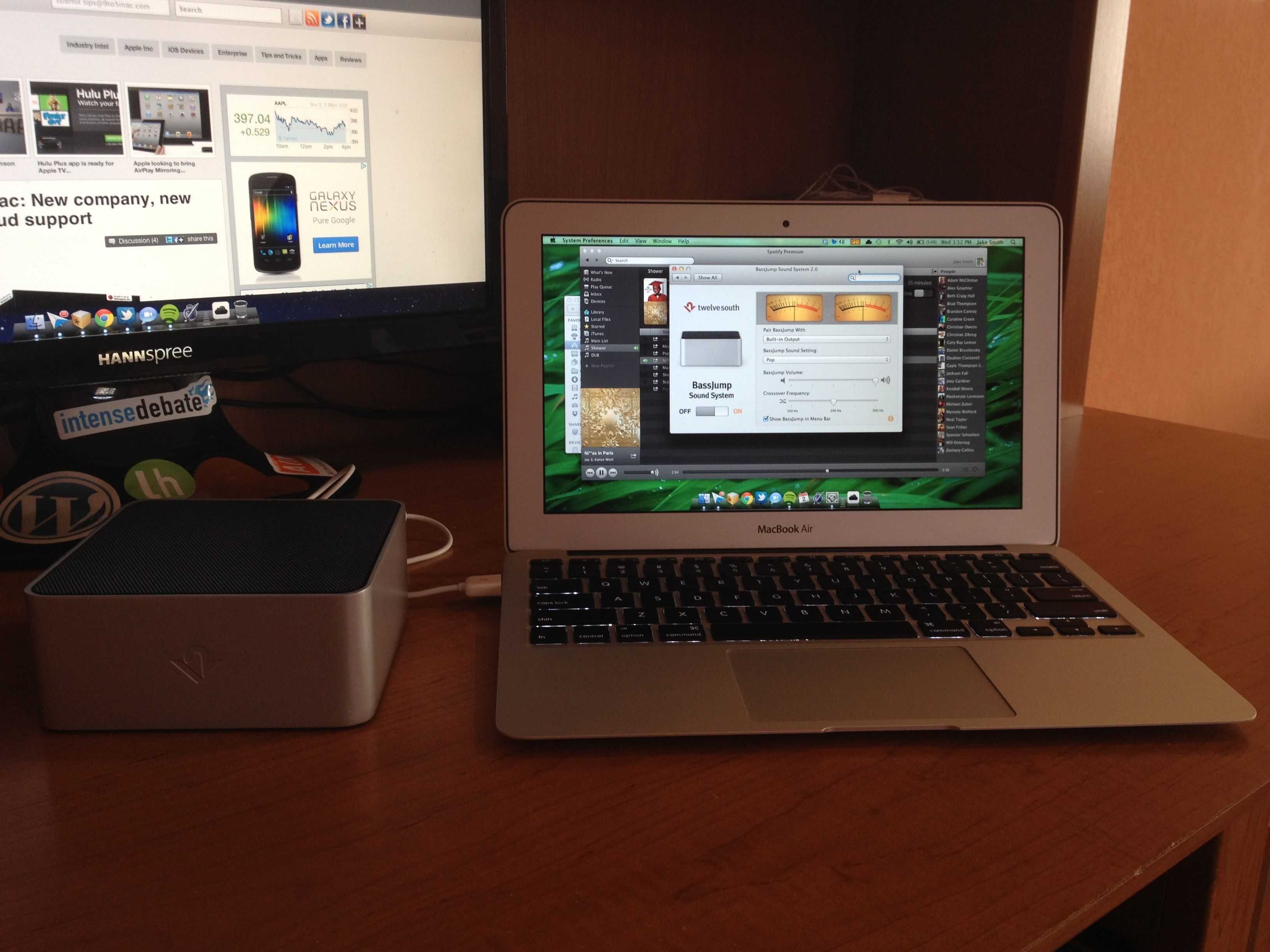
Twelve South has sent us their just announced BassJump 2 portable subwoofer. The original BassJump’s focus was to be a subwoofer add-on to your MacBook Pro/Air speakers. The BassJump 2 is more of a software update, than hardware, but we figured we’d check out the full package to tell you if its a peripheral that deserves a spot on your desk.
The BassJump 2 is available for $69, including free shipping and the new software. BassJump 2 ships with beautiful packaging and includes the subwoofer inside, a USB cord, and a carrying case for when you need to take your BassJump on the go. So how does it compare to the Macbook Air’s “internal bass” and is it worth the $69 price tag? Read on after the break for the full review, gallery, and video.
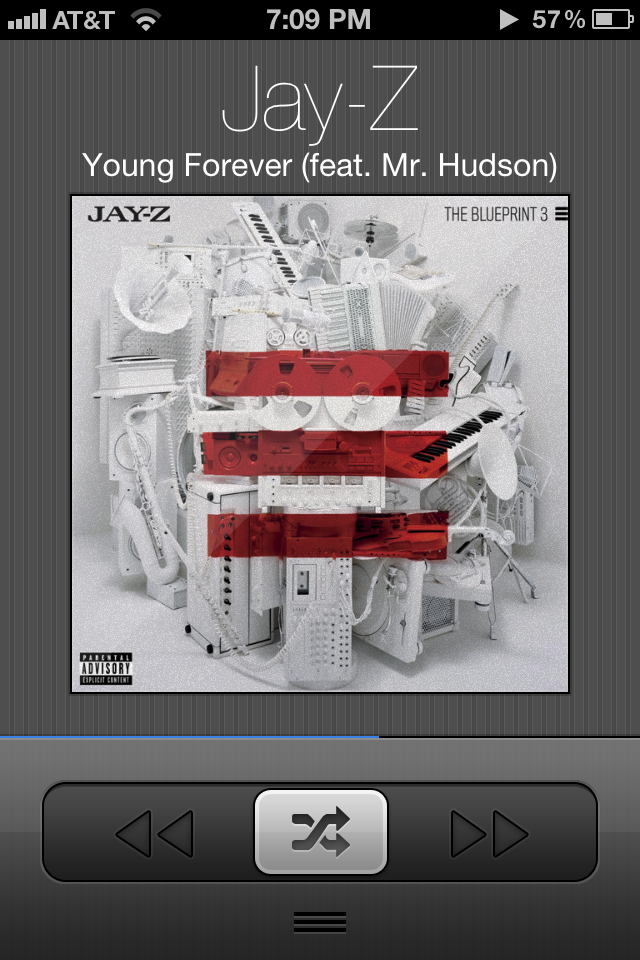
I’ve been using a new iPhone application called Reprise as my main iPhone music player for the past few weeks, and it makes a fantastic replacement for certain iPhone music listeners. In 2005, Apple took the concept of song shuffling to their biggest extreme yet with the iPod shuffle. An iPod dedicating to shuffling your music. That music player still exists, but the iPod line in general has been caniblized by the iPhone and iPod touch and their iOS operating system. With the iPod shuffle even existing, there is a clear market for music shuffling. Read on for the full review…
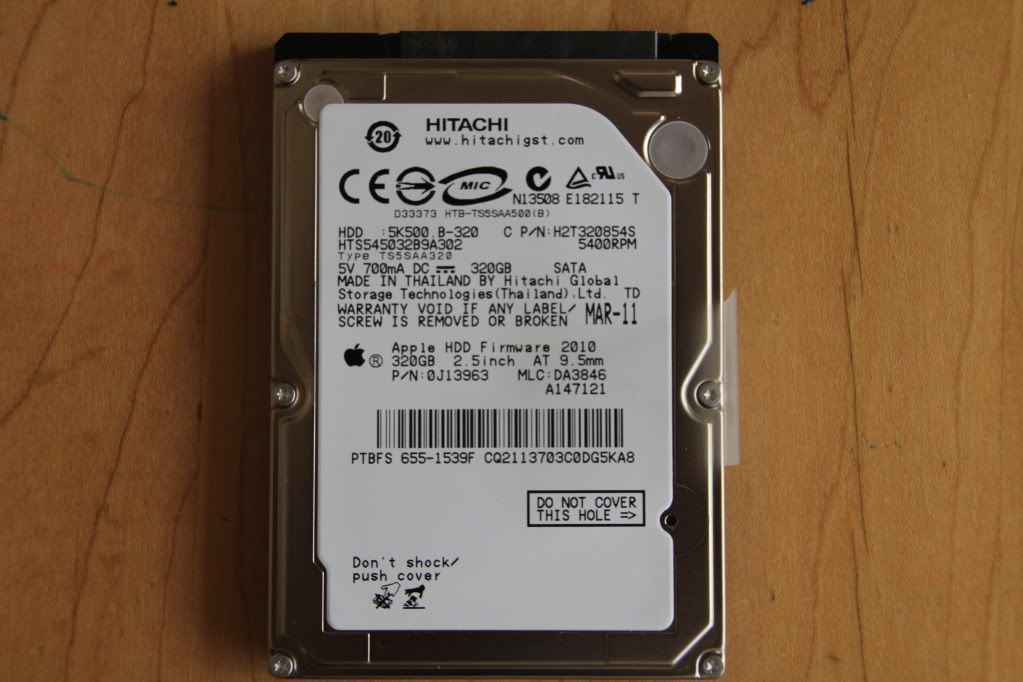
Until recently, I merely thought of Hitachi as the company that builds the OEM hard drives that are found in some Apple and other high end PCs. It turns out that Hitachi makes very high quality enclosures for those same hard drives that companies like Apple demand for their machines.
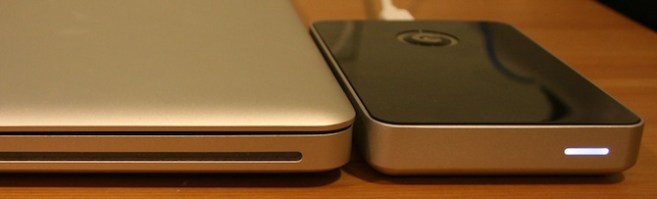
Hitachi’s drives that range from the G-Drive portable hard drives (which I reviewed earlier this year, above) to the newer G-Speed for high end A/V professionals. Take for instance the G-Speed FC XL, shown below:

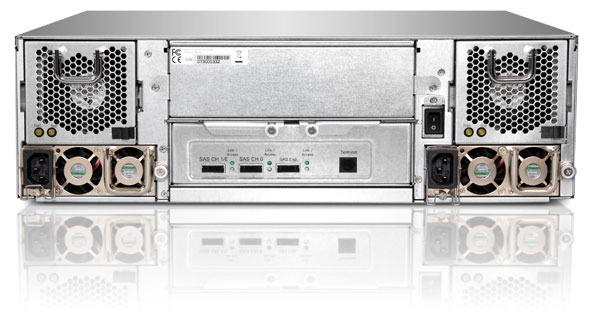
The SAN Ready G-SPEED FC XL offers industry leading Fibre Channel performance and easily supports multi-stream ProRes, uncompressed HD and 2K Film video editing work flows. A 16-drive G-SPEED FC XL connected to a dual-channel 4 Gbit Fibre Channel host bus adapter will pump out over 550 MB/second to support the most demanding post production environments. Upgrade mini SAS model, back panel below, and expect up to 800MB per second. That’s uncompressed 60 frames 1080P with room to spare and virtually unlimited space for drives with its stacking functionality.
 .
.
For more info, check out…www.g-technology.com/hellbent
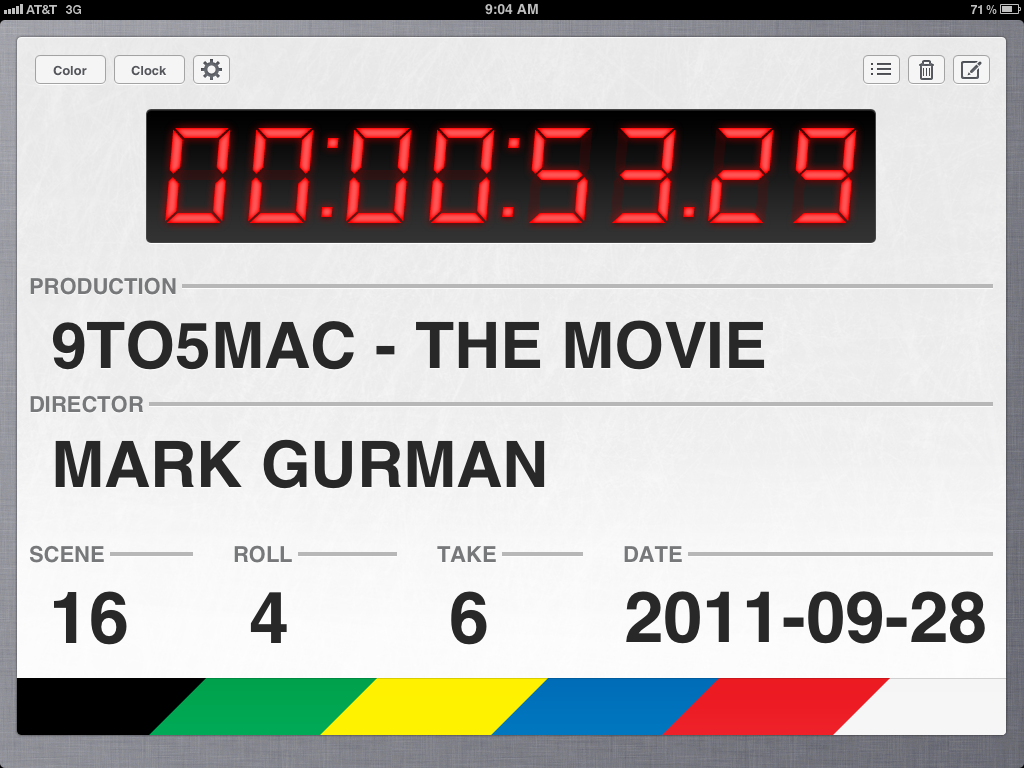
The iPad application Take One – Movie Clapper is a great solution for anyone into film or making movies that wants a cheap and simple way to keep track takes, which assists in keeping filmed video and audio in synchronization. The major difference between Take One and its competitors is price and ease of use. Take One costs $2.99, compared to its $9.99 and $24.99 competitors – but offers an easy-to-use solution and all the necessary features one would expect from a Movie Clapper.
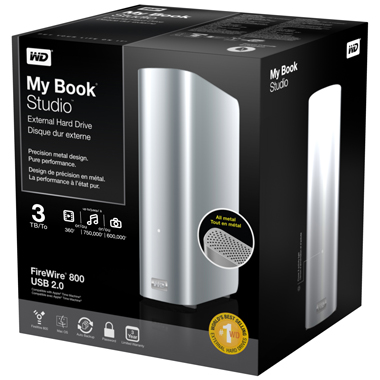
There’s not much to say about the new Western Digital My Book Studio 3TB hard drive. It looks quite nice and would go nicely with a Mac Pro or any aluminum Mac. The new MyBook Studio, unlike the previous My Book LX models, doesn’t have the LED display which showed free space and other nice specs without the need to dig it up from the connected computer. It does, however, have a quiet, cool running green hard drive with a fan-less enclosure. But the $150/$200/$250 for 1TB/2TB/3TB models, it isn’t going to hit 9to5toys.com anytime soon.
In fact, the same 3TB Western Digital Internal Green Drive resides in a USB-only package for only $130. Because this is a green drive, the extra speed that Firewire provides isn’t as noticeable as with a high performance drive. See speed tests and more images below.
Expand
Expanding
Close
Update: October 26th: Seagate just released a firmware update
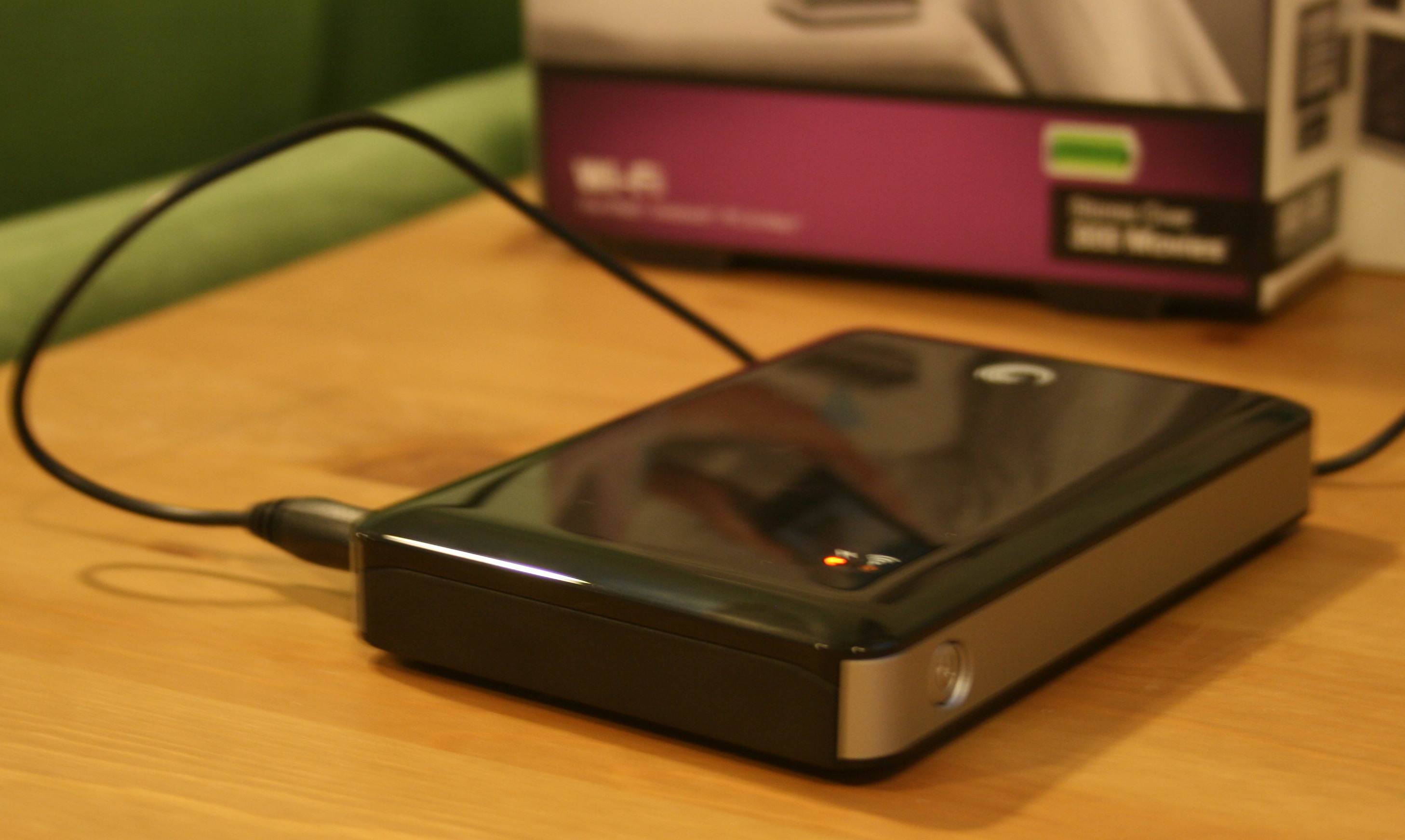
The Post PC age is upon us and we’ve now got new iOS devices in all shapes and sizes in our homes. But getting and sharing media to all of these many devices starts to become a chore, especially when on the go. One solution is moving media into an Internet-connected NAS or the (i)Cloud.
Unfortunately, pulling that data down to your iDevice when you are on the go, especially high quality video, can be an expensive burden on your wireless data plan. Just a few movies can put you over your monthly data limit. And that’s where you have a speedy Internet connection that can handle a full screen movie. And what do you do when there is no signal (camping?) at all?
Seagate thinks they have a solution to this problem with their new $200 Goflex Satellite 500GB hard drive. Read on for the full review: