Author

Avatar for Mark Gurman

Mark Gurman

@markgurman

Mark is an award-winning journalist who worked at 9to5Mac for over six years. He covers Apple and other topics related to the consumer technology industry.

Mark is regarded as one of the go-to reporters for all Apple-related matters, one of Wired‘s top 16 people to follow in technology, and one of TIME Magazine‘s top 25 bloggers of 2013Mark has also been profiled by CNN Fortune multiple times, NPR, the Los Angeles Times, LA Weekly, the Huffington PostBusiness Insider, Columbia Journalism Review, MarketplaceHaaretz, and USA TodayMark was also recently named to the 2015 Forbes 30 under 30 List.

In 2012, Mark published the first photos of the iPhone 5, broke the news about Apple’s switch to an in-house Maps application, revealed the first 15-inch Retina MacBook Pro, forecasted that Apple would update the iPad’s software with Siri support, and accurately revealed the iPad mini’s higher-than expected price point.

In 2013, Mark published the first photos of the original iPad Air, provided the first details about Jony Ive’s end-to-end iPhone and iPad software update called iOS 7, provided information about OS X Mavericks, and detailed Apple’s early work on the Apple Watch.

In 2014, Mark revealed Apple’s work on a new Health application for iOS 8 and the Apple Watch, Ive’s redesign of OS X called Yosemite, and details about the iPhone 6 and iPhone 6 Plus.

Mark started out 2015 with a significant scoop detailing Apple’s yet-to-be-released 12-inch MacBook with a Retina display, thinner design, and more advanced trackpad and keyboard. He has continued the year by reporting on several details about iOS 9, including the new Proactive Assistant, redesigned Siri, upgraded Maps with transit functionality, new system font, split-screen iPad apps, Swift 2.0, as well as predicting a performance focus for both that software upgrade and OS X El Capitan. Mark finished the year by reporting the majority of the details about the new Apple TV, iPhone 6s and 6s Plus, Apple Watch updates, the iPad Pro, the iPad mini 4, and iMacs.

Mark started out 2016 with exclusive reports on Apple’s work on a pair of completely wireless Beats headphones for the iPhone 7, details on the iPhone SE, iPad Pro 9.7-inch, Apple Watch updates, Apple’s March product event, new Apple retail initiatives, and Tim Cook’s Town Hall meeting with Apple employees.

Mark has also written long-form features on “Apple Anonymous,” a group of retail employees who discuss work over Twitter and the fascination of watches by Apple executives. Most significantly, in fall 2014, Mark published an extensive profile of Apple’s PR and Communications department that was compiled over two months into nine chapters. Mark also provides analysis on relevant technology industry topics, such as Apple’s recent executive shakeup. Mark kicked off his writing career at the end of 2009, and he had his first significant break in 2011 with a story detailing Siri and the iPhone 4S.

You can follow him on Twitter.

Connect with Mark Gurman

Diagram of next iPhone’s internals puts leaked parts in context

Site default logo image

Click for larger

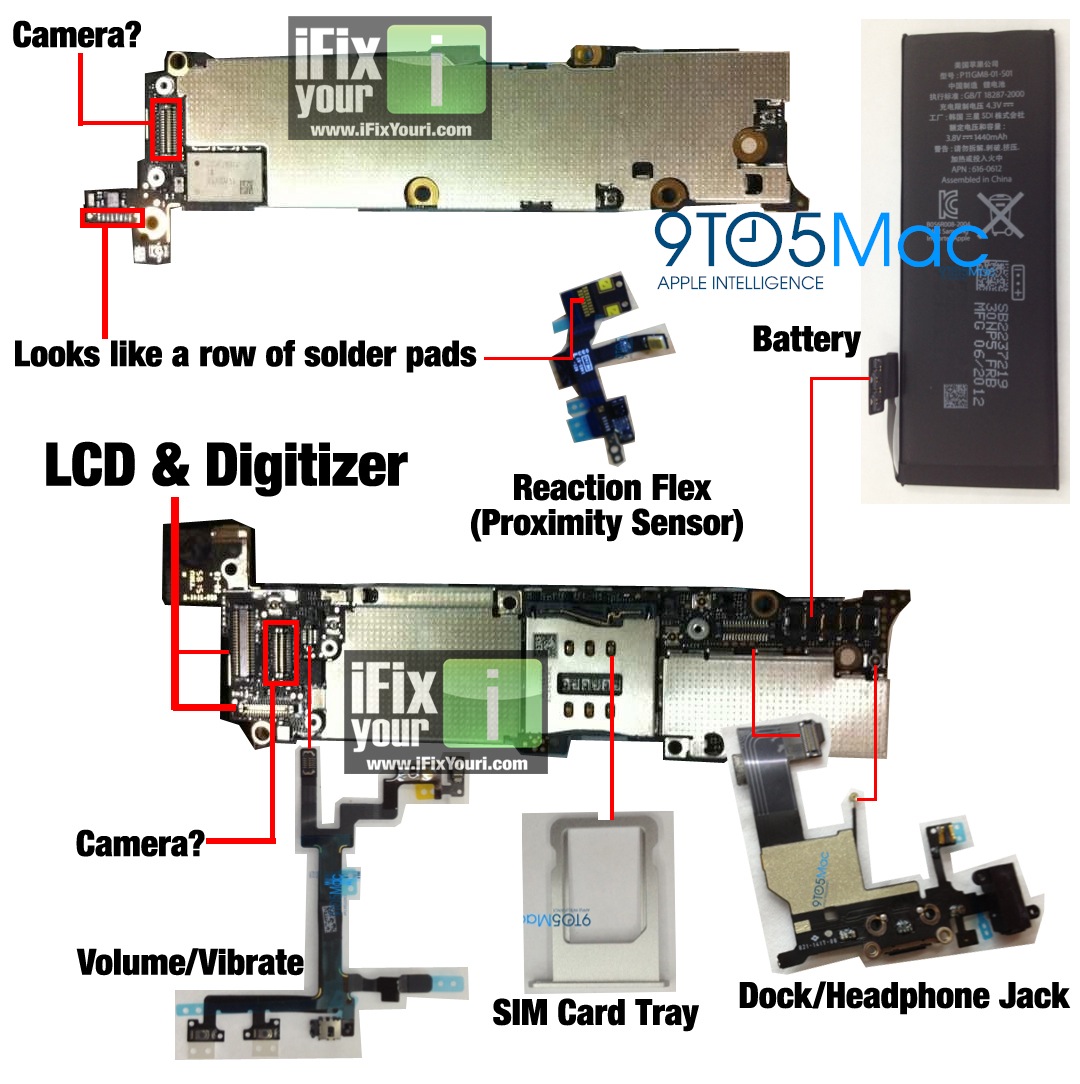
iFixYouri Professional iPhone Repair has put together a diagram (shown above) that puts many of the next-generation iPhone’s leaked parts into context. Earlier today, the purported motherboard for the next iPhone leaked out, and iFixYouri iPhone repair’s diagram shows where all of the leaked parts fit onto the motherboard.

One of the biggest points to note is that many of these leaked parts fitting together nicely on the motherboard (obviously, image size aside) probably means that these parts are legitimate.

Another thing to note is that the SIM card slot, while seemingly slightly smaller, appears to be more along the size of the current Micro-SIM-standard found in the iPhone 4 and iPhone 4S. The next iPhone has been rumored to include a smaller, nano-SIM standard, and parts pointing to this have already leaked out. Although we cannot be entirely sure what size the leaked motherboard points to (due to angle, size, and context of the imagery), it is worth nothing that we have seen leaks for the new iPhone that differ in their SIM-card slot sizes. This means that Apple has been testing components for both sizes. With the next-generation iPhone already in production, Apple’s decision for SIM size has obviously already been decided.

The next-generation iPhone is expected to be announced and released in September. A taller, four-inch display with a 640 x 1136 resolution, LTE, NFC, and an improved processor are rumored in addition to a thinner design. 

Photos of alleged next-generation iPhone motherboard surface, point to new antennas, battery

Site default logo image

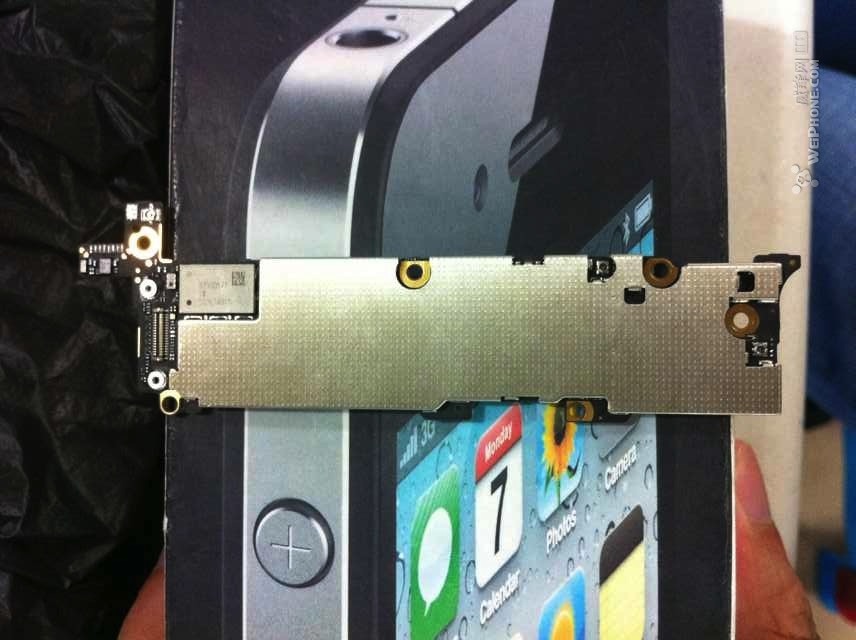
A WeiPhone forums user posts a couple of photos of what is apparently claimed to be a motherboard/logicboard for the next-generation iPhone. If legitimate, the part appears to be a prototype unit because it is missing much of the typical labeling.

Unfortunately, the new iPhone’s processor does not appear to be pictured in these photos. In May, we reported that Apple is testing next-generation iPhone hardware with a new A5-2 processor. This reportedly is an A5-based CPU (like in the iPhone 4S) but with various tweaks.

The SIM card slot, the most-centered component on the motherboard, does appear slightly smaller in size compared to the 4/4S, according to iDeviceGuysiPhone parts specialists that we spoke to. The connection points are also more closely connected. This may or may not point to the new device using the new Nano-SIM format.

This repair firm also says that the battery connector apparently has a five pins, compared to four on the iPhone 4S. We recently posted a photo of the new iPhone’s higher-capacity battery.

iDeviceGuys also says that more antenna connections are present (compared to the iPhone 4S), which may lead credence to the rumors pointing to this new iPhone as the first LTE smartphone from Apple.

Apparently, the digitizer connector for the display is also tweaked, and this may point to the already-rumored new screen technology coming in this new iPhone.

While we wouldn’t normally put too much faith in an unverified forum post, we looked a bit more into the poster of the photographs. It seems that the same user posted legitimate photos of an iPhone 4S motherboard in August 2011. That is a couple months prior to the device’s announcement and launch.

In addition, now that a good amount of other parts (including back plates) have leaked out for this new iPhone, NoWhereElse.fr made a GIF that compares the size and connections of the motherboard in the photos to the already leaked parts:


Expand
Expanding
Close

In 2010, Apple offered to license iOS device patents to Samsung: $40 a tablet, $30 a phone

Site default logo image

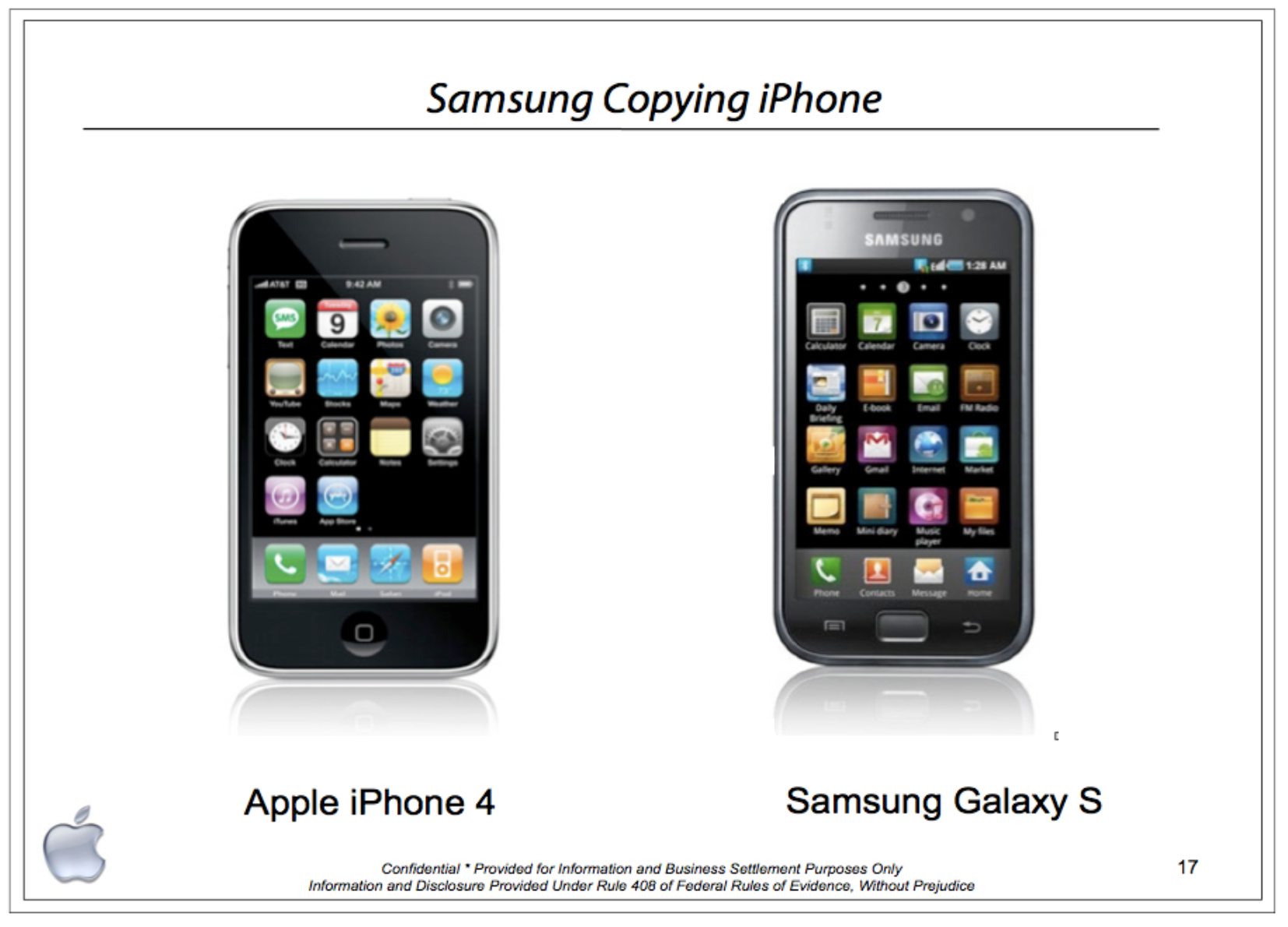
Apple’s lawyers may want to have another look at an ‘iPhone 4’

AllThingsD shares some pretty incredible news that in October 2010, Apple executives met with Samsung executives in hopes to settle Apple’s concerns that Samsung’s tablets and smartphones infringe Apple’s iPhone and iPad iOS device patents. According to the new filings, Apple proposed a patent licensing deal with Samsung. Apple apparently felt that a deal rather than litigation – at that time – was the best move to make. This is because of Apple and Samsung’s long-term iOS device component relationship.

Samsung chose to embrace and imitate Apple’s iPhone archetype,” Apple said in an Oct. 5, 2010 presentation to Samsung. “Apple would have preferred that Samsung request a license to do this in advance. Because Samsung is a strategic supplier to Apple, we are prepared to offer a royalty-bearing license for this category of device.

The most notable part of the new filing are the numbers: Apple wanted $40 per Samsung tablet sold and $30 per smartphone in this licensing agreement. If Samsung agreed to cross-license its applicable patents to Apple, the $40 and $30 per-unit figures would drop 20%.

As we now know, Samsung declined the offer and Apple and Samsung are fighting in a major trial this month. It will be interesting to see how much Samsung  ends up having to pay Apple per device – if the price of avoiding this whole circus was warranted or not.


Expand
Expanding
Close

Another developer sneaks unlimited, free tethering into App Store app (update: removed)

Site default logo image

Update: After less than 24 hours since this post, Apple has removed the DiscoRecorder tethering app from the App Store. The developer forwarded along an automated email that he received. He received no specific explanation from Apple.

Since the App Store’s launch, a few developers have tried creative tactics to enable free and unlimited tethering for iPhone users. Most of these tricks either made their way onto the App Store due to an apparently accidental app acceptance by Apple, or by way of a creativity. Some developers have hid the ability to enable unlimited tethering through “easter eggs.”

Today comes another attempt at hiding tethering from Apple in an App Store app. A new app called DiscoRecorder [$1.99] by Michael Leatherbury offers a series of simple steps to allow unlimited and free tethering (aside from the data package you already pay). The app disguises itself as a simple voice recording tool. Here are the steps to enable tethering:


Expand
Expanding
Close

Apple seeds first beta of OS X Mountain Lion 10.8.1 (build 12B13) to developers

Site default logo image

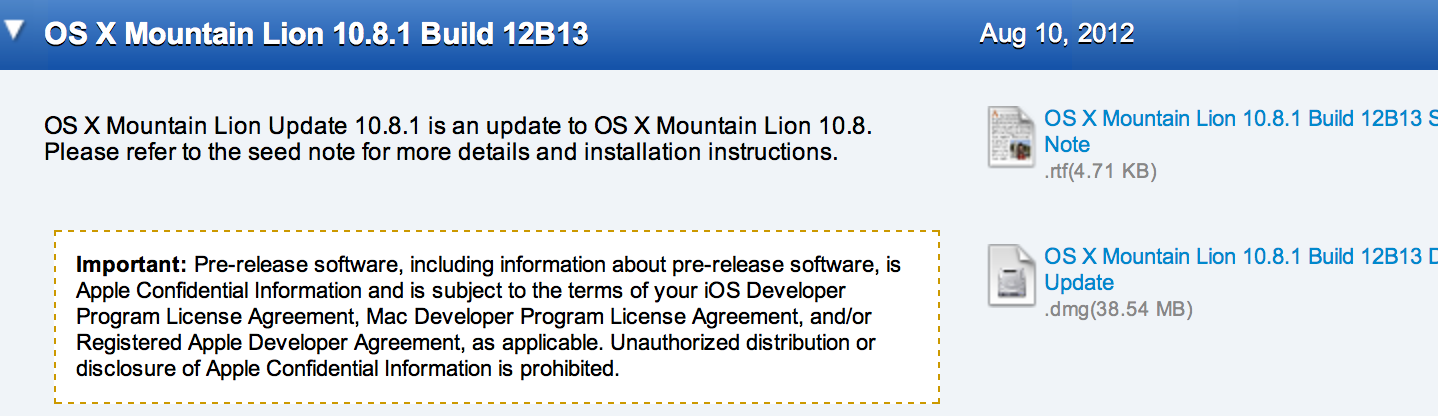
Today, Apple has seeded the first beta build of OS X Mountain Lion 10.8.1 to developers. The build number is 12B13 and it is available from the Mac Developer Center web portal. Apple says that the initial 10.8.1 seed has zero known issues. However, Apple asks developers to focus on testing Active Directory, Microsoft Exchange in Mail, PAC Proxies in Safari, SMB, USB, and WiFi and Audio when connected to the Apple Thunderbolt Display.

Earlier this week, Apple informed participants of the AppleSeed program that they would receive the initial Mountain Lion 10.8.1 build soon.

The DMG to perform a delta update from OS X Mountain Lion 10.8.0 is only 38.54MB. The installation itself takes up 36.4MB of space on a Mountain Lion Mac.

According to a reader who installed OS X 10.8.1, Facebook integration is yet to be included. Perhaps Facebook will come as a separate download,like it currently does for developers, or perhaps it will come in a later beta or another version of OS X Mountain Lion altogether. Also, for those wondering, it does not seem like this release has iMessage phone number merging.

Gallery of installation:

We’ve put the full release notes after the break:


Expand
Expanding
Close

Photos of purported next-gen iPhone’s thinner, higher capacity battery: 3.8V, 1440 mAh

Site default logo image

As the launch of the next iPhone approaches, lots of  parts have been leaking out  and we’ve been able to put the pieces together almost like a reverse iFixit teardown. Over the course of the past couple of weeks, we’ve seen internal components and LCD parts making their way into the hands of iOS device parts suppliers. The most notable part leaks this year were the back plates of the new iPhone. We posted the first photos of these in May. Those new parts revealed an all-new thinner enclosure, metal design, smaller dock connector, and various other next-generation iPhone attributes.

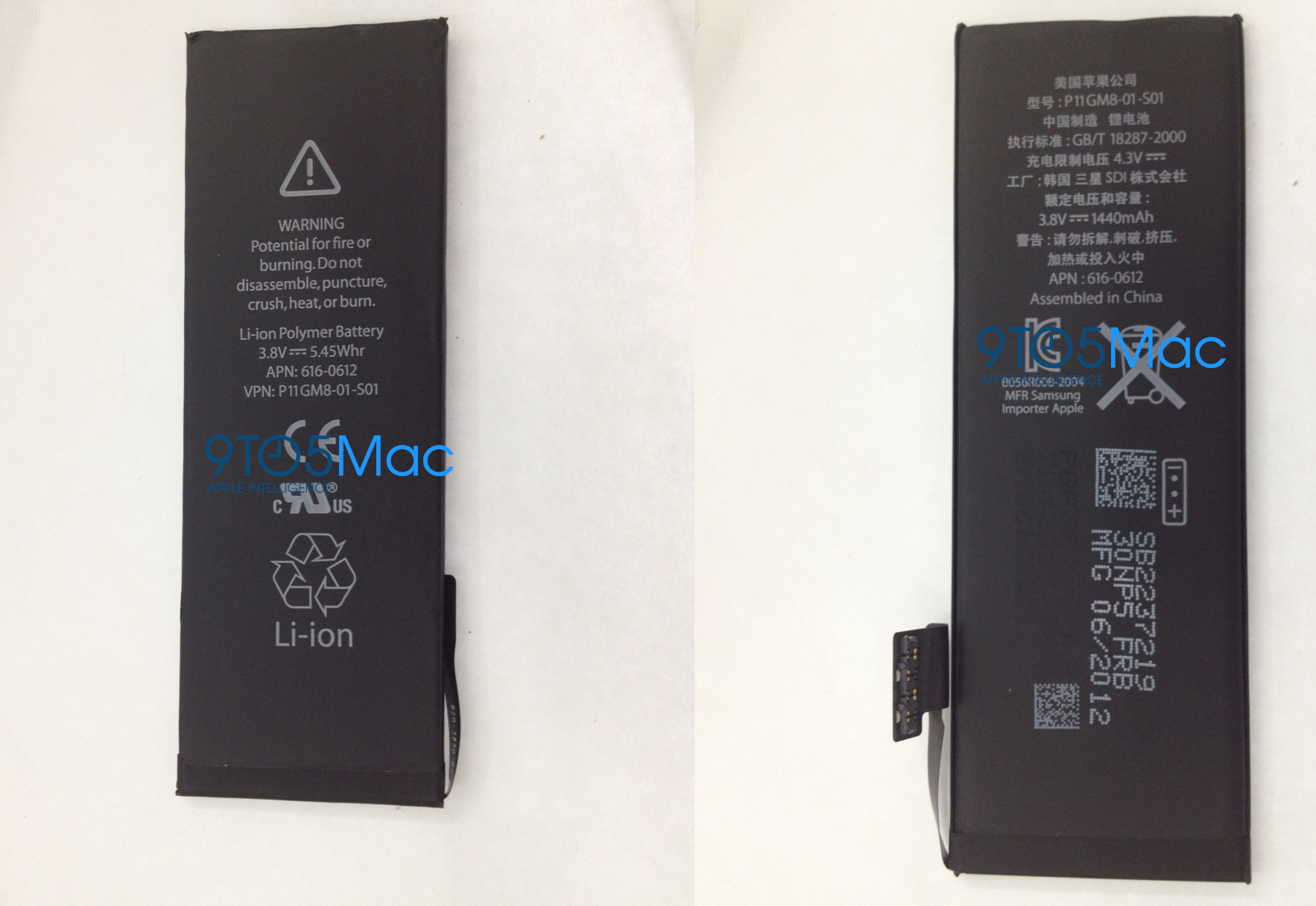
Today, a reliable parts source (via 9to5Mac contributor Sonny Dickson) sent us images of new iPhone battery packs that they received. Notably, these new battery packs sport a higher capacity than the packs in previous generations of Apple’s smartphone. This new battery features a capacity of 1440 mAh. That is up from the capacity of 1430 mAh on the iPhone 4S and up from 1420 mAh on the iPhone 4, according to iPhone repair shop iFixYouri, whom examined the battery photos.

More details after the break:


Expand
Expanding
Close

How the next-generation iPhone with taller display may position landscape keyboard

Site default logo image

Earlier this week, we broke the news that Apple’s upcoming version of iOS 6 is fully scalable and aware of taller, larger iPhone displays. The display resolution of 1136 x 640, a resolution we first reported in May that Apple is testing for future iPhones, shows a seemingly perfectly tweaked version of iOS 6. As we revealed earlier, this means five rows of home screen icons and tweaked native app user-interfaces.

We have been playing around more with the iOS simulator, which we tweaked to work on different resolutions, and we noticed some additional notable UI changes for the taller resolution. As we noted several months ago, the 1136 x 640 resolution on the next-generation iPhone will mean that the display comes in just around at a 16:9 proportion, an uncommon resolution for a mobile phone. Because of this, some have wondered how certain user-interface elements would be presented.

Many interface elements that are displayed while using the iPhone in vertical orientation will remain unchanged. The most important element, perhaps, is the iPhone’s keyboard. In portrait/vertical view, the keyboard on the next-generation iPhone will likely not change.

However, in landscape, it will:


Expand
Expanding
Close

Screenshots of what running apps on a taller iPhone screen may look like

Site default logo image

Earlier this week, we broke the news that Apple’s upcoming iOS 6 software for the iPhone is fully aware and capable of running on taller iPhone displays. It just so happens that the latest iOS 6 builds are optimized to express a tweaked, properly displayed new interface when running at a resolution of 640 x 1136. This happens to be the exact resolution that our sources reported Apple is testing for upcoming iOS devices.

iOS specialist Sonny Dickson decided to create some screenshots of what running native applications may be like on the next-generation iPhone – if Apple chooses to roll with the taller, 640 x 1136 screen. Dickson installed some applications into the tweaked iPhone simulator, and the results are interesting. Apps that are already included and optimized for the iOS 6 simulator appear to have tweaked interfaces that fit the taller display. Several more screenshots and all the details are after the break:


Expand
Expanding
Close

Pulse, a premier iOS news reader, comes to computers through web application

Site default logo image

Pulse has been one of the iTunes App Store premier news readers for the past couple of years. The mobile application started its life on the iPad, a device that is reinventing mobile news consumption, and then it was soon re-built for the iPhone, iPod touch, and Android devices.

While iOS device hardware is optimized for convenient news reading, the hardware requires great software to truly create a great news reading experience. Pulse has always fulfilled that with its wonderful and graphical tile-based interface. Users are able to slide their news stories and organize news sources conveniently.

The experience on iOS and Android touchscreen devices has been well-received but Pulse users have been asking for a version of Pulse for computers.

Pulse has come up with a great solution that is not exclusive like a downloadable app. Instead, it is a fully featured web application. Read on for all of the details:


Expand
Expanding
Close

Site default logo image

Twelve South BackPack 2 mini review

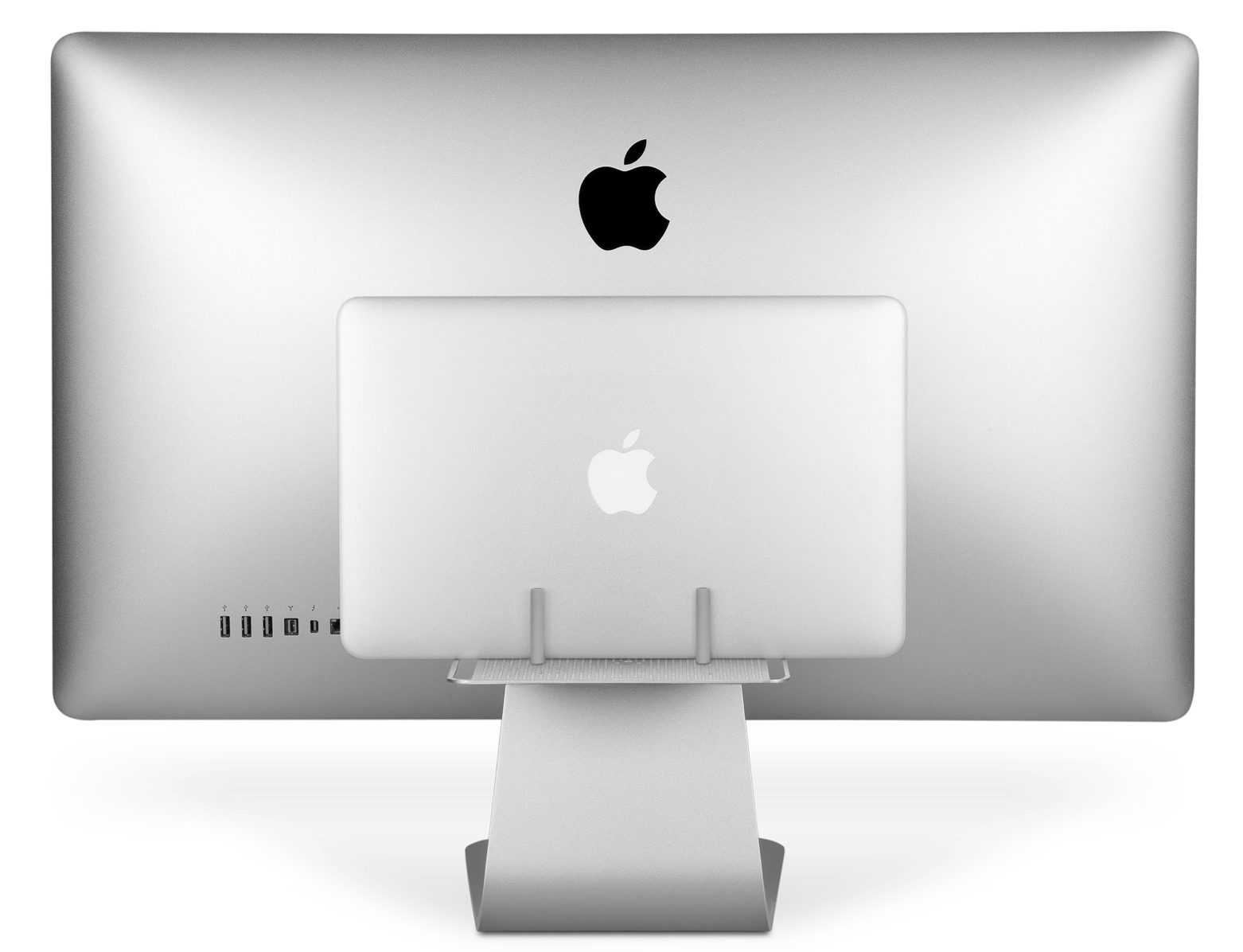
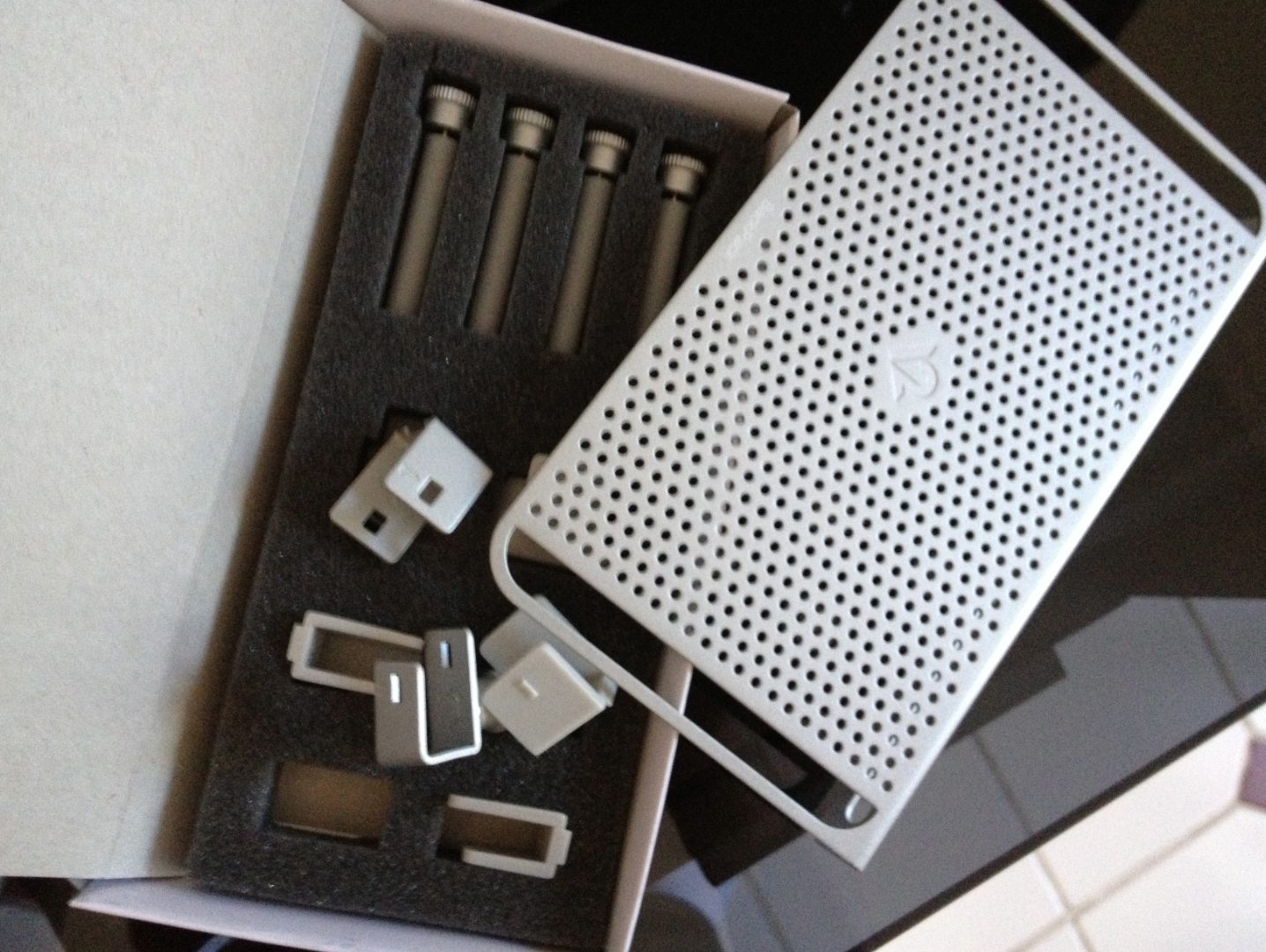
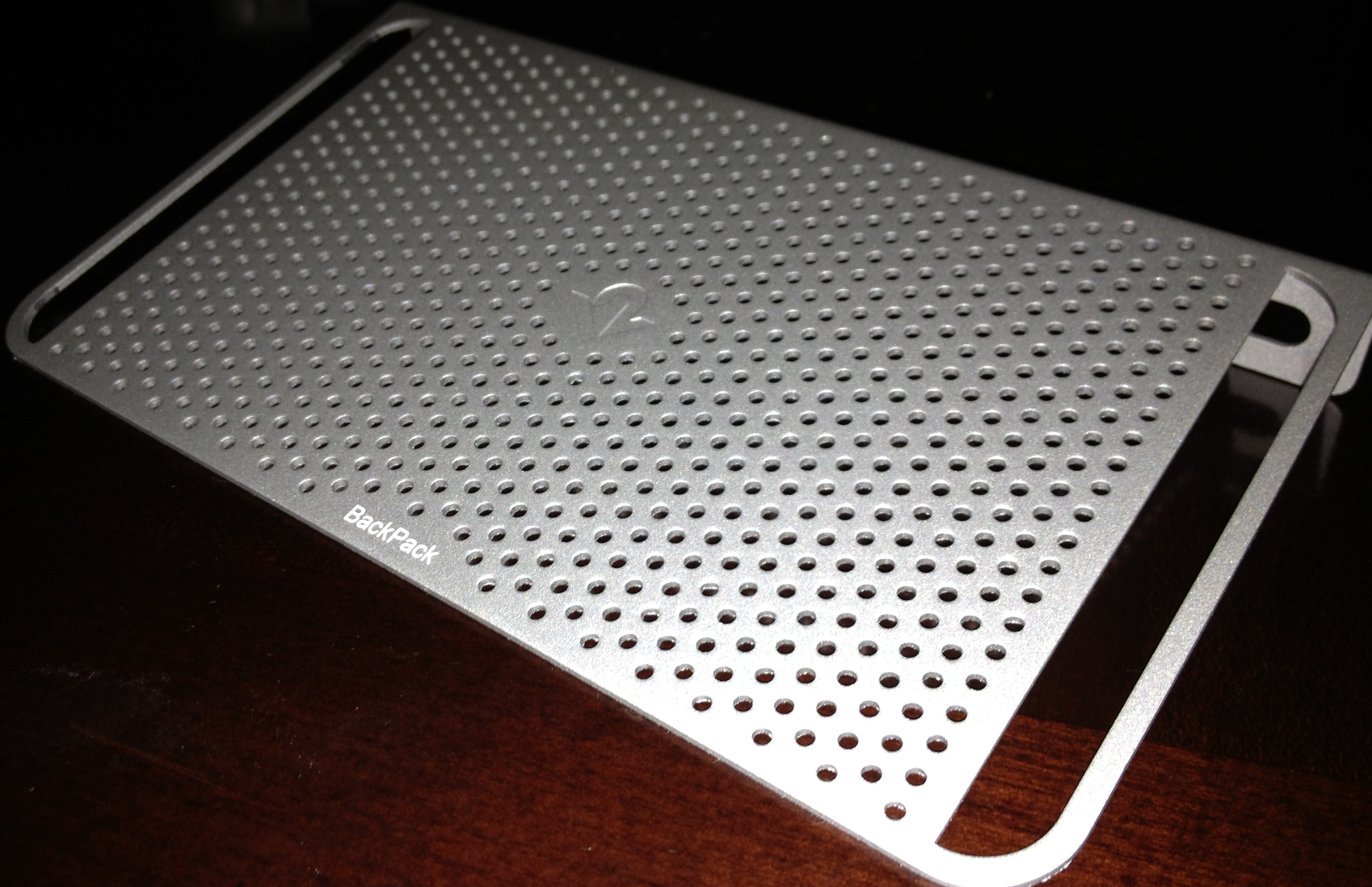
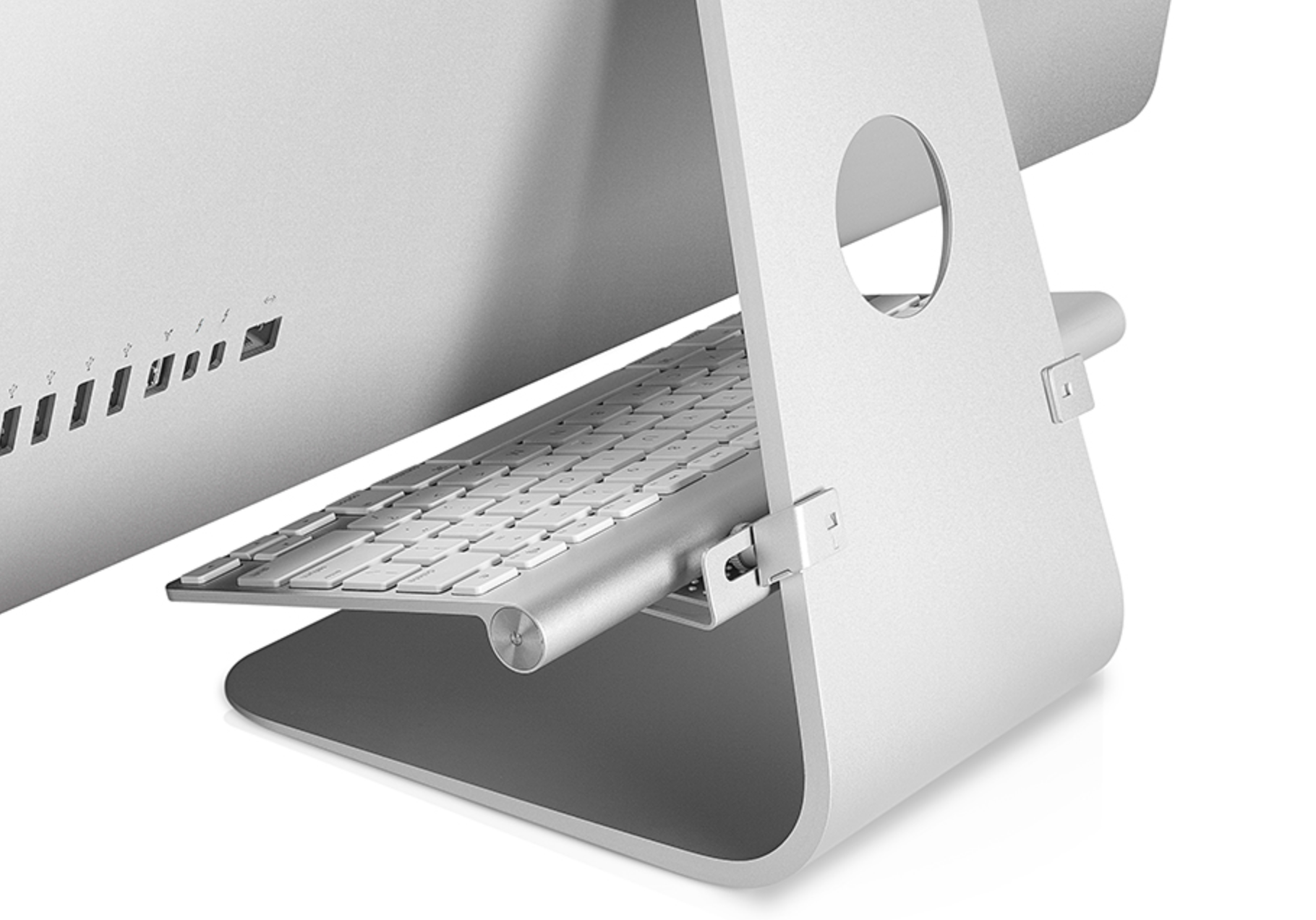
Last week, we highlighted Twelve South’s announcement of its new BackPack 2 accessory for Apple iMacs and LED Cinema/Thunderbolt display. The accessory is the successor to its original BackPack, a device that allows you to store hard drives or other peripherals behind your large display. The new version expands on the original, adding the ability to securely store things like laptops, the ability to store items below the display, and adding improved cable management by way of built-in rails.

I’ve been testing out the BackPack 2 in our workflow for the past week, and it is a great accessory. I have never tested out the original version, though the basis of the BackPack is neat. As an LED Display user with a MacBook Air, it is so convenient to store the MacBook Air behind the display when I am at my desk. That way, my desk can be used to store other things. The MacBook Air can be safely placed on the BackPack with an included set of pegs.

With that in mind, the BackPack 2 is an amazing solution for clearing up the technology from your desk. Perhaps an extension of that sentiment are the new cable rails on the right and left sides of the unit. These rails are perfect for pulling your cables through for increased organization.

On that note, the BackPack 2 is also perfect for storing external hard drives behind your display. New in the 2.0 version is the ability to place items below your display. On the note of clearing up your desk, you can use the BackPack 2 to store your wireless trackpad, keyboard and/or mouse in an easy position for taking and placing when needed.

Overall, we’ve enjoyed using the BackPack 2 and we recommend it for those who need an easy and cost effective ($34.99) solution for clearing up their desk and storing their technology.


Expand
Expanding
Close

Google to add Siri, Google Now-like voice functionality to its iOS Search app in a couple of days [Video]

Site default logo image

[youtube=http://www.youtube.com/watch?v=-cZ4mdrlWYM&feature=player_embedded]

Today, Google announced that it will roll out a new version of its its Google Search application for the iPhone, iPad and iPod touch. The new version is notable in that it brings Siri and Google Now-like voice search functionality to the App Store app. The Verge is on hand at the announcement, and they note that you can “ask for the weather in a natural way and it will provide results.”

Search Engine Land is also on hand at the event, and they provide some more details. Notably, you can search maps info, theme songs, information about people, and conduct math calculations.

This sounds just like Siri and Google Now, complete with contextual awareness. The app is not out yet: it’s coming in a few days. When it is, it will be available here in iTunes.

Read more at the Official Google Blog.


Expand
Expanding
Close

Site default logo image

Apple releases iAd Producer 3.0 with much improved iOS integration, new templates

Apple has released a new major update to its iAd Producer application. iAd Producer 3.0 includes a slew of new templates, new workflows, a new application user interface to work in, and shared layers between projects. However, it seems that the most notable – and most necessary enhancement – is much deeper integration with iOS.

While iAd Producer is an iOS mobile advertising system at heart, iAds never integrated well into the iPad, iPhone, and iPod touch operating system’s native functionality. iAd Producer 3.0 will now allow iAd developers to touch many more aspects of iOS. For example, iAds will now be able to let a user send a phone call, email, take a photo, add a calendar event and more. Here’s the list of new iOS-integrated functions from the release notes:

Add calendar event, Send email, Place a call, Add contact, Add ringtone, Take screen shot, Set content offset for scrollView, Add PDF to iBooks, Set wallpaper, Save to photo library, Open URL, Take photo.

iAd has never been one of Apple’s strongest businesses, with shifts happening often at the top of the group. iAd came over to Apple by way of an Apple acquisition of mobile advertising firm Quattro. Quattro CEO Andy Miller became iAd VP, then left soon after. He was then temporarily replaced by Eddy Cue, in the role of SVP of Internet Services. Recently, Apple hired a former Adobe executive to run iAds.

Full release notes:


Expand
Expanding
Close

Apple airs new iPad TV ad highlighting Twitter, FaceTime, Square, AirPlay, more

Site default logo image

[youtube http://www.youtube.com/watch?v=rDvweiW5ZKQ]

Today, Apple has begun airing a new iPad television commercial. The new ad is similar in style to Apple’s other recent iPad commercials, highlighting applications and how they look on the newest iPad’s Retina display. Today’s covers some major iPad apps such as Square and the iWork suite, but also covers some of the device’s built-in functions like AirPlay, FaceTime, and Twitter integration. Thanks, Matthew


Expand
Expanding
Close

iOS 6 points to new 9-pin connector: is this the new, smaller dock port?

Site default logo image

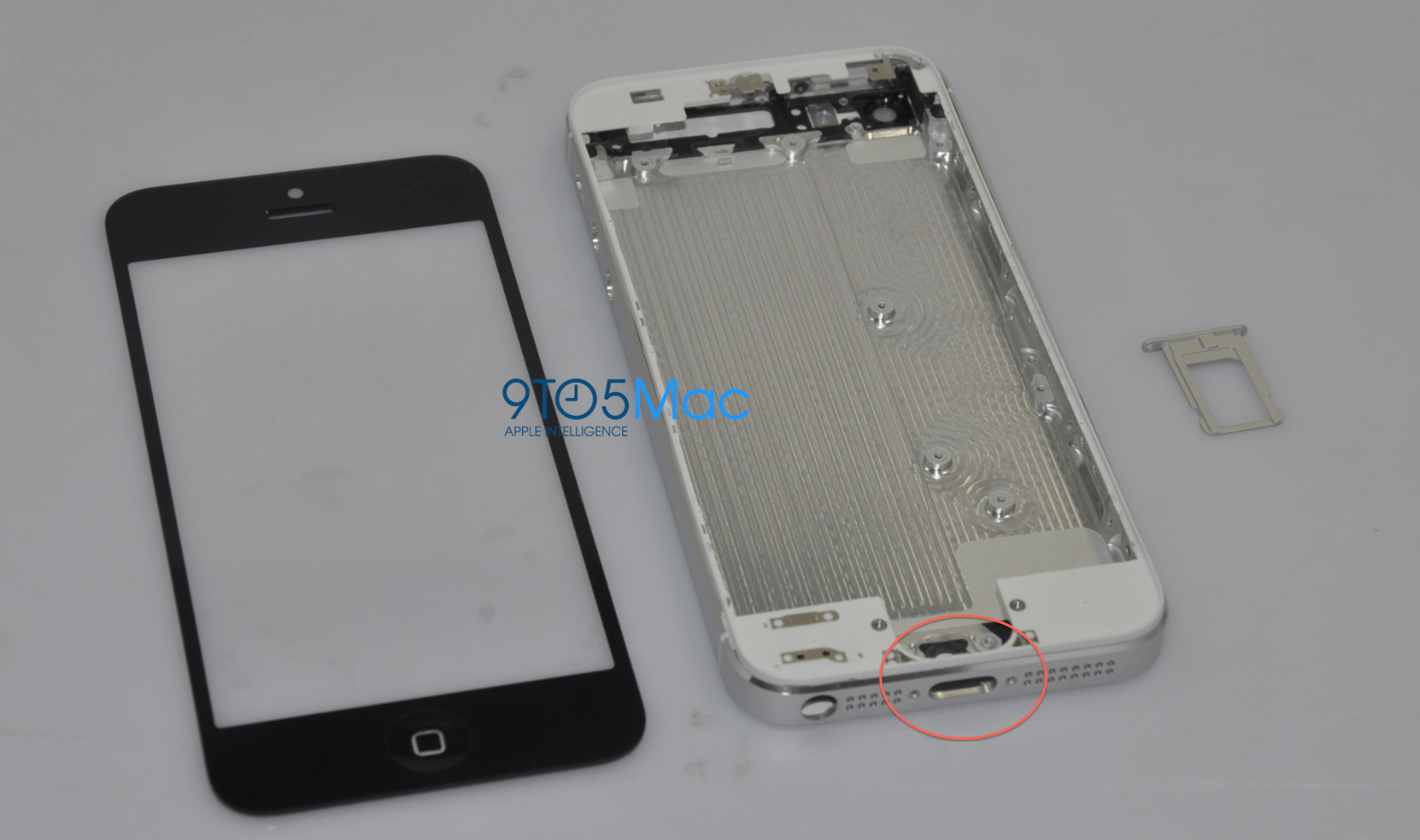
At this point, it seems highly likely that the next-generation of Apple’s iOS devices will carry smaller dock connectors. That new hardware feature has been reported by multiple sources. However, the exact size and amount of pins has been up in the air. TechCrunch said that they confirmed the new connector to be 19 pins, while iLounge recently reported that the connector will be only 8 pins.

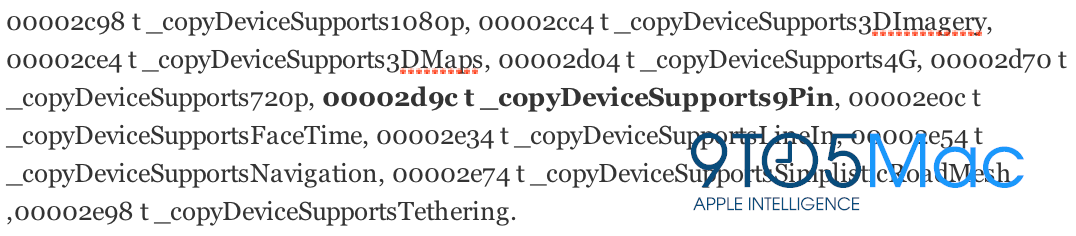
However, today, we discovered a possible reference to a 9-pin dock connector in the iOS 6 beta. The reference comes as a new iOS hardware feature called “9Pin,” so we’re assuming this has to do with the dock connector. Obviously, there is no way to be 100% about this.

In fact, it appears that the reference has been present since beta 1. This reference comes in a part of the operating system that details general hardware features in iOS devices. That mean this new 9-pin connector may not only be implemented into the iPhone. This lines up with iMore‘s report that Apple will update all of its iOS devices in September to support the new connector.

The new connector will make an impact on the cases and accessory industry, but it will allow Apple to squeeze in new technologies into its future devices. Of course, this is only a single iOS-based reference, and Apple’s plans for pin-formations could change at any time. Thanks, Hamza!


Expand
Expanding
Close

Upcoming iOS 6 is scalable to taller, 640 x 1136 iPhone display, shows possible next-generation device user-interface

Site default logo image

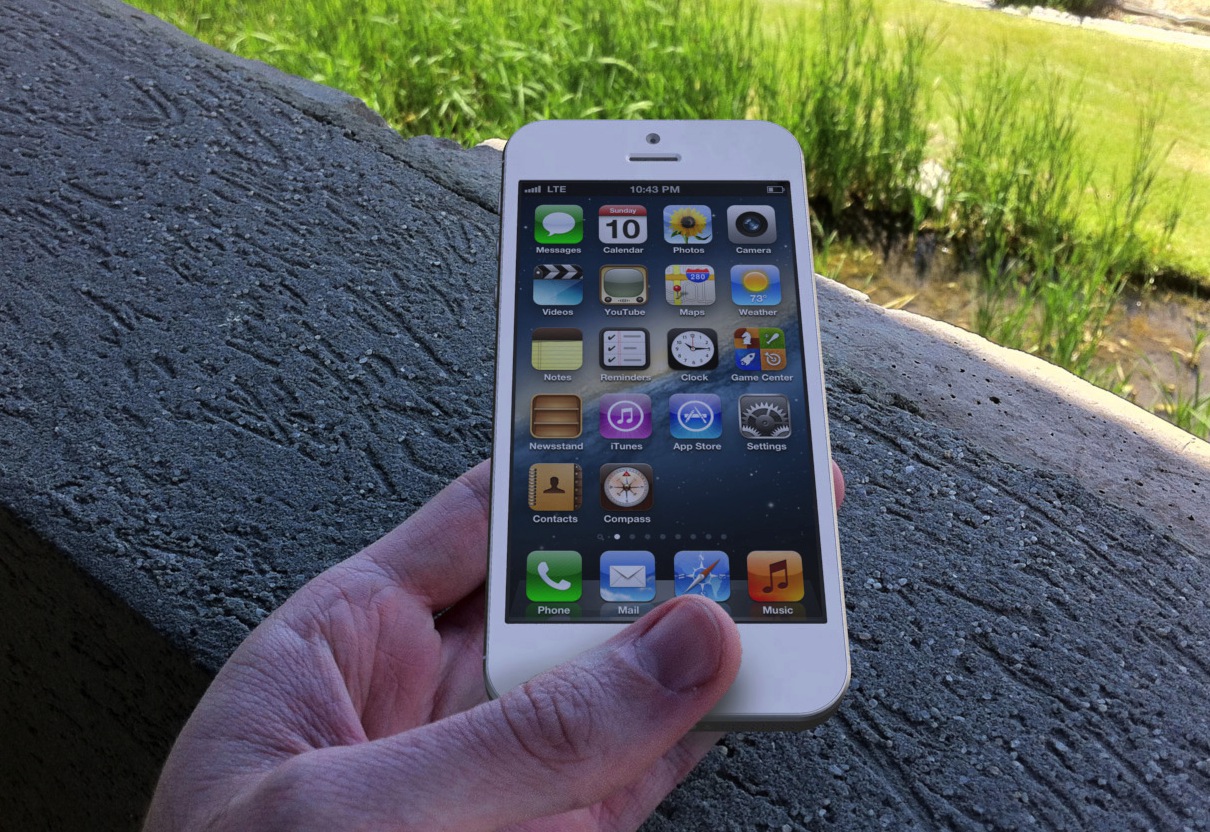
Mockup of rumored next-generation iPhone design

With the next-generation iPhone’s announcement and release approaching for next month, one of the most present rumors is a larger, nearly-four inch display. A larger iPhone display has always been at the top of many iPhone user wish-lists, and it appears that the next iPhone will fulfill that.

Back in mid-May, we reported that the next-generation iPhone would feature a taller display that comes in at 3.999 inches diagonally with a resolution of 640 x 1136. At this resolution, Apple would be retaining the current horizontal length of the iPhone display, and only increasing the height.

This taller display information was soon affirmed when we posted the first photos of purported next-generation iPhone parts. These parts demonstrated this taller screen with the same horizontal length. We soon heard from sources that a few of the next-generation iPhones in testing within Apple feature a display that matches the parts.

These next-generation iPhones with taller displays feature a home screen that scales to five rows of icons, according to sources. The current 3.5-inch iPhone displays feature four rows of icons. The user-interfaces of Apple’s included applications were also said to be tweaked to take advantage of the taller screen area.

Today, we have found more proof that Apple is at least testing next-generation iPhone displays that are taller. In fact, iOS 6 is completely scaleable to a taller display. Read on for all of the details and screenshots: 


Expand
Expanding
Close

Apple expands iOS 6 3D Maps coverage to new cities in the U.S., U.K., France, Canada [Gallery]

Site default logo image

Earlier today, Apple released iOS 6 beta 4 that notably drops the Google-backed YouTube application and adds some tweaks. The iOS 6 3D Maps application is one of the highlight features of the upcoming iPad, iPhone, and iPod touch operating system, so we’ve been combing the app for newly supported 3D regions. We’ve found that Apple has added some new incredible 3D views for new major cities both in the U.S. and abroad. Here are the major new 3D cities we’ve found:

United States: Boston, Atlanta, Portland, Phoenix, New Orleans, Philadelphia, Houston, Dallas.

Canada: Toronto.

Europe: Lyon, France; Birmingham, UK; Manchester, UK.

Previous iOS 6 releases, beginning with the beta 1 release in mid-June, include several other cities: Los Angeles, San Diego, Memphis, Denver, Copenhagen, Montreal, San Francisco and the Bay Area, Las Vegas, Sydney, Melbourne, Chicago, Miami, Seattle, and Sacramento. Apple’s iOS 6 3D mapping technology was inherited with the company’s 2011 acqusition of a company called C3 Technologies. C3 also produced 3D data for London, Barcelona, Milan, Prague, Toronto, Venice, Oslo, and Vienna so perhaps we will see those cities added soon.

See our full gallery of the new 3D cities after the break: 


Expand
Expanding
Close

iOS 6 beta 4 changes roundup: improved Bluetooth sharing, privacy, Maps, Passbook apps, more

Site default logo image

Earlier today, Apple released its fourth beta of iOS 6 beta 4. The biggest change of note, which we broke the news on earlier, is the lack of a YouTube player in the new build. YouTube is a Google-built product, so it wouldn’t be a stretch to believe that Apple removed the app, just like they dropped Google Maps in favor of their own 3D mapping database. While that’s the biggest thing of note, there are some other new features and enhancements. Find those all after the break.


Expand
Expanding
Close

War? YouTube app disappears from iOS 6 beta 4 as Apple breaks Google ties

Site default logo image

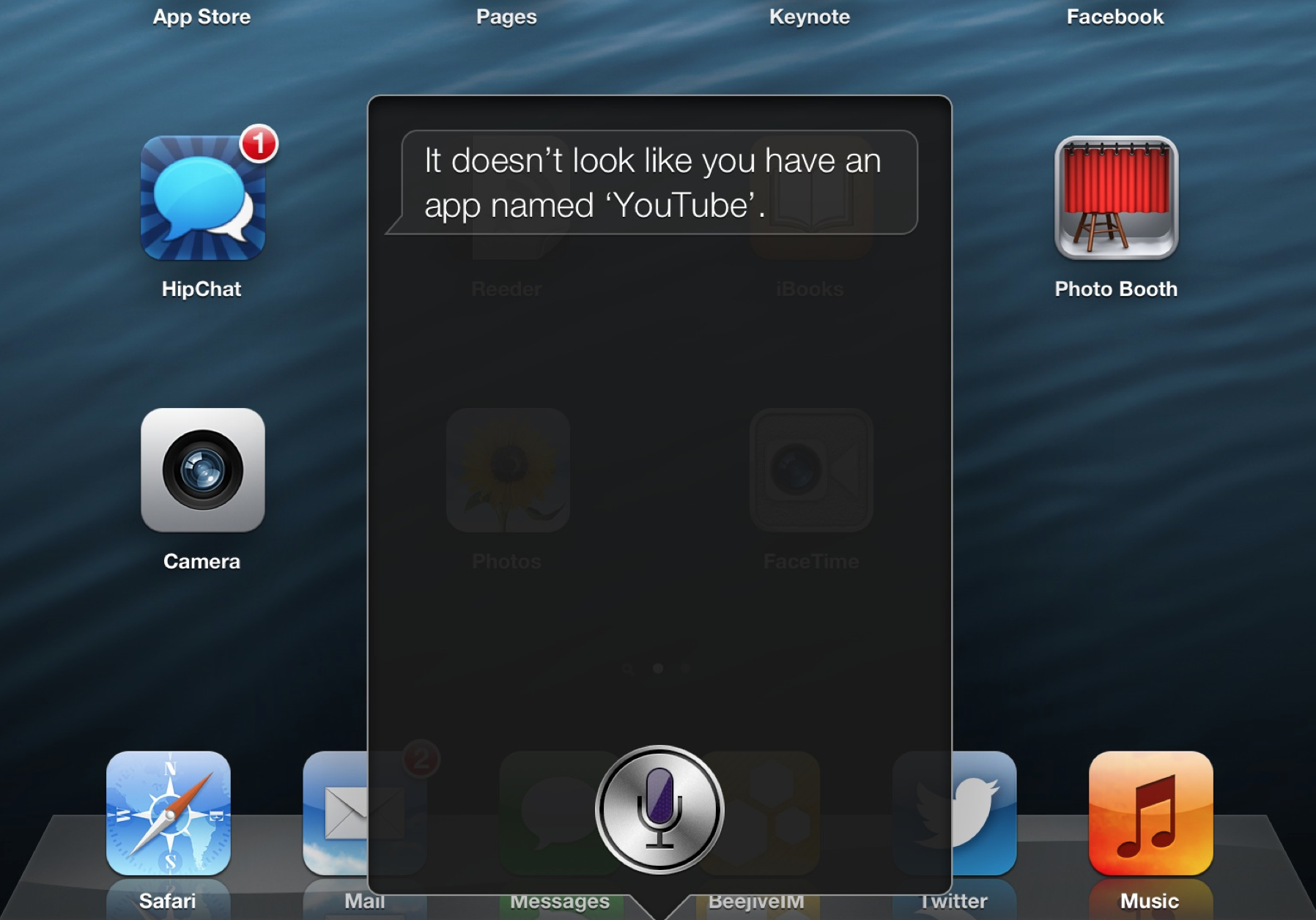
iOS 6 beta 4 has removed the YouTube application that existed on iOS since the first version in 2007. We’re not entirely sure what to make of this, but this could have to do with Apple trying to break away from dependence on Google services. iOS 6 drops Google Maps in favor of Apple’s own 3D Maps program. We’re looking into this. Of course, this just could be a bug or an error for this beta. YouTube is gone from the iPhone and iPad, but it is still present on the Apple TV (below).

After we broke this major news, Apple confirmed to The Verge that YouTube is gone from iOS 6. Google is apparently building its own app.

Our license to include the YouTube app in iOS has ended, customers can use YouTube in the Safari browser and Google is working on a new YouTube app to be on the App Store.

A YouTube rep told us:

We are working with Apple to ensure we have the best possible YouTube experience for iOS users.

Also, the ability to upload video to YouTube from iOS 6 beta 4 is still present.


Expand
Expanding
Close

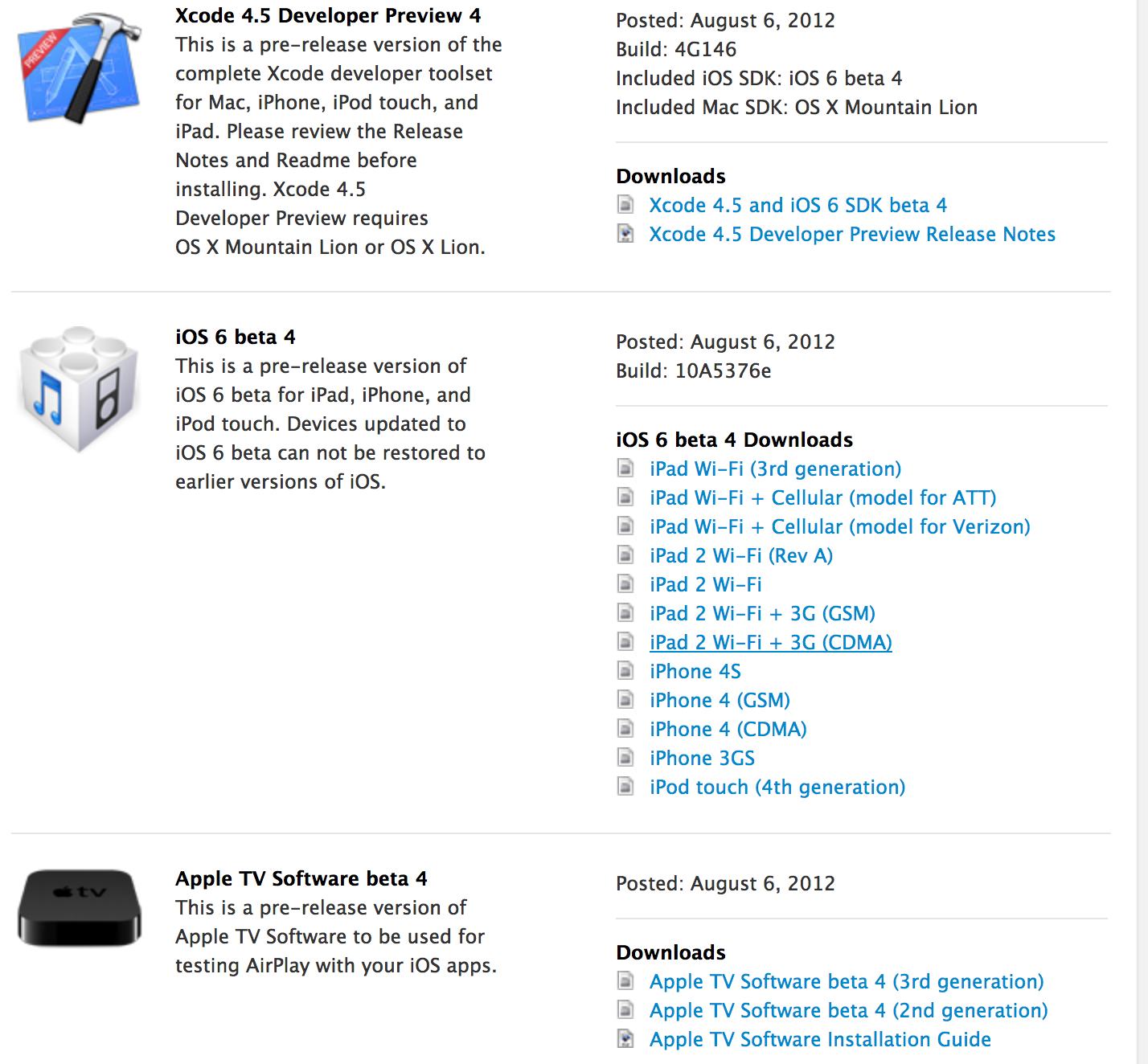
iOS 6 beta 4, Xcode 4.5 Developer Preview 4 released to developers

Site default logo image

Three weeks after it released iOS 6 beta 3, Apple has unleashed a fourth beta of the next-generation version of iOS to developers. The new beta is currently available as an over-the-air update to those running iOS 6 beta 3, and the new version should has also hit Apple’s iOS Developer Center.

The build number is 10A5376e. An updated Xcode beta and Apple TV iOS 6 beta has also been released.

It is unclear what changes this new beta holds, but they likely revolve around bug fixes and performance enhancements. We’ll be going through this new beta and we will update with anything new that we find. If you find anything new, you can tip us at tips@9to5mac.com.

iOS 6 is expected to be release around mid-to-late September with the next-generation iPhone expected to be released on September 21st. A media event to introduce the new iPhone and final iOS 6 details is expected to take place on Wednesday, September 12th.

iOS 6 is launching to the public this fall, and it is a major release with over 200 new features. Some new features include an all-new Maps application with an Apple backend and 3D Flyover, Facebook integration, improved Siri, enhanced Phone features, improved Safari, improved Mail, and iCloud enhancements such as Shared Photo Streams.

Release notes after the break:


Expand
Expanding
Close

Site default logo image

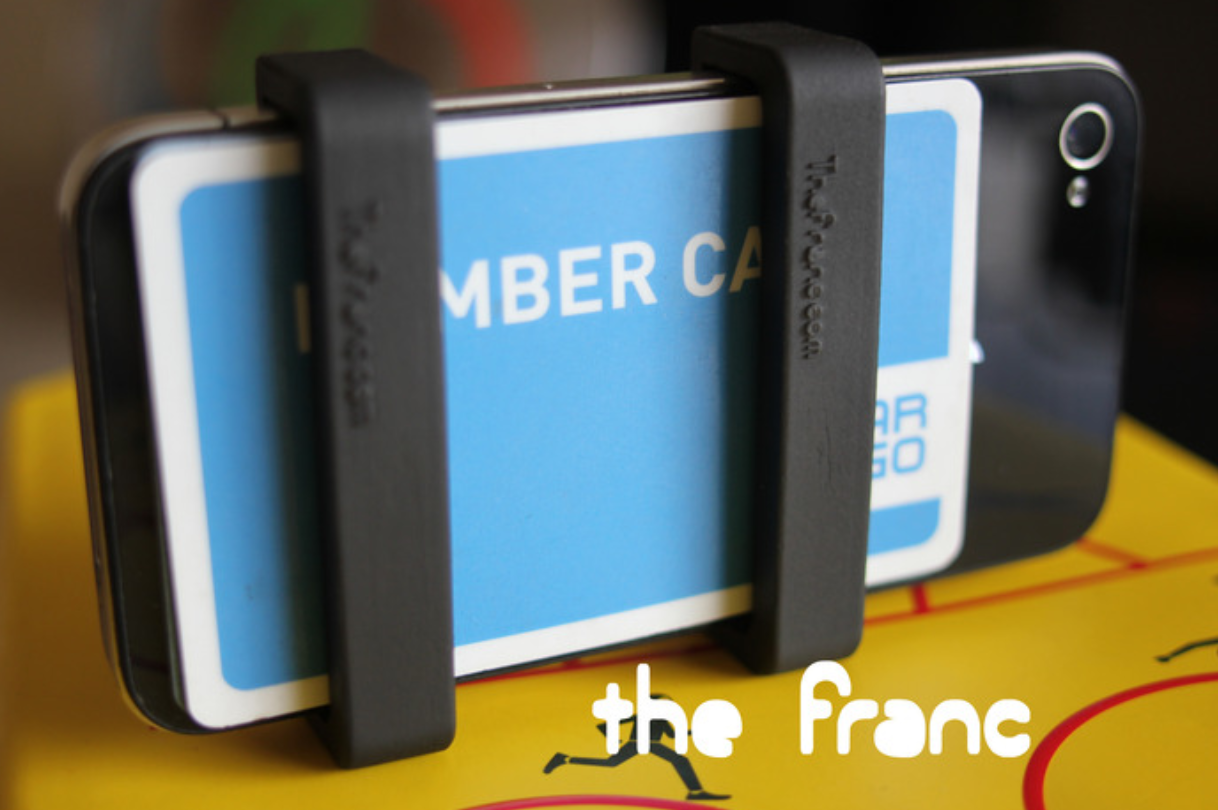
The Franc, an intuitive accessory to attach your essential credit cards to your iPhone

We were pointed to a Kickstarter project for a new iPhone accessory called the Franc. As the Kickstarter project describes, many people keep wallets in their pockets with several credits cards, but, in reality, there are only a few essential cards that we need to carry everywhere we go. Since, these days, many people take their iPhones with them everywhere, why not keep your most essential cards strapped to your iPhone? The Franc does just that in an intuitive manner.

The Franc is comprised of two seemingly well-built components that snap onto the back of your iPhone. As you can see in the video above, you simply slide your most important cards between the Franc and the back of your iPhone. The creators of the product say a version for the iPhone 4 and iPhone 4S will be ready to go at the end of September – if funded. A version for the next-generation iPhone design will be ready a couple of months after that.


Expand
Expanding
Close

AT&T stores will start moving to iPad-based Point of Sales by early next year

Site default logo image

Over the past couple of years, Apple has been taking steps to overhaul its retail operations and customer experience with the iPad. From iPads for employees equipped with RetailMe and Concierge software to manage store operations, to iPads loaded up with software for the Genius Bar, to iPads with “Smart Sign” software sitting beside every product display in the store, Apple has overhauled its retail stores with the iPad.

AT&T, Apple’s first carrier partner, is planning to take these cues from Apple Retail in order to overhaul the way its stores work as well. Currently, all AT&T stores are equipped with inefficient counter areas where employees work behind outdated computers.

These computers run software called OPUS that functions as the point of sale system as well as allowing employees to check inventory levels, news from corporate, customer upgrade information, and more.

But that is all about to change, according to sources.

AT&T has already started to take steps away from the counter – in certain markets – by deploying iPhones and tablets with stripped-down versions of OPUS. These iPhones are basic in their functionality, allowing employees to only conduct simple tasks like accepting payments for accessories and basic account management.

However, in the next two years, according to sources, AT&T plans to completely rid its stores of computers and counters, moving completely over to the iPad with a feature-complete version of OPUS. Read on for all of the details:


Expand
Expanding
Close

Site default logo image

TwelveSouth announces BackPack 2 shelf for iMacs, Apple displays

TwelveSouth has announced a major update to its BackPack shelf for the Apple iMac and Apple’s LED Displays. The BackPack has always been the most intuitive Apple desktop shelf, an accessory that allows you to keep a hard drive or other components behind your display. The BackPack 2 introduces a couple of major new enhancements:

  • Vertical support pegs: these new pegs allow you to store items without worrying about them tipping over. Additionally, the new vertical pegs allow you to keep a smaller notebook computer – like a MacBook Air – behind your desktop.
  • Rails for cable management
  • The ability to use the shelf in front of your desktop, not just in the back. This makes it more convenient to store accessories that a user needs rapid access to. Such as a wireless keyboard, mouse, or Magic Trackpad.

The BackPack 2 costs $34.99 and we’ll be reviewing it soon.


Expand
Expanding
Close