Apple’s Shortcuts app in iOS 27 adds a user-friendly new way to build shortcuts that I love, but it also adds 35+ new and improved actions and automations to the app. Here’s the full list.
iOS 27 is packed with new Apple Intelligence features, with Siri AI chief among them. But the Shortcuts app offers another standout AI upgrade in iOS 27 thanks to a new ‘describe a shortcut’ feature.
Shortcuts Playground from Federico is a plugin for Claude Code and Codex that can “create any shortcut for Apple’s Shortcuts app using natural language.”
The Shortcuts app has always been an amazingly powerful automation tool for users who know what these very words mean. But now, it may finally become an approachable tool that delivers on its true potential for users of all kinds. Here’s why.
Apple’s Shortcuts app offers tremendous power, especially with iOS 26’s additions around AI. But my own most-used shortcuts tend to be extremely simple, including one shared by Quinn Nelson for opening an app’s settings.
Update April 7, 2026, 4 p.m. ET: The shortcuts API has been fixed and should work with no issues. Here is the link: Artemis II image shortcut
You might have seen in the news recently that for the first time in over 50 years, we have sent humans to circle the moon. On April 1st, NASA launched Artemis II with four astronauts on a test mission to orbit the moon and prepare for a later mission to land on the moon. We have already reached the far side of the moon and seen some amazing imagery from Artemis II. Some of the shots have even been taken on an iPhone! NASA has been sharing some latest images on their Flickr page for us to see, and someone even created a shortcut so you can pull these images directly to your device. Here is how!
iOS 27 will be unveiled this June, and a new rumor indicates it could give the Shortcuts app a powerful new capability: creating all-new actions using AI prompts.
Apple’s Shortcuts app lets you set up complex shortcuts, including with the 25+ new actions available in iOS 26. But my two favorite and most used shortcuts in Apple’s app involve just a single step each.
The Shortcuts app is getting several upgrades in iOS 26 and macOS Tahoe that unlock brand new possibilities for automation on Apple platforms. Here’s what’s coming.
Apple Intelligence doesn’t (yet) offer an official chatbot mode, but in iOS 26 Apple will let power users get a chatbot-style experience via the Shortcuts app. Here’s how it works.
Long-time 9to5Mac readers will remember that the native Shortcuts app started as an indie project called Workflow, a clever, approachable tool that made automation fun and accessible to less technical users.
Today, Shortcuts remains a powerful utility, particularly on the Mac. However, compared to how agentic AI tools have reshaped how we think about automation, it’s feeling a bit stagnant. That may be about to change.
iOS 18.4 arrived late last month packed with a variety of new features, including an upgrade you might have missed that provides a fast way to open your go-to conversations in the Messages app. Here’s how it works.
Siri’s big AI upgrades may still be a long way off, but some changes to the Shortcuts app in iOS 18.4 offer the first major hints in Apple’s software of what’s to come. Shortcuts has gained new actions for Apple apps, with super fine-grained controls available for building shortcuts that change apps’ settings in various ways.
I’m a very big AirPods fan. I use my AirPods Pro 2 all day, every day of the work week. But there’s one AirPods shortcoming that’s my only real complaint, and it involves toggling between noise modes in Control Center. Fortunately, I’ve found the perfect fix thanks to the Shortcuts app.
Federico Viticci at MacStories has unveiled a new version of his Apple Frames shortcut. As we highlighted last week, Federico battled some frustrating technical challenges in getting this up and running…
Do you ever frame screenshots inside Apple device frames? Then you’ve probably used Federico Viticci’s ‘Apple Frames’ shortcut. Unfortunately, the shortcut has been broken in recent months, and now we know that an iOS 18 bug is the cause.
The iOS Shortcuts app offers countless ways to make automations. One handy option is to create an iPhone Lock Screen Shortcut that can be valuable for a number of use cases. Here’s how it works and what you can do with it.
OpenAI recently launched their official ChatGPT app for the Mac (before Windows). The macOS app brings most of the functionality from the iPhone version to the desktop — no web browser needed.
Shortcuts has become one of Apple’s most-loved apps, allowing users to create powerful automations on iPhone, iPad, and Mac. Shortcuts is built on the foundation of Workflow, a third-party automation app that Apple acquired in 2017.
Now, Workflow cofounder Ari Weinstein has announced that he is leaving Apple.
Twitter owner Elon Musk had promised to put an end to the legacy blue check badge that was given to media and government personalities, but his plans have been delayed. Instead, Twitter has stopped distinguishing between those who pay for Twitter Blue and those who have a legacy verified badge. But there’s an iOS Shortcut that lets you find out if the person behind a Twitter account is paying for the blue badge or not.
Our friends over at MacStories have officially kicked off their second annual Automation April event. This event is focused on helping you use automation to make your devices your own, in the “spirit of tinkering, customization, and building something better.”
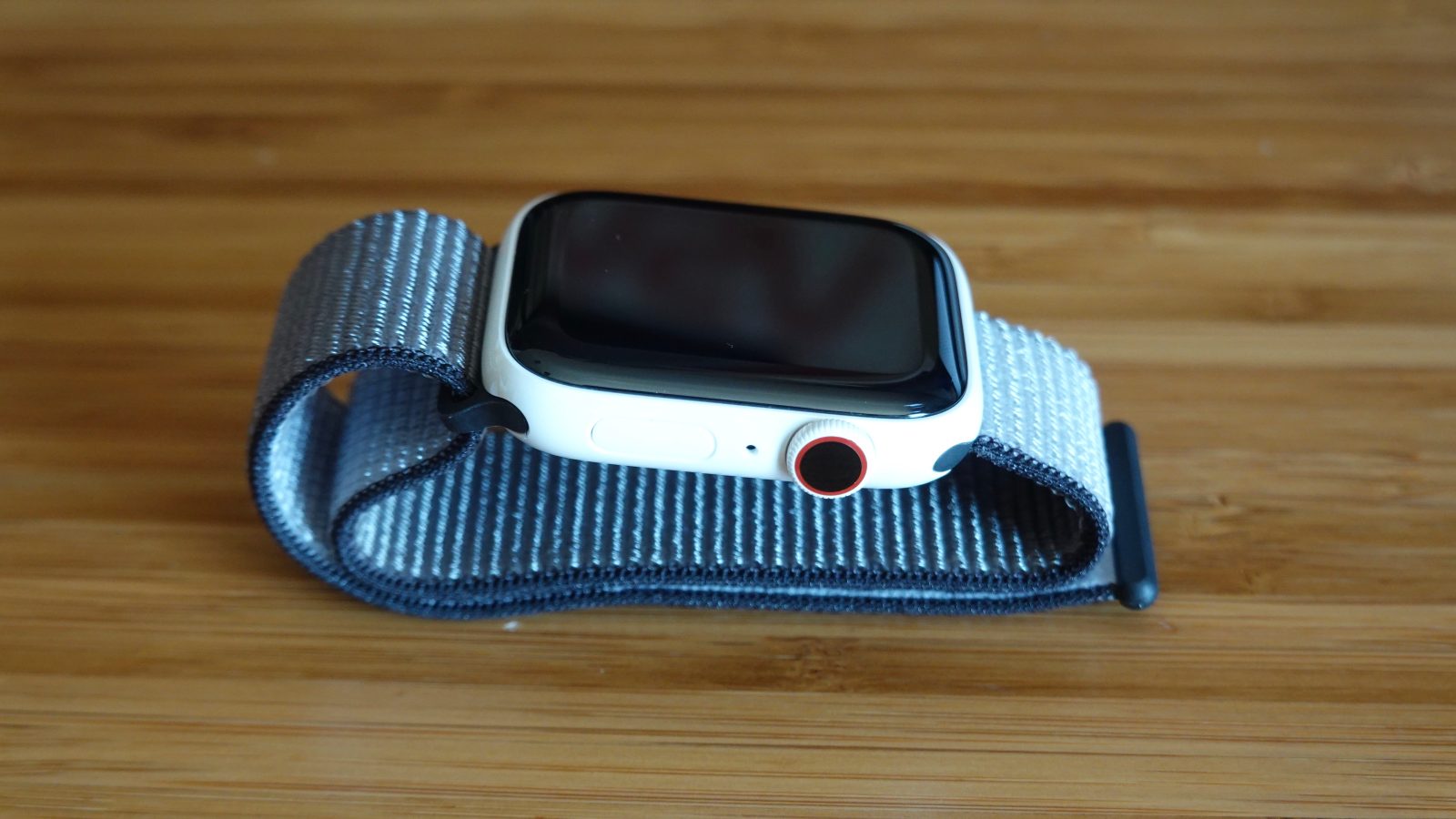
Apple Watch faces are very customizable when it comes to picking colors and app complications. Unlike iPhone and Mac, however, Apple Watch doesn’t really offer a way to switch between light and dark mode. Fortunately, Apple Shortcuts lets you workaround this with a solution that makes sense for watch faces.
Kevin Boroumand, an entrepreneur, automation expert, and TikToker, has created a free, downloadable shortcut for iOS that will help to get you out of trouble if you find yourself in an unsafe or potentially dangerous situation. Below, we look into the details of “DoorDash Express.”