Latest

Review: 4Snaps is a fun new word game for iOS

Site default logo image

Product: Today we’re taking a look at a brand-new word game for iOS called 4Snaps. The premise of the game is like a cross between charades and Draw Something. You’re given a choice of three words. You have to pick one of these and then take four photos (“snaps”) to help the other player guess the word. The object is to see how many turns you can take in a row before someone misses the word.


Expand
Expanding
Close

Site default logo image

Instagram 4.1 arrives with video importing, photo straightening, more

Instagram-01

Hitting the App Store soon, Instagram just announced on their company blog that version 4.1 will bring some nice improvements and features:

A little over a month ago we launched Video on Instagram, and today we’re happy to bring you our next major app update. We’ve included a few of the most requested features and added something special as well. Here’s what you’ll find in Instagram 4.1:

Import Video from Library
Starting today you can upload videos from your phone’s media library and share those moments to Instagram regardless of when they were captured. Once you select the video clip you’d like to import, you can trim it down to the exact part you like best. We’ve also made it so that you can choose how you square-crop your clip so you can keep the action front and center.

Automatic Straightening for iOS There are few things more distracting than a crooked horizon in a photo. We’re happy to announce that we’ve developed a brand new technology that brings you straight photos instantly. When you take a photo with the in-app camera, you can now tap the new Straighten icon and your photo will correct to be level—it’s that simple. The straightening tool also includes a slider so you can rotate and adjust any photo—including ones imported from your photo library—as much or as little as you’d like.

Video on Instagram for Ice Cream Sandwich We’re excited to expand Video on Instagram to people who use Android 4.0 (Ice Cream Sandwich). Since the launch of Video on Instagram this has been the Android community’s number-one request, and we’re excited to see this community grow.

Facebook recently updated Instagram with the ability to capture and share video. 

Update: The new version is now available in the App Store.

FireCore releases Infuse 1.3 with Wi-Fi file transfers, fullscreen TV-out, and more

Site default logo image

Our launch video review of Infuse

FireCore has released an update for Infuse, the popular video app for iPhone and iPad. The new update boasts new features such as the ability to transfer videos to your iOS device through a web browser, fullscreen TV-out support, new sharing options, and more.

Infuse 1.3 is a free update for existing owners. New owners can get the app for $4.99 on the App Store. The full change log can be found below.


Expand
Expanding
Close

Site default logo image

Facebook Messenger iPhone app adds support for attaching Instagram photos

Facebook-Messenger-iPhoneFacebook updated its Messenger iOS app today making it easier to send photos and emoji with a few new features. Facebook is deeper integrating Instagram into Messenger, allowing users to attach photos from Instagram albums (in addition to any other album on their iPhone) right in the app. Version 2.6 of the app also makes it easier to send photos and emoji with a new paper clip icon that users can tap from any message.

What’s New in Version 2.6

Now it’s easier to send photos and emoji:
– Just tap the paper clip from any message
– Choose photos from Instagram and any other album on your phone

Don’t forget about stickers: Tap the smiley to see what’s new in the sticker store.

Bug fixes

Site default logo image

Google releases official AdSense iPhone app

Following Google’s release of an official AdSense Android app on Google Play last week, today the company has released an iOS version of the app. Much like the Android version, this is the first official AdSense client Google has released for the platform, and brings competition for some of the free and paid third-party clients already on the App Store. The app also provides much of the same functionality of the Android app, allowing users to access most reporting features available through the Adsense website, as well as payment alerts (which unfortunately can’t be dismissed at this point).

The AdSense app provides an easy way to access key data from your AdSense account. Access reporting features anywhere, directly from your iPhone. The first version of the app gives you access to: the key earnings information, top custom and URL channels, ad units and sites reports, payment alerts.

Site default logo image

ChAIR employee’s LinkedIn profile hints at possible Infinity Blade 3

First spotted by Kotaku, it appears that Epic Games, developer of the Gears of War series for Xbox 360 and the Unreal Engine used to power many console and mobile games, may be working on an additional Infinity Blade sequel appropriately titled “Infinity Blade 3 for iPhone.” According to a Senior QA Tester’s LinkedIn profile, Epic’s iOS publishing arm, ChAIR, looks to be in the midst of either development or beta testing for a new Infinity Blade title to follow the studio’s last release, Infinity Blade II.

A prequel to the popular series entitled Infinity Blade: Dungeons was demonstrated by Epic Games at Apple’s iPad (3) with Retina Display announcement earlier last year, but the title still has yet to see the light of day. Infinity Blades: Dungeons was expected to launch sometime in the later half of 2012, but the company pushed back development of the title and then officially canceled the project earlier this year, squashing little remaining hope for the action-RPG’s eventual release.

Kotaku reports that major changes have been afoot at Epic Games since Chinese internet giant Tencent acquired a 40 percent stake in June 2012. Such a change in Epic’s management may have pushed back development of certain titles and may have even been responsible for Impossible Games (the studio responsible for Infinity Blade: Dungeons development) closure earlier this year. Tencent is often associated with an assortment of freemium titles, so many have wondered if Epic couldn’t find a way to bring such a model to Infinity Blade: Dungeons or if it may show up in a future release in the series. A freemium model would put the pay-to-play series in the same position as Real Racing 3, which was originally a pay-to-play title but then turned to a freemium model when the series’ developer Firemint was acquired by EA.

ChAIR has been unusually quiet since the release of the final content pack for Infinity Blade II last August, but Kotaku believes that the development of Infinity Blade 3 may be more of a reality than rumor due to nods from the company’s newly appointed Community Manager, Hilary Goldstein. In his first blog post as Community Manager, Goldstein hinted that fans may see a new tile in the coming months. If that’s true, we may actually see Infinity Blade 3 demoed alongside Apple’s latest hardware come this fall as with previous installments in the series. It’s also interesting to note that iOS7 will officially support third-party game controllers, and although the Infinity Blade is known for its touch-and-slash gameplay, we could see suport for more traditional controls as well.

Site default logo image

Akai’s legendary MPC drum machine now available for iPhone

Back in March, Akai Professional released an iPad app that aims to emulate its classic MPC drum machine. Akai is perhaps best known for the MPC— a series of physical drum machine/midi sequencer/samplers that come with samples you’ve likely heard on many of your favorite hip-hop, dance, and pop songs. Today the MPC emulator, dubbed “iMPC”, makes its way to the iPhone for the first time for $2.99 on the App Store, slightly less than the $6.99 that the iPad version sells for.

You’re not going to be able to get full-on MPC emulation for less than $5, but Akai has included a ton of great samples and features stripped straight from its legendary MPC series:

Turn your iPad into an MPC. With more than 1,200 samples, 50 editable programs, 80 editable sequences, and iconic MPC workflow, iMPC is the first app to bring the look and feel of the classic Akai Pro MPC to your iPad. iMPC includes everything you need to create a beat quickly and easily, including built-in effects, plus the ability to create new sequences and record and overdub beats. Time correction from 1/8 note to 1/32T with variable swing, and Note Repeat from 1/8 note to 1/32T with latch control are also built in. The app’s built-in sampler can record samples three different ways: using the mic on the iPad, using the line input on the iPad, or using the multi-touch turntable interface in iMPC to record samples directly from iTunes or other music libraries.

Site default logo image

Pebble smartwatch app for iOS updated with email notification support

Screen Shot 2013-08-01 at 11.37.04 AM

Pebble smartwatch users running iOS 6 won’t have to wait until iOS 7 to get email notifications: the company behind the watch has issued an update for its iOS app to support email alerts.

The update supports Gmail via a login through Google, while other IMAP email accounts are supported via a login-system within the app. Non-IMAP accounts (like POP) are not supported.

For those who receive a lot of email, Pebble has included an option to temporarily pause email notifications:

Once it has been successfully set up, you will see the account listed on the Email Notifications page. A blue bar means that the account is active. If you would like to temporarily disable the notifications, simply tap the bar once to turn them off; it will appear grey when the notifications are disabled. Tap the bar again when you wish to re-enable the notifications.

Pebble also has troubleshooting instructions on its support page. Of course, Apple is working on its own smart watch. The Pebble recently went on sale at Best Buy. 

Site default logo image

BlackBerry rolling out BBM for iOS and Android beta invites

BBM-AndroidEmail-vzm

A report from BlackBerryOS.com notes that invites to BlackBerry’s upcoming BBM service for iOS and Android have now started rolling out to users on the company’s Beta Zone website. Back in May, BlackBerry announced that its popular messaging platform would finally become cross-platform and arrive on both iOS and Android devices “later this summer,” and that deadline to launch is of course quickly approaching.

Not all Beta Zone members have received the invite email above, but it looks like BlackBerry is getting closer to finally launching the new apps.

We haven’t seen much of the iOS app, but BlackBerryOS also got its hands on the screenshots below of the latest Android beta:

If you have screenshots of the iOS app, you can send them to tips@9to5Mac.com.

Site default logo image

Official ‘Imgur’ iOS app finally arrives on the App Store

After launching its first official Android app back in June, popular photo sharing service Imgur this week finally released its first app for iPhone and iPad on the App Store. The new free app provides the majority of features that users can access through the web version of the service, including: the ability to browse, comment, upload photos, and manage accounts and albums.

Although it’s the first app the company has released itself, it already has competition with a handful of popular third-party clients in the App Store. Those apps use an API that the company provides and has frequently been adding new features to, but some include features not yet available in Imgur’s own app. Early reviews note that the app doesn’t yet allow users to save photos into their library, while sharing options for GIFs aren’t available from albums.

When it launched its Android app Imgur teased that additional content creation features were on the way, so it’s likely the company has plans to implement more features in the mobile app beyond what’s offered through the service on the web.

The Imgur app is available for free on the App Store for iPhone and iPad.  
Expand
Expanding
Close

Site default logo image

Twine enters mobile dating app arena with unique location, conversation features

Screen Shot 2013-07-30 at 10.02.06 PM

Sourcebits, a popular app studio that’s worked with Coca Cola, GE, and Hersheys, believes they’ve created a unique network that will fundamentally change the way you meet and converse with the people around you. It’s called Twine and unlike the current players in the mobile dating space, Twine emphasizes your interests and the conversations derived from those interests instead of your appearance. While the app doesn’t guarantee that you’ll find your perfect match, it does put a refreshing spin on the traditional dating game by imposing certain restrictions on how you can meet and interact with people.

For starters, Twine places you in an automatic queue when you first launch the app so as to keep the entire network balanced at a consistent one-to-one ratio. In other words, for every man (interested in women)  accepted into Twine, a woman (interested in men) is accepted as well. The same formula applies for those who are interested in the same sex; if a man (interested in men) is accepted, so to is another man (interested in men). It’s a smart mechanic for three reasons, the first of which is that it will undoubtedly ensure every person has at least one other person to talk on the network. It also ups the exclusivity factor of the network, making it appear as more of a private club than a dating service. Lastly, the queue protects Twine’s network from being ‘infected’ with a plethora of spambots, which many other networks often fall viticm to.

[vimeo http://www.vimeo.com/70453650 w=600&h=338]

Twine also employs a unique, patent-pending algorithm Sourcebits referes to as ICE (Intelligent Conversation Enhancer). This attempts to create the most compatible local connections based on a combination of interests and proximity. Twine detects your location with respect to other users by simply pulling your iPhone’s geolocation. The app then connects that information with your interests (from Facebook) so that each connection maintains more than one commonality. In my limited testing, the app connected me with other users that had several common interests, including mutual favorite TV shows, movies, and books.

Lastly, Twine puts conversations first by blurring user photos and name until both parties are comfortable with unveiling their identity. Tapping on the ‘Reveal Now’ button will send a request to the participating user offering them to view their partnersface and name, as well as reveal their own. Sourcebits says, “this allows users to focus on connecting first rather than superficially basing their decision to engage on a profile photo. Flirt first, reveal later.”

Unfortunately, for more flirtatious users, Twine sets a limit on the amount of outgoing and ingoing twines you can both send and recieve to three per day so as to focus each user on creating and maintaining meaningful conversations with other users. Twine helps you in this regard by suggesting unique topics to talk about based on respective interests. If, however, you are a particularly smooth talker, you can earn a bonus Twine to talk to a fourth person that day. It’s an interesting break from most all other traditional dating apps, which almost ironically place emphasis on one’s appearance. For that reason, Twine may have a good shot and capturing a reasonable amount of marketshare from an already fairly crowded space.

Twine requires a Facebook account to sign-up, which may irk some users but it requires Facebook’s info to power almost all of its functionality. On the whole, Twine does what it promises and is therefore well worth a try. The app will match you with relatable strangers to start an interesting conversation as advertised, but it won’t fundamentally change the way you date online.

You can download Twine on your iPhone or Android smartphone for free today.

Site default logo image

Viber iPhone app updated w/ doodles, ‘Seen’ status, new emoticons, and more

Viber-Doodle-iOS-appPopular messaging and VoIP service Viber just updated its iPhone app with a number of new features that first hit Android devices yesterday. The update brings “doodles”, a feature that lets users draw on top of photos before sharing.

Also new in version 3.1 of Viber is the ability to see when a recipient has viewed a message with “Seen” status notifications.

In addition, the updated app includes more emoticons, additional language support, and “Support for the Viber Desktop application on Windows and Mac.”

A full list of new features is below:

What’s New in Version 3.1

• Send doodles or paint over a photo and share it with your friends!
• “Seen” status lets you know when your messages have been seen
• Support for the Viber Desktop application on Windows and Mac
• Fun new emoticons
• Message performance improvements
• Bug fixes
• Localized to: Croatian, Norwegian, Romanian, Slovak and Ukrainian

Former Google Maps founder and Facebook CTO launches mobile word processor called Quip

Site default logo image

Quip-iPad-Desktop

Bret Taylor, former head of Google’s Maps division and CTO at Facebook after selling off Friendfeed, along with co-founder Kevin Gibbs have launched a new collaborative word processor for the iPhone, iPad, and web. The app, called Quip, combines the mobile-oriented word processing of Pages, the shared checklists of Reminders, and the collaborative and sharing features of Google Drive. Documents are stored in folders that can be shared with and edited by teams.


Expand
Expanding
Close

Site default logo image

Final Cut Pro X gets updated to 10.0.9 with bug fixes

Final Cut Pro X (MacBook Pro, lid open, front)

Small update for Final Cut Pro X this afternoon: 

What’s New in Version 10.0.9

• Addresses issues resulting in green artifacts when using Sony XAVC media
• Fixes several issues related to interlaced media and retimed segments which could cause exports to fail
• Includes stability improvements

In March, version 10.0.8. brought a series of enhancements in a move to bring pros back to the professional Apple movie editing software.


Expand
Expanding
Close

Site default logo image

Stickers trend continues: Kik update brings stickers and new Zynga games

kik-logo

Jumping on the stickers bandwagon, today’s Kik update brings stickers (think big emojis), more games by Zynga and other game publishers, and other small features and fixes. The popular instant messaging app joins Facebook Messenger and Path in the stickers trend. Just a couple of weeks ago, Path updated to version 3.1 to bring stickers  to comments.

Full changelog:

What’s New in Version 6.5.0

• Say more with Stickers!
• New games by Zynga and TreSensa available in More
• Option to talk to new people without adding them to your contacts
• Performance improvements

Site default logo image

‘Showtime Anytime’ iOS app updated with Live TV streams

Shotime-AnytimeShowtime updated its “Showtime Anytime” app today with live TV feeds that allow users to watch what’s currently airing on both SHOWTIME East and SHOWTIME West. That’s in addition to the on-demand content it previously offered.

The app is available for free on the App Store for iPhone and iPad, and available to subscribers of AT&T U-verse, Comcast XFINITY, DIRECTV, Optimum and Verizon FiOS.

What’s New in Version 2.0

– Live TV: Tune in to watch what’s currently airing LIVE on SHOWTIME
– Improved stability and performance
– Minor bug fixes

Site default logo image

Google launches Zagat restaurant guide app for iPhone, fitting replacement for Google+ Local

Screen Shot 2013-07-29 at 9.45.51 AM

Following its acquisition of Zagat in 2011, Google has launched a brand-new iPhone app for Zagat on the App Store. The app features in-depth guides and ratings for restaurants:

Zagat is your guide to discovering the best and most notable restaurants, bars, cafes and clubs. We’re starting with nine cities (Austin, Boston, Chicago, London, Los Angeles, New York, Philadelphia, San Francisco, Washington DC), and are expanding to more cities soon.

Read about the hottest openings, get useful lists of weekend ideas, intriguing how-to videos, chef interviews, and more. No need to wade through dozens of reviews–we’ll tell you in a nutshell what other people are saying.

Restaurant menus, articles, advanced searching tools, and reservations via OpenTable are also available from within the app. Zagat for iPhone is seemingly a replacement for the soon-to-be-discontinued Google+ Local app. Video about the new Zagat below:


Expand
Expanding
Close

Site default logo image

Shazam iOS apps updated w/ multi-track purchases, recommendations & more

Shazam-iOS-app-recommendationsMusic recognition and discovery app Shazam updated its iOS apps today with a couple interesting features, including new “multi-track purchases” allowing users to purchase multiple songs at once through iTunes.

Multi-track purchase: When you’ve tagged a bunch of songs, now it’s easy to go back and buy them in one go. Go to My Tags (or Favorites on iPad), tap “Select & Buy”, pick the songs you want, then tap “Buy” to purchase in iTunes.

Also included in the update its recommendations based on what others users have purchased, music previews for trending songs in the Pulse charts, and improved Voiceover support and sharing.

What’s New in Version 6.2.0

○ Multi-track purchase: When you’ve tagged a bunch of songs, now it’s easy to go back and buy them in one go. Go to My Tags (or Favorites on iPad), tap “Select & Buy”, pick the songs you want, then tap “Buy” to purchase in iTunes.

○ Recommendations: Discover more music based on similar tracks other Shazamers have bought. Shazam any track or find old ones in My Tags, then tap “”Recommendations””.

○ Music Previews: Added loads more previews for tracks you Shazam and trending music in the Pulse charts.

○ Accessibility: Improved Voiceover on iPhone.

○ Sharing is caring: Made it easier to tweet and share on Facebook, or to e-mail music and TV results.

Site default logo image

Fresh off sale to Apple, Hopstop updates iPhone app w/ real-time traffic & incident reporting, more cities

HopStop-real-time-reportingFollowing Apple’s acquisition of mapping service HopStop earlier this month, today the iPhone app receives an update with some notable new features. Much like the functionality Google scooped up with its purchase of Waze, HopStop for iPhone today implemented a real-time incident reporting feature called ‘HopStop Live’.

You can now report real-time Delays, Crowds, Incidents, Service Changes, Station Closures, Broken Elevators, Suggestions, and Complaints with HopStop Live!

The new feature comes alongside support for additional cities in UK, Germany, Norway, Sweden, Netherlands, Ireland, and Israel, bringing HopStop’s total to over 600 cities worldwide. 

Crowd sourced reporting is something that a lot of third-party mapping apps are utilizing, and recently Apple detailed a system for crowd-sourced route ratings and real-time traffic alerts in a patent filing. Apple could also be looking to improve its transit directions with help from HopStop’s transit, walking, biking, and taxi directions for over 1,000 transit agencies in over 750 cities, but it would be nice to see some of the app’s new real-time reporting features in an upcoming version of Apple’s Maps app.

Earlier this month Apple also picked up Canadian mapping company Locationary to reportedly help beef up its local business listings and search features.

Site default logo image

Apple updates Logic Pro X with performance improvements & bug fixes

Logic-Pro-X

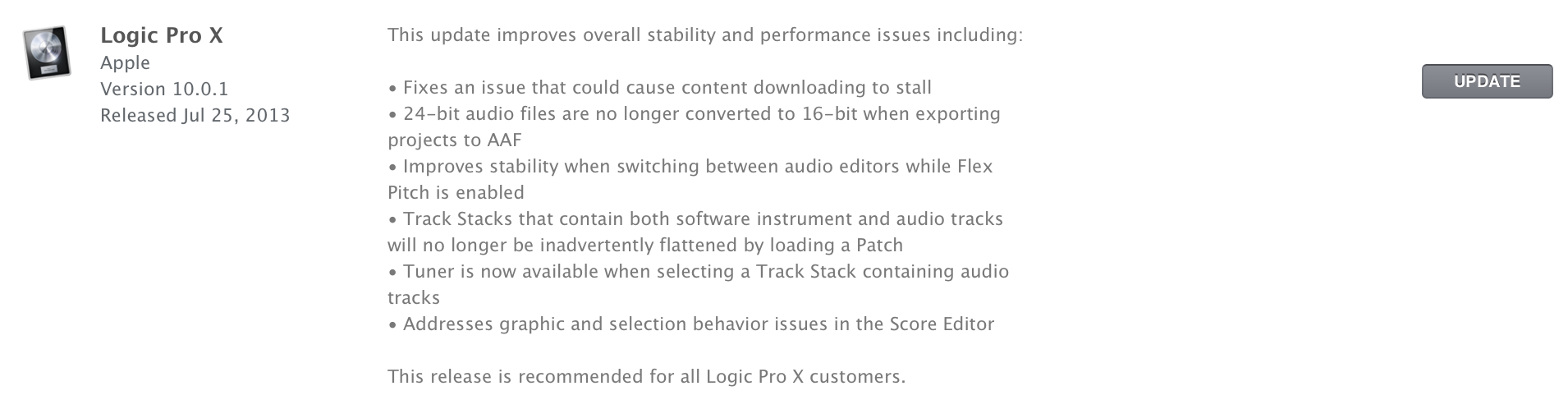
Following the release of a redesigned Logic Pro X suite earlier this month, Apple has just updated the app to version 10.0.1 with a number of bug fixes and performance improvements. Notably, its new Track Stacks feature will “no longer be inadvertently flattened by loading a Patch” and will also have access to Tuner for stacks containing audio tracks. In addition, Apple says “24-bit audio files are no longer converted to 16-bit when exporting projects to AAF”.

Full release notes below:

Screen Shot 2013-07-25 at 12.35.04 PM

Algoriddim’s djay 2: redesigned, more capable, improved audio syncing [Review]

Site default logo image

[youtube=http://youtu.be/mSsXrPxJ2rc]

“How can we create high quality, easy-to-use software for both professional and novice DJs?”

That’s the question that inspired co-founders Karim and Christoph to make Algoriddim’s djay, the award-winning music production software. At the time, DJ software was extremely expensive and complex, but the pair were determined to create meaningful change in an industry they were both tremendously passionate about. While they both enjoyed the art of scratching, in between attending classes and studying for exams at college, the two had vastly different skill levels.

Karim was the expert. With ten years of experience under his belt, Karim had his fair share of knowledge about the industry and had used some of the most popular DJ software available. But with every gig he played, Karim found each solution clunky and downright confounding. He could manage, as digital software proved to have a superior functionality compared to his old analog favorites, but the situation wasn’t even close to ideal.

Christoph, on the other hand, had an extraordinary admiration for DJing, but didn’t have the experience or expertise of his buddy Karim. No matter what software he tried, Christoph was often puzzled as most professional software featured an overwhelming set of controls and required an insanely high level of manual skill, which made performing all the more difficult.

As such, the duo wanted to make something new; software that they and similar people could both use.
Expand
Expanding
Close

Site default logo image

Google Drive for iOS adds option to open links in Chrome & Safari

Google-Drive-app-iconGoogle has just updated its Google Drive app for iOS with a couple new features and performance enhancements. After adding support for opening links in native Google apps from the Chrome iOS app last week, it has now updated the Drive app with an option to open links within files in Chrome and Safari.

Also new in version 1.5.0 of Google Drive for iOS is support for inserting rows and columns via the “+” button within Google Sheets, as well as stabilization and other bug fixes:

What’s New in Version 1.5.0

  • Clicking on links from within files gives you the option to open in Chrome and Safari
  • Insert rows and columns using the “+” button in Google Sheets
  • Stabilization & bug fixes