
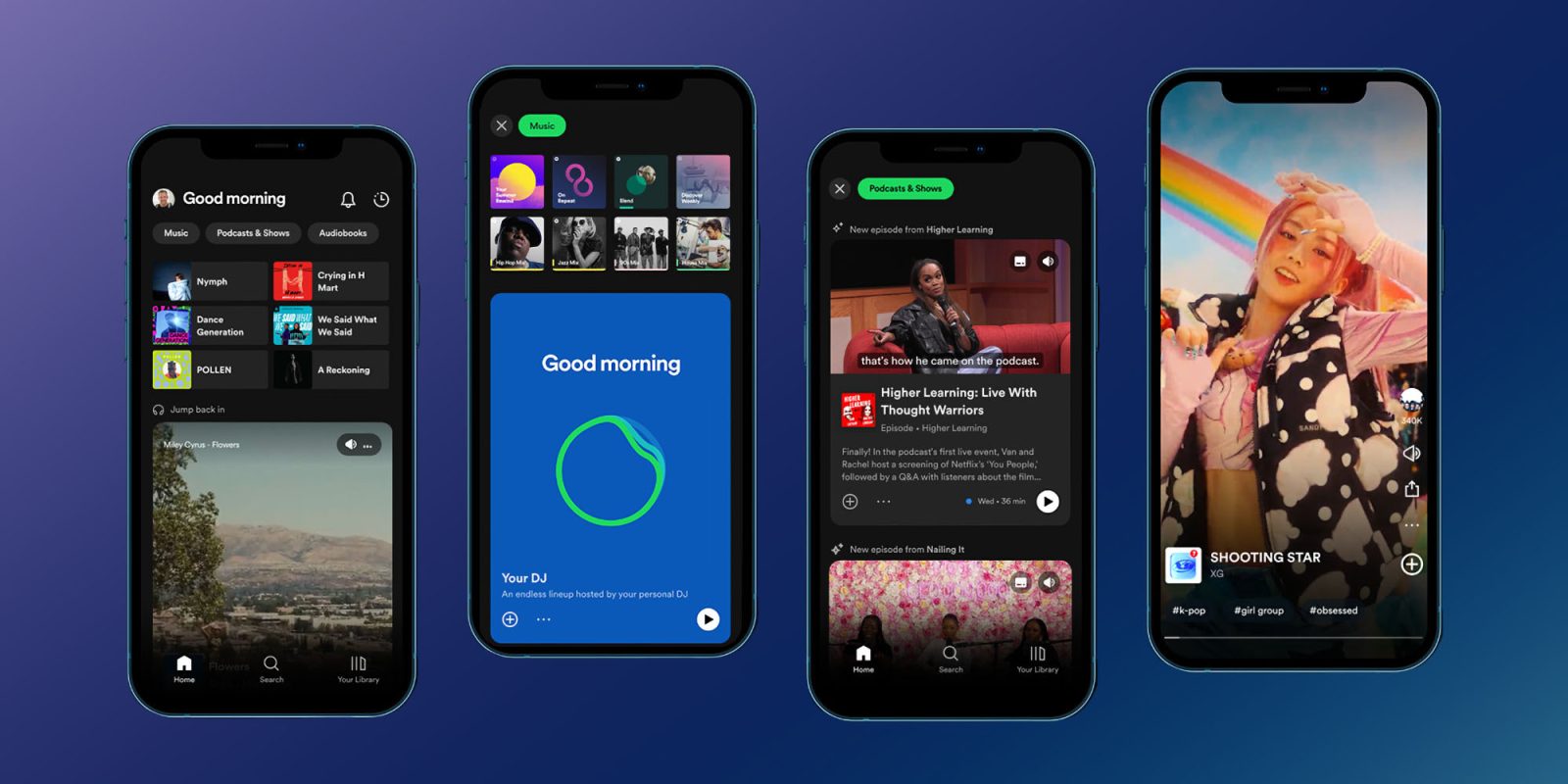
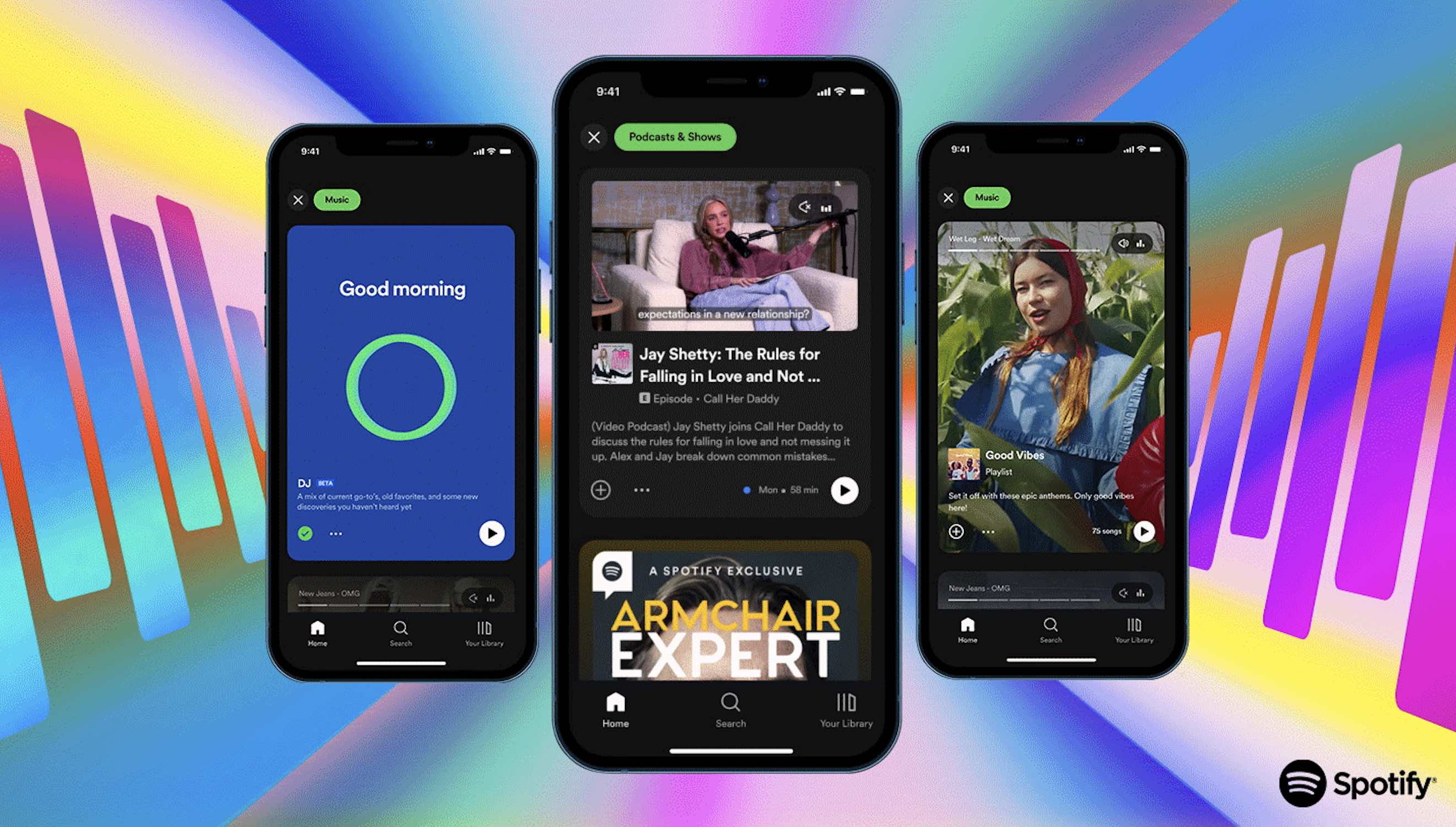
At its “Stream On” event today, Spotify showed off a major overhaul that’s rolling out for its iOS and Android apps. Two of the biggest components include video and audio previews for music, podcasts, and audiobooks in the Home feed and new video feeds for discovery in Search.
Spotify showed off the major TikTok-like design change on stage during its Stream On event as well as in several newsroom posts.
The company calls the major UI overhaul “a new, dynamic mobile interface built for deeper discovery and more meaningful connections between artists and fans” and that it’s “our biggest evolution yet.”
Spotify says that “the next generation of listeners craves better ways to sample audio before fully diving in” and that’s why it’s moving to the “more active experience” with a “completely new and interactive design.”
Top comment by Ally
I cant wait for this feed! For some reason I had access to the music feed version of this around November for a few weeks and oh my god I found like 20 new songs I love.
I just hope they kept my favorite feature (and it does look it based on the short preview) where you can press into the genre's on the bottom. Spotify loves to create their own genres like Escape Room, Braindance, Hyperpop and put songs in there, you can really travel through the feed and find songs you love this way!
Honestly I have missed this feature so so so much and I can not wait for it to be back as discover weekly is really not cutting it for me anymore
Here’s how Spotify describes the new mobile Home feed and Search experience:
- Music, Podcasts & Shows, and Audiobook previews on Home: Simply tap into the Music, Podcasts & Shows, or Audiobooks feed to explore visual and audio previews of playlists, albums, podcast episodes, and audiobooks personalized to you. Then, tap to save or share, go deeper into the artist or podcast pages, play from the start, or continue listening from where the preview ended.
- New feeds for discovery in Search: Scroll up or down to explore short Canvas clips from tracks from some of your favorite genres. Then easily save the song to a playlist, follow the artist, or share it with friends—all from one place. You can also explore related genres using the hashtags within the feed for easy discovery of new favorites. You can even preview tracks on some of your favorite playlists like Discover Weekly, Release Radar, New Music Friday, and RapCaviar.
After previewing content with the new design, you can:
- Save, download, or share with just one tap: Simply tap the Plus (+) icon to save your recommendations to Your Episodes or Your Library. Then, download or queue by tapping the three dots at the bottom of the preview.
- Play from the start: Press Play to listen to a track, album, playlist, or episode from the start. For podcasts, tap “continue listening” to play the rest of the preview from where it began.
- Dive even deeper: Tapping a recommendation will take you to the playlist, album, or single to explore even more related audio.
As usual, Spotify hasn’t shared a hard launch date for the UI overhaul but says it’s “beginning to roll out to Premium and Free users globally across iOS and Android.” However, it also shared the rollout will happen across the “coming weeks and months.”
What do you think about the new design? Share your thoughts in the comments!


FTC: We use income earning auto affiliate links. More.




Comments