Author

Avatar for 9to5 Staff

9to5 Staff

Apple comments on Gizmodo/Wired writer’s account hacking, here’s how it went down…

Site default logo image

We reported over the weekend on the hacking of the digital life of Wired’s Mat Honan.

Mat Honan wrote up his whole story over at Wired. The scariest part is that they were able to reproduce the hack using two pieces of publicly available information and a phone call.

We talked to Apple directly about its security policy, and company spokesperson Natalie Kerris told Wired, “Apple takes customer privacy seriously and requires multiple forms of verification before resetting an Apple ID password. In this particular case, the customer’s data was compromised by a person who had acquired personal information about the customer. In addition, we found that our own internal policies were not followed completely. We are reviewing all of our processes for resetting account passwords to ensure our customers’ data is protected.”

On Monday, Wired tried to verify the hackers’ access technique by performing it on a different account. We were successful. This means, ultimately, all you need in addition to someone’s email address are those two easily acquired pieces of information: a billing address and the last four digits of a credit card on file. Here’s the story of how the hackers got them.

Scary. Scary. Scary.
Expand
Expanding
Close

Site default logo image

Wiley Announces Seven New Books on OS X Mountain Lion

Press Release  8/6/2012 9:03 AM EDT


INDIANAPOLIS, Aug. 6, 2012 /PRNewswire/ — To support Apple’s announcement of the release of their latest operating system, OS X Mountain Lion, John Wiley and Sons, Inc. is bringing to market a series of new instructional books covering the topic for every level of user. Seven titles are publishing from Wiley on the topic of OS X Mountain Lion including:

  1. OS X Mountain Lion For Dummies (ISBN: 978-1-1183-9418-2, August 2012) by Bob LeVitus
  2. Teach Yourself VISUALLY OS X Mountain Lion ISBN: 978-1-1184-0140-8, August 2012) by Paul McFedries
  3. OS X Mountain Lion Bible (ISBN: 978-1-1184-0143-9, September 2012) by Galen Gruman
  4. OS X Mountain Lion Portable Genius (ISBN: 978-1-1184-0142-2,September 2012) by Dwight Spivey
  5. OS X Mountain Lion All-in-One For Dummies (ISBN: 978-1-1183-9416-8,September 2012) by Mark L. Chambers
  6. OS X Mountain Lion Server For Dummies (ISBN: 978-1-1184-0829-2,September 2012) by John Rizzo
  7. OS X Mountain Lion Simplified (ISBN: 978-1-1184-0141-5, October 2012) by Paul McFedries

“With over 200 new features in OS X Mountain Lion, users will be able to quickly gain knowledge on everything the new operating software has to offer through Wiley’s latest books,” said Bob “Dr. Mac” LeVitus, author of OS X Mountain Lion For Dummies, “From For Dummies guides to the OS X Mountain Lion Bible, Wiley is one of the first publishers to market with their extensive list of books on Mountain Lion, offering something for every level of end user.”

Wiley’s new OS X Mountain Lion books will be available for purchase online and at retailers nationwide in both print and all e-book formats. For additional information, visit http://lp.wileypub.com/osxmountainlion/.
Expand
Expanding
Close

Site default logo image

MacTech Conference 2012: Sessions, Speakers and Details

PRESS RELEASE

Aug. 6, 2012, 8:41 a.m. EDT

MacTech Conference 2012: Sessions, Speakers and Details

World-class speakers, amazing sessions; pre-registration ends August 31st

WESTLAKE VILLAGE, Calif., Aug. 6, 2012 /PRNewswire via COMTEX/ — MacTech Conference for Apple Developers and IT Pros, October 17-19, 2012 in Los Angeles, has released its main speaker and session list, as well as many details of the conference. The event: a three-day, information-packed event that will have sessions and activities throughout the day and evening. This immersive conference is hotel-based, giving attendees the opportunity to not only learn from the best, but also to meet new people and spend time with their peers as well. Information about the conference is at http://www.mactech.com/conference

“Our speaker page contains a list of some of the amazing people that will present and be in attendance at MacTech Conference 2012 (but expect a surprise guest or two). Some of the incredible topics that will be covered are now listed at http://www.mactech.com/conference/sessions ,” said Ed Marczak, Sessions Chair and Executive Editor, MacTech Magazine.

MacTech Conference is a multi-track event with a focus on both programming/development, as well as IT/Enterprise. Sessions will focus on both desktop and mobile with appropriate levels of attention paid to the Mac and iOS. Check out the speaker and topic list ( http://www.mactech.com/conference/sessions ) for specific sessions and speaker list.

The event will be held Wednesday through Friday, October 17-19. The conference kicks off at 10am on Wednesday and is packed with sessions using MacTech’s well-established running order format. The evenings are filled with special activities and events designed specifically to have fun and give attendees an opportunity to form bonds with their peers and meet new people.

“At past MacTech Conferences, between 98-100% of attendees said that they would recommend the Conference. We’ve been working hard to once again live up to expectations with a great environment, world-class speakers, incredible sessions, and fun activities. Edward R. Marczak (Conference Sessions Chair and IT Track Sessions Chair) and Steven Troughton-Smith (Developer Track Sessions Chair) have created a world-class line-up of world-class talent,” Neil Ticktin, Editor-in-Chief/Publisher of MacTech Magazine, said.

MacTech Conference is priced economically at $999 (pre-registration pricing) including all meals, a MacTech Magazine subscription, a schedule packed full of sessions, exclusive entertainment, and more. Registration is far ahead of last year — and guest rooms at the hotel are almost sold out. Pre-registration ends on August 31st, and attendees can still save $300 off the on-site registration price. Register at http://www.mactech.com/conference/register

A limited number of partial and full student scholarships are available. See http://www.mactech.com/conference/student for more information.

Available on a first-come, first-served basis, MacTech Conference attendees get a special rate of just $184 per night, which includes Internet access. The Sheraton is a quality venue with rooms that typically run $229.00 or more per night, plus tax, and with Internet access available for an additional fee. Available on a first-come, first-served basis, MacTech Conference attendees get a special rate.

Those interested in one of the many sponsorship offerings, see the details at http://www.mactech.com/conference/sponsorship

Remember, Pre-Registration pricing ends in just a couple of weeks: August 31st. http://www.mactech.com/conference/register

About MacTech Magazine

Established in 1984, MacTech Magazine is the only monthly magazine focused on Apple at the technical level. Each month, MacTech and MacTech.com is read by 150,000 technical Macintosh users in over 175 countries, from network administrators to programmers, from solution providers to Enterprise, and in general anyone that’s interested in the Macintosh beyond the user level.

If you’re interested in getting under the hood of your Mac, if you want to know how to make things happen inside the box, you should be reading MacTech Magazine. Contact the magazine. Toll-free: 877-MACTECH, International: 805-494-9797, custservice@mactech.com, http://www.mactech.com

Contact:

Neil TicktinMacTech Magazinemarketing@mactech.com805-494-9797

This press release was issued through eReleases® Press Release Distribution. For more information, visit http://www.ereleases.com .

SOURCE MacTech Magazine

Copyright (C) 2012 PR Newswire. All rights reserved


Enhanced by Zemanta

AppleCare iCloud password reset reportedly allowed hackers to own journalist’s digital identity

Site default logo image

Very scary news coming from Wired’s Mat Honan. As well publicized over the weekend, Honan’s iCloud account was hacked. ‘Bad’. This quickly led to Honan’s Twitter account, and in turn Gizmodo’s Twitter account (where Honan used to work). Honan’s Twitter profiles were attached to his iCloud email, and a simple Twitter password reset allowed those with access to his iCloud account to enter the Twitter accounts.

Even worse, access to his iCloud account gave access to Find my iPhone. With that, his Mac, iPhone, and iPad were remotely wiped…his Gmail and everything else he had was gone. He’s working with Apple and Google to get everything back but clearly this is a scary situation.

So, how did the hackers enter his iCloud account in the first place? Honan originally thought they broke through his old, seven character password. However, Honan says that something much worse actually happened. Apparently, the hackers were able to call up AppleCare support, and reset Honan’s password:

I know how it was done now. Confirmed with both the hacker and Apple. It wasn’t password related. They got in via Apple tech support and some clever social engineering that let them bypass security questions. Apple has my Macbook and is trying to recover the data. I’m back in all my accounts that I know I was locked out of. Still trying to figure out where else they were.

Obviously, a user being able to enter someone’s else’s iCloud account with the help of AppleCare support – and destroy their digital life –  is a catastrophe and scary for all of us that use iCloud. In fact, many have been questioning why iTunes accounts are cracked so frequently and this could be a similar attack vector.

What can you do to protect yourself?
Expand
Expanding
Close

Toys Weekend: AppleTV: $90, MacFlux 4, New MacBook Pros $999

Site default logo image

Lot of stuff happening at 9to5Toys.com this weekend…

.

Amazon has the Apple TV for $89.99 with free shipping.  That’s the lowest price going (remember it just got Hulu – 1 week free here). Speaking of Amazon+free, you can get a free month of the new Prime streaming to iPad using the new app.

StackSocial offers downloads of the popular “Dreamweaver killer”  Square_fluxMacFlux 4 website building editor application for $40.  There is a huge list of great Mac software currently on sale at Stack Social here.

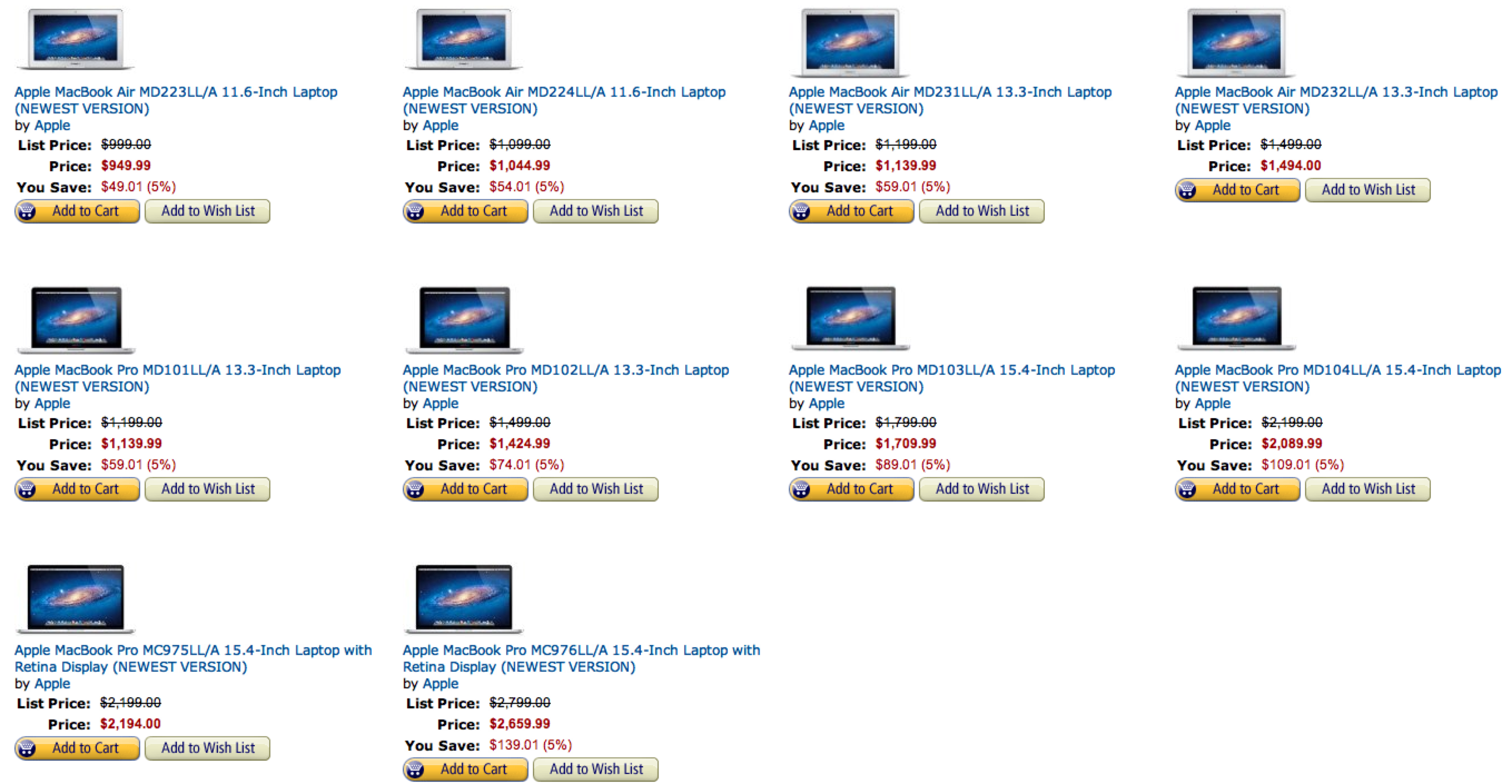
Fry’s Electronics offers the current-generation MacBook Pro Intel Core i5 2.5GHz 13.3″ LED-Backlit Widescreen Notebook, model no. MD101LL/A, for $999. Shipping adds around $11, or choose free in-store pickup. That’s the lowest total price we could find by $129 and even lower than Apple’s refurbished price.

All4Cellular has Applecare for iPhone for $39.99 (usually $99).

Vaas FM Transmitter with Car Charger and Remote for iPhone and iPod – $9.99+free ship

Western Digital USB 3.0 1TB portable drives for $89+free shipping at Go4Computer/Ebay, Tax in Florida.

Viewsonic VX2450wm-LED 24″ Widescreen LED Backlit Monitor: 49.99+Free shipping from Buy.com

More follow:
Expand
Expanding
Close

Site default logo image

Jony Ive: Apple almost shelved the iPhone because nearly unsolvable problems like ear-dialing

Apple SVP of Industrial DesignJony Ive is making the rounds in London for the Olympics this week.  Yesterday he spoke on Apple’s design process and the ‘Bankruptcy Days’ at the British Embassy’s Creative Summit. Today more of what he’s has said was revealed by the Independent and the following quotes stand out:

  • “There were multiple times where we nearly shelved the phone because we thought there were fundamental problems that we can’t solve,” said Sir Jony, speaking at a British Business Embassy event to coincide with the Olympics. One problem involved an early prototype “where I put the phone to my ear and my ear dials the number”… accidentally.
  • The Ive-designed iPhone has gone on to enjoy extraordinary success since its launch in 2007, selling almost 250 million and becoming a design classic. But Sir Jony, who has worked at Apple since 1992, said it was not uncommon to feel during the planning stage of a device that “we were pursuing something that we think ‘that’s really incredibly compelling’, but we’re really struggling to solve the problem that it represents”.
  • “We have been, on a number of occasions, preparing for mass production and in a room and realised we are talking a little too loud about the virtues of something. That to me is always the danger, if I’m trying to talk a little too loud about something and realising I’m trying to convince myself that something’s good.
  • “You have that horrible, horrible feeling deep down in your tummy and you know that it’s OK but it’s not great. And I think some of the bravest things we’ve ever done are really at that point when you say, ‘that’s good and it’s competent, but it not’s great’.”


Site default logo image

Amusing tweets from the Apple vs. Samsung Trial: Google and Apple employees not yet vetted

With Apple and Google having such a large presence in the Bay area, there is bound to be some ties to the companies represented on the jury…but both Apple and Google employees have made it to the Jury selection process. Imagine having to write the request to the HR department on this (Thanks, Dan Levine):

[tweet https://twitter.com/9to5mac/status/229997136362754048]

[tweet https://twitter.com/inafried/status/230000222753923074]

[tweet https://twitter.com/fedcourtjunkie/status/229990099675398145]

[tweet https://twitter.com/fedcourtjunkie/status/229988410557865984]

[tweet https://twitter.com/fedcourtjunkie/status/229994305555685376]

[tweet https://twitter.com/fedcourtjunkie/status/229993879498260480]

[tweet https://twitter.com/FedcourtJunkie/status/230002149491363840]

[tweet https://twitter.com/fedcourtjunkie/status/229995864632983553]

[tweet https://twitter.com/fedcourtjunkie/status/229993086082756608]

[tweet https://twitter.com/fedcourtjunkie/status/229992090958954496]

[tweet https://twitter.com/fedcourtjunkie/status/229991527789772800]

[tweet https://twitter.com/fedcourtjunkie/status/229987025078595584]

[tweet https://twitter.com/fedcourtjunkie/status/229995473744826368]

[tweet https://twitter.com/inafried/status/229997431763369984]

More olde iPhone/iPad prototypes and drawings turn up in court papers [Gallery]

Site default logo image

Last week we galleried up a bunch of iPhone prototypes Apple was forced to divulge in the run-up to its legal fight with Samsung, which starts today incidentally.  One interesting note: At the prototype phase, both iPhones and iPads are labelled ‘iPods’ (or ‘Sony!’) revealing that the names of these device lines either weren’t finalized or weren’t made known to prototyping teams.

Over the weekend, AllThingsD scoured court documents and found some additional stuff that folks with an eye to Apple nostalgia and prototyping might enjoy. Behold:


Expand
Expanding
Close

Site default logo image

$50 iStack Mac Bundle ends today, includes SnagIt, Disk Drill Pro, Parallels, Paint Supreme, more

From 9to5Toys.com:

The iStack Mac Bundle from StackSocial includes over $730 worth of goods for just $49.99.  That’s over a 93% savings off MSRP…and it ends tonight! (They also have a pretty impressive “Creative Bundle” that is ongoing to check out)

What do they have on offer?

  • Awesome anchor app in Parallels Desktop 7
  • A $299 iOS App Development video tutorial for the first 5000 customers
  • Half of the apps never been in a bundle: SnagIt, Clarify, TextSoap, and Paint Supreme
  • They’re giving away a RETINA MACBOOK PRO for FREE to 1 lucky winner
  • They’re giving away the Breeze Mac app for FREE to everyone for a tweet
Site default logo image

Canon unveils EOS M 18MP mirrorless camera, $800 in October with 22mm pancake lens

For those who love Canon DSLRs but wish they would build a pocketable mirrorless…your wait is over (well it will be in October). Announced early this morning in Japan, the EOS M is a Sony NEX-like form factor EOS camera with compatibility for Canon lenses through an adapter.

Professionals will cringe at the lack of options on the back. However, Canon enabled a remarkable amount of functionality with its touch-screen display.

The camera will come with a Canon EF-M 22mm F/2 STM “Pancake” Lens and will retail at $799 when it debuts in October with optional zoom lens and flash accessories. My wife’s holiday shopping is already over.

Product Highlights

  • 18.0 MP CMOS (APS-C) Sensor
  • DIGIC 5 Image Processor
  • Full HD Movie with Focus Tracking
  • 3.0″ Touch Screen LCD with 1040K-dots
  • Touch AF and Multi-touch Operation
  • Hybrid CMOS Auto-focus for Photo & Video
  • Compatible with Canon EF and EF-S Lenses
  • ISO 100-12800, Expandable to 25600 (H)
  • Canon’s First Mirrorless Camera
  • Includes Canon EF-M 22mm F/2 STM Lens

[youtube=http://www.youtube.com/watch?v=Zom-jb6aJB0]

Source: The Verge

The press release follows:

Put Your Creativity Into Motion With The New EOS M Digital Camera

The Newest Camera in Canon’s Lineup Delivers Exceptional EOS Full HD Video Quality with Continuous Autofocus and an Expansive Selection of Lenses

LAKE SUCCESS, N.Y., July 23, 2012 – Combining the perfect blend of advanced video features and excellent still image quality in a convenient size, Canon U.S.A., Inc., a leader in digital imaging solutions, today announced the EOS M Digital Camera. Canon has made significant advancements in the realm of professional-quality HD video capture, from advanced CMOS sensor technology to smooth, quiet continuous autofocus. Inspired by EOS technology, the EOS M leverages these core technologies and distills them down to provide outstanding video capture capabilities while retaining high-quality still image capture. When shooting still images, the EOS M camera’s 18-megapixel APS-C-sized CMOS image sensor provides a shallow depth of field, incredible low-light image quality and a wide dynamic range to capture rich gradation and detail. This new addition to the EOS family offers a great solution to videographers and photographers of all levels, with two new lenses designed specifically for Canon’s new camera format – the EF-M 22mm f/2 STM kit lens and the optional EF-M 18-55mm f/3.5-5.6 IS STM lens- and the ability to use the full line of Canon EF and EF-S lenses through the optional Mount Adapter EF-EOS M.

“The EOS M includes a unique feature set making it an ideal movie-making tool, while also offering incredible still image quality on its APS-C-sized CMOS sensor. The camera’s size, image quality, advanced video capabilities and the versatility of Canon’s full lineup of lenses make the EOS M another great option to help our customers record and capture their creative vision,” said Yuichi Ishizuka, executive vice president and general manager, Imaging Technologies & Communications Group, Canon U.S.A.

Product Specifications and Features:

    • EOS Full HD Movie mode with Movie Servo AF for continuous focus tracking of moving subjects also includes:
  • Manual exposure control
  • Multiple resolution frame rates
  • Built-in stereo microphone
  • Manual audio level adjustment
  • Video Snapshot mode with touch-screen editing
  • 18.0-megapixel APS-C CMOS sensor
  • ISO 100-6400 (expandable to 12800 in H mode) for video recording, ISO 100-12800 (expandable to 25600 in H mode) for still image shooting from bright to dim light and high performance Powerful DIGIC 5 Image Processor for exceptional image quality video and photos
  • Hybrid CMOS AF delivers fast autofocus speed for video and photos
  • Touch Screen 3.0-inch Clear View LCD monitor II (approximately 1,040,000 dots) with smudge-resistant coating features multi-touch operation allowing photographers to use familiar gestures such as “pinch-to-zoom” and “swiping” to scroll between pictures and Touch AF for an easy and intuitive video capture experience
  • Scene Intelligent Auto mode delivers expertly optimized photos and scene detection for amazing results even when shooting at night
  • Advanced imaging features like Handheld Night Scene mode, HDR Backlight Control mode, and seven Creative Filters provide added versatility
  • Multi-shot Noise Reduction helps preserve precious detail in photos at high ISO speeds
  • Compatible with SD/SDHC/SDXC memory cards, including new Ultra High Speed (UHS-I) cards
  • Compatible with all Canon Speedlite accessories including the new Speedlite 600EX and Speedlite Transmitter ST-E3-RT
  • Compatible with Canon’s GPS Receiver GP-E2
An Advanced Video Capture Device

The EOS M utilizes Canon’s Hybrid CMOS AF system to deliver fast autofocus speed for both video and photos. The Hybrid CMOS AF system truly shines when shooting video with EOS Full HD Movie mode including Movie Servo AF for continuous autofocus and tracking of moving subjects. The Hybrid CMOS AF system is located on the CMOS sensor itself and combines phase-difference AF and contrast AF to achieve operational stability, speed and precision. The Movie Servo AF function on the EOS M is enabled by default which keeps images on the rear screen in constant focus, even before the shutter is pressed. This continual focus makes for sharp video capture in a snap or to help reduce shutter lag due to focusing when still images want to be shot. The camera employs three AF methods for video and photos, Face Detection & Tracking AF, Multi-Point AF for automatic selection and Single-Point AF, where users select one of 31 AF points. Through the camera’s touch-panel operation, subject recognition and tracking is engaged at the touch of a finger, allowing users to track subjects accurately and focus on intended subjects with ease. In addition to subject tracking, the touch-panel LCD allows for simple, intuitive operation, menu navigation and touch features making it easy to shoot video and photos.

Thanks to Canon’s new Stepping Motor (STM) technology, when using either of the newly announced M-series lenses – the EF-M 22mm f/2 STM kit lens or the optional EF-M 18-55mm f/3.5-5.6 IS STM lens – the AF system remains silent, helping ensure users only capture the sound of the scene being recorded. The EOS M also features manual audio level control to 64 levels, a built-in stereo microphone, which includes a wind filter and an attenuator function to reduce audio distortion in extra loud situations. The EOS M records MPEG-4 AVC H.264 video as an .MOV file in a range of NTSC and PAL professional frame rates, including 1080p Full HD video at 30p (29.97), 24p (23.976) and 25p, 720p HD video at 60p (59.94) or 50p and Standard Definition video at 30p (29.97) or 25p.

In addition to the creativity afforded by over 70 compatible lenses, the EOS M also includes Picture Style settings – including custom Picture Styles – when shooting video, allowing users to adjust color settings the same as when shooting still images. The camera also includes Canon’s Video Snapshot mode for an easy way to record and create a fun highlight reel that can be easily shared. Video Snapshot mode combines a series of short video clips into a single file, all in-camera. Through the camera’s touch-screen controls users can delete, cut or re-order the clips in-camera for quick and easy editing.

Optical Diversity: New M-Series Lenses and Accessories

Along with the EOS M, Canon is also introducing two new M-series lenses – with new EOS M mounts -that include STM technology allowing for smooth and silent focusing when paired with Hybrid CMOS AF.

The EF-M 22mm f/2 STM kit lens is ideal for shooting video and still images. The fixed focal length lens has a great capacity for gathering light with an incredible aperture of f/2 and when combined with the camera’s APS-C image sensor, provides beautiful bright images and background blur for both video and stills. For more focal range versatility, Canon is also introducing the new EF-M 18-55mm f/3.5-5.6 IS STM, which provides videographers and photographers with a variable zoom range for general use with video recording or photographing. Both lenses are designed specifically for use with the EOS M digital camera.

In addition to the two lenses, any of Canon’s EF and EF-S lenses can be used with the EOS M with the optional Mount Adapter EF-EOS M. The EOS M camera’s strong magnesium and stainless steel frame provide the durability and rigidity to support the full line of EF and EF-S Lenses in a lightweight convenient design. Using the adapter allows the camera to be fully integrated into the EOS ecosystem of lenses, adding creative options and versatility to this powerful camera.

Ideal for use with the EOS Mi, Canon is also announcing a new compact and lightweight flash unit, the Speedlite 90EX, designed for the photographer on the go. The Speedlite 90EX is capable of coverage for 24mm wide angle lenses (35mm equivalent) with maximum guide numbers of 30 feet (9 meters) at ISO 100. The flash unit can be controlled wirelessly for creative multiple flash shoots and uses the standard Canon EOS hot shoe mount for compatibility with all EOS DSLR cameras and PowerShot digital cameras that include a hot shoe.

Availability

The EOS M Digital Camera bundled with the new EF-M 22mm f/2 STM kit lens will be available in October for an estimated retail price of $799.99. A white version of the EOS M Digital Camera bundled with the new EF-M 22mm f/2 STM kit lens will be exclusively available through the Canon Online store, shop.usa.canon.com.

The new EF-M 18-55mm f/3.5-5.6 IS STM lens, Mount Adapter EF-EOS M and Speedlite 90EX will all be available in October at an estimated retail price of $299.99, $199.99 and $149.99 respectively.

About Canon U.S.A., Inc.

Canon U.S.A., Inc., is a leading provider of consumer, business-to-business, and industrial digital imaging solutions. With approximately $45.6 billion in global revenue, its parent company, Canon Inc. (NYSE:CAJ), ranks third overall in U.S. patents registered in 2011† and is one of Fortune Magazine’s World’s Most Admired Companies in 2012. Canon U.S.A. is committed to the highest levels of customer satisfaction and loyalty, providing 100 percent U.S.-based consumer service and support for all of the products it distributes. Canon U.S.A. is dedicated to its Kyosei philosophy of social and environmental responsibility. To keep apprised of the latest news from Canon U.S.A., sign up for the Company’s RSS news feed by visiting www.usa.canon.com/rss.

###

† Based on weekly patent counts issued by United States Patent and Trademark Office.

All referenced product names, and other marks, are trademarks or registered trademarks of their respective owners.

Availability, prices, and specifications of all products are subject to change without notice. Actual prices are set by individual dealers and may vary.

i A Speedlite is required for flash photography with the EOS M digital camera; this camera does not include a built-in flash.

Site default logo image

Good Deal: Sling Player iPad and iPhone app half off today at $15

From 9to5Toys.com:

.

Sling Player [App Store: iPad and iPhone/iPod] is being offered today at half price: $15. That’s the first time we’ve seen a discount.

You’ll need a Slingbox Solo (best price $139.99 but seen as low as $85) or Pro (Best Price $250 but seen as low as $199) and can then stream to your iOS devices (or Blackberry/Android) over wifi or 3G/4G mobile network

Enhanced by Zemanta
Site default logo image

Want to be in the Ashton Kutcher Steve Jobs movie? Here’s how to be an extra this week…

We received an interesting tip this weekend. Apparently, Steve Jobs—the movie with Ashton Kutcher—is filming two important crowd scenes in Pasadena, Calif. this week.

The scenes we’re part of will be the 1983 PC Conference (Monday the 16th) and the 1977 Computer Jobs Faire (Tuesday the 17th)

The movie company is looking for extras to be in those crowds, dressed in “period clothing” (sorry, not the acid scene) as “Businessmen, Computer Nerds, Salesmen, Lookie-Loos.”

Here are some examples of the wardrobe:

The casting company advertises plenty of time with the movie’s stars, including Ashton Kutcher, James Woods, Matthew Modine, Durmot Mulruny and JK Simmons, and we imagine some will want to be a part of the historic scene.

The full details are below:

Site default logo image

Chicken or the Egg? ‘iPad Mini’ schematics conveniently appear on web after purported molds leak

It seems like just yesterday that the first somewhat believable iPad mini molds leaked on the net. Just two days later, Zaib Ali at ThinkiOS.com claims to have received schematics and some preliminary cases (above) from case company FullHull.com. We are not yet onboard with the 7.2mm thin size and other specs listed:

According to our source iPad Mini will have a 7-inch screen, and will be 5.3-inch wide and 7.87-inch long. For the sake of comparison, the new iPad is 9.50-inches tall, 7.31-inches wide, and has a depth of 0.37-inches.

Thoughts anyone?
Expand
Expanding
Close

Site default logo image

Rovio’s Amazing Alex hits the App Store, download now!

Along with Tiny Wings 2/HD, Rovio’s follow up to its mega-successful Angry Birds franchise, called “Amazing Alex” (iPhone $.99/iPad $2.99), promises to be the hottest iOS game releases of the summer.

Update: There seem to be some Game Center glitches, as noted by commenters and Tweeters.

[tweet https://twitter.com/sodner2424/status/223430380731105280]

Update 2: 1.0.1 seems to have cleared up any issues

[tweet https://twitter.com/inicolas2/status/223529585642438656]

Bonus: Metal Slug 3, the classic shooter game, is now on iOS. (iPhone/iPad $6.99)

Site default logo image

Gartner report shows PCs have peaked and may begin the long road to obscurity

We are starting to see the “Cars and Trucks” model unfold as PC sales are starting to slip dramatically.

Among the top 5 vendors in the U.S. PC market, all but Apple experienced a decline in shipments according to a Gartner report late this evening. This is not your average “Apple beat the PC industry every quarter for the past 5 years.” It is a dramatic fall. Apple pulled to within 500,000 units of Dell from double that a year ago.

A few notables: 
Expand
Expanding
Close

Site default logo image

$50 iStack Mac Bundle includes SnagIt, Disk Drill Pro, Parallels, Paint Supreme, more (+Retina MacBook Pro Giveaway!)

From 9to5Toys.com:

This week’s iStack Mac Bundle from StackSocial includes over $730 worth of goods for just $50.  That’s over a 93% savings off MSRP…boom!

What do they have on offer?

  • Awesome anchor app in Parallels Desktop 7
  • A $299 iOS App Development video tutorial for the first 5000 customers
  • Half of the apps never been in a bundle: SnagIt, Clarify, TextSoap, and Paint Supreme
  • They’re giving away a RETINA MACBOOK PRO for FREE to 1 lucky winner
  • They’re giving away the Breeze Mac app for FREE to everyone for a tweet
Site default logo image

Microsoft Office for Mac 2011 14.2.3 update fixes vulnerability and stomps a few bugs

Update details

A security vulnerability exits in the way that folder permissions are set in certain Microsoft Office 2011 for Mac 14.2 installations. This update resolves that vulnerability.

Improvements that are included in the update

The Office for Mac 2011 14.2.3 Update also includes the following improvements:

  • This update fixes an issue where some SkyDrive folders in Micorosft Document Connection are displayed as zero-byte files instead of folders.
  • This update provides critical updates for connection reliability with SkyDrive.

Improvements for Excel for Mac 2011

  • This update improves stability in Excel when you drag to move a PivotTable row or column.
  • This update fixes an issue in Excel where #REF is returned even when links are ignored.

Improvements for Outlook for Mac 2011

  • This update fixes an issue where some IMAP users may receive an “Unknown namespace” error when they try to create special folders (such as Drafts and Sent Items) on the server.
  • This update fixes an issue with some IMAP configurations where Outlook repeatedly displays “Cannot create mailbox” errors.
  • This update fixes an issue that causes Outlook not to display details for certain contacts when Lync or Communicator is running.
  • This update fixes a problem that occurs when users reply to or forward Exchange email messages that were downloaded from Exchange 2007 servers. When this problem occurs, the Date field is missing from the body of the message.

    To correct email messages that have already been cached, right-click the folder that contains the email messages, select Folder Properties, and then then select Empty under Empty Cache. Or, you can delete the Exchange account and then add it again to resynchronize the account.

  • This update fixes an issue where users may have duplication of mail when they use Gmail and connect with Outlook by using IMAP.
  • This update fixes an issue where some users who have IMAP accounts intermittently receive a “Too many simultaneous connections” error. A setting is now available to control the polling interval that Outlook uses with IMAP servers.

    To adjust this setting, select Tools, select Accounts, and then select Advanced for the IMAP account. The setting defaults to synchronize all lMAP folders every two minutes.

  • This update fixes a connectivity issue that occurs when Outlook connects through a proxy server that uses NTLM based authentication.

Improvements to Word for Mac 2011

  • This update improves Full Screen View integration with Word.

Previously released improvements included in this update

This update includes all the improvements that were released in all previous Office 2011 updates since the release of theMicrosoft Office for Mac 2011 14.1.0 Update. For more information about the improvements in a previous update, click the following article number to view the article in the Microsoft Knowledge Base:

2555784 Description of the Microsoft Office for Mac 2011 14.1.2 Update

2598783 Description of the Microsoft Office for Mac 2011 14.1.3 Update

2644347 Description of the Microsoft Office for Mac 2011 14.1.4 Update

2685940 Description of the Microsoft Office for Mac 2011 14.2.0 Update

2705358 Description of the Microsoft Office for Mac 2011 14.2.1 Update

2665351 Description of the Microsoft Office for Mac 2011 14.2.2 Update

Prerequisites

Before you install the Office 2011 14.2.3 Update, make sure that the computer is running Mac OS X v10.5.8 or a later version of the Mac OS X operating system.

To verify that the computer meets this prerequisite, click About This Mac on the Apple menu.

Additionally, you must install the Microsoft Office for Mac 2011 14.1 Update before you install the Office for Mac 2011 14.2.3 Update.

To verify that the update that is installed on your computer, follow these steps:

  1. On the Go menu, click Applications.
  2. Open the Microsoft Office 2011 folder, and then open any Office application (for example, open Word).
  3. On the Word menu, click About Word.
  4. In the About Word dialog box, compare the version number next to Latest Installed Update.

How to obtain the update

The following file is available for download from the Microsoft Download Center:

Download

Download the Microsoft Office for Mac 14.2.3 Update package now.

Release Date: July 10, 2012

For more information about how to download Microsoft support files, click the following article number to view the article in the Microsoft Knowledge Base:

119591 How to obtain Microsoft support files from online services

Microsoft scanned this file for viruses. Microsoft used the most current virus-detection software that was available on the date that the file was posted. The file is stored on security-enhanced servers that help prevent any unauthorized changes to the file.

Updated files

For a complete list of the files that this update adds or changes, double-click the update installer. Then, on the File menu, click Show Files.

Notes
  • The Office 2011 14.2.3 Update is also available from Microsoft AutoUpdate. AutoUpdate is a program that automatically keeps Microsoft software up-to-date.

    To use AutoUpdate, start a Microsoft Office program. Then, on the Help menu, click Check for Updates.

    For more information about resources for Office for Mac 2011, visit the following Microsoft website:

Enhanced by Zemanta
Site default logo image

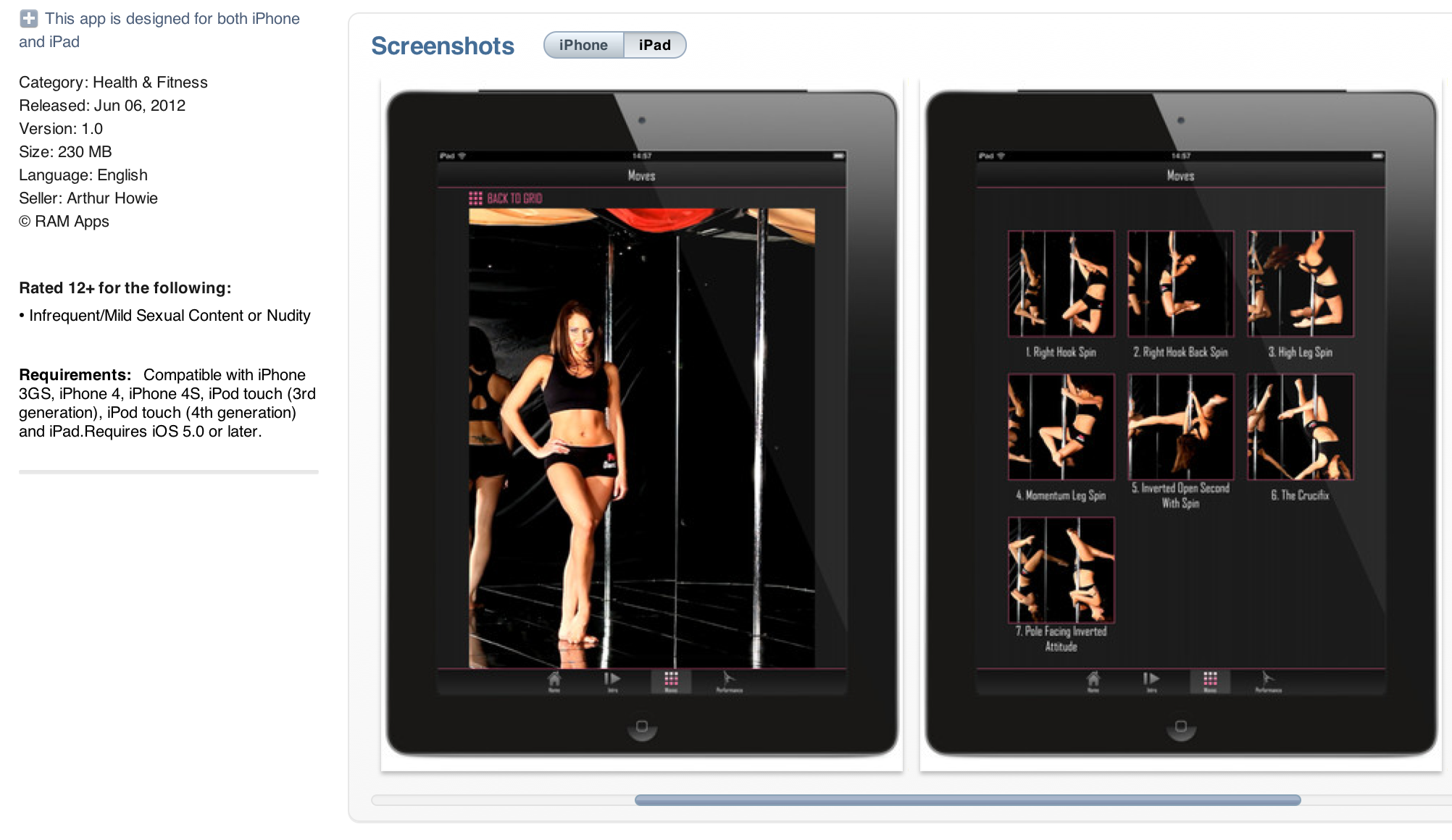
Keeping daughters off the pole made much harder with Pole Dancer Pro app rated at 12+ years

Some interesting debate from the U.K.’s Sun this morning on the new Pole Dancer Pro app aimed at users 12-years-old and older. Says one opponent, “I’m all for encouraging new ways of helping people to keep fit, but do we really want to create a generation of children who are fully equipped in, what the app describes as, the ’art of tease’, ’erotic moves’ and ’seductive eye contact’?

On the flip side, the app’s creators counter, “Forget about social norms, morale and conservative practices that ladies should follow. Nothing is wrong with breaking the rules, if that makes you feel good.

[youtube=http://www.youtube.com/watch?v=tojBadSr2zI&start=33]

We anticipate Apple will raise the age of this app in the coming hours to the relief of fathers everywhere.


Expand
Expanding
Close

Site default logo image

How to add a USB Blu-ray player to your Mac for $42

With 1080P hitting the new iPad and Apple TV a few months ago, and the new Retina MacBook Pros now reaching people’s hands, some of you are perhaps now looking to send your Blu-ray collection over to Apple devices.

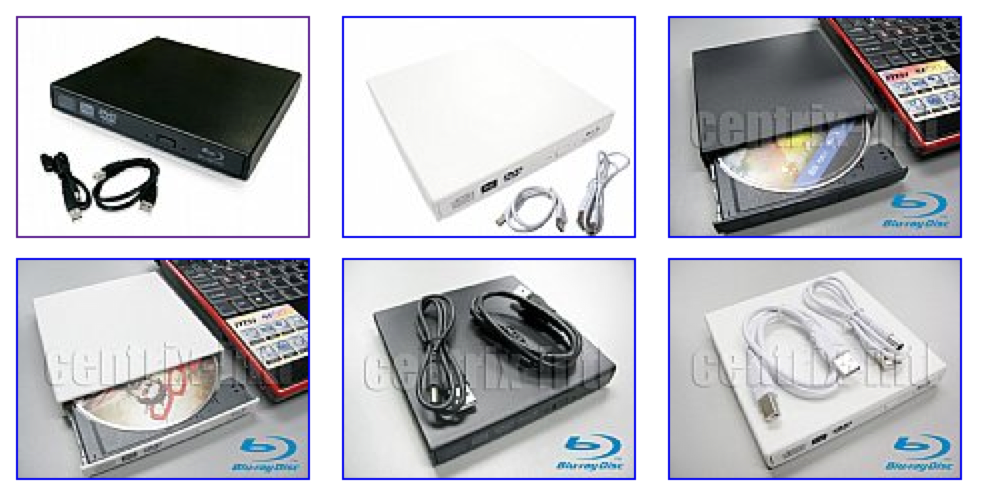
Here is the easy part: Buy a Toshiba Lightscribe Blu-ray Player for just $42 with free shipping (via 9to5Toys) in white or black. It also burns DVDs, and Lightscribe media will even do some art on the cover. Oh, and it is USB bus-powered, so it is nice and portable.

Toshiba advertises it as “Mac compatible,” but we all knew that the late and great Steve Jobs viewed Blu-ray as a “bag of hurt” from the “mafia.”

So, the hard part is getting Blu-rays to your Mac…


Expand
Expanding
Close