iPad (2021)

See All Stories

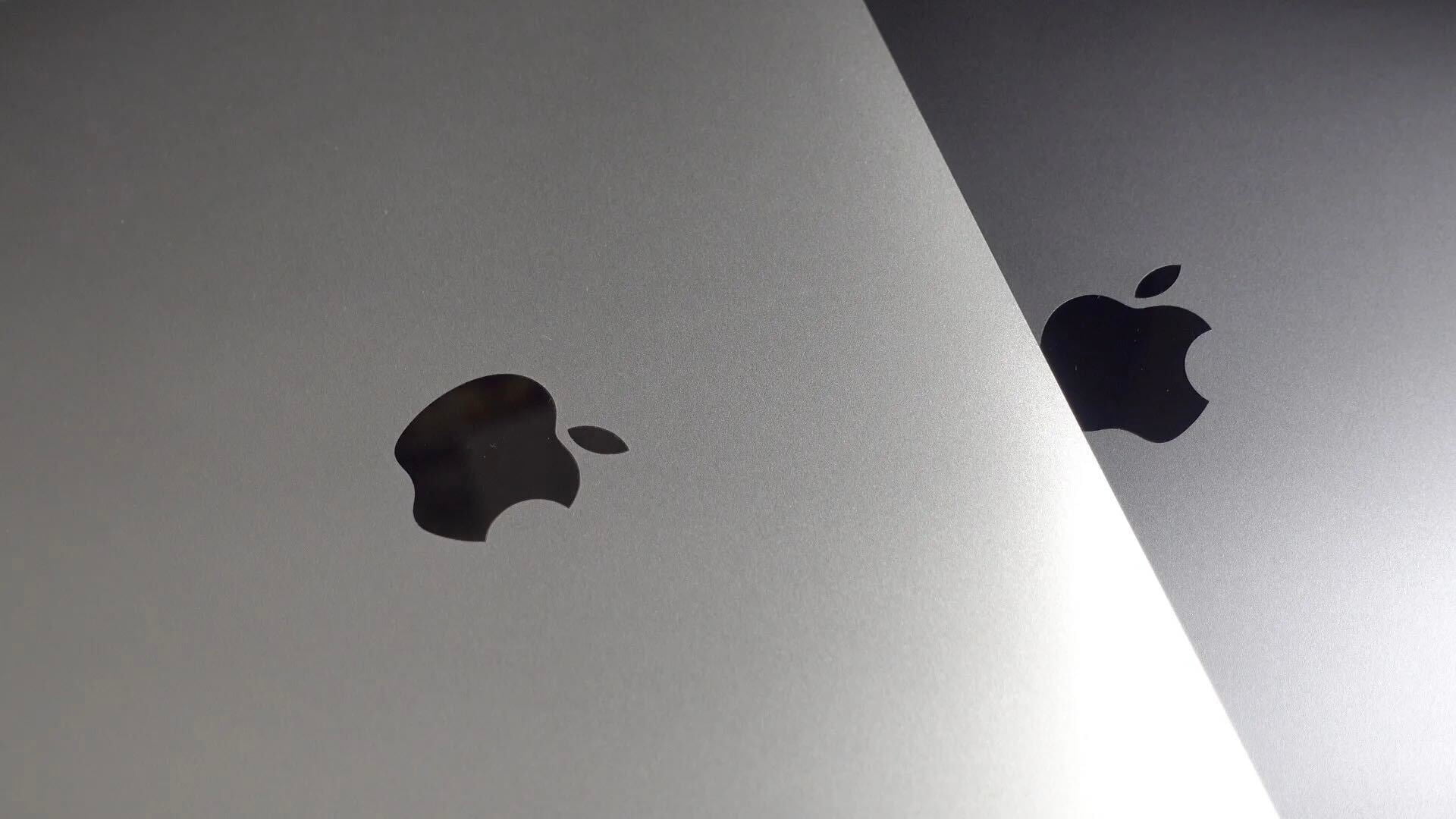
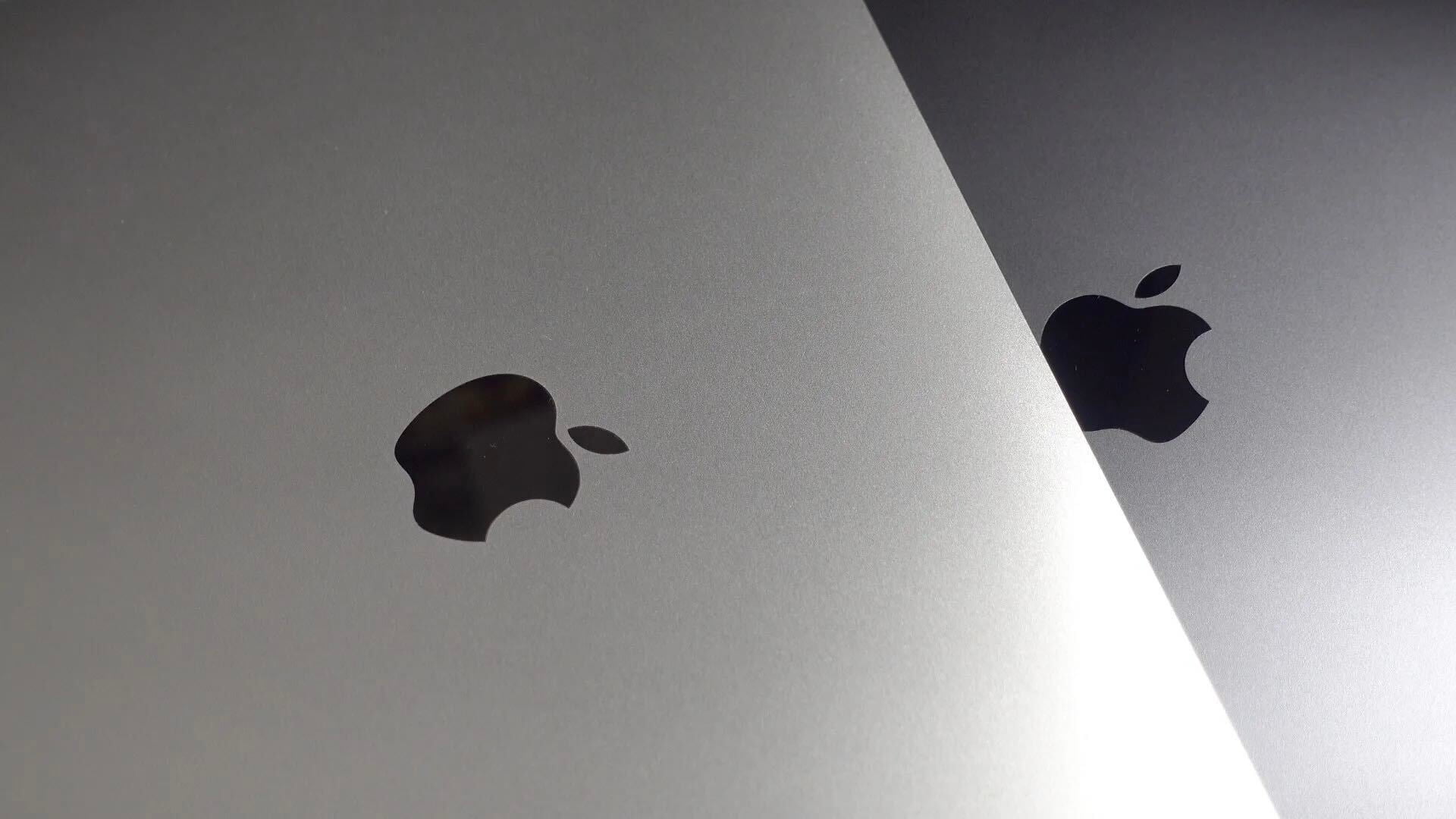
Apple's tablet debuted in 2010. Since the original version, it's expanded into multiple screen sizes and Pro and non-Pro options.

The iPad is Apple’s base tablet model. In its ninth generation, the iPad focuses on being the perfect tool for education and people who seek a bigger screen to read and surface the web compared to the iPhone. With Apple Pencil and Smart Keyboard support, the iPad has never been better.

History

Site default logo image

The iPad is a line of tablets designed and developed by Apple. It was originally announced in 2010, three years after the first iPhone was introduced. With a 9.7-inch screen and with iPhone OS 3.2 the iPad was a success, hitting 1 million tablets sold in over three months, half the time the first iPhone took to reach this mark.

Steve Jobs then unveiled the iPad 2 in March of 2011. About 33% thinner than its predecessor and 15% lighter, the second generation used the A5 chip, twice as faster as its predecessor. The iPad 2 also introduced front and back cameras that supported FaceTime video calls.

The successor of the iPad 2 wasn’t a success at all. The third generation was introduced in March of 2012 with a Retina display and the A5X processor. The problem with this tablet it was too heavy and the battery didn’t last long enough. In October of the same year, Apple announced the fourth generation with the A6X processor, HD FaceTime camera, improved LTE capabilities, and the Lightning connector.

At this October event, Apple also introduced the first iPad mini. In 2013, Apple went with the first iPad Air and the iPad mini 2. In 2015, the company introduced the first Pro model, with two different sizes.

Site default logo image

In March of 2017, Apple announced the fifth-generation iPad with the A9 processor. It was a budget option compared to the other tablets. It was in 2018 that the company brought expressive news to the base iPad line. The sixth-generation had the A10 Fusion processor and fully supports the first-generation Apple Pencil.

A year later, the seventh generation was announced with a larger 10.2-inch display and support for the Smart Keyboard as well. It retained most of the specs of the previous model.

In September of 2020, the eighth generation was introduced alongside the fourth-generation iPad Air model. The eighth generation received an upgraded processor, now with the A12 Bionic, while keeping the same storage options: 32GB and 128GB.

In September of 2021, the ninth generation was introduced alongside a redesigned iPad mini. This iPad now features the A13 Bionic processor, True Tone support, and new storage options: 64GB and 256GB while keeping the same price.

iPad 9 Specs

Site default logo image

The ninth-generation iPad launched in September of 2021. Available in two colors, Silver and Space Gray, this tablet is made of 100% recyclable aluminum, and supports the first-generation Apple Pencil and Smart Keyboard.

With thinner bezels, the product comes with a 10.2-inch Retina display with a fingerprint-resistant oleophobic coating, and True Tone support for the first time, which adjusts screen content to the color temperature of a room.

This tablet uses the A13 Bionic chip, the same available on the iPhone 11, 11 Pro, and 11 Pro Max. It has an “all-day” battery with up to 10 hours of surfing the web on Wi-Fi or watching videos.

The iPad also comes in 64GB and 256GB storage options and Wi-Fi and Wi-Fi + Cellular versions.

Revamped cameras

Site default logo image

For the first time, this iPad shares the same FaceTime camera as the M1 iPad Pro with the Center Stage experience. With a new 12MP Ultra Wide front camera and Neural Engine, users can enjoy even more engaging video calls.

As users move around, Center Stage automatically pans the camera to keep them in view. When others join in, the camera detects them too, and smoothly zooms out to include them in the conversation. Center Stage makes video calls more natural in FaceTime as well as third-party video-calling apps.

Its main camera is the same: 8MP, f/2.4 aperture, and digital zoom up to 5x.

iPadOS 15

Site default logo image

The ninth-generation iPad comes with the iPadOS 15. Previewed during the WWDC21 keynote, the new operating system brings a redesigned Home Screen with widgets and App Library support.

On iPadOS 15, FaceTime group calls can finally appear in a grid, so it’s easier to see everyone. It’s also possible to share your screen, listen to Apple Music songs together, or watch Apple TV+, HBO Max, Disney+, and others while in a call.

In the productivity section, Apple, unfortunately, didn’t bring all the features pro users wanted to take full advantage of their new M1 iPad Pro, even though Apple made it easier to rely on multitasking features.

There’s a new multitasking menu on the top of the screen. When you click there, it’s possible to see what configurations you can use on Split View or just go to Slide Over with just a tap.

The experience with an external keyboard allows users to get more done with all-new keyboard shortcuts and a redesign of the menu bar.

With the Quick Note feature, users can use the Apple Pencil to add a quick note. They just need to slide the pencil through the bottom right corner to the center of the screen and start writing.

iPadOS 15 launched on September 20. Learn more about it here.

iPadOS 15.1 features

One month after releasing iPadOS 15, Apple released iPadOS 15.1 More notable, the company finally brought SharePlay support for the iPhone, iPad, and Apple TV. Unfortunately, Universal Control wasn’t one of the features added with this new version. Here’s what else is new:

Translate

  • Mandarin Chinese (Taiwan) support in the Translate app and for system-wide translation

Home

  • New automation triggers based on the current reading of a HomeKit-enabled humidity, air quality, or light level sensor

Shortcuts

  • New pre-built actions let you overlay text on images or gifs, plus a new collection of games lets you pass the time with Siri

iPadOS 15.2 features

apple-music-hey-siri-plays-voice-plan-9to5mac-2

Five weeks after releasing iPadOS 15.1, Apple is releasing iPadOS 15.2. It brings more features that were expected to launch alongside iPadOS 15 but, unfortunately, Universal Control is still nowhere to be seen. Here are the top features of this version:

  • Apple Music Voice Plan is a new subscription tier that gives you access to all songs, playlists, and stations in Apple Music using Siri
  • App Privacy Report in Settings lets you see how often apps have accessed your location, photos, camera, microphone, contacts, and more during the last seven days, as well as their network activity
  • Communication safety setting gives parents the ability to enable warnings for children when they receive or send photos that contain nudity
  • Digital Legacy allows you to designate people as Legacy Contacts so they can access your iCloud account and personal information in the event of your death
  • Apple TV app: Store tab lets you browse, buy, and rent movies and TV Shows all in one place

iPadOS 15.3 features

Six weeks after releasing iPadOS 15.2, Apple is releasing iPadOS 15.3. This update foregoes new features in favor of under-the-hood bug fixes and improvements. One of the most notable changes here is a fix for a Safari vulnerability that may have been leaking your browsing history and Google ID data to the websites you visited.

iPadOS 15.4 features

iPadOS 15.4 finally brings one of the most important features expected from iPadOS 15 and that got delayed: Universal Control. Here’s everything new with iPadOS 15.4:

  • Universal Control: This feature allows you to control your Mac and iPad using the same keyboard and mouse/trackpad. Universal Control needs iPadOS 15.4 and macOS Monterey 12.3;
  • New Siri voice: Siri has a fifth American voice. Apple says a member of the LGBTQ+ community recorded the voice and it’s non-binary;
  • More emoji: iPadOS 15.4 also brings new emojis. You can discover all of the new characters here;
  • Shortcuts automation: Adds support for running Personal Automations in the background without requiring a pesky banner notification.

You can learn everything new with this update here.

iPadOS 15.5 features

Different from other software updates, iPadOS 15.5 only improves the Podcast app experience, as Apple focused on Wallet changes for the iPhone this time:

  • Apple Podcasts includes a new setting to limit episodes stored on your iPhone and automatically delete older ones

iPadOS 15.6 features

iPadOS 15.6 is yet another small update for iPad users. Here’s what’s news:

  • TV app adds the option to restart a live sports game already in progress and pause, rewind, or fast-forward.
  • Fixes an issue where Settings may continue to display that device storage is full even if it is available.
  • Fixes an issue that may cause Braille devices to slow down or stop responding when navigating text in Mail.
  • Fixes an issue in Safari where a tab may revert to a previous page.

iPadOS 15.7 features

iPadOS 15.7 only brings bug fixes and some security improvements as the company readies the iPadOS 16 release.

Education

Site default logo image

Apple describes this iPad as the go-to tablet for education. For several years the company discounts this tablet up to 10%.

Apple is always promoting ways students can use the iPad to learn new things: using Augmented Reality, the Apple Pencil, and how to code with Playgrounds.

The company says the “App Store is the best place to discover apps” for education purposes:

Let your curiosity run wild with iPad. The App Store is the best place to discover apps that let you get a leg up in geometry, learn a new language, and attend virtual classes. You can even use augmented reality to learn something exciting, like watching the history of spaceflight unfold in your living room or making characters from your favorite book literally leap off the page.

Release date: When Apple will launch the ninth-generation iPad?

Apple launched the iPad 9 on September 24, 2021.

Pricing

iPad (2021) pricing starts at $329 for the 32GB storage option with Wi-Fi only. The prices can go up to $559 with the 128GB storage option and WI-Fi + Cellular. Here are the full prices of the ninth-generation tablet:

  • 32GB with Wi-Fi: $329
  • 32GB with Wi-Fi + Cellular: $459
  • 128GB with Wi-Fi: $429
  • 128GB with Wi-Fi + Cellular: $559
  • Apple Pencil (1st generation): $99
  • Smart Keyboard: $159

Lower prices may be available from Apple’s official Amazon store.

iPad (2021) Review

Site default logo image

Soon, we’ll review the ninth-generation iPad. As for now, you can watch our video review of the eighth-generation iPad, as we described it as the “best value tablet you can buy:”

“The iPad 8 was never meant to be a huge update. But even still, I think this is easily the best value tablet you can buy. For $329, this tablet has so much to offer: The performance, the great battery life, and the Apple pencil functionality. I’d highly recommend you pick up this tablet if you simply need an inexpensive tablet today that’s going to last you for three to four years with no trouble.”

iPad Deals

Over at 9to5Toys, you can find the best deals on the iPad and other Apple products. Download the 9to5Toys iPhone app to receive push notifications for new deals as well.

Rumors

As of now, Bloomberg‘s Mark Gurman said in his Power On newsletter by the end of 2021 that Apple plans a new entry-level iPad for 2022. In June 2022, 9to5Mac exclusively reported the details of the tenth-generation iPad model.

According to Filipe Espósito, this new entry-level tablet will pack the A14 Bionic chip, 5G compatibility, and, for the first time, USB-C connectivity, unlocking new experiences with the second-generation Apple Pencil. Its display will also increase, although it’s unclear whether it will have the same design as the M1 iPad Air.

This iPad could be released in October of 2022.

Sunrise Calendar, IMDb, iA Writer, Dolphin Browser, Myst, Finish, deals, more

Site default logo image

Sunrise Calendar: Launched today by former Foursquare designers, the free Sunrise calendar app is getting a lot of attention for its simplistic approach to combining calendars, Facebook events and birthdays, and weather forecasts based on your current location. The app initially only supports Google Calendar, includes Timezone support (a feature missing from many popular calendar apps), and integration with LinkedIn to “see faces of people you are meeting.”

Features:
☆ 100% free calendar app with a gorgeous design.
☆ Compatible only with Google Calendar for now.
☆ A completely redesigned calendar experience for your iPhone.
☆ Synchronization that just works, in real-time.
☆ Quick Add Event just by typing “Lunch tomorrow at 9pm” (long-press on the +).
☆ Reminders.
☆ Timezone Support. No more headache when travelling!
☆ Facebook Events and Birthdays included.
☆ See faces of people you are meeting with using LinkedIn.
☆ Weather forecast based on your location.
☆ Smart icons.
☆ Tag location to events.
☆ Use Google Maps for Directions.
☆ Connect multiple Google Calendars.

IMDb version 3.1: IMDb announced a nice update to its IMDb Movies & TV iOS app that brings a number of new features including links to titles available on Amazon Prime for users that have the  Amazon Instant Video app installed on their iPhone or iPad. The update also includes a Special Oscars section with a “list of nominees and photos from the red carpet and ceremony and live winners,” a new Recommendations feature, and a few improvements:

– Award information for celebrities and titles (iPad/iPhone)
– Titles available on Amazon Prime feature a link to watch if the Amazon Instant Video app is also installed (iPhone/iPad)
– Special Oscars® section: list of nominees and photos from the red carpet and ceremony and live winners on iPhone and iPad during the ceremony
– Recommendations: tap on the “i” in the corner of the poster to see why it’s recommended for you, rate the title if you’ve seen it, or indicate “not interested” (iPad)
– Improved accessibility for TV episode navigation (iPad)
– Updates to side navigation (iPad)
– Bug fixes include episode picker in VoiceOver (iPad)

Finish version 1.0.2: Improvements and new features for productivity app Finish:
1. There’s now an option in settings to start the week on Monday.
2. Smoother gestures!
3. Some small interface improvements
4. Good ol’ VARIOUS BUG FIXES!

iA Writer version 1.8: Popular text editor iOS app iA Writer gets a big update today that includes a new iCloud engine and UI, overall new look and feel for the entire app, and a ton of features and improvements:
Expand
Expanding
Close

Site default logo image

Weekend deals roundup: $1349 Retina MacBook Pro, 50% off ZAGG iPad keyboards, 99 cent apps galore & more

From 9to5Toys.com:

While you’ve been enjoying your weekend we have been scouring the net for the best deals in consumer electronics.  Most of these deals are only for a limited time so be sure to cash in on these savings if you find a deal you like.  Due to Presidents’ Day weekend, we expect to be adding a lot of deals throughout the next two days so be sure to check back.

Also bookmark 9to5Toys.com/Daily-deals for 25+ of the top daily deals across most of the biggest shopping sites in the US including Amazon, Best Buy, Walmart, Target, and many more.

The best deals this weekend:

13″ Retina MacBook Pro to $1349 ($150 off)

Accessories

BodyGuardz 15% off sitewide discount; iPad, iPhone, iPod and Mac accessories
Western Digital Elements 3TB External Hard Drive for $115 + free shipping
50% off refurb. Genuine Apple iPad Smart Cover $19, (PRODUCT) Red Leather only $29 + free shipping
Scosche Lightning cable accessories now available, 10% off for a limited time
iCADE iPad Arcade Cabinet $79 (Reg. $99)
50% off select ZAGGfolio & ZAGGkeys for iPad and iPad mini (Check our review)
ZAGGkeys FLEX Bluetooth Keyboard for iPhone / iPad for $35 + free shipping
Lightning power bundle including cable, wall and lighter charger: $8
22″ 1080P AOC monitor from Best Buy: $99.99
You can still get an External portable USB BluRay Player with software for less than the price of a Superdrive.

Apps

Gameloft 99 cent iPad & iPhone game sale: Amazing Spider-Man, Silent Ops & Avatar
iPad app, Splashtop 2 Remote Desktop, temporarily 99 cents (Reg. $4.99)
EA Games iOS Presidents’ Day sale, 50 titles up to 90% off
iPhone & iPad game, Infinity Blade, free for the first time ever (Reg. $5.99)
iPhone & iPad productivity app, Smart Office 2, temporarily free (reg. $10)

Review: Logitech’s Ultrathin Keyboard for iPad mini is like a Smart Cover with a built-in keyboard

Site default logo image

We’re fans of Logitech’s Ultrathin Keyboard cover for the full-sized iPad, so when we heard that Logitech was launching a version of the Ultrathin keyboard for the iPad mini for $79, we were naturally excited. As we noted in our review of the full-sized model, the product kickstarts a transition from iPad-based content consumption to creation. With our love for the full-sized version, the “mini” Ultrathin Keyboard has a lot to live up to. Even with the iPad mini’s smaller display and overall footprint, does the Ultrathin Keyboard mini match the performance of its larger counterpart, and how does it fare against Zagg’s well reviewed iPad Mini keyboards? Find out in our complete review below.
Expand
Expanding
Close

Site default logo image

Deal Alert: MacConnection drops 13″ Retina MacBook Pro to $1349 ($150 off)

From 9to5Toys.com and 9to5Mac Product Pages:

MacConnection is having a flash sale on the 13-inch MacBook Pro with Retina display knocking $150 off the just lowered price. $1349 is the lowest price we’ve ever seen on what many consider to be Apple’s best portable computer. Apple charges less for Refurbished models.

For other configurations, see our MacBook Pro MacBook Air and other product pages.

iOS 6 bug lets institutional users bypass ‘Don’t Allow Changes’ account restriction, install unapproved apps (Update: fixed)

Site default logo image

Update (Feb 21st): This has been fixed according to a reader. The iTunes and App Stores use HTML on the backend so Apple can “push” updates via backend code changes:

As of this morning, the bug is gone! No update required! Looks
like the somehow they pushed the update! I can no longer change the
account in the App Store or iTunes store! This reminds me when I was
beta testing 6.0 and Apple changed the behavior of downloading updates
not requiring a password (they also allowed free apps with no password
for a short while). That didn’t need an update to change either.
They seem to have ways of fixing App Store behavior without needing to
update iOS. I’m still running 6.1 on my devices, haven’t gone to
6.1.2 yet.

Would be nice for an official answer from Apple, but so far, it’s
working correctly! Also, I see redeem and send gift are grayed out
also, at the bottom of the App Store. Same for iTunes Store.

For those unaware, iOS 6 received some beefed up Restriction settings when it was released that allowed users to select “Don’t Allow Changes” for an entire account linked to an iOS device. This option was particularly useful for schools and organizations that wanted to limit a device to a specific account and keep students and others from installing apps not approved by the institution. Without the restriction, students or employees could easily change the iTunes account linked to the iOS device. Unfortunately, as noticed by one frustrated 9to5Mac reader, it seems there are several backdoor methods of bypassing the setting…


Expand
Expanding
Close

Site default logo image

Giveaway: 3 newly launched Scosche Lightning cable accessories

The iPhone 5 debuted last October and along with it so did the Lightning port. Since its launch there have been few third party accessories created due to Apple’s tight control over the the new technology. Today, the popular consumer electronics and car audio company, Scosche, officially launched their line of Apple approved Lightning accessories. While other companies are already offering official Lightning cables, this launch by Scosche is of particular interest because they are the first to offer both car chargers and wall chargers (5W and 10W) as well as a retractable cable.

Some Apple users have been quick to jump on generic Lightning cables to save a couple bucks, but given what we learned today it seems that the best route is to buy an Apple approved Lightning cable. Supported devices include the iPhone 5, iPad mini, iPad 4, and 5th Gen. iPod Touch. Schosche’s Lightning accessories are available online from Schosche (10% coupon here) and from major retailers such as AT&T, Wal-Mart, Staples, and Fry’s. Skip below if you’d prefer to just win some cables…

Giveaway

If you haven’t stepped out and bought any Lightning accessories you’re in luck because we are giving away 3 of Scosche’s brand new products. First up is the strikeDRIVE 12W car charger ($30 value) which features “… a 3 foot coiled cable that provides the freedom to use a device as it charges without tangles and clutter.” The second giveaway is a strikeBASE ($30-$35 value), “wall charger [that] features a 3 foot long cable and flush folding wall prongs for added portability.” Lastly, we will be giving away the retractable strikeLINE PRO ($25 value), which extends up to 3 ft. To be entered to win any of these items all you need to do is comment (helps if you follow 9to5Mac on Facebook and Twitter9to5Toys too ;) on this post and we will select 3 random winners this Sunday evening. All winners will be contacted via a private message and Scosche will handle the deliveries..

Site default logo image

Could Apple unleash an update that breaks third-party unauthorized Lightning cables?

When Apple first announced that it would replace its old 30-pin connectors with the new, smaller Lightning standard, it took quite sometime for accessory makers to get on board. Accessory manufacturers had trouble producing Lightning-compatible products until cracking a unique authentication chip Apple is using in the new standard. Apple wouldn’t authorize official Lightning products until months later, when Apple briefed accessory makers at its MFi summit in November. Today, in a story from The New York Times, major Apple accessory maker Mophie outlined how Apple is keeping tighter control over companies making products for iOS devices with Lightning. It also warned Apple could potentially disable unauthorized Lightning products with a software update:

When a hardware maker signs up with Apple’s MFi Program, for companies that make accessories for Apple products, it orders a Lightning connector component from Apple to use in designing the accessory. The connectors have serial numbers for each accessory maker, and they contain authentication chips that communicate with the phones. When the company submits its accessory to Apple for testing, Apple can recognize the serial number.

The chip inside the Lightning connector can be reverse engineered — copied by another company — but it probably would not work as well as one that came from Apple, Mr. Howe said. Apple could also theoretically issue software updates that would disable Lightning products that did not use its chips, he said.“That’s one thing Apple is good at: controlling the user experience from end to end,” Mr. Howe said. “If you’re buying something in an Apple store, it’s gone through all this rigorous testing.”

Review: ZAGGkeys Mini 7 & Mini 9 keyboard cases for iPad mini (+50 percent off!)

Site default logo image

ZAGG, an accessory maker that first received a lot of attention for its super-tough invisibleShield screen protector, these days also happens to be making some of the best iPad keyboards around. While ZAGG has big competition from the likes of Logitech and Belkin, its earlier folio and keyboard cover designs have been among our most recommended keyboards for iPad. ZAGG’s latest creations are not only its first dedicated to Apple’s smaller iPad mini, it’s also a new design for the company that helps set it aside from much of the competition.

The first thing that makes ZAGG’s iPad mini keyboards stand out is the company’s decision to sell two models: the ZAGGkeys Mini 7, and a slightly larger keyboard dubbed the Mini 9. ZAGG’s giving you the ability to get a keyboard only 10 percent smaller than a traditional Apple keyboard and built into a solid, good-looking iPad mini case, which something most of the other guys aren’t providing.

Unlike Logitech, Belkin, and others that have gone with the Microsoft Surface-style, magnetic, clip-on keyboard covers, the new Mini 7 and 9 go with a more traditional, folio case design.

First, a few things that are the same about the Mini 7 and Mini 9:
Expand
Expanding
Close

Site default logo image

Apple acknowledges iPhone Passcode security vulnerability and plans fix in future software update

We told you about an iOS 6.1 lock screen bug earlier today that—although not extremely easy to accomplish—allows users to bypass the device’s passcode and view at least the phone application. Apple has confirmed now that it is working on a fix, and the company noted in a comment to AllThingsD that it “takes user security very seriously.”

Reached for comment, Apple said it is hard at work on a fix. “Apple takes user security very seriously” spokeswoman Trudy Muller told AllThingsD. “We are aware of this issue, and will deliver a fix in a future software update.”

Apple confirmed in a support document this morning that it is working to deliver a fix to the “continuous loop” Exchange server bug on iOS 6.1 devices, as well.

Kickstarter for iPhone, DIE HARD, Autodesk 123D Creature, Skype for Mac, QuickBooks for iPad, deals, more

Site default logo image

Kickstarter: Today Kickstarter announced that it is finally launching an official app for iPhone and iPod touch. The app provides users with the majority of features accessible through the website including the ability to find, filter, and back projects, watch project videos, follow and keep up with projects in an always up-to-date Activity tab, and receive notifications when someone backs or launches a project. The app also includes creator tools such as a feature to “take pictures and videos with their iPhone camera and post them as project updates straight from the app.”

http://www.youtube.com/watch?v=Fv6Sj5ot3c8&feature=youtu.be

DIE HARD: Fox Digital Entertainment today released the official DIE HARD iOS game in support of the upcoming “A GOOD DAY TO DIE HARD” feature film. You play as Jack McClane as you “blast your way out of Moscow’s mean streets and travel to the radioactive wasteland of Chernobyl.” The developer called the game an “endless shooter”– a combination of “the “endless runner” and “first-person shooter” genres. It’s available now for 99 cents.

With DIE HARD, the mission was to develop an app with the gameplay and attitude to match the groundbreaking nature of the DIE HARD franchise, its longtime hero John McClane and new protagonist Jack McClane.  In a twist on the endless runner genre, where the player runs from danger, DIE HARD equips the player to face the action head on, running towards foes and confronting them from a first-person perspective.

Skype 6.2 for Mac: Skype was updated with a few new features and improvements. Users can now send Skype credit as a gift through an eGifting feature, as well as send “one-way SMS without verifying your mobile number. ”

QuickBooks Online for iPad: Intuit announced today a new iPad app for QuickBooks Online. It’s free for subscribers, but the app also provides a 30 day free trail and monthly and annual subscriptions for $13 and $125. Full list of features below:
Expand
Expanding
Close

Review: Tempo for iPhone – How smart does a calendar need to be?

Site default logo image

Calendars. Contacts. Maps. Emails. Text messages. Facebook. LinkedIn.

There are a lot of things you can do with the iPhone. Each of those things is scattered across the phone in it’s own separate app, however. Sure, there’s some integration of those services, but most of the time you’re going to have to switch apps to get from one function to the other. It’s easy to get annoyed or overwhelmed trying to manage your time while everyone up-to-date on the things that matter.

Tempo is a new app from SRI (the company that originally developed Siri) that aims to bring all of those functions together—at least as far as the concern your schedule—into a cohesive system for managing your life. But how well do all of these different services coexist in the same application?


Expand
Expanding
Close

Site default logo image

A&E, HISTORY, and Lifetime bring full episodes and movies to iPhone/iPod touch

A&E Networks finally rolled out iPad apps in December for watching full episodes and accessing content from its biggest networks including A&E, HISTORY, and Lifetime. The three apps provided extra content for Xfinity TV users, and A&E told 9to5Mac that support for AirPlay was on the way. Today, the company has brought all three apps to iPhone and iPod touch users. It is offering full episodes of shows like “Duck Dynasty,” “Storage Wars,” “The First 48,” “Pawn Stars,” “American Pickers,” “Swamp People,” as well as 25 full-length Lifetime movies. The updated A&E, History, and Lifetime apps not only include support for iPhone and iPod touch, but they also now provide iCloud syncing to resume episodes on any iOS device.

A+E Networks is expanding its award-winning content to smaller screens with new video watch apps available for free in iTunes for all iOS devices. Now on-the-go viewing goes beyond the iPad, viewers can watch full episodes, movies and exclusive clips from A&E, HISTORY and Lifetime on iPhone and iPod Touch.

To make the viewing experience even more seamless,  HISTORY, A&E and Lifetime apps now conveniently sync with multiple devices. For instance, if you’re watching an episode of Swamp People on your iPad at home you can then finish watching it on your iPhone so you don’t miss the train to work. Currently, viewers who sign in to verify Xfinity TV from Comcast will also have more access to content, including full previous seasons.

Site default logo image

Apple CEO Tim Cook on iPhone displays: OLED color saturation and brightness don’t measure up

More from Apple CEO Tim Cook’s talk at the Goldman and Sachs conference this morning: When asked about the iPhone’s screen size, Cook noted size isn’t always everything and the company is more focused on delivering the best experience.

Cook also said that consumers should think twice before shopping online with a device using an OLED display due to poor color saturation and lack of brightness. However, he didn’t rule out the possibility of a larger screen iPhone.

Cook’s full comment is below:

I don’t want to say whatwhe will do or won’t do. The way companies compete is with two things, specs and price. In the camera business people say, “I have the most megapixels”. Do you know the speed of an AX processor? Does it really matter at the end of the day? You want a fabulous experience when you use the product. If you look at displays, some people are focused on size. There are a few other things about the display that are important. Some people use OLED displays, but the colour saturation is awful. If you buy things online, you should think twice before you depend on the colour of the OLED dislay. The Retina display is twice as bright as an OLED display. I only bring these points up to say there are many attributes of a display. Apple sweats every detail. We want the best display. I think we’ve got it. I’m not going to comment on what we’re going to do in the future.

…That’s the only religion that we have, is that we must do something great. We want to enrich people’s lives. We sweat the details on those.

Site default logo image

Deal Alert: MacConnection drops Retina MacBook Pro 13″ to $1499 ($200 off)

From 9to5Toys.com and 9to5Mac Product Pages:

MacConnection is having a flash sale on the 13-inch MacBook Pro with Retina display knocking $200 off the price. $1499 is the lowest price we’ve ever seen on what many consider to be Apple’s best portable computer. Apple charges $60 less for Refurbished models.

For other configurations, see our MacBook Pro MacBook Air and other product pages.

iOS 6.1.1 build 10B145 being rushed to address 3G performance and enterprise concerns, some carrier testing completed

Site default logo image

Following reports about some carriers in Europe issuing warnings not to upgrade to iOS 6.1 due to issues with 3G performance, it seems a fix is already in the works. The issue was not just with 3G through carriers such as Vodafone and three in Austria, many users in Apple’s own forums complained of similar problems, degraded battery life, and more. Users have also had problems with Exchange support, causing AOL corporate to temporarily disable the ability to manage mobile meetings from iOS devices running iOS 6.1.

Today, a report from German language blog iFun claimed that carriers have already completed testing a 6.1.1 update to address the bugs and a 23MB update carrying build number 10B145 should be available over-the-air soon:

After ifun.de this information is already in version 6.1.1 of the night on Monday as “Testing Complete” and should be offered the iPhone community with little flow as a wireless update. Sources which are applicable in the past on the issue dates of iOS 6.0.2 and iOS 6.1 as well as the eradication of the “SMS spoofing problem” have informed, indicate the large 23MB update with UMTS-compatible.

Apple’s first beta release for 6.1.1 was released last week with build number 10B311.

The New York Times is back with the curved glass iOS iWatch story (U: WSJ too)

Site default logo image

According to a report from Nick Bilton from The New York Times, citing people close to the situation, Apple is currently in the process of developing a wristwatch that utilizes curved glass. This isn’t the first time Bilton has reported that Apple has wearable devices in the works, and there has recently been many rumors that Apple could indeed compete with a Bluetooth watch of its own. In December 2011, Bilton reported that a small group of people at Apple were “conceptualizing and even prototyping” wearable devices. The group was likely lead by wearable computer expert Richard DeVaul at the time, and it was said to be prototyping a “curved-glass iPod that would wrap around the wrist.” DeVaul jumped ship to Google in 2011, but Bitlon said Apple is pushing ahead with its bendable iOS wristwatch.

In today’s report, Bilton claimed the watch would run iOS and stand out from the competition due to Apple’s unique process of implementing curved glass in wearable form factors:
Expand
Expanding
Close

CACI neutering thousands of iPads for use in government

Site default logo image

According to a report from Bloomberg, Arlington, Va.-based CACI International Inc., is working with Apple to secure thousands of iPads for use in U.S. government agencies. CACI Chief Executive Officer Dan Allen referred to the modified devices as “neutered iPads” and hinted the company is working to implement security features related to wireless connectivity and the camera. CACI specializes in providing IT solutions to government, although it didn’t state how exactly the iPads are being secured, but it did note that it’s a hardware solution and not software:

“It’s a neutered iPad,” Allen said today during a meeting with Bloomberg Government reporters and editors. “We’re working on how do we effectively brand it.”

The move comes as iPad and other iOS devices continue to be adopted by government agencies. In October, documents revealed the U.S. Department of Defense planned to deploy at least 162,500 devices partially made up of iOS devices, while a number of other U.S. agencies also switched from BlackBerry to iPhones over the last year.
Expand
Expanding
Close

Site default logo image

evasi0n jailbreaks record 7M iOS devices in four days

We previously told you that around 1.7 million people had used the new evasi0n tool to jailbreak their iOS device, according to stats from Cydia installs. Today, we get a little update on the progress: Jay Freeman told Forbes that Cydia recorded over 7 million devices, as of last night, and “insanely more new traffic” than the release of iOS 5’s Absinthe jailbreak tool and others before it.

As of Thursday night, Freeman’s alternative app store had received visits from 5.15 million iPhones, 1.35 million iPads, and 400,000 iPod touches that were jailbroken with evasi0n, the first jailbreaking software for the iPhone 5 and iOS 6.1.

Freeman says that evasi0n has brought Cydia “insanely more new traffic” than the release of the jailbreak tool called Absinthe that worked on some versions of iOS 5. And even Jailbreakme3, the popular web-based jailbreak released by iPhone hacker Comex in the summer of 2011, was only used on 1.4 million devices in its first nine days online

Rabbit, Foursquare, Skype, TomTom, Cut the Rope, Borderlands Legends, deals, more

Site default logo image

Rabbit: Launching today in closed beta, Rabbit is a new video chat and content sharing app– initially available exclusively for Mac– that has been getting a lot of attention. The app lets you chat with an unlimited number of people, create and customize chats, as well as watch movies, listen to music, and share content in chats in real-time. If you are a pre-teen who hasn’t heard of Google Hangouts, you might want to check this out.

Rabbit is kind of like a virtual living room. It runs in the background on your computer just like Skype, so you can always find your friends online and invite them to watch a movie or listen to music at any time. You can share this content directly from your computer, or you can use the Rabbit “SharePad” of integrated content sites to instantly launch TV shows, videos and music you want to watch and listen to with your friends.

Foursquare version 5.4.3: Foursquare gets an update today that brings improvements to check-in notification settings including an “Always” option to get notifications for all check-ins, as well as new “Nearby” and “Off” settings to apply to specific users.

✓ Choose “ALWAYS” for close friends and family you always want to keep up with. You’ll get notifications for all their check-ins, no matter where they are in the world.
✓ Choose “NEARBY” for friends you’d like to hear about from time to time. We’ll only notify you when they’re close by.
✓ Choose “OFF” for those acquaintances you don’t really want updates from. And that bike messenger friend who checks in at every spot on his route.

TomTom version 1.13: TomTom updated the majority of its iOS navigation apps today. On top of the most up to date map data, users can also now backup and restore settings and stored destinations from iCloud. With today’s update TomTom is also providing a free 30 day trial to its HD traffic subscription. In addition, the app now includes compatibility for iPad mini.

Borderlands Legends version 1.1.0: 2K’s Borderlands Legends (and the HD iPad version) is updated today with new features including a new sniper mode, new enemy and mini boss types, night versions of the Wasteland map, iPhone 5 & Game Center support, new Eridian Weapons, and more.
Expand
Expanding
Close

Apple maintains lead as top smartphone vendor in US, hits 20 percent of worldwide PC market

Site default logo image

Following a report from Strategy Analytics earlier this month that had Apple as the No.1 mobile phone vendor in the United States for the first time, research firm comScore is out today with its stats for the three-month period ending in December 2012. ComScore looked at the top smartphone subscribers by OEM and the top smartphone platforms, which doesn’t include mobile phones other than smartphones like Strategy Analytics’ report.

According to the report, Apple was able to increase its share from 34.4-percent in the September quarter to 36.3-percent last quarter. Samsung also increased its share—although was significantly behind Apple but still up from 18.7-percent in the quarter before—to 21 percent of the market. HTC, Motorola, and LG rounded out the last three spots in the category with 10.2-percent, 9.1-percent, and 7.1-percent of the U.S. market in December. While Apple was able to grab the top smartphone vendor position, Android maintained its lead over iOS as the top smartphone platform during the quarter.

Google captured 53.4-percent of smartphone subscribers with Android in Q4, up from 52.5-percent in September. In comparison, Apple came in at 36.3-percent and posted a slightly larger increase than Android with two points from 34.3-percent the quarter before. Growth for iOS and Android, like in previous months, comes at the expense of declines for BlackBerry and Microsoft.

Canalys also released a report today that tracked worldwide PC shipments in the fourth quarter—a category that also includes iPads. According to the report, Apple continued its lead in the PC market by hitting over 20 percent for the first time with over 27 million units shipped. Macs accounted for 4 million of those units, while the report estimated iPad mini made up about half of the remaining 23 million iPads:


Expand
Expanding
Close

Site default logo image

Belkin announces 7mm thin ‘FastFit’ Bluetooth keyboard case for iPad mini

Not to be outdone by Logitech’s new Ultrathin keyboard cover for iPad mini, Belkin announced its own Bluetooth keyboard cover for Apple’s smaller iPad on Wednesday that is actually even thinner than Logitech’s. The Belkin FastFit keyboard case is only slightly thinner at 7mm thick when compared to the Ultrathin’s 7.3mm, and it provides approximately the same three-month battery life or a little over 150 days active use. Other features include a 200mAh battery, magnetic snap-on keyboard with auto-wake, and a body made of anodized aircraft-grade aluminum. The FastFit also includes Belkin’s TruType keyboard:

The keyboard also features Belkin’s TruType keyboard, which provides well-spaced keys for fast and accurate typing. Each key has a spring mechanism that provides tactile feedback when struck, enabling fast, intuitive, and comfortable typing. The keyboard’s TruType keys are larger than most 7″ keyboards, and perform like laptop-type keys, allowing for fast typing with fewer errors than other small keyboards.

The FastFit Keyboard Case for iPad mini will be available through Belkin’s website for $79.99—the same price as Logitech’s Ultrathin keyboard cover.

Site default logo image

evasi0n Jailbreakers reveal the incredibly complicated methods they used to Jailbreak every Apple iOS device

Forbes posted an article on Tuesday that gave some updates on the highly successful launch of the evasi0n jailbreak tool straight from its creators. After having officially released the jailbreak yesterday at noon, according to stats from Cydia’s Jay Freeman, around 1.7 million people have decided to jailbreak their iOS device. Perhaps more interesting is a description of how exactly the four members of the evad3rds team were able to get the job done. Team member David Wang, aka @planetbeing, walked through the process with Forbes:

Evasi0n alters the socket that allows programs to communicate with a program called Launch Daemon, abbreviated launchd, a master process that loads first whenever an iOS device boots up and can launch applications that require “root” privileges, a step beyond the control of the OS than users are granted by default. That means that whenever an iPhone or iPad’s mobile backup runs, it automatically grants all programs access to the time zone file and, thanks to the symbolic link trick, access to launchd.

Wang described the entire process from finding the initial exploit in the iOS mobile backup system to accessing Launch Daemon and getting around code signing and restrictions at the kernel layer:

Once it’s beaten ASLR, the jailbreak uses one final bug in iOS’s USB interface that passes an address in the kernel’s memory to a program and “naively expects the user to pass it back unmolested,” according to Wang. That allows evasi0n to write to any part of the kernel it wants. The first place it writes is to the part of the kernel that restricts changes to its code–the hacker equivalent of wishing for more wishes.  ”Once you get into the kernel, no security matters any more,” says Wang. “Then we win.”

Go to Forbes to read Wang’s entire step-by-step description of the jailbreak process for evasi0n.

Here’s another third-party analysis. The verdict is the same: incredible work.

Site default logo image

Mophie announces $79 ultra thin/light 1500mAh juice pack ‘Helium’ for iPhone 5

Mophie announced on Tuesday that its latest juice pack for iPhone 5, an ultra-thin, 1500mAh battery case that the company said is 13 percent thinner than its popular previous-generation juice packs. Mophie is making the $79.95 case available to loyal customers while supplies last on its website, and the battery case will give you around six extra hours of talk time, Internet use, and video playback, and up to 30 hours of audio playback. The darker Metallic color will ship by Feb. 14, and the lighter, silver color will go out sometime in March.

It’s a slightly smaller battery that comes with the 2000mAh juice pack plus that Mophie sells for iPhone 4S, but it’s slightly slimmer than both the “air” and “plus” models at 2.49 in x 5.49 in x 0.59 in.

Engineered with edge-to-edge protection and outfitted with 80% more battery life to keep your iPhone 5 safe and charged, the juice pack helium allows you to truly Do more™. Its elegant, thin design makes it the perfect accessory, easily fitting into any pocket or handbag. The enhanced forward-ported acoustics redirects the iPhone audio towards you, optimizing playback and maximizing your experience.