9to5Mac Reviews
All the products that the 9to5Mac team has reviewed.

All the products that the 9to5Mac team has reviewed.
All the products that the 9to5Mac team has reviewed.
All the products that the 9to5Mac team has reviewed.



Prismatic is a news-reading app that creates a tailored feed based on each user’s personal interests. The app can analyze and crawl the user’s social data from sites like Twitter and Facebook, then analyze it for common threads that could point to specific interests. Once Prismatic is done analyzing the aggregated data, it recommends following topics it believes the user will find interesting.
Once the user has selected a few topics, Prismatic regularly tracks down content from all over the web that fit into these topics and presents them for easy reading. There are over 10,000 interests to follow, and Prismatic looks at over 5 million new stories each day.
The articles are presented on a news feed that combines all of a user’s interests on one page. Every article displays one or two lines of text, a photo (if the article includes one), and shows how many people have liked it, disliked it, or shared it. By liking or disliking a story in the news feed, users can help Prismatic’s algorithm continue to learn more about what types of content they want to see.
The Explore section lets users suggested interests and search for specific users or publications. If you find articles that you want to share, Prismatic allows you to publish links to them through Twitter, Facebook, or email.
If you’re searching for a smarter way to discover and read news on your favorite subjects, you should consider giving Prismatic a try. You can get it for free from the App Store.




Back in early November Twelve South released a new addition to its BookBook case line called the BookBook Travel Journal for stowing away your iPad, headphones, charger and whatever other accessories you carry. I’ve been trying it out since then, and it’s really an interesting, quality case for bringing along for a commute.


Every year since the introduction of the iPhone 3GS, Apple has worked to improve the camera and video capture experience of the iPhone. The iPhone 5s marks the first truly capable device for recording professional looking movies in a wide variety of situations. As Apple has shown, you can even film a television commercial with it. Chances are, you know someone, who, like myself, loves taking photos and video on their iPhone. With the holidays just around the corner, I’ve gathered up some of the best accessories for iPhone filmmaking.
The Glif Plus
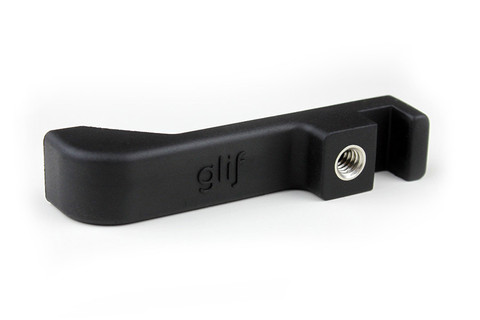
Stabilization is the best (and easiest) way to make your videos look more professional and polished. The Glif Plus is a small tripod adapter that you can slide your iPhone into. From there, you’ll be able to attach your phone to any standard tripod, for ultra smooth and stable video footage. The Glif Plus also includes an extra little stand built in which you can use as a simple prop for your device, great for watching movies. You can even attach the Glif to a keychain.
[$30]


If you’re looking for inspiration for holiday gifts for an Apple fan in your life, we thought it might prove useful if a bunch of us here at 9to5Mac put together our top gadget recommendations. I’ve tried to cover a range of price-points, though admittedly I don’t have much to suggest at the stocking-filler end …
MacBook Air 11: from $999 list
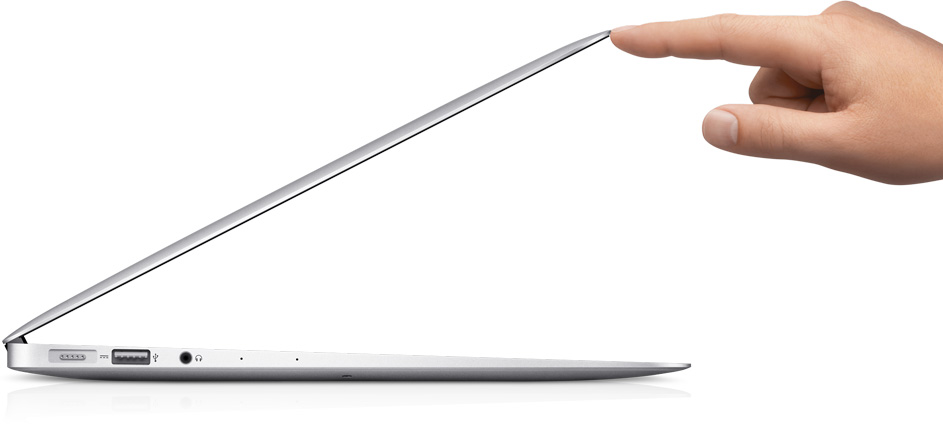
There was a time when the MacBook Air was very much entry-level, but today’s MBAs are extremely capable machines. For many people, they will be the only Mac they need, perhaps in conjunction with a Thunderbolt Display …
Expand
Expanding
Close

Our shopping days are numbered with the holidays quickly approaching, and at 9to5Mac we’re sharing our personal gift guides to help you wrap up your gift buying for the season. Below I included what I think is the best one-size-fits-all Mac this year as well as a number of smart accessories and useful gadgets for the Apple fan or tech enthusiast in your life. Let us know in the comments what your best gift picks of 2013 include.

Apple’s MacBook line ranges in size from 11″ to 15″ and offers Retina and non-Retina displays as well as significant weight and thickness differences, but the 13″ MacBook Pro with Retina display seems to best represent the lineup. It starts at $1299 compared to its 15″ alternative at $1999 and still offers the super high-resolution display which remains absent from the MacBook Air models…
Expand Expanding Close
On Black Friday week, Amazon ($449) and Sears ($499) went into a price war on the 39-inch “120Hz” Seiki 4K displays culminating in a Sub-$400 price (that I jumped on) for the 39-inch variant.
Screw it, I bought a 4K TV for $373 bucks. https://t.co/wO93y2bbQp
— Seth Weintraub (@llsethj) December 9, 2013
I’ve been using it as a 4K, 3840×2160 display for my MacBook Pro 2013 base model (no discrete graphics) off and on for a week.
How is it as a HDTV? Can you use it as a 4K display? Should you? Here’s my take:
Expand
Expanding
Close

I love it when an app developer takes one of my minor grumbles and comes up with a simple solution. PopCalc is one of those.
There are times when I have a few sums to do, and the standard calculator app is a bit too dumb, while creating a spreadsheet in Numbers feels like overkill. What I really want is a cross between the two: the simplicity of a calculator, but some of the functionality of a spreadsheet. And that’s exactly what PopCalc aims to deliver …
Expand
Expanding
Close
With the debut of Ember for iOS today, the image collection app from Realmac Software just got a lot more useful with iCloud sync connecting your Mac, iPad, and iPhone.
Does the complete Ember suite have what it takes to stack up against Photo Stream, Dropbox, and other image syncing solutions? Check out my week-long hands-on experience below…
Inbox Cube is a new innovative app that allows the user to easily navigate and find their emails and quick respond to them. It does this by separating your email into three different “cubes”: Emails, Attachments, and Contacts. Inbox Cube supports Gmail, iCloud, Yahoo!, AOL, and other generic IMAP accounts. It allows multiple email accounts which you are able to view separately.
[vimeo http://vimeo.com/79432766]
The Email Cube is where you’ll find your emails. The sender’s contact photo appears on the left side of the preview (or their first initial, if they don’t have a photo). A paperclip indicator tells you if the email contains attachments, how many attachments there are, and whether you starred the email for reference later.
By default the tiny preview of the message is the first two lines. If you want to preview more of your email without entering the message, pinching out will show you the first four lines of the message (or the first three lines with thumbnails of some of the attachments). Swiping to the right initiates the “action cube,” giving you one-tap options for forwarding, replying, adding stars to messages, marking mail as read, moving, and deleting.
The Attachment Cube allows you to view all of your attachments, both sent and received. It provides a visual preview of each attachment and allows you to quickly go back to the email that contained it. There are also different views for separating out the different types of attachments such as photos, videos and documents.
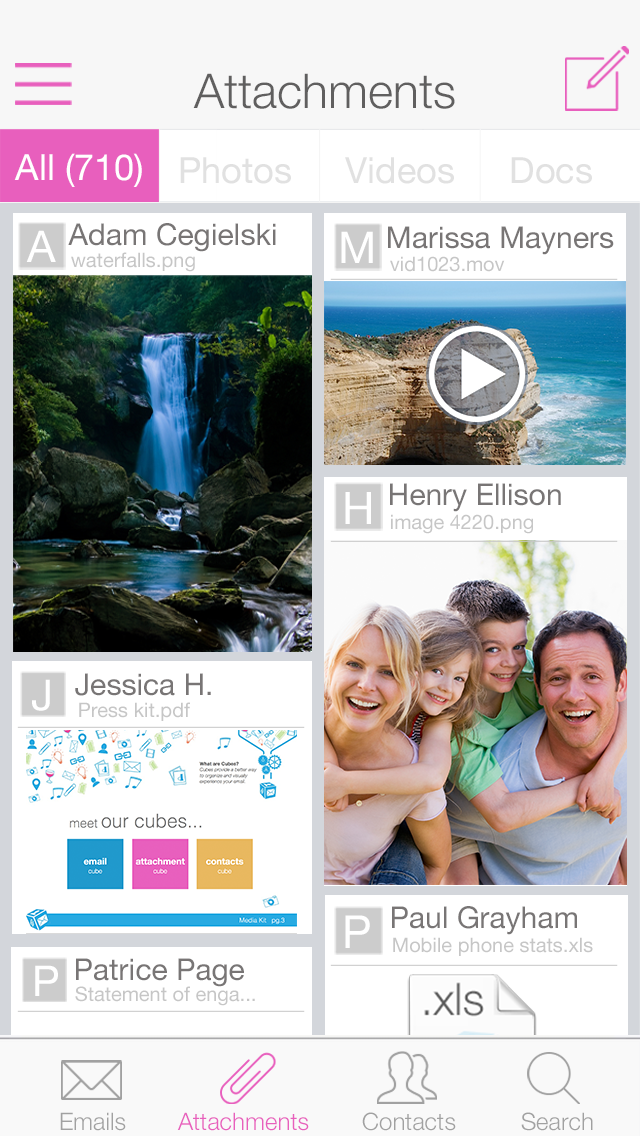
The last cube, Contacts Cube organizes email by contact. It groups all of any correspondence to or from a specific contact together. This makes finding emails from certain people very efficient. This process is much quicker than searching your inbox for that contact and waiting for the search results to load.

Inbox Cube promises to deliver great features, but falls short in many areas, not the least of which is the number of bugs. Right away using it on my iPhone 4S going through the tutorial it was easily noticeable that parts of the interface were chopped off due to the smaller screen size. This also happened on occasion in the Attachments Cube and Contacts Cube, where you cannot scroll all the way down to see everything at the bottom.
Most of bugs lie in the Attachments Cube. Sometimes a few of the previews fail to load, while other times they all show up blank. At times the app says you have no attachments at all, even when this is clearly not the case.
The content in the Contacts Cube doesn’t always match up with the device’s built-in address book. For example, Contacts Cube easily allows you to add a photo to the contact, but that photo will not appear in the vCard in the Contacts app. If you use VIPs in the Mail app, or Favorites in the Contacts app those will not transfer over to favorites in Inbox Cube. It would be nice if either VIPs or Favorites would sync across the two different services. Also there is not a way to merge Contacts into one, which could be beneficial if one of your contacts has multiple email accounts. In the Contacts Cube it would be useful if there was an indicator denoting if you have a new email from your contact, as opposed to searching your inbox to see if anything important came.
Despite the quirks and bugs, with future updates, Inbox Cube can become a very efficient and powerful email client. It makes navigating through the cultter of your inbox easy and efficient by showing you only the things you need. Inbox Cube is available for free in the App Store.

Back in August, I posted my review of the LifeTrak Move C300. In short, I couldn’t get enough of the Bluetooth-enabled fitness band with a long-lasting coin battery set to live for over a year.
The Move C300 is the best fitness band I’ve used, through and through. For me, having the information always available on my wrist and on my phone is extremely powerful. Rather than having to guess at how many steps you’ve taken or syncing just to find out, just looking at your wrist to find out real-time then syncing later to see aggregate information just feels like the right solution.
Now, Salutron (the company behind the LifeTrak brand) has released the Zone C410, which includes not only all of the great movement tracking and heart monitoring, but also automatic sleep tracking. I’ve had the pleasure of testing out this device for about a month now, and despite my best efforts to fool the “automatic” tracking, it is the best technology available in the industry.
The sleep tracking is “monitored based on motion and arm posture.” I’ve had the Jawbone Up and Fitbit Flex, but having to tell the band when I’m going to sleep has always been impossible for me. I tend to fall asleep on the couch or looking around on my phone while in bed. In addition, I’ve fallen asleep folded up in a regular chair. Yet, the Zone was right there tracking the sleep and even measuring the quality of the sleep.
While the band is water-proof, I tend to take it off when I shower so it doesn’t keep the moisture around my wrist. I have found that sometimes it will go into sleeping mode when I put it on the counter for a shower, but the added amount of “sleep” is negligible when comparing sleep data.
Just like the Move C300, the on-device screen can display charts of calorie, step, and distance data. In addition, you can see your sleep quality for the past 24 hours and the amount of sleep you’ve gotten per night (or total per day, for those who take naps throughout the day) for the whole week.
When it comes to size, the LifeTrak bands are definitely larger than their competitors. However, the on-screen display makes it easy to know how you’re doing without taking out your phone. In addition, the battery doesn’t require you to take off the band and charge every couple of days. The size of the band doesn’t affect my typing and, honestly, I feel naked whenever I take off the band. It’s extremely comfortable and doesn’t weigh you down.
Update: Pad and Quill is taking: 20% off iPhone cases, 25% off MacBook cases for 9to5 readers

Brian and Kari from Pad and Quill have sent me a few of their drop dead gorgeous iPhone and iPad cases over the past few months. These are hand-made with natural leather and wood materials with high-quality stitching throughout. The ‘Little Pocket Book’ above is a great wallet case for the iPhone 5/5s. You can just feel the quality of the materials and craftsmanship here. People stop and ask me where I got my iPhone case and if it was hand made.
[youtube=https://www.youtube.com/watch?v=boy3tbSBM8s]
This week, Pad and Quill launched the Satchel Bag, Messenger Bag and Field Bag (videos below). Again, incredible looking product for any Apple user that wants to differentiate from the every day stuff. If the quality is anything like the iPhone and iPad cases, these will be around for a long time.
Expand
Expanding
Close
For the past few months, I’ve been testing the Automatic Link which aims to make you a safer, more efficient driver. But is it enough to really change your driving habits?
With the holiday season quickly approaching and the hardware now widely available and in stock on Amazon (and Prime eligible at that), what better time to discuss my hands-on experience with the smart driving assistant…
http://www.youtube.com/watch?v=sadH0I_0Ve0
As regular readers may have noted, I’m a great fan of wood as a material. The ifrogz case I reviewed earlier in the year was wonderful in terms of aesthetics and build quality, but was essentially designed as a semi-permanent enclosure, which isn’t always convenient.
Others, like the iWood cases reviewed in the same piece, are more convenient but don’t feel as special. The Kerf Case is designed to bridge the gap: a genuine, all-wood case with the convenience of slipping it on and off in a second or two. Cases are available for the iPhone 4/4S and iPhone 5/5s …
Expand
Expanding
Close
http://www.youtube.com/watch?v=aeVJLM8fmrI
I should say at the outset that this is not cheap. Very not cheap. What you’re looking at is $890’s worth of external drive in the 512GB version I have here, or $500 for the 256GB model.
This is not a drive aimed at a consumer wanting a bit of external storage for their movies, but rather a high-performance drive aimed at audiovisual professionals who need an external drive that delivers the kind of speeds in a mobile environment that they are used to from their office setup …
Expand
Expanding
Close

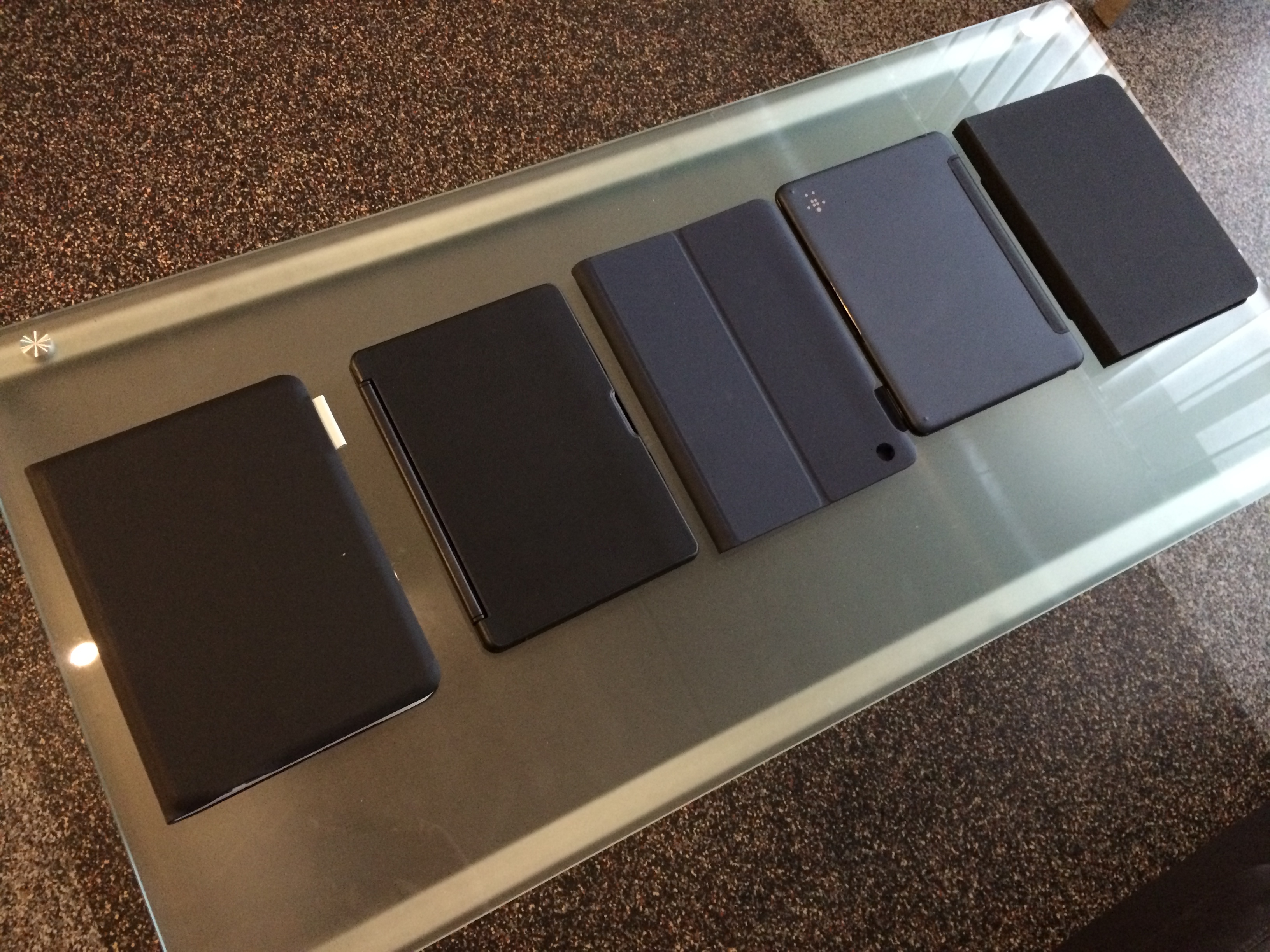
With its wide-range of applications, touchscreen capabilities, portability, and fast processing, the iPad Air has been regarded by many users as a tablet capable of content creation. Coming from a dedicated laptop, however, the Multi-Touch keyboard is a weakness. Not because it is incapable, but because it is sometimes slower to type with, less accurate, and less comfortable.
This is why several iPad accessory makers have created solutions: keyboard attachments in the form of cases. For the past few weeks, I have been testing the latest keyboard case offerings for the iPad Air from Logitech, Belkin, and ZAGG. Below, I have put together a review and comparison of the Logitech FabricSkin Keyboard Folio, Logitech Ultrathin Keyboard Folio, Belkin Slim Style Keyboard Case, Belkin Ultimate Keyboard Case, and the ZAGG Folio Keyboard:
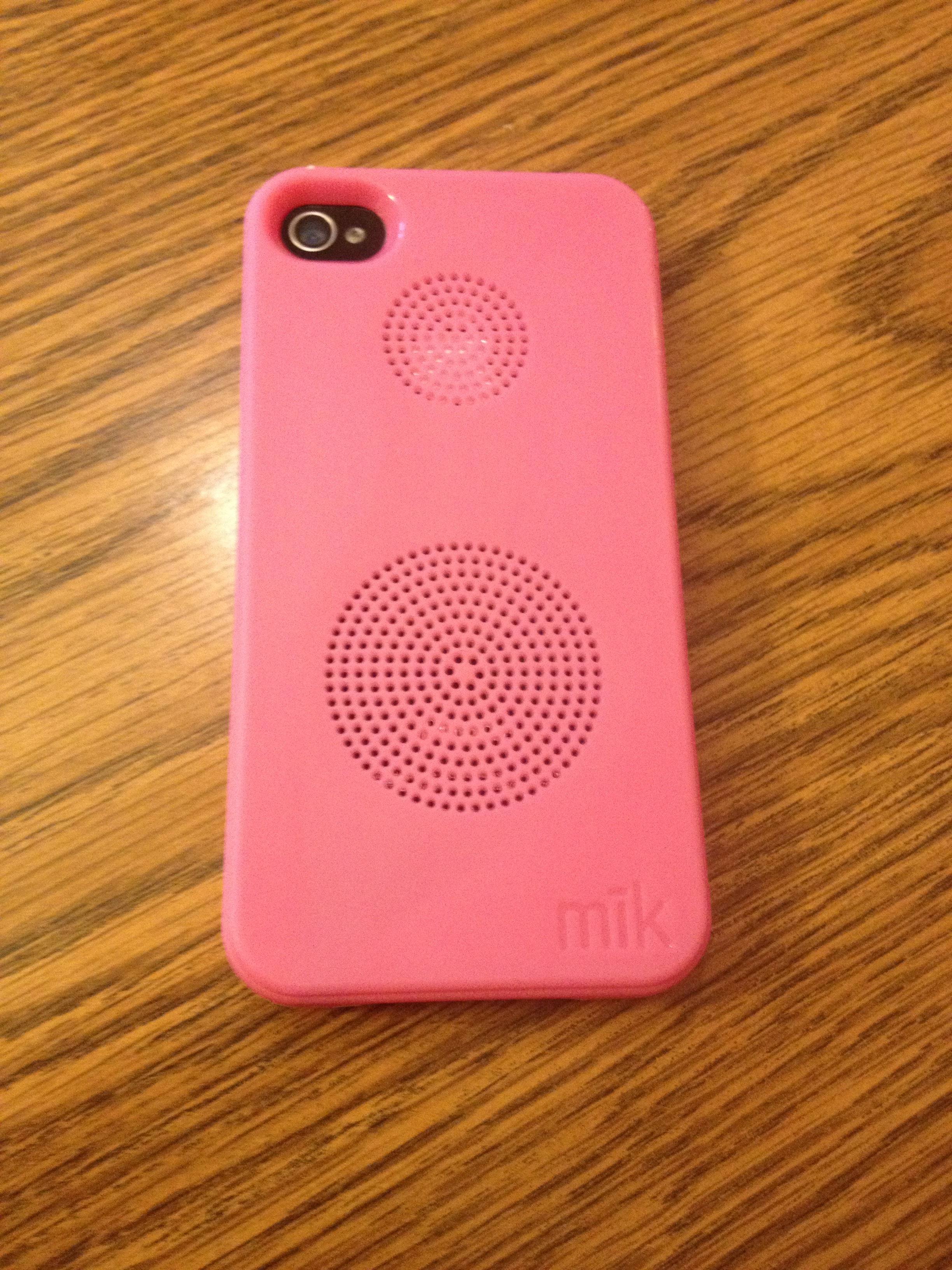
The mik Sound Case is a new type of phone case available for the iPhone 4/4S and iPhone 5/5s. It amplifies the phone’s speaker by an additional 15 to 20 decibels and improves the clarity and quality of the sound. By blocking the speaker, the case forces the sound to travel through a hollow space and out an opening on the back of the phone. Thankfully, the lightweight case doesn’t add any additional weight to the phone.
The 90s brought with it a plethora of culture and fun (myself included) from breakthrough Nintendo handheld video games to pop music and weird boy bands (like Britney Spears and N*SYNC). We recently witnessed N*SYNC reunite, but something else from the 90s needed modernizing: Tamagotchi, the digital pet you fed and loved as a kid.
That’s where Hatch steps in… err, hatches… right on your iPhone!
In a collaborative effort between Impending and Realmac Software, who last teamed up to deliver Clear, the two studios deliver on what is an absolutely adorable and lovable game for the iPhone. Check out my complete hands-on review of the long-anticipated Hatch (and lots of entertaining photos) below:
Expand
Expanding
Close
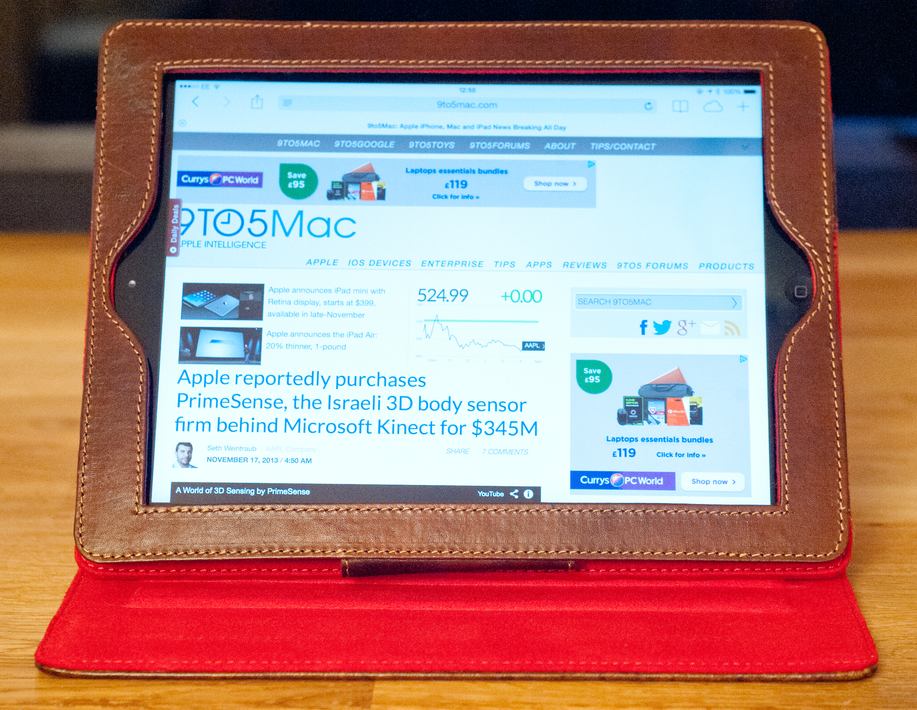
While I may be known for my addiction to all things anodised aluminum, I also have a love of natural materials, wood and leather especially. My MacBook Pro and MacBook Air both travel in BookBook leather cases (reviewed here by Jordan), so when Studio Credence announced a book-style case for the iPad, I decided to take a look.
First impressions
Studio Credence is clearly going for a bit of a rustic look. The packaging is undyed cardboard, with the case itself in a muslin-type drawstring bag. Open this, and what you have inside is a very similar approach to the BookBook range …
Expand
Expanding
Close
I’ve been using the Griffin Powerdock 5 to charge my devices for over a month now and I don’t have anything terribly profound to say about it. It works. It works well. It charges 5 devices including iPads and tablets as quickly as possible. The output for each USB port is 10 watts (5 volts DC @ 2.1 amps) for each charging bay.
You can even charge portable speakers like the Logitech Boom or JBL Charge as fast as their native chargers will. It also looks nice (when you get short wires pictured above, not my set up below).
The problem? The retail price is $100, and we’re seeing low prices around $75. That’s a little bit nuts for a 5-port charger even if it is well designed and effective.
There are nice items at Amazon including this Anker 5-port USB charger (which can also quick-charge 2 iPads) for $16-20 and gets great reviews. It is hard to justify paying 4 times the price for a nice plastic stand. But it you think it is pretty, have at it:
Not me:
[youtube http://www.youtube.com/watch?v=fyppUIP7Odk]
A Retina display may have been some time coming on the iPad mini, but the general verdict appears to be that it was worth the wait.
Many are querying the price, especially now that the full-size iPad Air is so much smaller and lighter than its predecessors, and costs just $100 more. But if portability is key, reviewers seem every bit as impressed by the iPad mini as I was by the Air.
Read on for the conclusions from five early reviews …
Expand
Expanding
Close
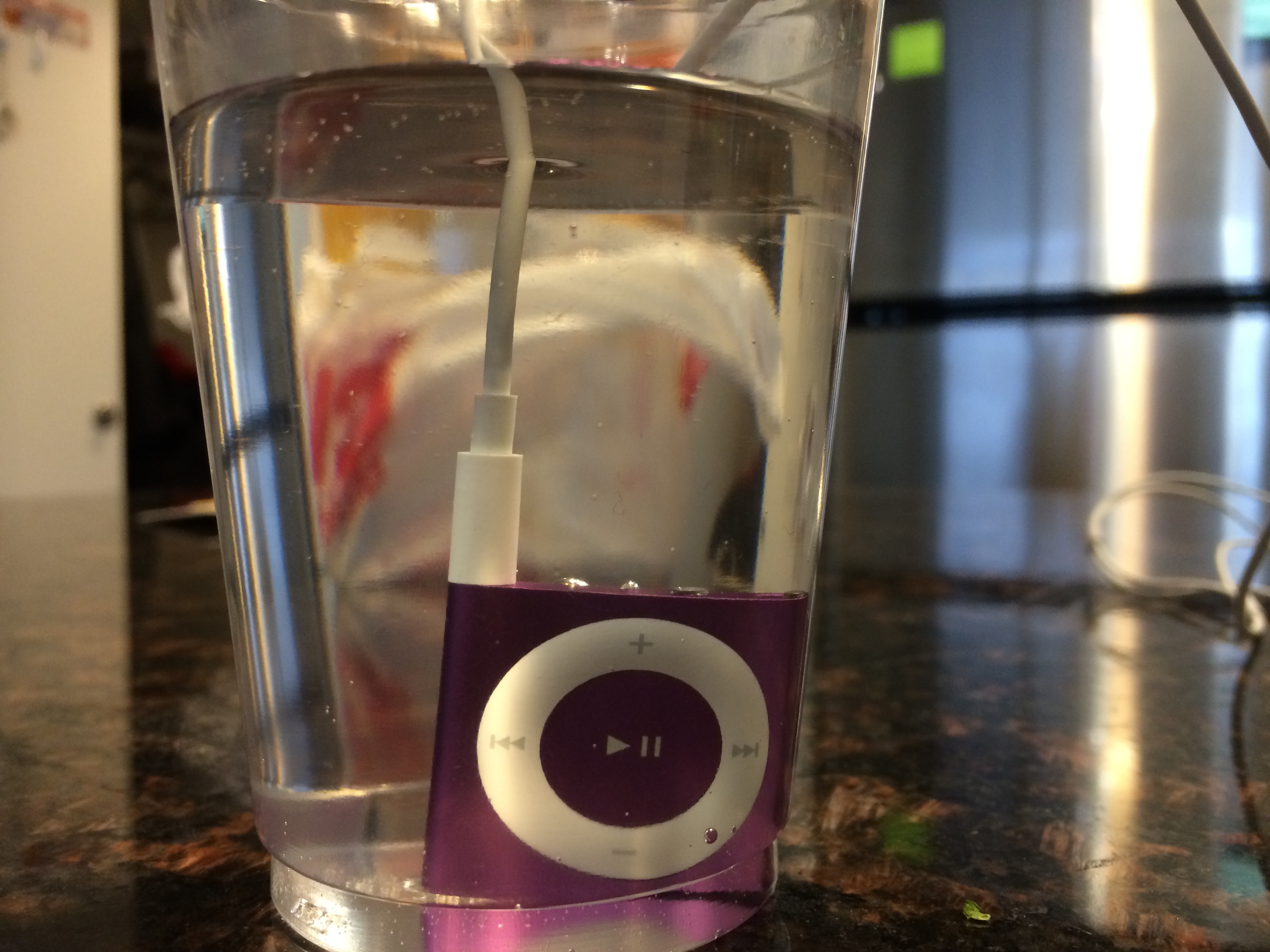
For the past few months, I’ve been testing Underwater Audio’s waterproofing service for Apple’s iPod shuffle. As the name implies, Underwater Audio is a company that created a technique to waterproof the iPod shuffle without changing the design, form-factor, size, overall weight and thinness of the wearable, lowest-cost iPod…
It’s no secret that we’re fans of Bluetooth speakers here at 9to5Mac. So, naturally, it was exciting to a see a Bluetooth speaker from Naztech, the Koncert Boomstation, enter the scene. Combining a traditional Bluetooth speaker with a backup battery for your devices and a speakerphone makes for one interesting product, and I’ve been putting the device through its paces for the last few weeks. Let’s take a closer look.

All tech companies love to hype their shiny new gadgets. Nothing is ever a slightly better version of the last model, everything is a ‘breakthrough’, changes are always ‘dramatic’, performance is always ‘ground-breaking’.
Apple is of course the acknowledged master of the marketing arts, so if I’m honest I mentally toned-down all the claims in the keynote about it being “dramatically thinner and lighter,” and I responded to Phil Schiller’s claim that “once you hold one in your hand you will understand what a tremendous advancement this is” with a wry smile.
But having owned and used one extensively for a week now, I actually think Apple’s hype didn’t go far enough. This is not just a bit thinner and lighter, it’s virtually a third category of iPad …
Expand
Expanding
Close

Update: Setting up the Sonos Play:1 is now easier due to the fact that the Bridge is no longer required.
The Sonos® Play:1 is a wireless audio system that uses your WiFi network to transmit audio to high-quality portable speakers. The Santa Barbara-based company has been producing audio components since 2002, and their new Play:1 demonstrates their experience in the industry. The Play:1 is very compact at only 6.36 by 4.69 inches, but it produces a refined but powerful signal.