A wireless technology specifically geared towards exchanging data over short distances, Bluetooth is a staple hardware feature for many Apple products, such as those in the iPhone, iPad, Apple Watch, and Mac lineups. Bluetooth is also incorporated in many Apple peripherals, such as the Magic Keyboard, and Magic Mouse.
Last month creators of the popular Paper by FiftyThree iPad app announced that it would soon be shipping a $60 Bluetooth stylus for the drawing app called “Pencil”. With the first preorders for the device expected to start shipping this week according to the company’s Twitter account, today it has also updated the official Paper by FiftyThree app with features specifically for Pencil.
The app now supports new palm rejection, erase, and blend features for Pencil:
Palm Rejection— Pencil and Paper work together to produce the most sophisticated and effective palm rejection in any app available today. No setup, no calibration, just natural feeling writing and drawing.
Erase— Pencil’s unique built-in eraser lets you get down to what’s essential.
Blend— Pencil takes care of the lines so you can use your fingers to blend colors on the page and smooth rough edges without ever picking up a tool.
FiftyThree has been taking preorders of Pencil as an in-app purchase directly in the Paper iPad app as well as through its website. It’s selling a graphite model for $50 and a walnut model for $60. While the first preorders will begin shipping this week, an update on its Twitter account today notes new orders will take around in 3-4 weeks.
With its wide-range of applications, touchscreen capabilities, portability, and fast processing, the iPad Air has been regarded by many users as a tablet capable of content creation. Coming from a dedicated laptop, however, the Multi-Touch keyboard is a weakness. Not because it is incapable, but because it is sometimes slower to type with, less accurate, and less comfortable.
FiftyThree, the company behind the drawing and painting iPad app Paper, has launched a Bluetooth stylus which appears to have all the style and simplicity you’d expect from the people behind the iPad App of the Year 2012.
Great tools inspire great ideas. Pencil is the most natural and expressive tool for getting ideas on Paper. Advanced technology meets beautiful design to keep you in the flow, without needing to switch tools. With Erase, Blend, and adaptive Palm Rejection, Pencil puts creative possibility in your hands …
Customers entering an Apple Store (<a href="http://www.flickr.com/photos/klingon65/3840822757/in/photolist-6RpdN2-6RtfAW-6RJAHC-6TMNPK-6YaK9g-72ym3y-72ym69-76vgUH-76zcSC-7a46eP-7a46j2-7a46rZ-7a46vV-7a7VFJ-7bk1Cx-7dWBrd-7ebgkw-7fwqc8-7hjdSo-7pJoH8-7pJryH-7pNgDU-7pNhNW-7pNkxW-7rwhLM-7sVwEs-7tYcdD-bqqpoE-bqqqXs-bqqq3L-bDkiMB-bqqqwu-8gRXYQ-dDbgNk-crXJFW-dLxppW-co1G8N-dFMpEd-9SH1T9-bQrD92-aVVDhv-8gRXQC-8gRXR7-8gRXU7-8gNFZz-8gNFZV-8gRXSb-8gNG26-8gNG2H-8gRXTw-8gRXSw/">Photo by Gary Burke</a>)
iOS 7’s flashy launch earlier this year overshadowed a breakthrough new feature: iBeacons, a location-based technology with profound implications for industries such as retail. An iBeacon system could allow a store to install transmitters that would wirelessly connect to an iPhone and tell the phone its location with respect to items on shelves. This iPhone could then perform additional functionality if it is equipped with a specialized application. According to multiple sources, Apple is planning to soon enable just that in its retail stores… Expand Expanding Close
It’s no secret that we’re fans of Bluetooth speakers here at 9to5Mac. So, naturally, it was exciting to a see a Bluetooth speaker from Naztech, the Koncert Boomstation, enter the scene. Combining a traditional Bluetooth speaker with a backup battery for your devices and a speakerphone makes for one interesting product, and I’ve been putting the device through its paces for the last few weeks. Let’s take a closer look.
United and American have joined Delta and Jet Blue in permitting gate-to-gate use of portable electronic devices, following the FAA ruling making it legal to do so.
The FAA had said at the time that airlines would need to perform individual tests to demonstrate that the use of electronic devices during all phases of flight would be safe, and had suggested that this might take some time. With the announcement expected as long ago as March, however, it appears that several airlines undertook this testing in advance of the formal ruling.
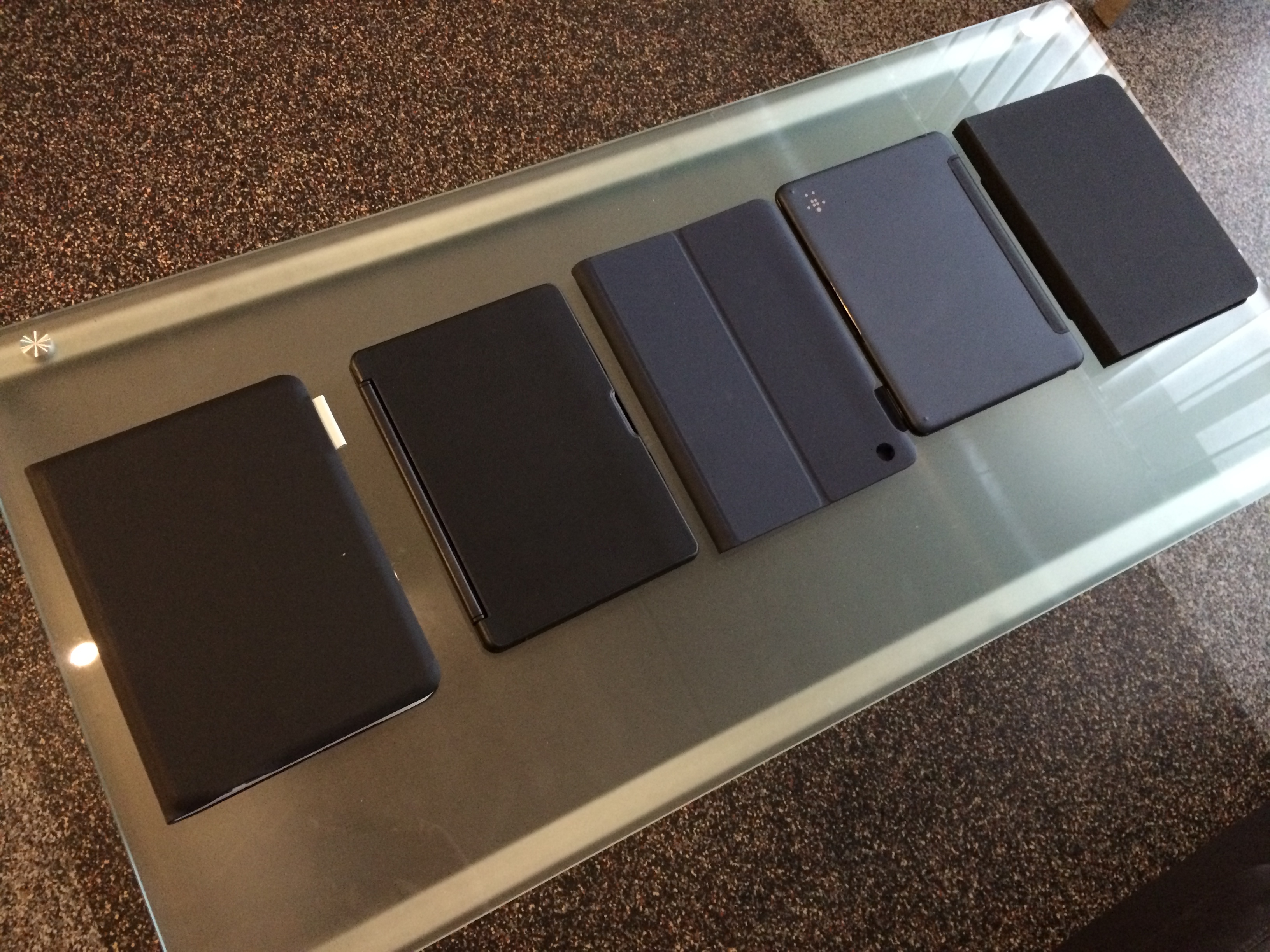
There has still been no clarification on what constitutes a ‘handheld’ device, but airlines so far appear to be saying yes to tablets and ebook readers and no to laptops. With many tablet and Bluetooth keyboard combos being visually indistinguishable from ultrabooks to non-technical cabin crews, we shall watch with interest to see how the rules are enforced.
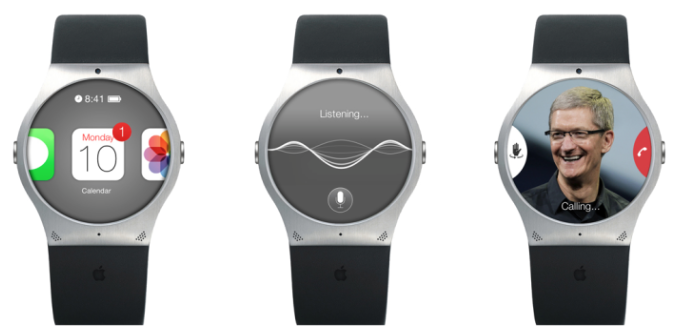
An Apple patent filing filed today suggests that Apple may be working on a way to make its long-rumored iWatch slimmer than existing offerings by reducing the size of the battery required.
One of the barriers to widespread adoption of smartwatches is that existing models are not exactly sleek. Technology lovers might be willing to put function ahead of form and put up with chunky devices, but the wider market buys on style first, technology second.
While the Bluetooth LE protocol used by existing smartwatches uses around half the power of classic Bluetooth (peaking at 15mA instead of 30mA), a constant connection in a device you won’t want to charge daily still requires a reasonably chunky battery. What Apple’s patent proposes is for an on-demand creation of a Bluetooth connection between two devices, one with radio capabilities (aka an iPhone), one without … Expand Expanding Close
Knock uses a combination of an iPhone app (currently offered at an introductory price of $3.99) and a Mac app (available for free at Knock’s website) to enable unlocking of your Mac, wirelessly, by just knocking the back of your iPhone.
It’s a surreal experience. After a couple of minutes of initial setup, you lock your Mac and rap the back of your paired iPhone twice. Your Mac unlocks. The app doesn’t even have to be forefront on your phone, although it does have to be ‘open’ in the multitasking tray. In fact, your phone doesn’t even have to be unlocked. When it senses the Mac is near, a notification appears on the lock screen instructing you to knock. There are some nice UI touches too. For instance, echoes of the ‘sound wave’ appear on OS X’s lock screen in real time as you knock. It’s a subtle visual indicator that the system is actually working.
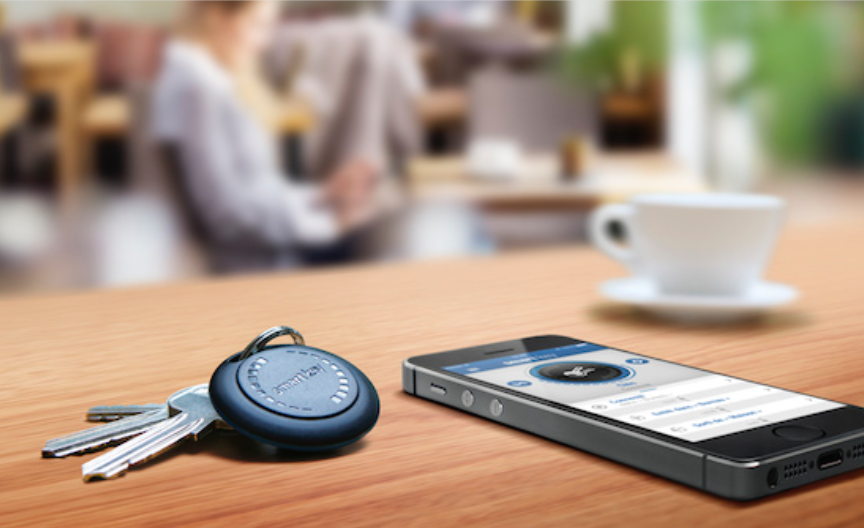
Low-energy Bluetooth is really starting to take-off in a big way, with seemingly every other product on the main crowdsourced-funding sites using it. One product that actually exists, though, is the Elgato Smart Key – which appears good value at just $40.
If you can’t remember where you last saw your keys, the Elgato Smart Key iPhone app will tell you the GPS location of where the two devices were last in contact. Through the app you’ll also be able to make the Smart Key play a sound to help you find your keys when they are down the back of the sofa. Not only that, but attach them to your keys and your iPhone will alert you when you walk off and leave them somewhere. Leave one in the glove compartment of your car, and the app will show you were you parked a if you need reminding … Expand Expanding Close
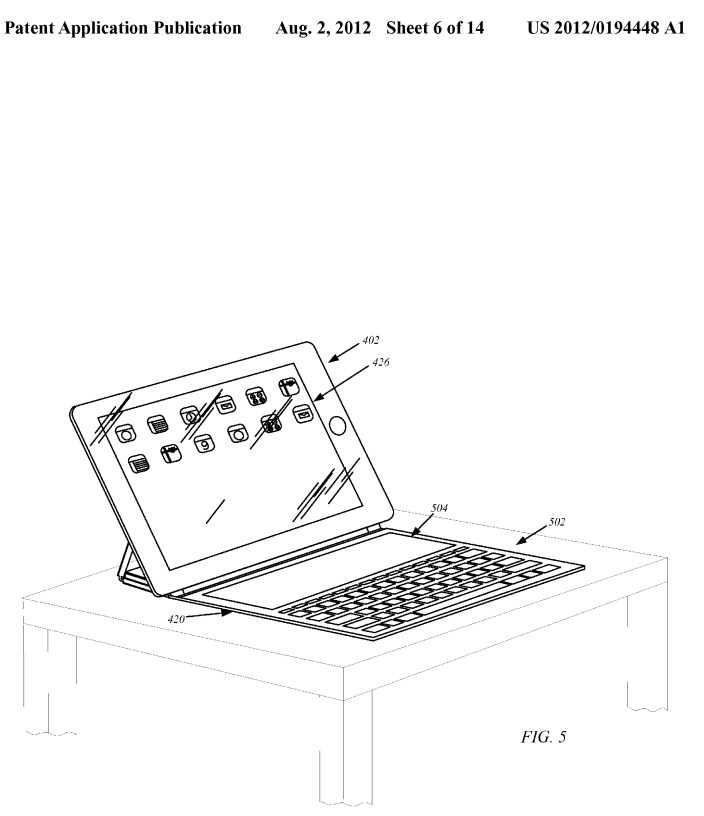
Apple has published multiple patent applications for keyboard covers for its iPad that sort of resemble what Microsoft did in its keyboard cover for Surface. Until now, however, Apple has relied on third-party vendors like Logitech, Zagg (who has already announced a new iPad 5 keyboard case) and Belkin to provide these covers. Logitech and Zagg have had keyboard covers for the iPad since before both the patent application above and Microsoft’s Surface announcement.
But today, Jamie Ryan, who lists Apple Developer Relations as a recent job, says that Apple has been working on a prototype of such a device and could release it at tomorrow’s event. He thinks it could be Bluetooth 4.0 to save power and was ‘told other cover like accessories are also being looked at.’
We’ve had a lot of experience reviewing the best portable Bluetooth speakers on the market but what haven’t yet covered speakers so small, you can actually wear them, put them on your bike, or listen to them in the shower. We have two for you today.
The first of these is the $30 Divoom Bean, a small, durable little Bluetooth speaker that looks a little like a ‘smurf lock’ and is the size of a large egg with a carabiner attached (blue above). It weighs almost nothing and it charges via a micro-USB port on the bottom. It only has 2 buttons on it, a power button and ‘phone’ button. You’ll need to change volume from your phone or other A2DP Bluetooth device and this device seems to automatically switch off after a few minutes of inactivity. It also functions as a speakerphone.
A large majority of the deals we cover each day come from a variety of ‘Daily Deal’ websites or are so popular that they don’t even last 24 hours. We know you can’t be at your computer every second, so we’re going to round up the best deals each day to make sure you have a fair shot at the deals you want. Be sure to follow 9to5Toys.com so you never miss a deal...Twitter, RSS Feed, Facebook, Google+.
With Apple’s iBeacon technology starting to see some real-world applications, we thought this would be a good time to take a brief look at what it is and what we might expect from it in future … Expand Expanding Close
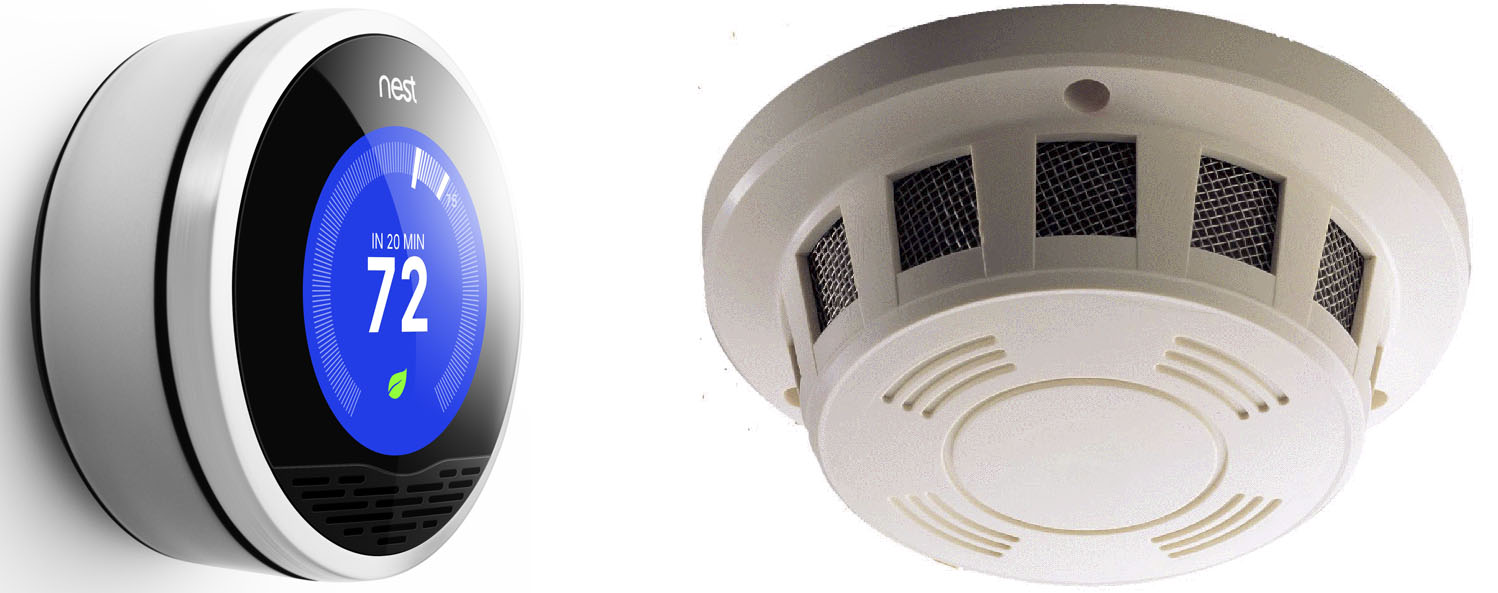
Nest thermostat versus “ugly white crap” smoke detector
Nest Labs, the high-profile startup created by “father of the iPod” Tony Fadell, is reportedly planning to set its sights on a hi-tech smoke detector, following the successful launch of its Learning Thermostat.
Former WSJ journalist Jessica Lessin cites “people close to the startup” as saying that the new device could go on sale later this year. It’s speculated that the smoke detector would also detect carbon monoxide, and would be offered with a subscription-based monitoring service. More mundanely, it could be silenced simply by waving at it (I’m probably not the only person whose cooking requires the occasional ability to silence a smoke detector …).
Above and below we might be getting a look at teasers for the first gaming controllers that will take advantage of Apple’s new MFi game controller frameworks. The first, above, comes to us from ClamCase. The company posted the teaser above for what appears to be a new controller, dubbed “GameCase”, that would attach to both an iPhone and an iPad (an iPad mini, at least). We spoke with the company who told us that the new controller would indeed follow Apple’s new MFi standards for game controllers.
Control Center is one of iOS 7 brand new easy to use features that makes it very efficient to toggle on and off certain settings. To activate and get into Control Center, you swipe up from the bottom of the screen.
You are now able to quickly access Airplane Mode, Wifi, Bluetooth, Do Not Disturb Mode and Lock Rotation. You are also able to easily adjust the brightness of your display by adjusting the slider next to the suns. You also have controls for playing your music, with a volume slider below the controls. Below that you do have the option to AirDrop (only available on iPhone 5 or later, iPad fouth generation and newer, and iPod Touch fifth generation and newer) and AirPlay which allows you to wirelessly project the device’s display using an Apple TV or to project music to Bluetooth speakers or AirPlay speakers.
For quick easy access you now do have a flashlight. Even if your phone display goes to sleep, the flashlight still stays on, so make sure you actually do tap the flashlight again, to turn it off. You don’t need to have a Flashlight app anymore as it is built in. You do also have easy access to the Clock app, so you can set alarms, timers, or use the stop watch. You have access to the calculator app. You also have a new way to open up the Camera app.
For example, Control Center is great because now I do not have to unlock my iPhone, type in my password, go into Settings, turn on Bluetooth and have it connect again with my car system. Now I just swipe up to open up Control Center, tap on Bluetooth and it automatically pairs up with my car speakerphone.
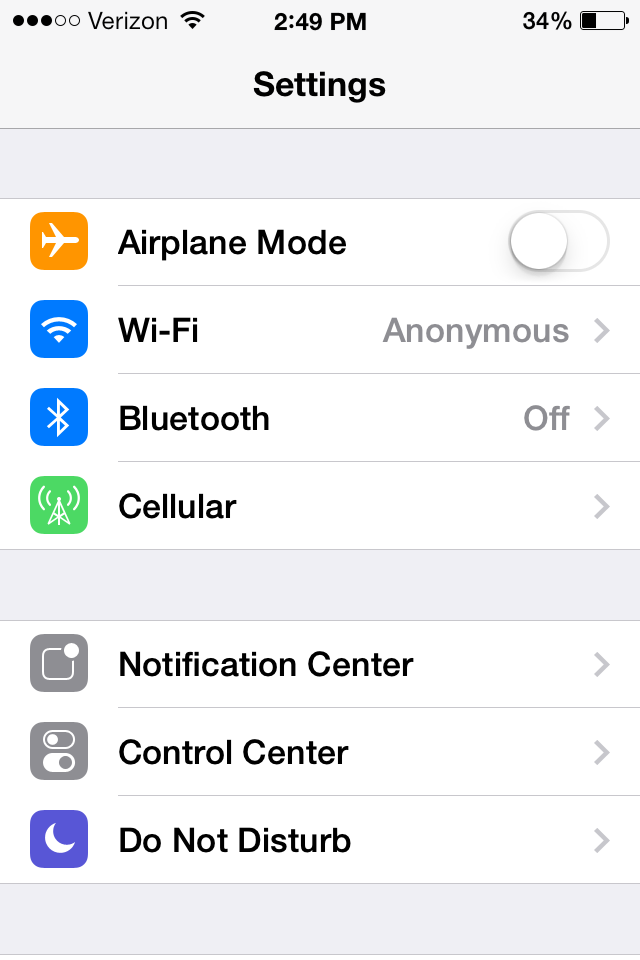
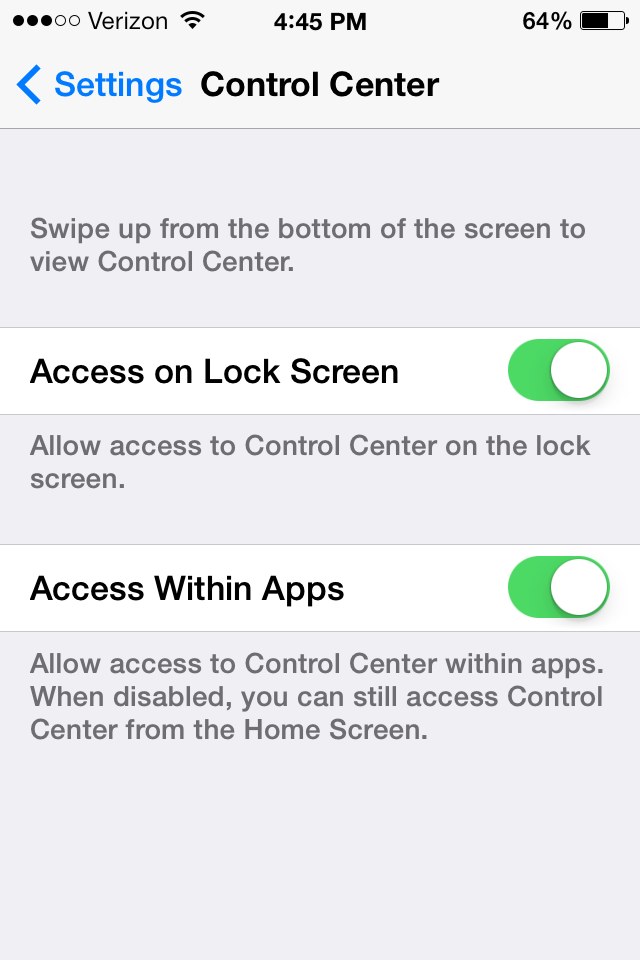
However, not everybody might want to access Control Center from their lock screen. You can control where on your phone you want to be able to activate Control Center. For example, you can decide whether or not you want to be able to access control center on your lock screen, and while you are in apps. To set this up, go into settings.
Then press on Control Center.
You can then toggle to access Control Center on the Lock Screen on and off. Same thing with accessing it within apps.
Logitech is announcing a line of new super slim, touch enabled Bluetooth mice today that might finally give Mac users a great alternative to Apple’s own multi-touch Magic Mouse. While both mouses feature the same specs and multi-touch enabled surface, Logitech is marketing the black version for Windows Ultrabook users, while the white version has been made specifically for OS X users to match the all-aluminum body of MacBooks.
“Whether it’s a computer, tablet, smartphone or touch-navigation device, people are looking for thin, modern design that works fluidly,” said Charlotte Johs, Logitech global vice president of brand development. “We created the Logitech Ultrathin Touch Mouse to give people an ultraportable mouse that complements today’s MacBook and Ultrabook computers.”
The Logitech Ultrathin Touch Mouse T631 for Mac (as well as the T630 for Ultrabooks) features a brushed metallic body, “feather-light” design at 70g, and comes in at 85 mm x 59mm x 18 mm. It also includes USB charging, Logitech’s Easy-Switch Bluetooth technology for switching between devices, and optimizations for OS X touch gestures. The company says you can expect to get around 1 hour of use from 1 minute of charge time. Logitech clarified that the mouse gets around 10 hours max battery life on a full charge:
the Logitech Ultrathin Touch Mouse is much longer than one hour — it can last up to 10 days on a full charge, based on typical user experiences. It charges very quickly, and just one minute of charge time will give you up to one hour of power.
The Logitech Ultrathin Touch Mouse T631 for Mac in white will be available in the US and Europe in November, while the Ultrathin Touch Mouse T630 in black will be available in both markets starting in next month. Both will sell for $69.99 and are available to preorder now through Logitech’s website starting today.
All of that ended the moment I got the $199 Bose Soundlink Mini, a product that shows that Bose is willing to think outside of its “hyper-premium price” box without sacrificing the quality of its product… Expand Expanding Close
The update supports Gmail via a login through Google, while other IMAP email accounts are supported via a login-system within the app. Non-IMAP accounts (like POP) are not supported.
For those who receive a lot of email, Pebble has included an option to temporarily pause email notifications:
Once it has been successfully set up, you will see the account listed on the Email Notifications page. A blue bar means that the account is active. If you would like to temporarily disable the notifications, simply tap the bar once to turn them off; it will appear grey when the notifications are disabled. Tap the bar again when you wish to re-enable the notifications.
A large majority of the deals we cover each day come from a variety of ‘Daily Deal’ websites or are so popular that they don’t even last 24 hours. We know you can’t be at your computer every second, so we’re going to round up the best deals each day to make sure you have a fair shot at the deals you want. Be sure to follow 9to5Toys.com so you never miss a deal...Twitter, RSS Feed, Facebook, Google+.
Also check out the latest 9to5Mac Happy Hour to hear the latest 9to5Toys segment. During the show, there’s a mention of $50 video conversion software currently available for free and the VPN service proXPN.com available at a 20% discount.