Google Chrome

See All Stories
Site default logo image

Oops – watch those ‘Incognito Mode’ web searches, Chrome’s latest iOS upgrade no longer forgets

http://www.youtube.com/watch?v=61SzHpGGFRs

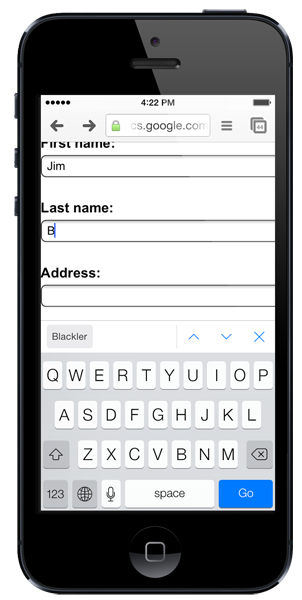
If you’ve been carrying out any dodgy searches in Incognito Mode in the iOS 7 version of Google Chrome, you may want to wander casually into settings to delete the search history (looking toward the sky and whistling helps): it appears that Incognito Mode currently isn’t. All searches performed in the private browsing mode are available in search history once you return to normal browsing.

The above video is rather swift, and has no commentary, but what it shows is erasing history to start with a clean slate, entering Incognito Mode, visiting a website, returning to normal browsing and then viewing search history at Google – where the supposed private web session shows up.

Note that you do need to visit Google to see the history: it doesn’t show up when simply using the combined URL/search bar.

Google updated the app last month. The company has not yet made any statement on the bug.

Thanks, Robin

Site default logo image

Farewell Windows Safari, as Apple excludes its homegrown browser from iCloud bookmark sync

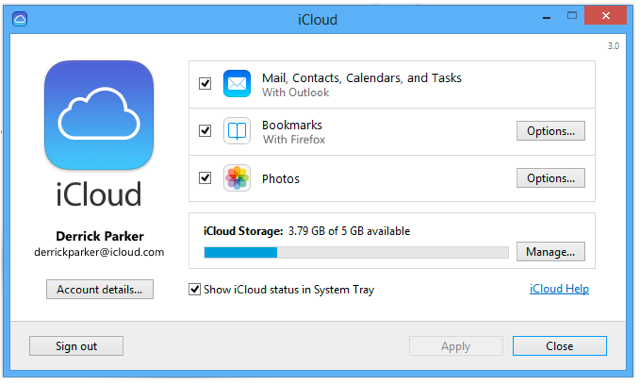
We knew that Apple’s attempt to expand Safari’s reach into the Windows population was at an end when the company stopped updating the Windows version a year ago, but the browser has now been erased from history as Apple’s bookmark sync tool drops support for it. iCloud Control Panel 3.0 for Windows, released yesterday, supports only Internet Explorer, Firefox and Chrome.

iCloud keeps mail, contacts, and calendars up to date between your iPhone, iPad, iPod touch, Mac, and Windows PC, and lets you share calendars and task lists.

iCloud also keeps your Internet Explorer, Firefox, or Google Chrome bookmarks on Windows in sync with your Safari bookmarks on iPhone, iPad, iPod touch, and Mac.

On OS X, however, Apple is keep to ensure we don’t use anything else. The iCloud Bookmarks extension for Chrome, allowing bookmark syncing with Safari, works only on the Windows version of Chrome. C’mon, Apple, make us want to use your software by making it better than anyone else’s, not by this kind of move …

Site default logo image

Google Play Books for iOS updated with Single Sign-On support

Google has been adding Single Sign-On support to lots of its iOS apps in recent months, making it easier to sign into Google apps on their iPhone or iPad. With Single Sign-On, users can sign in once in any Google app supporting the feature and will automatically be signed into all the other apps. The idea is to eliminate having to sign-in multiple times to the same Google account for different apps. The latest app to get the update is Google Play Books, which was updated today to version 1.6.1 with support for Single Sign-On and copying selected text.

Google also recently added Single Sign-On support for its Chrome, YouTube, and AdSense iOS apps.

What’s New in Version 1.6.1

Added support for Google Single Sign-On, so that you only need to sign in once to access all of the Google apps on your device.
Added support for copying selected text, if copyright allows.
Stability improvements.

Site default logo image

Chrome for iOS adds faster search results, data cost savings features & voice search pronoun support

Google is rolling out an updated version of its iOS app for iPhone and iPad today that brings a few new features including faster search results. Google says after clicking back in Chrome to return to a search results page results will now “instantly appear, ready for you to choose the next one.”

The update also adds data cost savings features, rolling out to all users shortly, that provides a view of data savings in Bandwidth Management settings. Also new is voice search pronounce support:

Try queries like: “Who is the president of the United States?” followed by “Who is his wife?”

The updated version of Chrome for iOS also includes improvements to Single Sign On for other Google Apps, bug fixes, and other performance and security improvements.

Apple buys data compression, mobile imaging and video firm AlgoTrim

Site default logo image

According to Rapidus.se (via TechCrunch), Apple has purchased a Swedish firm called AlgoTrim for an undisclosed price. The small company specializes in image and video, specifically JPEG, compression techniques on mobile devices which allow faster processing of images on power-constrained mobile devices.

AlgoTrim™ develops advanced solutions for mobile devices within the fields of data compression, mobile imaging and video, and computer graphics.

These solutions are designed to excel in terms of high performance and small memory requirements, making them ideal for mobile devices. Many solutions offered by AlgoTrim are codecs that are the fastest on the market, for example, the lossless codec for general data compression and the imaging codecs.

Apple could use these codecs in its camera and image viewing and manipulation apps on iOS. It is probable that the cost of picking up the company and owning the technology outweighed the cost of licensing the technology over its hundreds of millions of devices. This also could be an “aquihire”.

Apple is no stranger to the Swedish technology market. It picked up Polar Rose in 2010, a face recognition company and C3 a Swedish 3D mapping company in the run up to its Maps product launch. Cupertino has been on a bit of a startup binge lately buying such companies as Embark and Matcha.tv.

Last year, AlgoTrim reported a revenue of 3.0 million USD, with an net income before taxes of EUR -1.1 million.  Until now, AloTrim has been focused mostly on Android development.

Update: The acquisition has been confirmed to TechCrunch:

Apple buys smaller technology companies from time to time, and we generally do not discuss our purpose or plans.

Site default logo image

If the latest Chrome update crashes your jailbroken iPhone, the fix is to enable crash reporting

We heard reports that yesterday’s Chrome browser update is crashing on Jailbroken iPhones. It appears there was some code that detected jailbreaks in the browser and assumed that crash-reporting was enabled. The fix is unsurprisingly enabling crash reporting.

Google said a fix will be in the next update, but it doesn’t have a timeframe on that.

We have found a bug that affects jailbroken devices with crash reporting and metrics *disabled*. The fix will be in our next release (we can’t say when that will be, please don’t ask).

One workaround is to enable crash reporting. Open “Library/Application Support/Google/Chrome/Local State” and change the “reporting_enabled” flag to “true”. That will enable reporting without needing to reinstall the app. Mind you, we haven’t tested this ourselves. :-) If you do not wish to do this, or are not comfortable doing this, you’ll need to wait for the next release. The other workaround is to uninstall and re-install and enable crash reporting, but you might lose data if you don’t use sync.

For those who are hitting crashes with 3rd-party add-ons, this workaround is not sufficient and you will need to contact the 3rd-party developer directly and have them update their add-on to work with Chrome M25.

To fix via SSH:
Expand
Expanding
Close

Site default logo image

Opera joins Apple and Google in its move to WebKit browser rendering engine

Big news from Oslo:

To provide a leading browser on Android and iOS, this year Opera will make a gradual transition to the WebKit engine, as well as Chromium, for most of its upcoming versions of browsers for smartphones and computers.

“The WebKit engine is already very good, and we aim to take part in making it even better. It supports the standards we care about, and it has the performance we need,” says CTO of Opera Software, Håkon Wium Lie. “It makes more sense to have our experts working with the open source communities to further improve WebKit and Chromium, rather than developing our own rendering engine further. Opera will contribute to the WebKit and Chromium projects, and we have already submitted our first set of patches: to improve multi-column layout.”

That means there are now three major browser engines: Mozilla’s, Microsoft’s, and now the WebKit engine that Apple adopted from KHTML/Konqueror. With Apple and Google (with its WebKit adaptation Chrome) dominating mobile and now tablets, it is no secret which engine is poised to dominate in the coming years. Good call, Opera.

Opera is already contributing code to WebKit and expects to start rolling out products at MWC this month.
Expand
Expanding
Close

Site default logo image

Latest Chrome developer build hints at Google Now integration

Apple is set to get another taste of Google Now—the Siri competitor out of Mountain View. This time, in Chrome for Mac. Google Plus user François Beaufort discovered (via CNET) references to Google Now in the latest Chromium build yesterday that said “creating a skeleton for Google Now for Chrome implementation.” It’s not clear how long it will take for the new feature to roll out, but the code hints to Google Now’s features appearing in Google Chrome’s notification cards.


Expand
Expanding
Close

Site default logo image

Chrome for iOS updated with social and email sharing features, bugfixes and optimizations

For those of you who enjoy a little Chrome in your iOS experience, Google updated Chrome today with some nice social-sharing features. Posting to Facebook, Twitter and Google Plus are all included with the ability to push pages to the email application. The additions start to bring Chrome up to par with Apple’s Mobile Safari, which still benefits from speed due to an optimized Nitro engine that sandboxed apps do not have access to.

It would not be a Chrome update without a few “stability and security improvements” and “bug fixes addressing user feedback” either.


Expand
Expanding
Close

Site default logo image

Twitter updates TweetDeck to be more ‘swift’ [Video]

[youtube=http://www.youtube.com/watch?v=NZuGdsjo44k&feature=player_embedded]

Twitter is keeping busy this summer with a slew of updates to its line of products, and now the microblogging service is tidying up TweetDeck.

The desktop application updated today with a new layout for “swifter navigation,” featuring refreshed columns, expanded actions for tweets, and even a revamped Twitter bird icon.

TweetDeck explained:

  • Today you can more easily discover and react to the information you care about with new navigation features in TweetDeck. You have given us some really useful feedback after using these features on web.tweetdeck.com, and now you can use this swifter TweetDeck on other platforms too.
  • This swifter version of TweetDeck is available now at tweetdeck.com, where you can download TweetDeck for Windows, access the Chrome app or sign in to web.tweetdeck.com. The updated TweetDeck for Mac will be available in the Mac App Store shortly.

Go to the TweetDeck Posterous page for a full breakdown on the latest version, or just check out the video above.

TweetDeck is free at the Mac App Store.


Expand
Expanding
Close

Site default logo image

Google Chrome lands No. 1 spot for free iOS apps

Google’s Chrome browser for iOS is now No. 1 in the App Store for free apps.

The mobile browser went live for iPhone and iPad owners yesterday, and now it holds the top spot for both device categories. The app notably allows users to view open tabs, bookmarks, and other browser particulars running on other computers and devices. Users can even send pages from Chrome on a computer to their iPhone, iPod touch, or iPad with “one click and read them on the go, even if you’re offline.”

Chrome for iOS already touts 4.5-stars based on over 3,500 reviews as of press time. Despite the glowing accolades, some folks are noticing its lack of Apple-given attention:

[tweet https://twitter.com/piecykw/status/218530635013300224]

This article is cross-posted on 9to5Google.


Expand
Expanding
Close

April 1st: iFixit, ThinkGeek, Google, and more

Site default logo image

There are a lot of interesting announcements this Sunday morning.  Here is a rundown, but make sure to hit us with anything else you find in the comments below.

iFixit offers a special tool for opening the new iPad, which is reinforced with extra glue:

From the makers of Doxie comes Shreddie, the portable document shredder.

ThinkGeek —whose previous entry, the iCade, became a real product— introduced us to Hungry Hungry Hippos for iPad:

O2 has a phone  that will last for 1,000 hours of talk time:

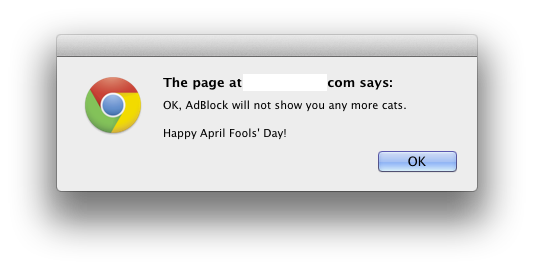
Adblock is showing LOLcats today:

Google, which seems to give every department a mission for today, has a bunch of great stuff:


Expand
Expanding
Close

Whited00r brings newer features to legacy iOS devices

Site default logo image

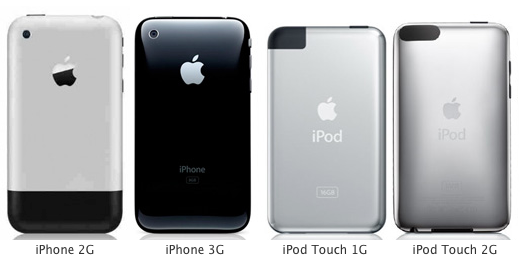
In recent years, as newer iOS devices begin to shine, the older ones start to be left in the dust due to newer iOS features. Luckily, a new custom firmware called Whited00r brings some of these features to older devices such as the iPhone 2G/3G and older iPods. The firmware does not call for a jailbreak, but instead it is based off iOS 3.1.3 to bring you some of the latest features.

Whited00r added features like multitasking, app folders, reminders, improved home screen, video recording, and faster speed. What about iCloud? Whited00r used Dropbox syncing throughout the operating system to sync files with other devices. Whited00r also used a custom Newsstand to deliver news. (via TechCrunch)

The install process is very straightforward:


Expand
Expanding
Close

Hackers slap Lion overlay onto iOS, with surprisingly good results

Site default logo image

[youtube=http://www.youtube.com/watch?v=IZFNi9SLFkU]

Not, “put this on my iPhone now” good but “wow, that’s interesting and must’ve taken a lot of hard work” good. Lifehacker explains:

You can now grab the theme via an app on Theme Outlet. Here’s how. (And make sure you have Dreamboard installed, as this is a Dreamboard theme and requires it.)

  1. Open Cydia
  2. Tap Manage Sources
  3. Tap Edit, then Add, then add source fnetdesigns.com/cydia/repo
  4. Go to the Changes section and install Theme Outlet
  5. Close Cydia, go to your home screen, and open Theme Outlet
  6. Browse for OS X Ultimatum and download it from there
  7. Open up Dreamboard, browse for the OS X Lion Ultimatum theme, and install it.


Expand
Expanding
Close

Google releases new stable Chrome version, featuring full-screen mode and overlay scrollbars

Site default logo image

Google has announced on the Chrome Blog a new release on the Chrome stable channel. The new release has been available to developers in the dev channel since August, where developers got the chance to use the full-screen mode (Ctrl+Shift+F) and overlay scrollbars inside of Lion. Today, these features have landed for everyone; download it here.

Also landing in the new version are two new technologies for developers: Web Audio API and Native Client. Web Audio API adds the ability for developers to use different audio effects, but even better, Native Client brings the ability to execute C and C++ code in the browser. Check it out in the video after the break:

Download
Expand
Expanding
Close

Kindle goes cloud with Kindle Cloud Reader, works great on the iPad

Site default logo image

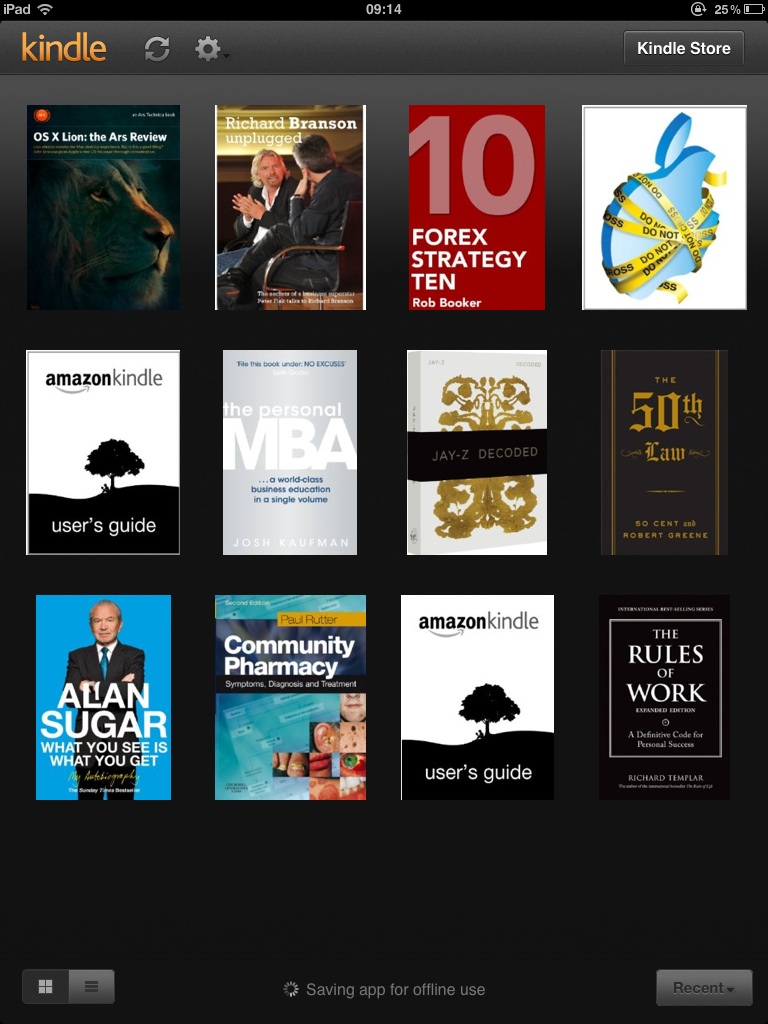
Screenshot of web app courtesy of @drbuk

As reported by TechCrunch, Amazon has released a new Kindle Cloud Reader service. The service allows users of both Macs and PCs running either Safari or Google Chrome to read their Kindle books online. Better yet, the service works on iPad’s Mobile Safari. A feature that owners of WiFi-only iPads will enjoy is page caching for offline reading.

Notably, this is a great solution for Amazon to work around Apple’s in-app-purchase requirements for applications that offer purchases. In fact, what better way to spur Web innovation than to force people out of the store?  Good job Apple!

Full Press release follows:


Expand
Expanding
Close

Safari posts stronger gains than Google’s Chrome in July

Site default logo image

Although Chrome controls one-fifth of the global web browsing market and has overtaken Firefox as the second most-used browser in the UK, Google’s browser has been growing slower in absolute terms than Apple’s Safari in the month of July. In July, Chrome added .34 percentage points of market share for a 13.45 percent web usage share. In the same period, Safari grew .57 percentage points for a 8.05 percent web usage share in July, per latest Net Applications metrics. Apple’s and Google’s browser were the only ones growing (with the exception of the Other category), while Microsoft’s Internet Explorer and Mozilla’s Firefox ceded market share and had 52.81 and 21.48 percent web usage share.

A big factor: Apple just revamped its consumer MacBook Airs and Mac Minis as well as refreshing the Mac OS with Lion.

Of course, the numbers are not representative of the whole market because Net Applications derives stats from some 40,000 participating web sites, but they’re a good and fairly accurate indication of market trends.


Expand
Expanding
Close

Embarrassing: MacBook Air, Safari 5.0.4 pwned at hacking contest in five seconds

Site default logo image

Why is it that Apple’s otherwise excellent Safari browser seems to be more prone to vulnerabilities than rival offerings from Microsoft, Google and Mozilla? Ever since security whiz Charlie Miller in 2008 broke into the MacBook Air in two minutes through Safari, the browser has been the subject of intense criticism for its various security weaknesses. Well, Safari just got pwned again at yesterday’s HP TippingPoint-sponsored hacking challenge at the CanSecWest security conference in Vancouver, British Columbia.

This time, the bragging rights belong to the French security firm Vupen which won a cool $15,000 and a MacBook Air for beating its perks in pwning Apple’s browser. It took the team just a few seconds to exploit an unpatched Safari vulnerability. “We pwned Apple Safari on Mac OS X (x64) at pwn2own in 5 seconds,” they tweeted.

Expand
Expanding
Close

Firefox is now the most popular browser in Europe

Site default logo image

Here’s some interesting news from the periphery.  In Europe, where Microsoft was forced to institute a ‘browser ballot ‘upon the installation of Windows (giving Opera, Safari, Chrome, Firefox and IE equal billing), Firefox has just passed IE as the most popular browser on the continent.

That’s according to Statcounter who told Reuters “This appears to be happening because Google’s Chrome is stealing share from Internet Explorer while Firefox is mainly maintaining its existing share. We are probably seeing the impact of the agreement between European Commission competition authorities and Microsoft, to offer EU users a choice and menu of browsers from March last year.”

Given equal footing with other browsers, users just don’t pick IE (remember this ballot is only a year old and it will likely get much worse for Microsoft.

Full graph below:
Expand
Expanding
Close