As you can probably see, we made some big changes to the look and feel of the site this weekend. The new design was put together by Get10Up.com and we want to thank Taylor, Jake and the rest of the team for getting it all into place and making this happen.
We did not hate the old 9to5 design, but we wanted to start from scratch on so many different aspects due to Retina devices proliferating and the move toward mobile. Some improvements you will notice:
1. All of the design elements are optimized for Retina displays. In addition, we are able to display images and video over 700 pixels wide in this new format (1,400 pixel Retina). This allows us to bring imagery and video clarity that has always been hard to deliver (without “open in a new window”). Our CMS/Hosting partners WordPress VIP are also jumping on the Retina train with new additions that will allow us to deliver Retina quality imagery without compromising load times for those without Retina displays.
2. Mobile. We have been through a bunch of mobile designs before, which we were not particularly fond of (and neither were you!), but last year we gave up and decided we were going to start fresh. If you are reading this on a mobile device, you will hopefully like the changes at hand. Desktop users: Have a look…or just resize your browser and notice how the responsive desktop elements fall away into a mobile experience.
3. Load times. Even with Retina images and design elements, we wanted to bring load times down. The team at Get10Up was able to pull this off with their mastery of WordPress, CSS and some front- and back-end “magic.” No matter what device you are using, you should notice significant page load time improvement.
4. We are a blog and proud of it. Recently, many of the bigger blogs attempted to change formats from their roots in the reverse chronological format into something like a magazine or newspaper. We played with the idea, but we found that we really, truly enjoy the traditional blog format whether we’re on an iPhone, an iPad, or our Macs. With that said, we also enlarged our Top 4 Feature Stories to spread across the page. In addition, we are improving our “asides” as smaller, title-only lines on the front page. We love these for small, quick bits of news and hope you do too.
5. Hooray for Authors! We gave a little more space to Mark, Jordan, Elyse, Jake, Mike, and all of our contributors who do a great job of delivering Apple news, rumors, reviews, and opinion to you first. You will see their faces on stories so you will know who is delivering your news.
6. Sharing buttons: Nowhere and everywhere. We labored over the decision about whether to include sharing buttons. On one hand, they are very helpful when you want to share a post with your social networks. On the other hand, they take valuable load time, are ugly, and they get in the way of the flow of content.
We think we came up with an elegant compromise: There are no social buttons anywhere on the site, but sharing buttons will load with counts (now including Pinterest!) if you hit the ‘share’ text on top or ‘share this’ text on the bottom of a post. They are a little harder to find, but we think you will have no problem sharing if you should decide.
7. You! As you’ve probably noticed (see @inadarei above), we’ve been embedding a lot of reader Tweet reactions to posts recently. Besides just calling out great comments, embedding allows us to share the conversation. If you have something to add, include the post URL and cc @9to5mac on the tweet for consideration.
We also pushed updates to 9to5Google.comand 9to5Toys.com, which should unite the experience. 9to5Forums.comand our commenting engine also got a big pickup this week from VanillaForums. It improves voting/order of comments, spam removal, and a host of smaller improvements. 9to5Forums will move to the new design shortly.
We really hope you like the update and it improves your experience at 9to5 (more on the way too). We love bringing you your favorite technology news!
You might remember a couple months ago when our friends at iFixit tore down the new Retina MacBook Pro. Unfortunately, the device received its lowest repairability score with the company calling it “the least repairable laptop”. While the new MacBooks provide possibly Apple’s least accessible and upgradeable design out of the box, iFixit updated its website today with its official 2012 MacBook Pro Retina repair guide to make it as easy as possible. Fifteen separate installation guides for the AirPort Board, battery, fans, logic board, speakers, SSD, trackpad, etc., are included in the repair guide with one maintenance guide for reapplying thermal paste to the CPU and GPU.
Many components within the laptop can be removed without much fuss, provided folks use the correct tools. Pentalobe screws hold the lower case in place and Torx screws secure everything else. Spudgers and plastic opening tools are absolutely necessary, as many of the components are designed with such tight tolerances that using fingertips is simply not an option.
Fair warning: working on the laptop is no easy task. Some repairs are simply infeasible. For example, there is no way to replace the trackpad without removing the battery. And while it’s possible to remove the battery, chances are high that it will be punctured in the process. Puncturing Lithium-polymer batteries releases noxious fumes and can cause fires. Additionally, removing the LCD glass from the aluminum frame will almost certainly break the glass. So components residing under the LCD — such as the FaceTime camera — will have to be replaced with the entire assembly… Finding replacements for the machine’s proprietary components is currently difficult. We’re working to source parts, but it may take some time.
iFixit also estimated that third-party battery replacements —if done correctly— could cost over $500:
LaCie introduced the RuggedKey this week. It is an IP-54 water and dust resistant USB 3.0 key that provides speeds up to 150 MB/s and a bumper that offers protection from “heat, cold, and 100-meter drops.” The RuggedKey is now available in Apple stores or from the company directly starting at $40 for 16 GB, but LaCie also announced today that it updated its entire USB 3.0 portfolio with optimizations specifically for Apple’s latest lineup of MacBooks. LaCie said it re-engineered its USB 3.0 products for Lion and Mountain Lion by taking advantage of USB-attached SCSI Protocol support in Ivy Bridge Macs:
Thanks to UAS (USB Attached SCSI Protocol), people with the latest Macbook Air, Macbook Pro and Macbook Pro with Retina Display will experience maximum USB 3.0 performance… Everything from cables and USB keys, to professional RAID storage solutions have been re-engineered for advanced performances. LaCie’s recently announced RuggedKey achieves top speeds up to 150MB/s in 32GB of flash memory – making it one of the fastest USB keys on the market. LaCie’s popular Rugged Triple, and Porsche Design P’9223 and P’9233 have also been optimized for Mac and are available in Apple retail.
On top of Apple stores, the redesigned lineup of LaCie USB 3.0 products is available through LaCie stores. The company’s full press release is below: Read more
We reported late last month that Tweetbot for Mac, a desktop version of the popular third-party iOS Twitter client, would likely come soon after the company’s graphic designer, Mark Jardine, tweeted an image of the client running on a MacBook. Today, Tweetbot developers decided to make things official with the release of a public alpha, and we recently got a chance to play around with it. (Blog post here.)
The Tweetbot alpha, which at this point runs on 10.7+ and 10.8 Mountain Lion, has a lot going for it despite warnings of “Bugs! Lots of them.” According to Tapbots, the main goal of the alpha was to replicate the core functionality of the iOS client. Like tapping a tweet in the iPad app, hovering over a tweet in the Mac client provides you with the same Reply, Retweet, Favorite, Share, and Actions button to get access to details, conversations, retweets, and etc.
In addition, like the iPad app, you will find a button to quickly switch lists in the upper right, while a Lists button on the left sidebar will let you manage and edit your lists within the app. The app also bakes in the familiar “Mute Filters” for your main timeline. However, only the ability to mute “Clients” appears to be an option now—with the option for muting keywords greyed out. You will also get Twitter, bit.ly, CloudApp, and Droplr URL shortening options, and all the same image and video-uploading options as on iOS, including: CloudApp, Droplr, img.ly, Lockerz, Mobypicture, Pikchur, Posterous, Twitgoo, TwitPic/TwitVid, and yfrog. Syncing options only feature Tweet Marker currently (iCloud coming soon), while all the Read Later services are present such as bitly, Instapaper, Pinboard, Pocket, and Readability.
We have had a lot to say about the Twitter experience on the new Retina MacBook Pros. The official Twitter for Mac app is unfortunately not Retina-ready and almost unusable on the new Retina displays. Fortunately, we have a Retina update to Twitterific to tie us over, but the Alpha Tweetbot release today is also built for the new Retina display. We have no complaints. It looks great, but Tapbots said further improvements are coming…
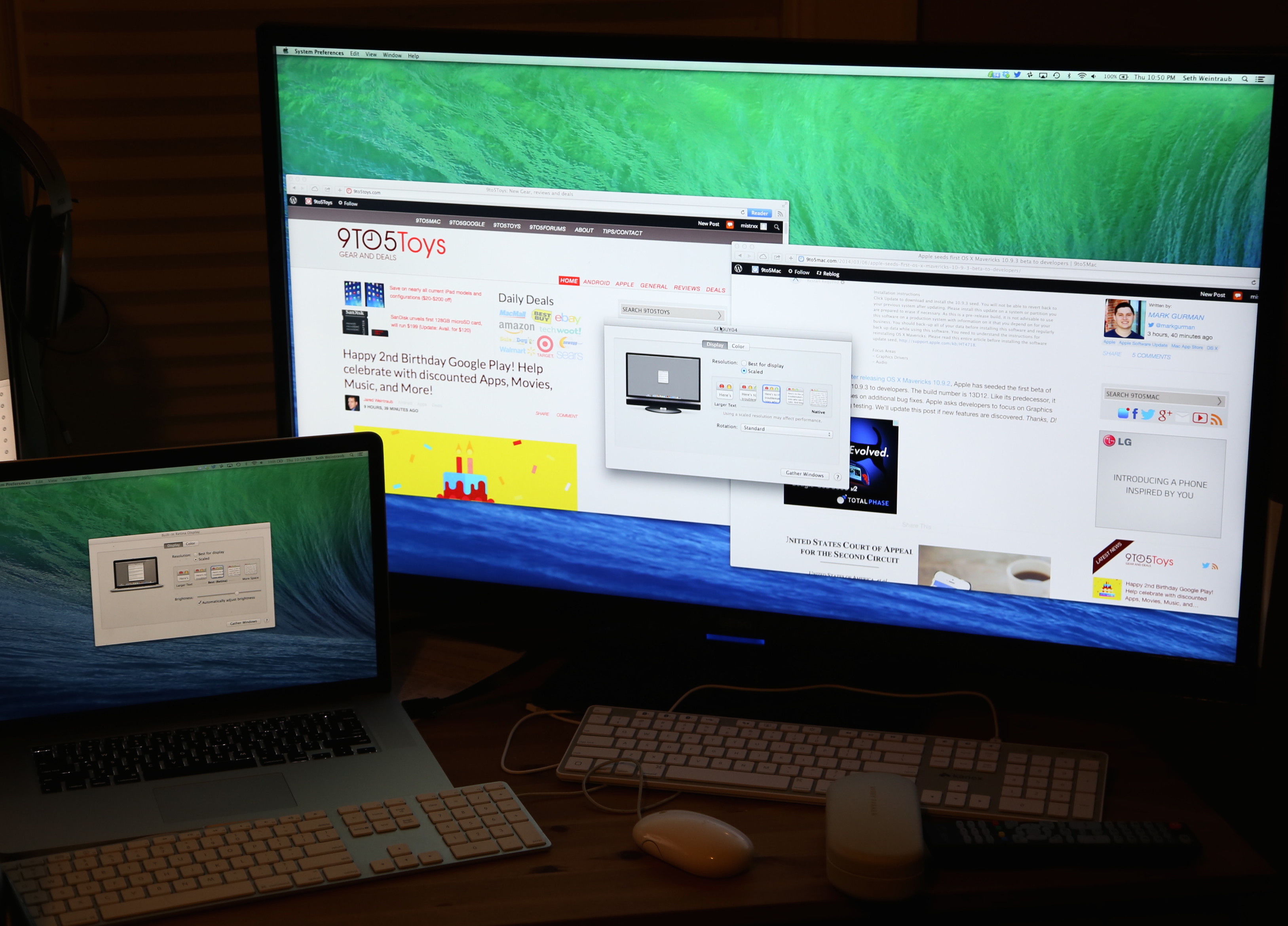
While Apple already recognized in its support documents for Thunderbolt that the new Retina MacBook Pro supports up to three external displays (as pictured above from Other World Computing’s recent tests of the setup), it has yet to confirm official support for the refreshed Ivy Bridge MacBook Airs. Today, we get word that the new MacBook Airs indeed support two external Thunderbolt displays thanks to the recent “Mac OS X Lion Update (Mid-2012 MacBook Air)” update that “improves external display support.” Apple has not updated the device’s specs page to reflect support for dual external Thunderbolt monitors.
The image below from OWC shows two iMacs running at 2,560-by-1,440 as Thunderbolt displays, and it shows an LG monitor at 1,920-by-1,200 via HDMI. The post noted “moving images and media didn’t create any lag and we were able to play video on all four displays simultaneously.” This makes the new MacBooks the first to support up to four displays at their native resolution. Note: You could theoretically add even more space with AOC DisplayLink displays.
The refreshed MacBook Air with dual external Thunderbolt displays is pictured above, while the MacBook Pro with three displays is below: Read more