Latest

From the makers of Clear, ‘Ember’ is a digital scrapbook that illuminates your inspiration [Review]

Site default logo image
"Ember is your digital scrapbook of things that inspire you"

“Ember is your digital scrapbook of things that inspire you”

Realmac Software has been busy at work this year, releasing Analog Camera for iPhone, updates to Clear and Analog for Mac, and now releasing the next generation of its digital scrapbook LittleSnapper, now known as Ember for Mac.

Ember simplifies the management of screenshots and web clips into collections and features annotation functionality. Ember can even plug in to popular sites that feature beautiful imagery like Dribbble and National Geographic. In addition, integrated services like Messages, Twitter, Flickr, and CloudApp allow for easy image sharing.


Expand
Expanding
Close

Site default logo image

Plex iOS app updated with more responsive browser & other performance improvements

Plex-iOS-app-iconPlex, the popular media server app for Mac, iOS and Apple TV, received an update today to its iPhone and iPad app that brings a number of performance improvements that address issues users have been noticing since the last major update. Among the fixes is a much improved and more responsive browser, fixes for multi-part playback, and a “clear cached data” function that actually works as you’d expect. A few of the fixes should help to get rid of any crashes that you might have been experiencing recently:

We squashed a bug that reared its ugly head when attempting to display items without thumbnail images, which could cause the app to crash on launch or when signing in to myPlex.

A full list of what’s new in version 3.2.3 of the Plex app for iOS is below:

What’s New in Version 3.2.3

We’re back again with another round of bug fixes. Thanks so much to the forum members who helped us track down some of the more serious issues. We really appreciate your help! Without further ado, here’s what’s been fixed in this version:

• We squashed a bug that reared its ugly head when attempting to display items without thumbnail images, which could cause the app to crash on launch or when signing in to myPlex.
• A potential crash while removing or modifying sync items has been fixed.
• Reliability while browsing has been improved further, especially when scrolling rapidly in large library sections.
• The browser is more responsive while scrolling.
• Multi-part playback works properly again.
• Items beginning with special characters outside the device’s selected language are now included when browsing.
• The “Clear Cached Data” action works again.
• We’ve added protection against invalid cache data.
• A few minor cosmetic issues have been addressed.

Site default logo image

Evernote for iOS updated with shortcuts, Skitch integration, more

Screen Shot 2013-07-18 at 5.42.45 PM

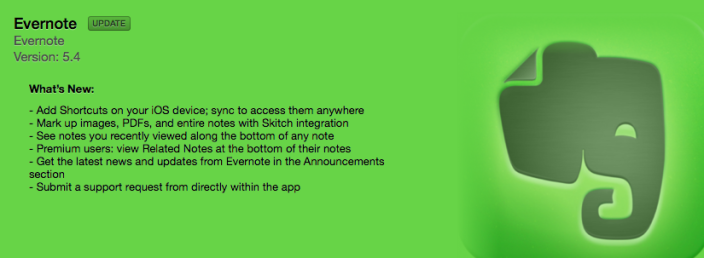
Evernote for iOS has been updated to Version 5.4 this evening, bringing Skitch integration and sync-able shortcuts to the universal app. The handy note-taking and document organization app is free in the App Store.

What’s new in Version 5.4:

– Add Shortcuts on your iOS device; sync to access them anywhere
– Mark up images, PDFs, and entire notes with Skitch integration
– See notes you recently viewed along the bottom of any note

Site default logo image

VLC returns to the App Store after two year hiatus

largeVLC

After a nasty licensing issue that broke out in 2011, VLC was removed from the App Store. Today, the media player is destined to make a comeback, complete with new features like WiFi content uploading, which makes it even easier for you to get content from your desktop to the app on your iOS device.

In some sense, this app may be too little too late, as the trend toward video streaming has increased tremendously over the past few years. Going through all of the effort to transfer your videos from your computer to phone/tablet may not be worth it. However, users who are going to be without an internet connection for some time – or those with low data caps – will find the new VLC app quite useful.

From our own Benjamin Mayo:

Although I greatly appreciate the engineering effort necessary to make the decoding process multithreaded, a big boon for multicore iOS devices, the app’s UI still leaves much to be desired.

Expect the app to appear in the App Store shortly.

Update: It’s out now. 

Site default logo image

Ruby for Reddit: A simple client for iPhone [Review]

ruby_header

Today, HalfPeeled has released a third party client for Reddit, Ruby for Reddit, that makes the already unique experience of browsing the community-based entertainment website extremely simple. The company, which is headed up by WWDC Student Scholarship recipient Nate Chiger, is also responsible for the neat panoramic photo sharing app, PanoPerfect, as well as a few other interesting apps that are worth checking out. Before we jump into the app’s functionality, let’s take a moment to talk a bit about Reddit. If you’re already familiar with what Reddit is, feel free to skip this paragraph below and jump down to the review.

For those who are unfamiliar, Reddit is a social news website that empowers users to submit content in the form of a text or link post and vote on the best submitted content. Often referred to as “the front page of the Internet,” Reddit prompts users to actively engage in ‘up voting’ or ‘down voting’ submissions so that the greatest, most interesting content can rise to the top of the page. In doing so, the site encourages users to submit all sorts of posts — from world news to cat .gifs — so that the site and its community can vote and subsequently engage in conversation about almost anything there is to talk about. In doing so, Reddit has formed its own unique culture and community that have shed some light on incredible stories and have even given way to powerful, life-changing actions. Reddit has no barrier to entry (other than signing up for an account) and can make even the most slow days seem interesting. In short, if you haven’t yet perused the site or don’t already have an account, you should probably check it out and sign up for one free of charge. It’ll certainly make this review a whole lot more interesting.

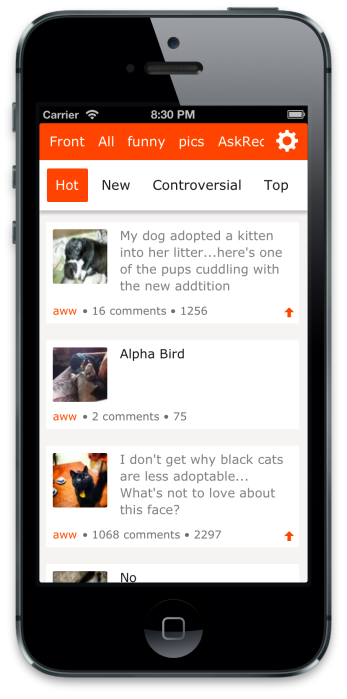
Now that you’re all caught up on Reddit, let’s get back to the app. Ruby for Reddit features a extremely simple and familiar user interface that puts Reddit’s content at the center. You can switch between different subreddits (groups on Reddit based on categories) and pages by tapping on the top bar or by swiping out the navigation panel, much like the official Facebook app. You can also view images inline and pinch to see content in full screen. There are even some custom fonts for you to choose from and a dark mode that makes viewing posts easier at night.

HalfPeeled has also included a ‘Pro’ mode (unlocked via in-app purchase) that lets you submit quick posts to Reddit and hide the status bar from view. You can get by without purchasing the Pro mode, but it’s there for users who enjoy using the app and are looking for some extra customization.

All in all, Ruby for Reddit is an extremely straightforward alternative to the official Reddit app, which doesn’t offer many customization options or other additional functionality. HalfPeeled may have to add some features to better compete with other third party Reddit clients like Alien Blue, as well as tweak some of the design elements to prepare for iOS 7’s redesign, but for version one, Ruby for Reddit is great client that many users will enjoy. You can download Ruby for Reddit (iPhone only) free on the App Store here.


Chrome for iOS adds support for opening links in Google apps, voice & text-to-speech enhancements, fullscreen iPad, & data cost savings

Site default logo image

Image (1) chrome-a_512.png for post 72530Google has just issued a big update to its Chrome app for iPhone and iPad that brings new “interoperability with other Google Apps” and a number of other notable features. That means that you’ll now be able to open all links for YouTube, Maps, Google+ and Drive in their native apps instead of in the browser. You’ll also now be able to access the apps with a single tap from within Chrome.

The update also brings enhancements to the newly introduced voice search capabilities, including: always visible controls from the toolbar and text-to-speech support for “all variations of English, Spanish, German, Italian, French, Japanese, and Korean.”

Other improvements in today’s update include fullscreen support on iPad, easier access to browser history, and, according to Google, data cost savings:

Reduce data usage and speed up page load times. View data savings in Bandwidth Management settings. This feature is being rolled out and will be available to all users over time.

Google explained the experimental data cost savings feature in a whitepaper when it was first introduced on Android. In the document, Google says its tests showed the feature can reduce data usage by up to 50%:
Expand
Expanding
Close

Site default logo image

Tumblr releases security update for iOS app to fix password compromising bug

Tumblr-iOS-app-icon

Tumblr has just released an important security update for its universal iOS app. In a blog post, the company says that the update addresses an issues that allows passwords to be compromised in certain circumstances. Because of this, Tumblr is also urging anyone who used the vulnerable version of the app to change their password immediately.

We have just released a very important security update for our iPhone and iPad apps addressing an issue that allowed passwords to be compromised in certain circumstances¹. Please download the update now.

If you’ve been using these apps, you should also update your password on Tumblr and anywhere else you may have been using the same password. It’s also good practice to use different passwords across different services by using an app like 1Password or LastPass.

The details of the security flaw are scarce, but it’s never good when a user’s password is accessible by anyone else. You can find the update on the App Store now.

Site default logo image

WhatsApp Messenger for iPhone gets iCloud chat backups, support for sending multiple photos, & URL schemes

Whatsapp-01WhatsApp for iPhone receives a nice update today that introduces the ability to send multiple photos at once, URL schema support for third-party apps, and iCloud support for backing up and restoring chat history.

Users can access the iCloud chat history by navigating to WhatsApp > Settings > Chat Settings > Chat Backup in version 2.10.1 of WhatsApp.

The app also continues to be free today ahead of the company’s expected roll out of a subscription model later this year.

What’s New in Version 2.10.1

2.10.1:
– multi-send UI: can send multiple photos at the same time
– URL schema support for 3rd party apps (see our blog for more info)
– iCloud chat history backup and restore:
WhatsApp > Settings > Chat Settings > Chat Backup

Site default logo image

Another Microsoft iOS app: Outlook for Office 365 subscribers

mzl.ucumplym.480x480-75
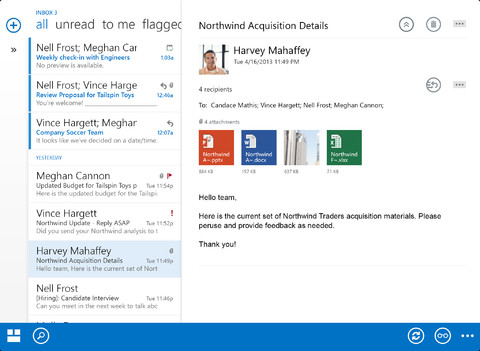
This morning, Microsoft announced the launch of their new iOS application, “OWA” or Outlook Web App. Specifically for Office 365 subscribers, this native application brings notifications and other features that are not available through the web application:

Our goal is to help our customers remain productive anytime, anywhere.  This includes providing a great email experience on smartphones and tablets.  Windows Phone 8 comes with a top-notch native email client in Outlook Mobile, and we offer Exchange ActiveSync (EAS), which is the de-facto industry standard for accessing Exchange email on mobile devices.  In order to better support many of our customers who use their iPhones and iPads for work, we are introducing OWA for iPhone and OWA for iPad, which bring a native Outlook Web App experience to iOS devices!

OWA for iPhone and OWA for iPad are both free, but require a paid Office 365 subscription.

Last month, Microsoft Office 365 made its debut in the App Store, but the reviews have been less than stellar.

Site default logo image

IMDb iOS app adds ability to purchase movie tickets, Amazon integration for DVDs & Blu-rays, & enhanced bios

IMDb-iOS-appIMBb has released a big update today to its iPhone and iPad app, adding the the ability to purchase movie tickets directly from within the app and much more. The feature is initially only available to users in the U.S. and can be accessed directly through a “Showtimes & Tickets” section on listings for movies currently in theatres.

Also included in today’s update is integration with the Amazon Mobile app for one tap purchasing of DVDs & Blu-rays from Amazon:

Want to buy a movie or TV show on DVD or Blu-ray? “Search via Amazon Mobile” to the rescue. Requires that you have the Amazon Mobile app, but we provide a handy link if you don’t have it yet.

IMBd has added even more celebrity bio pages in today’s update and iPhone users now have “one-tap access to the full cast/full filmography.” The updated app also includes a few other UI enhancements and bug fixes listed below:

What’s New in Version 3.3

iPad and iPhone
* “Tickets, please!” You can now conveniently purchase movie tickets via the IMDb App (currently US-only).
* More bios for celebrities you know and love as well as for up-and-comers.
* Want to buy a movie or TV show on DVD or Blu-ray? “Search via Amazon Mobile” to the rescue. Requires that you have the Amazon Mobile app, but we provide a handy link if you don’t have it yet.
* Also, did you know you can tap the “Coming Soon” bar above the title on upcoming movies to add the release date as an event to your calendar?
* Bug fixes. Nasty tricksy bugsies. We hates them!

iPhone
* We heard you. By popular demand, we’ve updated the movie and celebrity pages to include one-tap access to the full cast/full filmography (which, yes, scrolls vertically).
* You’ll see that cute little Watchlist flag almost everywhere now. Tap it to add movies and shows to your Watchlist (and tap-and-hold to add to your other lists as well).

This will be the last update that supports iOS 5. Future updates will require iOS 6 and above.

Amusing Angry Birds Star Wars 2 video shows off first gameplay & new ‘telepods’ controller, lands Sept. 19

Site default logo image

Rovio hinted at Angry Birds Star Wars 2 late last week, but today we get an official announcement as well as our first look at gameplay footage and the new Hasbro “Telepods” toys, which appear to let users transfer new characters into the game. The Telepod controller will be available where toys are sold, according to the video, and a broken link to Hasbro is provided.

The game goes live September 19th according to the Angry Birds site. 
Expand
Expanding
Close

Site default logo image

eBay releases eBay Exact for iOS, an app to order 3D-printed products on-the-go

Screen Shot 2013-07-12 at 9.06.14 AM

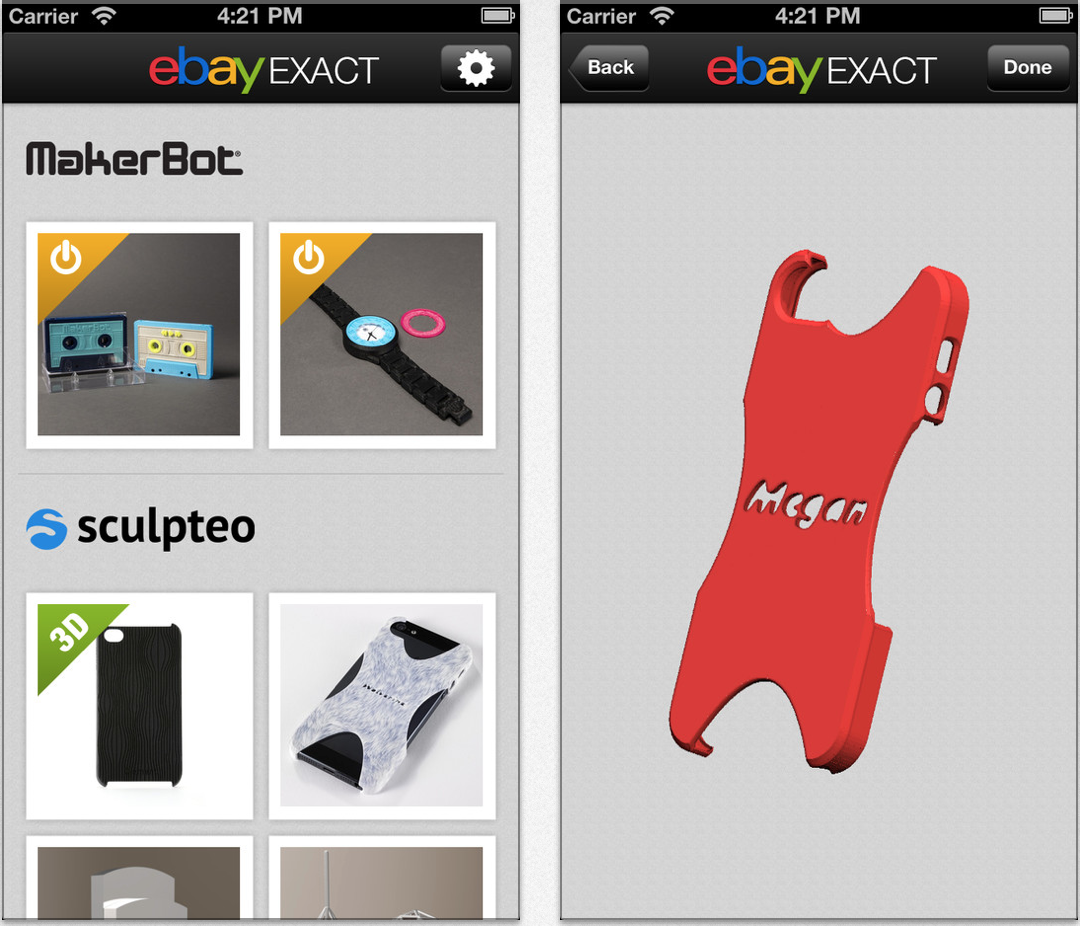
eBay has just released a new app for iOS that will allow customers to customize select products to be manufactured using 3D printing technology. As per its description, the app allows you to select a from a pre-determined list of available products, choose a design, and then further customize that specific item for yourself or someone else.

Customers can choose from a variety of materials including plastics, woods, and metals to create anything from personalized iPhone cases to figurines or even jewelry. The company notes that there is no limit to the amount of products you can customize and print.

eBay is relying on partnerships with established 3D printing companies to back its program including Makerbot, Sculpteo, and Hot Pop Factory. The app, eBay Exact, can be downloaded from the App Store today free of charge.


Expand
Expanding
Close

Site default logo image

Rovio teases July 15th announcement for brand new Angry Birds Star Wars game

Angry-Birds-Star-Wars-july15announcement

Last November, Rovio introduced a new Angry Birds Star Wars game that brought iconic Star Wars locations and characters from the movies into the Angry Birds gameplay universe. Today the developer is teasing what looks to be an entirely new Star Wars themed Angry Birds game. While Rovio’s initial tweet only mentioned a “Big new game announcement” coming this Monday, it later confirmed on its blog that the announcement will be for “a brand new game” with “the biggest character line-up ever, awesome new powers, and maybe even a few surprises!”

On top of the teaser, Rovio is also making Angry Birds Star Wars available for free today for a limited time.

We don’t get any other details, but Rovio did include the image above hinting the game might be inspired by Star Wars Episode I: The Phantom Menace:

star_wars_episode_one_the_phantom_menace_ver1

Site default logo image

A look at ‘Cal’, Any.do’s calendar app for iPhone (mini-review)

anydocalAs part of their plan to create a suit of productivity apps, the makers of the popular productivity app Any.do have launched a new calendar app called “Cal“. Available in the App Store, it makes it really easy to quickly find locations and invite others to events in a clean interface.

http://vimeo.com/69827636

Integrating right into your phone’s calendars and Facebook friends list, you can start taking advantage of the features right away. The best use I’ve found for the app is scheduling quick hangouts with friends. When you add an event, you can use natural language to type in something like, “Lunch with Josh at Cafe Luce.” Once you type in your friend’s name, their picture appears. Once you type in the location, it pulls data from Facebook Places and it places in the address and other information. You are also presented with buttons to email or message all event attendees – great for last minute changes or asking for directions to the venue.

Beyond the event creation functionalities, it acts as a nice calendar application with a sleek design. In fact, it closely resembles the upcoming iOS 7 calendar application. My biggest issue with the 30-day view

https://twitter.com/mitchell209/status/355500428638699520

As a free application in the App Store, I’d recommend giving Cal a shot. Just like most productivity apps, it really depends on the way you perform tasks and how closely the app mirrors that. It’s a step above the native calendar application and the flat design is extremely welcoming. As Any.do continues to build their product line, this application can act as a good sign of things to come.

Site default logo image

iOS gaming news two-pack: Deus Ex disables shooting with jailbreak and Rovio Stars releases Tiny Thief

Today in iOS gaming news, Rovio’s publishing label, Rovio Stars, released their latest title on the App Store dubbed Tiny Thief. Following in the success of the publisher’s first title, Icebreaker: A Viking Voyage, which debuted on the App Store only a few weeks ago, Tiny Thief  puts players in control of a cartoon-styled thief with the ability to sneak and steal in order to solve a variety of puzzles and defeat enemies. Based on the promotional video, it appears players can interact with the game’s background in order to solve unique, location-based missions throughout the side-scrolling adventure. We haven’t gotten our hands on it just yet, but you can download the universal title from the App Store for $2.99.

k-bigpicIn other news, we reported earlier that Deus Ex: The Fall, a new story set in the world of Square Enix’s popular PC game Deus Ex: Human Revolution, would hit the iOS App Store today for $6.99.

It appears that after the game was released to the public this afternoon, many players are having trouble running the game on a jailbroken device. Kotaku reports that playing the game on either a jailbroken iPhone or iPad will block the ability for players to use the game’s trigger functionality, one of the most crucial controls of the game.

“Encountered by Redditor KipEnyan and verified by several user reviews in the app store, jailbroken players starting up the first mobile installment of the Deus Ex series are treated to a few cutscenes and a movement tutorial before running into the message above. It comes up during the game’s shooting tutorial, and while one would assume players could still stealth through the game, I’m not sure they can progress beyond that point without tranquilizing those guards.”

While the move may have been the developer’s only option to combat piracy on iOS devices, it probably would’ve been best to give mention of the restriction in the app’s description on the App Store so that players would be informed of the measure before purchase.

There is a way to get around the jailbreak detection, though. A free tweak available in Cydia called xCon is designed to cut off apps’ ability to determine if a phone has been jailbroken. Installing xCon will let you use the app that you paid for with no ridiculous restrictions while maintaining all of the customization options of a jailbroken device.

Site default logo image

‘Pacific Rim’ iOS game lands in App Store as new movie hits theatres

Just as the new film of the same name from director Guillermo del Toro is about to hit theatres, Reliance Games has released the ‘Pacific Rim’ mobile game for iPhone and iPad. The developers have done a couple decent movie-tie ins in the past, so hopefully Pacific Rim will be worth the $4.99 it’s asking in the App Store. The game features a story mode with over 30 levels and also a Survival Mode that will allow you to “defend humanity from an endless wave of Kaiju” in one of the massive transformer-like robots from the movie known as Jaegers.

Pacific Rim is available now for iPhone and iPad on the App Store.

Exclusive Features:
•Story Mode: Play over 30 levels and challenge monstrous creatures in intense combat inspired by the motion picture.

•Survival Mode: Can you defend humanity from an endless wave of Kaiju? See how skilled you are with your customized Jaeger.

•Command up to five different Jaegers with custom equipment and technology.

•Upgrade your Jaegers and weapons to dominate the battlefield.

•Discover and research new technology to increase your armor, power and speed.

•The game explores the Pacific Rim universe with new events, Jaegars, and Kaiju not fully revealed in the film.

Site default logo image

Algoriddim teases upcoming release of ‘djay 2’ iOS app

http://www.youtube.com/watch?feature=player_embedded&v=q_vstCBVtoA

Algoriddim, developers of the popular Apple Design Award winning ‘djay’ app, today is teasing an upcoming release of the app with the ‘djay 2’ teaser trailer above. The app, which aims to turn your iPhone or iPad into true professional DJ mixing software, is going to be adding some big new features in version 2, and we’ll be bringing you a hands on demo of the app as it gets closer to release.

To celebrate the upcoming release of djay 2, Algoriddim is also offering current iPhone app for only 99 cents and the iPad app for $4.99. The app already features a ton of great features– a Hyper-realistic low-latency turntable interface, access to your iOS device’s music library, pre-cueing, audio effects, automatic tempo matching and looping– but we’re excited to show you what Algoriddim has to offer with the upcoming djay 2 release. Stay tuned.

Site default logo image

‘MLB.com At Bat’ iOS app updated for All-Star Week, adds new iPhone UI & enhanced video highlights

MLB-at-Bat-01The MLB.com At Bat app, which allows subscribers to watch live games as well as access on-demand content and news, was updated today with new features and support for the upcoming All-Star Week in New York.

In addition to being able to access All-Star Week content such as the Home Run Derby and All-Star Game, the updated app also adds customized push notifications for the MLB News channel and “in-progress video highlights within the Gameday Plays interface.”

iPhone users are also getting a brand new UI with a revamped news section & sortable statistics, as well as the ability to have “Gameday data synched with live audio broadcasts.”

MLB is currently offering a subscription for the discounted price of $9.99 for the remainder of the 2013 season.

What’s New in Version 6.2.0

• Follow All-Star Week live from New York, including the Home Run Derby and All-Star Game
• Added the MLB News channel for customized push notifications
• Watch in-progress video highlights within the Gameday Plays interface
• Updated user interfaces (iPhone only)
• Available Gameday data synched with live audio broadcasts (iPhone only)
• Highlights now include full description of each clip
• Overall maintenance improvements

If This Then That (IFTTT) launches iOS app for automating service directives

Site default logo image

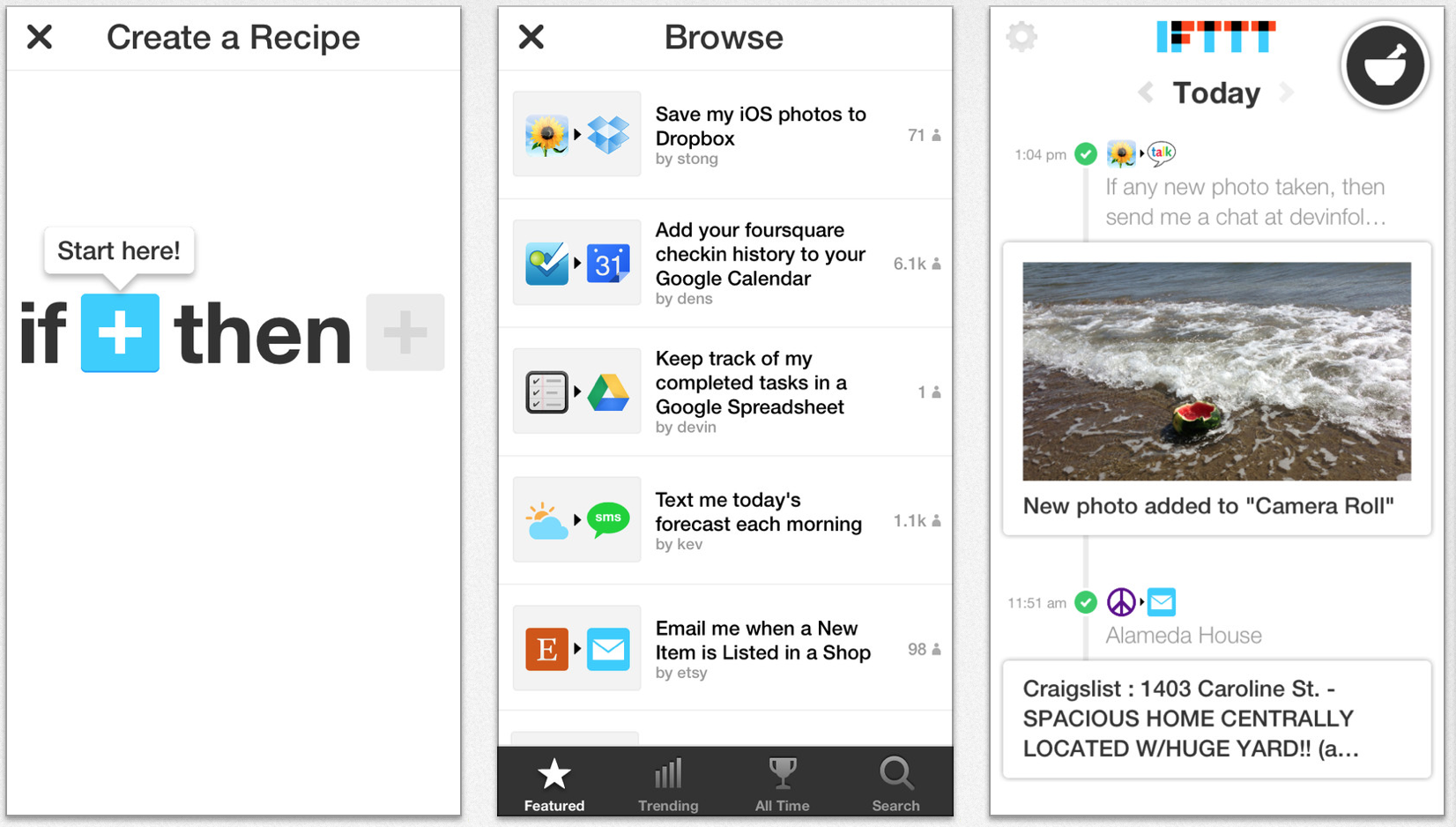
If This Then That (IFTTT) today launched an iPhone app version of its popular service for automating simple actions/services. The video above is a nice tutorial/overview of the service if you aren’t familiar. Channels are the services (like Facebook, Gmail, Twitter, as well as devices like Philips Hue, Belkin WeMo, and UP by Jawbone) and Recipes are the directives in IFTTT lingo.

Download the app and unlock three new Channels for iPhone: Contacts, Photos, and Reminders (with more to come). Create and use Recipes around the things you do on the go: snapping screenshots, adding new contacts, completing reminders, and organizing your photo albums.

Screen Shot 2013-07-11 at 11.54.56 AM

The IFTTT team notes that they are adding new features all the time.


Expand
Expanding
Close

Site default logo image

Facebook iOS app updated with check marks for verified celebrities, public figures & brands

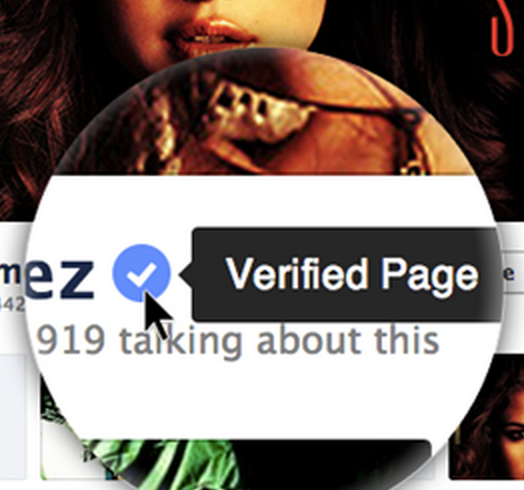
Facebook-verified-profile-pagesFacebook updated its iOS app today with the blue check marks next to names of verified celebrities, public figures and brands that it first rolled out on the desktop. Facebook started its verified profiles and pages for select celebrities, journalists, government officials, popular brands and businesses back in May. Like Twitter, Facebook automatically authenticates accounts with large audiences and adds a small blue checkmark next to their name in search results, timelines, and profile pages.

The updated app also includes performance enhancements for iPad and a “Fix for a problem that was causing News Feed to load slowly for some people.”

What’s New in Version 6.3

• Find verified celebrities, public figures and brands by looking for a blue check mark next to their names
• Improved places editing to fix categories, phone numbers and other info on iPad
• Fix for a problem that was causing News Feed to load slowly for some people

Site default logo image

Deus Ex: The Fall for iOS arrives in App Store a day early

Square Enix already informed us that developer Eidos Montreal would be releasing its highly anticipated iOS instalment of Deus Ex this week on July 11. Today the app appears to have hit the App Store worldwide a day early with the expected $6.99 price tag. The App Store link is already live for the game in the US, and it should be available to download elsewhere shortly.

Deus Ex: The Fall is the start of a new journey in the award winning Deus Ex game series. Set in 2027– the golden era for science, technology and human augmentation. Ben Saxon an augmented former British SAS Mercenary, is desperate for the truth behind a global conspiracy threatening his life.

Deus Ex: The Fall is available for both iPhone and iPad as a universal download, but keep in mind you’ll need a free 1.6GB for the game. However, it’s not surprising given the fact Eidos and Square Enix appear to be cramming in almost a full console like experience in the iOS exclusive. Previously release gameplay trailer for The Fall below:

Site default logo image

Pirate Bay co-founder teases upcoming spy-proof messaging app called ‘Hemlis’

https://www.youtube.com/watch?v=oPeujbY3feM&feature=player_embedded

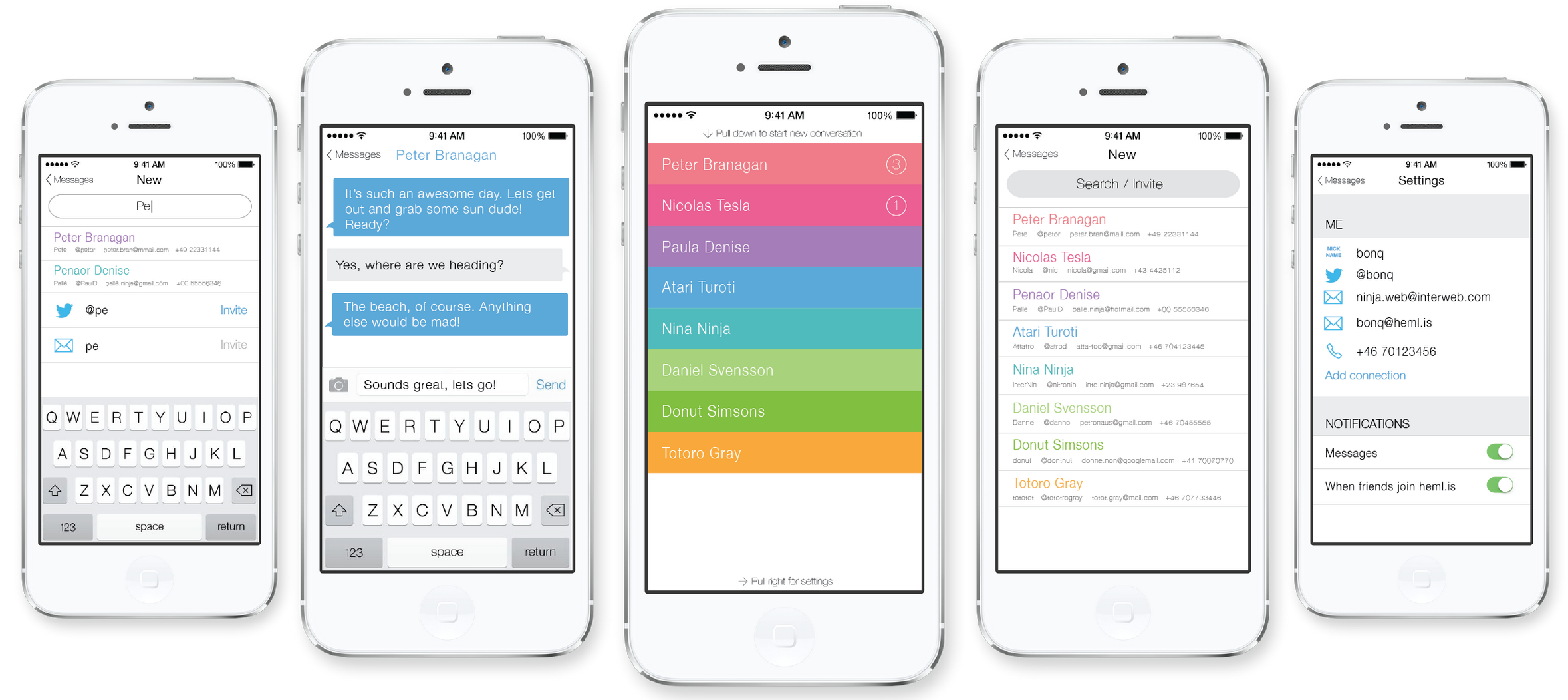
Peter Sunde, best known for his work as co-founder of torrent sharing service The Pirate Bay, is today teasing his latest project: a truly secure messaging app for mobile devices called ‘Hemlis’ (which means “secret” in Swedish). Peter, along with other team members Leif Högberg (@leihog) & Linus Olsson (@bonq), is currently raising money through PayPal and Bitcoin on the Heml.is website and providing those who get in early with a certain amount of unlock codes depending on how much they donate.

The guys are starting with iOS and Android clients for Hemlis and will eventually offer the app with free secure messaging for all as well as in-app purchases to unlock additional features. Those who donate now, however, will unlock the full app with extended features such as sending images. The app aims to be the first truly secure messaging app with end to end encryption that will keep your conversations from prying eyes, and will presumably include security features that just aren’t offered with the other popular third-party messaging apps on the App Store. The creators note that not even they will be able to access conversations, and they don’t plan on using advertising or selling user data to fund the project.

We’re very interested in learning more about Hemlis and plan to bring you a full review as the app gets closer to release.

Hemlis-messaging-app

Google previews upcoming iOS features in Google Maps app

Site default logo image

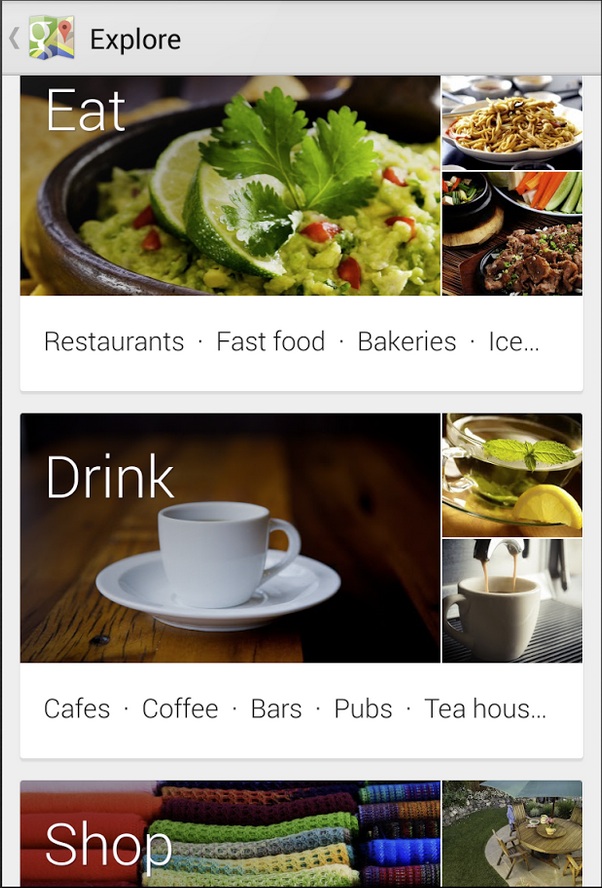
Google-maps-explore-iosAs reported on 9to5Google last night, Google is rolling out a huge update to its maps app for Android but they are also promising the updates will hit iOS ‘soon’.

  • Designed for tablets: A dedicated tablet design brings all the features of this new app to Android tablets and iPads, which makes exploring the world from the comfort of your living room much more fluid, smooth and fun.
  • Enhanced navigation: In addition to current traffic conditions, we’ve added two new features to help you navigate around traffic. You can now see reports of problems on the road that you can tap to see incident details [Hello Waze]. While on the road, Google Maps will also alert you if a better route becomes available and reroute you to your destination faster. This feature is available only on Android and is coming soon to iOS.
  • Reviews, Zagat and Offers: There’s a new 5.0 star rating system that gives you a quick read on how your friends and others rate places like restaurants, bars and cafes. For an expert’s opinion, the Zagat badge of excellence and curated lists are integrated into search results so you can quickly spot the very best places. From “Best Restaurants to meet for a drink in NYC” to “Best Restaurants in the Mission” in San Francisco, Zagat’s there to help you uncover the local gems.

There’s also a lot of housecleaning, including retiring Latitude (another one bites the dust!) and some changes to offline and My Maps.

The updated Android app looks a lot like the Maps app Google released for iOS at the end of last year (prominent reviewers called the iOS Maps app much better than Android’s Maps app). Another interesting fun fact: Because carriers and manufacturers are so slow to update Android, only 60% of Android users will be able to use the new maps (Android 4.03+ only), while over 90% of iOS users are on iOS 6+, which will get the new features.
Expand
Expanding
Close

Site default logo image

Google brings voice back to Gmail w/ new group chat features, free calls to US & Canada from other countries

Hangouts-gmail-video call 2

From 9to5Google:

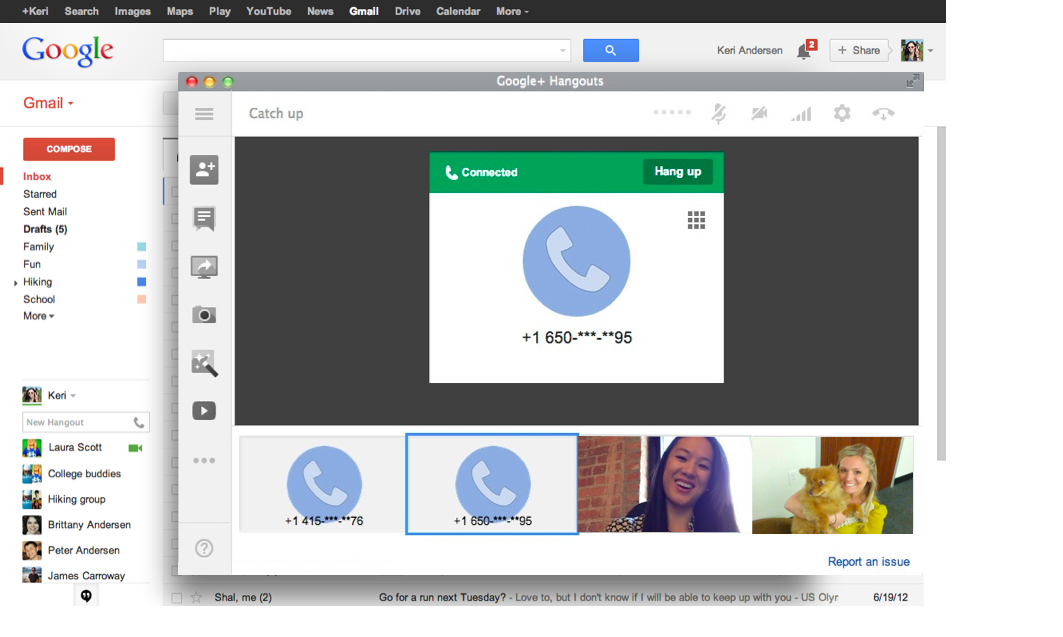
When Google rolled out its new unified Hangouts messaging service, some users were disappointed that the new experience within Gmail removed the ability to place free calls within the US and Canada. Google previously confirmed that the feature would be returning and today it announced on its Gmail blog that it is rolling out the free calling feature to Gmail Hangouts and also adding some new features.

More at 9to5Google.com