Apps

See All Stories

Learn about the latest news for iOS, Mac, Apple Watch, and Apple TV apps

Apps for iOS, macOS, tvOS, and watchOS power our modern world. 9to5Mac will update you on the latest news, review, and updates for all types of apps. “There’s an App for that”.

The term came became part of our vocabulary when Steve Jobs announced The App Store as part of the iPhone 2.0 software update in 2008.

Over the years, the term has become as common as kleenex for describing applications on all of our devices. Apple’s platforms have apps for just about anything from finance, banking, sports, social media, podcasting, music, and more. We have a guide for helping you discover the best ones as well. Apps are now on everything from our TV, to our smartphones, on our laptops, and all the way down to our wrists.

As new ones are released or existing ones have major updates, the team here at 9to5Mac will bring you the latest news and reviews. If you want to follow along with video footage, be sure to follow 9to5Mac on YouTube. Scroll down below our latest updates on all things relating to applications on iPhone, iPad, Mac, Apple TV, and Apple Watch.

Apps & updates: Sparrow, Spotify, The New Yorker, Cloud, Bank of America, more

Site default logo image

Other than the notable apps and updates below, developers of Shazam, the “9th most downloaded app of all time,” announced today its song recognition service has been used to identify over 5 billion songs. The five billionth tagged song on Shazam was “Blow Me One Last Kiss” by Pink. Head below for our full list of new apps and updates hitting the App Store today:

Sparrow for Mac version 1.6.3: Sparrow’s Mac App Store app was updated today with a number of performance enhancements and fixes. A full list of what’s new in version 1.6.3 is below:

– improved performance when loading huge conversations
– URL in subject can be clicked
– date and subject in headers can be selected
– improved avatar in message cells
– improved IMAP compatibility
– brazilian localization
– fixed progress indicator in message view
– fixed crash when loading some HTML messages
– fixed crash with POP accounts fixed

Spotify version 0.5.4: Spotify received a decent update today that brings the ability to show more stations for iPad users, fixes login issues for Facebook users, and adds stability improvements.

The New Yorker Magazine: Previously only available as an iPad app, The New Yorker is now bringing all of its magazine content to the iPhone with a new universal app available on the App Store now. To celebrate the release of the iPhone version, you will be able to get the Aug. 13 and Aug. 20 issues completely free (old issues are not accessible on the iPhone app).
Expand
Expanding
Close

Apple expands iOS 6 3D Maps coverage to new cities in the U.S., U.K., France, Canada [Gallery]

Site default logo image

Earlier today, Apple released iOS 6 beta 4 that notably drops the Google-backed YouTube application and adds some tweaks. The iOS 6 3D Maps application is one of the highlight features of the upcoming iPad, iPhone, and iPod touch operating system, so we’ve been combing the app for newly supported 3D regions. We’ve found that Apple has added some new incredible 3D views for new major cities both in the U.S. and abroad. Here are the major new 3D cities we’ve found:

United States: Boston, Atlanta, Portland, Phoenix, New Orleans, Philadelphia, Houston, Dallas.

Canada: Toronto.

Europe: Lyon, France; Birmingham, UK; Manchester, UK.

Previous iOS 6 releases, beginning with the beta 1 release in mid-June, include several other cities: Los Angeles, San Diego, Memphis, Denver, Copenhagen, Montreal, San Francisco and the Bay Area, Las Vegas, Sydney, Melbourne, Chicago, Miami, Seattle, and Sacramento. Apple’s iOS 6 3D mapping technology was inherited with the company’s 2011 acqusition of a company called C3 Technologies. C3 also produced 3D data for London, Barcelona, Milan, Prague, Toronto, Venice, Oslo, and Vienna so perhaps we will see those cities added soon.

See our full gallery of the new 3D cities after the break: 


Expand
Expanding
Close

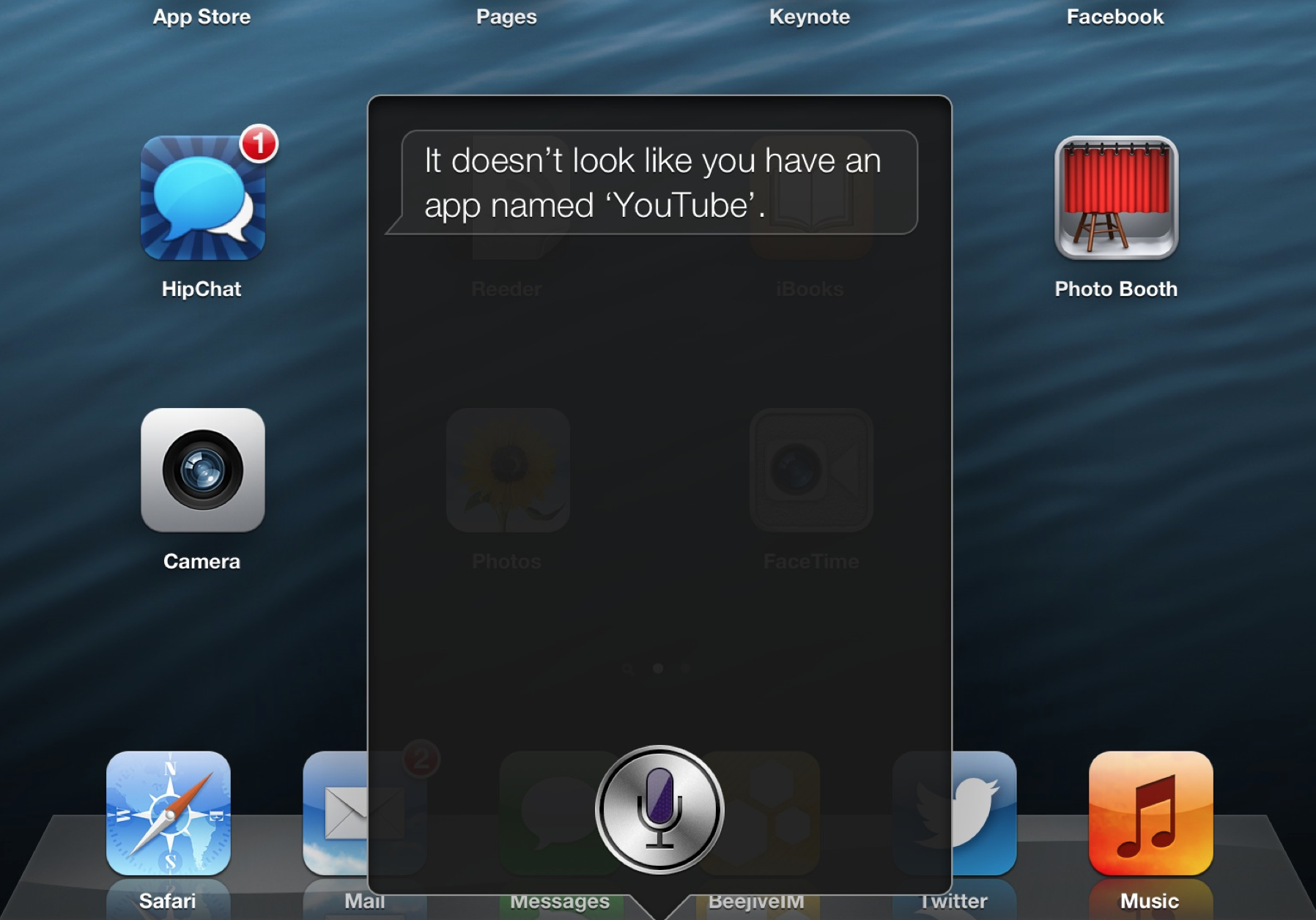
War? YouTube app disappears from iOS 6 beta 4 as Apple breaks Google ties

Site default logo image

iOS 6 beta 4 has removed the YouTube application that existed on iOS since the first version in 2007. We’re not entirely sure what to make of this, but this could have to do with Apple trying to break away from dependence on Google services. iOS 6 drops Google Maps in favor of Apple’s own 3D Maps program. We’re looking into this. Of course, this just could be a bug or an error for this beta. YouTube is gone from the iPhone and iPad, but it is still present on the Apple TV (below).

After we broke this major news, Apple confirmed to The Verge that YouTube is gone from iOS 6. Google is apparently building its own app.

Our license to include the YouTube app in iOS has ended, customers can use YouTube in the Safari browser and Google is working on a new YouTube app to be on the App Store.

A YouTube rep told us:

We are working with Apple to ensure we have the best possible YouTube experience for iOS users.

Also, the ability to upload video to YouTube from iOS 6 beta 4 is still present.


Expand
Expanding
Close

Apps & updates: vjay, Instapaper, Discovery Channel HD, more

Site default logo image

Our usual list of apps and updates is below kicking off with a couple notable updates from over the weekend to the Instapaper and vjay apps:

vjay version 1.0.1: One of the biggest updates today goes to algoriddim’s video-mixing vjay app that we introduced you to a couple of months ago. Included in version 1.0.1 is support for 1080p videos up to 30 FPS, new settings like Auto Repeat and Play Automatically, and improved MIDI support for both the ION iDJ 2 Go MIDI controller and Numark Mixdeck Quad.

Instapaper version 4.2.4: The iPhone and iPad Instapaper app received an update that includes improvements to dark-mode and link colors, pagination performance, and support for Chrome, Buffer, and iCab Reading List in the Share panel. A full list of what’s new is below:

– Improved pagination performance.
– Improved dark-mode colors and link colors. (More on that front soon.)
– Removed instapaper.com/z short URLs from all remaining Twitter sharing methods. Now that t.co URLs are supported by nearly all apps, custom short URLs are unnecessary and they only inconvenience Twitter readers, so they’re gone. Your links are yours and should have as few intermediaries as possible.
– Removed rarely-used “Print” feature.
– Added Buffer, Chrome, and the upcoming iCab Reading List to the Share panel.
– Added “Report a text problem” to article footers so customers can help improve Instapaper’s parsing of certain pages.
– Improved Pinboard login security to use their new token system instead of storing passwords.
– Made syncing even faster.
– Fixed bugs from the future.

Discovery Channel HD version 1.9: In anticipation of the 25th anniversary of Shark Week, the Discovery Channel app was just updated with an “interactive second screen experience, synchronized to select shows from Shark Week.”

Using ACR (automatic content recognition) technology, this deeper dive into Shark Week features exclusive photos, behind-the-scenes information, revealing production shots, interactive infographics, shark trivia and much more! 

Discovery Channel is offering Shark Week Plus exclusivity to iPad users each night of Shark Week from 9 to 10PM e/p, and Shark Week Bingo from 10-11PM e/p. Shark Week’s 25th anniversary begins Sunday, August 12.


Expand
Expanding
Close

Apps & updates: Real Racing 3 trailer, Twitter, HopStop, more

Site default logo image

[youtube=http://www.youtube.com/watch?v=UmkYHZpel3Y&f]

Real Racing 3: EA officially announced the next title in its Real Racing series, which is now being handled by developer Firemonkeys (recent merger of Firemint and and IronMonkey), and also released the rather impressive announcement trailer above featuring pre-alpha footage. More info is coming later this year but there is additional Porsche footage on the game’s Facebook page if you can’t wait. A little bit of what to expect from Real Racing 3 below:

REAL CARS

Gamers will enjoy graphics that have been meticulously hand crafted to produce photorealistic visuals as they zoom around in cars from manufacturers like Porsche, Dodge and Audi.

REAL TRACKS

For the first time in the series, Real Racing 3 will also include a full lineup of real world tracks from the top names around the world including Mazda Raceway Laguna Seca, Indianapolis Motor Speedway and Silverstone. With a 22 car grid, gamers will be able to pit themselves against 21 other drivers in one race.

REAL RACING EXPERIENCE

Fans can experience the glory of championship racing on real tracks recreating the full race-day pressure and environment in a game that harnesses the full power of mobile hardware to produce a beautiful racing environment.

Twitter version 4.3.2: The Twitter iOS app was updated today with improved pull to refresh and infinite scroll “in enhanced events experience,” unfortunately we still await an update to the official Mac client while the Tweetbot for Mac alpha received a ton of new features in its latest update last night.

Wash Post version 2.0.0:The Washington Post’s official iPhone app received a big update today with a brand new design and tons of new features including live weather conditions, 7 day forecasts, weather alerts, real-time traffic updates, metro arrival times and schedules for the DC Metro area, and more. Also included is Retina display enhancements for all full links within articles, graphics, and galleries.

HopStop Transit Directions version 1.2.1: We told you about an update to the HopStop iPhone app for transit directions in NYC, Boston, Chicago, and San Fran, and today its app with support for 100’s of cities throughout the US, Canada, and Europe was updated with the London Underground map and support for the following new markets:

– Arrive by Directions and Schedules Search!

– New markets: Palm Springs, Burlington VT, Fresno, Missoula, Orlando

– London Underground map has been added

– Various bug fixes and improvements

Tweetbot for Mac alpha updated with Tweetdeck-like columns, menu bar icon, improved notifications

Site default logo image

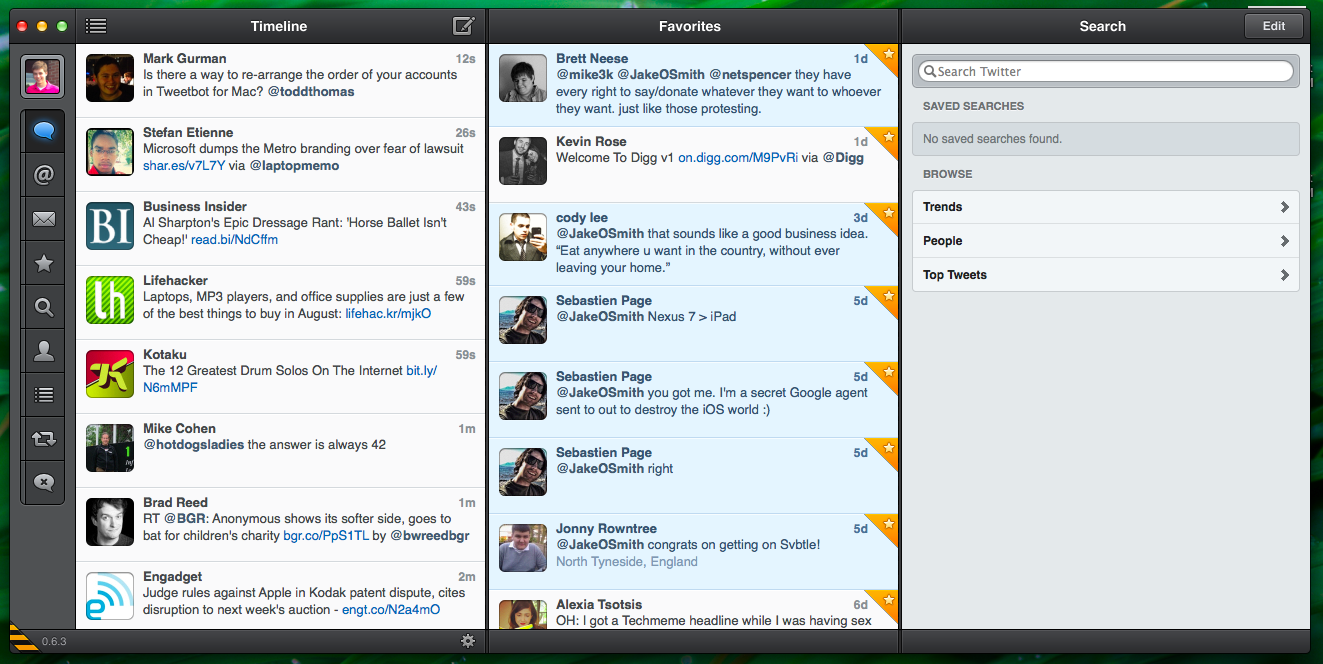
Tweetbot for Mac alpha received a substantial update this evening. It brings new features that will allow users to have a Tweetdeck-like setup if they so choose. First spotted by The Next Web, Tweetbot for Mac now features the ability to pop out separate timeline windows and easily dock them together to create a Tweetdeck-like interface, notification improvements, and a new menu in the menu bar that allows you to manage signed-in accounts more easily and to compose a new tweet. To dock windows together, you first click the gear in the bottom right corner to open the timeline that you are currently viewing in another window. Once you have the windows you would like, you then touch the right edge of the windows together to dock them. As you can see in the screenshot above, I docked my timeline, favorites, and Twitter search into one big, Tweetdeck-like window. To ex-out of the Tweetdeck-like view, you simply grip the bottom of the window to pull and then exit out of the undesired window.

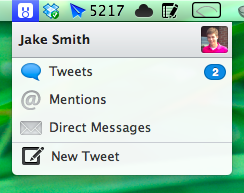
The next feature that has been added in 0.6.3 9 (alpha 4) is a new menu on OS X’s menu bar. The menu allows you to manage all of your Twitter accounts for viewing tweets, mentions, and direct messages. You can also easily compose a new tweet. Lastly, Tweetbot for Mac on OS X Mountain Lion now displays notifications from all of your Twitter accounts, whereas it previously only displayed notifications for the one you were viewing. Also, on Mountain Lion, you can now embed your location in a tweet.

Tweetbot for Mac is currently a free alpha on the Tapbots website. It is set to eventually reach the Mac App Store for a price, which will then include the awesome iCloud integration that Tweetbot for iPhone and iPad offers. With tonight’s update, Tweetbot for Mac is inching closer to being the best Twitter client of them all. You can view the release notes below.

[Tweetbot for Mac 0.6.3 via The Next Web]


Expand
Expanding
Close

Mophie announces Outride, a waterproof action sports camera kit & app for iPhone

Site default logo image

There are more than a few hardware camera kits and peripherals on the market that extend the capabilities of the iPhone’s built-in cam. We recently reviewed the Olloclip camera lens kit that provides three external lenses for iPhone 4S. Today we introduce you to another that has just been announced by Mophie and combos with a dedicated companion app for managing and sharing footage. According to Mophie, the goal of its new action sports “Outride” camera kit, which integrates a wide-angle lens with 170 degrees viewing angles and a waterproof, impact resistant casing, is to eliminate “the need for a dedicated device such as a GoPro or Contour camera.” The kit will also include several custom, quick-release mounts for attaching the device to a variety of sports equipment and capturing footage at various angles.

To go along with the camera kit, Mophie will also launch the Outride iOS app that provides users with a profile and the ability to capture and share footage with other users:

Expand
Expanding
Close

Site default logo image

Apps & updates: Readdle 5th anniversary sale, Amazon Mobile, Dead Trigger, HopStop, more

Today’s list of apps and updates hitting the App Stores kicks off with a huge sale on Readdle apps to celebrate the publisher’s fifth anniversary. As always, we will update the list when more apps hit the store.

Readdle 5th anniversary sale: Readdle, a premier productivity application developer for iOS, has begun a major sale for its suite of popular productivity App Store software. The company is doing this sale in celebration of its fifth-year anniversary as a company. The sale begins today and will run for the next 48 hours. The folks at Readdle created a new web page that describes their work and success so far. It is an interesting read for both other app developers and app users. Here are the discounts:

Scanner Pro: $6.99 to $1.99

PDF Expert: $9.99 to $4.99

Remarks: $6.99 to $0.99

Calendars: $6.99 to $1.99

ReaddleDocs: $6.99 to $0.99

PrinterPro: $6.99 to $1.99

PDF Converter: $6.99 to $1.99

Shakespeare Pro: $9.99 to $1.99

Amazon Mobile version 2.0.0: Amazon’s universal mobile app for shopping through Amazon.com received a notable update that includes the ability to utilize the “Subscribe & Save” option at checkout to get 5 percent to 15 percent off purchases. You can also now shop by department.

HopStop version 2.0: The popular iPhone app that provides subway and bus directions and transit maps for NYC, Boston, Chicago, San Fran (and elsewhere) was just updated with an all-new design that includes interactive route overview maps and built-in compass functionality, “station-to-station schedule search,” and much more.

Dead Trigger version 1.1.2: Madfinger’s latest title has been getting a ton of praise from game reviewers lately, and it received a huge update today that brings tons of new weapons, upgrades, gadgets, zombies, and environments. A full list of new features and fixes is below:

New weapons: Chain Saw, Lewis Machine Gun, Marine Engine with blades and American West Rifle

*New gadget: Head-Flator X100 to inflate the heads of zombies to XXXL size!

*New zombies: mutated mobsters or armoured SWAT members

*New environments: underground car park or secret research base

*Survival arena, that is tailor-made for massacre of hordes of zombies

*Daily rewards

*Casino: try your luck with a slot machine

*Save game data with cloud backup

☣ Bug Fixing

* Revive Kit (cooldown, number of usage during mission)

* Crash in Menu when too many missions were “available”

* Booster “Ammo Supply” did not working properly

⋆ Crash in GameCenter code

⋆ Various fixes in missions and graphics

☣ Tweaks

* Enemy AI

* Aiming on crawling enemies when enabled iron-sight

* New Hope accessible after first mission

* Shop ( items with zero owned pieces, etc. )

* Damages caused by mines, deactivated turret, cutters, exploding barrels that did not injure enemies on higher ranks

☣ Weapons, Gadgets, Upgrades

* Decrease price of various items

* Decrease required ranks

* Damage tweaks, etc

Site default logo image

Gmail iOS app updated with smoother animations & the ability to save picture attachments

[tweet https://twitter.com/gmail/status/230351804230144000]

Google updated its universal iOS app today with a couple of noteworthy improvements including smoother animations and scrolling on the iPhone and iPod touch. It also features the ability to save picture attachments to the iOS photo library by tapping and holding an image as well as the usual bug fixes.

Today we released version 1.3 of the Gmail app for iOS.  We’ve made a bunch of under the hood changes to improve animation, scrolling, and responsiveness on the iPhone and iPod touch. You’ll notice that many events in the app are just a little bit faster and smoother. Buttons respond to presses a little more quickly, scrolling is smoother and new views transition faster.  With this update, we tried to make it a little better with every touch.We’ve also added one popularly requested feature – when viewing a picture attachment, you can now use a long press (touch and hold) to save it to your photo library.

What’s New in Version 1.3

– Smoother animation and scrolling on iPhone and iPod touch.
– Save picture attachments to your photo library. Touch and hold an image to save it.
– Bug Fixes
Expand
Expanding
Close

Site default logo image

Apptrace launches in beta, company claims 400K iOS apps get no downloads

App analytics firm Adeven is launching its new Apptrace tool today that provides statistics on iOS apps including the number of countries an app is available in, its global ranking, overall ratings, and daily rankings for specific markets. Also, the ability to compare apps to one another is coming in a future update to the free tool. Speaking with GigaOm, the company shared some pretty interesting stats about the App Store—approximately 400,000 apps have no downloads or rankings:

“The reality is there are only a couple of thousand apps that really make some kind of downloads,” Christian Henschel, Adeven CEO, told me. “This is based on Apple’s closed system — it’s tough to discover those kinds of apps. You don’t have proper search, so the only way to discover new apps is through the top listing.”

“If you’re not on those lists, it’s not sure that you’re being discovered by anyone else. The top 25 tend to be the same companies who spend millions of dollars to get to the top of those lists. If you’re an independent, small app publisher, then it’s really tough to be discovered.”

Site default logo image

Spotify hits 15m active users, 4m paying subscribers

Spotify provided some updates at the Global Business Summit on Creative Content in London today. TNW reported that Spotify exec Ken Parks announced the service now has 4 million paying subscribers and 15 million active users worldwide. That is up from the 2.5 million paying subscribers that the company officially announced in November 2011, and Spotify previously claimed “more than 10 million active users” with around 3 million paying subscribers as of last month.

Site default logo image

Facebook iOS app adds ‘save it for later’ feature

As pointed out by iMore, the Facebook iOS app added functionality allowing you to save posts to a new “Saved” folder. Others are not notified when you save posts, and posts must be unsaved to be removed from the folder. The new feature does not require an update from the App Store (it is also rolling out on Facebook.com), but Facebook will notify you in the timeline.

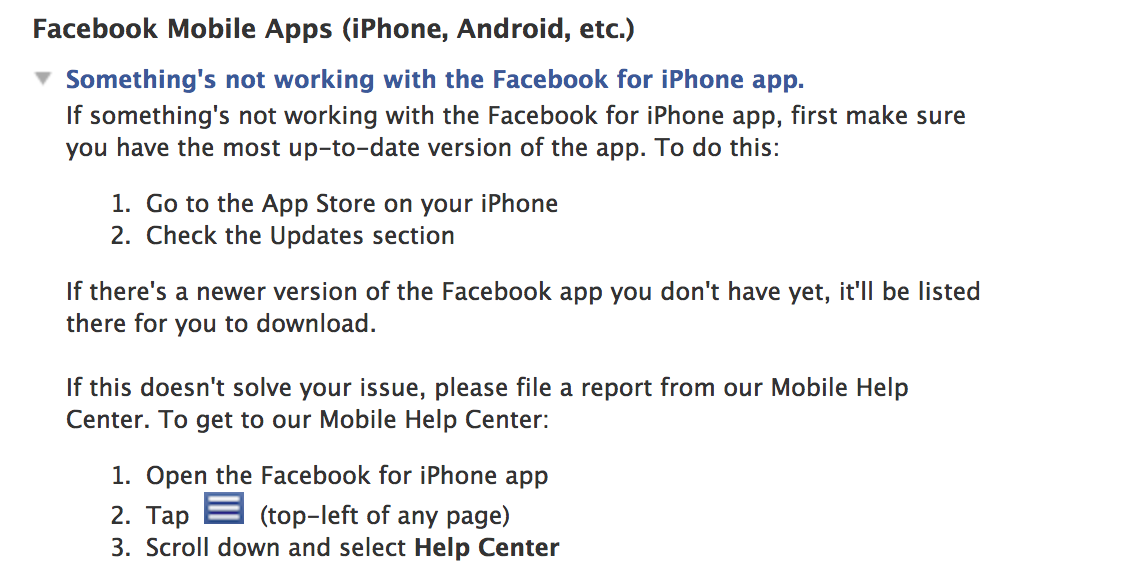
To access your Saved folder, you must first scroll to the bottom of the sidebar menu and tap on Edit Favorites. Next, tap the + sign and select Saved from your list of Apps. Then tap Done. Now, you should see your Saved folder in the Favorites section of your sidebar menu!

Apps & updates: iTranslate Voice HD, Twittelator Neue, Total Recall, and more

Site default logo image

Today’s noteworthy apps and updates list kicks off with the recently released iPad version of iTranslate Voice. As always, we will update the list throughout the day as more apps hit the store…

iTranslate Voice HD: iTranslate Voice is a great new iPad app, as it is one of the most unique pieces of word translation software on the market. Instead of typing words into an app, you talk in your language, and then the app will respond in the language of your choice. The entire thing is powered by Nuance—the same company that powers Apple’s Dictation on the iPhone 4S, new iPad, and Mountain Lion computers. So you know it is reliable. We have used the app for a while, and it is super helpful and easy to use. For those who are not a fan of voice, text-based translations are available. Thirty-one languages work in the app in addition to word defining. Sharing is also present. We highly recommend this iPad app. An iPhone version has also been available for some time, and it recently received a big update with new gestures and languages.

Twittelator Neue version 2.1:The popular iPhone twitter client Twittelator Neue and Twittelator Free were both updated today with the following new features and improvements:


Expand
Expanding
Close

As Instagram hits 80 million users, Twitter cuts off their ‘find friends’ API access

Site default logo image

Instagram announced earlier today that the popular Facebook-owned photo sharing service reached a whopping 80 million users who shared more than 4 billion photos total. These are impressive statistics, but it seems those 80 million users will have a more difficult time finding their Twitter friends’ Instagram profiles. Today’s Instagram update removed the option to lookup and follow friends from your Twitter profile. While this may seem like an oversight or bug on Instagram’s part, that is not the case.


Expand
Expanding
Close

Site default logo image

Former Sun employees bring Java to iOS with cross-platform SDK

Codename One is an SDK launched by former Sun employees that allow developers to create a single native mobile app for multiple platforms (iOS/Android/Windows Phone, etc.) using Java and an optional GUI builder:

“Ex-Sun employees did what Sun/Oracle failed to do since the iPhone launched. They brought Java to iOS and other mobile devices. They are getting major coverage from Forbes, DDJ,hacker news and others. They are taking a unique approach of combining a Swing-like API with a open source and SaaS based solution.”

In other Apple Java news, a recent Apple job listing is looking for a Senior Java Engineer to join the Siri Server Platform team. Candidates should have experience in Java API design and will “lead and extend the core software infrastructure, algorithms, and APIs that let Siri move, understand, plan, learn, speak, and remember.” Like most huge Server Side Applications, Siri’s backend appears to be Java-based.

Apps & updates: Walking Dead: The Game, SafePay, Google Catalogs, Angry Birds Space, Twitter, Instagram more

Site default logo image

It looks like the biggest app update might go to the Google Earth iOS app due to reports that claim the new 3D maps feature Google demoed last month will roll out sometime today. Until then, below is our list of other apps and updates hitting the App Store:

Walking Dead: The Game: While Telltale has been teasing the iOS game for the hit TV series The Walking Dead, today we finally get our hands on the first “A New Day” episode available in the App Store for $4.99. The game requires iPad 2/iPhone 4 or later, and it will release episodes No. 2 through No. 5 via in-app purchases in the near future.

Angry Birds Space version 1.2.2: Both the iPhone and HD iPad versions of Rovio’s Angry Birds Space title were updated today with “the second half of Utopia.” It includes two new characters, 20 new levels, a “never-before-seen space egg,” and a “GIGANTIC” new boss fight.

SafePay version 1.2: Recently released on the App Store, SafePay is getting a lot of attention for its app designed to protect “cardholders and retailers against online payment fraud.” SafePay’s technology allows users to monitor transactions in real-time and verify purchases to protect against fraud—right from their iPhone. The company explained how the technology works:


Expand
Expanding
Close

Site default logo image

Path gets movie, book sharing and improved camera, photo features

The Path iOS application has been updated to version 2.5. The new update adds many new features such as book and movie sharing, the larger presentation of images, and new features related to the camera and photo editing.

The release notes:

★ Movies & Books! Share the movies you watch and books you read with full previews, actor and author pages, synopses, and reviews.
★ Improved camera that can instantly capture square and landscape photos and videos.
★ New tools to help you fix and improve photos: Glo, Depth, Zoom, and Crop — use Glo to fix and enhance details in dark or bright photos.
★ Simpler more personal invitations — invite your friends to Path with a personally written or recorded audio message.
★ Newly designed and easily accessible rich notifications from your friends.
★ Keep up on conversations with new “For Friends” notifications.
✓ Photos and videos are now displayed 30% larger!
✓ Quickly snap photos using the volume button.
✓ Simple one-tap video recording (no more switch!).
✓ Nudge your friends for photos and check-ins from their city or neighborhood.
✓ Help friends get started on Path now with friend suggestions.
☂ Bug fixes.

Path is a free application on the iTunes App Store. 


Expand
Expanding
Close

Put Growl in your Notification Center with Hiss

Site default logo image

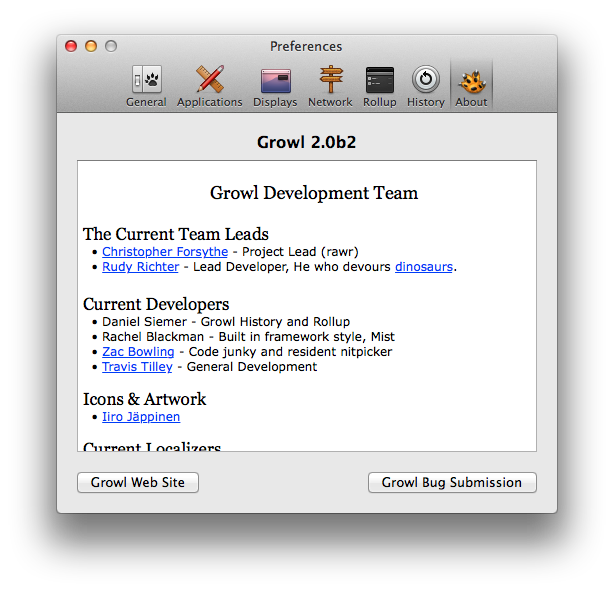
Growl is a notification app for OS X that predates the idea of Notification Center on OS X or iOS. I have used it for years, and it is supported by a vast majority of Mac apps, including high-profile ones like the official Twitter client. When OS X 10.8 was announced, many people assumed Growl was dead. Growl uses its own banners and a “Rollup” window (a place to collect missed notifications), so it seemed the overlap was too large and there would only be room for one notification system on OS X.

However, a new app called Hiss seeks to unify the two systems by putting your Growl notifications right into your Mountain Lion Notification Center. I played around with it today, and it seems to work pretty well. It grabs any incoming Growl messages and stops them, and then it replaces them with native OS X notification banners that stack up in Notification Center just as you would expect.

Hit the break for my full review

Former Apple employees working on Facebook’s faster iPhone app, launching within a ‘couple of months’, overhaul next year

Site default logo image

In late June, the New York Times reported that Facebook is working on re-writing the fundamental architecture of its iOS application in order to provide users with a faster, more reliable experience. The current Facebook app is often slow because it is built with an Objective-C shell with content being fed in through an embedded web browser known as a “web-view.” This faster app was described as being completely built from Objective-C. The NYT report claimed that the app would show up in July, though the month is nearing its end and the app is yet to be released.

Today, Bloomberg reports that Facebook’s faster application is indeed coming, but it will only show up in a “couple of months.” The report says that a complete overhaul – this faster app was previously said to retain the current app’s user-facing interface – of the Facebook iOS application is in the works for 2013. Perhaps most interestingly, the report says that former Apple engineers are spearheading the development of this app. In May, The NYT reported that Facebook is hiring multiple Apple employees to work on its products:


Expand
Expanding
Close

Apps & updates: Podcasts, AutoCAD WS, Opera Mini, BBC iPlayer, more

Site default logo image

We already had a number of updates to Apple’s own apps today, including iWork for iOS, Apple Remote Desktop, iTunes U, Xcode 4.4, Safari 6, and OS X Server, but below is our usual list of popular apps and updates hitting the store today:

Update: Apple has now updated its Podcasts app with the expected bug fixes. Release notes below:

What’s New in Version 1.0.1

Podcasts 1.0.1 provides a number of improvements, including:

• Significant improvements to performance and stability
• Podcasts in your library now show the number of unplayed episodes
• Top Stations now show the podcast title if artwork is missing
• Playback speed is now remembered when playing the next episode
• Fix for a problem where the Subscribe button is inactive
• Resolution of an issue where Top Stations artwork may not appear

Podcasts: If you have experienced issues with Apple’s Podcasts iOS app that released last month, as many have, you will be happy to know Apple plans to release an update today that brings a number of fixes to common bugs. According to a report from AllThingsD, Apple has been hard at work tweaking the app to fix the problems that currently plague it” and the update expected today should “vastly improve it.” 

AutoCAD WS version 1.5: Autodesk’s app for viewing, editing, and sharing AutoCAD drawings on iOS devices was updated today with two new “powerful collaboration tools that transform design creation, review, and approval into a social experience.” The two features include:

Expand
Expanding
Close

OS X Game Center launches with few, yet notable, game titles

Site default logo image

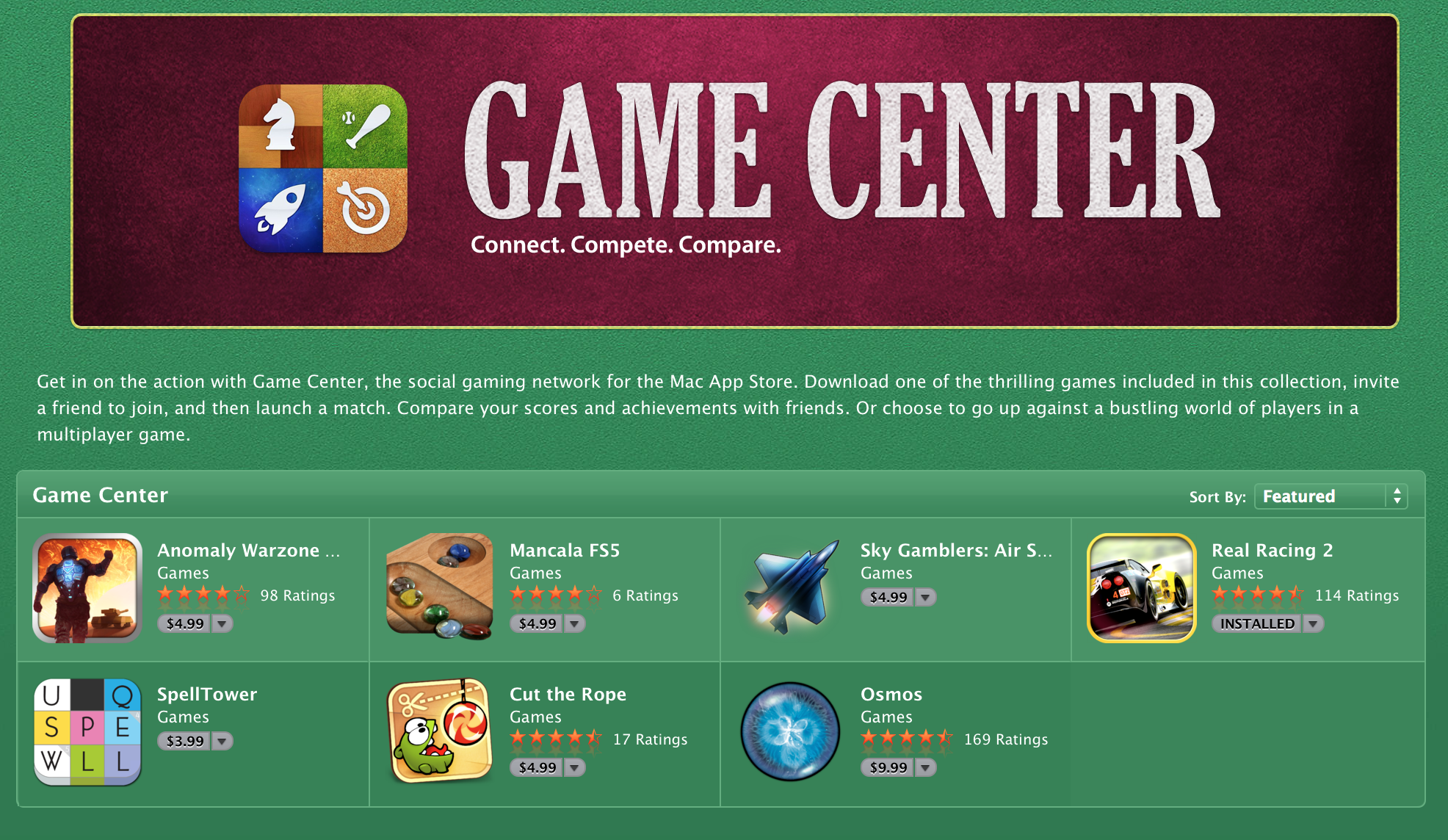
One of the big new features in OS X Mountain Lion is the Game Center. This Game Center is cross platform between OS X and iOS. Unfortunately, only a few compatible titles have made their way into Mac App Store for today’s launch. However, some of them are very notable. Some of our favorites include Real Racing 2, Sky Gamblers, and Cut the Rope.

Oh, and don’t forget about… Chess!


Expand
Expanding
Close

Site default logo image

Apple Remote Desktop updated, drops OS X Snow Leopard support

Alongside OS X Mountain Lion today and several other updates, Apple has issued an update to its Apple Remote Desktop Mac App Store application. Apple says that the update will improve reliability, support for IPv6, and more:

This update is recommended for Apple Remote Desktop users and addresses several issues related to overall reliability, usability and compatibility. This update also provides:

– new attributes in the System Overview Report
– support for IPv6

Notably, today’s update drops support for OS X 10.6 Snow Leopard. OS X 10.7 Lion or OS X 10.8 Mountain Lion are required to use Apple Remote Desktop from the Mac App Store.


Expand
Expanding
Close