9to5Mac Reviews
All the products that the 9to5Mac team has reviewed.

All the products that the 9to5Mac team has reviewed.
All the products that the 9to5Mac team has reviewed.
All the products that the 9to5Mac team has reviewed.


Several years after Steve Jobs’ untimely death, journalists — particularly ones who previously interviewed or covered Jobs — are still combing their archives for underreported facts or quotes that might justify new books on Apple’s enigmatic CEO. Naturally, the overlap with earlier works is significant, as new authors repeatedly acknowledge leaning on Michael Moritz’s (Return to) The Little Kingdom and Owen Linzmayer’s Apple Confidential 2.0, among many others. But there’s still an opportunity to bring new details to light, which is why Brent Schlender and Rick Tetzeli’s Becoming Steve Jobs ($12+/Amazon, $13/iBookstore) exists. Over 400 pages in length, it aims primarily to set the record straight about one key facet of Jobs’ life — he was a better man at age 56 than he was at 21 — but includes enough interesting anecdotes about Apple and Jobs’ other pursuits to be worth reading.
Although Becoming Steve Jobs follows a mostly familiar storytelling arc, Schlender and Tetzeli’s strengths come from two sources: direct access to Jobs from the mid-1980’s until 2011, and interviews with major players conducted after Jobs’ death. While their quotes tend to be short and in service of the larger narrative, the list of participating heavy hitters is non-trivial: Laurene Powell Jobs represents the Jobs family, alongside current Apple executives Tim Cook, Jony Ive and Eddy Cue, ex-Apple executives Jon Rubinstein, Tony Fadell, Katie Cotton, Fred Anderson and Avie Tevanian, Jobs’ top ad men Regis McKenna and Lee Clow, Pixar’s Ed Catmull and John Lasseter, Microsoft’s Bill Gates, and Disney CEO Bob Iger. Given that access, it’s perhaps not a surprise that the book paints a largely sympathetic portrait, but the authors also gave participants room to speak candidly about how Jobs’ “sharp elbows” affected them personally and professionally…


One of the great things about technology is the way it has democratized the publishing world. Today, anyone can publish an ebook on iBooks and Amazon, whether as a freebie or a commercial book.
Creating an ebook isn’t difficult. If you’ve written your book in Pages, you can export to EPUB–the format needed for iBooks–direct from the app. There is also the excellent Calibre app (featured in our How-to guide), which will convert just about any file format to any type of ebook. There’s also iBooks Author, but that has the disadvantage that if you use it to create your book, you’re not allowed to sell the iBooks version through other channels.
But as I found out when I came to create my own ebook, generating an ebook that looks attractive on all of the different devices available is a rather tougher challenge. That’s the job the Mac app Vellum claims to do, so I put it to the test …
Expand
Expanding
Close
Becoming Steve Jobs, the new biography of Steve Jobs by Brent Schlender and Rick Tetzeli, will be officially released tomorrow by Crown Business/Penguin Random House, and is currently available as a pre-order from Amazon/iBooks. I’ve been reading an advance copy of the book, and it’s packed with interesting details — including some not previously known — about Jobs’ personal life, friends, and enemies.
For instance, Schlender and Tetzeli add color to some of the previously known defining moments in Jobs’ life, including the birth of his daughter Lisa and son Reed, and his marriage to Laurene Powell. The book notes that Jobs was not there for Lisa’s birth, which took place at the apple orchard that inspired his company’s name, and later appeared to regret that he’d made a mistake missing the major life event. He became a devoted family man after marrying Laurene — notably at Yosemite National Park — and made time most evenings to have dinner with his wife and kids, but continued to work late into the night from computers at his home. According to the book, Jobs laughed most deeply and often when interacting with his kids, and was there for Reed’s birth; the “hippie” couple even allowed the infant to sleep in bed with them at first…
Two years ago, the Tile Bluetooth tracking device raised over $2.6 million in a crowdfunding campaign, thanks in part to an expansive ad run that seemed to blanket the entire Internet. Elegantly designed with a square plastic housing, Tile paired a low-energy Bluetooth chip with a battery, letting you track any attached item using a Bluetooth 4-enabled iPhone. Each Tile can track keys, a purse, or even a roaming pet for a year before the battery dies, at which point you are supposed to replace it. The first Tiles shipped last year, and can now be had for $20 each versus their standard $25 retail price.
I skipped Tile because I don’t like products that need to be replaced when their batteries die. Over the course of reviewing thousands of Apple accessories, I’ve watched some companies waste vast quantities of plastic, metal, magnets, and packing materials, and I try not to buy things that are designed to be worthless after a short period of time. (Note: Users are encouraged to recycle Tiles by buying discounted replacements and mailing old units back to the company.) So a new Tile competitor called TrackR Bravo ($29) appealed to me. Made partially from anodized aluminum, it’s shaped like a dog tag and designed to be kept rather than tossed away. The core functionality is the same as Tile’s, but Bravo’s battery can be replaced with ease. You can also use Bravo to locate a misplaced iPhone, and optionally sound a separation alarm whenever your iPhone and Bravo get too far away from one another…
Up until recently, no one complained about the way iPhones sounded through my cars’ Bluetooth speakerphones, but after switching to an iPhone 6 Plus and a Toyota Prius, friends and family told me that ambient noise has been increasing to distracting levels during our phone calls. If it wasn’t for those complaints, I would never have thought to test an alternative such as TaoTronics’ TT-BR03 Bluetooth 4.0 Hands-Free Car Kit ($30, currently $25 on Amazon). Most cars these days include Bluetooth speakerphone and music streaming support, but this inexpensive accessory is here for cars that don’t — and for cars exhibiting weird audio-related bugs with iPhones. Judging from its 4.8/5-Star Amazon reviews across over 130 customers, plenty of people still need solutions like this for one of these reasons.
TT-BR03 combines a wired noise-cancelling microphone and three-button remote control with a car charger, using Bluetooth 4.0 and a 3.5mm audio plug to route your iPhone’s audio into a car’s speakers. If your car doesn’t have a 3.5mm aux-in port, you’re out of luck, because TT-BR03 doesn’t have a built-in speaker. But if you do have an aux port, it provides a very competent speakerphone and music streaming experience at a very low price.

There are now several companies selling USB thumb drives for iPhone and iPad since the first ones with built-in Lightning connectors debuted late last year. By connecting a small and lightweight thumb drive directly to your iOS device, you can avoid limitations of onboard storage and cloud services and instead store and stream media like music, video, and photos using the drive’s additional storage.
A few things to consider when searching for the right Lightning drive: some have a battery that requires charging, companion apps for managing and streaming content from an iOS device vary in quality, and I found some have designs that make using the drives and your iOS device at the same time easier than others. Lastly, pricing varies quite a bit based on the the options below with drives ranging from 8GB to 256GB and other options offering bring-your-own storage using a micro SD card slot.
Expand
Expanding
Close
As a photographer, I’ve been thrilled to see iPhones become compelling replacements for standalone point-and-shoot cameras. Our world has improved in both measurable and immeasurable ways from widespread, immediate access to quality photography; the images documenting our lives are more compelling and numerous than ever before.
But professional photographers toting DSLRs now struggle to stand out from amateurs with iPhones. The Chicago Sun-Times infamously fired its entire photography department in favor of using images from iPhones and wire services, a move mocked by other newspapers but embraced by some broadcast journalists. Fixed-lens, small-sensor iPhones can’t match standalone cameras in image quality, particularly in dark settings, but they’re hard to beat in speed and convenience.
The question is how to combine the immediacy of iPhone photography with the quality offered by superior cameras. For me, the answer has been Eyefi‘s SD cards, which wirelessly transfer a standalone camera’s photos to an iPhone or iPad for rapid editing and sharing. (See my How-To on transferring, editing, and sharing DSLR/point-and-shoot photos with an iPhone or iPad for more details.)
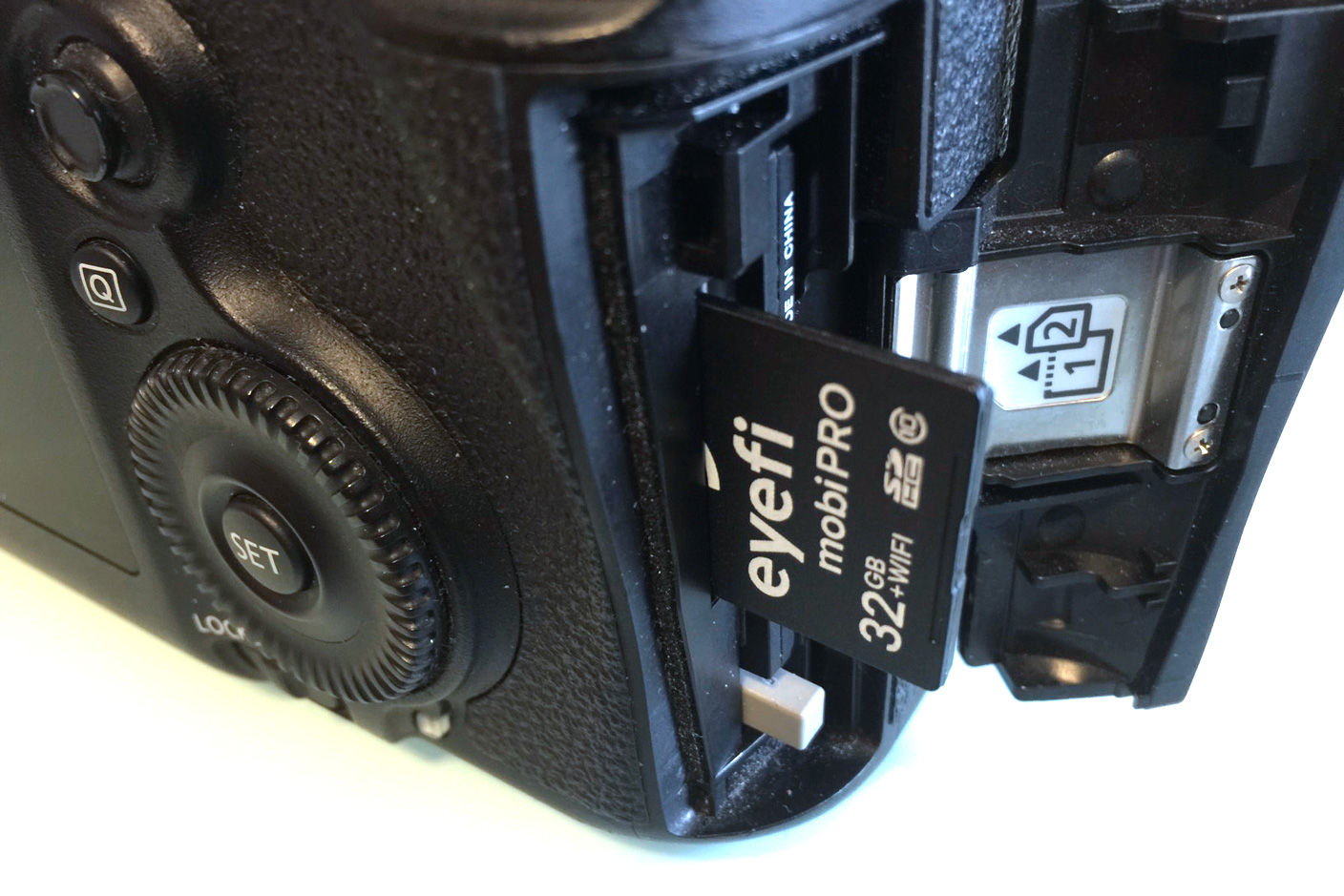
Eyefi’s first $100 card contained 2GB of flash memory and a Wi-Fi chip; since then, every Eyefi card has improved on the same concept, so the brand-new 32GB Mobi Pro ($100) isn’t so much a surprise as the culmination of everything the company has done before. It has the highest storage capacity, broadest file support, and easiest workflow of any Eyefi card I’ve tested. Most importantly, it brings a more durable enclosure that I wouldn’t hesitate to recommend to any potential reader, originally introduced in Eyefi’s more affordable non-Pro Mobi cards. Read on for all the details…


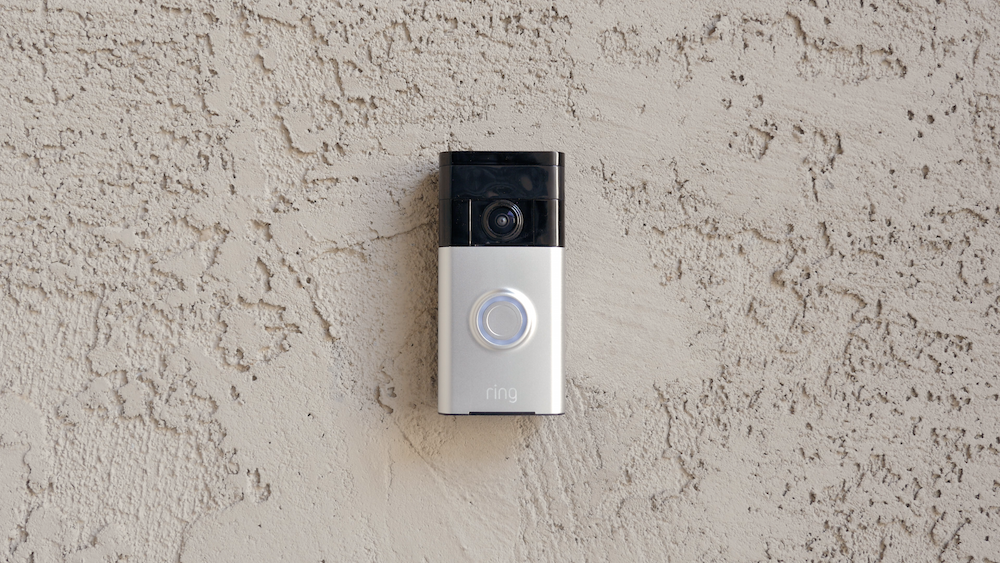
Today we’re taking a look at the Ring Video Doorbell. This may be familiar to some of you out there as it was featured in our Top Smart Home Tech of CES 2015 article a few months back, but we’ve finally got our hands on it and today we’re going to see what it’s all about…
Standardizing on USB was arguably the best thing ever to happen to gadget lovers. Instead of having an unholy mess of chargers cluttering up your home, you just need a few USB cables and something to plug them into. I’ve previously reviewed the Lightning Rabbit Triforce and Truffol Station 5 USB chargers, which offer stylish options for the home or office. We’ve also reviewed a bunch of others.
When travelling, though, I pack light. I tend to just charge everything from my MacBook Pro, which is convenient but doesn’t offer the fastest of charging speeds. The Oneadapter Twist and Twist Plus World Charging Stations are designed to overcome that issue, offering a combined USB charger and international plug adapter …
Expand
Expanding
Close
USB chargers aren’t sexy, but they’re critically important to iOS users — so vital that every iPhone and iPad arrives with a basic one-port charger in the box. Without USB recharging assistance, these devices would literally be dead after one day of active use. And the more Apple devices you (or your family) use every day, the more valuable a multi-device charging hub becomes. When I travel with my wife and kids, I can’t leave the house without a charging solution for everyone’s iPads and iPhones.
Up until two or three years ago, few families had five or six Apple devices. Moreover, early multi-device chargers were expensive: Griffin charged $100 for an early five-port charging station, and Bluelounge charged $100 for a four-port version. But that’s changing. iPads are cheaper than ever, iPhones are more ubiquitous than ever, and Apple Watches are about to add “one more thing” to the list of Apple devices requiring a daily charge. Thankfully, great multi-device chargers have become affordable; RAVPower’s Bolt 6-Port USB Wall Charger impressed me last year for $27, and a slightly less powerful version now sells for $25. Over the past week, I’ve been testing something even better: the most powerful home and travel charging hub I’ve ever seen.
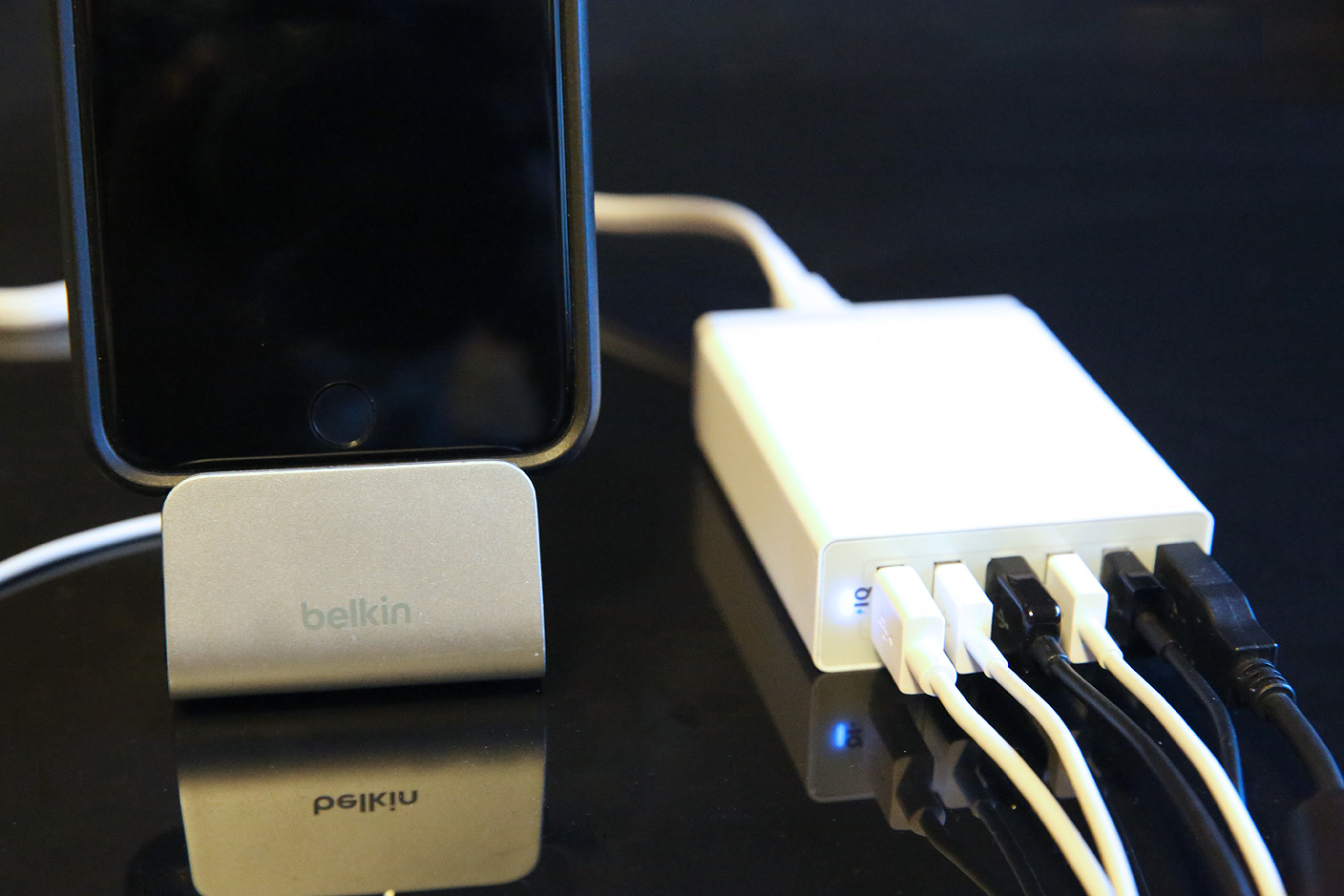
Correctly billed as “family-sized,” Anker’s 60W 6-Port Desktop USB Charger ($36) features an intelligent power management system that lets any of its ports recharge any iPad, iPhone, iPod, or other USB accessory at its top possible speed, sharing 60 watts of power across them. You can recharge six iPad Airs or iPad minis at peak 10W speeds, or five older, power-hungrier third- and fourth-generation iPads at their peak 12W speeds. There’s no need to confirm that you’re using the right type of port for your device, as all of Anker’s ports self-regulate power up to 12W as appropriate. Read on for more details…
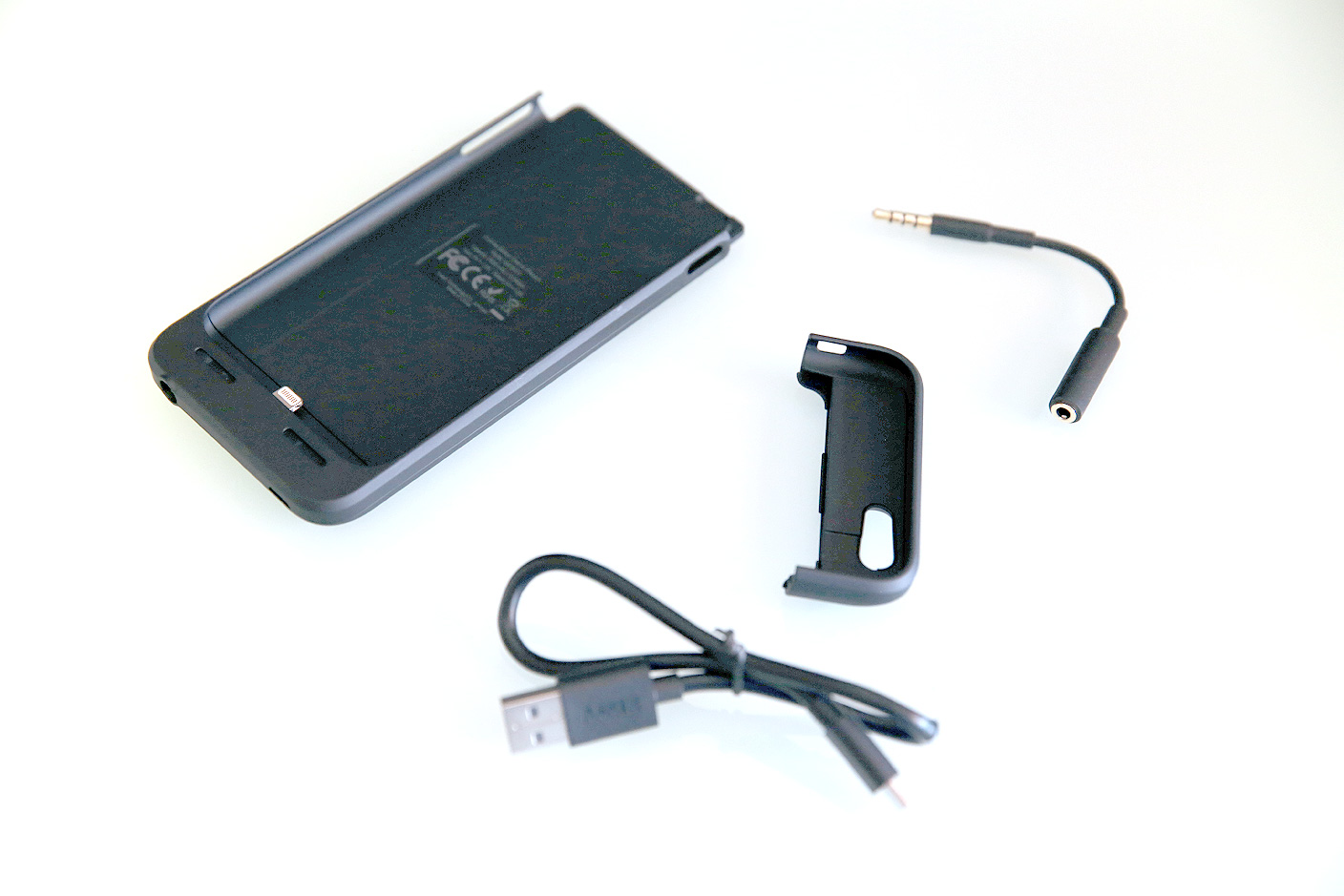
I’ve learned over the years that there’s no such thing as an Apple accessory that’s perfect for every user. A design optimized for budget-conscious users will often turn off people who are ready to spend more for something fancier, and vice-versa. The best a company can do is to design, execute, and price products well for a particular segment of the population. Anker specializes in this — it focuses on creating very good to great accessories for value-focused users.
Its new Ultra Slim Battery Case for iPhone 6 ($40-$60 on Amazon) is another example of that formula. Unfancy but more polished than similarly budget-priced rivals such as uNu’s DX-6, it’s not the most powerful or beautiful iPhone 6 battery case I’ve tested, but it does precisely what most users want: it more than doubles the iPhone 6’s power, doesn’t add much bulk to the device, and costs very little relative to most battery cases. Anker’s regular $60 price tag would be competitive for an Apple-certified case on its own, but it frequently sells for only $40, the best overall value I’ve seen for iPhone 6 users, hands-down.

What kind of parent are you if you don’t plunk down $80 for one of these OSMO things right now? I just got one. Amazon reviewers gave it an impressive 4.8/5 stars and it comes with 4 apps. The latest, Masterpiece for iPad [free, App Store] lets kids learn to draw by a type of tracing using the iPad camera illustrated in the excellent Sandwich video above.
After the kids are done you can send it all over the place or print it out. There is a nice video capture feature as well that replays the drawing which looks like it will pump up your kids for the next drawing.
The OSMO game system has three other games at present: Words, Newton and Tangram
It looks pretty cool but I’ll see if I can corral my 6 year old into a review.
Press release follows:
Expand
Expanding
Close

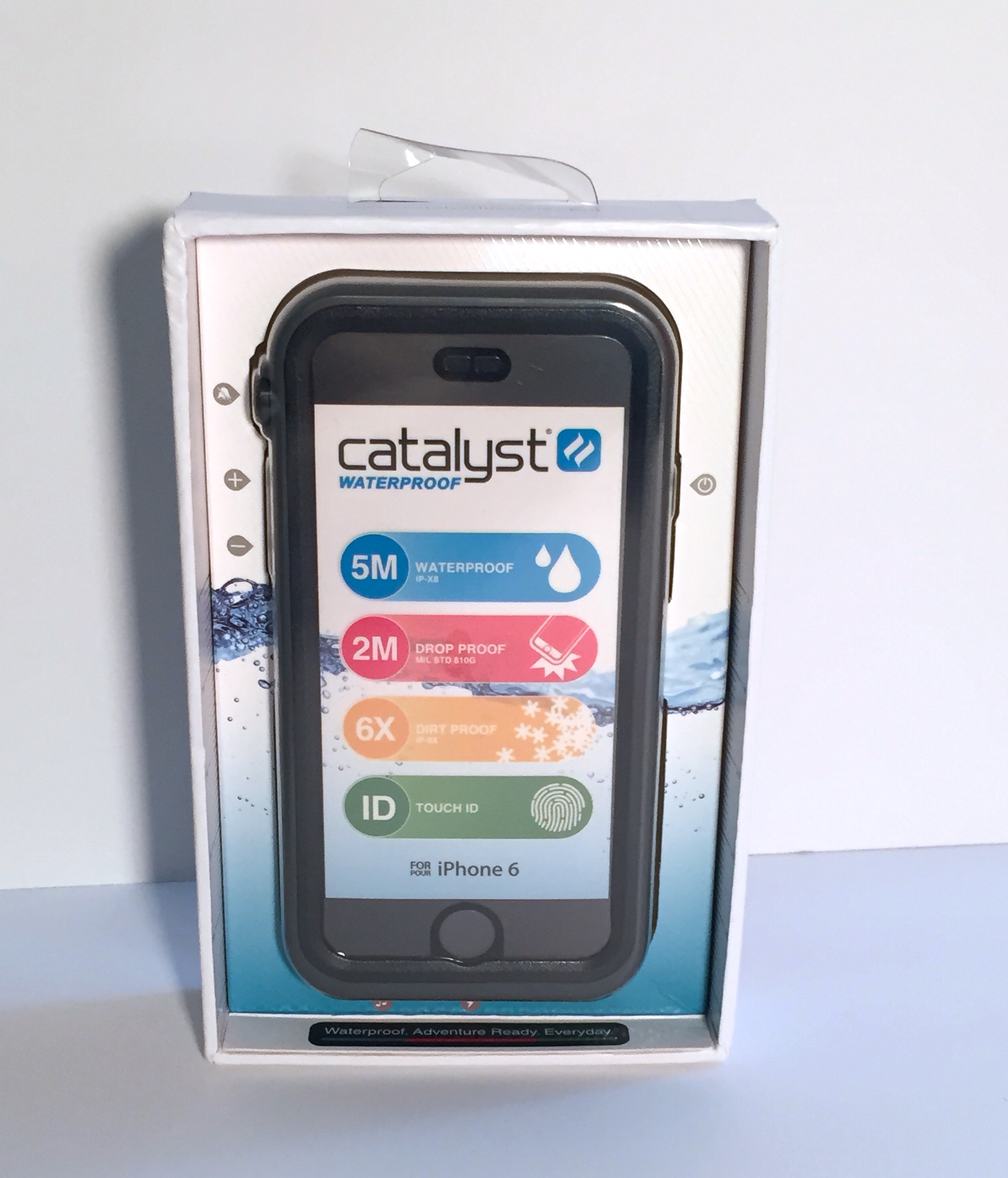
Catalyst is a sleek thin case that barely hides the design of the iPhone 6, considering how protective the case is. It is drop proof to 2 meters (6.6 feet), water proof to 5 meters (16.4 feet), dirt proof, snow proof and works with Touch ID.
One thing I love about 9to5Mac readers is how engaged they are in the comments. My review of the ClamCase Pro iPad keyboard case last month led to a lively discussion about the relative merits of that vs the Brydge keyboard, so I decided to give that a try for a retrospective shoot-out.
The Brydge Air is a slightly different beast to the ClamCase, being just a keyboard and not a full case. It still hinges shut in a laptop-like clamshell fashion, but there’s no rear protection on this one. That, as we’ll see, has both pros and cons …
Expand
Expanding
Close
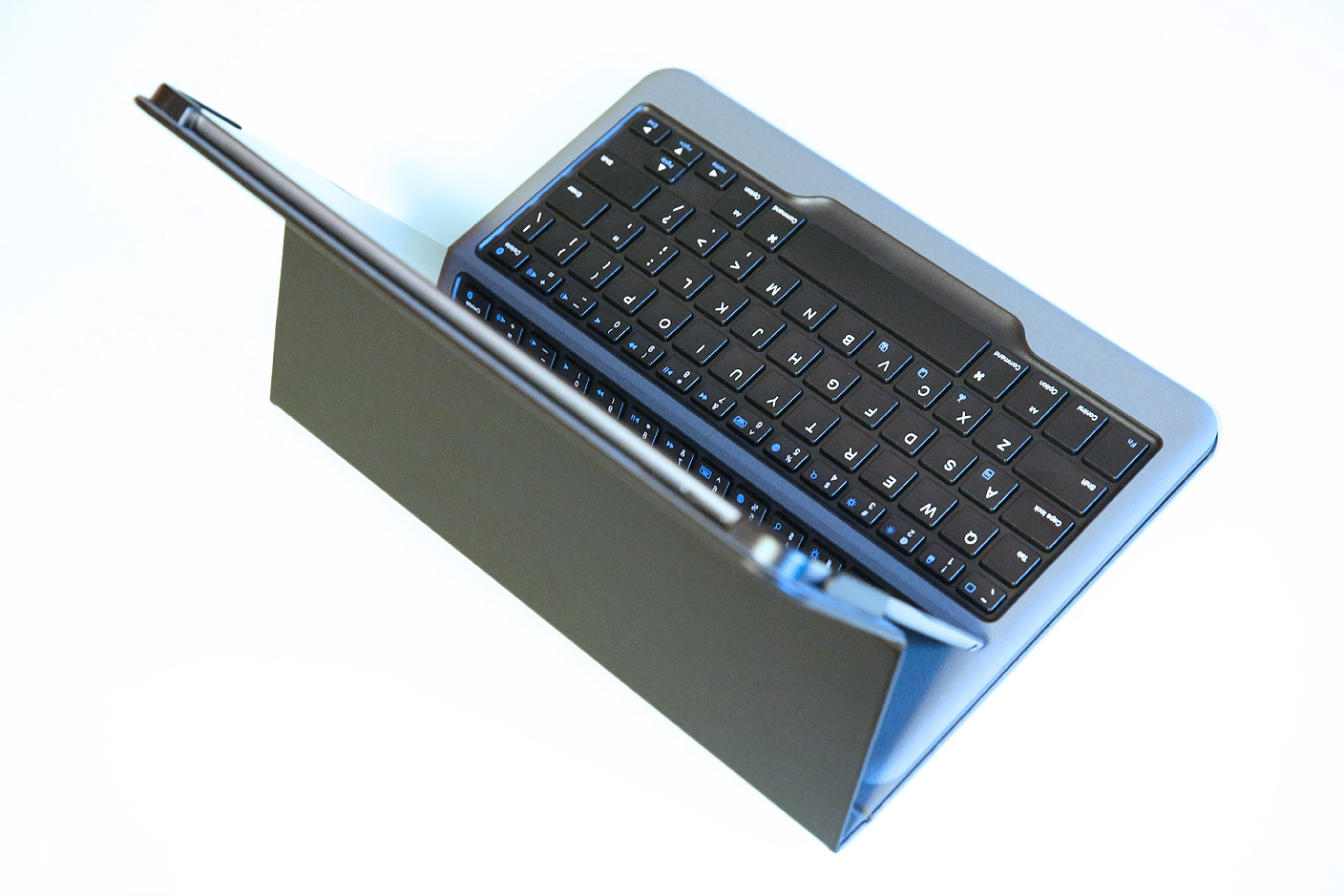
I’ve tested almost every major iPad keyboard case since the first iPad was released five years ago, and still recall when companies charged $100 for greasy vinyl folios with terrible, squishy rubber keys. Thankfully, a lot has changed since then. If you’re willing to spend $100, you can get a much nicer iPad-holding case attached to a nearly great keyboard. Drop $130-$150 (or go nuts for $170), and you can get a metal keyboard that partially resembles a MacBook Air. Personally, $100 is the ceiling I’d ever be willing to pay for an iPad keyboard case, and I’d rather pay less. But unless you count discontinued models for prior-generation iPads, there aren’t many great options.
Anker is changing that. Its new Bluetooth Folio Keyboard Case for iPad Air 2 sells for a stunningly low $40, and just like the 25,600mAh Anker iPad battery pack I previously reviewed, it delivers remarkable value for its price point. As the product of strategic compromises, it winds up giving up only one thing I typically prefer — a complete iPad-holding frame — in order to offer an excellent typing experience for the same cost as a typical iPad case without a keyboard. Read on for the reasons why I’d recommend this over options costing three times the price.
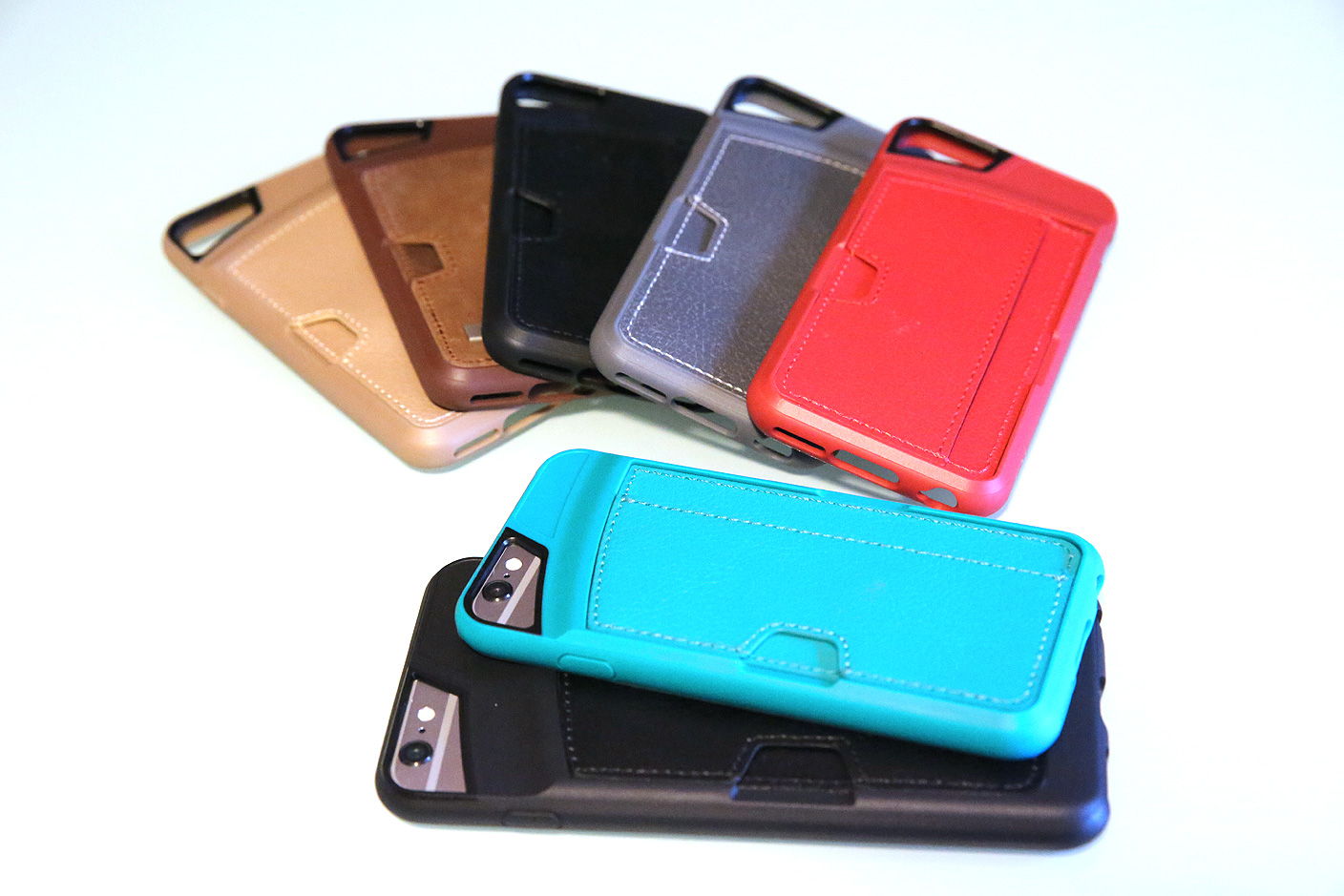
Our editors all have their favorite wallet cases for the iPhone 6 and iPhone 6 Plus: Seth’s top pick is Pad & Quill’s Little Pocket Book, Ben’s fondest of Mujjo’s Leather Wallet Case, and up until now, my pick — based more on material quality than practicality — has been Twelve South’s BookBook. Each of these cases picks up where Apple Pay leaves off, carrying a handful of credit cards and a little cash for the (still numerous) times when wireless payments aren’t an option. But most of the cases haven’t properly balanced practicality and protection.
That’s where CM4’s Q Card Cases for iPhone 6 ($32-$40 at Amazon) and iPhone 6 Plus ($32-$40 at Amazon) come in. Their MSRPs are tied with the most affordable wallet cases I’ve previously seen for the new iPhones, combining the slim protectiveness of a TPU iPhone case with the look and feel of a leather wallet. While the standard $40 cases use realistic-looking faux leathers, CM4’s Limited Edition versions use genuine leather and pack-in simple plastic screen protectors for $60 each (iPhone 6, iPhone 6 Plus). Below, you’ll see why it’s hard to go wrong with any of the Q Card Cases…
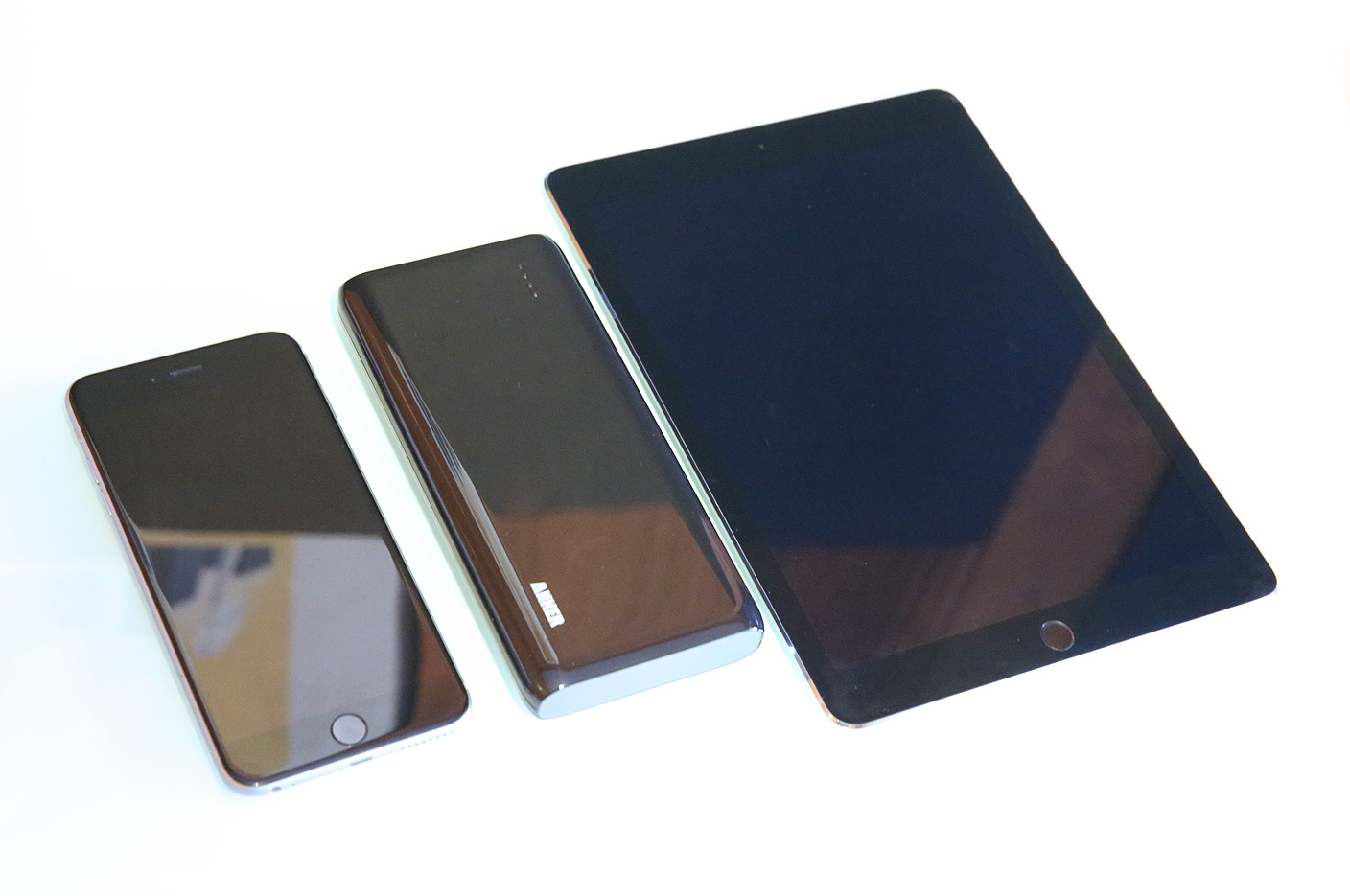
There are hundreds of external battery packs out there, and most of them are highly similar to one another: cosmetics aside, their capacities, features, and pricing tend to be predictable. Anker’s 2nd Gen Astro E7 ($80) is a complete outlier. It has the highest capacity of any external battery pack I’ve ever tested, yet it’s priced competitively with products that deliver half as much juice.
If you have an iPad or plan to carry your iPhone around without access to wall power, Astro E7 is as close to a must-have battery as I’ve seen. Delivered in efficiently designed, eco-friendly packaging, it quickly earned a place in my personal travel bag, for reasons I’ll explain below.


Sengled’s Pulse LED light system is definitely a product I never thought would be a thing. The Pulse series is a system of LED lights with built-in speakers. Yes, you read that correctly. It’s something I never thought would need to exist. That being said, because it was so unique I figured it would be worth checking out and to my surprise, it’s actually pretty cool…
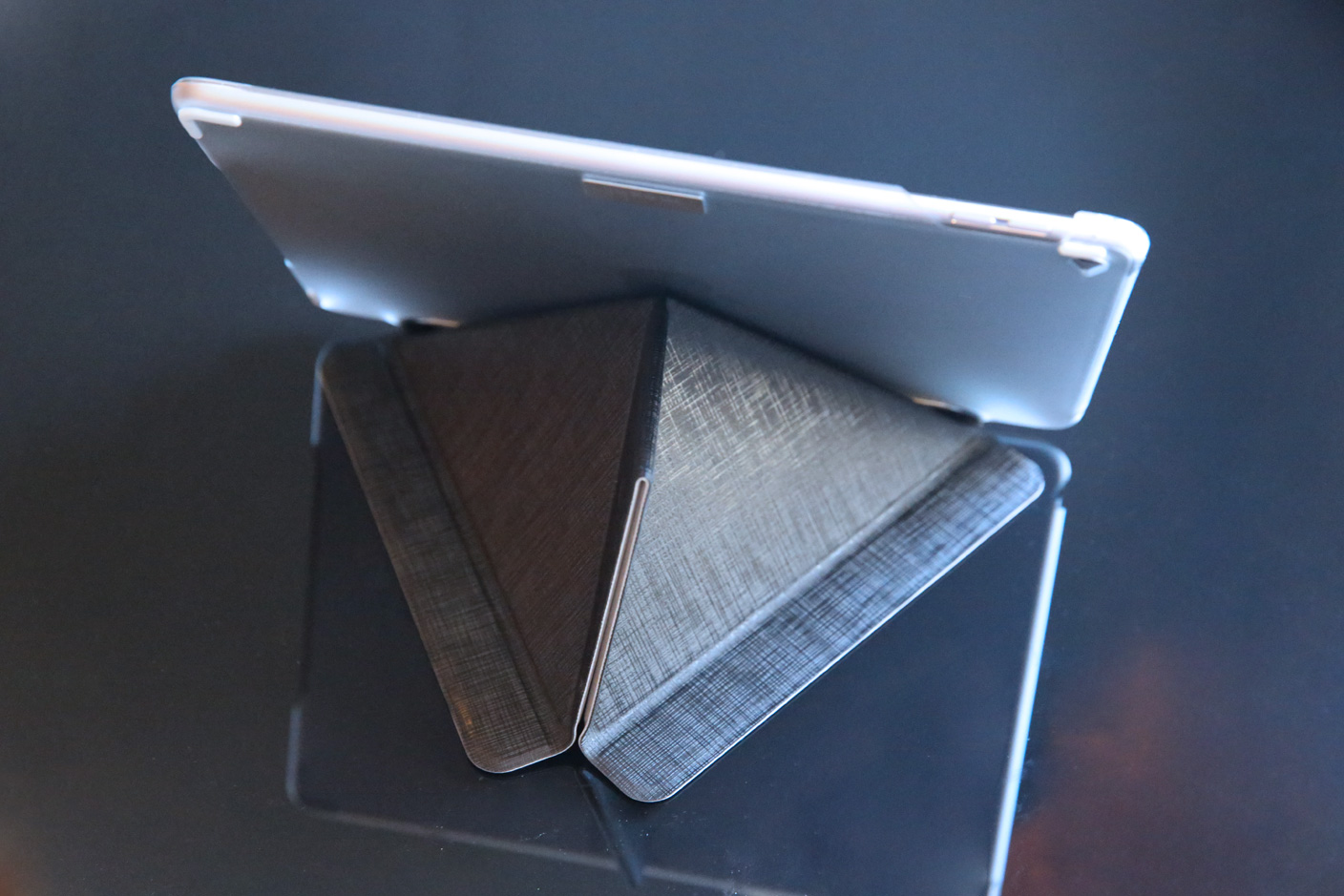
Several months after the iPad Air 2 hit shelves, form-fitting cases still remain few and far between, and even our favorite case makers have been rushing out “quick fix” options reusing most of earlier, thicker iPad Air 1 designs. Moshi’s VersaCover for iPad Air 2 ($60) is different.
While the “origami cover” front lid is identical to one that was used in the same-named iPad Air 1 case, the rear shell has been redesigned to precisely fit the more slender iPad Air 2’s form. If you’re looking for a super-thin iPad folio with mature textures, colors, and stand functionality, it’s worth considering.
It seems pretty much every gadget in the world these days–from phones to bicycle lights–is charged via USB, so you can never have too many USB charging points in your home.
The Lightning Rabbit Triforce is a simple device with two goals: to charge your devices quickly, and to look cute (if quirky) while doing so.
At the rear, there’s just a figure-of-8 power socket (with a supplied power cable). At the front, there are four USB sockets, all of them delivering the same 2.4A power as an Apple iPad charger, ensuring that devices are charged as quickly as possible.
For lower-powered devices, there is no harm in having the extra power available–power draw is determined by the device itself, the charger just delivering whatever is requested.
I’ve been using it to charge a variety of gadgets over the past week or so, all of them charging as quickly as with their supplied chargers but with a lot less clutter and a far prettier box. At its official price of $60, you’re paying a pretty steep premium for that cute design, but it’s worth bearing in mind that most multi-port USB chargers give you one 2.4A port at most.
At the Amazon price of $47.79, it’s still not cheap, but if you have more than one power-hungry device, and share my love of the design, you may well find it worth the outlay. If wood is more your thing, check out the Truffol Station 5 charger instead.
The White Lightning Triforce 48W 4-port USB charger is available from the company’s Amazon store for $47.79.
Contactless credit and debit cards are only just starting to take off in the USA, but with Apple Pay driving merchants to introduce contactless payment terminals, you are increasingly likely to find that RFID symbol on your bank cards when you receive replacements.
We’ve had contactless cards in Europe for a few years now, and they’re even more convenient than Apple Pay for low-value transactions. For anything up to £30 ($46), you don’t need to verify the transaction in any way: just tap your card against the terminal. You can even do this without taking the card out of your wallet. (Bank guarantees protect you against fraudulent transactions.)
Convenient, that is, unless you have more than one contactless card in your wallet. This can either lead to the wrong card being debited or, more usually, cause the transaction to fail. Truffol has come up with an iPhone 6 wallet case specifically designed to solve this problem …
Expand
Expanding
Close
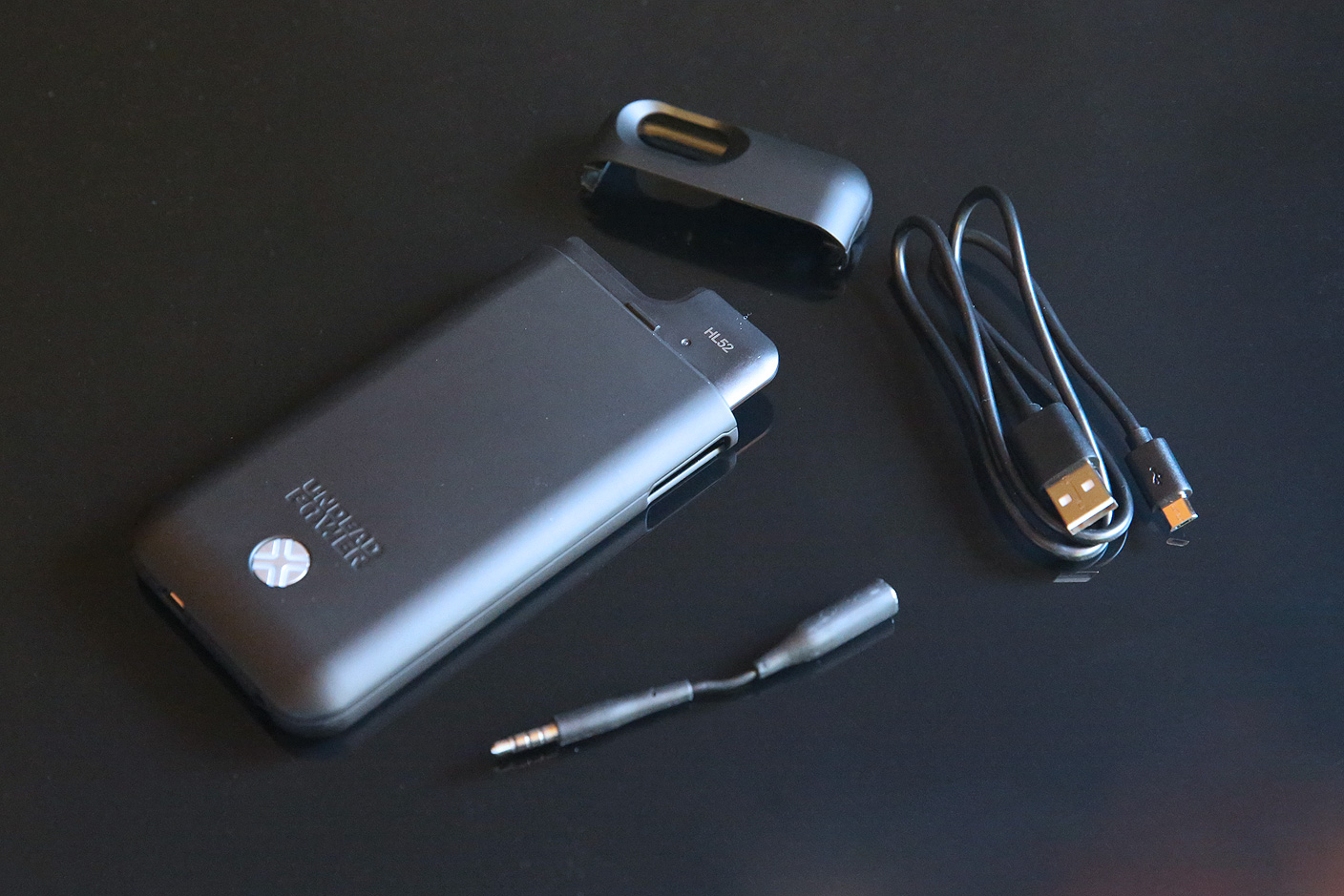
Featured in our guide to the best Apple device batteries, the one-of-a-kind MacBook external battery pack ChugPlug demonstrated that Lenmar knows how to make unique accessories. By comparison, Lenmar’s new Maven Battery Case for iPhone 6 ($100) isn’t quite as distinctive. It’s basically a softer-curved and more powerful version of the company’s iPhone 5/5s battery case Meridian, which makes it extremely similar to numerous rival iPhone 6 battery cases I’ve tested from other companies.
But with four color options, the ability to refuel itself at 2-Amp speeds, and better button openings than certain lower-priced competitors, the 3,000mAh Maven does have some merits. Here’s a more detailed look at what makes this case blend in and stand out…
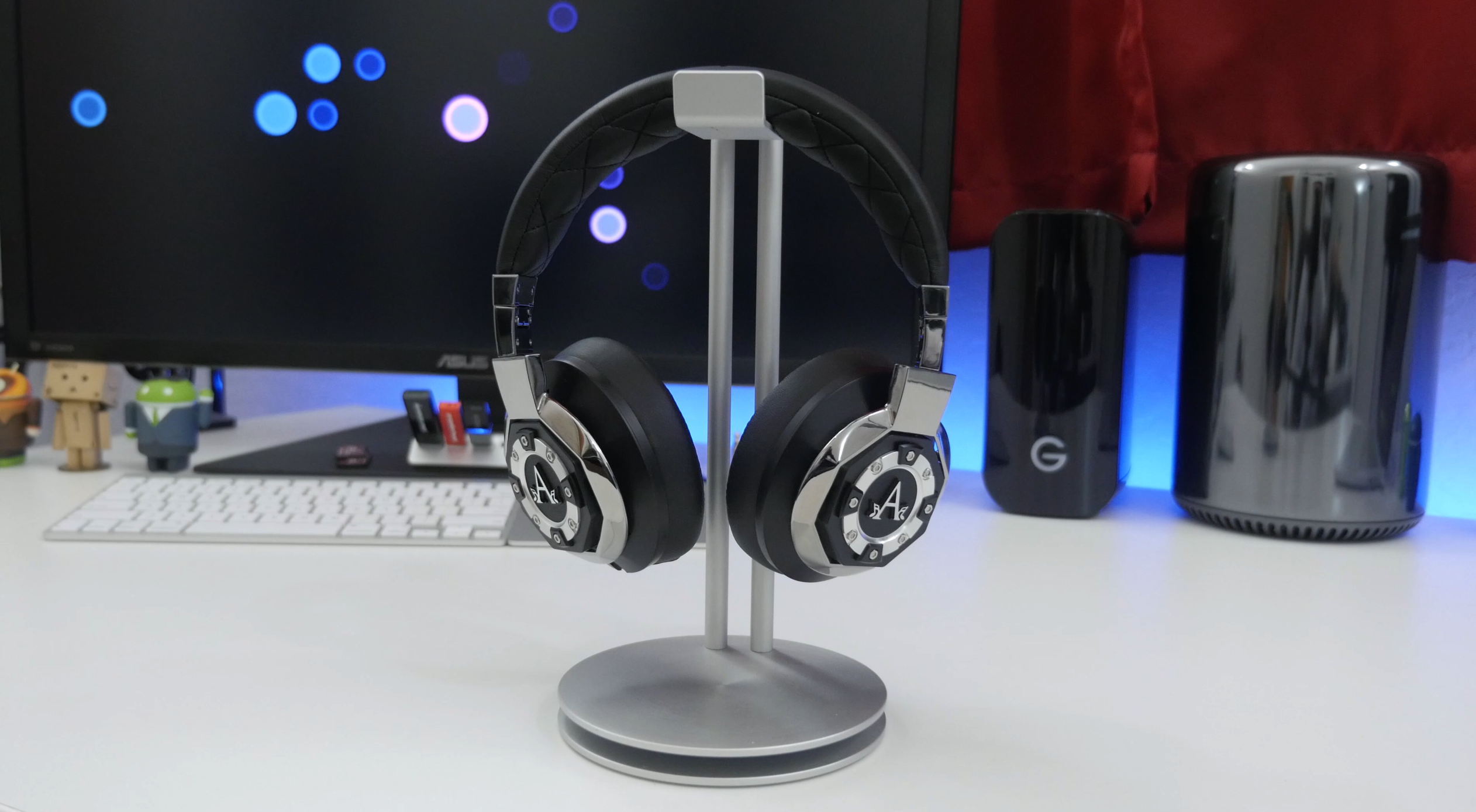
These days, it seems like there is an endless variety of headphones to choose from. With new models popping up on a weekly basis, it’s hard to sort through the crowd to find the ones that fit you best. When it comes to active noise cancellation this elite selection thins out a bit, but there are only a handful that fall into the same category as A-Audio’s Icon over-ear headphones.
From a functionality perspective, these headphones give you everything but the kitchen sink. They can be used wirelessly via Bluetooth with active noise cancellation, in passive (wired) mode, and even feature dual sound profiles. Along with that, they include a wide variety of accessories that offer more than enough for any situation…
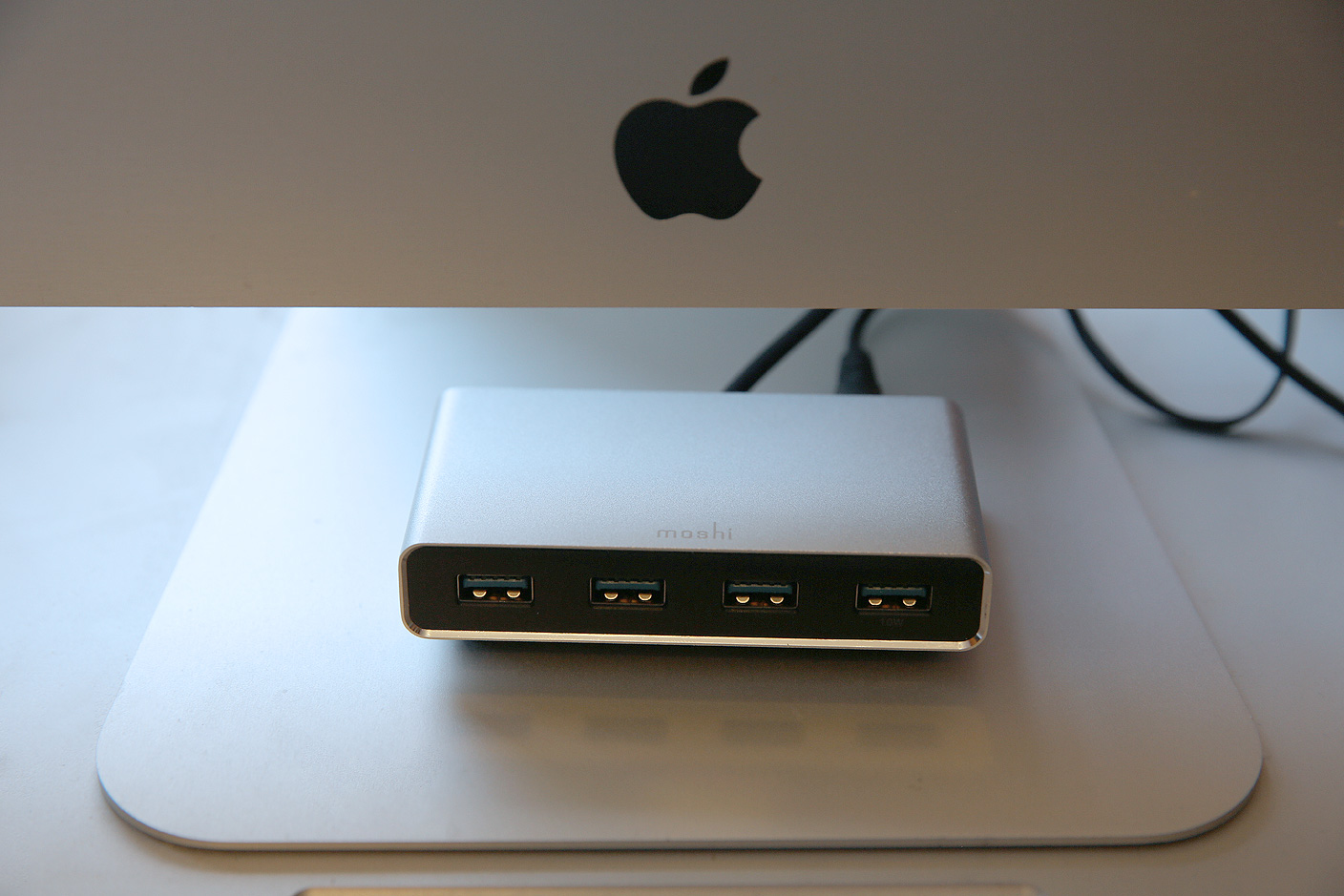
Accessing a Mac’s rear-facing ports can be a hassle, particularly when you’re using short cables. To eliminate that issue, Moshi’s original iLynx combined four USB 2.0 and two FireWire 400 ports into a triangular hub designed primarily to sit in front of an iMac. Later, a cosmetically near-identical sequel called iLynx 800 modestly updated the accessory by updating the ports to FireWire 800.
With FireWire dead and USB 3.0 growing in popularity, there’s a new iLynx in town. iLynx 3 ($60) drops FireWire entirely in favor of an all-USB approach, relying on a combination of USB and wall power to connect up to four devices to your Mac. Read on for the details.