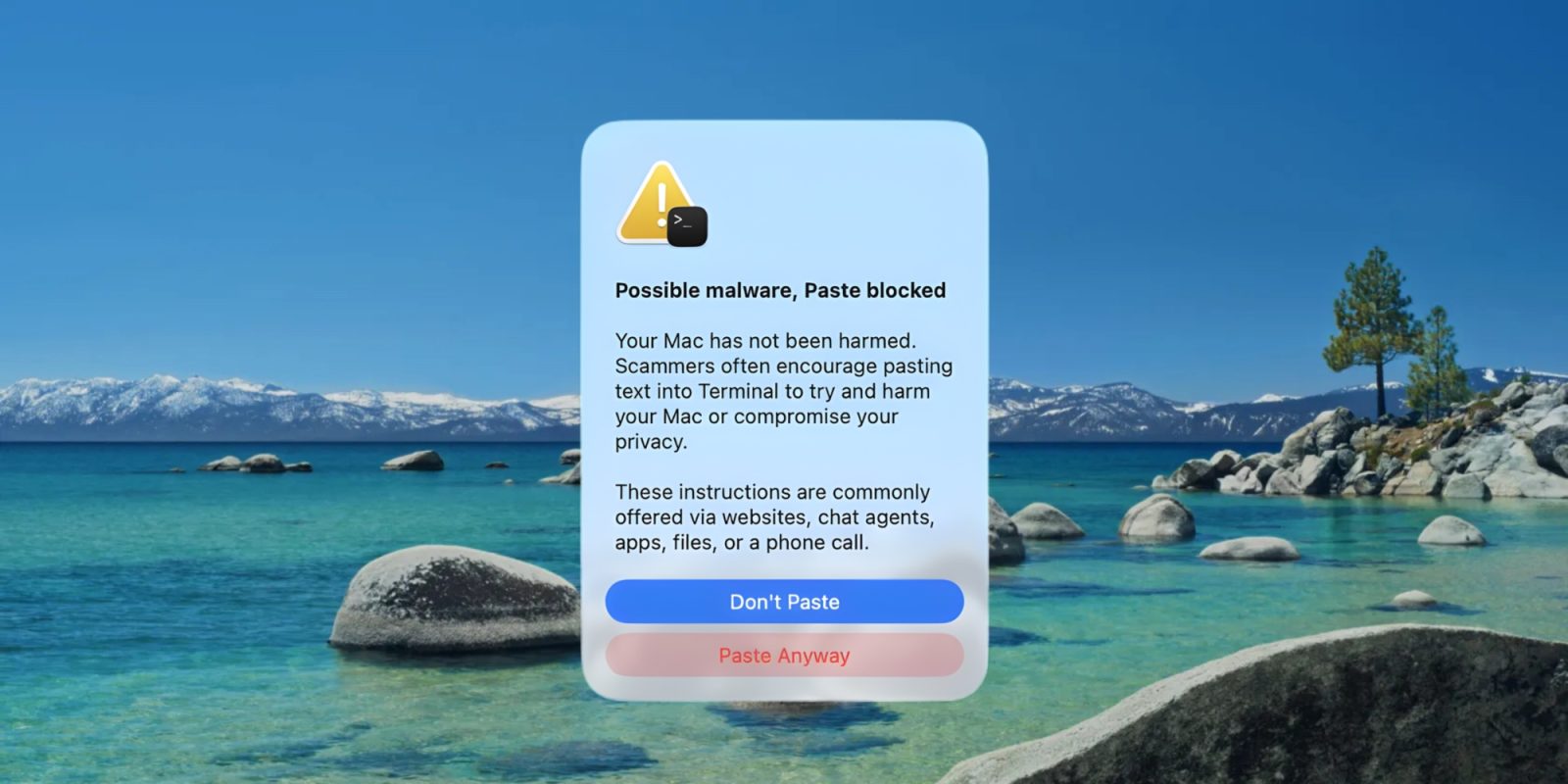
In macOS 26.4, Apple introduced new popup warnings when you try to paste a command into the Terminal. Now, a new support document explains why these and other Mac Terminal popups appear.
9to5Mac Security Bite is exclusively brought to you by Mosyle, the only Apple Unified Platform.Making Apple devices work-ready and enterprise-safe is all we do. Our unique integrated approach to management and security combines state-of-the-art Apple-specific security solutions for fully automated Hardening & Compliance, Next Generation EDR, AI-powered Zero Trust, and exclusive Privilege Management with the most powerful and modern Apple MDM on the market. The result is a totally automated Apple Unified Platform currently trusted by over 45,000 organizations to make millions of Apple devices work-ready with no effort and at an affordable cost. Request your EXTENDED TRIAL today and understand why Mosyle is everything you need to work with Apple.
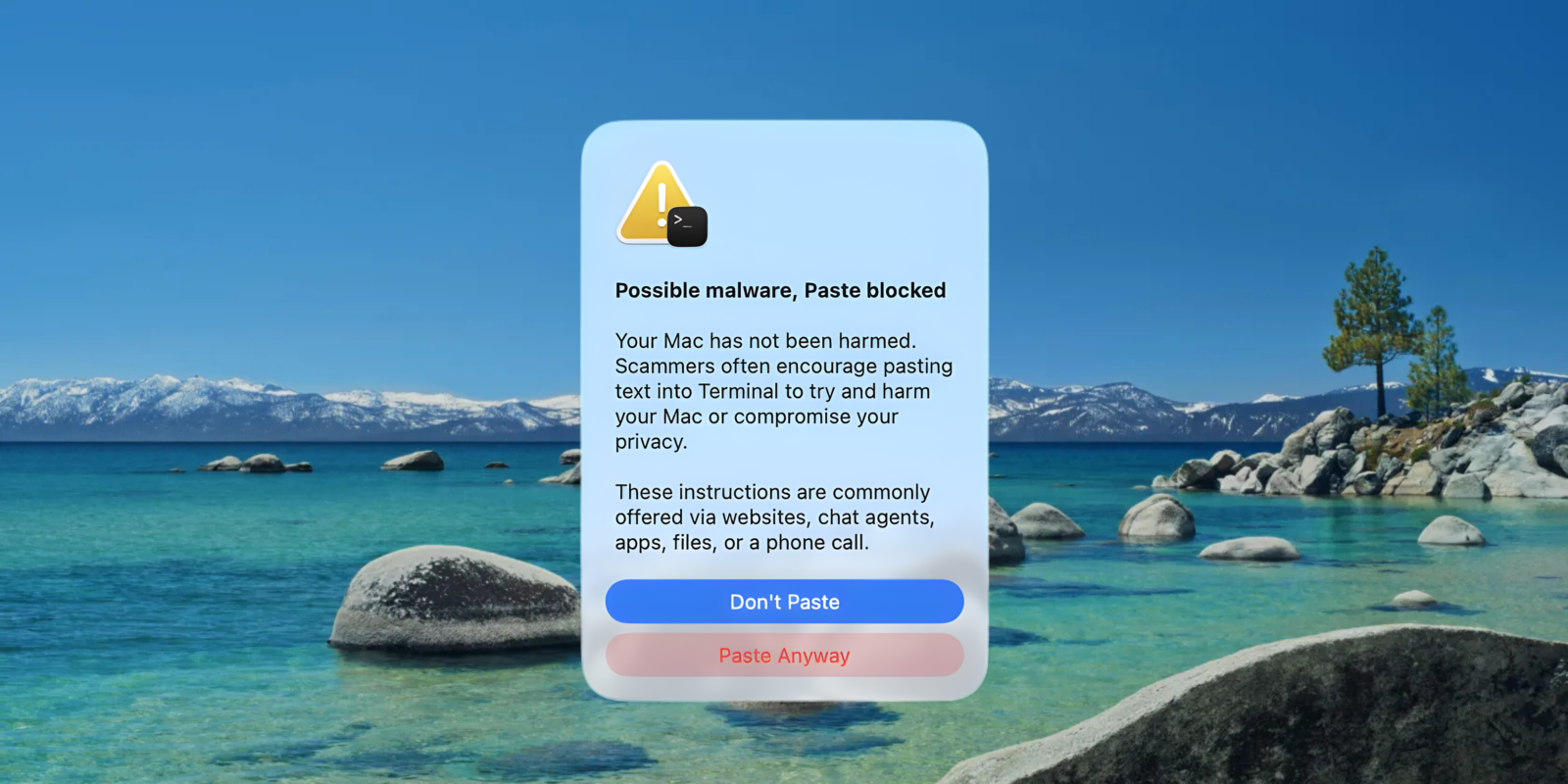
With the release of macOS 26.4, Apple is now warning users who it believes are about to paste malicious code into Terminal. The prompt is the latest blow to cybercriminals’ newest and, honestly, more desperate attack vector of getting unsuspecting Mac users to infect themselves.
macOS Tahoe 26.4 arrived this week, and users have discovered that it comes with a new Terminal security popup when you first try to paste in commands.
9to5Mac Security Bite is exclusively brought to you by Mosyle, the only Apple Unified Platform.Making Apple devices work-ready and enterprise-safe is all we do. Our unique integrated approach to management and security combines state-of-the-art Apple-specific security solutions for fully automated Hardening & Compliance, Next Generation EDR, AI-powered Zero Trust, and exclusive Privilege Management with the most powerful and modern Apple MDM on the market. The result is a totally automated Apple Unified Platform currently trusted by over 45,000 organizations to make millions of Apple devices work-ready with no effort and at an affordable cost. Request your EXTENDED TRIAL today and understand why Mosyle is everything you need to work with Apple.
You can stop holding your breath. Down the rabbit hole of neat, lesser-known Terminal commands is back! ICYMI, I’ve recently found myself fascinated by all the helpful tricks Terminal can do to improve my productivity and overall make me more proficient behind a Mac as a security practitioner. In previous editions, I covered everything from enabling Touch ID for sudo authentication to cleaning up public Wi-Fi connections. This week, I share even more commands I’ve since discovered.
9to5Mac Security Bite is exclusively brought to you by Mosyle, the only Apple Unified Platform.Making Apple devices work-ready and enterprise-safe is all we do. Our unique integrated approach to management and security combines state-of-the-art Apple-specific security solutions for fully automated Hardening & Compliance, Next Generation EDR, AI-powered Zero Trust, and exclusive Privilege Management with the most powerful and modern Apple MDM on the market. The result is a totally automated Apple Unified Platform currently trusted by over 45,000 organizations to make millions of Apple devices work-ready with no effort and at an affordable cost. Request your EXTENDED TRIAL today and understand why Mosyle is everything you need to work with Apple.
I’ve recently fallen into the rabbit hole of lesser-known Terminal features. These past months, I covered everything from enabling Touch ID for sudo authentication to cleaning up public Wi-Fi connections stored on your Mac. I want to share even more neat features you probably didn’t know Terminal could do. These can be helpful if you’re an everyday Mac user or managing an enterprise fleet. Now, allow me to elevate your command-line prowess further.
9to5Mac Security Bite is exclusively brought to you by Mosyle, the only Apple Unified Platform.Making Apple devices work-ready and enterprise-safe is all we do. Our unique integrated approach to management and security combines state-of-the-art Apple-specific security solutions for fully automated Hardening & Compliance, Next Generation EDR, AI-powered Zero Trust, and exclusive Privilege Management with the most powerful and modern Apple MDM on the market. The result is a totally automated Apple Unified Platform currently trusted by over 45,000 organizations to make millions of Apple devices work-ready with no effort and at an affordable cost. Request your EXTENDED TRIAL today and understand why Mosyle is everything you need to work with Apple.
I’ve recently found myself down the rabbit hole of lesser-known Terminal features. These past months, I covered everything from enabling Touch ID for sudo authentication to cleaning up public Wi-Fi connections stored on your Mac. But this past week, I journeyed deeper and found even more neat features you probably didn’t know Terminal could do, and I’m not talking ping command here. In this edition of Security Bite, allow me to elevate your command line prowess further.
9to5Mac Security Bite is exclusively brought to you by Mosyle, the only Apple Unified Platform.Making Apple devices work-ready and enterprise-safe is all we do. Our unique integrated approach to management and security combines state-of-the-art Apple-specific security solutions for fully automated Hardening & Compliance, Next Generation EDR, AI-powered Zero Trust, and exclusive Privilege Management with the most powerful and modern Apple MDM on the market. The result is a totally automated Apple Unified Platform currently trusted by over 45,000 organizations to make millions of Apple devices work-ready with no effort and at an affordable cost. Request your EXTENDED TRIAL today and understand why Mosyle is everything you need to work with Apple.
One of the greatest benefits of Touch ID on Mac is rarely having to type your password when making purchases, signing into apps, and, of course, unlocking the device. It might be ancient technology to the iPhone at this point, but it continues to be a default luxury on Mac. If you frequent Terminal, you’ll be glad to know you can also authenticate as administrator with Touch ID for all the sudo goodness with one tap.
TermHere is a new app available on the Mac App Store that serves as a Finder extension. Once enabled, right-clicking inside of the Finder will present a new shortcut to jump to a Terminal window pointed to the current working directory.
TermHere may feature a straightforward premise, but it’s very nice to have if you’re a developer or avid Terminal user. Watch our brief hands-on video inside to see it in action. Expand Expanding Close
Panic has released their new 2.5 update for Prompt, the popular SSH application for iOS. Introducing split-screen views on the iPad and 3D Touch on the latest iPhones, this brings Prompt to the forefront with the latest features available in iOS 9.
Bloomberg has updated its Bloomberg Professional app for iOS with new iOS 9 optimizations including Split Screen mode and Picture-in-Picture support on the latest iPads. Bloomberg Professional is also optimized for the new 12.9″ iPad Pro display with native resolution to show more content on the screen, which the company says helps “deliver real-time data, comprehensive news, technical graphs, portfolio tracking and Instant Bloomberg (IB) to Bloomberg customers.”
While an increasing number of retailers are adopting smartphones and tablets as mobile payment terminals, the deployment process can often prove to be expensive and time consuming as the sizes and form factors of devices continue to change. Leading NFC terminal maker Verifone aims to solve that problem, announcing today a new mPOS terminal that supports all mobile payment platforms and devices.
Verifone’s upcoming PAYware Mobile e355 should be an extremely valuable option for retailers looking to deploy a mobile POS system without being locked into a single ecosystem. PAYware Mobile e355 is designed to work with multiple device sizes and form factors, meaning that retailers won’t have to constantly upgrade their hardware when next-generation iPhones or Android-based smartphones are released. Expand Expanding Close
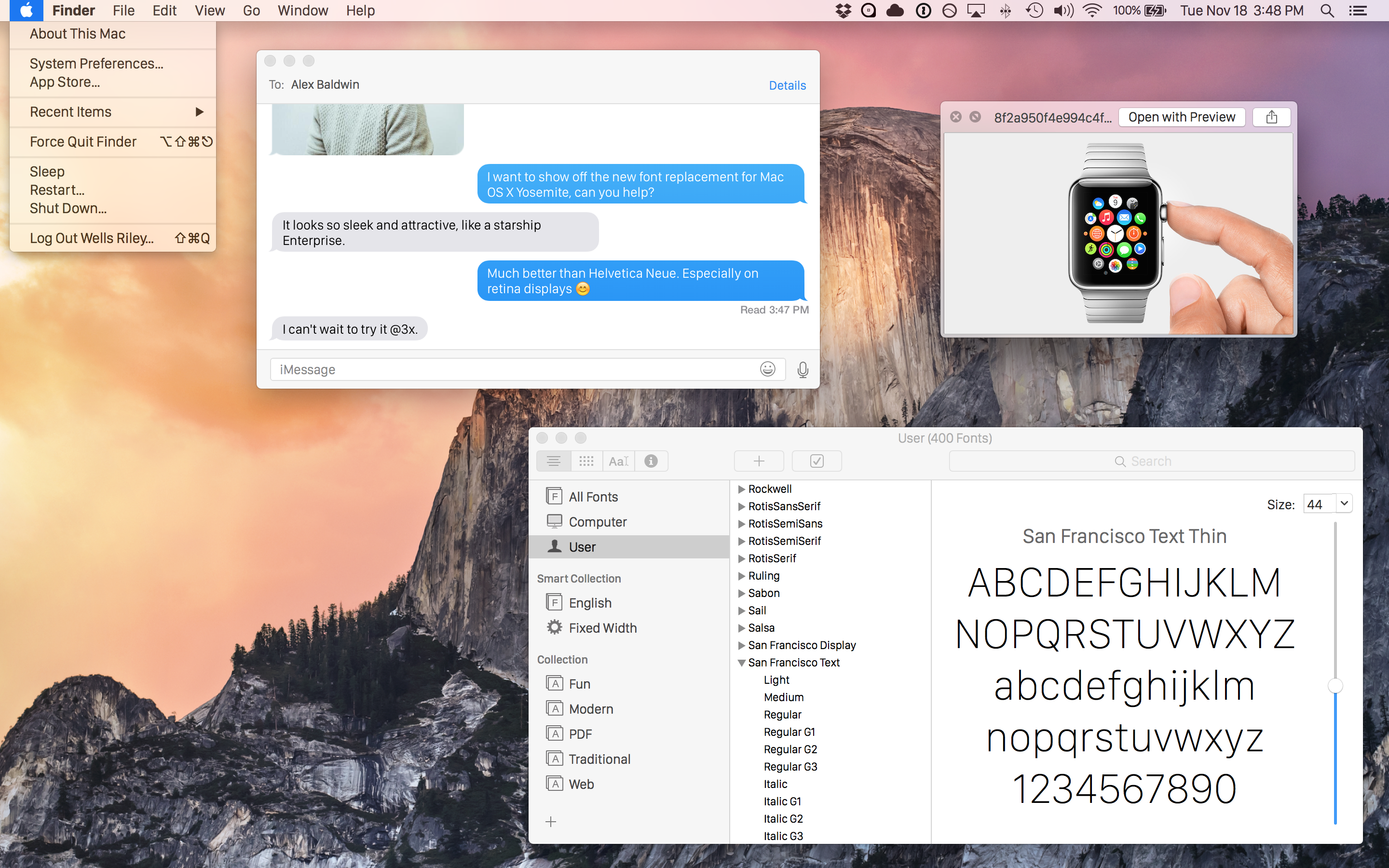
As part of the WatchKit resources, which can be freely downloaded by anyone at Apple’s website, the company released the font it uses on Apple Watch, called San Francisco.
With Yosemite, Apple changed the system font from Lucida Grande to Helvetica, the font used on iOS. This caused some backlash amongst the designer community who detested the change of typeface. The Apple Watch font has been widely praised, leading some people to speculate whether it will become the default on iOS or OS X anytime soon. A user on GitHub has posted instructions on how to try out San Francisco on your Mac today, with some basic changes.
Update: Apple has issued a statement to iMore regarding this issue, stating that most Mac users are already protected unless they have configured “advanced UNIX services.” An update is in the works to protect those users.
A vulnerability in Bash, the software used to control the command shell in many flavors of Unix, has been shown to be present in OS X – with some security researchers saying that the flaw could pose a bigger threat than the Heartbleed vulnerabilty discovered last year (which affected many Unix systems but not OS X).
The Bash vulnerability being referred to by some as ‘Shell Shock’ allows an attacker to run a wide range of malicious code remotely. It was discovered by security researchers at RedHat, and is described in detail in a blog post.
There are conflicting reports as to the extent to which Mac users are at risk … Expand Expanding Close
I’ve recently found myself wishing there was a space between banners and alerts with OS X’s notification system. Alert style notifications that require manually dismissing can be rather annoying, but quick banner notifications often fly by before I’ve had time to glance at the information. It turns out despite not having a toggle in the system preferences, a little Terminal code shared by OS X Daily allows you to toggle the duration down to the second…
Reports from earlier this week noted Apple had recently blocked Java 7 browser plug-ins again on OS X. While the exact reason was unclear, a terminal workaround is no longer required. Oracle released update 13 for Java 7 for Mac OS X today. The critical patch brings over 50 new security fixes for Jave SE products, in addition to re-enabling plug-ins on OS X.
The original Critical Patch Update for Java SE – February 2013 was scheduled to be released on February 19th, but Oracle decided to accelerate the release of this Critical Patch Update because active exploitation “in the wild” of one of the vulnerabilities affecting the Java Runtime Environment (JRE) in desktop browsers, was addressed with this Critical Patch Update.
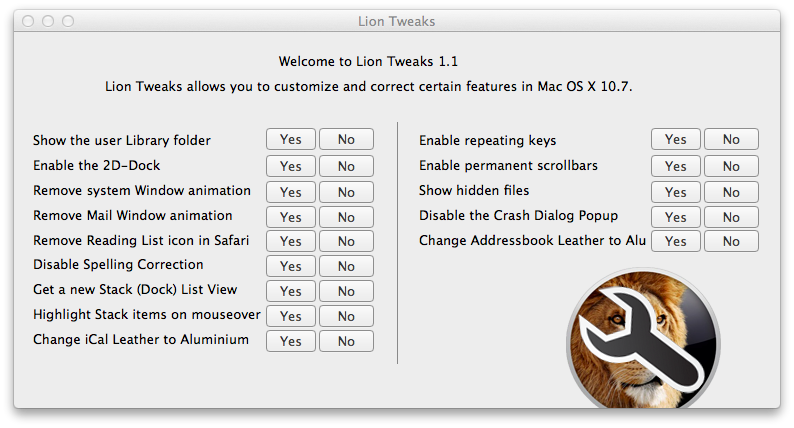
Annoyed by the small changes in Lion? A new app called Lion Tweaks allows you to quickly turn on or off certain features in Lion that may be bugging you. The free app does nothing revolutionary, because all of these tweaks could be accessed in Terminal, but it’s nice to have a centralized place. I’m already eyeing, “Change iCal Leather to Aluminum”. (via Betanews)