Apps

See All Stories

Learn about the latest news for iOS, Mac, Apple Watch, and Apple TV apps

Apps for iOS, macOS, tvOS, and watchOS power our modern world. 9to5Mac will update you on the latest news, review, and updates for all types of apps. “There’s an App for that”.

The term came became part of our vocabulary when Steve Jobs announced The App Store as part of the iPhone 2.0 software update in 2008.

Over the years, the term has become as common as kleenex for describing applications on all of our devices. Apple’s platforms have apps for just about anything from finance, banking, sports, social media, podcasting, music, and more. We have a guide for helping you discover the best ones as well. Apps are now on everything from our TV, to our smartphones, on our laptops, and all the way down to our wrists.

As new ones are released or existing ones have major updates, the team here at 9to5Mac will bring you the latest news and reviews. If you want to follow along with video footage, be sure to follow 9to5Mac on YouTube. Scroll down below our latest updates on all things relating to applications on iPhone, iPad, Mac, Apple TV, and Apple Watch.

Site default logo image

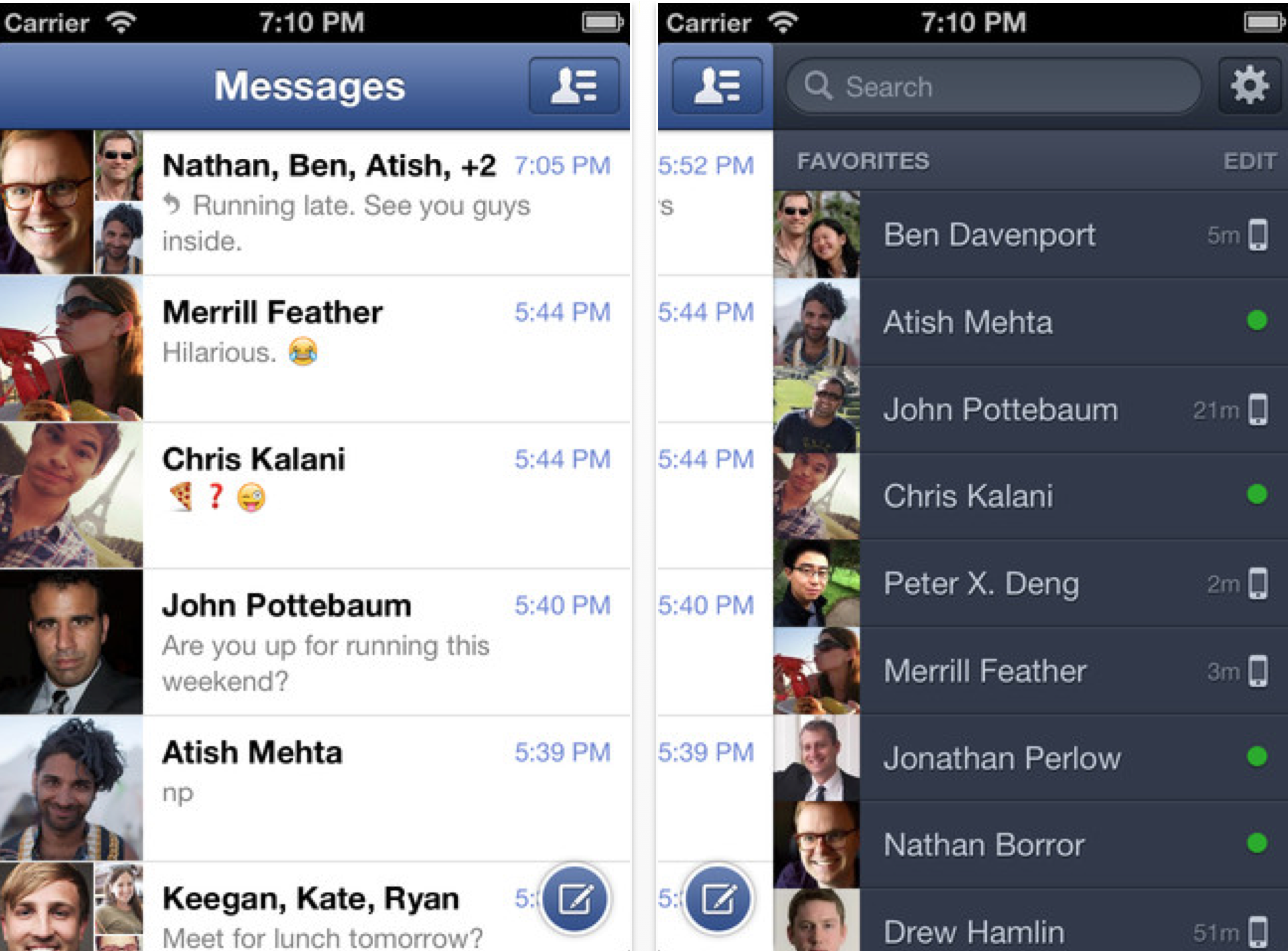
Majority of Facebook’s 900M users are mobile [500M]

According to a filing with the U.S. Securities and Exchange Commission this afternoon, the social network giant Facebook hit 500 million mobile users (via Business Insider). Furthermore, the IPO-destined company also announced that it has 900 million total users, 500 million of which return to use the website on a daily basis.

Facebook is currently available on every major mobile platform through an app. Facebook also has a nicely done HTML 5 mobile website, so those without the app can still have access. With so many people using smartphones these days, it is obvious why so many people are accessing the social network through their mobile phone.

As for the company’s quarterly revenue, it climbed 45 percent year-over-year to a whopping $1 billion. As for net income, Facebook racked $204 million.


Expand
Expanding
Close

Cargo-bot, the first app created entirely on the iPad, hits the App Store

Site default logo image

[youtube=http://www.youtube.com/watch?feature=player_embedded&v=mPWWDOjtO9s#!]

Using a development environment/ app called Codea (formerly Codify), Two Lives Left created a free iPad game called Cargo-Bot. It is now available in the App Store.

Cargo-Bot is a puzzle game where you teach a robot how to move crates. Sounds simple, right? It features 36 fiendishly clever puzzles, haunting music and stunning retina graphics. You can even record your solutions and share them on YouTube to show your friends.

The app itself looks good but where it gets interesting is that it was made entirely on an iPad using Codea ($9.99 App Store). Codea uses the Lua programming language and has called the GarageBand of iPad coding for its visual ease of use. Until now, apps built using Codea were only able to play inside the app.  Using a preview of a new Open Source exporter tool, Codea exported the Cargo-bot app and submitted it to the App Store where it was recently approved.

It’s the first game of its kind, prototyped, programmed and polished on iPad. Cargo-Bot was created by Rui Viana, a Codea user who developed his initial prototype and shared it with the Codea community. Two Lives Left reached out to Rui in order to turn his prototype into a published App Store game. They also enlisted the aid of Fred Bogg, a composer who developed a music library for Codea, to create the music for Cargo-Bot.

Coinciding with the release of Cargo-Bot, Two Lives Left is releasing the Codea Runtime Library source code under the Apache License Version 2.0. Registered Apple iOS Developers will be able to export their Codea projects into the Codea Runtime Library in order to release them as standalone apps, just like Cargo-Bot.

How long until iPad game creation is mainstream? Xcode for iPad certainly couldn’t be too far off?

Press release follows:


Expand
Expanding
Close

Microsoft releases SkyDrive for Mac app, updates iOS app

Site default logo image

Following the launch of Microsoft’s SkyDrive iPhone app, the company gave a preview of its refreshed SkyDrive service for Windows 8 and OS X. Today Microsoft has launched a new app for both Windows and Mac that brings Dropbox-like file management to the service. Of course SkyDrive is seen by many as a direct competitor to iCloud and other alternative cloud services. The tool essentially allows you to manage content stored in your SkyDrive by accessing files from your desktop, dragging and dropping them to the cloud, and organizing files in familiar folders.

The release comes following rumors that Google is prepping a Google Drive Mac app for its upcoming cloud service.

SkyDrive for Mac is the easiest way to access your SkyDrive from your Mac. When you install SkyDrive, a SkyDrive folder is created on your computer. Everything you put in this folder is automatically kept in sync between your computers (Mac or PC) and SkyDrive.com, so you can get to your latest files from virtually anywhere… Almost 70% of Mac users also regularly use a Windows PC. Since we want every customer to be able to rely on SkyDrive to access files anywhere, it’s important for SkyDrive be wherever they are. 

Microsoft has also updated its iOS SkyDrive app today bringing support for iPad, Retina displays, the ability to open SkyDrive files in third-party iOS apps, and much more. The new application is available for download on your Mac here, and a full description of features from Microsoft is below:

Expand
Expanding
Close

Site default logo image

Dropbox beefs up sharing features with direct links to content

Dropbox announced a new feature today that will let you easily share a link directly to your content stored in the service. Just click the new “Get link” icon next to files in your Dropbox online or in the iOS app—or right click, and then select “Get link” for files in Finder. The content will be accessible from new gallery pages.

Anyone with the link gets access to a snazzy page where they can view (but not edit) your stuff. Our gallery pages give your photos, videos, and even docs the gorgeous, full-browser view they deserve. This means that people who follow your link can see pictures, look at presentations, and watch home videos without having to download and open them separately.

Site default logo image

Mark Ronson & Coca-Cola release beat maker app for Olympics

With the 2012 Summer Olympics in London set to kick off in the coming months, official sponsor of the games Coca-Cola teamed with producer Mark Ronson to create an Android app called “Coca-Cola Olympic Games My Beat Maker.” As you might imagine, the app allows you to create your own beats, but it does so by letting you chop up the official Coca-Cola anthem for the London 2012 Olympic Games—”Anywhere in the World” by Ronson featuring Katy B.

My Beat Maker uses amazing technology to detect the movements of your phone and transform them into music so you can make your own beats!… Bust out your own loops and beats based on the official Coca-Cola® anthem for the London 2012 Olympic Games, Mark Ronson featuring Katy B’s Anywhere in the World, just from the motion of your phone.

Site default logo image

Microsoft pulls ‘Office for Mac 2011’ SP2 from AutoUpdate

A few weeks ago, the boys up in Redmond released a big update for “Office for Mac 2011” that features a load of fixes and new features. However, Microsoft made the move of pulling Service Pack 2 from Auto Update today while it works to find a fix. According to Microsoft, only a small percentage of users are experiencing issues, specifically with the Outlook for Mac database.

While the update was pulled from Auto Update, it can still be downloaded from Microsoft’s download page—if you so choose. You can read the full post after the break for more information.


Expand
Expanding
Close

Site default logo image

App allows users to watch premium TV live without a subscription or jailbreak [Update]

Update: As expected, this is not what it seems. It looks like the developer switched all of the advertised premium content over to an ad for Futobox. Premium content vendors take note: People are willing to pay for good streaming content.

Update 2: TV Premium removed from the Apple Store over 24 hours later. We’re hearing from multiple sources that Apple issuing refunds.

A new iOS app released in the App Store this weekend called “TV English Premium” that allows users to watch premium TV stations without a subscription. Most of the channels on the app are English-centric and include BBC Two, Three, Four, BBC HD, and Eurosport channels, but there are some native USA channels, such as: History HD, National Geographic HD, ESPN HD.

We downloaded and tested the app, and it seems to work as advertised. We only paid the one-time app fee of 99 cents, and then we were free to browse all the channels the app has to offer. A couple of times the app stopped to buffer, but we did not experience any other real pain-points. Needless to say, we do not expect this app to last too long in the app store, so you may want to act fast if you are interested. It is a universal download for iPad, iPod, and iPhone, and it is available here (iPad screenshot and video below). Buyer (obviously) beware.


Expand
Expanding
Close

Site default logo image

Blizzard’s Diablo III open beta weekend starts at noon today

Blizzard announced today that one of its most anticipated titles, previously in closed beta, would become a free Open Beta Weekend for all users with a Battle.net account beginning April 20. All you have to do is download the client here and starting 12:01 PDT, you will have access to five heroic classes up to level 13. This open beta will act as a stress test for the servers leading up to the May 15 release date for the game.

What steps do I need to take?

Apple Marketing SVP Phil Schiller dumps ‘Instagram’ over expansion to Android

Twitter cofounder Jack Dorsey is not the only photo-loving business executive upset by Instagram in recent weeks. While Dorsey stopped posting photos on Instagram after Facebook reportedly beat his Twitter to an acquisition of the app, Apple Senior Vice President Phil Schiller quit Instagram for another reason: Android.

A reader noticed Schiller deleted his Instagram account (@schiller), and then reached out to Apple’s most visible public speaker by Twitter for confirmation. Schiller told the reader that he quit the rising photo-based social network, because the app “jumped the shark” when it launched on the Android platform.

In terms of iOS marketing, which is something that Schiller runs at the highest level, Instagram could have been seen as a pull for smartphone buyers to the iOS platform. The fun, convenient, and growing network was featured several times in Apple’s App Store—even winning “App of the Year” recognition. As marketing chief at Apple, seeing one of the platform’s most popular third-party pieces of software running on millions of Android phones is a disappointing sight.

Update: 9to5mac reader Clayton got in touch (we verified headers) with SVP Schiller who clarified his position… a little:


Expand
Expanding
Close

Site default logo image

Apps: Quake 4, Plants vs Zombies, Plex, Sketch Nation Studio…

A number of notable apps received updates today in addition to Aspyr Media announcing the release of “Quake 4” for Mac as a digital download through the Mac App Store for $20. Another new release today is “Sketch Nation Studio” from Engineous Games, which is “an amazing free app where users create and play their own games or download games from other users.” You can even potentially sell your games through the App Store and make money.

Below is a list of some of our favorite apps that received updates today:

Plex: The Plex media server iOS companion app received tons of fixes today and localizations for dozens of countries.

NEW: Allowed selecting an additional video quality for cellular connections in addition to the required 64Kbps stream (requires Plex Media Server 0.9.6.1 or later).

VLC Remote for iPad: While a full re-design of the app is on the way to match the design of the iPhone counterpart, version 5.80 of VLC remote for iPad is available now with Retina graphics for the new third-genration iPad.

Dragon Dictation: Localization updates in version 2.0.20

Plants vs Zombies: All of the Plants vs Zombies iOS apps received huge updates today to version 1.9.2. The biggest is for the HD iPad version. Here’s what you will get:

New fun-dead action on iPad! Zen Garden, Vasebreaker, new mini-games and much more to munch on:

-ZEN GARDEN: Relax and start a plant collection in your Zen Garden. Find new plants in the game, or get Marigolds and Mystery Sprouts from Crazy Dave. Treat your plants well, and they’ll reward you nicely.

-VASEBREAKER ENDLESS: It’s not just a mini-game anymore! Try to survive all 9 unique levels as you battle zombies hiding in vases. It’s smashing fun!

-I, ZOMBIE ENDLESS: Change sides for a while and give your fun-dead friends a hand through this 9-level game mode. Help zombies get past the plants to their brainy rewards.

-FOUR NEW MINI-GAMES: Try your hand at Slot Machine, Zombiquarium, Portal Combat, and Beghouled Twist — a fun new set of mini-game challenges!

More awesome fun:

-28 NEW ACHIEVEMENTS: Earn even more ways to prove your zombie-zapping prowess.

-LEADERBOARDS: Check out the 5 unique Game Center leaderboards and see where you rank.

-COIN PACKS: Want great new stuff? Check out the brand-new coin packs for purchase on the Main Menu.

And now, the zombies are speaking your language! We’ve added language support for French, Italian, German and Spanish!

Site default logo image

Apple releases version 1.0.1 of Configurator Mac app

Apple released an updated version of its “Apple Configurator” Mac app for deploying multiple iOS devices in a school or business environment. Version 1.0.1 of the tool includes a number of stability and performance enhancements. It also includes fixes for .ipa files, redemption codes, and bookmarks for iTunes U and iBooks, and more.

You can grab the free updated Configurator app from the Mac App Store now. The full list of changes is below:

What’s New in Version 1.0.1

This update improves overall stability and performance and addresses a number of issues, including the following:

  • Enterprise apps packaged as .ipa files are imported and installed correctly.
  • Redemption codes for apps that contain a comma in their title can now be imported.
  • A redemption code may be reused to install an app on another device if the original device is unsupervised and erased by Apple Configurator, or if the app’s installation did not complete on the original device.
  • The redemption code used to purchase an app in iTunes may also be used to install the app on one device with Apple Configurator.
  • The number of redemption codes remaining for an app is now displayed correctly.
  • Notes and bookmarks entered into iBooks and iTunes U are deleted when a backup is restored to a supervised device.
  • The WPA2 password is saved when editing a Wi-Fi profile payload.
  • The name of a stored backup is saved when edited.
  • The storage capacity of an 8 GB iPod touch is now displayed correctly.
  • The “Erase all contents and settings” checkbox on the Prepare pane has been relabeled “Erase before installing”.
Site default logo image

Fotopedia presents 9 Retina-optimized free apps

Fotopedia is now offering free self-branded, Retina-optimized apps, and its website header says it all: “A Retina Display Festival – 9 Free Apps, Total Visual Satisfaction.”

Fotopedia is a photo encyclopedia that has generated more than 50,000 pages and linked to over nearly 800,000 photos. Go to Fotopedia now to download the apps, which range from “Heritage” to “National Parks.


Expand
Expanding
Close

Site default logo image

Rolling Gmail outages affecting many

[tweet https://twitter.com/#!/gmail/status/192300847617687552]

Update: Google confirmed it is “investigating reports of an issue with Google Mail. We will provide more information shortly.”

Reports have been coming in that Gmail is experiencing outages in many parts of the world. 9to5Google reported:

Google’s App Status Dashboard, which offers performance information for Google Apps services, is currently claiming that Gmail is down.

Google just switched Gmail to “Service Disruption” status, but we will let you know if it is upgraded to a full “Service Outage.”

Read It Later undergoes massive overhaul, ‘Pocket’ is born

Site default logo image

Read It Later is a popular bookmarking service that allows you to save articles, web pages, videos and more for later, and today it just got a huge update. Now called “Pocket,” the service moved the focus from just reading later to doing later. Where Read It Later focused mostly on how to view long articles you did not have time to read before, Pocket will focus on a variety of media types, such as images and videos. The Pocket blog noted that YouTube is its most saved site, and it has dedicated many blog posts in the past to showcasing the top saved videos for that week, so the improved support for saving videos will certainly be appreciated.

The new “Pocket” app (a free update for owners the previous paid version of Read It Later, and available free on the App Store to new users) is also much prettier and easier to use. The new app features thumbnails to your pages for faster identification, a filter for separating different media types, the ability to bulk-edit posts, and more. However, the biggest change in the “Pocket” app is the new, much-improved design, which is cleaner and easier to use than the previous version. Of course, all the previous features of Read It Later are still there, such as link tagging and third-party app support, and your lists will remain untouched when you upgrade.


Expand
Expanding
Close

Apple updates ‘Cards’ app for Mother of all greeting card holidays

Site default logo image

Apple updated its “Cards” app for creating and sending physical greeting cards that originally launched in October of last year at the iPhone 4S unveiling. Included in version 1.1 of the iOS app are new letterpress cards for Mother’s Day, which are just in time for the holiday that is celebrated in most countries during April or May (May 13 in the United States this year).

Other additions include “Get Well” cards, new designs for birthdays, thank yous, and other categories. As always, you can grab the update from the App Store now as a free download.

Expand
Expanding
Close

Apple removes trials of iWork and Aperture from its website, sends users to App Store

Site default logo image

As pointed out by MacStories, Apple recently removed trials for the iWork suite and Aperture 3 from Apple.com. The webpage formerly home to the iWork trial now includes a message informing users that iWork apps, such as Keynote, Pages, and Numbers, are available through the Mac App Store. Apple removed the trial for a short while last year before returning it; however, the company also informed users last month that the iWork.com Beta service would shut down July 31. Apple does not currently offer trial versions of the $20 Mac Store apps.


Expand
Expanding
Close

Final Cut Pro X update coming later this year with multichannel audio editing tools, RED Camera support, more

Site default logo image

Prior to the Final Cut Pro X unveiling and release last year, Apple showcased some of the new features to a small group of professional videos editors. This was in order to prepare these editors for Apple’s drastic change in their direction for professional video editing. Those meetings were off the record, but today, Apple held on-the-record meetings with some of the industry’s noted professional video editors in order to describe more new features coming to Final Cut Pro X. According to video editor Larry Jordan, Apple has provided him some background on Final Cut Pro X’s performance thus far, and a look into the future.

One of the major changes with the initial release of Final Cut Pro X was its exclusivity to the Mac App Store. Jordan asked Apple why the App Store provides a better expierience over boxed software, and Apple’s response covers security and flexibility:

I asked what the benefits were to using the Mac App Store for distribution, and was told that it provided a wider end-user license, greater distribution flexibility, and supported Apple’s focus on security through “sandboxing” applications. Apple wants customers to feel secure purchasing software through the Mac App Store.

Apple then told Jordan that they have an update coming later this year with new features and enhancements. While none of the new features were actually demoed to Jordan, Apple is planning to include Multichannel Audio Editing Tools, Dual Viewers, MXF Plug-in Support, and RED camera support. Jordan says that the current audio editing tools in Final Cut Pro X are “weak” so he is “excited” to see what Apple will add to the software later this year. Dual-viewers will be an important feature that allows video editors to easily compare two clips. Jordan describes how Apple will improve MFX support:


Expand
Expanding
Close

Office for Mac 2011 Service Pack 2 released with fixes and new features

Site default logo image

Today, Microsoft released Service Pack 2 for Office for Mac 2011, which features many bug fixes and a couple of new features.

We appreciated your feedback! As the newest member of the Office for Mac family, Outlook 2011 continues to get the most requests from consumers and businesses alike; therefore, our top priority for this release was Outlook, and this service pack resolves many of the most common requests. The more notable Outlook enhancements include:
• Sync performance with Exchange server,
• Performance improvements while deleting multiple items,
• Displaying email message content, and sending email.

Outlook performance is also improved in IMAP account sync and the database rebuild utility. New capabilities include:
• Scheduling resources in the calendar,
• Distribution list expansion,
• Day number display in the calendar.

Word, Excel, and PowerPoint have improved performance with additional modest improvements. For example, we updated PowerPoint to take advantage of full screen view in Lion, and we improved grammar checkers for Italian and German languages. We also made it easier to work with Office documents on SkyDrive and addressed several smaller issues in response to your feedback.

You can grab the update from Microsoft on its website or through Office’s built-in updater.

‘MLB.com At Bat 2012’ breaks 3 million downloads; 800,000 streams a day

Site default logo image

As we noted in February, “MLB.com At Bat 2012” launched to bring baseball fanatics scores, news, and analysis for free. The app also includes an in-app subscription of $14.99 (or $2.99 a month) that provides in-game audio. However, if you are a huge fan, you can pay the $120 a year subscription for in-game video.

MLB’s Advanced Media office announced today (via GigaOm) that the app reached 3 million downloads just a week into the MLB’s 2012 season. Seeing a ton of success, the 2012 version of the app was the top sports app on both iOS and Android for the past few weeks. There were also 800,000 audio and video live streams combined every day. It took four months for those numbers to be reached last season.

“MLB.com at Bat” is definitely a unique app, providing its fans with fair prices to follow their favorite teams. The NBA also offers a similar app for free with in-app subscription, so you can watch all the league’s games. The MLB and NBA also both have an app available on the Apple TV that allows you to watch games if you pay for each respective subscription.

The new user-interface and in-app purchase model is most likely why the MLB app is off to a great start. Moreover, with 800,000 streams going a day, it looks like a good majority of those 3 million users are paying for the app.


Expand
Expanding
Close

Apple patents iAd producer visual programming workflow

Site default logo image

Today, an Apple patent application popped up detailing a content creation and authoring tool that would allow designers to create content rich applications for various devices without programming code. While Apple’s patent covers a wide range of possible applications for the platform, it is clear to see the patent is describing the visual programming workflow introduced with iAD producer, Apple’s motion-rich ad creation platform launched in 2010.

The patent—described in detail by PatentlyApple— provided the images above and and to the right, which clearly show elements of the existing iAD platform.

Apple’s invention provides technology relating to a digital content authoring tool for amateur and professional content developers alike, without the need to understand or access any computer code. Additionally, the authoring tool is further equipped with the ability to manage digital assets and configure them for distribution and viewing on a variety of electronic devices – many of which have diverse hardware capabilities. Accordingly, the presently described technology eliminates many barriers to creating and publishing deliverable electronic content.
Expand
Expanding
Close

Rockstar’s original Max Payne lands in App Store with Retina graphics

Site default logo image

[slideshow]

Update: The app is live on most stores now including the U.S. store for $2.99 here.

Rockstar announced a couple of weeks ago that the iOS port of classic PC, PlayStation 2, and Xbox title “Max Payne” would make its way to the App Store April 12. One day early, it looks like the game is already available in App Stores around the world with the New Zealand store, the Australian store, and others already listing the game.

The game in terms of plot and gameplay does not stray far from the original, but Rockstar updated the port with new high-res textures and graphics with full support for the iPhone 4S and the third-generation iPad’s Retina displays. Controls were reconfigured for the touchscreen, and Rockstar is bundling support for its Social Club Xbox Live-like network for iPhone 4, 4S, iPad 2, and the new iPad users. The game will also support cheats, such as the “Skip to Level.”

We will keep you updated when “Max Payne” lands in the United States store, most likely for around the $4.99 $2.99 mark. When it does, the universal app will be compatible with iPhone 3GS, iPhone 4, iPhone 4S, iPod Touch 4, iPad 1, iPad 2, and the new iPad.


Expand
Expanding
Close

Scanner Pro gets revamped iPad interface, faster image processing, folder support

Site default logo image

Scanner Pro by Readdle, one of the most popular and functional scanner-replacement applications for iOS, has received a major update. The update adds on all new iPad version that is super intuitive, easy to learn, and very functional. Scanner Pro for the iPad, iPhone, and iPod touch uses your device’s camera to essentially scan any document onto your iPad. Like a real scanner, but more conveniently because you are using a mobile camera that can connect to the internet. That internet connection allows you to quickly upload your scanned documents to sites like Dropbox, Evernote and Google Docs.

The application was already state-of-the-art in terms of its image processing and features like custom page sizes and integrated printing, but today’s update adds a few more enhancements. Searching through your scan library is now available making Scanner Pro more usable for power users. Another important power-user (and consumer) feature is the ability to place your scans in folders. The folder system works and looks similarly to the iWork for iOS folder system, so users of those applications will feel right at home. The new update also adds improved image processing to make scanning documents and even quicker process. The new Scanner Pro (it’s a universal app and has iPad Retina support) is now available as a free update or for $6.99 for first time users.


Expand
Expanding
Close

Stride brings fully customizable gesture unlock system to jailbroken iPhones

Site default logo image

[youtube http://www.youtube.com/watch?v=5fh_Ez7SOsA]

Popular jailbreak tweak and App Store developer Adam Bell released a new and unique tweak for jailbroken iPhones. It is called “Stride” and replaces your iPhone or iPod touch’s slide-to-unlock and passcode input screen with a fully customizable gesture unlock system.

As you can see in the promotional video above, you are not limited by a 9-point field like Android phones or by having to draw a specified pattern on top of an image. You can practically draw any shape, letter, or gesture that you want. You can even use a signature.

The gesture entry into your iPhone and iPod touch is built to act as a replacement for your PIN code, which appears after you “slide to unlock,” but the tweak was developed with two layers of security in mind.

The PIN unlock will appear after you draw your gesture, but it is completely optional for those who just want to rely on the gesture unlock. Skipping PIN entry is an easy-to-access option in Stride’s preferences. Additionally, there is a button to skip the gesture unlock and enter your PIN code when you suddenly find yourself unable to remember your gesture.

Stride costs $2.99 and is available from the Big Boss Repo in the Cydia Store.


Expand
Expanding
Close