iCloud

See All Stories
iCloud

The best place for all your photos, files, and more.

iCloud was launched in 2011 as the successor to MobileMe and is Apple’s current cloud service that allows iOS and Mac users to save and synchronize information. Apple includes 5GB of iCloud storage for free with all accounts and has paid options starting at $0.99/month for 50GB.

https://www.youtube.com/watch?v=KTrO2wUxh0Q

iCloud is built into every Apple device. That means all your stuff — photos, files, notes, and more — is safe, up to date, and available wherever you are. And it works automatically, so all you have to do is keep doing what you love. Everyone gets 5GB of free iCloud storage to start, and it’s easy to add more at any time.

What is iCloud?

iCloud solved a problem that we were facing in 2011. Originally, Apple pitched the Mac as the digital hub to our life. Our iPods (and then iPhones) would sync over a cable to transfer information. As we added iPads, it became a mess. Steve demoted the Mac back to just a device and made the “cloud” the center of our digital life. Using the service, users could sync all of their data over the air. As an example, a Keynote document edited on your Mac would automatically be up to date with the latest changes on your iPad or iPhone. iCloud also allowed you to back up your iOS device for an easy path to change devices without having to set everything up manually.

The problem with this original iCloud pitch is it didn’t cover all of our photos. We didn’t get that until iCloud Photos came in iOS 8. It didn’t cover iMessage, as that didn’t come until a few years ago with messages in the cloud. It didn’t cover all of our files, but only those in the iCloud folder stored inside of app folders. We didn’t get seamless syncing of files until Apple added Desktop and Document folder syncing a few years ago.

Over time, Apple has continued to add features to iCloud, and it’s turned out to be a really robust and reliable service. Users can sync files, photos, notes, reminders, and Safari bookmarks to their Mac, iPhone, iPad, and even Apple TV (photos).

iCloud Troubleshooting

If you’re having trouble using iCloud, you may want to make sure it isn’t affected by downtime. Check Apple’s iCloud Status page here.

How much does iCloud cost?

Pricing can change at anytime (view Apple’s latest pricing page), but here are the current rates for a few countries.

United States
50GB: $0.99
200GB: $2.99
2TB: $9.99

Canada 
50GB: $1.29
200GB: $3.99
2TB: $12.99

United Kingdom
50GB: £0.79
200GB: £2.49
2TB: £6.99

European Union
50GB: 0.99 €
200GB: 2.99 €
2TB: 9.99 €

Read below for all of our coverage

Apple throws MobileMe users a free version of Snow Leopard to update to iCloud

Site default logo image

MacGasm reported that Apple is giving away free copies of Snow Leopard to MobileMe users to ease their move to iCloud. iCloud only works on Lion. Apple is offering MobileMe users without Snow Leopard a free copy, so they will pay $30 to upgrade to Lion. Once on Lion, they can ditch MobileMe to start using iCloud.

Apple posted a page where MobileMe users can register for their free copy of Snow Leopard. They had better act fast, because Apple is set to close the service in June to focus on iCloud in the future. iCloud plays a major role in Mountain Lion, which is currently seeded to developers for beta testing. Throughout the OS, there are several instances where iCloud becomes a very practical feature. Furthermore, I am sure you are all familiar with the iCloud integration throughout iOS. Expect iCloud to be a technology Apple is invested in for a long time to come.

Apple is essentially cutting behind users a $30 break. If you have not done so, it is about time to upgrade to Lion and join the roughly other 100 million iCloud users currently out there. What are you waiting for?


Expand
Expanding
Close

Site default logo image

Greenpeace says iCloud powered with ‘dirty coal energy’

Despite Apple currently constructing one of the nation’s largest solar arrays and expanding its North Carolina data centers, Greenpeace just released its “How Clean is Your Cloud” report claiming Apple, Amazon, and Microsoft “are powering their growing 21st-century clouds with dirty, 19th-century coal energy.” The organization is urging consumers to read the 50-page report and then contact the companies mentioned to convince them to change their approach when it comes to powering the cloud.

“If Apple is really interested in having the “high percentage” of renewable energy it claims to want for the iCloud, it will have to look beyond the initial steps for on-site generation and use its tremendous cash reserves to invest in or purchase renewable energy and also to put pressure on Duke Energy to to provide cleaner energy”

Apple issued a statement to various media outlets today in response (via NPR):

“Our data center in North Carolina will draw about 20 megawatts at full capacity, and we are on track to supply more than 60 percent of that power on-site from renewable sources including a solar farm and fuel cell installation which will each be the largest of their kind in the country,” said Kristin Huguet, an Apple spokesperson. “We believe this industry-leading project will make Maiden the greenest data center ever built, and it will be joined next year by our new facility in Oregon running on 100 percent renewable energy.”

Enhanced by Zemanta

German judge upholds ban on Apple push email, Apple must pay damages to Motorola Mobility

Site default logo image

Apple suffered a significant blow in the ongoing patent battles with Android competitors today when a Mannheim regional court in Germany ruled against an Apple appeal.

The court backed an earlier decision that banned Apple from offering the service for synchronizing emails on Apple’s mobile devices that use iCloud.

The court said Apple must pay damages to Motorola Mobility, but didn’t specify the amount.

The judge adjourned a decision on mobile communication standards, which Motorola Mobility regards as standard-essential. He didn’t say when the court will rule on this patent case.

Thermonuclear.
Expand
Expanding
Close

Apple TV OS 5.0 Jailbroken (tethered), fireCore ready for Last.fm, web/media browsing, NitoTV, weather, more…

Site default logo image

[slideshow]

FireCore announced today that it successfully jailbroke the Apple TV 2 (not the new Apple TV 1080P that released earlier this month). The jailbreak is tethered, which requires the Apple TV to be connected to a Mac/PC when first powering it on (only once). You also have to pay fireCore $30, but it has been plenty good about updating.

What’s new in the 5.0 AppleTV software? Should I update?

  • New interface: – Fast, visual access to all content choices
  • Movie purchases in iCloud: Support for buying movies on Apple TV and playing back purchased movies from iCloud
  • Genius Recommendations: Recommendations for content on the iTunes Store based on previous rentals and purchases
  • Screensaver photos: New National Geographic photos built-in for screensaver
  • On-device sign-up: On-device sign up for content partners on Apple TV using your Apple ID
Not all plugins are currently working. The full list is below:

Expand
Expanding
Close

Apple researching universal remote that customizes UIs intelligently

Site default logo image

This is not the first time we have received hints that Apple is working on an innovative universal remote control for controlling TV and video content. In January, we told you that Apple was researching a touchscreen remote with adaptable user interfaces. The invention would essentially allow button layouts stored in the cloud or in a device (such as a TV) to be wirelessly and seamlessly beamed to the controller’s UI. The concept would alleviate the “table full of remotes” scenario Steve Jobs described at D8.

Today, a new patent application published by the United States Patent & Trademark Office and detailed by PatentlyApple gives us even more insight into what Apple’s universal remote concept could become. In the newly discovered patent application, Apple details a remote that is capable of displaying customized controls for various devices by simply taking a picture of the device. Apple would send the picture to iCloud, analyze it, and beam a UI or button layout to the remote that works for your TV. PatentlyApple explained:


Expand
Expanding
Close

Construction begins on Apple’s Maiden, North Carolina data center expansion

Site default logo image

When Apple published its 2012 Facilities Report and Environmental Update, we got some new details on its plans for the now-under construction Maiden, N.C.-based iCloud data center. We reported that Apple planned to build the largest end user–owned onsite solar array in the United States across the road from the data center, as well as the largest non-utility fuel cell in the country at 5-megawatts. Today, Hickory Daily Record confirmed construction has officially begun.

…this week, work has started on the main campus of the data center. Driving by the campus, you can actually see the structure from the road. That’s because part of the berm — an earthen wall — has been demolished as part of some type of construction… What type of construction taking place on the main campus is not clear. No one is talking, or seems to know.

While it is unclear exactly what the new structure on the main campus will be, there are a few options swirling around. We know the 5-megawatt fuel cell will be next to the main data center, and the new building could house that installation. However, as HickoryDailyRecord pointed out, Maiden Town Manager Todd Herms said Apple originally planned to build two identical structures when it began construction of its Maiden data center. Apple only built one, so the new building could be the second building of the main data center.

The report noted Apple’s main contractor for data centers in area, Holder Construction, pulled zoning permits last week for a “tactical data center.” Another permit issued on Wednesday named 34 acres of the main data center campus. The current 500,000-square-foot building only occupies about 11.5 acres, so its possible the new building will be larger than the current data center. As we pointed out in our overhead shot of the data center pictured right (Thanks PilotJohn), the report also confirmed land is being cleared for the solar farm’s construction across the road.

Expand
Expanding
Close

Apple’s 1080p compared with Blu-ray: Can you tell the difference?

Site default logo image

[slideshow]

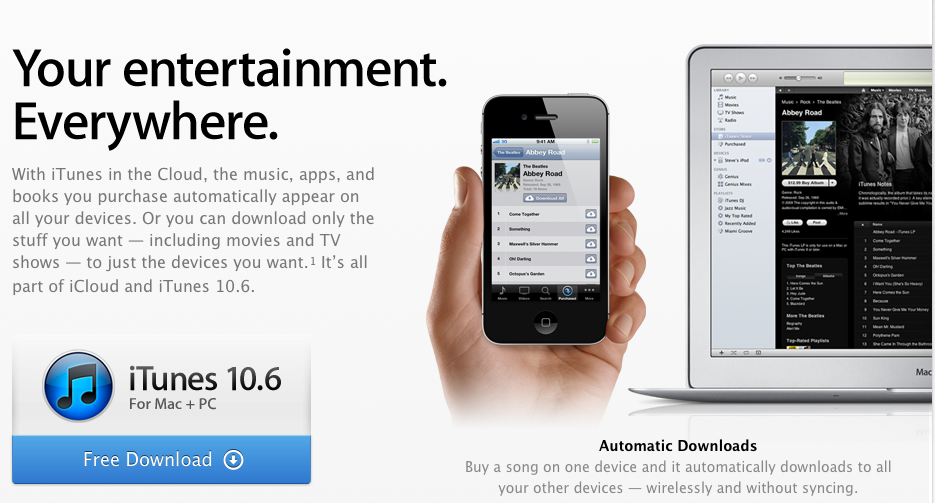
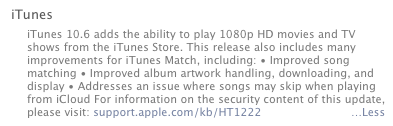
Along with Apple’s refreshed Apple TV capable of 1080p video output, iTunes movies also got a bump up to 1080p with the introduction of iTunes 10.6. While there were some concerns over increased file sizes, iTunes users for the most part seem to be quite pleased with the quality of iTunes movies encoded in 1080p compared to the 720p they were stuck with before. On that note, Ars Technica decided to find out exactly how the 1080p movies compare to the same content on a Blu-ray. Here is what it found:

Expand
Expanding
Close

HBO will soon allow iCloud users access to Universal and Fox movies

Site default logo image

With the introduction of the new Apple TV, alongside the new iPad’s introduction last week, we learned that iCloud users would now be able access purchased movies (which also extends to digital copies uploaded from DVDs). The feature was previously limited to music and TV shows. At the time, we unfortunately learned content from Comcast’s Universal and Fox would be blocked from iCloud due to exclusive rights in place through pre-existing deals with HBO. An HBO spokesperson has now confirmed to The Wall Street Journal the company will relax the terms of its deals with the two content providers in order to allow iCloud users to access to their previously purchased content:
Expand
Expanding
Close

iPhoto for iPhone and iPad available now for $4.99, iMovie & GarageBand updates live

Site default logo image

Apple demoed quite an impressive iPhoto app today during the new iPad unveiling, and the app is now officially live on the App Store for $4.99 [iTunes]. In case you did not know, the app is a universal download for both iPhone and iPad. You can grab iPhoto for iOS now (iTunes link). Apple also boasted updated versions of iMovie and GarageBand today that you can already get on the App Store here and here for $4.99 each (free update for current owners). The updated GarageBand app features a Note Editor, Smart Strings orchestra feature, and Jam Sessions for realtime playing and recording with up to three other iOS devices.  You can read our full break down of the new iPhoto app here.

In addition Apple updated iBooks Author today to “take advantage of the Retina display on the new iPad” and did the same for the iTunes U app. The updates also include the usual stability and performance improvements.


Expand
Expanding
Close

Universal and Fox movies blocked from iCloud on new Apple TV?

Site default logo image

As we predicted, Apple quickly unveiled a refreshed Apple TV today at its media event in San Francisco before moving onto the new iPad. On top of 1080p video streaming, perhaps one of the biggest features of the device’s upgraded UI is the ability to access purchased movies stored in iCloud— just like with music and TV shows. Unfortunately, according to a report from AllThingsD, it looks like not all content will be accessible. Content from Comcast’s Universal and News Corp.’s Fox will not be available due to deals currently in place with HBO:

Expand
Expanding
Close

Apple unveils new Apple TV: Streamlined UI, 1080p video output, full HD iCloud movies, same $99 price

Site default logo image

Apple just announced at a media event occurring in San Francisco’s Yerba Buena Center for the Arts that an updated Apple TV set-top box is capable of 1080p video output. Of course, 9to5Mac was the first to call that one. What is better: iCloud now streams movies in 1080p—an upgrade from the previous and often criticized 720p video resolution. Even more importantly, you can now access purchased movies in iCloud any time you want, just like with music and television shows.

Also updated is the Apple TV’s user interface. It is now more streamlined and taking advantage of the full 1080p video resolution. The new interface takes clues from iOS with its shiny new icons and the beautiful Cover Flow view. The new Apple TV has the same low price of just $99 and is available for pre-order today with shipments beginning March 16. In addition to the new Apple TV, Apple has tweaked its pricing matrix for movies and television shows on iTunes to reflect 1080p content. More on that below.


Expand
Expanding
Close

Apple disables iCloud and MobileMe push email in Germany due to patent fight with Motorola

Site default logo image

Apple informed customers in Germany that push email on both MobileMe and iCloud services were disabled due to the company’s patent fight with handset maker Motorola Mobility. According to a support document Apple quietly published today, “Due to recent patent litigation by Motorola Mobility, iCloud and MobileMe users are currently unable to have iCloud and MobileMe email pushed to their iOS devices while located within the borders of Germany.”

Push still works for Contacts, Calendars and other items and it is unaffected on OS X. Moreover, the affected users can still access the iCloud/MobileMe email service by manually checking for messages or using the Fetch setting. Apple also wrote the following line in the support document:

Apple believes Motorola’s patent is invalid and is appealing the decision.

As you will recall, Motorola filed an iCloud-related lawsuit on April Fools’ Day. It recently won an injunction and provided a €100 million bond to enforce it. Apple detailed how the patent suit affects the iCloud/MobileMe email service:


Expand
Expanding
Close

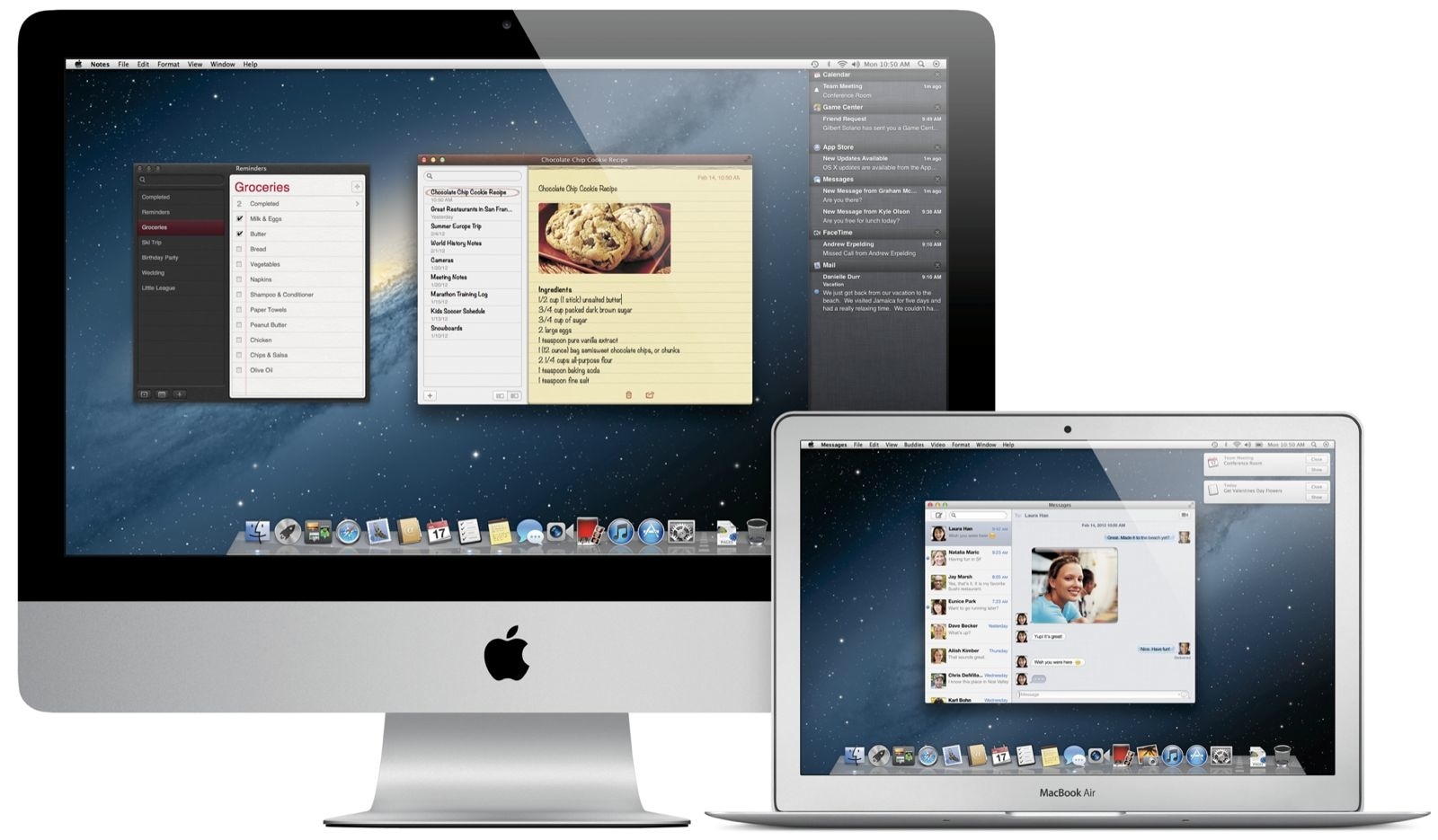
Apple unveils Mountain Lion Preview: iOS-ification of OS X continues with Messages, AirPlay Mirroring, Notification Center, Game Center, Twitter and more

Site default logo image

It has been only seven months since Apple released Mac OS X 10.6.7 Lion and today the company announced Mountain Lion—the next major update to its desktop operating system. As 9to5Mac first learned in October, Mountain Lion brings even more popular iOS features to the Mac platform. The notion is shared by those Apple invited to a private briefing a few day ago: Mountain Lion is all about putting even more of iOS into the bowels of OS X. Meanwhile, iOS-ification of OS X continues with Twitter integration in Mountain Lion and new iOS-esque apps, such as Messages, Notification Center, AirPlay Mirroring, Notes, Reminder, Game Center, and deep iCloud integration.

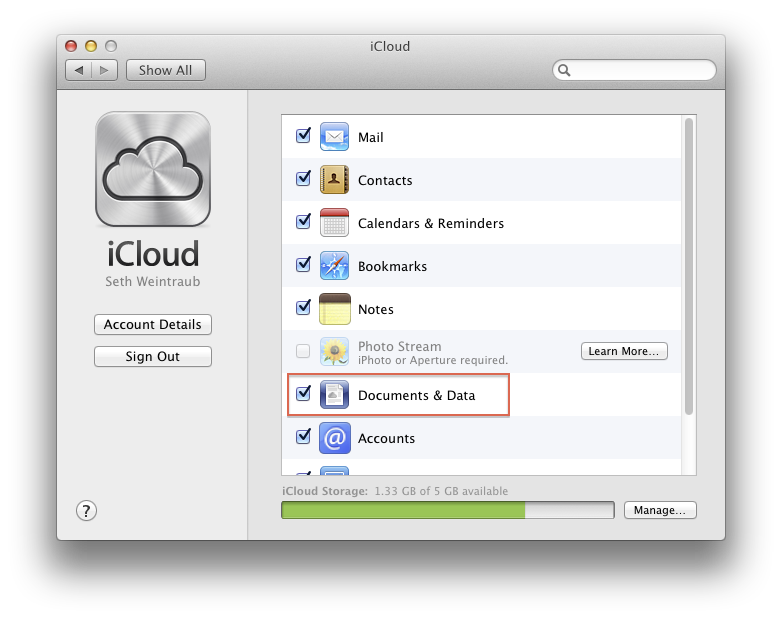
With over a hundred million iCloud accounts now in use, Mountain Lion’s setup assistant will now ask you to set up an iCloud account for the Documents in the Cloud and Find My Mac features, as well as to sync contacts, email and chat messages and calendar entries. You can also access your iCloud storage in Finder and drag and drop documents for manual syncing between iOS apps that support Documents in the Cloud and their desktop counterparts.

AirPlay Mirroring is another welcome addition for those wishing to securely beam a 720p video stream of what is on your Mac to a HDTV through the Apple TV. Share Sheets, a new system-wide feature, is accessible from Apple’s and third-party apps for sharing links, photos, and videos. Like in iOS, Twitter integration means you give your Twitter credentials once and tweet directly from Safari, Quick Look, Photo Booth, Preview and supported third-party apps.

Mountain Lion Beta is available to Mac Developer Program members starting today whilst end-users can upgrade to Mountain Lion from the Mac App Store in late summer 2012. The company also pledged to update OS X once a year from now on. For more information, check out Apple’s new OS X Mountain Lion Sneak Peek page.

The full release, more features and two press shots are after the break.


Expand
Expanding
Close

Apple posts the full Education media event to its website, iTunes

Site default logo image

Watch the full stream here or get it on iTunes.

Check out our full coverage of Apple’s education event and additional assets:

ARTICLE – Liveblog: Apple’s education-focuse media event in NYC
ARTICLE – Update on business metrics from Apple’s education event
ARTICLE – Apple releases iBooks 2, a brand new textbook experience for iPad
ARTICLE – Apple to price new iBook textbooks at $14.99 or less
ARTICLE – Apple announces iBooks Author, free Mac app for authoring textbooks
ARTICLE – Apple launches iTunes U, free iOS app for educators to take courses anywhere
ARTICLE – Apple releases iTunes 10.5.3 with support for textbook syncing to iPad
ARTICLE – Heartwarming clip of teachers and students Apple played at the presser
ARTICLE – An overview of publishing and distribution for iBooks Author
VIDEO – Gallery of elements that can be used for interactive iBooks
VIDEO – The iBooks Textbooks promo
PR – Apple reinvents textbooks with iBooks 2 for iPad
PR – Apple unveils all-new iTunes U app for iPad, iPhone & iPod touch
SUPPORT – iBooks Author: Best practices for using 3D models
SUPPORT – iBooks Author: Use iPad-safe fonts when authoring books
SUPPORT – iBooks Author – How to make your iBooks accessible
SUPPORT – iBooks Author – Add video to your iBooks
SUPPORT – iBooks Author – Publishing and distribution FAQ
CHANGELOG – iTunes 10.5.3 for Mac
CHANGELOG – iTunes 10.5.3 for Windows (64 bit)
APP STORE – iBooks Textbooks section in iTunes
APP STORE – iTunes U for iPhone, iPod touch and iPad
APP STORE – iBooks 2 for iPhone, iPod touch and iPad
APP STORE – iBooks Author for Mac
Expand
Expanding
Close

Apple seeds first iOS 5.1 beta, Xcode 4.3 beta (release notes included)

Site default logo image

Apple has just seeded iOS 5.1 to developers, a pre-release version of iOS that runs on the iPhone, iPod touch, and iPad. In addition, Apple has released Xcode 4.3 beta to developers, a required version of Xcode for those wishing to develop and test their applications with iOS 5.1 devices. This iOS 5.1 release is crucial. The 5.1 beta brings along an under-the-hood change for alternative interpretations for Dictation input in different apps. We’re looking into this API change.

We’ve also found some references to a new iPad in the code.

iOS SDK 5.1 provides support for developing iOS applications and includes the complete set of Xcode tools, compilers, and frameworks for creating applications for iOS and Mac OS X. These tools include the Xcode IDE and the Instruments analysis tool among many others.

With this software you can develop applications that run on iPhone, iPad, or iPod touch running iOS 5.1. You can also test your applications using the included iOS Simulator, which supports iOS 5.1. There are two Xcode iOS SDK 5.1 images, one for installing on a Macintosh computer running Mac OS X 10.6.7 (Snow Leopard) or later, the other for installing on a Macintosh computer running Mac OS X 10.7 (Lion).

This version of iOS is intended only for installation on devices registered with Apple’s developer program. Attempting to install this version of iOS in an unauthorized manner could put your device in an unusable state.

Along with the release notes, you can also find some new features we’ve found in iOS 5.1 after the break:


Expand
Expanding
Close

Apple reportedly begins recruiting senior-level executives to work on the cloud

Site default logo image

Wall Street Journal is reporting that Apple has begun a search to find senior-level executives for their cloud services. According to the report, Apple already has one Internet entrepreneur in their sights, but it hasn’t been disclosed who. To assist with their search, Apple is also reportedly looking into hiring out a recruiting firm to find solid talent.

The hopes in finding new leadership for their cloud products is undoubtedly to strengthen Apple’s already existent iCloud, but to also build new web-based applications. The report mentions that Apple is working towards building these web-based applications to limit the amount of hardware a single person needs on them at one time. The details aren’t final, though lower-level positions have already been filled to begin work. Arguably, Apple has already begun this push with iCloud.

Apple is also considering building new apps that leverage the Web to reduce people’s need to carry around numerous devices at once, according to one of the people familiar with the matter.

To assist with their movement to the cloud, Steve Jobs announced the new data center was operational in North Carolina during this year’s WWDC. The data center is home to powering all of Apple’s current cloud services, like iCloud, and presumably will power what’s coming up next.

It’s obvious that Apple will need to begin an aggressive attack on the cloud if they want to be on terms with where Google’s currently headed. It will be interesting to see how Apple will attack making web-based applications, and what else they plan to do in the cloud — but it seems they’re already off to a pretty solid start.


Expand
Expanding
Close

What do these new items in iTunes mean about your Match Library?

Site default logo image

If you don’t know by now, Apple has officially opened up their iTunes Match service to the public, bringing with it 256-kbps AAC DRM-free copies of your non-iTunes purchased music for $25 a year. To help familiarize users with the service, Apple has posted the following chart walking us through some new iTunes Match related iCloud icons you’ll start to notice in iTunes.

In addition, they also dropped some helpful guides explaining the ins and outs of the service including Troubleshooting iTunes Match, How to subscribe to iTunes Match, How to add a computer or iOS device to iTunes Match, and How to delete songs from iCloud.

In the troubleshooting guide, we learn you can enable a column within iTunes to display the iTunes Match/iCloud status of any given song in your library. For example, whether it’s a “Matched” song or just “Uploaded”. To do this, click “View > View Options” or press “Command-J“, and click the “iCloud Status” checkbox (same place you also enable “iCloud download”).

A MacRumors forum poster also offers a few helpful hints, while noting iTunes Match keeps your meta-data (a nice touch if you tend to edit data associated with your songs), the post clears up some concerns regarding the intricacies of what happens with your local copies: 
Expand
Expanding
Close

Apple releases iTunes 10.5.1 Beta 2 to developers, featuring iTunes Match for Apple TV

Site default logo image

Following the release of iOS 5.0.1 this afternoon to developers, Apple has released iTunes 10.5.1 Beta 2 to developers this evening. Along with being posted to the Developer Center, Apple has sent out the following email to developers. In the email Apple now reveals that iTunes Match has been made available for Apple TV. This update also includes a number of bug fixes. Sadly, iTunes Match still isn’t available to the public.

iTunes 10.5.1 beta 2 is now available and includes a number of important stability and performance improvements. iTunes Match is also now available for testing on Apple TV.

On your Apple TV, choose Music > Turn on iTunes Match.

Please remember to backup regularly and do not delete the music you add to iCloud from your computer.

How’s it looking on your Apple TV? Let us know; tips@9to5mac.com. Full email after the break:


Expand
Expanding
Close

Apple misses iTunes Match end of October deadline

Site default logo image

As noted by MacRumors, Apple’s self-imposed end of October deadline has come and gone without the promised public launch of iTunes Match. The service will scan your local iTunes library and fingerprint songs in order to make them available for download (or was it streaming?) via iCloud to all authorized devices – for $25 a year flat fee, no strings attached. It’s unknown what’s behind this unusual setback. Could be last-minute backend issues that needed sorting out. Be that as it may, we’re keeping our fingers crossed for Tim Cook to keep a tight rein on his team now that the ultimate micro-manager is gone.

It’s worth mentioning, however, that Apple removed support for iTunes Match from the public release of iTunes 10.5 even though it’s been present in prior developer betas. iTunes Match resurfaced in iTunes 10.5.1 beta that was seeded to developers on October 11 and subsequently expired. Apple also last week sent notices informing developers their cloud libraries will get wiped out, another sign of an imminent launch.


Expand
Expanding
Close

iTV

Site default logo image

The moment I read the “I’ve Cracked the TV” quote from the Steve Jobs bio, I knew what the subject of the next few months at the rumor mill would be. Here it is in context:

“‘I’d like to create an integrated television set that is completely easy to use,’ [Jobs told Isaacson]. ‘It would be seamlessly synced with all of your devices and with iCloud.’ No longer would users have to fiddle with complex remotes for DVD players and cable channels. ‘It will have the simplest user interface you could imagine. I finally cracked it.’”

That seems to be a lot more certain than Jobs was last year at the D8 conference when he took a question from an audience member. In it, he laid out some very important things that no one is really talking about.

[vodpod id=Video.4289468&w=650&h=425&fv=videoGUID%3D%7BFF922002-FA63-4B68-A326-EA12EC800612%7D%26amp%3Bplayerid%3D4001%26amp%3BplyMediaEnabled%3D1%26amp%3BconfigURL%3Dhttp%3A%2F%2Fm.wsj.net%2Fvideo-players%2F%26amp%3BautoStart%3Dfalse]
(Flashless)

The whole clip is much more fascinating than much of what I’ve been reading over the past week. The interface that Jobs is talking about isn’t whether Apple will use Siri or 3D gestures or not. It is how to put a layer on top of everything else with a consistent UI. He gets down to the nitty gritty at 1:30-3:00:

Add a box on to the TV system. You can say well gosh I notice my HDTV has a bunch of HDMI ports on it one of them is coming from the set-top box I’ll just add another little box with another one. Well, you just end up with a table full of remotes, clutter of boxes, bunch of different UIs, and that’s the situation we have today. The only way that’s ever going to change is if you go back to step one and tear up the set top box and restart from scratch with a redesigned UI and present it to the consumer in a way they’re willing to pay for it. And right now there’s no way to do that. So that’s the problem with the TV market. We decided what product do we want the most, a better TV or a better phone? Well the phone won because there was no chance to do the TV because there’s no way to get it to market. What do we want a better TV or better tablet. Well a better tablet because there’s no way to get the TV to market. The TV is going to lose until there is a better go to market, or there’ll just be a bunch of TIVOs. That’s the fundamental problem. It’s not a problem of technology, it’s a go to market technology.

So the question becomes: How is Apple going to “tear up the set top box” and start over?


Expand
Expanding
Close

Some upset as iCloud wipes out docs from iWork apps

Site default logo image

We’re receiving numerous reports from disgruntled users claiming iCloud deleted their documents from iWork apps on their iPhones, iPod touches and iPads after restarting devices. Worse, documents from the Pages, Numbers and Keynote iOS apps are also wiped out from the iCloud servers and cannot be found using the web interface. Sure enough, a bunch of threads on Apple’s Support Communities site (here and here) highlight the issue which affects an unknown portion of users.

A forum user NickFro describes the catastrophic bug:

I can reliably reproduce the error as follows. Create a document in Numbers on an iOS device, or upload to iCloud.com manually. Wait for sync. Restart iOS device. Launch Numbers. The document will be deleted. If you have iCloud.com open, the file will still appear but clicking on it generates a “File not present on server” error. Pretty serious bug, but I can’t tell if it’s in iCloud or the iWork apps. Or both.

He also offers this remedy:

Delete the iCloud account at both the main level of Settings (i.e., by selecting iCloud) AND by deleting the account in the Mail, Calenders, and Contacts section of Settings. Have it remove everything from your device. Once it’s done. Go to the main level, select iCloud, and re-enable your account there and set all settings there for sync. Let the sync happen.

If that didn’t help, try the solutions described here and here.

If you backup your iOS devices with iTunes instead with iCloud, you’re in luck: Just restore to a device backup containing your files and launch Pages, Keynote or Numbers on your device – but don’t enable iCloud in any of those apps. As you know, iTunes creates a device backup at each sync (unless iCloud backup is enabled in iTunes or Settings on your device). This lets you use Time Machine to go back in time and retrieve a specific backup file containing your device’s settings, app data, documents and more. The affected users who enabled iCloud Backup on their device (Settings > iCloud > Storage and Backup) are in a much worse situation as any document created on their device and synced with iCloud gets deleted from both places without a warning, as shown in the below clip.

[youtube=http://www.youtube.com/watch?v=q1vHhIY_uqw]

For some, the problem stems from migrating MobileMe accounts to the iCloud ones so deactivating the “old” MobileMe account on every iOS device, Mac or PC should help.

According to a forum user Felix Leiter:

As long as there is still one machine with a functioning “MobileMe” in the System Preferences, this will erase all files on startup. I found it out when I turned on my wife’s machine, having forgotten that I had created a temporary user account there to store some of my MobileMe information. As soon as I switched to that user account, zap!, all iWork files disappear. Now that all former MobileMe panels have been deactivated, the remote reset is no longer occurring. or at least so it seems.

For others, iWork documents are disappearing upon syncing with a computer, too. This happens after a document has been created on an iOS device or uploaded from the computer. Here’s one possible remedy…

Expand
Expanding
Close

Apple announces sales of four million iPhone 4S units, more than double the iPhone 4 launch

Site default logo image

Apple announced sales of four million iPhone 4S units in the three days after its launch on October 14. In addition, the company said, more than 25 million customers have already upgraded to the new iOS 5 software in the first five days of its release and more than 20 million customers have signed up for iCloud: Apple’s marketing honcho Phil Schiller was quoted in a statement:

iPhone 4S is off to a great start with more than four million sold in its first weekend—the most ever for a phone and more than double the iPhone 4 launch during its first three days. iPhone 4S is a hit with customers around the world, and together with iOS 5 and iCloud, is the best iPhone ever.

In 2010, Apple announced 1.7 million sales of iPhone 4 during the launch weekend. The company reported 600,000 pre-orders for iPhone 4 in the first 24 hours, which included orders placed with overseas carriers.

Following the iPhone 4S release last week, carrier AT&T announced pre-orders of 200,000 units in the first twelve hours, calling it “the most successful iPhone launch we’ve ever had”. Apple then confirmed one million iPhone 4S pre-orders in 24 hours, surpassing the previous single day pre-order record of 600,000 held by iPhone 4. Sprint announced its best sales day ever…at noon Central Time.

It should be noted that the iPhone 4S is the first iPhone to launch simultaneously on three carriers in the United States, available for the first time on the Sprint network – which together with Verizon, certainly helped sales numbers. Apple also added Australia and Canada to the five launch countries it had for the iPhone 4: US, Japan, UK, Germany and France.

Pre-orders went fast and the handset actually pretty quickly sold out across all carriers following the launch.

Full release below the break:


Expand
Expanding
Close