Google has just updated its Google Drive app for iOS with a couple new features and performance enhancements. After adding support for opening links in native Google apps from the Chrome iOS app last week, it has now updated the Drive app with an option to open links within files in Chrome and Safari.
Also new in version 1.5.0 of Google Drive for iOS is support for inserting rows and columns via the “+” button within Google Sheets, as well as stabilization and other bug fixes:
What’s New in Version 1.5.0
Clicking on links from within files gives you the option to open in Chrome and Safari
Insert rows and columns using the “+” button in Google Sheets
Google has rolled out two new features to mobile search that allow users to find results faster.
Users will notice expandable sitelinks that present popular links from certain websites directly from the search page rather than having to look for those important links from the website’s page.
Expandale sitelinks
Quick links will also begin appearing next to certain results, which offers users a faster way to preview a site before leaving the search page, much like how Google Images handles photo previews.
Quick view
Google says quick links will initially be limited to pages from Wikipedia, although the company expects to expand the feature to include more sites in the future.
Today, Apple has released software updates for the Mac version of iPhoto and for Aperture. The updates both focus on bug fixes and improvements.
Notably, both apps were given improvements and fixes for Photo Stream integration. iPhoto now has easier image deleting and exporting from Photo Stream, while Aperture has a bug fix related to Shared Photo Streams.
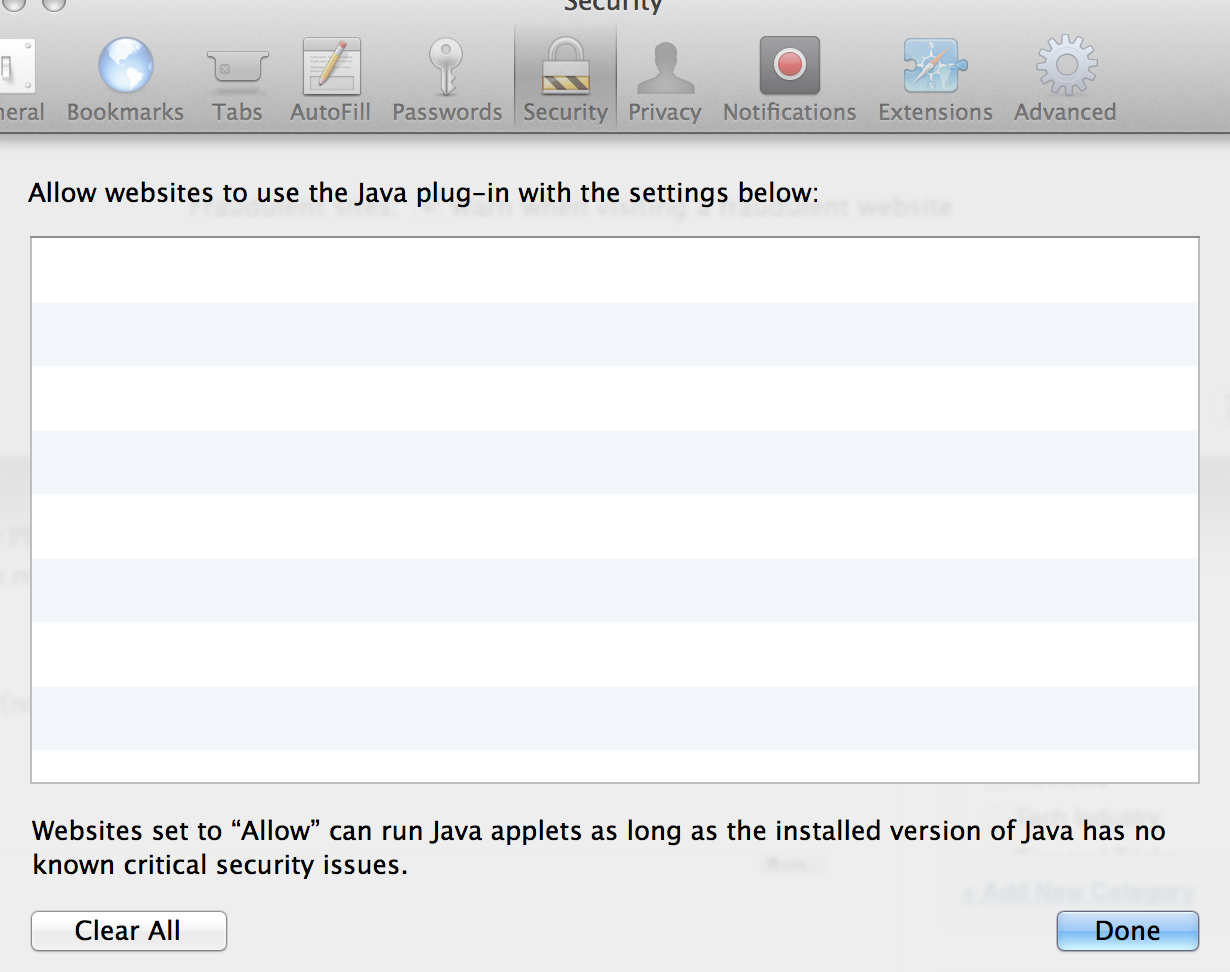
Safari and Java were also updated with improved security (release notes below). Notably, the new update introduces controls to specify which websites can use Java – something that should help prevent malicious websites from exploiting the never-ending stream of Java exploits.
Google updated its iOS browser today with a number of fixes and feature improvements. Notable changes include the ability to save webpages as PDFs in your Google Drive account or print web pages to either Google Cloud Print or AirPrint printers.
iPhone and iPod touch users can now go full screen in Chrome giving you access to more of the web page. Perhaps most interesting is a new scroll feature that lets you scroll the toolbar off the page and then scroll back to get the Omnibar again.
Also Google says it has done some stability / security improvements and bug fixes. Expand Expanding Close
According to the latest data from Net Applications for the month of March, Apple is steadily increasing its lead for mobile browser share over Android and many other platforms with Safari capturing 61.79-percent of mobile browser web traffic during the month. That’s a nice jump up from the 55.41-percent it had in February, while the stock Android browser lost market share by dropping from 22.82-percent in February to 21.86-percent in last month.
Opera Mini maintains its third position while dropping from 12.72-percent in February to 8.40-percent in March, with Chrome slowly closing the gap jumping from 1.96-percent in February to 2.43-percent in March.
After releasing 12D74 late last month, Apple released OS X 10.8.3 build 12D76 to developers today with no major changes. Apple isn’t listing any known issues, and the company once again asked developers to focus on AirPlay, AirPort, Game Center, Graphics Drivers, and Safari.
We’ll let you know if developers report any changes in today’s build. Full release notes below:
Thanks, Anonymous!
Update: As noted by MacRumors, build 12D76 appears to include support for NVIDIA’s Quadro K5000 graphics card that the company announced for the Mac Pro in September but is yet to ship. Yesterday we told you about the new Sapphire HD 7950 graphics card shown for the first time at CeBIT, while support for the AMD 7000 series was first discovered in a 10.8.3 beta back in November.
Apple has seeded a new release of OS X 10.8.3 to developers today with build number 12D68. Apple, once again, told developers to focus on AirPlay, AirPort, Game Center, Graphics Drivers, and Safari. The build comes one week after Apple released build 12D65 to developers on Feb. 6 with a fix for the “File:///” bug.
We’ll let you know if developers report any changes in today’s build. The full release notes are below. Thanks, Anonymous.
As noted by ArsTechnica, Adobe just released an unscheduled patch to address two vulnerabilities that could be the source of malware attacks on both OS X and Windows. Apple has also issued a KB urging users to update. According to the advisory posted by Adobe, the attacks targeted Firefox or Safari users on Mac:
Adobe is also aware of reports that CVE-2013-0634 is being exploited in the wild in attacks delivered via malicious Flash (SWF) content hosted on websites that target Flash Player in Firefox or Safari on the Macintosh platform, as well as attacks designed to trick Windows users into opening a Microsoft Word document delivered as an email attachment which contains malicious Flash (SWF) content.
The update is available through Adobe’s website here.
Reports from earlier this week noted Apple had recently blocked Java 7 browser plug-ins again on OS X. While the exact reason was unclear, a terminal workaround is no longer required. Oracle released update 13 for Java 7 for Mac OS X today. The critical patch brings over 50 new security fixes for Jave SE products, in addition to re-enabling plug-ins on OS X.
The original Critical Patch Update for Java SE – February 2013 was scheduled to be released on February 19th, but Oracle decided to accelerate the release of this Critical Patch Update because active exploitation “in the wild” of one of the vulnerabilities affecting the Java Runtime Environment (JRE) in desktop browsers, was addressed with this Critical Patch Update.
Google agreed to pay a record $22.5 million Federal Trade Commission fine in August following an investigation into whether it bypassed mobile Safari security settings to install tracking cookies without user consent. Now, 12 iPhone users in the United Kingdom have launched a lawsuit against Google that seeks compensation related to the tracking. They also want a “proper explanation” about how their personal information was used. The Telegraph via Business Insider has the full story:
It is thought the case, being brought against Google by law firm Olswang on behalf of the internet users, is the first of its kind in the UK. They say that cookies, small tracking files, were installed by Google on the Apple computers and mobile devices of those using the Safari internet browser without their knowledge .
Claimants thought that cookies would be blocked because of assurances given by Google in the time their devices were allegedly affected, from summer 2011 to spring 2012, and also because of Safari’s default settings.
“We hope that they will take this opportunity to give Safari users a proper explanation about what happened, to apologize and, where appropriate, compensate the victims of their intrusion.”
Apple just made OS X Mountain Lion 10.8.3 build 12D54 available to testers after releasing build 12D50 earlier this month on Jan. 8 with no known issues. Apple said the new build includes significant changes to Wi-Fi and listed the following focus areas for developers: AirPlay • AirPort • Game Center • Graphics Drivers • Safari.
Don Melton, a now-retired programmer who once worked at Apple under the Safari and WebKit projects, posted an interesting anecdote on his blog yesterday that detailed how Apple’s Internet browser barely escaped the monikers “iBrowse,” “Alexander”, and even “Freedom”.
Melton started at the beginning:
As I remember, Steve just started saying some names out loud — I suppose trying them out to see how they felt in his mouth and to his ears. Which is not as odd as it seemed then — it’s a good technique now that I think about it.
I don’t recall all the names, but one that stands out is “Freedom.” Steve spent some time trying that one out on all of us. He may have liked it because it invoked positive imagery of people being set free. And, just as possible and positive, it spoke to our own freedom from Microsoft and Internet Explorer, the company and browser we depended on at the time.
Melton did not want the browser named after a “feminine hygiene product,” though, and so, as he described it, “Freedom” was then “moved off the candidate list.” From there, “Alexander” floated around internally for about a year, and even “iBrowse” surfaced a few times, but eventually Marketing Product Manager Kurt Knight told Melton that “Safari” had been picked:
I honestly didn’t know what to think. My mind was a blank because I just didn’t expect it. The name seemed to come out of nowhere. It sounded more foreign at that moment than its actual origin.
“It doesn’t suck,” I finally offered.
Melton admitted he soon grew to really like the name, and he could imagine seeing “Safari” in the Mac OS X dock:
So, to whoever suggested the name “Safari,” thank you.
Well, that’s the story behind Safari’s handle. For the entire anecdote, check out Melton’s blog.
Shortly after releasing iOS 6.0.2 to the masses this afternoon, Apple seeded build 12D43 of OS X 10.8.3 to developers. The folks in Cupertino have not listed any new features or known issues, but they asked developers to focus on AirPlay, AirPort, Game Center, Graphics Drivers, and Safari. The last pre-release build was released on Dec. 5. You can check today’s release out on the developer center, while the full release note is below:
You can now watch all of those free Amazon Prime videos on your iPhone or iPod touch. Amazon updated its Instant Video App today to support Apple’s smaller screens. The app also lets you watch any of your Amazon collection of paid videos, buy videos, and allows you to store for offline viewing as well. Great for the holidays! More info here.
Amazon Instant Video is now playing on your iPhone, iPad, and iPod Touch. Videos you’ve purchased or rented with Amazon Instant Video will show up instantly on your Apple device once you download and sign into the app. Amazon Prime members can stream titles from the entire Prime Instant Video library.
Famed iOS hacker Comex tweeted today that his internship at Apple has ceased. “So… no point in delaying,” he said to 195,000 followers. “As of last week, after about a year, I’m no longer associated with Apple.” Comex, whose real name Nicholas Allegra, explained to Forbes that his employment at Apple was terminated for not responding to an email. Forbes Andy Greenberg wrote:
When I followed up with Allegra in a phone call, he explained that the email he forgot to answer was an offer to continue his employment at Apple as a remote intern. At Apple, apparently, offer letters are taken rather seriously, and Allegra soon learned that his had been rescinded. “I wasn’t too happy about it, but it didn’t seem like I was able to fix it,” he says. “So that’s what it is.”
Before joining Apple as an intern over a year ago, Comex’s hacking work most notably included JailbreakMe. It is a popular tool to jailbreak iOS devices through an exploit within Safari. He also developed another popular jailbreak tool called “Spirit”. Expand Expanding Close
As predicted yesterday, Google’s Street View is now available on Mobile Safari and Chrome on iOS devices. Having a quick look around, the service is very fluid, especially for a web page, and the quality is superb with graphics that really look solid on a Retina display.
Perhaps Apple should make a “pop-out” service that lets you open a Street View web page from within the new iOS Maps.app? Expand Expanding Close
Update: Commenters pointed out the update is not going well…so proceed with caution.
As Roxio’s Toast moves from burning DVDs and BluRays to a “media toolkit” that allows easy social sharing and converting of audio/video (as well as burning/archiving), it is also getting updated with new Macintosh features. Today, Roxio’s Optical media burning software goes to 11.1 and adds the following updates:
Toast has been fully Cocoa-ized – Hundreds of changes and fixes implemented as a part of this effort
Added OS X 10.8 Mountain Lion compatibility
Added support for recording to 100GB and 128GB BDXL media
Implemented Gatekeeper Support
Web-Video feature improvements
Requires using Safari to capture web-video
YouTube users may need to OPT OUT of HTML5 Trial
Mountain Lion users will need to update to 10.8.1 or later to publish video to YouTube
We reported last week that the Federal Trade Commission voted to fine Google $22.5 million for violating browser security settings in Safari, but now Google has agreed to pay the record-setting amount and finally settle its dispute.
SAN FRANCISCO (MarketWatch) — Google Inc. GOOG +0.27% Thursday agreed to pay a $22.5 million penalty to settle a dispute with the U.S. Federal Trade Commission. The FTC said the penalty stems from charges that Google misrepresented users of Apple Inc.’sAAPL +0.13% Safari Web browser after saying it wouldn’t place tracking “cookies” or serve targeted ads to Safari users. The FTC said Google’s actions violated and earlier privacy settlement between the FTC and Google. Google shares were up less than 1% at $643.63 in early trading Thursday.
The allegations against Google began in February, when the search engine and other ad companies were caught bypassing Safari security settings to install tracking cookies on devices and computers without consent.
“The record setting penalty in this matter sends a clear message to all companies under an FTC privacy order,” said FTC Chairman Jon Leibowitz in another presser. “No matter how big or small, all companies must abide by FTC orders against them and keep their privacy promises to consumers, or they will end up paying many times what it would have cost to comply in the first place.”
It is worth noting that the hefty fine roughly equals five hours of revenue for Google based on Q2 2012 sales.
While Safari 6 brought a number of great new features, including unified search and offline Reading List for Lion, many were disappointed that Apple dropped the RSS button next to the URL bar. Luckily, developer Daniel Jalkut at Red Sweater Software wrote an extension to add the functionality:
My beta-quality, more-or-less unsupported Subscribe to Feed extension adds a handy button to the toolbar that, when a page offers RSS or Atom feeds, can be clicked to easily open the feed:// link, which should automatically open your favorite news reader… I hope this extension fills a void for those of you missing the beloved RSS button.
It is not perfect… it currently defaults to 9to5mac’s comments feed. It is better than nothing, though, especially if you are missing the feature from Safari 5.
The last time we updated you on the Federal Trade Commission’s investigation into Google’s method of bypassing the default Safari browser settings on iOS devices, reports claimed the company was facing possible fines that could reach tens of millions. Today, The Wall Street Journal said Google is close to reaching a $22.5 million settlement with the FTC, according to people close to the negotiations:
The fine is expected to be the largest penalty ever levied on a single company by the U.S. Federal Trade Commission. It offers the latest sign of the FTC’s stepped-up approach to policing online privacy violations, coming just six months after The Wall Street Journal reported on Google’s practices.
While the fine likely will represent only a tiny portion of Google’s revenues—last year, the Internet giant raked in that much cash roughly every five hours or so—it counts among a series of negative reports about Google’s privacy practices that could undermine users’ trust in its services.
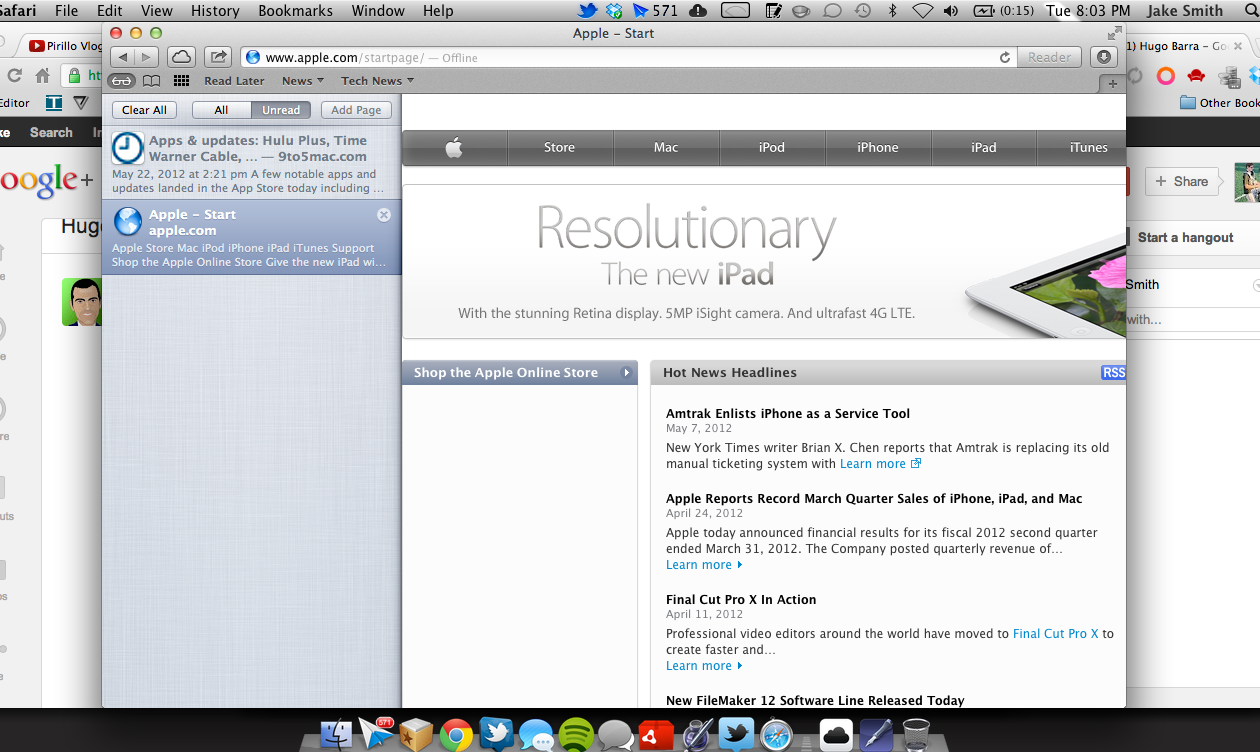
Safari Reading List is definitely a nice, simple alternative to third party apps like Instapaper, Readability, and Pocket for those who use Safari. Reading List allows you to save and sync links for later reading between both your Mac and iOS devices. It has been known that offline reading is coming soon to Safari on Mountain Lion, and it looks like that feature finally landed. Found by Gear Livetoday and a commenter on Control Your Mac10 days ago, offline reading was enabled in recent builds of Mountain Lion. However, offline reading is sadly still not available on iOS devices; although, we would guess iOS offline support is coming at some point.
Offline reading is pretty self-explanatory. While connected, you can mark items to read in your Reading List. Once the Internet is disconnected, you can still load the article thanks to a bit of caching work done on Apple’s end. Apps like Instapaper, Readability, and Pocket have offered a similar feature for quite some time, so it is nice to see Apple finally utilize offline reading.
Earlier this week, Instapaper owner Macro Arment said (video queued below) his app has been pretty much left unfazed after the introduction of Reading List over a year ago, which points to the lack of offline reading to a possibility why Reading List may have not caught steam. Sadly, you can only use Reading List in Safari too, so Chrome users are left to find another option. This looks to be like a nice solution for the mainstreamers, however.
With all the rumors that Apple plans to increase the next iPhone’s display to approximately 4-inches, and yesterday’s reports from Wall Street Journal confirming the rumors, there is much speculation regarding the exact dimensions and resolution of the upcoming display. Overdrive Design blog’s Niilo Autio pointed us to the mock-ups he did of how apps might benefit from a 4-inch display using a resolution of 640-by-1,152. The images below are compared to apps on the existing iPhone 4/4S design. The added screen real estate is especially noticeable in the Safari and Mail apps.
While Apple has released updates for both Lion and Snow Leopard to remove the Flashback malware that is making the rounds, the company had not released a fix for Leopard until today. Apple released a Flashback Removal Security Update for Leopard this afternoon that weighs 1.23MB. Along with removing the Flashback malware, it also disables the Java plug-in in Safari. Apple described the update:
This update removes the most common variants of the Flashback malware. If the Flashback malware is found, a dialog will notify you that malware was removed. In some cases, the update may need to restart your computer in order to completely remove the Flashback malware…To improve the security of your Mac, this update also disables the Java plug-in in Safari.
Apple also released Security Update 2012-003 for Leopard that “disables versions of Adobe Flash Player that do not include the latest security updates and provides the option to get the current version from Adobe’s website.” A similar update was issued for Lion and Snow Leopard in Safari 5.1.7, which released with OS X 10.7.4 late last week—hit up Software Update.
This is the first major update Apple has released for Leopard since Lion debuted last July. Unlike Adobe, it looks like Apple is devoted to keep its old products up-to-date—even if the update is a few weeks behind. For those of you unaware, Adobe recently told users to upgrade from CS5 to CS6 to avoid a security flaw in older versions of software, instead of just patching it. However, Adobe quickly backed down after receiving a ton of backlash from the community and promised an update in the coming weeks. Still sketchy.


 Google has just updated its Google Drive app for iOS with a couple new features and performance enhancements. After adding support for opening links in native Google apps from the Chrome iOS app last week, it has now updated the Drive app with an option to open links within files in Chrome and Safari.