Latest

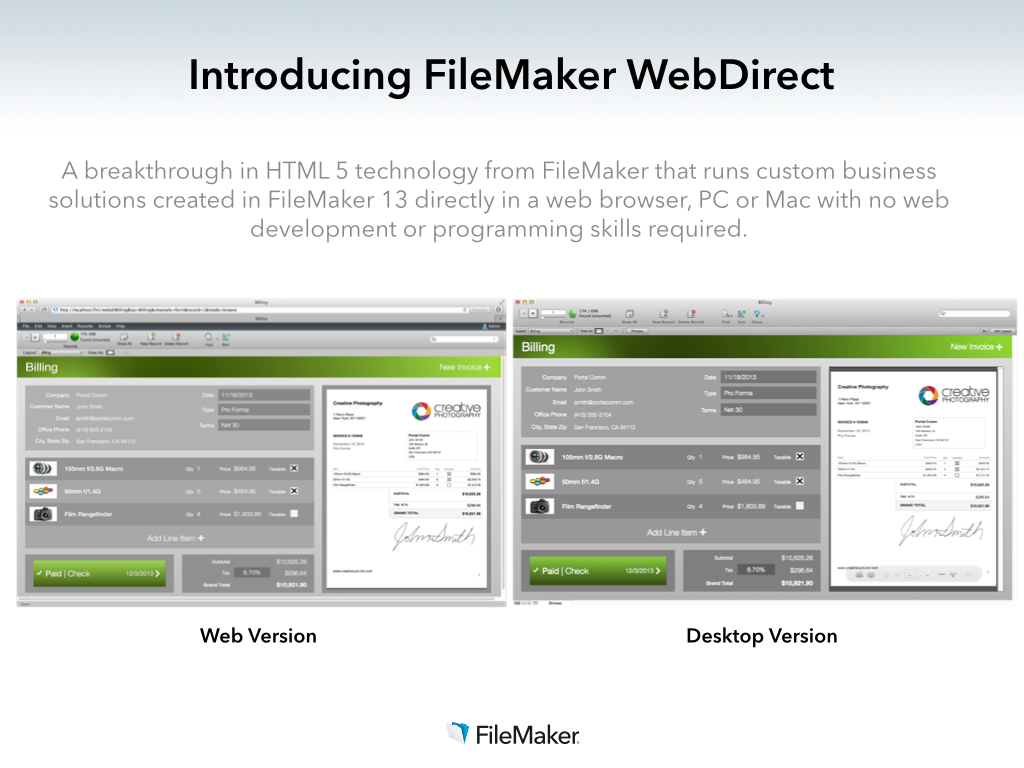
Filemaker releases new version for 2013 with HTML5 data entry, new iOS features and tightened security

FM13_Intro_WebDirect

Filemaker, a subsidiary of Apple, has just announced its 2013 version of its popular database application. The new version focuses on bringing desktop database solutions to the browser. New in Filemaker ’13, projects can now be managed through a centralized web dashboard, with options for partner portals and file hosting. More importantly, data entry can now be taken in a web interface — HTML5 powered forms enable businesses to manage their deployments on any PC or Mac, as there is no longer a reliance on having the native applications installed.


Expand
Expanding
Close

Site default logo image

Popular messaging app WhatsApp gets anticipated iOS 7 redesign

WhatsApp, one of the most popular cross-platform messaging services, has received an anticipated iPhone overhaul for the iOS 7 design aesthetic. The free app update includes a redesigned, less glossy icon as well as an entirely new interface throughout the application. The app also gains a series of new features and enhancements:

 – broadcast lists: communicate with your classmates, work colleagues or just friends by messaging many people at once.

– improved share location: 3D map view, hide places, search places

– large thumbs: see more

– new notification alerts and sounds: WhatsApp Settings > Notifications > New Message.

– application will now use your device text size as configured in iOS Settings > General > Text Size

– new improved User Interface for managing your blocked contacts: WhatsApp Settings > Chat Settings > Blocked

– crop image before sending

Notably, Broadcasts Lists seems to be a worthy competitor to many of the iOS-based group text chat services. The WhatsApp update is free on the App Store now.


Expand
Expanding
Close

Site default logo image

Paper by FiftyThree app updated w/ palm rejection, erase, & blend for new ‘Pencil’ stylus shipping this week

Paper-by-FiftyThree-Pencil

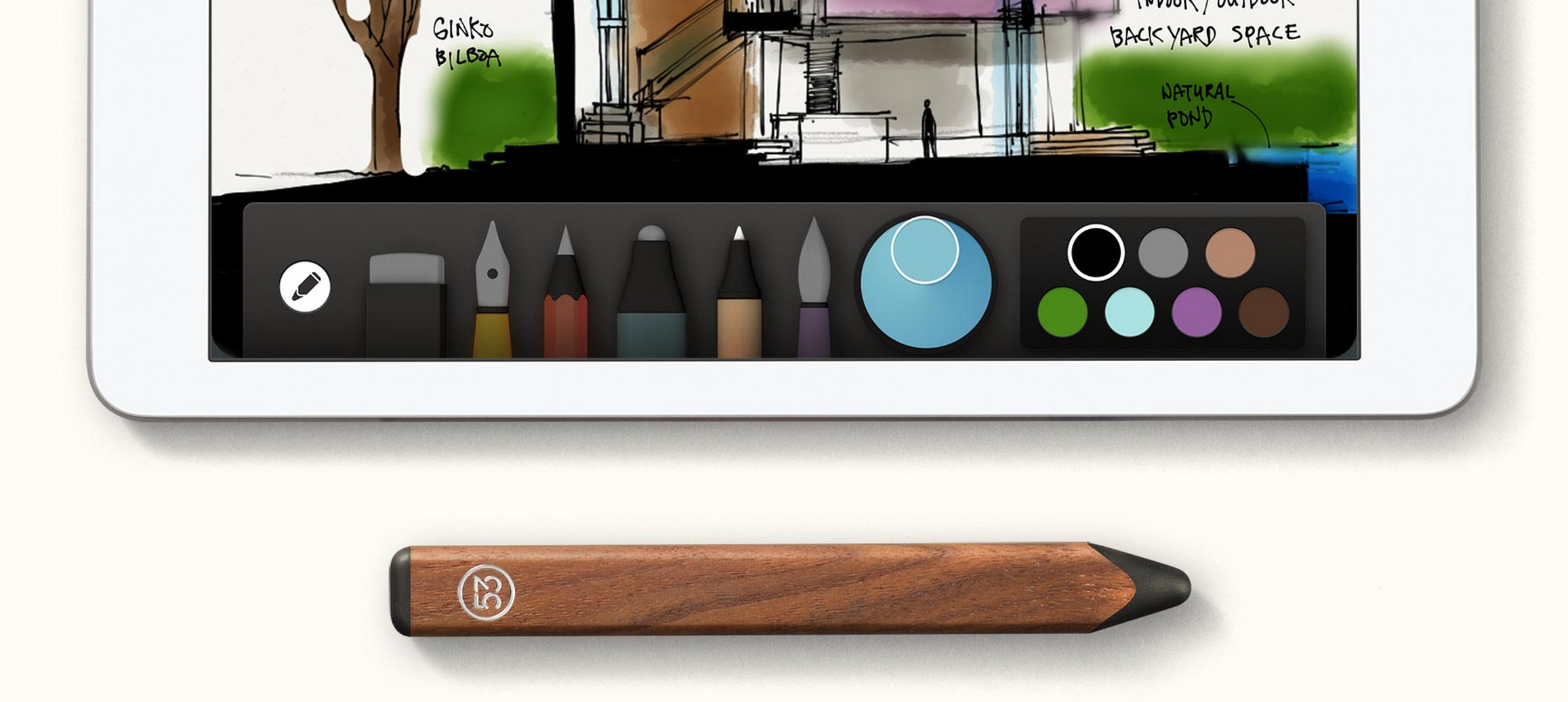
Last month creators of the popular Paper by FiftyThree iPad app announced that it would soon be shipping a $60 Bluetooth stylus for the drawing app called “Pencil”. With the first preorders for the device expected to start shipping this week according to the company’s Twitter account, today it has also updated the official Paper by FiftyThree app with features specifically for Pencil.

The app now supports new palm rejection, erase, and blend features for Pencil:

Palm Rejection— Pencil and Paper work together to produce the most sophisticated and effective palm rejection in any app available today. No setup, no calibration, just natural feeling writing and drawing.

Erase— Pencil’s unique built-in eraser lets you get down to what’s essential.

Blend— Pencil takes care of the lines so you can use your fingers to blend colors on the page and smooth rough edges without ever picking up a tool.

FiftyThree has been taking preorders of Pencil as an in-app purchase directly in the Paper iPad app as well as through its website. It’s selling a graphite model for $50 and a walnut model for $60. While the first preorders will begin shipping this week, an update on its Twitter account today notes new orders will take around in 3-4 weeks.

Black Friday App Store sale guide: The best deals on iPhone, iPad, and Mac apps

Site default logo image

If you’re looking for some great apps to spend those iTunes gift cards this holiday weekend (currently 20% off on 9to5Toys), below we’ve put together the best App Store apps discounted for Black Friday. Like our roundup yesterday of the best accessories for your iPhone, iPad, and Mac, we’re only including the best of the best, and we’ll continue to update throughout the weekend.
Expand
Expanding
Close

Popular translation app iTranslate gains iPad support

Site default logo image

SonicoMobile, the developers behind the popular apps iTranslate, iTranslate Voice, Files, and Languages released a new update today, iTranslate for iPad. As the name implies, iTranslate for iPad brings all the features customers have loved from iTranslate to the big screen, with an iPad optimized app.

Like the iPhone version, iTranslate for iPad lets you translate words and text in over 70 different languages, with dictionaries for many languages that offer a wide variety of interpretations and meanings, as well as a full text-to-speech conversion tool. With an in-app purchase, you can also unlock iTranslate premium, with features like Voice Recognition built in, and powered by Nuance.


Expand
Expanding
Close

Site default logo image

The Bureau – XCOM Declassified arrives on the Mac App Store

[youtube=http://www.youtube.com/watch?v=Rx8l2vVWULU]

Originally released in August for Xbox 360, PS3, and Windows, 2K and TransGaming just released The Bureau — XCOM Declassified on the Mac App Store. The release follows the launch of the popular XCOM: Enemy Unknown game on Mac earlier this year, but unlike that game, XCOM Declassified is a third-person shooter with strategy elements taken from the classic XCOM titles. The game received some mixed reviews, but was generally well received by most.

The year is 1962. JFK is President and the Cold War has the nation gripped by fear – but a far more powerful and insidious enemy than communism is threatening America. Known only to a select few, a top-secret government unit called The Bureau begins investigating and concealing a series of mysterious attacks by an otherworldly enemy. As special agent William Carter, call the shots, pull the trigger and lead your squad in a gripping third-person tactical shooter set within a high-stakes, covert war to defend humanity. The Bureau’s mission is clear – survive, adapt and overcome the enemy threat to protect the citizens from the truth.

The Bureau – XCOM Declassified is available now for $34.99 on the Mac App Store. Minimum system requirements below:

OS: Mac OS X Mountain Lion 10.7.5 or higher
Processor: Intel Core i series processor
Memory: 4 GB RAM
Hard Drive: 15 GB free
Video Memory: 512MB
Video Card: AMD HD4870 / NVIDIA 8800GT or better*
Input: Keyboard and 3 button Mouse or Logitech Dual Analog Stick Gamepad

(via iMore)

Automatic: The smart driving assistant for the iPhone era [Review]

Site default logo image

For the past few months, I’ve been testing the Automatic Link which aims to make you a safer, more efficient driver. But is it enough to really change your driving habits?

With the holiday season quickly approaching and the hardware now widely available and in stock on Amazon (and Prime eligible at that), what better time to discuss my hands-on experience with the smart driving assistant…


Expand
Expanding
Close

Tweetbot 3.2 brings night theme, account switching shortcuts

IMG_1489

Today, Tapbots has released Tweetbot 3.2 to the App Store, the latest version of their highly-popular Twitter client. Tapbots have been pretty relentless in updating their flagship app with version 3.1 arriving only two weeks ago.

Tweetbot 3.2 brings a long-awaited night theme to the app, offering another theme choice to users who may not like the stark-white default look.

The theme can be set to adjust automatically based on time or manually set as the default look. The application theme can also be changed via a hidden gesture; simply swipe up and down with two fingers to toggle between the light and dark theme.


Expand
Expanding
Close

HockeyApp SDK update gives Mac developers more detailed bug reports during testing

Screen Shot 2013-11-26 at 18.01.14

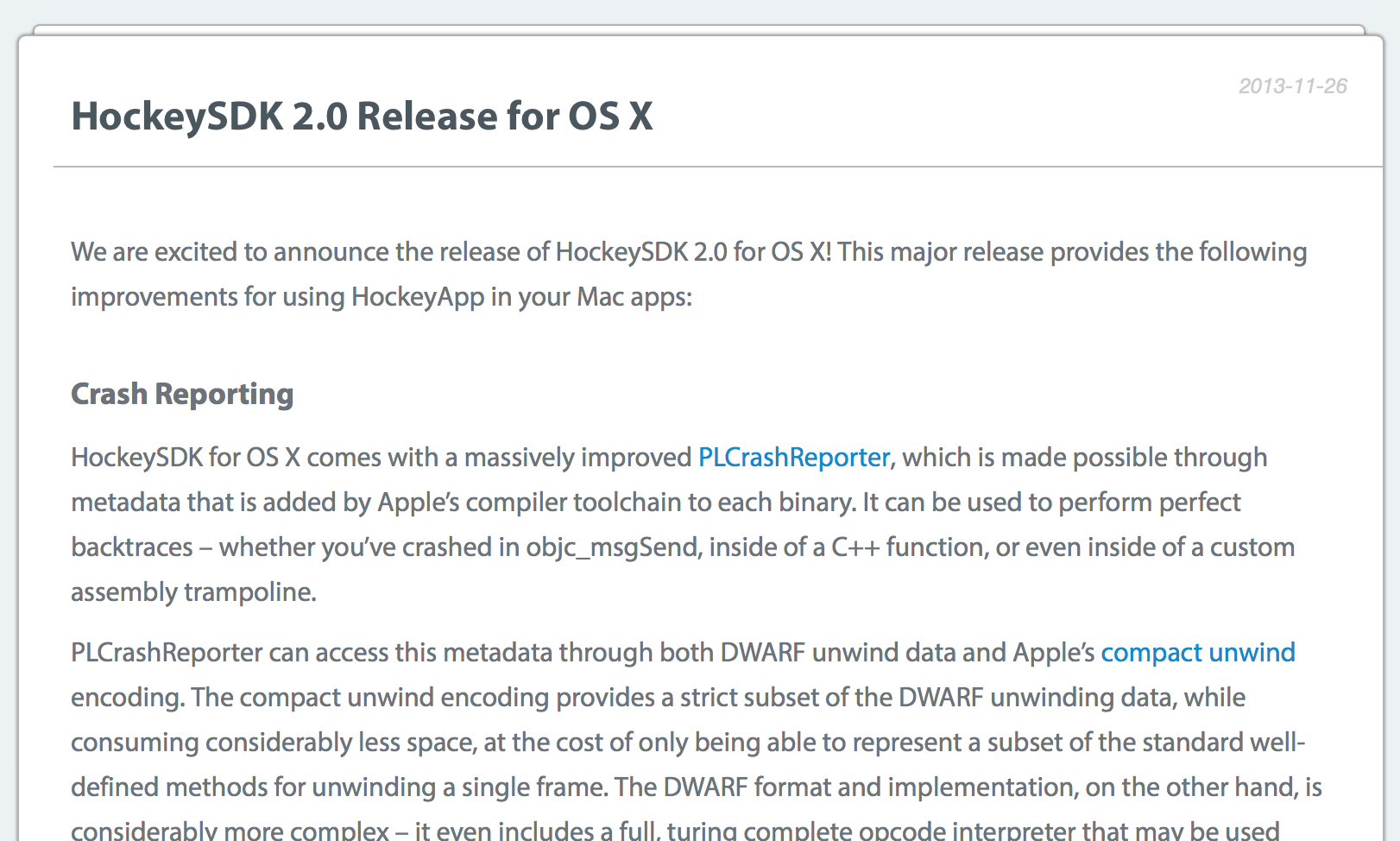
HockeyApp has released the next major version of its SDK for Mac developers, HockeyApp 2.0. This update brings the Mac SDK up to parity with the iOS version, which received similar updates last month.

The new SDK can send precise backtrace reports to developers when the app crashes during testing. This enables developers to accurately pinpoint where their code is messing up and crucially reduces time spent in debugging. The company claims that is the only crash reporting solution that offers the most flexibility in supporting all three types of logging.


Expand
Expanding
Close

Grand Theft Auto: San Andreas arrives on iOS next month w/ MFi controller support

Site default logo image

San-Andreas

After releases of Grand Theft Auto III and GTA Vice City on iOS, developer Rockstar announced today that GTA: San Andreas is set for a release on mobile devices next month. The game, which was originally released for the PlayStation 2 back in 2004, will arrive on iOS devices and the other mobile platforms with the usual updated graphics:

Encompassing Los Santos, San Fierro, Las Venturas and everything in between, Grand Theft Auto: San Andreas has been upgraded for its mobile release. Newly remastered graphics including dynamic and detailed shadows, greater draw distance, an enriched color palette, plus enhanced character and car models make this the best-looking version of San Andreas yet.

Rockstar also notes that the title will include full support for the new iOS 7 MFi game controller framework and new contextual control options for the touchscreen:
Expand
Expanding
Close

Site default logo image

Just in time for Black Friday: Target app update brings store maps, iOS7 design and gestures

With only 2 days left until the holiday shopping season kicks off with Black Friday, Target has pushed out an update for its iOS app. Version 6.3 brings a new design full of iOS 7-inspired fonts, colors and icons. Users can more easily navigate the app with the swipe-to-go-back feature just like the one that is prominently used in the stock Mail app. Of course, the app continues to offer power shopping tools like a Store Finder, TargetLists, access to the weekly ad, and more.

As a heads up for all you Black Friday shoppers, Target has already made some of its deals available for Red customers. Stay tuned to 9to5Toys all week for instant access to the hottest deals.

What’s New in Version 6.3
Just in time for the holidays…
• Design: Say hello to iOS 7 with updated designs and swipe-to-go-back.
• Shopping List: Build your lists faster with improved typeahead results. See which items in your list are on sale. Then, simply swipe right to check it off your list.
• What’s in Store: Open the app in any Target store to be inspired by trending products, deals across the store, popular Cartwheel offers and recipes.
• Save: See an item with a Cartwheel offer? Add it to your Cartwheel app with a single tap.

Beta Features*
Thanks to your feedback, in-store features keep getting better.
• Find: Maps are now more accurate with better support for multiple floors.
Whether a specific product or a generic item, the new shopping list will show you where to find it on your store map. As you check items off, we’ll show you the next item nearest to you.
• Decide: Tap on an item in your shopping list to see what options are available and if it’s in stock in your store, even from the comfort of home.

*Available in select stores in Minneapolis, Seattle and Chicago, plus all City Target locations.

Site default logo image

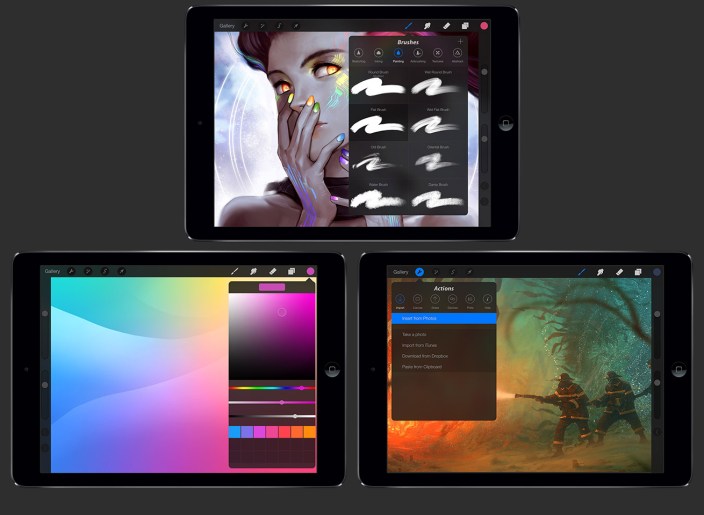
Procreate for iPad updated with iOS 7 redesign, 64-bit support, 4k canvas, more

Procreate, the powerful sketching app for iPad and 2013 WWDC Apple Design Award winner, received a major update to version 2 today bringing with it support for the 64-bit Apple A7 chip as well as a new 4k resolution canvas.

The update also includes an iOS 7 redesign and a new icon to match as well as several performance enhancements.

Procreate 2 is a free update to existing users and $5.99 on the App Store for new customers. Happy creating!

Full change log below:
Expand
Expanding
Close

Site default logo image

Fantastical for Mac updated with Reminders due times and performance improvements

Fantastical for Mac received a small performance update today but also added one really useful feature: Reminder due times. As we mentioned in our full review here, Fantastical 2 for iPhone recently picked up full Reminders support and today’s update brings further parity between the two apps.

Fantastical for Mac, which I find to be the easiest way to input dates and reminders, is available on the Mac App Store for $19.99 to new users and today’s update is free for existing users.

Full change log below:
Expand
Expanding
Close

How-To: Start using Maps in OS X Mavericks

Site default logo image

Maps_image1

Apple has finally implemented a maps app in the OS X platform, and it seems to have been worth the wait. After being noticeably missing from the system, Maps (and iBooks) are helping achieve a greater consistency between the iOS and OS X platforms. After running the free Mavericks update, the Maps app icon will automatically be added to your dock.

In this guide, we’ll show you how to use the new app for everything from searching for locations to getting turn-by-turn directions set directly to your iPhone.


Expand
Expanding
Close

Site default logo image

Google+ for iOS updated with full-resolution photo backups, design tweaks, and more

Google has updated its Google+ app for iOS with a few new tweaks. Version 4.6 of the social networking application introduces full-quality photo backups for iOS 7 users, a few design tweaks in the notifications screen, and the ability to share your location with friends (similar to Apple’s own Find My Friends app which was recently updated).

What’s New in Version 4.6.0

– Full resolution backup of your photos and videos (iOS7 only)
– Updated design for the notification tray
– Share your location, see where your friends are, control who is displayed on the map
– Translate posts and comments inline
– Additional bug fixes and performance improvements

Google+ is available for free on the iOS App Store.

Site default logo image

Dropbox updated with new design for iOS 7, AirDrop, and more

As first shown by 9to5Mac, Dropbox has updated its iOS app with an all-new design for iOS 7 and several new feature and improvements. The update brings a streamlined iPad interface, improvements to the sharing process, an updated PDF viewer, and AirDrop support on iOS 7 devices.

Version 3.0 also includes fixes for HTML rendering problems and a variety of crash bugs. Along with the bug fixes, users will find that the app is now faster at certain tasks.

The update is available free to all users on the iOS App Store. You can find the complete change log below.

What’s New in Version 3.0

• Beautiful new design for iOS 7
• Streamlined iPad experience: just tap on your files and photos to toggle fullscreen
• Improved sharing and exporting makes it easier than ever to send files to your favorite apps
• AirDrop support lets you send links and files in a snap
• Seamlessly save videos to your library
• Speed! Faster launch, photo loading, and video playback
• Vanquished our most common crashes
• Fixed bug that caused HTML to render as text
• Oodles of PDF viewing updates

Site default logo image

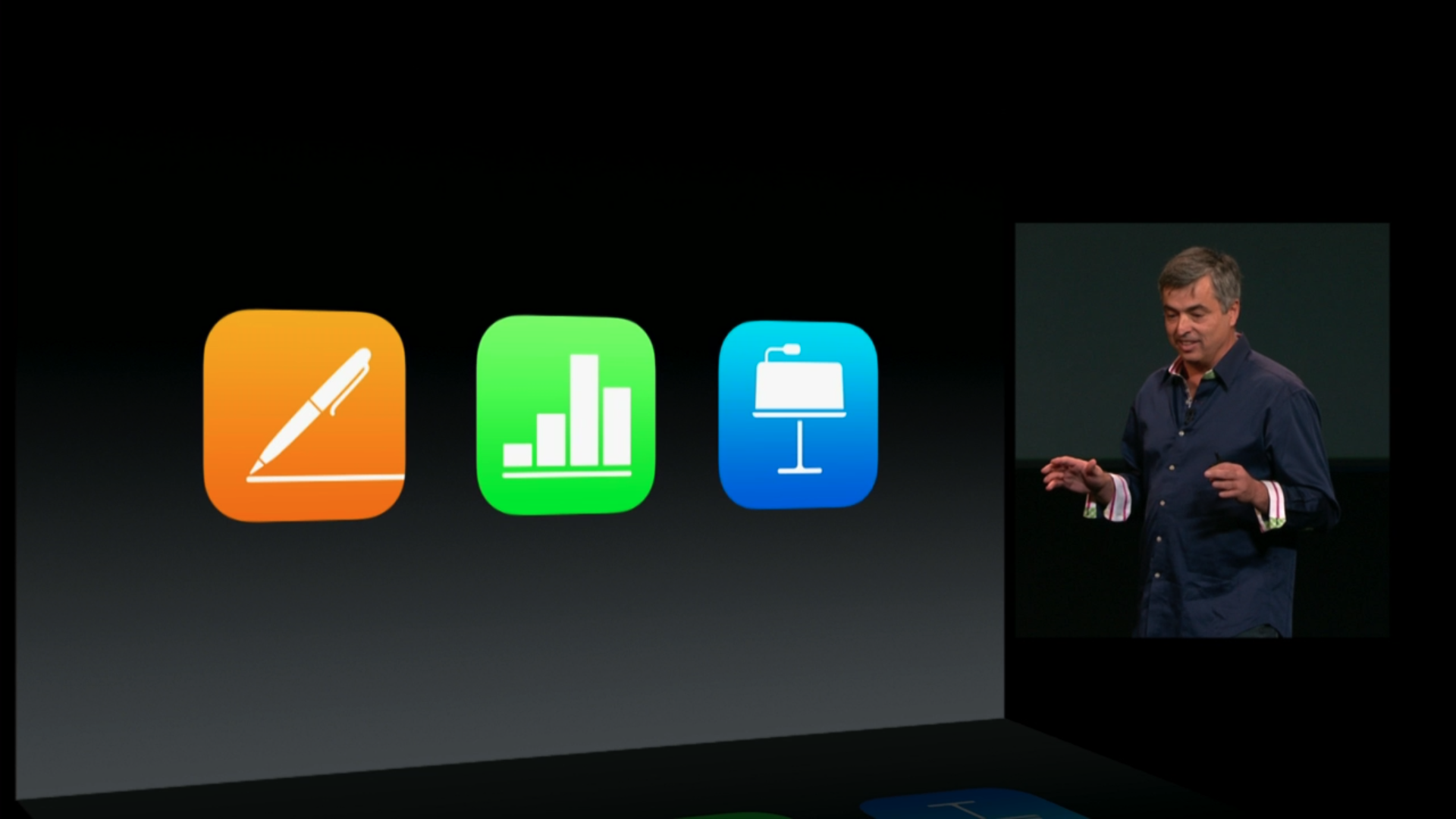
Apple updates iWork apps for Mac & iOS w/ customizable toolbar, new transitions, and more

ipad-event-iwork-ios

Apple has just updated its Keynote app for iPhone and iPad today with a number of new features including new builds and transition effects.

Version 2.0.1 of the Keynote app includes new transitions including: Blinds, Color Planes, Confetti, Fall, Perspective, Pivot, and Swoosh. The new builds include: Blinds, Fly in, Fly out, Orbital, Pivot, Scale Big, and Swoosh.

Apple’s other iWork iOS apps, Pages and Numbers, also hit version 2.0.1 today with stability improvements and bug fixes.

On the Mac side of things, Apple’s Keynote, Pages, and Numbers apps all get a new customizable toolbar that gives users the ability to have quick access to their most often used tools. The Keynote Mac app also gets the same transitions and builds mentioned above for the iOS version, and Pages and Numbers get a couple other new app-specific features. Full release notes for all apps below.

Keynote iOS:

What’s New in Version 2.0.1

• New transitions including Blinds, Color Planes, Confetti, Fall, Perspective, Pivot, and Swoosh
• New builds including Blinds, Fly in, Fly out, Orbital, Pivot, Scale Big, and Swoosh
• Stability improvements and bug fixes

Keynote Mac:

What’s New in Version 6.0.1

• Customize the toolbar with your most important tools
• New transitions including Blinds, Color Planes, Confetti, Fall, Perspective, Pivot, and Swoosh
• New builds including Blinds, Fly in, Fly out, Orbital, Pivot, Scale Big, and Swoosh
• Stability improvements and bug fixes

Pages iOS:

What’s New in Version 2.0.1

• Stability improvements and bug fixes

Pages Mac:

What’s New in Version 5.0.1

• Customize the toolbar with your most important tools
• Center and edge guides are on by default
• Stability improvements and bug fixes

Numbers iOS:

What’s New in Version 2.0.1

• Stability improvements and bug fixes

Numbers Mac:

What’s New in Version 3.0.1

• Customize the toolbar with your most important tools
• Window size and placement preserved on Save
• Set default zoom in Preferences
• Stability improvements and bug fixes

Site default logo image

ESPN launches new SportsCenter app for real-time, personalized news & scores

ESPN is launching a new app today called ESPN SportsCenter, which actually replaces the old ScoreCenter app with a redesign and all new features. The app does much of what the old app did, offering real-time updates on scores for the biggest sporting events of the day, as well as breaking news, analysis, notifications, and more. You’ll also be able to add your favorite teams to customize your experience and the new app introduces a new Favorites feature for quickly accessing news and scores for the teams you want to keep up with most often.

The new ESPN SportsCenter app also includes a new Clubhouses feature that includes all content for every team and league, an Inbox for getting personalized content such as news and alerts, and enhanced game pages that feature “New native sharing and one-click GameCast access.” Also new in the app is ESPN Now, a feature that lets users get real-time scores and updates from social networks.

In addition, the new SportsCenter app has been given a number of enhancements to search and overall performance.

The free ESPN SportsCenter app is available for iPhone now.

What’s New in Version 4.0.0

– ScoreCenter is now SportsCenter
– Speed: Faster than Calvin Johnson going deep
– Favorites: Your team news and scores in an instant
– Clubhouses: Content central for every team and league under the sun
– ESPN Now: Your one-stop-shop for real-time scores and social updates
– Inbox: A dedicated home for personalized content from news to alerts to scores
– Enhanced Game Pages: New native sharing and one-click GameCast access
– Search: Easily navigate to teams, leagues, and sports to view content or add to favorites

Site default logo image

HBO GO for iOS picks up Chromecast support

[youtube https://www.youtube.com/watch?v=M9jA2km9TKM]

Google announced today Chromecast support for the HBO GO apps for iPhone, iPad, and iPod touch.

This means HBO GO subscribers can now push content from their iOS Devices to their Chromecast-connected HDTVs. HBO GO casting is also available from the website from Chrome browser.

The actual Chromecast hardware is only $35 on Amazon (and if that’s not cheap enough, keep an eye on 9to5Toys for more deals) and offers a comparable experience in many ways to AirPlay on Apple TV. HBO subscribers can download and use the HBO GO apps at no additional charge from the App Store.
Expand
Expanding
Close

Clumsy Ninja finally hits the App Store, originally announced at iPhone 5 event last year

screen568x568

Originally demoed at Apple’s September 2012 event, to show off the power of the new fifth-generation iPod touch, Clumsy Ninja was said to be launching that holiday season; i.e. fall 2012. However, much like with the announcement of Infinity Blade Dungeons, the app never arrived. Whereas Dungeons ended up being axed entirely, it turns out that Clumsy Ninja was just severely delayed.

After over a year since the game was demoed, Clumsy Ninja has finally hit the App Store today. At Apple’s event, NaturalMotion described the game as an ‘interactive toy’ based on “years of research”. The game centres around a cute 3D ninja, which acts similarly to a virtual pet.


Expand
Expanding
Close

Site default logo image

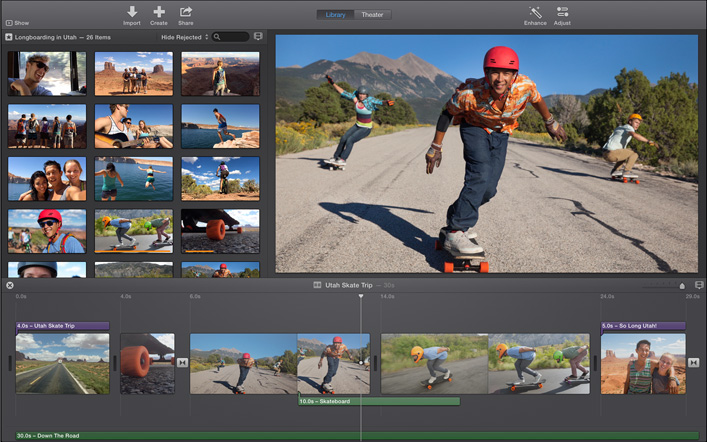
iMovie for Mac update enables installation on some older systems, fixes reliability issues

hero_screen

Apple has released a small update to iMovie for Mac today which allows the app to be installed on some older Macs. The change log doesn’t specify which machines are included, stating only that “computers with some older video cards” can now run the latest version of the video-editing software.

The update also introduces fixes for unreliable behavior when importing old iMovie projects into the updated app, which uses a new format for storing and maintaining video footage, events, and projects.

The app is availble for $14.99 on the Mac App Store for new purchases, although users who already own previous versions of iLfe may be able to update for free.

What’s New in Version 10.0.1

• Allows iMovie to be installed on computers with some older video cards
• Addresses reliability issues when updating projects and events from previous versions of iMovie

Site default logo image

Tumblr iOS app completely redesigned for iOS 7

Tumblr has finally released a complete redesign of its app for iOS 7 today. The app introduces a new streamlined look and feel for both the iPhone and iPad and also a few new features.

On top of a complete redesign for the Dashboard, you’ll notice a new UI for composing, choosing a post style, and reblogging. The updated app also includes a new autocomplete feature for tags.

What’s New in Version 3.5

We’ve completely redesigned Tumblr for iPhone and iPad! It’s faster and has a beautiful new look and feel, just like iOS 7.

• Total Dashboard makeover
• New post compose screen
• New post chooser
• New fast reblog
• Tag autocomplete!

Tumblr version 3.5 is available now for iPhone and iPad. Screenshots of the iPad app below:

Site default logo image

Google Chrome iOS app updated w/ synced Autofill, long press for related image search

Image (1) chrome-a_512.png for post 72530Google today released an update to its Chrome app for iOS that it first announced last week and released for Android. As promised, Google has added a new synced Autofill feature that allows users to autofill forms in a few taps and also sign into their Google account on Mac or other iOS devices to sync the data.

Version 31 of Chrome for iOS also adds a new long press feature for images. When holding an image with a long press, Chrome will now automatically run a search for related images.

In addition, Google says the update brings stability and security enhancements.

What’s New in Version 31.0.1650.18

• Fast form completion with Autofill
Tired of filling out web forms with the same information time and time again? The Autofill feature lets you complete forms with just a few clicks. Sign in to sync this data from your computer to your iPhone or iPad and save even more typing.
• Long press on an image to search for related images
• Stability / security improvements and bug fixes