Latest

Site default logo image

Tumblr updates iOS app with new sharing features, save later with Pocket, animated GIFs, & more… now with ads


Tumblr-iOS-app-iconOn top of the recent announcement that it will be bringing sponsored posts, aka advertisements, to its mobile apps, Tumblr today released an updated iOS app that includes new sharing features, the ability to save content for later reading, new templates for sharing posts through email, and much more.

Other enhancements include animated GIFs while scrolling, an alphabetized and searchable Following list, and support for sharing directly to Twitter and Facebook. A full list of what’s new in version 3.3.1 of the universal iOS app is below:

What’s New in Version 3.3.1

Now you can do more than just reblog when you find something you love.

– Share posts via Twitter, Facebook, and more
– Save stuff for later using Instapaper and Pocket
– Email an entire post with our beautiful new template
– Fling a photo up or down to close it!
– GIFs animate while you scroll*
– Following list is now alphabetized and searchable

*iPad 2, 3 and 4, iPad Mini, iPod Touch 5th Generation, iPhone 4S and 5 only

Site default logo image

Apple updates iAd Producer with support for iBooks Author widgets, iTunes LPs, iTunes Extras, more

iad-producer-iconApple’s iAd Producer tool for creating HTML5, CSS3, and Javascript ads for its iAd platform gets updated to version 4.0 today and adds a number of notable new features on top of some performance enhancements that Apple outlined in a knowledge base article. The updated app now allows users to create iBooks Author widgets, iTunes LPs, and iTunes Extras. Apple provides more information on the new features, such as creating an iBooks Author Widget for iBooks Author projects on the iAd Producer support page:

You can create an iBooks Author widget for use in your iBooks Author projects. For example, you can create a widget that allows users to stream video from the Internet, draw using their finger, or interact with a timeline.

A full list of what’s new in iAd Producer 4.0 including: folder-based organization support, new HTML, Stack, Drawing, and Panorama objects, in-app quick previews, CSS filter support for objects, and much more below:

New in iAd Producer 4.0

This release contains a number of new features and improvements

  • Improved Object library interface
  • Improved Actions library interface
  • Support for folder-based organization in the asset library
  • New HTML, Stack, Drawing, and Panorama objects
  • New actions for adding and removing CSS classes, animating background position, animating image masks, and text slide-in animation
  • Support for applying CSS filters as well as image and gradient masks to objects.
  • In-app quick preview
  • Project-wide search in the Code Editor
  • Better export performance
  • Improved menu layout
  • Improved font support, including support for OpenType fonts
  • Improved rulers and alignment guides
  • Enhanced inspectors, with pop-up color pickers, and gradient sliders that now represent opacity
  • Support for QuickLook previews in iAd Producer project files
  • Support for iTunes LP, iTunes Extras, and iBook Author widget project types
  • Other fixes and improvements

(via MacStories)

Site default logo image

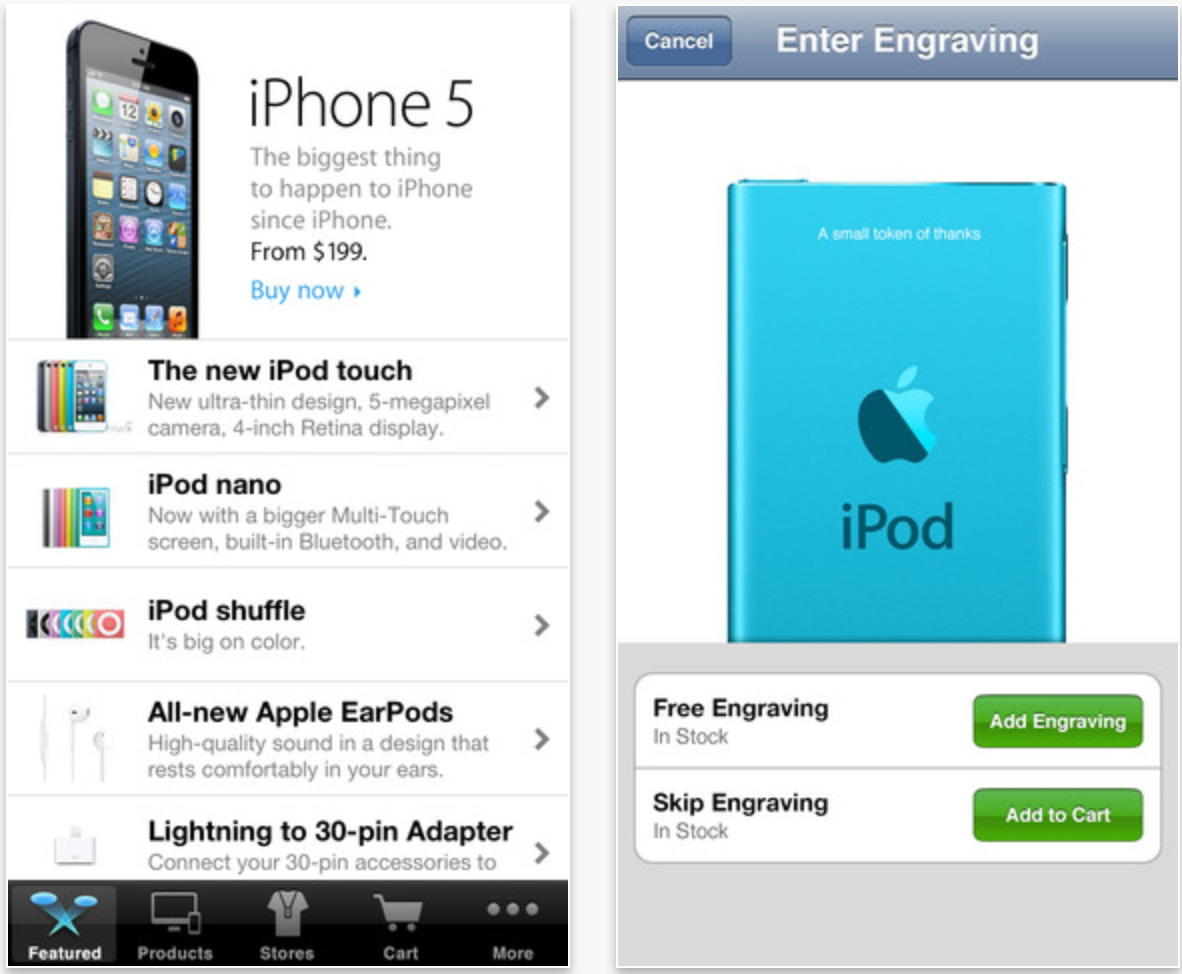
Apple Store app for iPhone updated with notifications for when you are eligible for iPhone upgrade pricing

Screen Shot 2013-04-23 at 4.21.23 PM

Apple’s official Apple Store application for iPhone and iPod touch has been updated with some neat notifications-related enhancements:

– Choose to receive notifications that let you know exactly when you’re eligible for upgrade pricing on a new iPhone. And since all you need to complete the order is your Apple ID and password, buying your new iPhone is fast and easy (US only).

– Stay on top of your delivery with notifications. We’ll let you know when your order ships, keep you informed of any updates, and notify you when it’s delivered.


Expand
Expanding
Close

Site default logo image

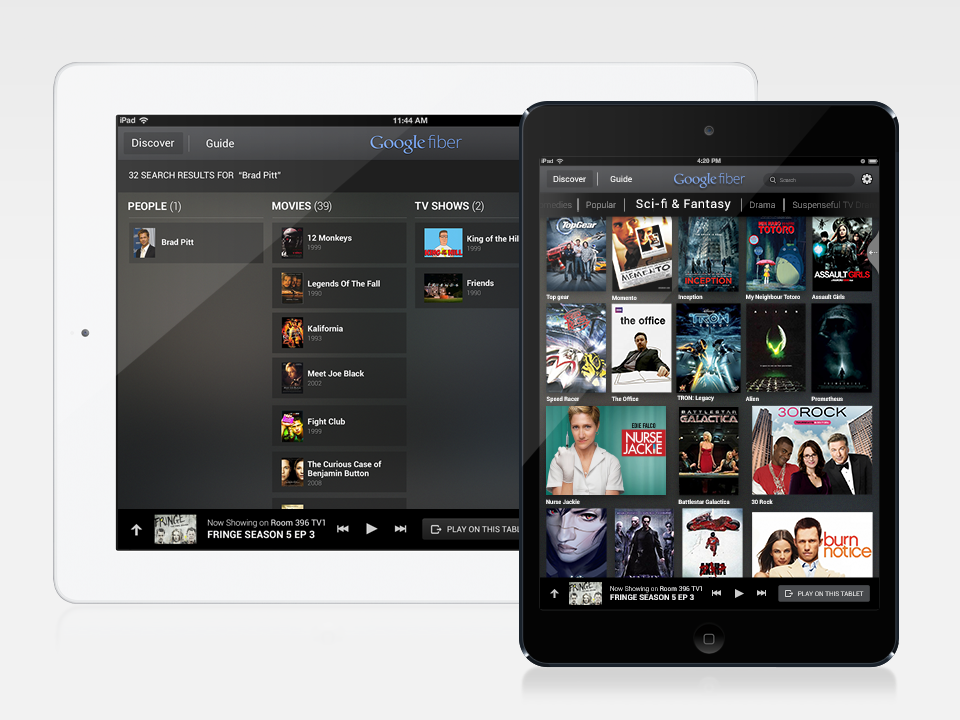
Google Fiber TV remote app for iPad released

iPad Fiber TV App

Google launched its Google Fiber TV for iPad app today allowing Google Fiber customers to transform their iPads into QWERTY keyboard, TV guide yielding TV remotes.

For the past month, our Fiber TV customers have been able to control their TVs with any recent Android device. Using the Fiber TV app from the Google Play Store, they can search for programming, browse listings, and select shows or recordings with just the touch or swipe of a finger. Now, iPad users can enjoy this simple, intuitive experience, too.

This should come as great news to tablet owners in Kansas City, Austin, and Provo.

Google Fiber TV for iPad is available for free in the App Store.

(Source: Google)

Tweetbot 2.8 gets media timeline, redesigned image viewer, more

Site default logo image

Tweetbot fans, a new update awaits you at the App Store. Today’s 2.8 update has some interesting new features and important bug fixes.

Topping the list is the “media timeline” – find it located next to the search box – which will show you all of the images and video in your timeline. Speaking of images, Tapbots totally redesigned the image viewer in this round. Rounding out this update is “Tweet/status detail view now displays the number of Favs and Retweets” which will be enjoyed by narcissists everywhere. Oh and what update wouldn’t be complete without  “Various other bug fixes including Fixed Instagram Previews”?

Get it on iTunes ($2.99)
Expand
Expanding
Close

FedEx Mobile iOS app gets ‘Delivery Manager’ with customized delivery options, lets users sign for packages

Site default logo image

http://www.youtube.com/watch?v=jsDjJQzAhi4

FedEx has updated its iOS app today providing users with access to sign up and use a new FedEx Delivery Manager feature to customize delivery options and even sign for packages directly from within the app.

Once users have signed up for Delivery Manager, they will be able to schedule deliveries, provide instructions for pending deliveries, and even sign for packages using the universal app for iPhone and iPad. Other delivery options that users can customize include: Deliver to another address, Schedule a vacation hold, and Hold your package at a FedEx location.

Get convenience and flexibility for deliveries to your home. You can view upcoming deliveries to your home address, get status updates, or request to schedule a delivery by choosing your preferred date, time, or date and time combination. Or you can request FedEx to deliver to another address — in your neighborhood or across the U.S. — or select from free options such as Hold at FedEx Location.

The new Delivery Manager feature is initially only available for residential deliveries within the US. Users interested in signing up or learning more about the new feature can do so at fedex.com/delivery.

The updated FedEx mobile app is available on the App Store now.

Site default logo image

Discovery Channel and TLC iOS apps updated with “Plus” interactive second-screen experience

Discovery Communications updated two of its iOS apps today with a brand new second screen experience dubbed “Plus”. Available for the Discovery Channel HD app and the TLC app for iPhone and iPad, “TLC Plus” and “Discovery Plus” brings interactive “second-screen” content that syncs to some of the network’s most popular shows. According to iTunes, the synced experience includes “exclusive factoids, photos, and more” and will also allow you to sync up with previously aired Plus-enabled shows that you may have recorded on your DVR.

The Plus experience isn’t available for all shows yet and is currently only available on iPad, although iPhone support and more content is on the way. The updated apps also include a new schedule guide allowing users to “quickly see when a series is currently airing new episodes, and what new shows are about to premiere.”

Update, April 24: Discovery has now updated its Animal Planet iOS app with a new experience that offers views from 12 live HD cameras:

What’s New in Version 2.5

Now on your iPad: Introducing Animal Planet L!VE, featuring unfiltered, round-the-clock access to the compelling worlds of the beautiful, cute and misunderstood. With this update, users can immerse themselves in 12 live HD cameras.

Site default logo image

Twitterrific 5.2.1 adds notification badges and more

Photo 1

Twitterrific 5 has recieved another big update today, which introduces several new features, improvements, and fixes. The most prominent new feature is the fact that you can now enable app badges for push notifications, but other new additions include support for Twitter’s trending topics and the Favstar service. There are also a bunch of little improvements and bug fixes throughout the app, further polishing the recently-redesigned app.

The update is available now in the App Store. The change log is below, and you can find our full review of Twitterrific 5 here.

NEW FEATURES

• App badges for push notifications (enable in iOS Settings > Notification Center)
– Notification count for replies, mentions & DM’s
– Using app badges also clears messages from Notification Center
• Favstar support (enable in Settings > Other Services)
– View a user’s Favstar page from their profile or via long tap on their avatar
– View Favstar info on a tweet via more actions menu (…)
• Twitter trends (open Sidebar > Search > Tweets tab to view)

IMPROVEMENTS

• Faster tweet loading time
• Search interface remembers last selected tab
• Support for Twitter stock symbols ($AAPL, etc)
• New tweet count stays on screen until the timeline is scrolled
• Home timeline auto-refreshes when posting a new tweet or DM
• Automatic theme changing now based on dawn/dusk at your location
• Compose gesture: one-finger swipe left/right to adjust cursor
• VoiceOver now speaks hint text at the bottom of settings panel
• VoiceOver now speaks muffled tweet descriptions
• Holding timeline position improved when using VoiceOver
• Photo viewer can be dismissed using VoiceOver’s two-finger Z gesture

BUG FIXES

• Muffled hash tags are now case insensitive
• Buttons in settings are now easier to tap
• Corrected display bugs during pull-to-refresh
• Fixed a bug that prevented Readability from turning off
• Tweets at the top of the timeline are easier to swipe
• User links in emailed tweets now properly point to the user’s profile
• Fixed various bugs that caused the timeline to jump to top unexpectedly
• Compose displays correctly when using foreign language keyboards on iPad
• Additional fixes & improvements

Site default logo image

Dropbox iOS app updated with support for 6 new languages

Dropbox-logo-icon-appEarlier this month Dropbox announced support for 6 new languages on the desktop and Android devices. As promised, today the iOS app gets the same update, bringing support for “Indonesian, Malay, Polish, Portuguese (Brazil), Russian, Traditional Chinese and Simplified Chinese.” Update version 2.1.4, available on the App Store now, also includes the usual bug fixes and performance enhancements.
Dropbox version 2.14

Site default logo image

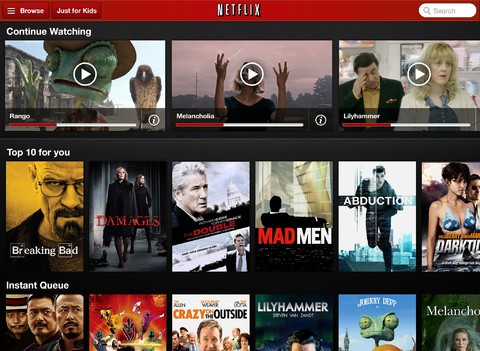
Netflix for iOS updated with more intuitive episode, audio, and subtitle selectors

mzl.roorpsxc.480x480-75

Netflix has updated its iPhone, iPad, and iPod touch application with redesigned controls for episode selection, audio, and subtitles.

The changes make it easier and more intuitive for iPad users to navigate between TV show episodes, while the new audio and subtitle controls are available on both the iPad and smaller iOS devices.

Various bug fixes are also included, according to the release notes:

What’s New in Version 4.0

This new app release makes watching Netflix TV shows and movies an even better experience.

• Easy episode selection with a brand new episode selector on the iPad
• Redesigned audio and subtitle selector on iPad and iPhone
• Bug fixes

The update is free on the App Store.


Expand
Expanding
Close

Yahoo! for iOS adds Summly integration

Site default logo image

Yahoo continues to rebrand itself under the leadership of former Google executive Marissa Mayer, proving it can be just as innovative as its competitors.

Following the launch of Yahoo! Weather and Yahoo! Mail for iPad last week, the Internet giant updated its Yahoo! for iOS app today to include news summaries in its articles provided by Summly as well as a redesigned page for articles.


Expand
Expanding
Close

Site default logo image

Google launches ‘Places for Business’ iPhone app to manage business information across Google services

Screen Shot 2013-04-22 at 1.35.18 AM

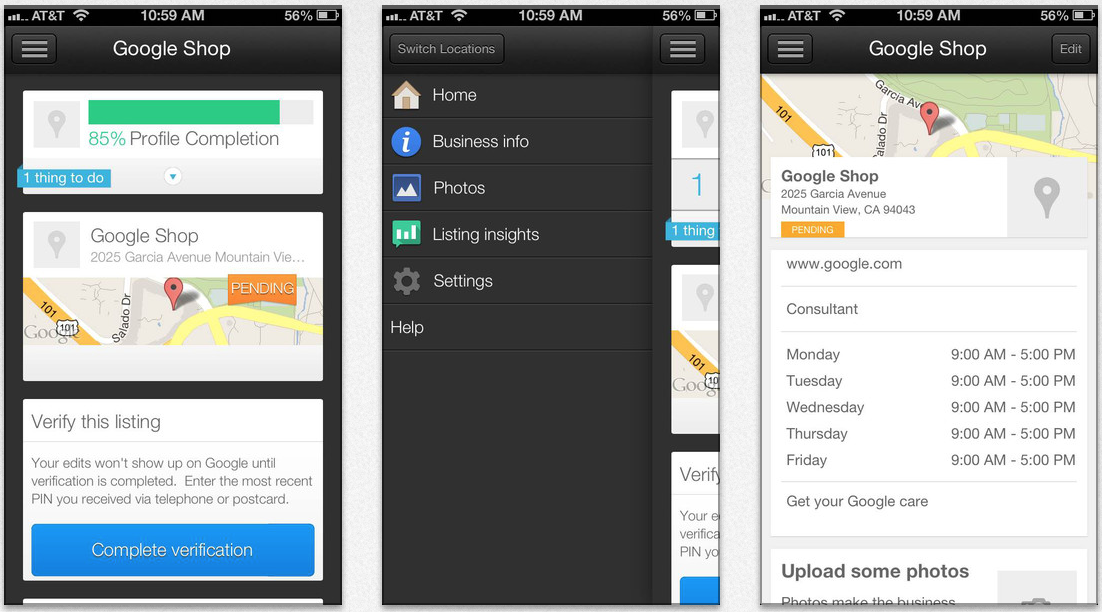
Today, Google has released a new iPhone and iPod touch application for its Places for Business platform. Places for Business is a Google service that allows business owners to manage the presence of their business across Google services such as Search, Maps, and Google+. Now, with the new app, these tasks can be handled on the go.

Business owners can use the app to:
– Verify your business listing directly from your phone
– Update your business information: hours, address, contact information, and description
– Post beautiful pictures of your business on your local Google+ page
– Track web traffic going to your listing
– Manage multiple business locations from one app

Having the ability to manage Places for Business from an iPhone or iPod touch is a compelling experience because information can be updated at a quicker pace. Additionally, the camera inside of iOS devices allows for quick uploading of photos of businesses. The app is free on the App Store.


Expand
Expanding
Close

Site default logo image

Vu news app for iPhone has unique interface, recommends content

Screen Shot 2013-04-18 at 5.50.34 PM

We’ve been testing a new, free iPhone news app called Vu that presents content based on what you have previously read/viewed within the app via an easy to use, fast interface. The app recently gained article saving and improved article sharing features, and we think it is worth taking a look at. Like other news apps, you can sync content between your iPhone, iPad, and your computer. You can access content you have saved for later via a web browser on non-iPhone devices.

Twitter #music for iPhone, iPod touch is now playing

Twitter launched its new music discovery app Twitter #music for iPhone today.

Twitter #music takes a step toward filling the void created when everyone migrated from MySpace, which was one of the most effective music discovery tools for me until it was largely vacated.

Twitter promises to “change the way people find music, based on Twitter,” per the social network’s blog, which I believe will be widely appreciated.


Expand
Expanding
Close

Site default logo image

LinkedIn iPhone app updated with simpler, more personalized interface

Screen Shot 2013-04-18 at 12.09.58 AM

LinkedIn has updated its iPhone and iPod touch application with a redesigned, simpler user-interface that is more personalized. Additionally, the update allows for more actions from the Updates Stream. The iPad app does not appear to have picked up the new interface yet, but the tablet-optimized version did receive bug fixes and performance improvements. Release notes:


Expand
Expanding
Close

Site default logo image

Things for Mac, iPad, and iPhone gets a speed boost, improved time zone support

Screen Shot 2013-04-17 at 5.24.17 PM

The Things to-do management app for Mac OS X, iPad, iPhone, and iPod touch has been updated today with speed improvements for both the actual application and for downloading and syncing with the Things Cloud service.

We’ve identified the resource hogs and improved performance in key areas that were troublesome in the past. Below are some measurements we took before and after these improvements. Overall, the app now feels much more responsive, especially when you perform an action on multiple items at once.

Additionally, the application’s time zone support has been improved.

For this release we’ve been through and carefully adjusted all the date-related functionality in Things. It’s been a considerable amount of work, but these improvements – which affect scheduled dates, due dates, repeating tasks, local notifications, and the Daily Review – are a good and necessary foundation going forward.

I’ve been testing out the app updates for a couple of months now, and the improvements seem to live up to Cultured Code’s (the developer) claims.

Things is meant for users with many to-dos that need to sort their work into projects. With that in mind, the suite is a bit pricier than applications in the same category: Things for Mac (49.99), Things for iPad ($19.99), Things for iPhone/iPod touch($9.99). The three apps sync with a free Things Cloud system.

Release notes below:


Expand
Expanding
Close

Site default logo image

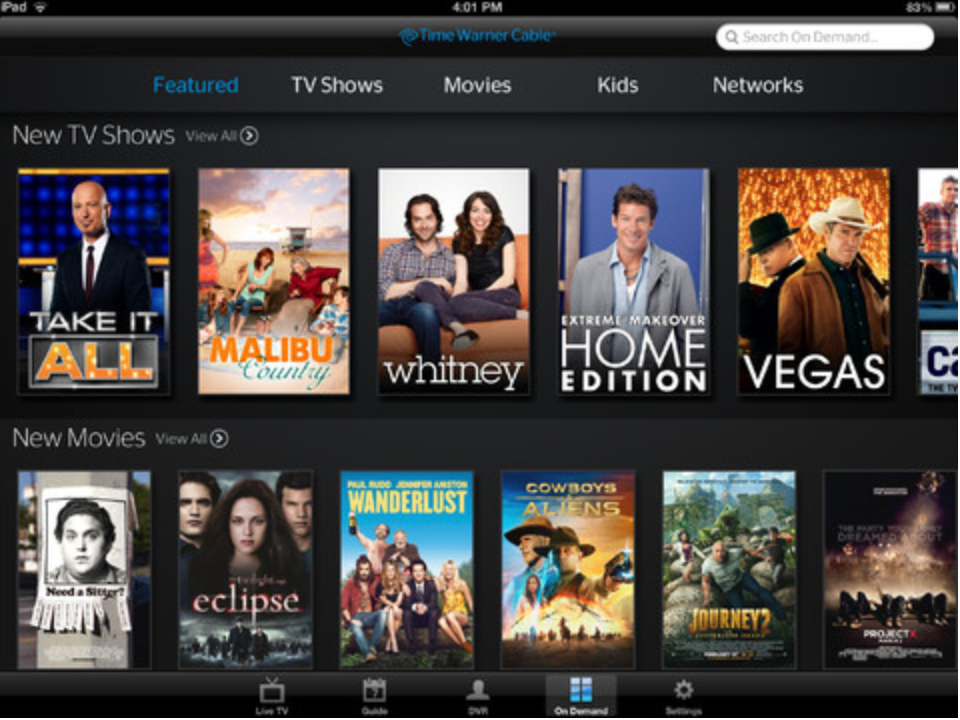
Time Warner Cable iOS app updated with ability to stream live TV away from home

Screen Shot 2013-04-17 at 12.38.26 PM

As announced yesterday, Time Warner Cable has updated its iPhone, iPad, and iPod touch application with the ability to access and stream select OnDemand content and TV channels while away from home. Previously, the application could only stream TV while you were in your home with Time Warner Cable TV service. Additionally, the app update has improved filtering and sorting for categories and shows. Bug fixes and various performance enhancements are also included in the 3.2.0 update.


Expand
Expanding
Close

Site default logo image

Here’s how to enable Chat Heads and Stickers in the new Facebook app right now

When Facebook released their brand-new iOS application today, some were disappointed to find that the highlight features of Chat Heads (from Facebook Home) and Stickers were not present. Facebook says that the two features, like many other of Facebook’s recently released products, will be released via a staggered rollout.

For those who truly want to enable Chat Heads and Stickers before Facebook wants it on your iOS device, iMore‘s Nick Arnott has put together a thorough tutorial on how to enable the features. Follow the steps, grab an app called PhoneView (no jailbreak required), and a Plist editor (like the one included in Xcode), and you should be good to go. We’ve tested the Chat Heads trick, and it works well.


Expand
Expanding
Close

Apple updates iPhoto and Aperture for Mac with Photo Stream improvements, bug fixes, Safari and Java

Site default logo image

Screen Shot 2013-04-16 at 4.42.19 PM

Today, Apple has released software updates for the Mac version of iPhoto and for Aperture. The updates both focus on bug fixes and improvements.

Notably, both apps were given improvements and fixes for Photo Stream integration. iPhoto now has easier image deleting and exporting from Photo Stream, while Aperture has a bug fix related to Shared Photo Streams.

Screen Shot 2013-04-16 at 5.23.52 PM

Safari and Java were also updated with improved security (release notes below). Notably, the new update introduces controls to specify which websites can use Java – something that should help prevent malicious websites from exploiting the never-ending stream of Java exploits.

Full release notes below:


Expand
Expanding
Close

Site default logo image

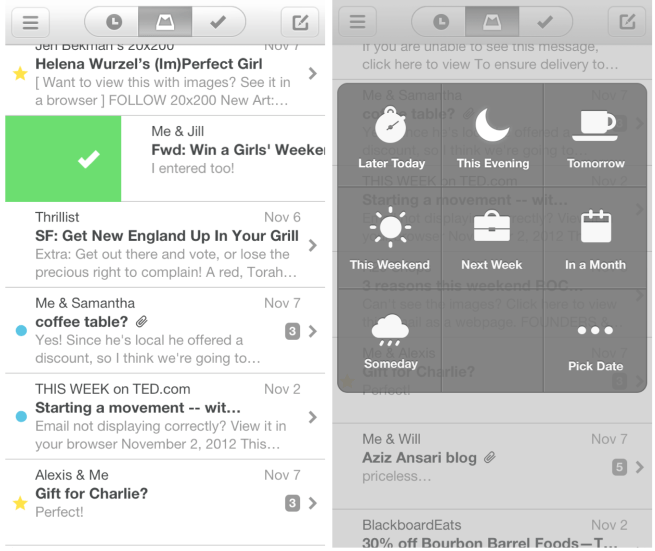
Mailbox email app for iPhone removes reservation system following scaling improvements

The Mailbox for iPhone email application no longer has a reservation system, its developers announced today. The developers say that improved scaling contributed to this.

Good news! Mailbox is now available without having to wait in line. After 10 weeks of around-the-clock hard work, our engineering team has scaled the Mailbox service to deliver over 100 million messages per day (and growing). We believe we can now confidently handle new users as they sign up, so we’ve pulled down the reservation system.

It is unclear if Dropbox, the new owner of Mailbox, contributed to the new scaling efforts. The developers say that the app processes 100 million emails per day. Yesterday, Mailbox was updated with interface enhancements and new snooze options.


Expand
Expanding
Close

Site default logo image

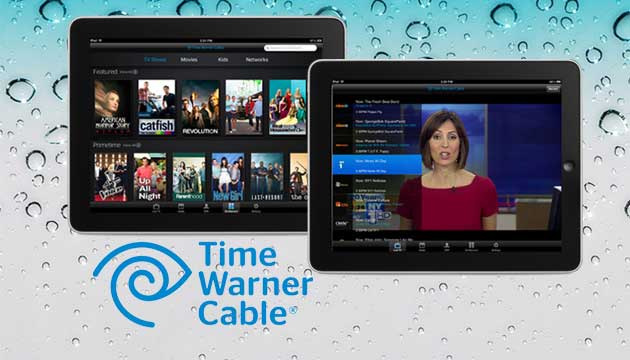
Time Warner Cable announces out-of-home live TV streaming coming to iOS devices tomorrow

via digitallanding.com

via digitallanding.com

Time Warner Cable is launching out-of-home video on-demand and live content streaming to its TWC TV app for iPhone and iPad tomorrow.

Live channels will include Aspire, BBC America, beIn, Big Ten Network, FearNet, Fox News Channel, Fox business, GMC, Pac-12 Network and TV Guide Network; while channels like MTV and Comedy Central will offer video on-demand, according to Engadget.

The broadcast company first offered in-home VOD and TV streaming support two years ago, but allowing live content to be viewed remotely is a huge feature for Time Warner Cable customers.

Facebook for iOS gains ‘ChatHeads’, iPad app redesigned, Brichter working on Home

Site default logo image

facebook-60-ipad-iphone-theverge-6_2040_verge_super_wide

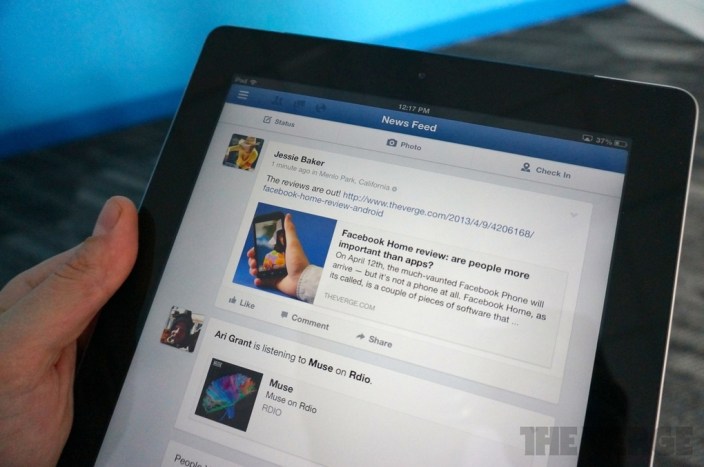
Facebook has released an updated version of its Facebook application for iOS today, bringing the iPad application more in line with the website’s recently announced redesign and adding some features from the Android-based Facebook Home software. The Verge took a hands-on look at the updated app.

The iPad application now has a more streamlined, simplified user-interface that focuses more on content such as photos…


Expand
Expanding
Close

Site default logo image

Apple releases minor Xcode update with fixes/improvements

Screen Shot 2013-04-15 at 8.22.04 PM

Today, Apple has released a minor update to its Mac Xcode software development suite. The update includes various performance improvements and bug fixes. It is available on the Mac App Store as a free update. Thanks, D!

What’s New in Version 4.6.2

• Improves LLDB performance for debugging Objective-C code.
• Fixes an issue where the crash log database could grow very large.
• Additional bug fixes and stability improvements.


Expand
Expanding
Close