Author

Avatar for Jeff Benjamin

Jeff Benjamin

Jeff Benjamin

Jeff is the head of video content production for 9to5. He joined 9to5Mac in 2016, producing videos, walkthroughs, how-tos, written tutorials, and reviews. He takes pride in explaining things simply, clearly, and concisely. Jeff’s videos have been watched hundreds of millions of times by people seeking to learn more about today’s tech. Subscribe to 9to5Mac on YouTube to catch Jeff’s latest videos.

iOS Decoded is Jeff’s flagship video series that breaks down what’s new in iOS betas, including behind-the-scenes deep dives into undiscovered features and exclusive details on the iOS roadmap. 

Jeff also produces a weekly podcast, alongside co-host Fernando Silva, entitled 9to5Mac Overtime. A video-first podcast, 9to5Mac Overtime airs weekly on our YouTube channel, but can also be enjoyed in audio form via Apple Podcasts, or your podcast app of choice.

Have a tip or exclusive? Connect with Jeff!

Connect with Jeff Benjamin

MFC says its ‘iBUS’ is the first to let users restore an Apple Watch Series 1 with full watchOS software

Site default logo image

Up until now if you experienced problems with the software on your Apple Watch and the standard OTA method didn’t work, you were forced to visit an Apple Store to resolve the issue. In fact, I have a first-gen Apple Watch sitting on my shelf right now that I’ve not used for the past six months because I haven’t bothered to schedule an appointment at the Genius Bar.

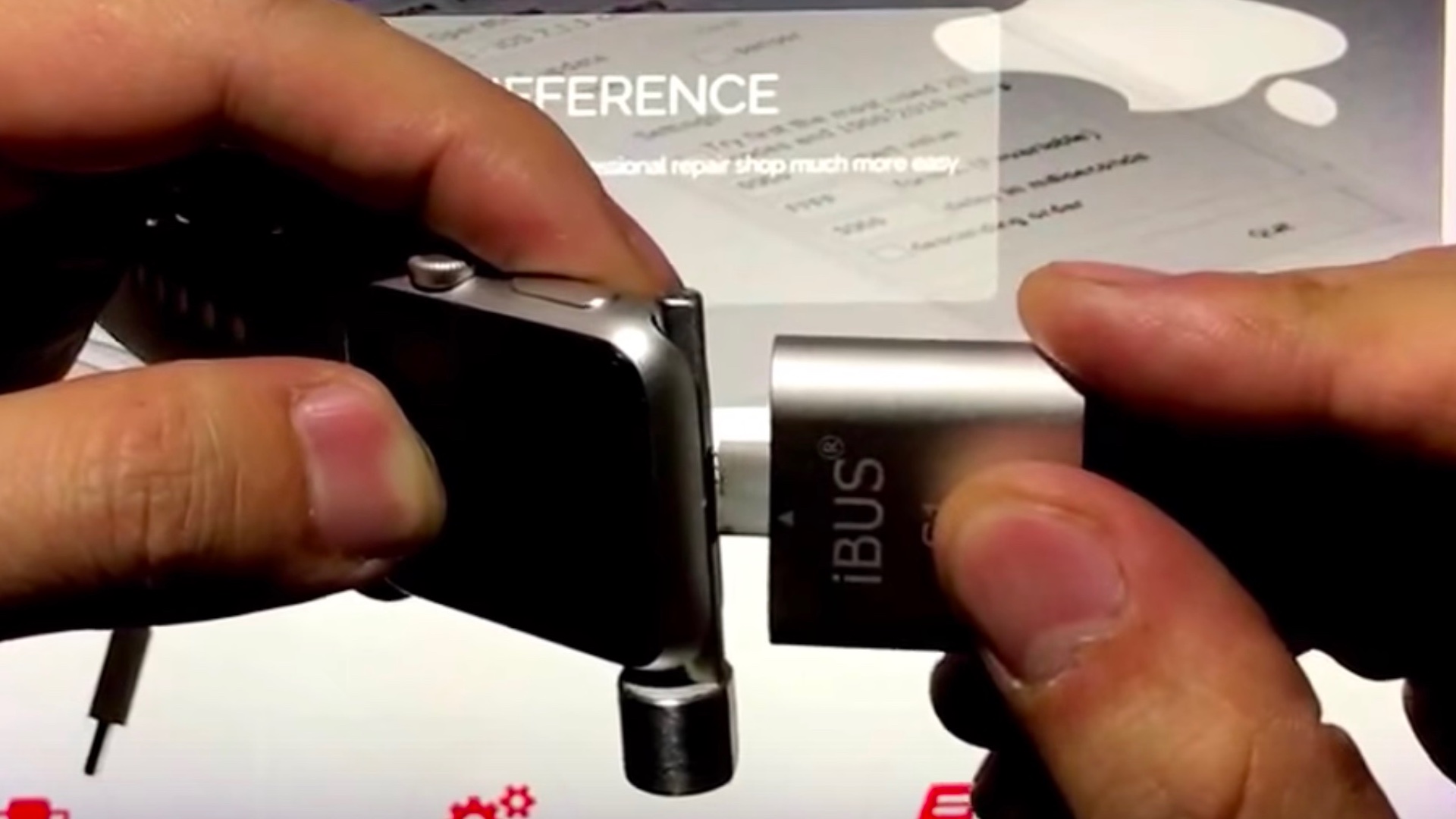
The folks over at MFC claim to have a limited solution to this problem: the iBus Data Cable — a small little dongle that attaches to the maintenance port nestled inside the band reservoir on the Apple Watch. Many Apple Watch users probably have no inkling that such a port exists, but the team at MFC have engineered a dongle to take advantage of the I/O provided by this port to facilitate watchOS restores.
Expand
Expanding
Close

Site default logo image

Nintendo’s Switch is using an outdated version of WebKit leveraged in previous iOS jailbreak

The just-released Nintendo Switch is proving to be quite popular among gamers, but it has also caught the attention of hackers who may be interested in exploiting vulnerabilities present in the console. It certainly wouldn’t be the first time such a thing has occurred, as we think back on jailbreaks that were released for the PS3, the Nintendo Wii, and other popular game consoles.

It just so happens that a vulnerability discovered in the Nintendo Switch has a slight iOS correlation — the console uses an outdated version of WebKit, the same version of WebKit used to leverage an iOS 9.3.x jailbreak in the past. That’s not to say that a Nintendo Switch jailbreak is imminent or even in the cards at this time, but a known working exploit is available to make arbitrary code execution a possibility.
Expand
Expanding
Close

Improving iPhone videography with the Beastgrip Pro camera rig [Video]

Site default logo image

By itself the iPhone has proved to be a more than capable photography and videography camera. And just like with standalone cameras, when combined with the right accessories, you can enhance the quality of your photos and videos.

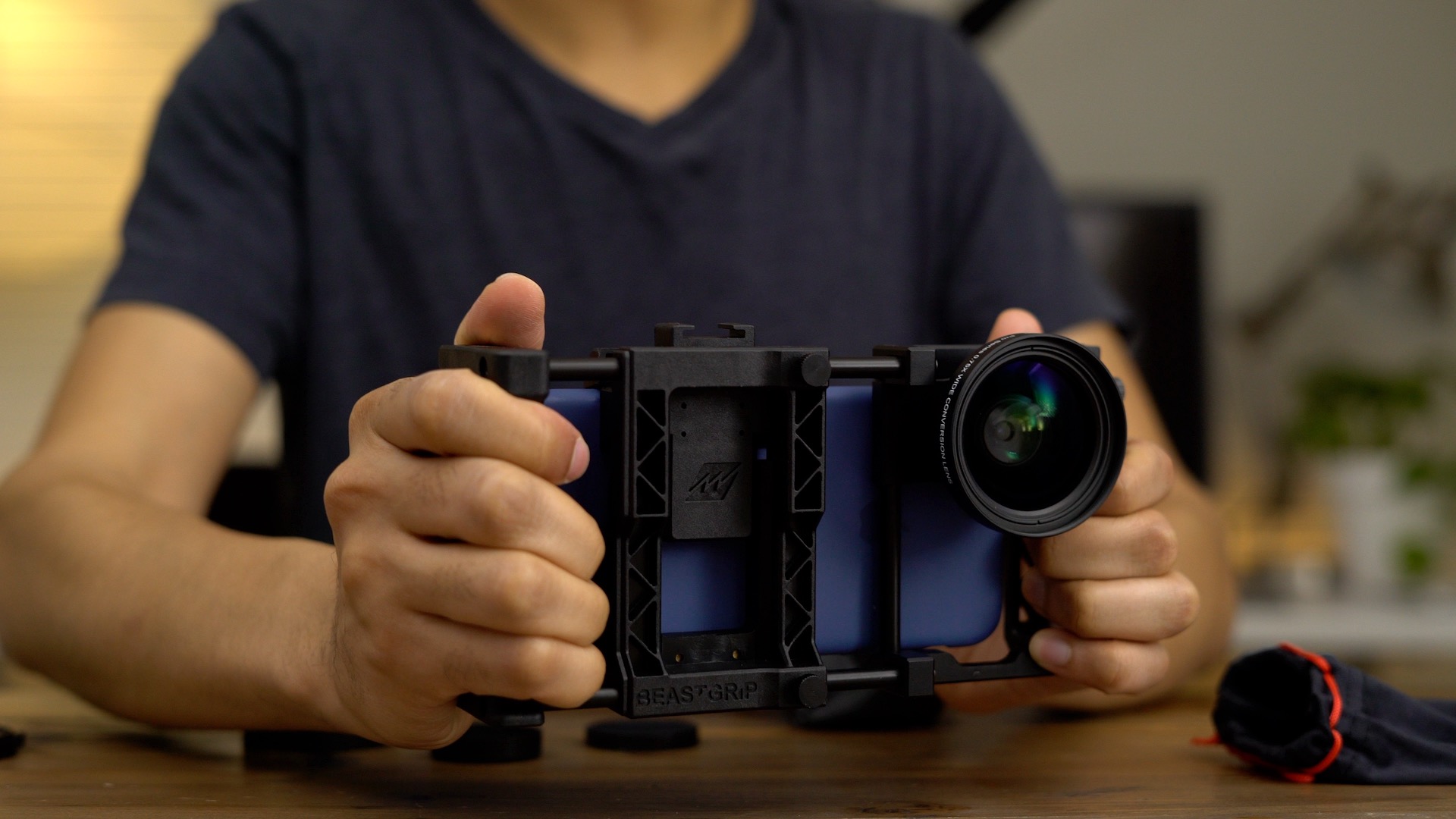
For a lot of videographers in particular, a good camera cage marks the beginnings of a flexible video-taking rig. The same can hold true with the iPhone. When paired with an accessory like the BeastGrip Pro — a smartphone-centric camera rig and lens adapter system — you can bolt on additional accessories that allow you to do even more.
Expand
Expanding
Close
Friday 5: a few of my favorite Mac apps [Video]

Site default logo image

friday-5-macos-daisy-disk

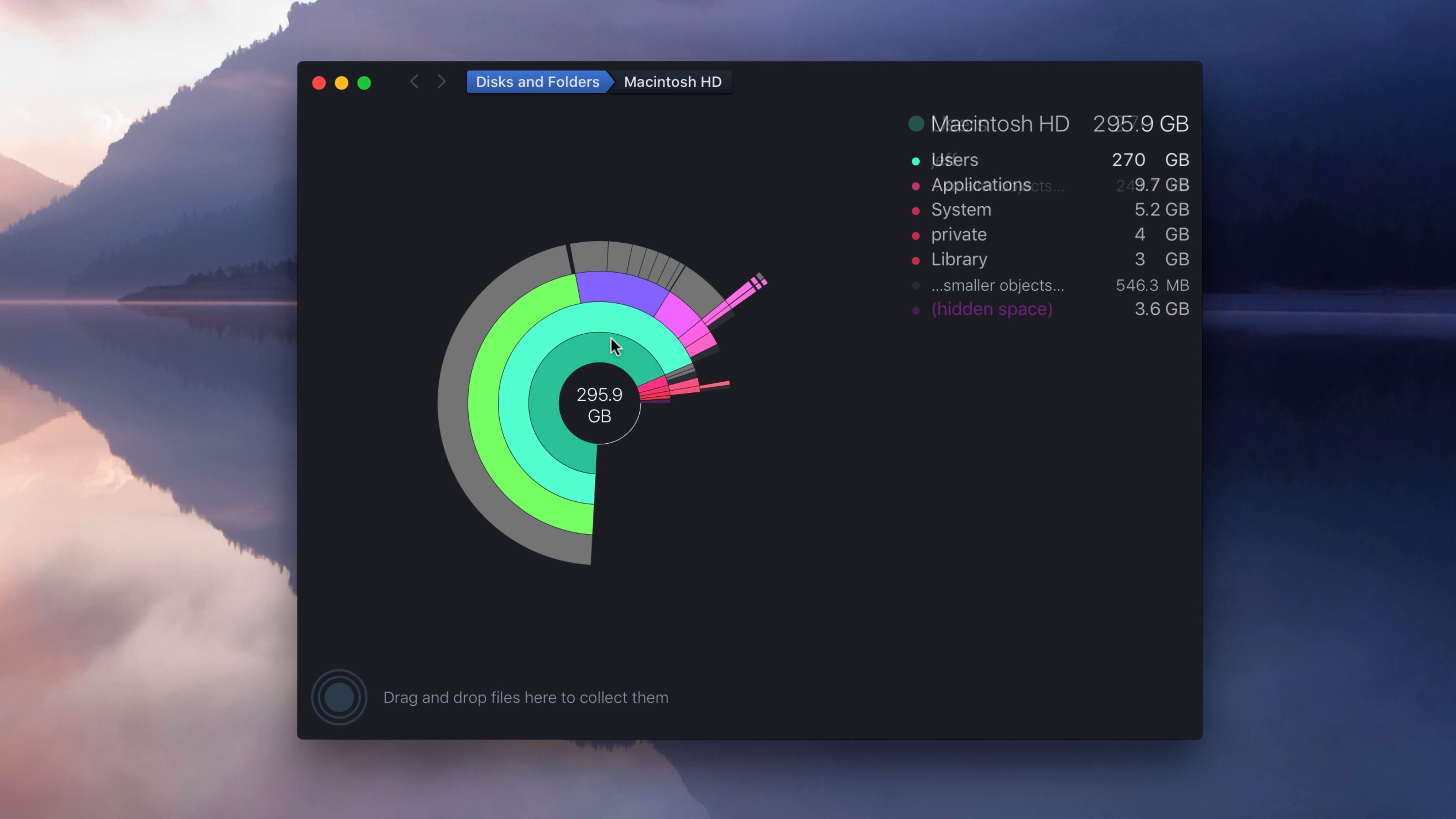
In this Mac-centric Friday 5, I wanted to highlight features from several macOS apps that I utilize on a regular basis. A few of these apps are built-in macOS apps, while others can be found on the Mac App Store and directly from third-party developers.

As a huge fan of the Mac, these are some of the apps that I use most often. Perhaps you’ll find a new gem in this week’s edition of Friday 5?
Expand
Expanding
Close

The Matias Wireless Aluminum Keyboard is the keyboard Apple should be making [Video]

Site default logo image

matias-wireless-aluminum-keyboard

Although I’m a big fan of tactile, clicky mechanical keyboards, I also enjoy the sleekness, quiet keys, and wireless nature of Apple’s Magic Keyboard. I wish Apple would make a full-size Magic Keyboard, but that doesn’t seem to be happening any time soon.

Thankfully Matias, a computer accessory manufacturer that’s been around since the 90s, is offering its own take on what an Apple-made full-sized wireless keyboard could be like. The end result — the $99 Matias Wireless Aluminum Keyboard — is an impressive rendition of Apple design principles, coupled with a few bonus features that truly make this keyboard worth considering.

Have a look at our full video walkthrough for a hands-on look at the Space Gray version of Matias’ Wireless Aluminum Keyboard.
Expand
Expanding
Close

Hands-on with CalDigit’s 1- and 2-meter Thunderbolt 3 cables [Video]

Site default logo image

thunderbolt-3-cable-caldigit-youtube

Several of the Thunderbolt 3 accessories that I’ve been able to test since the release of the 2016 MacBook Pro have come with Thunderbolt 3 cables. However, most of the pack-in cables are of the shorter variety, usually around 0.5m long.

The reason for this is because cheaper passive cables support full Thunderbolt 3 bandwidth at lengths up to 0.5m long, while passive cables over 0.5m max out at 20 Gbps data transfer. In order to have a longer cable with full 40 Gbps data transfer, the cable must be of the more expensive active variety.

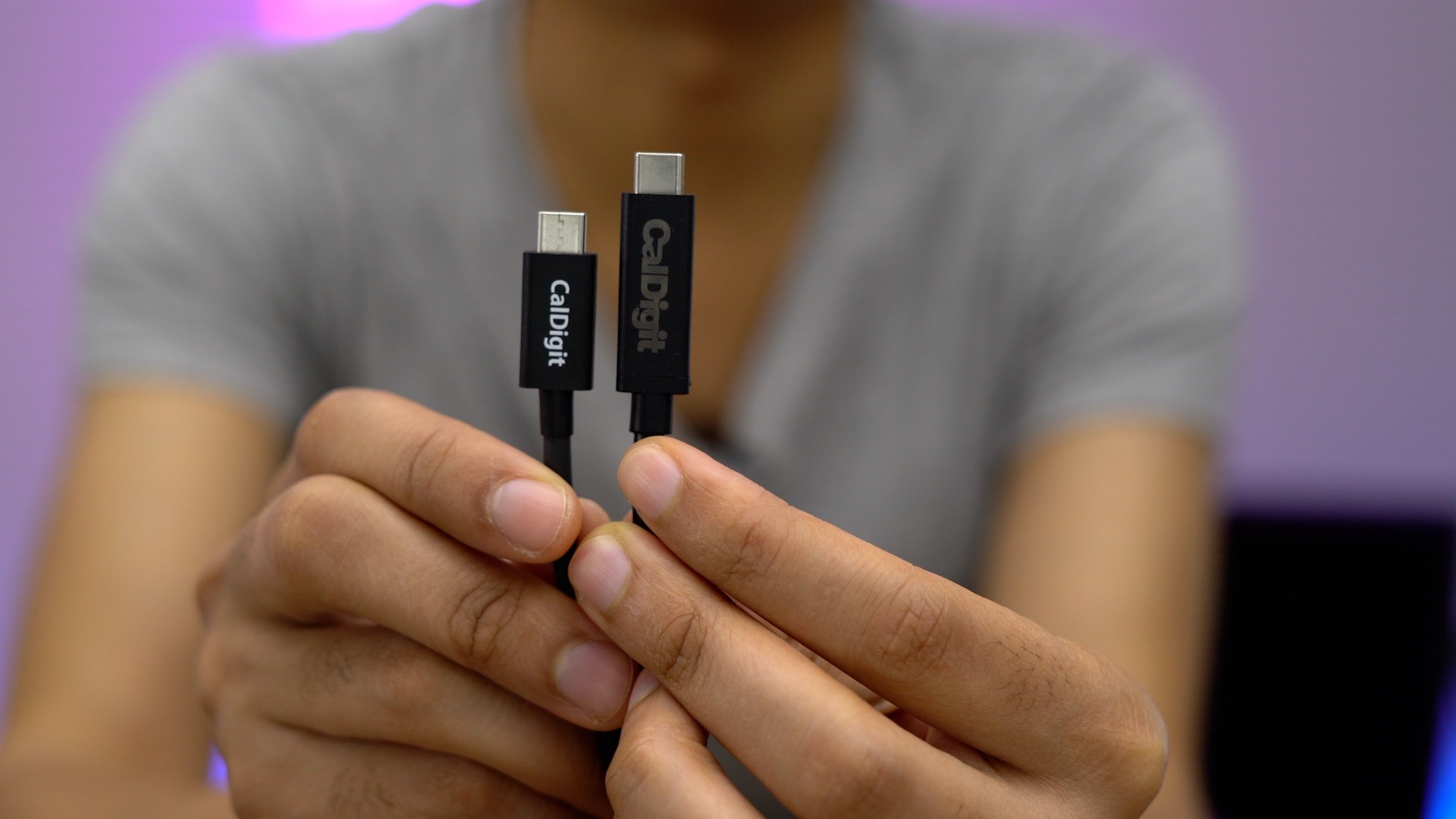
CalDigit sent over two long active Thunderbolt 3 cables — a 1-meter cable and a 2-meter cable — and each are capable of full data transfer and can deliver up to 100 watts of power to charge any 2016 MacBook Pro SKU at full speed. Have a look at our brief hands-on walkthrough as we showcase CalDigit’s cable on video.
Expand
Expanding
Close

New Settings UI for Ethernet connectivity available in iOS 10.2 and above [Video]

Site default logo image

ethernet-ui-ios-settings-app

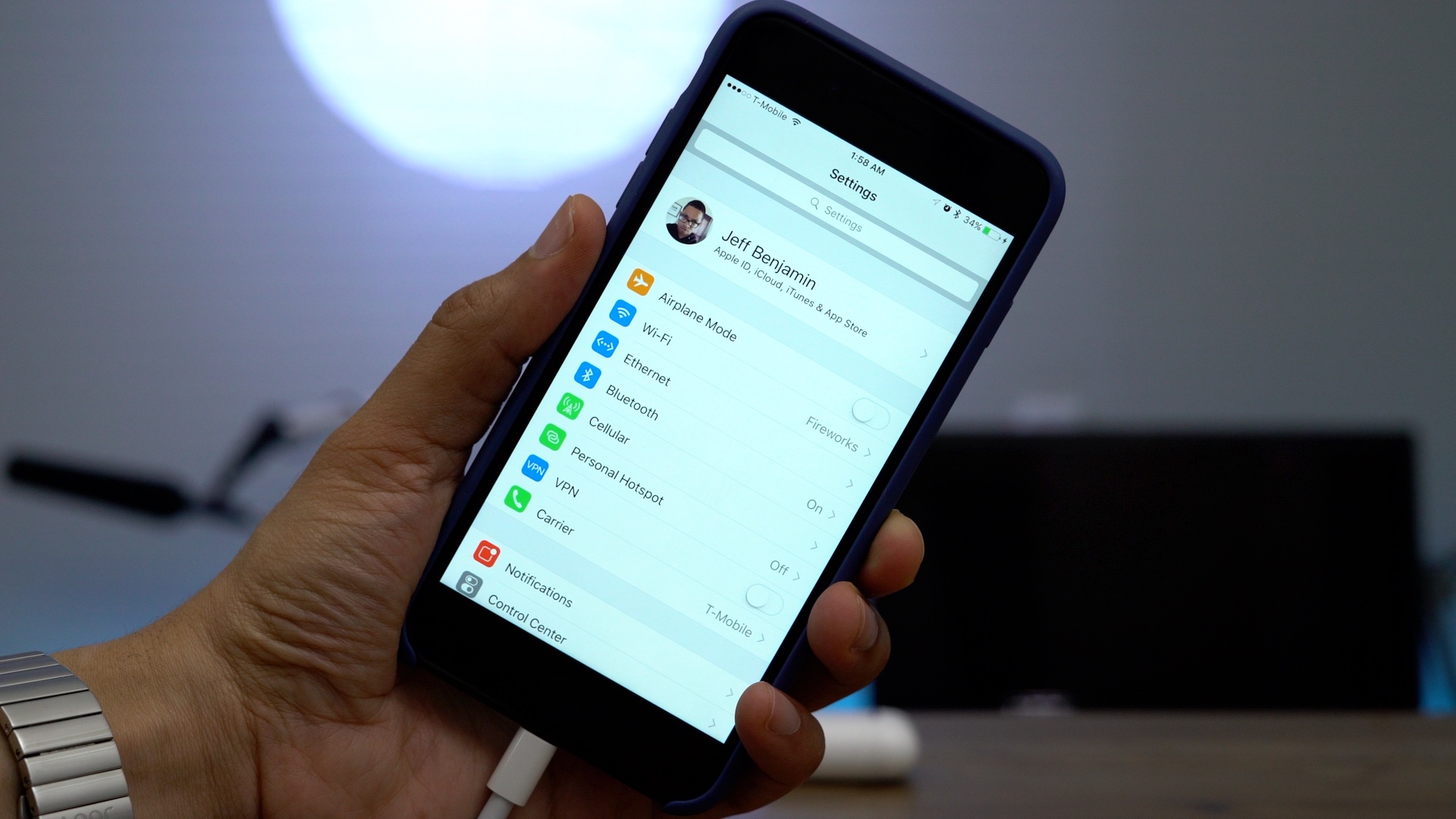
iOS has long been able to accommodate Ethernet connectivity, but up until recently, the OS has lacked any real UI related to such connections. In iOS 10.2, Apple has added configurable Ethernet-specific UI to the Settings app. When connecting a compatible Ethernet adapter via something like Apple’s Lightning to USB 3 Camera adapter, an Ethernet preference panel will automatically appear below the Wi-Fi section in the Settings app.


Expand
Expanding
Close

A possible AirPort Extreme replacement? Hands-on with the Synology RT2600ac [Video]

Site default logo image

rt2600ac-review

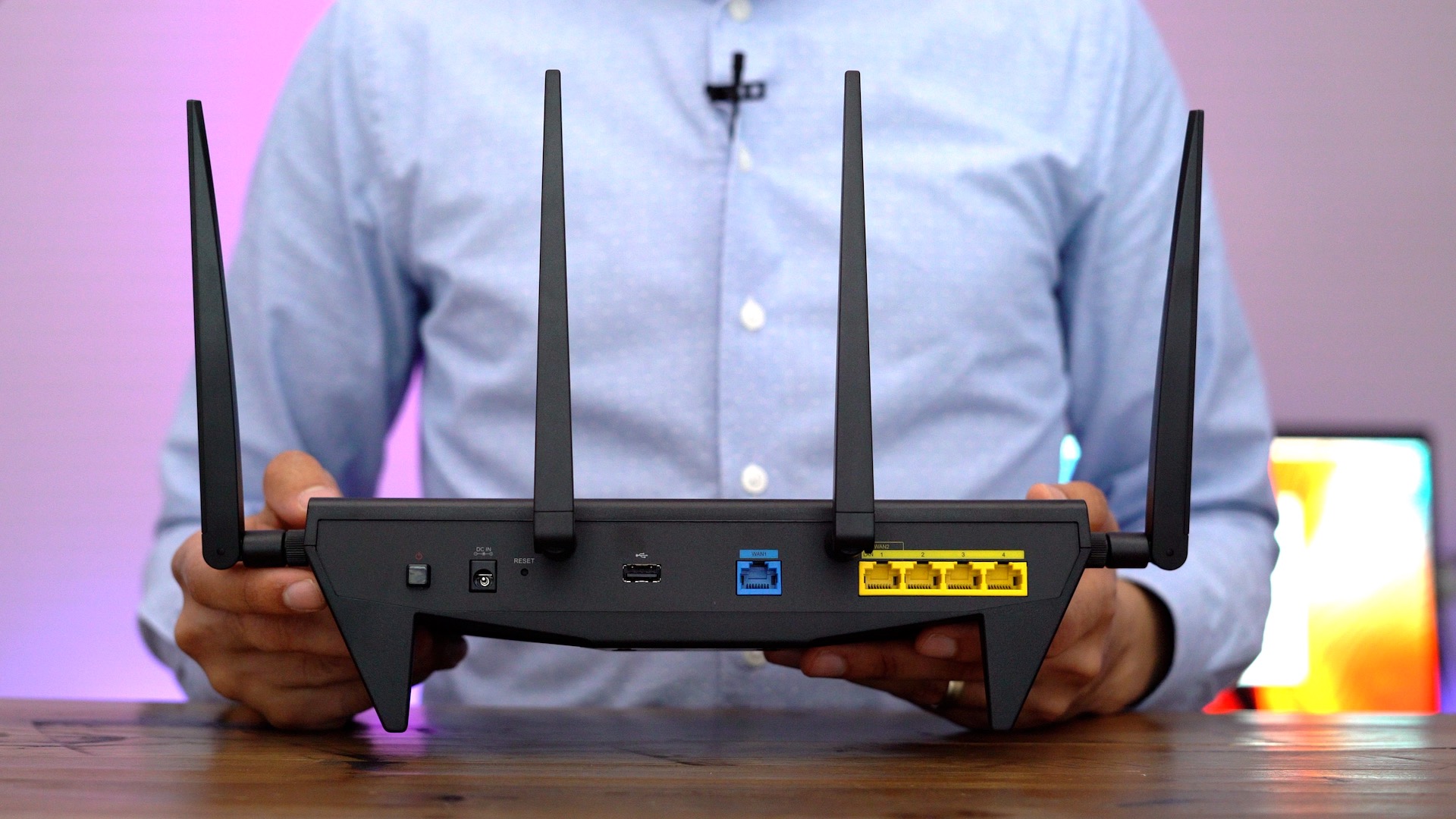
Since the news broke that Apple is getting out of the router business, I’ve been looking to replace my AirPort Extreme. I wanted something with more power-user features, and the Synology RT2600ac stood out as a likely candidate. The $229.99 RT2600ac, which is the follow-up to last year’s popular RT1900ac, contains a wealth of new additions, and is considerably more power-user friendly than Apple’s AirPort Extreme.

Synology’s routers run the SRM operating system, which makes managing the RT2600ac similar to driving one of the company’s popular NAS boxes. But does this router make a good replacement for the easy-to-use AirPort Extreme? Have a look at our hands-on video walkthrough as I showcase 15 of my favorite RT2600ac features.


Expand
Expanding
Close

A hands-on look at the jet black Apple AirPods by ColorWare

Site default logo image

colorware-airpods-unboxing

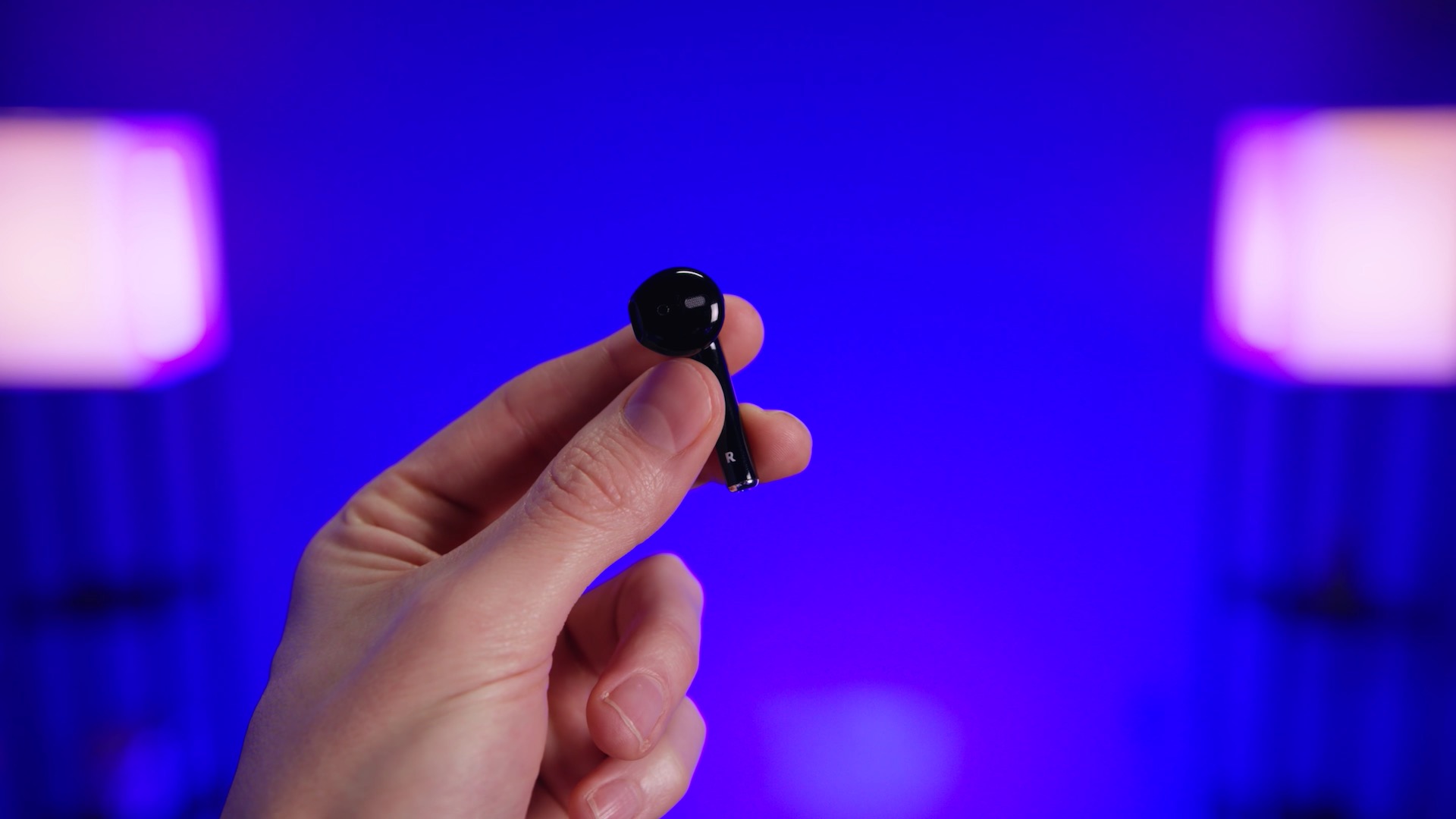
Apple’s AirPods come in just one color, but it was only a matter of time before ColorWare provided a colorful alternative to the all white earbuds. As we noted earlier this week, ColorWare is now accepting orders for Apple Airpods in a variety of solid or metallic colors in a matte or glossy finish.

Jonathan Morrison of TLD already got his mitts on ColorWare’s handy work, and he went for one of the most logical choices — a glossy black finish that closely resembles the Jet Black iPhone 7.
Expand
Expanding
Close

Site default logo image

Watch this 3D X-ray of the AirPods composited from 900 different images

airpods-3d-x-ray

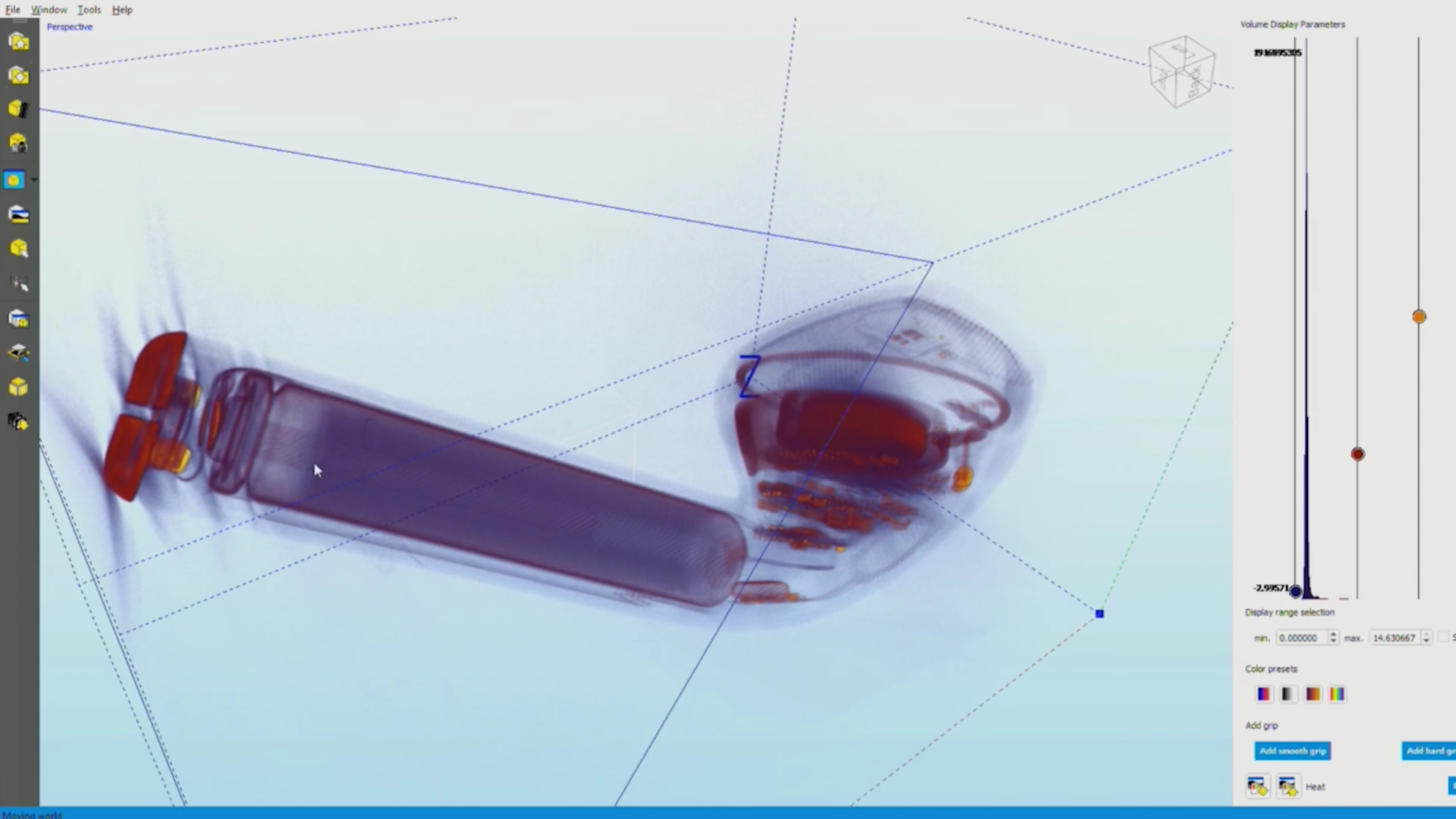
The folks over at iFixit have once again teamed up with Creative Electron’s Bill Cardoso to bring us X-ray images of the latest hot Apple tech. This time around the subject of the X-ray images is Apple’s hard-to-get AirPods. But unlike previous images of the iPhone 7 Taptic Engine and Apple Watch S1 chip, Creative Electron has served up a unique 3D image that provides us with a remarkably-detailed look inside the shell of the AirPods.
Expand
Expanding
Close

Friday 5: Overcast’s big update, a great companion app for writers, and more [Video]

Site default logo image

overcast-friday-5

In this installment of Friday 5, I discuss five iOS apps that are near and dear to me. Most of these apps I use everyday, and each one of them brings something unique to the table.

The list includes Overcast, the excellent podcast app that just recently received a massive upgrade. Also included is block.fm, a different type of app that brings easily-accessible Japanese music to the masses.

These, and three additional apps round-up this week’s edition of Friday 5. Watch our brief video walkthrough for a quick look into some of each app’s most compelling features.
Expand
Expanding
Close

Hands-on: Transcend’s JetDrive Go brings Lightning-enabled external storage to iOS devices [Video]

Site default logo image

jetdrive-go

If you own an iOS device with a lower tier of storage — 16, 32, or even 64 GB — then you may know how annoying it is to have to micromanage your device’s storage. Not only can managing storage be tedious, but it can be downright frustrating when you don’t have enough storage space to take a photo or video.

Unfortunately, once you’ve decided on a particular amount of storage, you’re stuck with that decision for the lifetime of the device. That’s where a product like Transcend’s JetDrive Go hopes to supplement your iPhone’s meager storage capacity, as it brings Lightning-enabled external flash storage to iOS devices.
Expand
Expanding
Close

Hands-on: CalDigit’s TS3 Lite Thunderbolt 3 dock plays nice with the LG UltraFine 5K Display [Video]

Site default logo image

caldigit-ts3-lite-dock

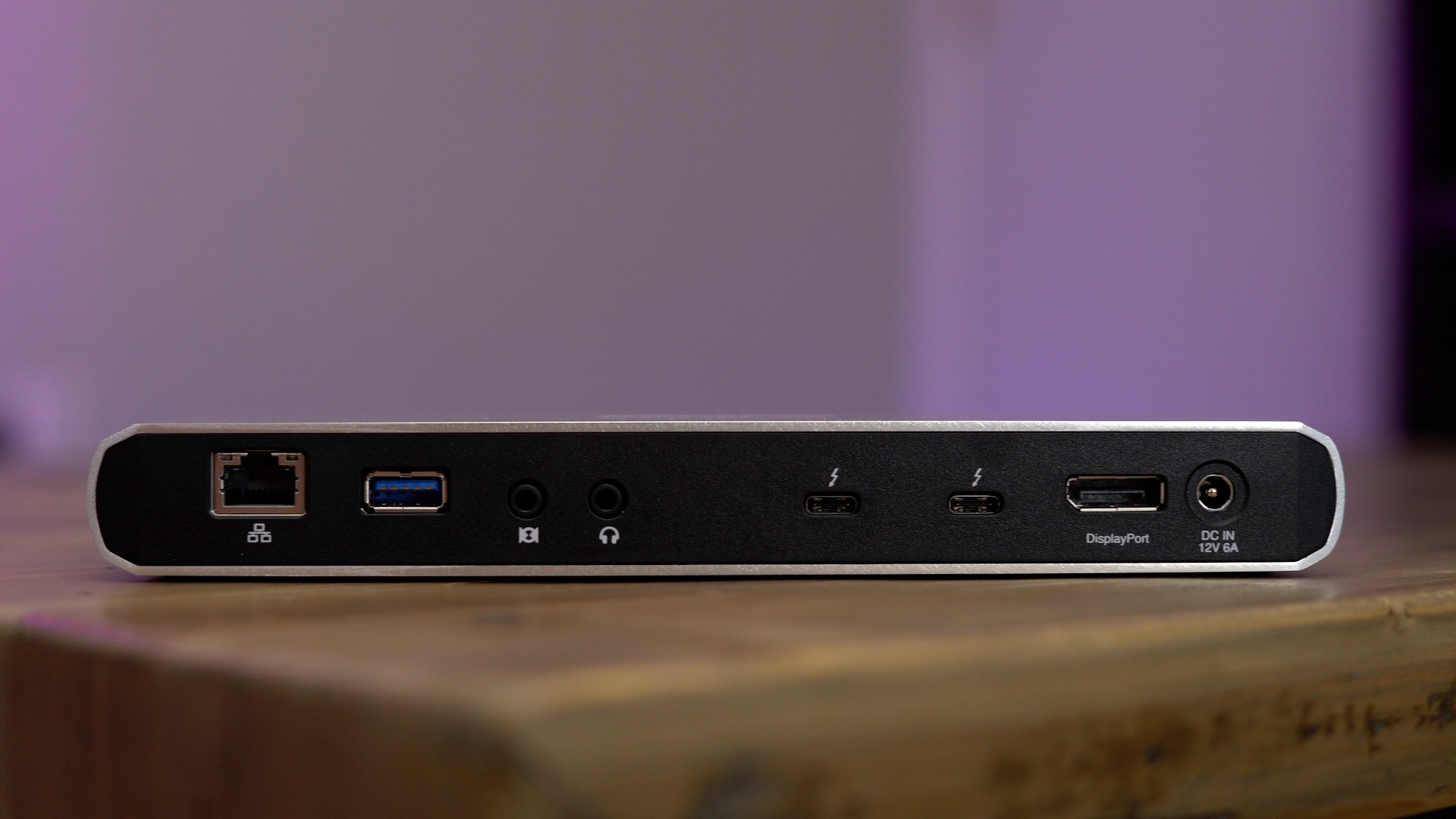
The $199 CalDigit Thunderbolt Station 3 Lite (TS3 Lite) is a Thunderbolt 3 dock geared towards 2016 MacBook Pro users. Unlike some of the docks released prior to the most recent MacBook Pro refresh, the TS3 Lite works out of the box without needing to employ any hacks or workarounds.

The aluminum-wrapped unit comes with dual Thunderbolt 3 ports and is capable of being daisy-chained. It also comes with two USB-A ports, Gigabit Ethernet, DisplayPort, and audio in/out connections.

Perhaps most-notably, the TS3 Lite works with the LG UltraFine 5K Display, which makes it an option that may warrant the consideration of those with such a setup. But as you’ll see from our hands-on video walkthrough, the TS3 Lite isn’t for everyone; it’s primarily aimed at customers who don’t require full power delivery from the dock.
Expand
Expanding
Close

Hands-on with the Dart-C: a compact 65W charger that works with the 2016 MacBook Pro [Video]

Site default logo image

dart-c-macbook-charger-comparison

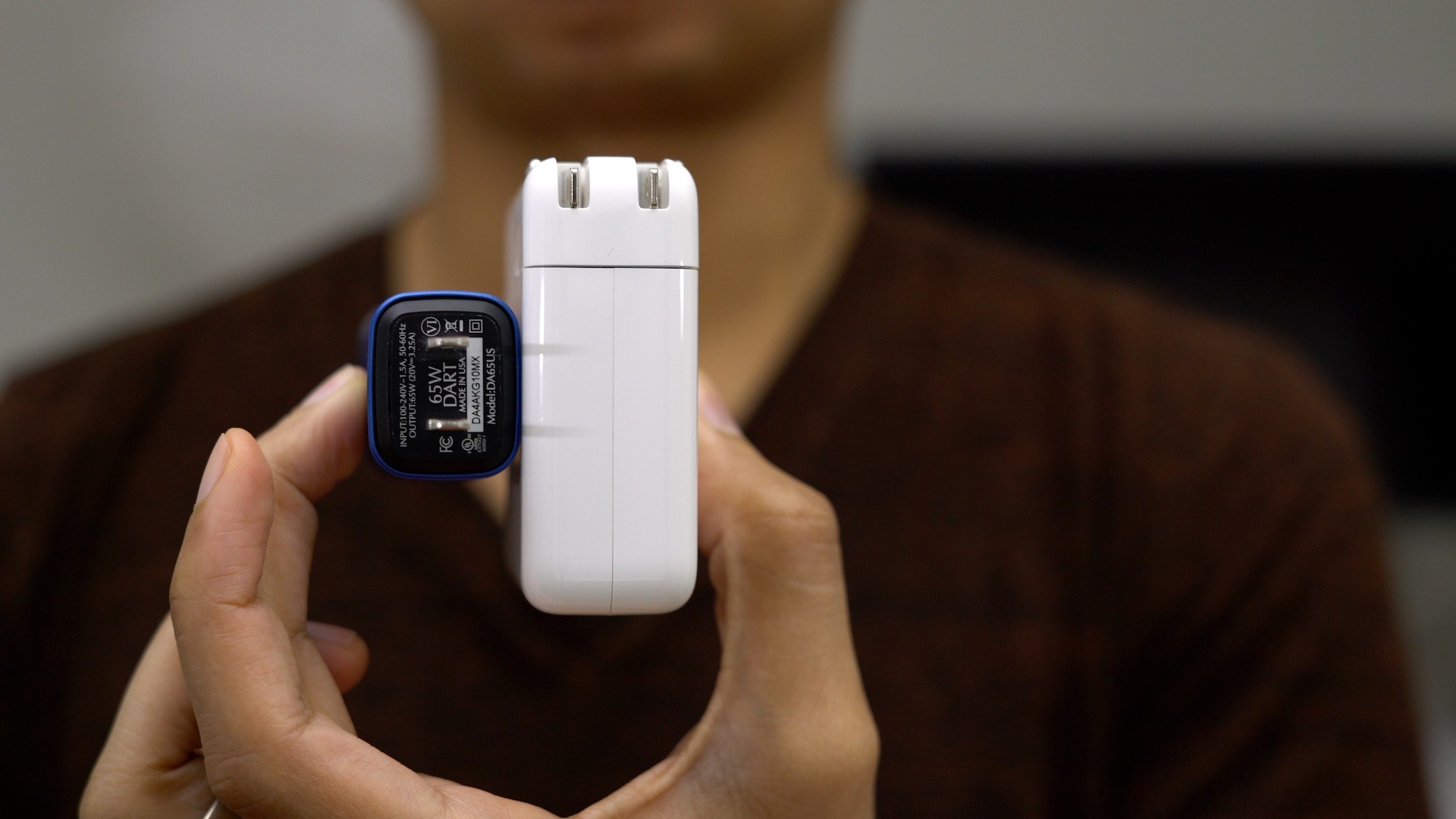
Finsix, the company behind the Dart-C charger, claims that it’s got the world’s smallest laptop charger and after going hands-on with one of the units, it’s hard to argue against that claim.

The Dart-C is indeed one of the more petite laptops chargers that I’ve ever seen. The 13-inch MacBook Pro charger is already relatively diminutive, but the Dart-C is considerably more compact than the stock MacBook charger. Have a look at our brief hands-on video walkthrough as we take the Dart-C for a test drive.
Expand
Expanding
Close
Friday 5: Stagehand, a reverse platformer plus four other apps to try this weekend [Video]

Site default logo image

stagehand-friday-5

In this week’s edition of Friday 5 we showcase a couple of new games to try this weekend, including Stagehand, a title that places a new twist on the traditional platformer. We also look at Spiraloid, a stomach-turning 3D title that starts off slow, but delivers big fun in later stages.

If games aren’t your thing, then you might consider Parallels Access, a subscription-based app that lets you easily access your Mac from your iPhone or iPad while away from home. There’s also TwIM, a new messaging app based on Twitter DMs.

These and other apps are considered in the latest Friday 5. Watch our brief video for a hands-on look at each app in action.
Expand
Expanding
Close
Hands-on: Twelve South BookArc with the 2016 MacBook Pro [Video]

Site default logo image

bookarc-vertical-stand-twelvesouth

As an owner of the LG UltraFine 5K Display, I often find myself using my 2016 MacBook Pro in closed-display (clamshell) mode with a keyboard attached to the display’s USB-C port. This allows me to enjoy the best of both worlds — a portable machine for when I’m on the go, and a 5K desktop setup for when I’m stationed at my desk.

Anyone who uses closed-display mode on a regular basis knows that having your MacBook Pro sitting flat on your desk takes can take up a significant amount of prime real estate on the desk top. It’s why vertical stands like Twelve South’s BookArc have been so popular with MacBook users over the years.

In this brief hands-on video, we take a look at the recently-updated BookArc, which includes a new rubber insert that’s specially designed to make the vertical stand play nice with the 2016 MacBook Pro.
Expand
Expanding
Close
Hands-on with Nomad’s Horween leather wallets with integrated battery and Lightning cable [Video]

Site default logo image

nomad-wallet-youtube

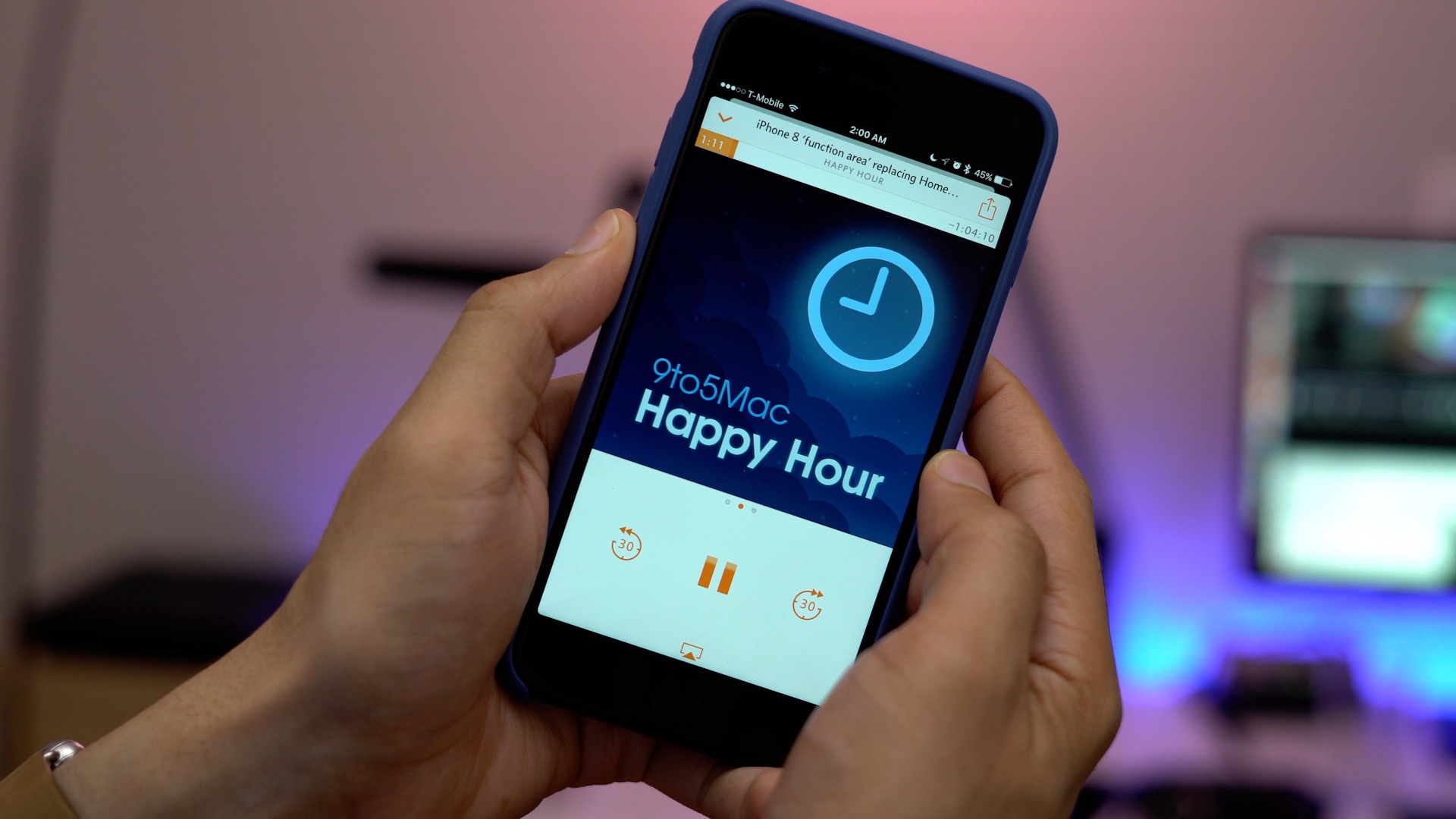
I’ve always liked the idea of using a battery case, but with a phone like the iPhone 7 Plus, a lack of battery life isn’t a problem that I encounter regularly enough to warrant the extra bulk. I also like the idea of a wallet case to help keep up with my driver’s license and credit cards, but with a phone as large as the iPhone 7 Plus, I find such a setup to be a tad unwieldy.

The folks over at Nomad have come up with a solution that seems to address both of my issues, and depending on your needs, it might be a worthwhile solution for you as well.

The company’s Bi-fold and Slim Leather Wallet give you a place to keep all of your credit cards, identification, and other necessary items in a standalone form factor. In other words, it’s a traditional wallet setup that’s completely independent of your iPhone. But the kicker here is that the Nomad wallets feature an integrated portable battery with a hideaway Lightning cable for charging your iPhone on the fly when you happen to need it.
Expand
Expanding
Close

Top BeatsX features: A hands-on look at the highly anticipated W1-powered earphones [Video]

Site default logo image

beatsx-around-neck

The highly anticipated BeatsX are the latest pair of wireless earphones to feature Apple’s W1 wireless chip, which makes it easy to pair and switch between eligible iOS devices.

First revealed at Apple’s fall iPhone event, the BeatsX have experienced a few delays on their way to last Friday’s release. The white and black versions are currently available for in store pickup and shipping, while the newly-revealed grey and blue versions are scheduled to ship in 2-3 weeks.

How do the BeatsX stack up to the similarly-priced AirPods? Are they a good option for users looking for a pair of Bluetooth earbuds? In this hands-on video walkthrough, we’ll take a look at some of the top BeatsX features in our quest to answer those questions.
Expand
Expanding
Close

Meet Spotty, a free upcoming app that brings Spotify offline playback to Apple Watch [Video]

Site default logo image

spotify-apple-watch-spotty

If you’re a Spotify Premium user with an Apple Watch, you’re well aware of a big glaring omission as far as watchOS apps are concerned. Indeed, we’re approaching two years since the Apple Watch arrived in stores, and there’s still no official Spotify app for watchOS.

Developer and second year undergrad CS student, Andrew Chang, is aiming to lessen the void when he releases Spotty — a currently-in-beta, free third-party app that will allow Spotify Premium users to sync playlists and albums for offline playback.

That’s right; the app’s offline mode lends users the option of leaving their iPhones at home or in the car while engaged in Spotify-powered music workouts.

Spotty is a super-impressive app that works with all models of Apple Watch. Watch our hands-on video walkthrough as I take the app for a test drive.
Expand
Expanding
Close
Friday 5: A new Apple Pencil-enabled sketch app, streaming Steam games to your iPad, and three more apps for the weekend

Site default logo image

friday-5-linea-app

Looking for a few apps to keep you entertained this weekend? Then have a look at the latest edition of Friday 5. Inside, we discuss Linea — a brand new sketch app with Apple Pencil support. We also talk about Moonlight, an app that lets you stream NVIDIA GameStream-compatible games to an iOS device. Those, and three additional apps are on the docket for this week’s edition of Friday 5. Have a look at our brief hands-on video inside for the full rundown.
Expand
Expanding
Close