Latest

Skype app updated for iOS 8, includes interactive notifications for calls and messages

Site default logo image

The Skype app for iPhone, iPad and iPod touch has now been updated with support for iOS 8. Unfortunately, this does not include support for iPhone 6 and 6 Plus screen sizes, meaning Skype still renders at a scaled iPhone 5s resolution.

However, the update does add interactive notifications which helps streamline responding to content. Hence, new Skype notifications have buttons attached to the alert which can perform various actions. For voice calls, you can answer or decline. For video calls, you can choose between voice or video responses. For missed calls, you can respond with a message or call the person straight back.


Expand
Expanding
Close

Site default logo image

Google Search iOS app renamed ‘Google’, adds Chromecast integration, new Now cards

GOOGLE-app-update-01

Google just updated its Google Search app for iOS and in the process renamed it to simply “Google”, which seems to make a bit more sense considering the app integrates Google Now features and much beyond just search. Also in today’s update: new features for Chromecast and additional Google Now cards.

For Chromecast users, the app now allows users to ask “What’s on Chromecast?” and jump right into the Chromecast app to begin casting content to a TV. The update also includes new Google Now cards that Google says offer “personalized TV recommendations and traffic information.”

Version 4.2.0 of the Google app is available on the App Store now.

What’s New in Version 4.2.0

This update includes new Google Now cards for personalized TV recommendations and traffic information. Chromecast users can now ask Google “what’s on Chromecast?” to open the Chromecast app and start casting. We’ve also made improvements to speed up your browsing experience.

Sign in to the Google app and enable Now cards to take full advantage of these new features.

Pebble 2.5 firmware lands w/ support for Emoji, new Compass app, iOS 8 notification dismissal, more

Photo.Tabletop-Lineup-B

Pebble has launched version 2.5 of its smartwatch firmware, packing a bunch of great new features—including some interesting new abilities for users who have recently upgraded to iOS 8. Notably, the update now allows iOS users to dismiss notifications by clicking the X button to dismiss one, and holding it down to dismiss all. Pebble also says that the app should stay live in the background more often on iOS, but the company says that users should make sure not to disable “Smartwatch Proximity.”

Additionally, the company says that the firmware brings the ability for the Pebble and Pebble Steel smartwatches to display Emoji, replacing the previous small white boxes that are all too familiar across platforms without Emoji support. And to round off the most interesting new features, the company is launching the Compass app that they promised long ago, which can be picked up on the Pebble appstore. I definitely recommend this one; I’ve tried it out and I’m quite impressed with how fluid the app is.

The smartwatch should have improved Bluetooth and notification reliability compared to previous firmware versions, and Pebble says that 2.5 also fixes a plethora of bugs.

Site default logo image

Flexibits says iOS 8 features coming soon to Fantastical following iPhone 6 update

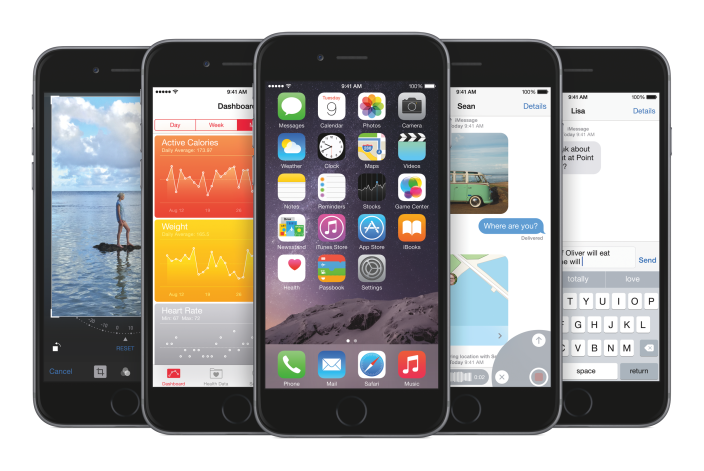
iPhone6_PF_SpGry_5-Up_iOS8-PRINT

With iOS 8 launching yesterday and the iPhone 6 and iPhone 6 Plus hitting stores and delivering to customers tomorrow, a number of apps have already begun shipping updates to take advantage of the new screen sizes and software features. With several customers asking where the update for Fantastical 2 on iOS 8 was, Flexibits today shared in a blog post its plans for the iPhones 6 and new version of iOS.

The makers of the smart calendar app note that the current version of Fantastical 2 has already been released with iOS 8 support and that a version of Fantastical 2 optimized for the iPhone 6 and iPhone 6 Plus has today been submitted so users of the new device won’t have to wait long for the new version. More importantly, a version introducing a Notification Center widget and system extension will be “coming in the next few weeks.”
Expand
Expanding
Close

Twitter for iPhone rolling out refreshed user profile design & interactive notifications

Site default logo image

Twitter shared in a blog post today that it will begin rolling out improvements to the user profile design for iPhone users in addition to new features for iOS 8.

The previous user profile design featured the user’s avatar centered over the cover photo with a swipe required to reveal the bio and photos further down in a carousel view. The refreshed design now presents all of this information in a more traditional layout with buttons distinguishing tweets, favorites, and photos. Each of these sections can be explored with an endless scrolling feed.

The update also offers up users interactive notifications, a feature introduced with iOS 8 but not readily available in many apps just yet.
Expand
Expanding
Close

Apple releases iAd Producer 5 with support for desktop iTunes Radio ads, other enhancements

Site default logo image

Screen Shot 2014-09-18 at 18.34.41

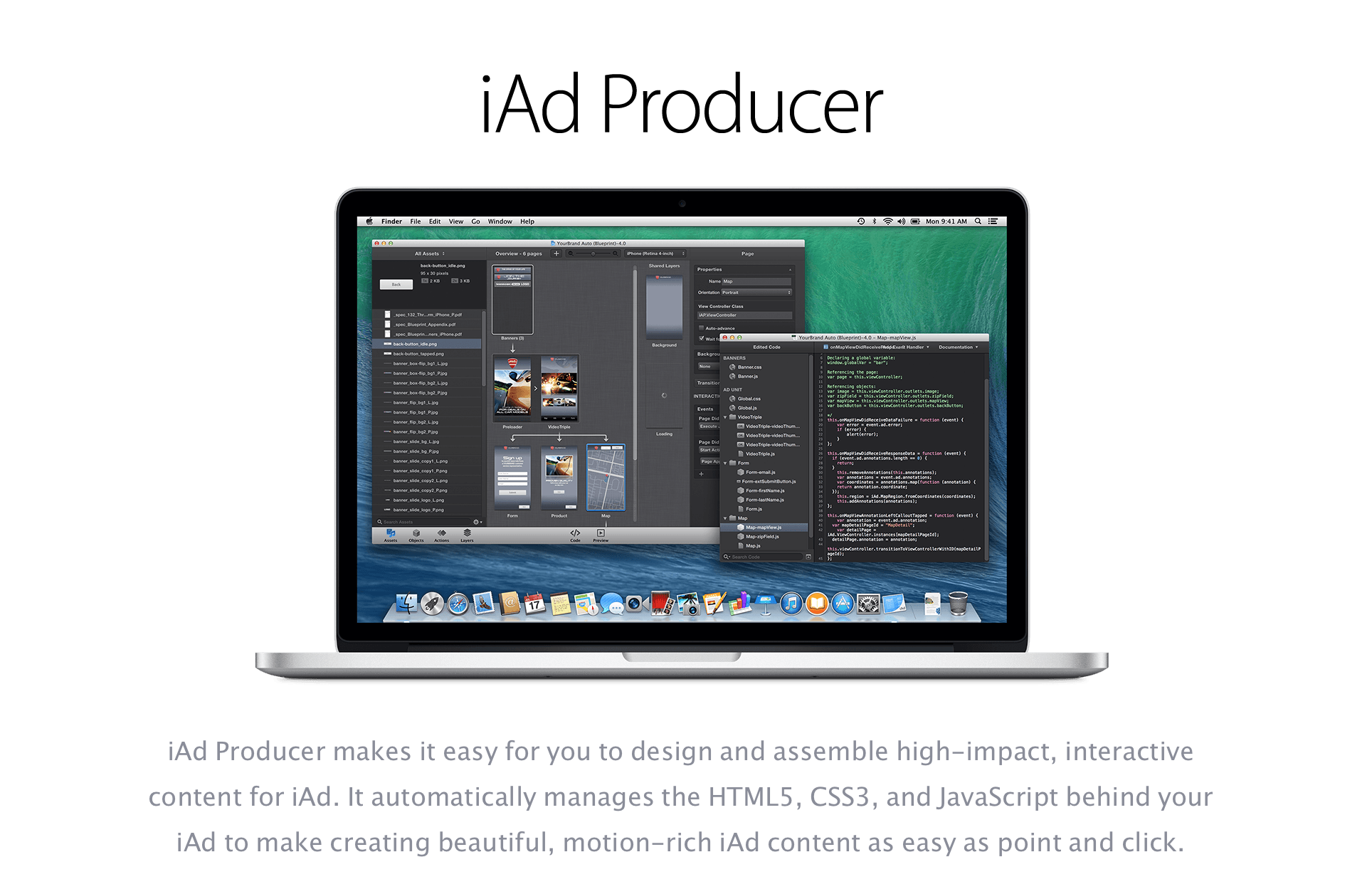
Apple has today released iAd Producer 5.0, the latest revision to its advertisement development environment. The headline addition for this update is support for iTunes Radio ad creation on desktop iTunes for Mac and Windows. This helps increase the possible reach of iAds to more eyeballs.

In addition, Apple has overhauled the coding aspects of the app (even though Apple amusingly claims you don’t “need any programming”) with code completion, syntax highlighting themes, inline syntax error warnings and more.


Expand
Expanding
Close

Site default logo image

CNN’s iPhone 6 app demoed during the Apple event is now available

Apple showed off a number of its own apps at last week’s iPhone 6 event to illustrate how the larger display phones can show content in new ways, specifically using the iPad-like two-column view in landscape mode.

Apple also encouraged developers to update their own apps to take advantage of the 4.7-inch and 5.5-inch displays rather than relying on system scaling to blow up content made for 4-inch displays, and CNN’s news app for iPhone was the shining example of what third-party app makers can do.
Expand
Expanding
Close

Site default logo image

Demoed at WWDC, Epic Zen Garden is now available to download in the App Store

First shown at WWDC to demonstrate Metal (Apple’s new graphics API), Epic Zen Garden is now available in the App Store to download and try out on your newly-updated iOS 8 device. Although this is more of a tech demo than a fully-fledged game, you can still get some enjoyment out of raking the sand or playing with the fish in the pond. There are several different areas to explore which show off the power of the GPU in your iOS device. It does look good.


Expand
Expanding
Close

Site default logo image

GarageBand’s iOS 8 update adds MIDI over Bluetooth for wirelessly connecting instruments

As one of the last of its own apps to get an update for iOS 8, Apple has now updated its GarageBand app for iPhone and iPad with support for the new operating system and more.

On top of the expected iOS 8 support, the app also gains MIDI over Bluetooth support, which means compatible MIDI keyboards, DJ controllers and other MIDI-based instruments can now connect wirelessly and send MIDI data to the app over Bluetooth LE. We first told you about Apple’s new MIDI over Bluetooth support in iOS 8 and coming soon in OS X Yosemite, which will also allow users to advertise their device as a MIDI device for sending MIDI from virtual apps on either OS to the other.

Also new for GarageBand is iCloud Drive compatibility, although developers have warned users to avoid upgrading to the feature before the release of OS X Yosemite.

Lastly, the app adds the ability to “Toggle the metronome on and off directly from the control bar.”

The updated GarageBand is available on the App Store now.

iMovie for iOS updated with iOS 8 support, video filters, clip speed settings, and more

Site default logo image

Update: Apple seems to have temporarily pulled this update in order to fix widely-reported crashes. It will likely be available again soon.
Update 2: It’s back now.

Apple has pushed out an updated version of iMovie for iOS (version 2.1) today that features support for the newly-released iOS 8 software and several other new features. The update includes 10 new Apple-designed filters that can be applied to your clips, speed settings for projects on newer iOS devices (iPhone 5s, iPad Air, and Retina iPad mini), as well as iCloud Drive support.

You can also now export your videos to other apps using iOS 8’s inter-app connectivity features. An iMovie extension for the Photos application allows you to enhance the videos in your camera roll without leaving the app. Titles can now be created with bi-directional text, and support for five languages has been added.


Expand
Expanding
Close

Keymoji keyboard for iOS 8 translates everything you type into emoji

Site default logo image

The Apple Watch may be able to share your heartbeat with someone across the world, but I think we all know that the future of communication actually lies in those little smiling faces called emoji that are usually tucked away in a secondary keyboard on our phones. To ensure that the future of interpersonal conversation is not hindered by the relative difficulty of tracking down just the right icon to express your feelings, one iOS development team has released a keyboard that translates everything you say into emoji.

The keyboard is called Keymoji, and it uses a crowdsourced database of emoji combinations that can then be substituted for words in your text messages, emails, tweets, and other communications (via Re/code). As you type, Keymoji will figure out what you want to say and translate it into a collection of icons that properly convey your message.


Expand
Expanding
Close

Jailbreak tweak developer releases three new iOS 8 widgets for monitoring your calendar, weather, and more

Site default logo image

In March we reported on a new jailbreak tweak called ProWidgets that introduced a whole suite of widgets to the iOS 7 Notification Center. With today’s release of iOS 8, Avanio Labs, the company created by Alan Yip, has released several native widgets for the new operating system. These new add-ons will help you keep track of your calendar and to-do list, monitor the weather, and perform a ton of useful actions on the text stored in your clipboard.

The first of these is Agenda+, which you can see in the screenshots above. Agenda+ combines a list view of your calendar events with a summary of your iOS Reminders. iOS typically breaks these two up into separate widgets, with the Calendar widget showing a full timeline of your day (which can take up a lot of space depending on how many events you have and how late in the day they are).


Expand
Expanding
Close

iOS 8 Roundup: The latest apps with extensions and Touch ID support

Site default logo image

Extensions

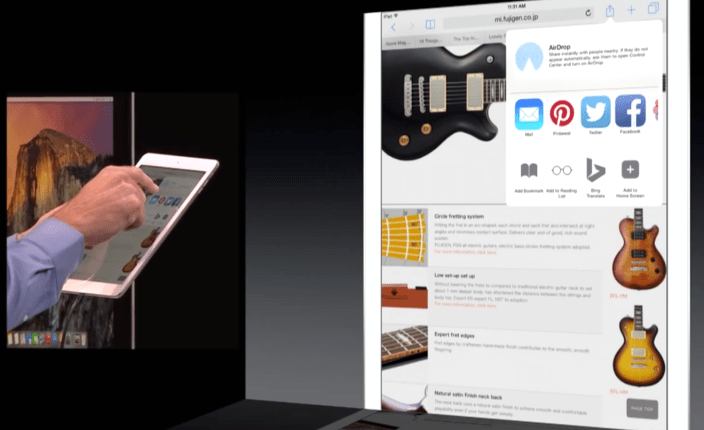
As part of iOS 8’s new Extensibility features, developers can now create app extensions throughout the system for sharing information and performing actions without actually launching their apps.

What this means for users is that the familiar action or share button (the upward arrow in a box) will now contain way more options than ever before. Remember when Apple added Facebook and Twitter sharing, for example directly to Safari and Photos on iOS? Starting with iOS 8, Apple is allowing all app makers to create similar buttons for sharing and actions. An example of an action (like copy or add to Reading List) shared by Apple at WWDC was native language translation directly in Safari using Bing Translate. Extension support also includes photo filters allowing photo editing apps that provide filter extensions to work inside of the native Photos app.

A year after introducing Touch ID, the secure fingerprint scanner first introduced with the iPhone 5s, Apple is also now allowing apps to take advantage of Touch ID for the first time. Touch ID users can now authenticate log-ins and more in supported apps using the secure fingerprint scanner. Below we’ll tell you about the latest apps already taking advantage of extensions and Touch ID support for iOS 8.


Expand
Expanding
Close

iOS 8 Roundup: The best third-party keyboards to try out right now

Site default logo image

screenshot-2014-06-02-14-33-38

In iOS 8, Apple is adding support for third-party keyboards. This means that iOS users can finally replace the default stock Apple keyboard with a myriad of choices already available on the App Store.

Keyboards are tied with an app. There is not a separate ‘keyboard store’. To find a keyboard, you search in the iOS App Store like any other app. Once you have downloaded an app that contains a custom keyboard, you must then enable it in Settings. Go to Settings -> General -> Keyboards -> Add New Keyboard and select the new app. This is kind of annoying, since it forces every app to instruct you how to install their keyboard in case you are new to the concept.

With that out of the way, what are the best keyboards available for iOS 8 to download today? Read on for 9to5Mac’s comprehensive roundup.


Expand
Expanding
Close

iOS 8 Roundup: The latest apps with Today widgets in Notification Center

Site default logo image

Notification Center widgets in Today view

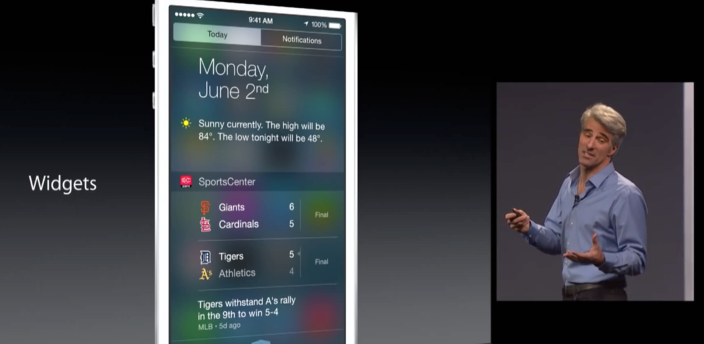
Apple introduced a new concept for developers with iOS 8 called Extensibility. This allows users to use services from apps throughout the system without actually being in the app itself, and widgets in Notification Center’s Today view are a major example of this feature in action.

Widgets from supported apps can be enabled by swiping down to the Today view in Notification Center, scrolling down to the “edit” button at the bottom, and tapping the “+” icon next to any supported apps. When you install a new app that supports a Today view widget, a badge will appear on the edit button to subtly notify you of the widget. You can also rearrange widgets as well as remove Apple’s own Notification Center widgets.

Many of these widgets present up-to-date information like the number of steps you’ve taken today, upcoming tasks or events on your third-party task management app or calendar, and much, much more. Below we’ll show you several of the latest apps offering widgets right now in Notification Center’s Today view.
Expand
Expanding
Close

Site default logo image

Apple begins updating its apps for iOS 8 starting with iTunes U, Remote, Logic Remote, Podcasts, & more


iPhone6_PF_SpGry_5-Up_iOS8-PRINT

Ahead of iOS 8’s release later this morning, Apple has released new versions some of its iOS apps.

Remote, which allows you to control your iTunes library and Apple TV from your iOS device, received a performance improvement update with iOS 8 support. Logic Remote, which allows you to interface with both GarageBand and Logic X on the Mac, is also updated with iOS 8 support.

An updated version of iTunes U is also available bringing iOS 8 support and the ability to add assignment due dates to the calendar. Podcasts, which is included with iOS 8, has been updated as well.

Find My iPhone has been updated to support iOS 8 and Family Sharing. Beats Music has been updated with iOS 8 support which includes the ability to share links to music over Messages, Mail, Facebook, and Twitter. iTunes Movies Trailers for iOS 8 is now out too. Find My Friends as well with the ability to allow “users to move their friends list to their iCloud account if necessary.”

AirPort Utility, the app used to control Apple’s routers, is updated for iOS 8.

Each update is free on the App Store, and more Apple app updates are expected to follow.


Site default logo image

WATCH Disney iOS apps updated with AirPlay and Chromecast streaming support

Watch-Disney-ChannelDisney’s popular apps iOS apps including WATCH Disney Channel, WATCH Disney Junior, and WATCH Disney X D have all been updated today with support for AirPlay and Chromecast streaming.

That means that owners of an Apple TV or Google’s Chromecast can now send content from the iPhone and iPad apps to an Apple TV or Chromecast-connected TV. Apple TV already has dedicated Disney channels offering most if not all of content available through the apps, but AirPlay streaming offers another way to get content to the big screen if you prefer browsing from a mobile device.

The updated WATCH Disney Channel, WATCH Disney Junior, and WATCH Disney X D apps are available now on the App Store.

What’s New in Version 4.0.2

AirPlay streaming now available via Apple TV
Casting now available via Google Chromecast

Paper by 53 introduces Mix, a community for sharing digital sketches & creations (plus a Pencil giveaway!)

Site default logo image

Mix Paper FiftyThree

Paper by FiftyThree is getting a whole lot more social today as the popular sketching app for iPad launches Mix, a community platform for sharing creations made in Paper. Mix allows users to share and view other sketches made in Paper on the web or right in the app.

With Mix, Paper uses can follow other creators, adding sketches to your own journal, view iterations of sketches, “star” ideas for viewing in a collection, and open sketches on the web. Probably the best feature of Mix is being able to use someone else’s sketch for inspiration for your own. You can jump right into a sketch found on Mix and add your own ideas and creations.

As part of the debut of Mix, 9to5Mac and FiftyThree will be giving away two Pencils by FiftyThree, the company’s stylus made specifically for Paper for iPad with surface pressure detection coming with iOS 8, blending, erasing, and palm rejection. Read more about Mix in Paper by FiftyThree and how to enter the giveaway below.
Expand
Expanding
Close

Site default logo image

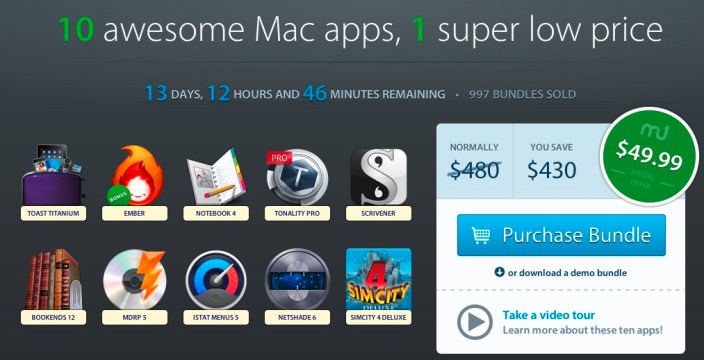
$50 MacUpdate Bundle: Toast 12 Titanium, Ember, SimCity 4 Deluxe, Scrivenger, Notebook, Netshade, iStat Menus and more

From 9to5Toys.com:

9to5-image 2014-09-15 at 11.14.21 AM


MacUpdate is hitting us with an extremely good $49.99 bundle this week. Headlined by Toast Titanium, which is remaking itself as a video editing and transcribing tool that also burns optical media, the bundle for 10 apps costs half of the retail price of Toast 12 alone!

Even if Toast isn’t your Cup o’ Tea, there’s a wide variety of Mac apps which retail for around $500 that will appeal to many:

  • Ember ($49.99 first 8,000 buys only) – Versatile digital scrapbook loved by designers and great for everyone
  • NoteBook 4 ($49.95) Take notes, manage documents and projects, and stay organized
  • Tonality Pro ($69.99) Powerful black-and-white photo editor packed with unique features
  • Scrivener 2.5 ($44.95) Award-winning word processor for serious writers
  • Bookends 12 ($59.99)Full-featured reference manager
  • Mac DVDRipper Pro 5 ($24.95) The best way to rip DVD movies to your Mac
  • NetShade 6 ($45.00) Easy-to-use VPN for maximum online privacy
  • iStat Menus 5($19.00) Elegantly monitor your Mac from the menu bar
  • SimCity 4 Deluxe Edition ($19.99) Legendary city-building simulation game

The sale is going on for two weeks but you’ll want to jump in quick to get the full selection of apps.

Site default logo image

Google Voice for iOS updated w/ refreshed design and Hangouts integration

Google this evening rolled out an update to the Google Voice app on iOS, adding several new features and much-needed visual enhancements. Bumping the app to version 1.6, this evening’s update is the first the app has seen since September 2013, and the first major update since 2012.


Expand
Expanding
Close

Apple rumored to be in acquisition talks with Path for another attempt at social networking

Site default logo image
ping

Apple tried to get social with the iTunes Ping network in 2010. Things didn’t work out so well. (Image via Wired)

Apple and social networking don’t have such a great history, but the Cupertino tech firm is ready to give it another go, if new rumors regarding a potential acquisition of the Path social app are true. According to PandoDaily, Apple is already in talks with the mobile social network and the merger is “essentially a done deal.”

Path, for the uninitiated, is a mobile-only social networking app launched in 2010 that features photo sharing, private messaging, and other features you’d expect from a basic social service. It isn’t as widely popular as something like Facebook or Twitter, but it’s estimated to have somewhere around 25 million users and could provide Apple with a decent platform to create its own network.


Expand
Expanding
Close

Apple releases iTunes 11.4 update for OS X Mavericks, adds support for iOS 8

Site default logo image

Screen Shot 2014-09-09 at 6.37.43 PM


iTunes 11.4 has been released following Apple’s announcement that iOS 8 will be available next week. The GM seed of the software is available now for developers, and the new iTunes update enables syncing with devices running the mobile update.

Many users on OS X Yosemite trying to install the iOS 8 GM seed have run into a serious issue, however. The current version of iTunes 12 crashes after erasing a user’s device, leaving them stranded in DFU mode with no way to actually get back to a usable state (unless they have a Mavericks machine handy). If you are running Yosemite exclusively, it’s probably best to wait for an iTunes 12 update before attempting to install the GM.


Expand
Expanding
Close

WhatsApp Messenger for iPhone updated w/ photo captions, slow-motion video sharing, more

Site default logo image

WhatsApp MessengerThe latest update to the popular, Facebook-owned WhatsApp Messenger app for iPhone hit the App Store with a long list of new features for users including the ability to share slow-mo videos from the iPhone 5s and trim clips down right in the app without having to edit the video in the Photos app.

Chatting with photos also received improvements with the ability to add captions and snap and share photos even faster added. Improvements and changes to location sharing, app wallpapers, and new notification tones are included. The latest version also allows users to move chat logs and contact groups away to an archive. Complete list of changes below…
Expand
Expanding
Close