App Store

See All Stories

iTunes Connect shutting down for holidays between December 22-29

Apple has sent an email to registered developers on Wednesday to inform them that iTunes Connect will be shutting down for the holidays from December 22 to December 29. During this time, developers will be unable to submit new apps, app updates or in-app purchases to appear on the App Store. Access to iTunes Connect, Application Loader, iTunes Connect for iOS and making changes to TestFlight Beta Testing will also be unavailable as a whole.
Expand
Expanding
Close

Site default logo image

Apple loses appeal, cannot trademark ‘App Store’ in Australia

An Australian court has rejected Apple’s appeal against the country’s refusal to allow it to trademark the term ‘App Store,’ reports the Sydney Morning Herald.

The Registrar of Trade Marks refused registration of Apple’s “app store” trademark in March last year because it was too descriptive. Apple then appealed this decision in the Federal Court.

On Wednesday, Justice Yates ruled that Apple’s appeal be dismissed and that it pay the court costs of the Registrar of Trade Marks.

The ruling means that Apple is free to continue to use the name, but it cannot prevent other companies from doing the same. The court ruled that consumers understood that the term App Store referred to any online source of apps for any platform, and therefore there was no danger of consumers being misled into thinking they were buying apps from Apple.

In the US, Apple originally sued both Microsoft and Amazon over their use of the term back in 2011, which Apple claimed as a trademark and had used since 2008. Amazon responded by arguing that even Steve Jobs and Tim Cook had used the term generically, and a court dismissed the false advertising element of Apple’s claim while allowing the trademark portion of the case to proceed.

The two companies were then ordered to conduct settlement talks, during which Apple agreed to drop the case on the basis that its own app store was by then so successful that there was no risk of confusion – leaving it unclear why Apple continued to fight the case in Australia.

Site default logo image

Updated Dropbox iOS app gives you quick accesss to renaming files and folders, more

Dropbox announced today that an incoming update hitting the App Store today will offer the ability to rename fils and folders and more.

Today’s update to the iOS app includes a new “more actions button” that will let users rename files, folders and access other functions: We’ve added an easy-access more actions button next to the sharing icon in the upper right-hand corner that leads to a set of file options so you can quickly do things like rename or move a file…To rename files straight from the Dropbox, simply choose Rename from the more actions button as you’re previewing. Rename folders by swiping to the right from the file list view and tapping the rename icon.

Dropbox also points out that the latest apps have a new disappearing toolbar that provides more screen real estate when viewing files and folders in addition to a few other new features. Our new toolbar disappears (and reappears) as you need it, leaving valuable screen space for a full view into your photos or important files. Simply tap once anywhere within your photo or file to toggle between the toolbar and full screen.

That new disappearing toolbar (which was present in the last version of the app as well) includes an edit button for Microsoft Office files as part of the company’s recent integration with the Office mobile apps.

The updated Dropbox app for iOS, version 3.6, will be arriving on the App Store today.

What’s New in Version 3.6

• You can now rename your files and folders!
• Swipe right on a folder to see more actions, including rename.
• We’ve moved a few things around – there’s a new more actions button (⋯) when viewing files
• On iPhones, the more actions button (⋯) also includes the full file na

Nintendo patent hints at official Game Boy emulator for mobile phones

Site default logo image

TechCrunch points to a newly published patent filed by Nintendo that shows the company is interested in bringing Game Boy titles to mobile devices through emulation technology. Many emulators exist online to mimic old consoles and allow gamers to play back catalogs of games converted to ROM files on Macs and PCs, and Nintendo could possibly do the same to officially bring titles to mobile devices without much heavy lifting in terms of rewriting the games:
Expand
Expanding
Close

Site default logo image

The best Black Friday iOS deals: Dark Knight Rises, Infinity Blade, Rayman, Mega Man, Plex, many more

From 9to5Toys.com:

With so many Black Friday deals popping up this week, we thought it would be helpful to organize a list of the most popular iOS game/app discounts into one place. Most of the discounts below will be available through Cyber Monday and into next week, but be sure to check back as we will be adding more notable price drops as they happen.

And remember, you can save 15% on future app purchases with these discounted iTunes gift cards from Staples (use code: 35458 in the cart).

iOS Universal: The Dark Knight Rises$1 (Reg. $7) – 4 stars from 6,490 Ratings
iOS Universal: Infinity Blade Trilogy Sale: $10 (Reg. $20) – 4+ stars from around 500K Ratings

iOS Universal: MEGA MAN X: $1 (Reg. $5) – 4.5 stars from 2,127 Ratings

iOS Universal: Plex: $2 (Reg. $5) – 4.5 stars 11,497 Ratings
iOS Universal: Rayman Jungle Run: $1 (Reg. $3) – 4.5 stars from 24,539 Ratings
iOS Universal: Gangstar Vegas: $1 (Reg. $3) – 4 stars from 6,589 Ratings
iOS Universal: Deemo: $1 (Reg. $2) – 4.5 stars from 8,816 Ratings
iOS Universal: BADLAND: $1 (Reg. $4) – 4.5 stars from 18,904 Ratings
iOS Universal: 9mm: $1 (Reg. $7) – 4.5 stars from 4,228 Ratings
iOS Universal: République: $2 (Reg. $5)4.5 stars from 6,194 Ratings

iOS Universal: Clear Day – Weather HD (formerly): $2 (Reg. $4) – 4 stars from 20,619 Ratings
iOS Universal: Calendars 5: $3 (Reg. $7) – 4.5 stars from 5,307 Ratings
iOS Universal: Printer Pro : $5 (Reg. $7) – 4.5 stars from 11,068 Ratings
iOS Universal: Ultimate Productivity Bundle by Readdle: $12 (Reg. $32)

iOS Universal: W.E.L.D.E.R.: FREE (Reg. $3) – 4.5 stars from 18,408 Ratings
iOS Universal: Assassin’s Creed Pirates: FREE (Reg. $5) – 4.5 stars from 9869 Ratings

iPhone: Toy Defense 2FREE (Reg. $2) – 4.5 stars from 3,283 Ratings
iPhone: Toy DefenseFREE (Reg. $2) – 4.5 stars from 34,364 Ratings
iPhone: TurboScan: FREE (Reg. $3) –5 stars from 16,134 Ratings

iPhone: Real Racing 2: $1 (Reg. $5) – 4.5 stars from 18,783 Ratings
iPhone: Blek: $1 (Reg. $3) – 4.5 stars from 13,353 Ratings
iPhone: Doodle God™: $1 (Reg. $2) – 4.5 stars from 35,077 Ratings
iPhone: Blek: $1 (Reg. $3) – 4.5 stars from 13,353 Ratings
iPhone: Animoog for iPhone$2 (Reg. $5) – 4.5 stars from 13,353 Ratings
iPad: Toy Defense HDFREE (Reg. $5) – 4.5 stars from 12,253 Ratings
iPad: Toy Defense 2 HDFREE (Reg. $5) – 4.5 stars from 2,596 Ratings
iPhone: Star Walk – 5 Stars Astronomy Guide: $1 (Reg. $3) – 4.5 stars from 8,606 Ratings
iPhone: FX Photo Studio – photo editor, filters, effects, …: $1 (Reg. $3) – 4 stars from 12,107 Ratings

iPad: Real Racing 2 HD: $1 (Reg. $7) – 4.5 stars from 15,228 Ratings
iPad: Blueprint 3D HD: $1 (Reg. $2) – 4.5 stars from 9,031 Ratings
iPad: Osmos for iPad: $1 (Reg. $5) – 4.5 stars from 23,956 Ratings
iPad: Animoog$5 (Reg. $30) – 4.5 stars from 1,666 Ratings

Stay locked to our Black Friday coverage all week long and head over to our daily roundups for all the best game/app deals.


Betaworks launches ‘#Homescreen’ to make app sharing and discovery easier

If you have ever caught yourself peering at someone else’s iPhone home screen, be it the person sitting next to you on the subway or in a college lecture hall, look no further. New York-based startup studio and venture capital firm Betaworks on Monday released a new app called #Homescreen for sharing your iPhone home screen and discovering apps. 
Expand
Expanding
Close

Site default logo image

Report: App Store downloads surge to highest ever in October following iPhone 6/6 Plus launch

According to the latest data from Fiksu, the launch of the iPhone 6 and 6 Plus alongside iOS 8 accounted for a massive increase and an all-time high for app downloads. Specifically, the report points to a 42 percent increase from the previous month among the top 200 free iOS apps tracked by the company. Around 7.8 million downloads for the top 200 free apps accounted for a 42 percent increase over September and a 39 percent increase year-over-year.
Expand
Expanding
Close

App Store changes ‘Free’ button to ‘Get’, likely due to in-app purchase controversies

Site default logo image

Apple has introduced a small but interesting tweak to the way it markets apps on the App Store. As you can see in the screenshot above, non-paid apps are now presented with the word ‘GET’ rather than ‘FREE’. While the reason for the change in how Apple is presenting non-paid apps isn’t clear, it’s likely due to the popularity of ‘freemium’ apps and in-app purchases, something that has been the source of controversy for Apple in the past…
Expand
Expanding
Close

Site default logo image

Microsoft Office’s Dropbox integration and move to free is paying off on the App Store

Microsoft announced a number of changes to its Office for iOS apps last week: deep Dropbox integration, dedicated iPhone versions, and editing and saving features without the need for an Office 365 subscription. All of those changes seem to be paying off, at least in the short term, as TechCrunch points out the new and updated Microsoft Office apps are now on top of the App Store charts.

Currently on the iPhone App Store, Microsoft Word takes the #1 spot for Top Free iPhone Apps while Microsoft Excel ranks in at #8 and Microsoft PowerPoint follows at #10. It’s a similar scene on the iPad side with Microsoft Word at #1, Microsoft Excel at #3, and Microsoft PowerPoint at #7 on the Top Free iPad Apps list.
Expand
Expanding
Close

Paper by FiftyThree updated with Adobe Creative Cloud integration, push notifications and other improvements

The popular iPad drawing and sketching app Paper by FiftyThree has been updated with Adobe Creative Cloud integration, push notifications and sharing directly from Mix, a camera view during account creation, smoother shadows and general improvements for iOS 8. The updated version of Paper by FiftyThree is available now on the App Store.
Expand
Expanding
Close

Nest Mobile iOS app pulled from App Store following crashing issue

Site default logo image

Update: Looks resolved…

The official Nest Mobile app for iPhone and iPad appears to have been removed from the App Store for the time being following complaints from users that the latest version of the app crashes at launch. The Nest Mobile app is used to remotely interface with the Nest Learning Thermostat and Nest Protect smoke and carbon monoxide detector from the iPhone and iPad.

Nest has acknowledged the issue via Twitter with a message regarding the software bug: “We’re currently investigating an issue causing the Nest iOS app version 4.4.0 to quit unexpectedly. We’ll provide a status update shortly.” Nest founder and CEO (and former Apple exec) Tony Fadell also acknowledged the issue on Twitter offering an apology to a user.


Expand
Expanding
Close

Site default logo image

Swype iOS 8 keyboard now available in 20+ languages, adds new layouts & auto Emoji suggestions

Nuance announced an update for its Swype keyboard for iOS 8 today that introduces support for a long list of new languages in addition to new layouts and features for both iPhone and iPad.

New languages include: Czech, Danish, Dutch, UK English, Finnish, Greek, Hinglish, Hungarian, Irish, Norwegian, Polish, Portuguese, Romanian, Russian, Swedish, and Turkish. The app now supports over 20 languages including the previously supported languages– English, French, Italian, German and Spanish.

The keyboard also now includes QWERTY, QWERTZ and AZERTY layouts for both iPhone and iPad as well as access to all Swype themes on iPad. In addition, the update brings an auto-space feature, a “sound on Keypress” option, and auto suggestions for Emoji:

  • Intuitive Emoji Input: Stoked about the upcoming game this weekend? When you message your friends about your excitement, Swype will now automatically suggest the right emoji. Swype will predict emojis based on the words you enter – so if you’re feeling happy, confused, tenacious or satisfied, Swype’s got just the right emoji for you.

The updated Swype keyboard for iOS 8 is available from the App Store for $1.

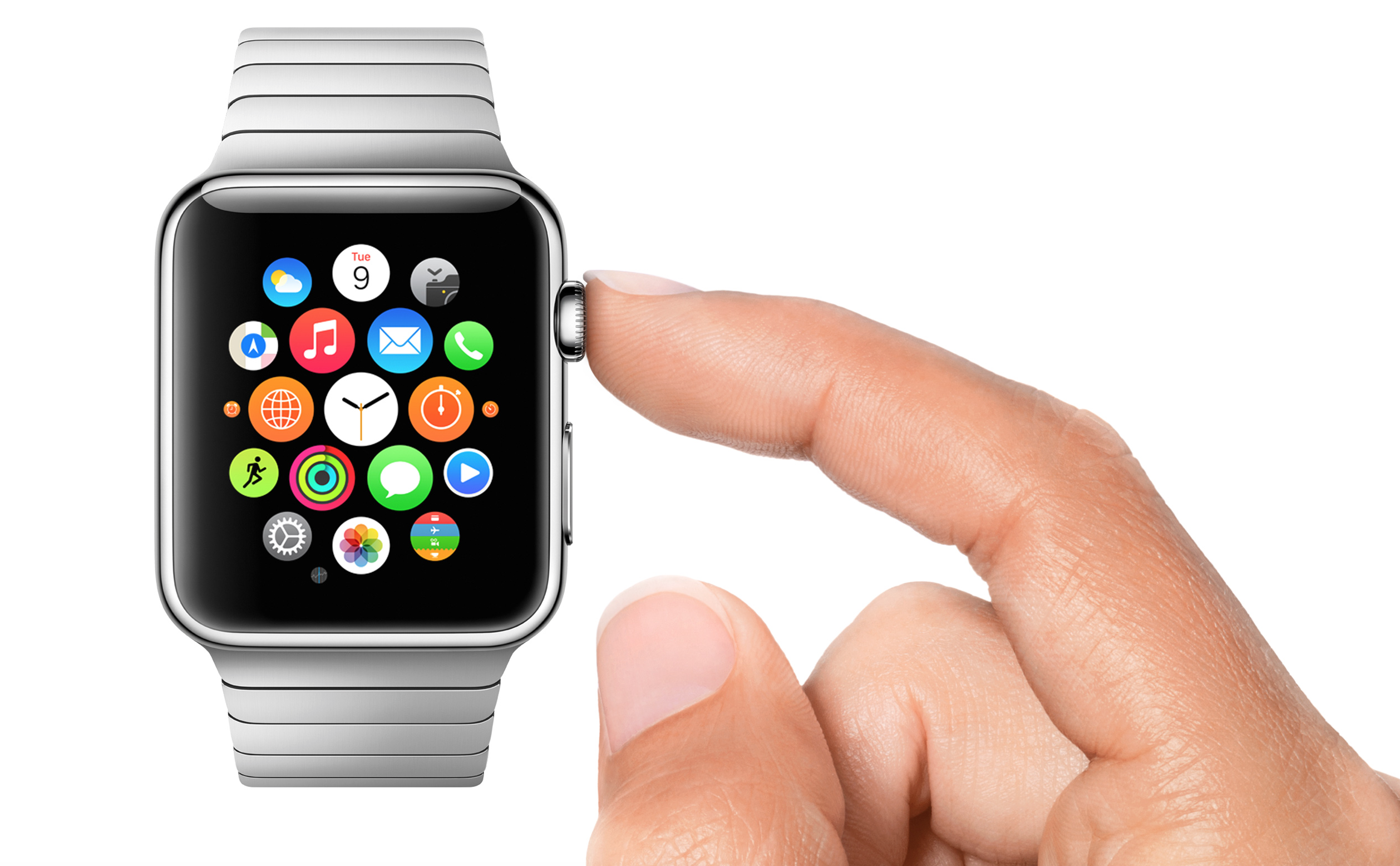
Apple seeks Evangelist to promote third-party Apple Watch app development

Site default logo image

Apple wants the third-party app marketplace for the upcoming Apple Watch to be a hit just like on the iPhone, iPad, and Mac. Apple has begun seeking an “Apple Watch Evangelist,” according to a posting on its official jobs website. This evangelist position is specifically designed to work with third-party application developers and promote development for the upcoming Apple Watch platform:


Expand
Expanding
Close

Site default logo image

Google Wallet adds recurring bank transfers for automatically adding money, low balance alerts

Google today announced it’s adding new ways to add money to its Google Wallet service in addition to some new features that will make keeping an eye on your balance easier.

First up, you will now be able to setup automatic bank transfers that will ensure there is always money to spend in your Google Wallet account. The recurring transfers allow you to schedule weekly, bi-weekly or monthly deposits and can be cancelled at any time:
Expand
Expanding
Close

Apple making iOS 8 Notification Center a bit less useful by banning calculator widgets

Site default logo image

Developer James Thomson of popular calculator app PCalc announced today via his Twitter account that Apple is forcing him to remove the app’s Today Widget due to a restriction that iOS widgets “cannot perform any calculations.”

Apple’s new Today Widgets feature in iOS 8, which allows developers to build functions into the system-wide Notification Center, does have some limitations that Apple outlines in developer documentation. For example, Apple encourages developers not to use Today Widgets for multistep tasks: If you want to create an app extension that enables a multistep task or helps users perform a lengthy task, such as uploading or downloading content, the Today extension point is not the right choice.” There doesn’t, however, appear to be specific references to apps that perform calculations in Apple’s developer guidelines.
Expand
Expanding
Close

Phone 2 Go app brings Time Warner Cable home phone service to mobile devices for no additional cost

Site default logo image

Time Warner Cable today announced a new smartphone app that will let its customers use their home phone service on mobile devices for no additional fees. That means that users with a Time Warner Cable home phone service, which starts at $10/month, can now text and call through the new Phone 2 Go app on smartphones and tablets. The service requires a Wi-Fi or cellular data connection and will also work for international calling and texting:
Expand
Expanding
Close

Apple shortens iBooks review times, allows more promo codes for authors

Site default logo image

Apple today emailed out registered authors for iBooks to announce some interesting changes and enhancements to the program. Some notable enhancements, via Apple’s email:

  • To help you get your book to readers quickly, we review 95 percent of all book submissions within one business day. Note that you do not need an ISBN to deliver a book to iBooks.
  • You can now request up to 250 promo codes per book. Promo codes allow you to provide free copies of your book to reviewers, bloggers, or others to build momentum for your book.
  • Screenshots can now be delivered or updated after a book is available for sale on iBooks.

The email to authors also tells developers about recent updates to both the iTunes Connect app on iOS and the iBooks Author application on the Mac. Like it usually does for App Store app developers, Apple tells authors how to prepare for the upcoming break for book reviewers. “To account for an anticipated increase in book deliveries during the U.S. Thanksgiving holiday week, books scheduled to go live between November 24, 2014 and December 1, 2014, should be delivered by Friday, November 14, 2014,” the notice reads.


Expand
Expanding
Close

Developer says Apple sent them pornographic image when rejecting app

Site default logo image

Apple’s developer guidelines on explicit content

An iOS developer said Apple demonstrated that their app could be used to surf for porn by sending them a screenshot containing a pornographic image. Carl Smith shared the story of the rejection of Wave, an app for browsing Instagram and public images, in a blog post.

It turns out Apple thought the best way to tell us our app could be used to surf porn was to surf for porn using our app. Then send us some pictures and say take a look at these! Except they said, “Please see the attached screenshot for more information.” So with no warning […]

They sent us a picture of a guy masturbating.

The explicit image was attached to an email rejecting the app on the basis that the process for flagging inappropriate content was inadequate … 
Expand
Expanding
Close

Site default logo image

AppFigures releases stats on iOS 8 app bundles: average savings of about $6, mostly games, education, and fitness

AppFigures has released some new statistics about developer adoption of app bundles in the iOS App Store. Bundles were introduced in iOS 8 as a way for shoppers to buy multiple apps at a discounted price. According to the numbers, which were compiled by looking at the most popular ranked or featured bundles, most of the bundles have an average of 3-4 apps and can save users about $5.64.

Eighty percent of bundles in the store reportedly contain five or fewer applications, while about half of all bundles contain just two or three apps. Apple allows up to ten apps per bundle.


Expand
Expanding
Close

Site default logo image

Vine iPhone update adds iPhone 6/Plus enhancements, iOS 8 share extension, & more

The Vine iPhone app today received an updated to version 3.0.0 and with it comes UI enhancements and full support for iPhone 6 and iPhone 6 Plus users. Also included in today’s update is a new share extension for iOS 8, allowing users to take advantage of the new feature for quickly sharing videos from camera roll or other apps to Vine.

Other improvements include a new “+” button for quickly following channels and having featured posts appear in your home feed. The company said it also “updated the app to look great on iPhone 6 and 6 Plus,” which allows the app to display more content on the larger displays of the new iPhones. 

The updated Vine app for iPhone is available on the App Store. A full list of what’s new in version 3.0.0 is below:

What’s New in Version 3.0.0

This release is packed with updates that help you find great Vines to watch, take advantage of iOS 8 extensions, and improve Vine for iPhone 6 and iPhone 6 Plus.
– Follow channels: Tap the new “+” button at the top of any Vine channel to get select featured posts from that channel right in your home feed!
– Share extension: With the new iOS 8 share extension, it’s easier than ever to share videos directly from your camera roll or other video apps with Vine.
– Easy on the eyes: We’ve also updated the app to look great on iPhone 6 and 6 Plus.

Apple to require iOS apps and updates to use iOS 8 SDK and include 64-bit support from February 2015

Site default logo image

Apple has today notified developers about some upcoming rules regarding App Store submission, via its developer news portal. From 1st February 2015, newly-submitted apps and updates must be built against Apple’s iOS 8 SDK. This is not particularly surprising: Apple required similar adoption of the iOS 7 SDK last year.

In addition however, Apple will also require that all apps and updates include 64-bit support from that date too. Currently, developers can choose whether to submit only 32-bit apps or universal binaries. This will no longer be an option from February. Moving all apps to 64-bit will bring big performance and memory gains for newer devices (which include A7 or A8 SoC’s) as running the 32-bit apps necessitates loading a lot of additional resources into system memory.


Expand
Expanding
Close

As promised, Angry Birds Transformers hits USA and rest of the world today

Site default logo image

Rovio’s latest game in the Angry Birds series, Angry Birds Transformers, has rolled out worldwide today after its earlier soft-launch last month in New Zealand, Finland, Canada and Australia.

Angry Birds and Transformers collide in this action-packed, 3D shoot ’em up adventure! The EggSpark has transformed the eggs into crazed robots who are destroying Piggy Island, but who can stop them?! Autobirds, roll out! 

Gamers have been waiting for quite some time as the Transformers mash-up game was first announced back in June …


Expand
Expanding
Close

Site default logo image

Sonos Controller app updated for iOS 8 & iPhone 6/Plus, Sonos Boost support

Sonos today updated its Controller app for iPhone and iPad bringing full support for iOS 8 and optimizations for the new larger iPhone 6 and iPhone 6 Plus. The app, which offers control of wi-fi connected Sonos audio hardware, also now supports the company’s new Sonos Boost enterprise-grade wi-fi extender accessory:

This update includes support for SONOS BOOST, an accessory that provides enterprise-grade wireless performance for your Sonos system so you get unparalleled reliability – even in homes that are known to have wireless connectivity problems.

Announced earlier this year, the Sonos Boost accessory is available starting today from the Sonos website and other retailers. The Boost will sell for $99 USD, slightly higher than the similar but less powerful $49 Sonos Bridge the company previously offered. “Similar to the BRIDGE ($49 USD), BOOST connects directly to your router to create a dedicated network, allowing all your Sonos speakers and components to talk to each other, with up to 50% greater wireless range.”

Version 5.1.1 of the Sonos Controller app for iOS is available on the App Store now.

What’s New in Version 5.1.1

SUPPORT FOR SONOS BOOST
This update includes support for SONOS BOOST, an accessory that provides enterprise-grade wireless performance for your Sonos system so you get unparalleled reliability – even in homes that are known to have wireless connectivity problems.

SUPPORT FOR NEW APPLE DEVICES AND OPERATING SYSTEMS
This update includes support for iOS 8, including support for iPhone 6 and iPhone 6 Plus.

Apple begins rollout of redesigned iTunes Store ahead of OS X Yosemite launch

Site default logo image

Apple has started rolling out a redesigned version of the iTunes Store for users running iTunes 12 less than a week ahead of what’s expected to be the launch of OS X Yosemite. The new storefront takes design cues from the iTunes and App Store home pages on iOS devices, featuring a flattened, side-scrolling carousel at the top of the page in place of the old “card”-style header. This new header can be scrolled horizontally using two fingers or even dragged around with a mouse.

Individual pages for albums, TV shows, and iOS apps have also been redesigned and now feature more iOS-like controls throughout. Download buttons have been reduced to simple outlines. Shadows and textures have been removed throughout the store, putting the content directly on a stark white or dark gray background.


Expand
Expanding
Close