Apps

See All Stories

Learn about the latest news for iOS, Mac, Apple Watch, and Apple TV apps

Apps for iOS, macOS, tvOS, and watchOS power our modern world. 9to5Mac will update you on the latest news, review, and updates for all types of apps. “There’s an App for that”.

The term came became part of our vocabulary when Steve Jobs announced The App Store as part of the iPhone 2.0 software update in 2008.

Over the years, the term has become as common as kleenex for describing applications on all of our devices. Apple’s platforms have apps for just about anything from finance, banking, sports, social media, podcasting, music, and more. We have a guide for helping you discover the best ones as well. Apps are now on everything from our TV, to our smartphones, on our laptops, and all the way down to our wrists.

As new ones are released or existing ones have major updates, the team here at 9to5Mac will bring you the latest news and reviews. If you want to follow along with video footage, be sure to follow 9to5Mac on YouTube. Scroll down below our latest updates on all things relating to applications on iPhone, iPad, Mac, Apple TV, and Apple Watch.

Twitter for Mac goes Retina, gets design tweaks, 14 new languages

Site default logo image

After years without an update, Twitter has updated its official Mac app with Retina display support and much more:

Today we’re announcing a few improvements to Twitter for Mac:

  • Photos: It’s easier than ever to share photos. Simply click the camera icon in the lower-left corner of the Tweet compose box, and choose a photo to share. If you prefer, you can still drag and drop photos from the desktop.
  • Retina display support: Now Twitter is even more vibrant and detailed on the highest resolution Mac notebooks. With this update, Tweets will be clearer and sharper, creating a more vivid experience.
  • 14 more languages: In addition to English, Twitter for Mac now supports Dutch, French, German, Indonesian, Italian, Japanese, Korean, Malay, Portuguese, Russian, Simplified Chinese, Spanish, Traditional Chinese, and Turkish.

Along with these updates, Twitter for Mac offers keyboard shortcuts, support for multiple accounts and timelines, and other features that you’ve come to love.

You can get this update now in the Mac App Store. Keep an eye out for more improvements to come, too.


Expand
Expanding
Close

Site default logo image

Wunderlist ‘Pro’ arrives today with new team collaboration features for $4.99/month

6 Wunderkinder, the developers behind the ‘Wunderlist’ to-do app that’s currently home to over 4 million users, today announced a new “Pro” version of the cross platform productivity app. Launching today on iPhone, iPad, Mac, and on the web, the new pro version comes with the introduction of the developer’s first premium model that will see users pay $4.99 a month (or $49.99 a year) to get access to new team oriented collaboration features:

Assigning – now you can add an extra level of accountability and assign tasks to your colleagues

and friends.
Unlimited subtasks – sometimes the task on hand is so big that you need to break it down into

small manageable subtasks. Now you can add as little or as many needed to get the job done.
Backgrounds – Wunderlist Pro subscribers will have access to eight new backgrounds – from a minimal dark wood and soothing sands to vibrant florals and the Paris cityscape, plus a whole lot more!

6 Wunderkinder plans to keep adding additional features for pro users, including the ability to attach and share files through tasks:

Files will be the next feature to be added to Wunderlist Pro. With the support of Files you will be able to attach files to a task and share with your colleagues, for improved collaboration outside of just the to-dos.

The Pro upgrade for Wunderlist is available now as an in-app purchase in the Wunderlist iPhone & iPad app as well as the Mac App Store app and on the web.

Those that plan on sticking with the free version of Wunderlist will also be greeted today with new features in update 2.1.0 of the app. Among them is a new Action Bar and other UI improvements such as the ability to “Get a quick overview as to who created and completed a task with the Detail View.”

Site default logo image

LinkedIn launches revamped “Contacts” feature alongside new standalone iPhone app

As part of its new revamped Contacts section coming soon for select users on the desktop, LinkedIn today is also launching a standalone Contacts app for iPhone that allows users to manage address books, emails, and calendars by contact and access all content related to specific contacts from one easy to access location. The Contacts app will also provide alerts for changes to jobs and birthdays, and allow you to access meetings and past conversations directly from an individual’s Contacts profile:

LinkedIn Contacts brings together all your address books, emails, and calendars, and keeps them up to date in one place. From these sources, we’ll automatically pull in the details of your past conversations and meetings, and bring these details directly onto your contact’s profile.

The new Contacts service is apparently rolling out over the coming weeks with invitations being sent out to select individuals within the United States. You can already sign up for the wait list through LinkedIn’s new Contacts website here, and the free standalone iOS app is available for download on the App Store now.

Last month LinkedIn launched a redesigned iOS app with a revamped UI and new features.

A full list of features for the new iPhone app below:

• All your contacts in one place – We bring together all of your address books, emails, and calendars, and keep them up to date so you don’t have to

• Never miss an opportunity to stay in touch – Get alerted on job changes and birthdays in your network, a perfect opportunity to say hello

• See where you left off the conversation – Review your most recent correspondence with a contact before picking up the phone

• Discover more about who you’re meeting with – Prepare for your day with details on each person you’re meeting

• Find the right person for the task at hand – Sort contacts by recent conversation and filter by company or location

Site default logo image

Iron Man 3 – The Official Game now available on App Store ahead of upcoming movie

From 9to5Toys.com:

Ahead of the official May 3rd launch of the Iron Man 3 feature film, today Gameloft has released the iOS app tie-in taking place after the events of the movie. According to the game’s iTunes page, Iron Man 3 sees the player take up the role of peacekeeper playing as Tony Stark in an “additive, endless 3D runner”.

Iron Man 3 – The Official Game is available on the App Store now for free.

Included in the game is 3 different locations with “endless, self-generating levels”, 18 suits from the various Iron Man movies, and much more:

THE OFFICIAL GAME OF THE MOST ANTICIPATED SUPERHERO MOVIE OF 2013!

– Fight around the world against rising A.I.M. forces

– Discover 3 different locations offering endless, self-generating levels: Malibu Shores, New York City, and China 

– Confront 4 epic villains from the Iron Man comics: Crimson Dynamo, Ezekiel Stane, Living Laser, and the mighty M.O.D.O.K.

– Complete various missions in fast-paced flying battles, and in epic one-on-one confrontations

– Unleash Iron Man’s power with amazingly responsive swipe controls

– Enjoy an outstanding 3D world with cutting-edge graphics and animations

– Research and develop up to 18 suits from the different movies (Mark II, Mark 42, Silver Centurion, etc.)

– Upgrade your armors and powers in the research lab to wipe out your enemies

Site default logo image

XCOM: Enemy Unknown – Elite Edition now available on Mac, includes additional DLC

[youtube http://www.youtube.com/watch?v=7wiFE_ZPR0o]

From 9to5Toys.com:

Firaxis and 2K Games have officially launched the critically acclaimed XCOM: Enemy Unknown on Mac today. Known as the Elite Edition, the Feral ported Mac version will come with the base game, the Slingshot Pack, the Elite Soldier Pack and the Second Wave update as well as some wallpapers and the soundtrack for $49.99.

The Slingshot and Elite Soldier DLC brings additional character customization as well as extra council missions and the “Shaojie Zhang” soldier. The Second Wave update introduced a host of new game modifiers that add a lot more flexibility to the experience.

Just like the game’s Windows release, the Mac version will also include the LAN and online multiplayer options. Keep your eye out for the re-reveal of the highly anticipated XCOM shooter expected to be detailed in the coming days (and iOS version of Enemy Unknown coming this summer).

XCOM: Enemy Unknown – Elite Edition (Mac) $49.99


Expand
Expanding
Close

Site default logo image

Fandango iOS app gets faster ticket purchasing & special offers for Visa Signature users, improved Facebook sharing, and more

Fandango, the movie ticket service that is currently integrated into Siri, today announced an update to its iOS app for iPhone and iPad. On top of enhancements that lets iPad users scroll through photos & videos and view in full screen mode, the app also now features the ability for Visa Signature account holders to purchase tickets faster and receive special offers by saving their card. The feature is only available on the iPhone initially and comes alongside better Facebook sharing options by creating and signing into a Fandango account.

A full list of what’s new below:

What’s New in Version 5.6

• iPad users – now scroll through photos & videos and view in full screen
• Feeling social? Sign into your Fandango account to manage Facebook sharing
• Visa Signature account holders – save your card for faster ticket purchasing & access to special offers with TIXPRESS™! (iPhone only)
• General bug fixes & usability enhancements

Review: Currency, a streamlined conversion app for your iPhone that may be a tad too simple

Conversion apps feel like a design playground, with so much potential for uniqueness and variety in their interfaces. The trend has been towards multifunction, multi-purpose Swiss-army knife apps that attempt to cover a whole range of disparate measurements. In my experience, as a result of racing to add one more ratio to their feature list, the simplicity of these apps suffer.

Currency sidesteps this battleground entirely and, as the name implies, focuses solely on converting amounts of money. The app touts support for over 160 currencies from around the world, which was more than enough to satisfy my needs. The app surfaces a handful of common currencies at first launch, each accompanied with a beautiful representation of its respective country’s flag.


Expand
Expanding
Close

Site default logo image

NFL ’13 iOS app updated with live coverage, second-screen experience & push notifications for 2013 NFL Draft

NFL Enterprises has updated its NFL ’13 app today to offer live coverage and a new second screen experience to a number of users directly through the app for the upcoming 2013 NFL Draft. NFL Network subscribers on COX, Cablevision, and FiOS in the US will have access to the live coverage on their iPads, while all users will be able to access a second-screen experience dubbed “Draft Extra” to enhance the event.

Other updates include a new custom push notifications for players, teams, and rounds, as well as additional live coverage for the Draft. Verizon customers can check out Draft Live on the NFL Mobile App.

What’s New in Version 3.10

– Follow the 2013 NFL Draft Live! COX, Cablevision and FiOS customers with NFL Network can sign in to watch NFL Network on their iPads (US Only). All other customers can watch NFL.com/LIVE at the Draft.
-Draft Xtra a second-screen experience designed to enhance the event
– Custom push notifications by player, team and round
– Plus all NFL.com Draft coverage – News, analysis and mock draft coverage
– Verizon customers can watch the Draft Live on the NFL Mobile App

Site default logo image

Tumblr updates iOS app with new sharing features, save later with Pocket, animated GIFs, & more… now with ads

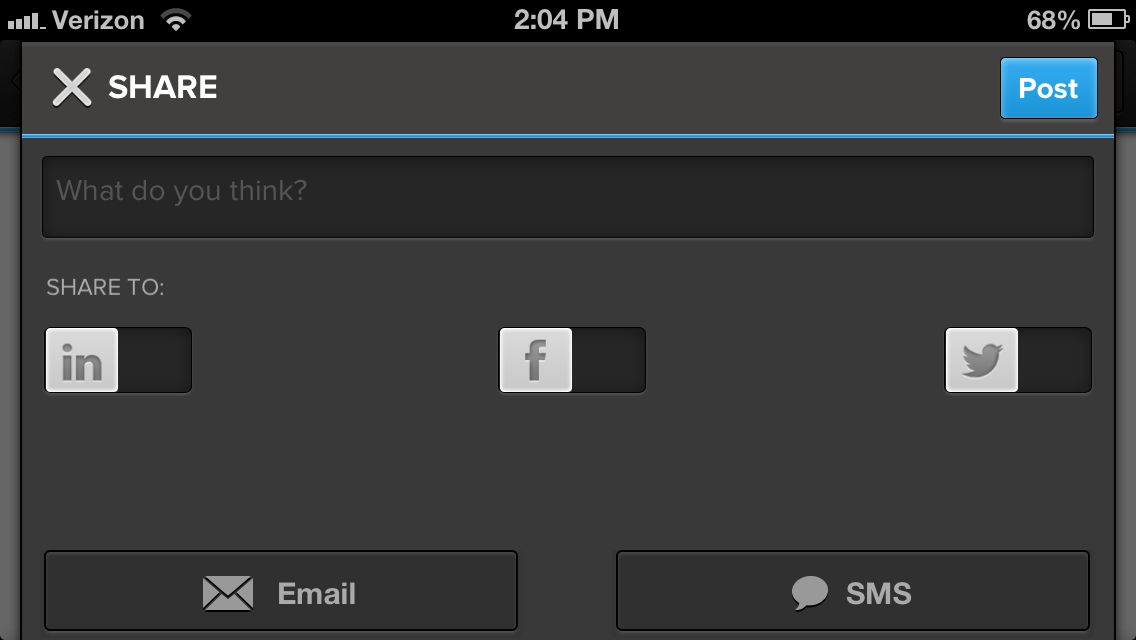
On top of the recent announcement that it will be bringing sponsored posts, aka advertisements, to its mobile apps, Tumblr today released an updated iOS app that includes new sharing features, the ability to save content for later reading, new templates for sharing posts through email, and much more.

Other enhancements include animated GIFs while scrolling, an alphabetized and searchable Following list, and support for sharing directly to Twitter and Facebook. A full list of what’s new in version 3.3.1 of the universal iOS app is below:

What’s New in Version 3.3.1

Now you can do more than just reblog when you find something you love.

– Share posts via Twitter, Facebook, and more
– Save stuff for later using Instapaper and Pocket
– Email an entire post with our beautiful new template
– Fling a photo up or down to close it!
– GIFs animate while you scroll*
– Following list is now alphabetized and searchable

*iPad 2, 3 and 4, iPad Mini, iPod Touch 5th Generation, iPhone 4S and 5 only

Site default logo image

Apple updates iAd Producer with support for iBooks Author widgets, iTunes LPs, iTunes Extras, more

Apple’s iAd Producer tool for creating HTML5, CSS3, and Javascript ads for its iAd platform gets updated to version 4.0 today and adds a number of notable new features on top of some performance enhancements that Apple outlined in a knowledge base article. The updated app now allows users to create iBooks Author widgets, iTunes LPs, and iTunes Extras. Apple provides more information on the new features, such as creating an iBooks Author Widget for iBooks Author projects on the iAd Producer support page:

You can create an iBooks Author widget for use in your iBooks Author projects. For example, you can create a widget that allows users to stream video from the Internet, draw using their finger, or interact with a timeline.

A full list of what’s new in iAd Producer 4.0 including: folder-based organization support, new HTML, Stack, Drawing, and Panorama objects, in-app quick previews, CSS filter support for objects, and much more below:

New in iAd Producer 4.0

This release contains a number of new features and improvements

  • Improved Object library interface
  • Improved Actions library interface
  • Support for folder-based organization in the asset library
  • New HTML, Stack, Drawing, and Panorama objects
  • New actions for adding and removing CSS classes, animating background position, animating image masks, and text slide-in animation
  • Support for applying CSS filters as well as image and gradient masks to objects.
  • In-app quick preview
  • Project-wide search in the Code Editor
  • Better export performance
  • Improved menu layout
  • Improved font support, including support for OpenType fonts
  • Improved rulers and alignment guides
  • Enhanced inspectors, with pop-up color pickers, and gradient sliders that now represent opacity
  • Support for QuickLook previews in iAd Producer project files
  • Support for iTunes LP, iTunes Extras, and iBook Author widget project types
  • Other fixes and improvements

(via MacStories)

Site default logo image

Apple Store app for iPhone updated with notifications for when you are eligible for iPhone upgrade pricing

Apple’s official Apple Store application for iPhone and iPod touch has been updated with some neat notifications-related enhancements:

– Choose to receive notifications that let you know exactly when you’re eligible for upgrade pricing on a new iPhone. And since all you need to complete the order is your Apple ID and password, buying your new iPhone is fast and easy (US only).

– Stay on top of your delivery with notifications. We’ll let you know when your order ships, keep you informed of any updates, and notify you when it’s delivered.


Expand
Expanding
Close

Site default logo image

Google Fiber TV remote app for iPad released

Google launched its Google Fiber TV for iPad app today allowing Google Fiber customers to transform their iPads into QWERTY keyboard, TV guide yielding TV remotes.

For the past month, our Fiber TV customers have been able to control their TVs with any recent Android device. Using the Fiber TV app from the Google Play Store, they can search for programming, browse listings, and select shows or recordings with just the touch or swipe of a finger. Now, iPad users can enjoy this simple, intuitive experience, too.

This should come as great news to tablet owners in Kansas City, Austin, and Provo.

Google Fiber TV for iPad is available for free in the App Store.

(Source: Google)

Atom for jailbroken iPhones is a welcome lockscreen overhaul

Site default logo image

The iPhone lockscreen hasn’t changed much in the past six versions of iOS, with the exception of the addition of a camera slider. Atom is a new jailbreak tweak that seeks to completely redesign the lockscreen and add new functionality, and it does not disappoint.

Keep reading to find out how Atom can make your lockscreen even more useful.


Expand
Expanding
Close

Site default logo image

DirectTV to add voice search, capabilities to its iPhone app later this year (video)

DirectTV has announced that it will be adding voice search and capabilities to its iOS application later this year, and a beta will be available this summer. Like Apple’s Siri application for iOS, the application will understand many different types of commands. For example, you can say “find movies with Tom Cruise” or “what’s playing on HBO?” Solid Signal posted a review for the DirectTV voice app, detailing some of the more advanced voice features.

While you wouldn’t want to use voice control in place of a remote, it’s a nice parlor trick to tune a receiver using your voice. Say “Tune to channel 7” or “tune to ABC” and the receiver will change channels for you. The natural language recognition is quite good, too. Saying “find me some comedies” resulted in over 200 being found.

The site also published a video overview:


Expand
Expanding
Close

FedEx Mobile iOS app gets ‘Delivery Manager’ with customized delivery options, lets users sign for packages

Site default logo image

http://www.youtube.com/watch?v=jsDjJQzAhi4

FedEx has updated its iOS app today providing users with access to sign up and use a new FedEx Delivery Manager feature to customize delivery options and even sign for packages directly from within the app.

Once users have signed up for Delivery Manager, they will be able to schedule deliveries, provide instructions for pending deliveries, and even sign for packages using the universal app for iPhone and iPad. Other delivery options that users can customize include: Deliver to another address, Schedule a vacation hold, and Hold your package at a FedEx location.

Get convenience and flexibility for deliveries to your home. You can view upcoming deliveries to your home address, get status updates, or request to schedule a delivery by choosing your preferred date, time, or date and time combination. Or you can request FedEx to deliver to another address — in your neighborhood or across the U.S. — or select from free options such as Hold at FedEx Location.

The new Delivery Manager feature is initially only available for residential deliveries within the US. Users interested in signing up or learning more about the new feature can do so at fedex.com/delivery.

The updated FedEx mobile app is available on the App Store now.

Site default logo image

Discovery Channel and TLC iOS apps updated with “Plus” interactive second-screen experience

Discovery Communications updated two of its iOS apps today with a brand new second screen experience dubbed “Plus”. Available for the Discovery Channel HD app and the TLC app for iPhone and iPad, “TLC Plus” and “Discovery Plus” brings interactive “second-screen” content that syncs to some of the network’s most popular shows. According to iTunes, the synced experience includes “exclusive factoids, photos, and more” and will also allow you to sync up with previously aired Plus-enabled shows that you may have recorded on your DVR.

The Plus experience isn’t available for all shows yet and is currently only available on iPad, although iPhone support and more content is on the way. The updated apps also include a new schedule guide allowing users to “quickly see when a series is currently airing new episodes, and what new shows are about to premiere.”

Update, April 24: Discovery has now updated its Animal Planet iOS app with a new experience that offers views from 12 live HD cameras:

What’s New in Version 2.5

Now on your iPad: Introducing Animal Planet L!VE, featuring unfiltered, round-the-clock access to the compelling worlds of the beautiful, cute and misunderstood. With this update, users can immerse themselves in 12 live HD cameras.

Site default logo image

Apple’s iCloud servers once again experiencing major outages for a growing number of users

Update, 9:34 AM: Apple has now updated its System Status page to confirm the outages we reported earlier this morning. Apple reports some users experienced issues with account & sign in for iCloud, purchases for iTunes, Game Center, and creating new Apple IDs:

Over the last couple of months Apple’s iCloud servers have been experiencing major outages approximately every couple of weeks and today a growing number of users are once again complaining of issues accessing various iCloud services.

9to5Mac readers in several countries have reached out to Apple support who confirmed the outages, although Apple is yet to update its System Status page to reflect the downtime. Apple is typically at least a few hours behind in reporting outages.

As highlighted by hundreds of users on Twitter, the outages appear to be affecting multiple iCloud services including Mail, third-party apps attempting to access iCloud credentials, and Find my iPhone. Others are simply receiving an error message when attempting to access any iCloud service. Some users are also reporting that iCloud is requesting they reset their passwords as if their account is experiencing a security issue.

We’ll update this post when/if Apple finally reports the outages.

https://twitter.com/himanzoo/status/326669089533722624

https://twitter.com/KhaledYousry/status/326666876124033024

https://twitter.com/ridewithgarrett/status/326664553310081024

Site default logo image

Netflix is now larger than HBO, now offers $12 family plan

.

Netflix, the streaming media company who just announced huge gains in its quarterly numbers, is now larger than HBO, according to Quartz.

After several strong quarters of growth, Netflix now has 29.2 million people in the US subscribed to its $8-a-month streaming plan, which is, for the first time, greater than HBO’s domestic subscription base of 28.7 million.

Quartz notes that Netflix, while not a cable network in the traditional sense, is now viewed more than any traditional U.S. cable market.

From an internet service standpoint, Netflix is also fairing quite impressively, making up 33% of all downstream traffic, which is more than services like YouTube, Amazon Video, and most impressively, iTunes.

As part of the earnings announcement, Netflix also noted that it would begin offering a $12 monthly family plan that would allow 4 simultaneous streams.


Expand
Expanding
Close

Site default logo image

Twitterrific 5.2.1 adds notification badges and more

Twitterrific 5 has recieved another big update today, which introduces several new features, improvements, and fixes. The most prominent new feature is the fact that you can now enable app badges for push notifications, but other new additions include support for Twitter’s trending topics and the Favstar service. There are also a bunch of little improvements and bug fixes throughout the app, further polishing the recently-redesigned app.

The update is available now in the App Store. The change log is below, and you can find our full review of Twitterrific 5 here.

NEW FEATURES

• App badges for push notifications (enable in iOS Settings > Notification Center)
– Notification count for replies, mentions & DM’s
– Using app badges also clears messages from Notification Center
• Favstar support (enable in Settings > Other Services)
– View a user’s Favstar page from their profile or via long tap on their avatar
– View Favstar info on a tweet via more actions menu (…)
• Twitter trends (open Sidebar > Search > Tweets tab to view)

IMPROVEMENTS

• Faster tweet loading time
• Search interface remembers last selected tab
• Support for Twitter stock symbols ($AAPL, etc)
• New tweet count stays on screen until the timeline is scrolled
• Home timeline auto-refreshes when posting a new tweet or DM
• Automatic theme changing now based on dawn/dusk at your location
• Compose gesture: one-finger swipe left/right to adjust cursor
• VoiceOver now speaks hint text at the bottom of settings panel
• VoiceOver now speaks muffled tweet descriptions
• Holding timeline position improved when using VoiceOver
• Photo viewer can be dismissed using VoiceOver’s two-finger Z gesture

BUG FIXES

• Muffled hash tags are now case insensitive
• Buttons in settings are now easier to tap
• Corrected display bugs during pull-to-refresh
• Fixed a bug that prevented Readability from turning off
• Tweets at the top of the timeline are easier to swipe
• User links in emailed tweets now properly point to the user’s profile
• Fixed various bugs that caused the timeline to jump to top unexpectedly
• Compose displays correctly when using foreign language keyboards on iPad
• Additional fixes & improvements

Site default logo image

Dropbox iOS app updated with support for 6 new languages

Earlier this month Dropbox announced support for 6 new languages on the desktop and Android devices. As promised, today the iOS app gets the same update, bringing support for “Indonesian, Malay, Polish, Portuguese (Brazil), Russian, Traditional Chinese and Simplified Chinese.” Update version 2.1.4, available on the App Store now, also includes the usual bug fixes and performance enhancements.

Dropbox version 2.14

Yahoo! for iOS adds Summly integration

Site default logo image

Yahoo continues to rebrand itself under the leadership of former Google executive Marissa Mayer, proving it can be just as innovative as its competitors.

Following the launch of Yahoo! Weather and Yahoo! Mail for iPad last week, the Internet giant updated its Yahoo! for iOS app today to include news summaries in its articles provided by Summly as well as a redesigned page for articles.


Expand
Expanding
Close

Site default logo image

Google launches ‘Places for Business’ iPhone app to manage business information across Google services

Today, Google has released a new iPhone and iPod touch application for its Places for Business platform. Places for Business is a Google service that allows business owners to manage the presence of their business across Google services such as Search, Maps, and Google+. Now, with the new app, these tasks can be handled on the go.

Business owners can use the app to:
– Verify your business listing directly from your phone
– Update your business information: hours, address, contact information, and description
– Post beautiful pictures of your business on your local Google+ page
– Track web traffic going to your listing
– Manage multiple business locations from one app

Having the ability to manage Places for Business from an iPhone or iPod touch is a compelling experience because information can be updated at a quicker pace. Additionally, the camera inside of iOS devices allows for quick uploading of photos of businesses. The app is free on the App Store.


Expand
Expanding
Close

Review + Giveaway: Abstergo jailbreak tweak finally fixes iOS notifications

Site default logo image

When Apple introduced Notification Center in iOS 5, they changed the way most people manage notification on their iOS devices. For the most part, they were right. Unfortunately, Notification Center introduced its own deficiencies and now people are looking for changes once again.

Today, change has finally come in the form of a jailbreak tweak called Abstergo, and we’ve got five free copies for our readers. Keep reading for a full breakdown of the tweak and more information about how you can win a copy.


Expand
Expanding
Close

Get Mac Blu-ray Player, Snapz Pro, Disk Tools, CrossOver, Paperless OCR, Gemini de-duper, more: $9

Site default logo image

From 9to5Toys.com:

We covered this earlier this week when it was under $7 but it bears repeating as the price is still under $10.

Usually, these ‘name your own price’ bundles are full of duds but this one is pretty impressive. You get Mac Blu-ray Player, Snapz Pro, Disk Tools, CrossOver, Paperless OCR, Gemini de-duper, MusicTube and more. There is a catch though. It isn’t really “name your own price”, it is pay a bit more than the last folks did. The good news is that it is currently under $9.17. The bad news is that the more people that buy, the higher the price goes, so get in quick.
Expand
Expanding
Close