HomeKit Weekly
HomeKit Weekly is a series focused on smart home accessories, automation tips and tricks, and everything to do with Apple’s smart home framework.
HomeKit Weekly is a series focused on smart home accessories, automation tips and tricks, and everything to do with Apple’s smart home framework.


One of the things that Amazon has done well with Alexa is cloud-enabled skills that are directly connected to its Echo products. In my smart home setup, we have a couple of Echo Dots in my kid’s rooms they use for ‘story time’ at night. I love my HomePod, but it can’t replace this functionality at this time. Is it time for Apple to build a HomeKit skills section that runs directly off iCloud?
Expand
Expanding
Close

One of the areas of my HomeKit lighting setup that I ignored for a long time was outdoors. We honestly didn’t have a real need until recently when we got a new puppy. If you’ve ever had a puppy, you know that a lot of time is spent outdoors trying to train the dog to use the bathroom outside. It became clear that we didn’t have enough outdoor lightning when we were taking her out late at night and early in the morning. Like any smart home fanatic would do, I looked at solving this problem without the use of a costly electrician and add HomeKit support in the process. This week, I am going to explain my outdoor HomeKit lighting setup.
Expand
Expanding
Close
As much as I have been investing in my HomeKit setup over the past few years, HomeKit security cameras are something I hadn’t been able to pull the trigger on. My hesitation is that I didn’t want to be tied to paying monthly fees for each camera, nor did I want a solution that required a cloud service that wasn’t end-to-end encrypted. For my HomeKit cameras, I ended up using the eufyCam 2 thanks to it the option of local recording to a base station, no monthly fees, HomeKit integration, battery-powered and the possibility of using HomeKit Secure Video. Let’s dig into my eufyCam 2 review.
Expand
Expanding
Close
As I mentioned a few weeks ago, I’ve been a Nest customer for the past seven years. I put it a second-generation Nest when I built my house back in 2013, and I added a second Nest a few years later for our upstairs unit. I’ve been using the Starling Home Hub for the past six weeks to enable HomeKit support on these products, but I recently swapped out my downstairs Nest with the ecobee SmartThermostat. After a few weeks of using it, I am ready to compare them and decide which unit has the best HomeKit integration. ecobee vs. Nest: what’s the best smart thermostat?
Expand
Expanding
Close
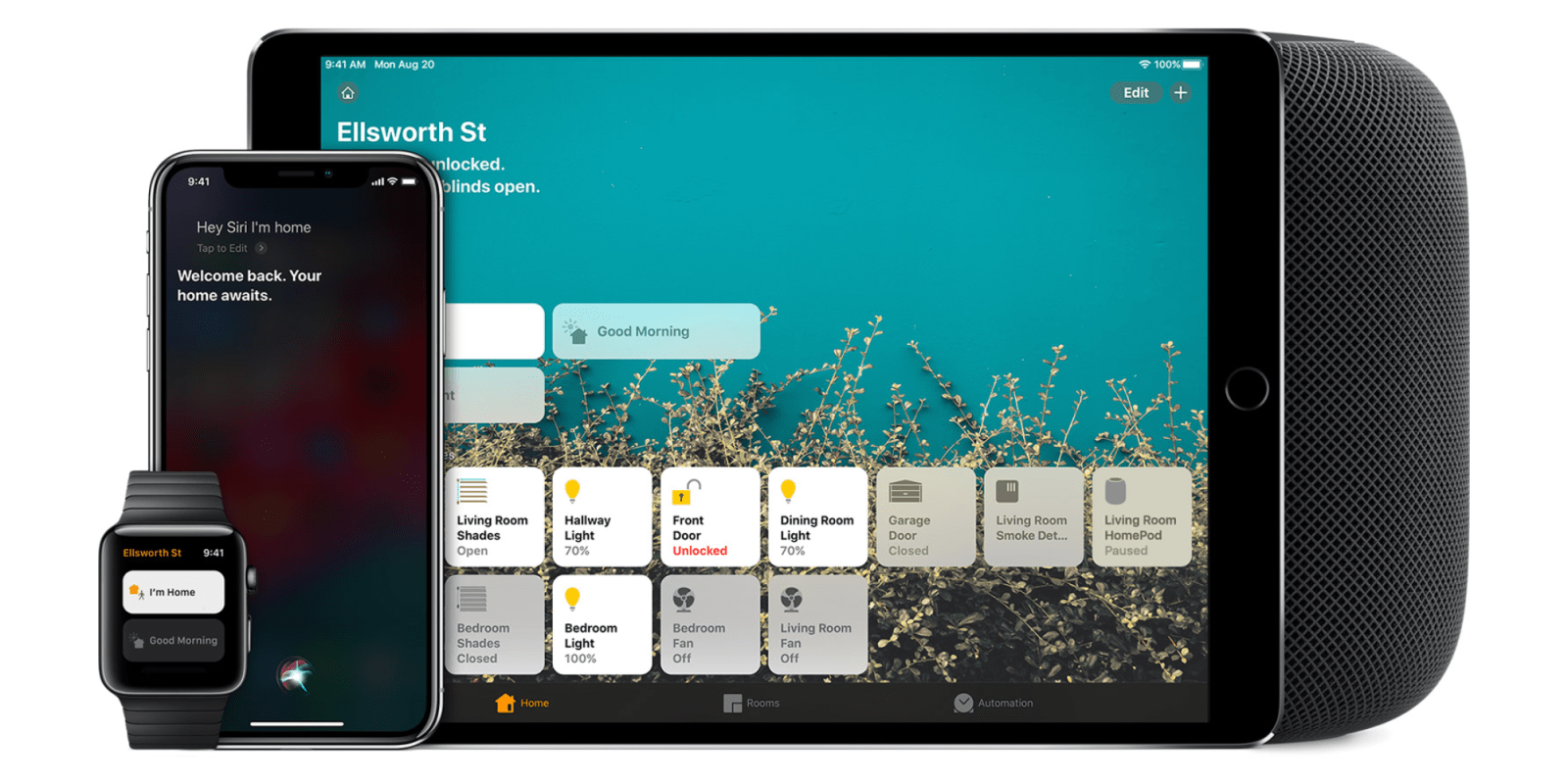
In the past few years of building up my collection of HomeKit products, I would tell people that the value of HomeKit is the ability to bring multiple products from multiple manufacturers into a single application that makes it easy to use. After installing my abode alarm system a few weeks back, something clicked for me. As I was settings up my automations, it clicked in my brain that the true benefit of HomeKit is to leverage automations from all of the devices exposed in your HomeKit ecosystem.
Expand
Expanding
Close
We’re all getting stir crazy being stuck in our houses during the COVID–19 pandemic, but you can make good use of the time if you want to work on your HomeKit setup. Since pretty much every extracurricular activity has been canceled, spend this time getting your house to work for you through Apple’s HomeKit platform. Here are some fun projects that can help pass the time, along with being fun to install.
Expand
Expanding
Close
Since I’ve started writing a weekly article about HomeKit, one of the most common questions I’ve gotten is exactly what HomeKit products I own and how I use them. I’ve spent years building out each room over time, and I love how easy HomeKit is to manage from any of my devices (including HomePod). If you are starting from scratch on HomeKit, you’ll like this article because it’ll give you a starting point. I am going to explain my “HomeKit home” a room at a time.
Expand
Expanding
Close
Water leaks are undoubtedly something that can really damage a home. As I mentioned a few weeks ago, we had a water leak in our kitchen that caused our hardwood floors to warp a tad. Particularly with hardwood floors, a water leak can be disastrous. HomeKit enabled water leak detectors are the perfect way to be notified immediately in the event of a water leak. This week, I am going to review the Eve Water Guard to see where it fits within a HomeKit home.
Expand
Expanding
Close
In my quest to get everything in my home working with HomeKit, I thought it would be time to replace our carbon monoxide detector with a HomeKit compatible one. After doing a bit of research, I settled on the First Alert GLOCO–500 WiFi Environment Monitor with Battery Backup. For a HomeKit carbon monoxide detector, it is exactly what I wanted.
Expand
Expanding
Close
I’ve been using HomeKit for many years, and one of the things I can’t stop buying is outlet switches. In my house, we tend to use lamps a lot more than overhead lights, so when paired with LED bulbs, they make for an energy-efficient way to shine light in hour home. Over the years, I’ve tried multiple HomeKit compatible outlets, and I’ve finally found one that feels like it was made for HomeKit, and it’s thankfully, the least expensive one I’ve tried. Are you looking for the best HomeKit outlet? Read on to find out more.
Expand
Expanding
Close
One of the common questions I get is people asking about HomeKit vs. Amazon Alexa. All of these people have iPhones, but they are starting to dabble in the smart home market, so it can be confusing to see the Home app, but then see “works with Alexa” when browsing on Amazon.com. Once you get invested in a platform, it can be difficult and costly to change. So what’s the best smart home platform to get started with in 2020?
Expand
Expanding
Close
When I moved into my house almost seven years ago, HomeKit hadn’t even been announced yet. What was available at the time was a Nest Thermostat. A friend of mine had one, and he was raving out their energy savings. I had one pre-installed when our main HVAC unit was installed. I eventually added another one to our upstairs unit, and have been very happy with them.
So much of Apple’s history is tied up between two periods: Pre-iPod and Post-iPod. The iPod took Apple from a computer company, and it set them up to become a consumer electronics company that would go on to become one of the most valuable companies in the world. What most people forget is that the iPod didn’t become the iPod until the iPod mini was released. The original iPod was $399, where the iPod mini had a lower price of $249.
Despite holding including 4GB of storage compared to the 20GB model that the “Classic” introduced that year, the iPod mini is what caused the iPod line to take off. The HomePod is at that exact point in its timeline. The HomePod needs its iPod mini moment.
Expand
Expanding
Close
HomeKit is my chosen platform for my smart home, but there are still ways that Apple could expand its platform to grow with its users as their home grows, and as their families change. While Apple allows you to invite people in your family to have access to your home as well as invite guests. My current issue is that I want to give my kid’s selective access to specific devices, but not them all. Selective device sharing is something Apple should add to HomeKit.
Expand
Expanding
Close

Apple made news during CES 2019 earlier this month when it revealed AirPlay 2 for video and HomeKit support for smart TVs. We now know a bit more about how HomeKit will work with smart TVs and what features Apple TV will gain or miss.
VOCOlinc is a smart home company focused on HomeKit accessories like affordable light strips and the multi-plug power strip. VOCOlinc’s lineup includes the $59 FlowerBud smart diffuser, which is the first and only diffuser that works with Apple HomeKit. FlowerBud lets you burn scented oils to make your home smell like your favorite scent, and the smart diffuser includes a built-in mood lamp. Both the diffuser and mood lamp work with HomeKit and Siri, too, which means Home app and voice control plus much more.
Nanoleaf HomeKit lights are great for decorating and entertaining all year — long after the Christmas tree is taken down and the holiday lights are all boxed up. Nanoleaf now makes two styles of smart lights that illuminate your walls: Light Panels and Canvas. Here’s how they compare:
HomeKit Weekly is a series focused on smart home accessories, automation tips and tricks, and everything to do with Apple’s smart home framework.
Upgrading your Christmas tree and holiday lights to work with HomeKit, Siri, and Apple’s Home app is easier than ever this year. There’s no need to go out and buy new lights or special decorations either, and there are solutions for under $50 that work both indoors and outdoors.
HomeKit Weekly is a series focused on smart home accessories, automation tips and tricks, and everything to do with Apple’s smart home framework.
If you’re investing in smart home technology and want to stay in the HomeKit ecosystem, there are currently four home security cameras on the market that work with the Home app. This week we’ll look at what options are on the market, how the hardware and supporting services differ, and how you can improve the HomeKit security camera experience.
HomeKit Weekly is a series focused on smart home accessories, automation tips and tricks, and everything to do with Apple’s smart home framework.
HomeKit speakers have an interesting place in the Home app. They’re primarily there so you can name a speaker and assign it to a room in your home. Then you can stream audio to it over AirPlay 2 and control audio playback with Siri. There’s not much more to HomeKit speakers than that yet.
Libratone Zipp is a portable Bluetooth and Wi-Fi speaker that retroactively gained AirPlay 2 support this month through a free software update. The portable speaker now has a place in the Home app with other HomeKit accessories like HomePod and newer Sonos speakers, and it plays nice with these speakers with AirPlay 2.
The combination of Bluetooth, AirPlay 2, and a built-in battery makes it a versatile option for HomePod-like audio without always being anchored to a power outlet.
HomeKit Weekly is a series focused on smart home accessories, automation tips and tricks, and everything to do with Apple’s smart home framework.
HomeKit Weekly started earlier this year with an overview of how the Home app works on iPhone, iPad, and Apple Watch (and Apple TV with Siri), and the Home app has since found its way to the Mac with macOS Mojave. Along the way we’ve recommended smart locks, shades, fans, garage door openers, security cameras, and more.
This week I want to use my HomeKit experience to create a smart home starter pack. If you’ve never tried HomeKit before or you want new ways to expand your smart home, these picks from each category should be useful.
HomeKit Weekly is a series focused on smart home accessories, automation tips and tricks, and everything to do with Apple’s smart home framework.
This column is typically used to share recommendations and advice around using HomeKit, but this week I want to zoom out and talk specifically about why you should choose HomeKit.
There are a lot of “smart home” platforms on the market and plenty of connected accessories with iPhone apps, but I actively avoid products that don’t work with Siri. If you’re deep in the Apple product ecosystem, non-HomeKit smart home products can be a serious frustration.
HomeKit Weekly is a series focused on smart home accessories, automation tips and tricks, and everything to do with Apple’s smart home framework.
This week we’re checking out one of the most convenient but costly HomeKit areas: windows. Apple lists four compatible accessories in this category — two announced and two available. We’ll be working with the Serena Motorized Shades by Lutron. Check out our hands-on experience below.
HomeKit Weekly is a series focused on smart home accessories, automation tips and tricks, and everything to do with Apple’s smart home framework.
Capturing and checking hyperlocal temperature and humidity with Siri and the Home app is one of my favorite HomeKit tricks. Weather apps that show your city’s current conditions and forecast are great, but knowing the actual temperature right outside your front door in real-time is neat. This can work with both outdoors or with specific rooms inside using the right sensors and configuration.