iMac

See All Stories
iMac

Originally released in 1998. the iMac ($1,099 and up) started life as Apple’s fun all-in-one computer, evolving into a more serious “right for practically everyone” option over time. For Pro users, there is also an iMac Pro model as well.

Apple first introduced the aluminum iMac in August 2007 with 20-inch and 24-inch options. This was a major update compared to the previous plastic design of the machine, which was available in 17″, 20″, and 24″screen sizes between August of 2004 and August of 2007. The mid-2007 model, however, was only a stepping stone. Despite featuring an aluminum front-face, it still featured a back casing made of black plastic, which was a stark difference from the sleek aluminum front.

In 2009, Apple released a new lineup with aluminum unibody design in 21.5″ and 27″ screen sizes – introducing the two screen sizes that are still in use today. This design has ended up shaping the future of the iMac, with Apple focusing on revising it rather than completely redesigning.

In October 2012, Apple redesigned the iMac with an ultra-slim side profile and removed the SuperDrive. While the thinnest point measures 5mm, there’s still a bulge in the back to accommodate the iMac’s internals and cooling system. In 2015, the iMac was upgraded with a Retina display upgrade option.

In March of 2019, Apple released a minor upgrade to the 4K and 5K iMac lineup. The updates include new 6-core and 8-core Intel CPUs with Radeon Pro Vega graphics options.

The 21.5-inch iMac starts at $1299. The base model includes a 3.6GHz 8th-generation Intel i3 processor, 8 GB RAM, a 1 TB hard drive, and Radeon Pro 555X graphics.F or $1799, the base model 27-inch iMac includes a 3GHz 6-core 8th-generation Intel i5 processor, 8 GB RAM, 1 TB Fusion Drive, and a Radeon Pro 570X GPU. The Radeon Pro Vega 48 GPU upgrade costs $450 build-to-order, and is not offered on any base iMac configuration. The iMacs continue to feature spinning hard drives as the default with upgrade options for Fusion Drives and Flash storage.

Apple also sells a $1099 low end of the iMac, but it doesn’t include a 4K display and includes an older processor. For your money, it’s recommended to get at least the $1299 model. If you are considering any upgrades, the 256 GB flash storage upgrade will go a long way at improving long term durability and speed.

If you are looking to mount your iMac on a wall, Apple offers a model with a VESA compatible stand for a $40 upgrade.

If you are looking for the latest deals on Apple’s iMac, check out 9to5Toys.com

Need extra cash to upgrade? Sell your old Apple devices to 9to5Mac’s trade-in partner.

How-to: Use Preview to put signatures on PDF’s, Pages Documents, and Mail messages

Site default logo image

As we have written about in previous articles, Preview is a valuable tool in OS X that does not get a lot of press. In this article, we will review how you can use Preview to capture your signature using the iSight camera on a Mac, then use it in Pages documents, to sign PDF documents, and as an image in your signature in the Mail app.


Expand
Expanding
Close

Apple loses key iPad, Mac operations VP Rita Lane to retirement

Site default logo image

Rita Lane, Apple’s vice president of operations for the iPad, Mac desktops, and Mac accessories, has retired from the company, according to her public LinkedIn profile. As vice president of operations, Lane was in charge of the supply chain and manufacturing for iPads, computers like the iMac, and Apple’s Mac accessories.

Due to her position, Lane was likely instrumental in the iPad’s rapid growth as a product and emergence in society over the past few years, making the departure a significant loss for Apple. However, the company likely has other experienced operations managers who could fill Lane’s role. Her exact successor is unknown…


Expand
Expanding
Close

Opinion: Will the next Mac mini be a lot more mini than ever before?

Site default logo image

When it first launched in 2005, the Mac mini was almost unimaginably small. The original aim of the machine was to convert owners of desktop Windows machines. Because those people already owned monitors, keyboards and other peripherals, selling them just the computer itself would enable them to switch to Mac for far less than the cost of buying an iMac.

The typical Windows desktop box of that era looked like this:

A system unit that measured just 6.5 inches square and only 2-inches thick was an incredible feat of engineering. Today, however, it looks rather less impressive … 
Expand
Expanding
Close

Apple announces first Apple Store in Brazil to open on February 15th

After teasing the store last month, Apple has confirmed on its website (as noted by MacMagazine) that the store will launch on the 15th of February, in just over a week. The store will launch at 11am local time (ATZ) in the luxurious Rio de Janeiro VillageMall, marking Apple’s debut entrance into the country.


Expand
Expanding
Close

Site default logo image

Offers you can’t refuse: $100 off all MacBooks, up to 70% off 2K iOS games, Samsung 3D BR player $55, more

Be sure to follow 9to5Toys to keep up with the best gear and deals on the web: Twitter, RSS Feed, Facebook, Google+ and subscribe to the new Safari push notifications feature.

Today’s can’t miss deals: 

Best Buy 2-Day Doorbusters: $100 off all Apple MacBooks and 21″ iMac for $1,150 ($150 savings)

Game/App Deals: Up to 70% off 2K iOS games, Tilt to Live: $1 (Reg. $3), 100 Rogues: $1 (Reg. $3), iOS freebies, more

Samsung Smart 3D Blu-ray Wifi BluRay player (refurb): $55 shipped. Add Godfather series Blu-ray for an offer you can’t refuse


Other great deals from today:

More great deals still alive:

Apple continues Mac’s 30th birthday celebrations with special window displays

Site default logo image

A tip we’ve received from an Apple Store employee indicates that Apple will be putting up celebratory LED window displays at Apple Stores, showing a stylised ‘3’ and a ‘Happy birthday, Mac’ message. iPhones and iPads in the window will reportedly be removed. The graphic came via special SD card.

Boxes of special t-shirts have arrived for the occasion (photo below the fold) … 
Expand
Expanding
Close

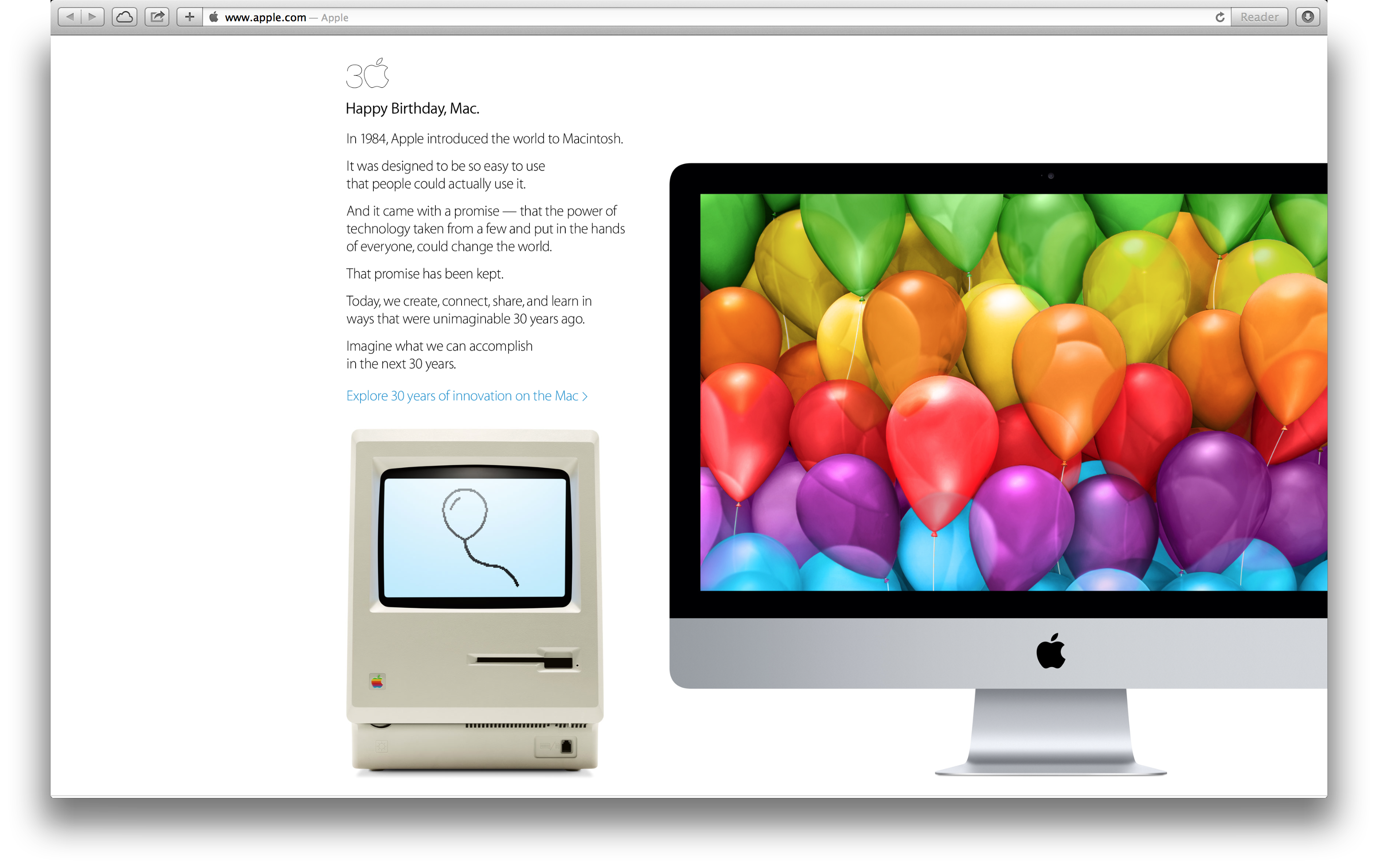
Apple takes over its homepage to celebrate 30 years of Mac, with accompanying video, timeline and poll

In addition to interviews with the press, Apple is celebrating 30 years of Mac with a full-bleed graphic on its homepage, which links to a minisite that plots how the Mac evolved over the years. The message says that Apple made the Macintosh with a promise to get “the power of technology .. in the hand of everyone”. “This promise has been kept.”, it reads. The dedicated minisite depicts a (scrollable) timeline of the major models of Mac since 1984, spanning the PowerBook, the iMac and ending with the Retina MacBook Pro and the brand new Mac Pro.

See the accompanying video after the break.


Expand
Expanding
Close

Pixelmator 3.1 brings 16-bit image support for Mac Pro, integrated photo printing and more

Pixelmator have released the latest version of their app today, version 3.1. As usual, it is available exclusively in the Mac App Store for $29.99. Codenamed Marble, this update brings several enhancements to the image editor including specific Mac Pro optimizations such as 16-bit image support.

Primarily, Pixelmator 3.1 optimises for the new Mac Pro’s hardware. Apple has used Pixelmator before to tout the Mac Pro’s performance benefits, and the developers are clearly keen to push this further still.

The “exclusive” support for the new Mac Pro enables the simultaneous use of both GPU’s  for even faster composition and rendering. In fact, the app can compute the autosave data whilst the image is being rendered. This translates to significant speed improvements across the app.


Expand
Expanding
Close

Site default logo image

U.S. Apple Online Store joins international stores in shipping Mac Pros in March

Repeat of the late-2012 iMac launch, indeed. Joining Apple’s international online stores, Apple’s United States, Canada, and Mexico online stores are now quoting a March shipment timeframe for the “late 2013” Mac Pro. The Mac Pro launched in December to a February shipment quote, and as the month of January nears its end, the new March shipment timeframe indicates little to no improvement in a supply to demand balance for the $3000+ workstation.


Expand
Expanding
Close

Site default logo image

Woodster iMac stand packs in 2 USB ports in a solid chunk of birch or oak

While most accessory makers do their best to get a bead blasted aluminium finish to match the design of the Apple products they are made for, the Woodster stand and USB hub for iMac clearly takes a different approach. The dock will be available in three different types of wood— Birch, Oak, and Beech tree multiplex— and comes in three heights with or without two USB 3.0 ports. The creators plan to ship the stand by March if they can raise €6,000 in funding through an Indiegogo campaign. You can preorder the Woodster through the funding campaign starting at €99 and companies might be interested in customized, branded packs of 6 starting at €450.

How-to: Use Apple Mail rules to automatically filter out unwanted messages

Site default logo image

Preventing unwanted messages from showing up in your inbox can be integral to enjoying email. In this article we will walk you through the process of creating mail rules that will direct messages to other folders or the trash based on conditions you specify. We will also discuss how to update rules to include additional senders or other criteria, and provide some common-sense guidance about effectively using mail rules in general.

Mail rules allow you to direct messages out of your inbox into another folder or trash automatically, based on their sender or other conditions. Rules can be set up on iCloud.com if the email address is the one you use for iCloud (it can end in either @icloud.com, @me.com, or @mac.com).

For your other email addresses, rules can be set up in the Mail app on a Mac. If you set up rules using iCloud.com they are very effective, immediately directing messages to the specified folders on all your devices. If you set up rules using the Mail app, they are effective only after you start up your Mac and open the Mail app.  At the end of this article, I will make some practical suggestions about how to address that, and other aspects of using mail rules.


Expand
Expanding
Close

Site default logo image

CES 2014: CableCore Hub puts your iMac’s USB ports within arm’s reach

During the ShowStoppers press event this week at CES, iCoreGear, a small team of designers and engineers currently raising funds on Indiegogo, showed off a new product called the CableCore Hub for iMac. The idea is simple enough: rather than having to climb on top of your desk and awkwardly fumble with plugging cables into the back of your iMac, the CableCore hub attaches to the base of iMac and brings 3 USB 3.0 ports and an SDXC card slot within arm’s reach. A slightly more expensive version will also include a Bluetooth connected 3.5mm audio jack. It’s powered from one of the USB ports on the back of your iMac, but can also provide high speed charging to all its ports by using a separate power adapter. While a regular standalone USB would get the job done, the CableCore Hub’s bead blasted aluminium base and black polymer top match the iMac perfectly and the design does away with extra desk clutter you get with your average USB hub.

Preorders for the base model are currently at $99 on Indiegogo, while the model with the Bluetooth audio jack will cost you can extra $30. The company expects to ship by May if it can raise the $20,000 it needs through the crowd funding campaign.

Editors Keys turns Apple’s wireless keyboard into the first Logic Pro X shortcut keyboard

Site default logo image

Editors Keys today announced the first ever wireless shortcut keyboard for Apple’s recently released Logic Pro X audio suite.  The keyboard sports 150 shortcuts and the company notes it was also able to fit in some extra shortcuts as icons sitting behind the text on each key. Perhaps the best part of the new Logic Pro X keyboard is the fact that Editors Keys used an actual Apple wireless keyboard for the product, which means you’ll be able to swap out your current Apple keyboard without sacrificing the look and feel. The company says it worked with the Logic Pro X community to develop the best experience possible for users: 
Expand
Expanding
Close

“Small, fast and in a league of its own” – the early Mac Pro verdicts are in

Site default logo image

Audiovisual professionals may have had a very long wait for a new Mac Pro, and that wait may not be quite over, but from the early hands-on reviews it seems they’re unlikely to be disappointed.

The real performance of the machine is currently only being seen with Final Cut Pro, which Apple optimized to take full advantage of the dual GPUs, but it’s a near certainty that Adobe and others will follow this example.

With a price tag of anything up to $14,000 if you completely max it out, this is not a machine that will be seen gracing too many living-rooms, but for those earning their living from audio and video and where time is money, the early hands-on reviews suggest that the Mac Pro lives up to its promise … 
Expand
Expanding
Close

Site default logo image

Veteran Apple ad man Ken Segall praises holiday ad – says Apple still thinking differently

Ken Segall, the ad exec behind Apple’s Think Different campaign, and the man who put the i into iMac, has praised Apple’s new holiday ad, saying that it shows Apple is still thinking differently.

This ad is a holiday card from Cupertino. It lines up perfectly with the values Apple has communicated for years. It’s not about technology — it’s about quality of life.

The takeaway is much the same as one gets from the “Designed by Apple in California” ad, but I like it a hundred times more. In that previous effort, Apple simply told us why it is different. This new spot tells an interesting story and lets us draw that conclusion for ourselves. It’s a more artful, more memorable way to make the point.

Once again, Apple demonstrates it’s a different kind of technology company. Most talk about what goes into their phones — Apple shows what we can get out of them … 
Expand
Expanding
Close

Trouble in Austin: Apple repeats last year’s iMac holiday shortage with the Mac Pro

Site default logo image

The December supply of Mac Pros?

The new Mac Pro is an awesome machine for those with several thousand dollars to spend on a computer and a need for all the power that comes with that thermal core, but managing to get one is going to be difficult for the next few months even if you have the credit card ready. Yesterday, Apple announced that the Mac Pro would go on sale today, December 19th. The store went live last night with the Mac Pro shipping the very last non-holi-day of 2013, December 30th.

As we noted earlier today, Apple’s customers in its home state of California awoke to Mac Pros being quoted to ship in February. But it gets worse…


Expand
Expanding
Close

Site default logo image

Miss Teen USA spied on via MacBook camera while indicator light was off

The Washington Post reports that when a high school classmate of Cassidy Wolf (aka Miss Teen USA) spied on her via the iSight camera in her MacBook, he did so using software that allowed him to keep the green indicator light off while viewing.

Researchers at Johns Hopkins University were able to replicate the exploit, demonstrated in the above video, but only on MacBook and iMac models released before 2008.

Stephen Checkoway, a computer science professor at Johns Hopkins and a co-author of the study. “Apple went to some amount of effort to make sure that the LED would turn on whenever the camera was taking images,” Checkoway says. The 2008-era Apple products they studied had a “hardware interlock” between the camera and the light to ensure that the camera couldn’t turn on without alerting its owner […]

In a paper called “iSeeYou: Disabling the MacBook Webcam Indicator LED,” Brocker and Checkoway describe how to reprogram the iSight camera’s micro-controller to allow the camera and light to be activated independently. That allows the camera to be turned on while the light stays off.

While this particular exploit appears limited to older Macbooks, it was recently revealed through court papers that the FBI has the ability to do the same thing with a variety of current laptops including Apple products.

Site default logo image

9to5Toys Last Call: 1Password for Mac 30% off, MacBook Air $150 off, iMac $160 off, rechargeable batteries $5, more

Be sure to follow 9to5Toys to keep up with the best gear and deals on the web: Twitter, RSS Feed, Facebook, Google+ and subscribe to the new Safari push notifications feature.

Today’s can’t miss deals:

Last Call updates:

Game/App Deals: 1Password for Mac: $35 (Reg. $50), Deus Ex: The Fall: $1 (Reg. $7), iOS freebies, more

Apple Computer Deals: Apple MacBook Air $100 off ($150 for .edu emails), iMac $160 off

Save up to 54% on select AA and AAA AmazonBasics rechargeable batteries

Up to 65% off Sony Flash Memory and Sales on Stocking Stuffers

Belkin WeMo iOS/Android enabled light switch $40 shipped (Reg. $50)

Giveaway: Dropcam Pro Wi-Fi video monitoring camera ($200 value)

Other great deals from today:

The best deals that are still alive:

How-to: Take advantage of Zoom and Large Text in OS X Mavericks

Site default logo image

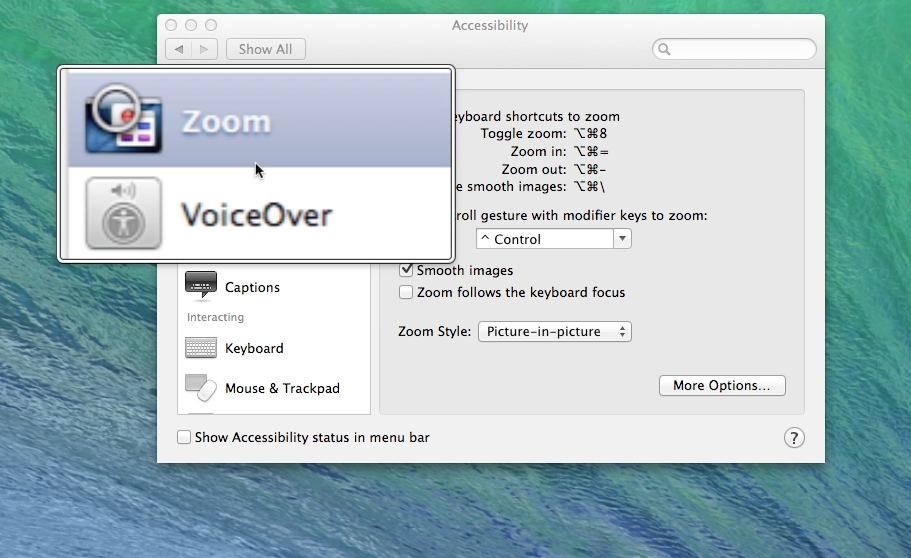
OS X Mavericks has numerous features and settings that make text and images more visible. In this article, I will discuss many options and methods to take advantage of those features in different ways. In pointing out many different ways, I hope to help you find a method that will be a good fit for you.

Use System Preferences, Displays Settings:
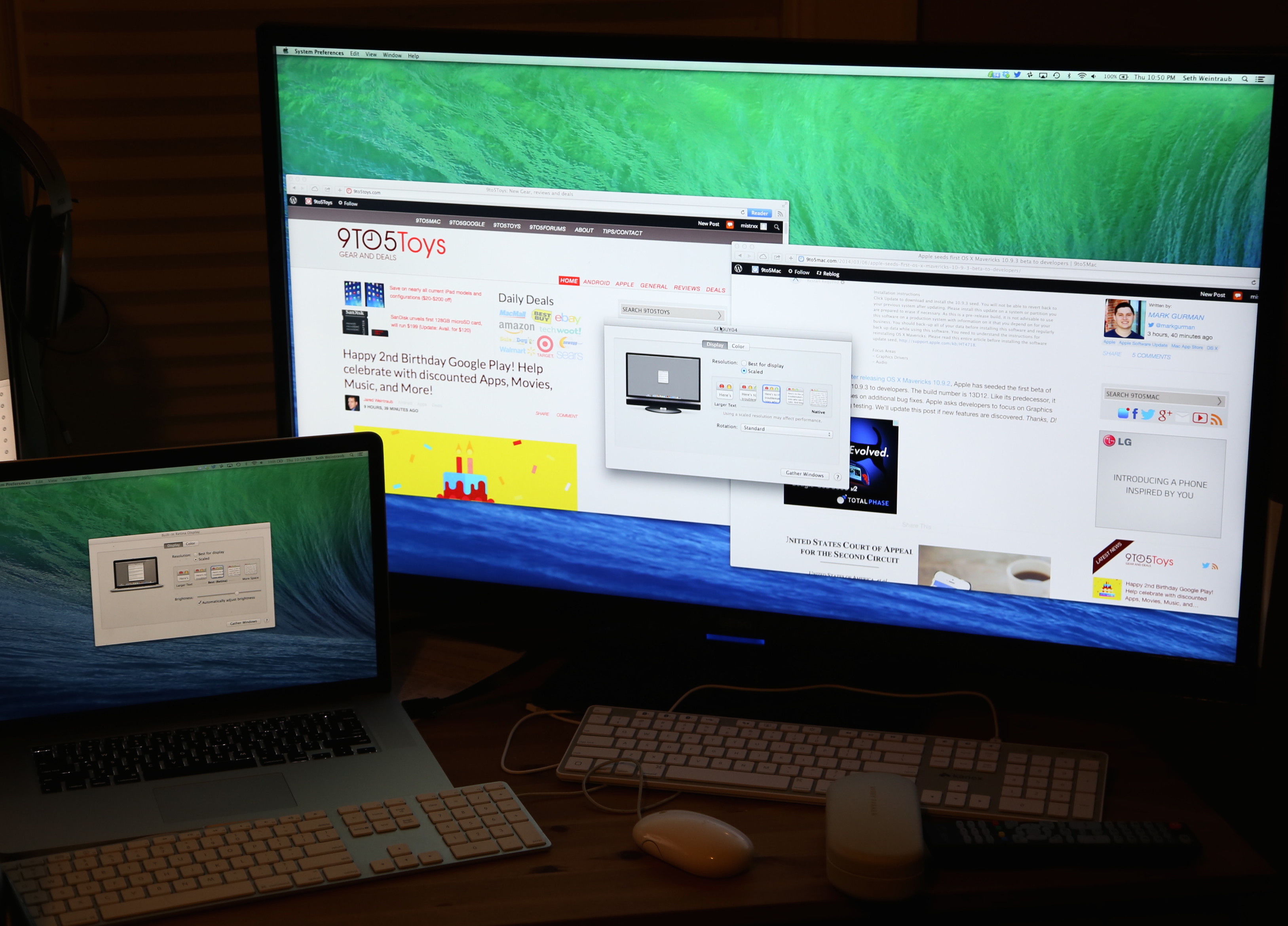
Access System Preferences from the dock or the Apple on the menu bar, and click on Displays. Then click on the Display tab. Choose Scaled, and the different resolution settings available are displayed. The options available vary, depending upon what resolution your model of the computer is capable of displaying. Adjust the settings by choosing different options—the lower the numbers are in the setting, the larger objects will be displayed. Below are examples of the display setting options you will see on a white MacBook, an older iMac, and a MacBook Pro with Retina display … 
Expand
Expanding
Close

Filemaker releases new version for 2013 with HTML5 data entry, new iOS features and tightened security

Filemaker, a subsidiary of Apple, has just announced its 2013 version of its popular database application. The new version focuses on bringing desktop database solutions to the browser. New in Filemaker ’13, projects can now be managed through a centralized web dashboard, with options for partner portals and file hosting. More importantly, data entry can now be taken in a web interface — HTML5 powered forms enable businesses to manage their deployments on any PC or Mac, as there is no longer a reliance on having the native applications installed.


Expand
Expanding
Close

How-To: Start using Maps in OS X Mavericks

Site default logo image

Apple has finally implemented a maps app in the OS X platform, and it seems to have been worth the wait. After being noticeably missing from the system, Maps (and iBooks) are helping achieve a greater consistency between the iOS and OS X platforms. After running the free Mavericks update, the Maps app icon will automatically be added to your dock.

In this guide, we’ll show you how to use the new app for everything from searching for locations to getting turn-by-turn directions set directly to your iPhone.


Expand
Expanding
Close

Unlock your Mac by knocking on your iPhone with the new ‘Knock’ app

http://www.youtube.com/watch?v=CyX8FfSKg04

Knock uses a combination of an iPhone app (currently offered at an introductory price of $3.99)  and a Mac app (available for free at Knock’s website) to enable unlocking of your Mac, wirelessly, by just knocking the back of your iPhone.

It’s a surreal experience. After a couple of minutes of initial setup, you lock your Mac and rap the back of your paired iPhone twice. Your Mac unlocks. The app doesn’t even have to be forefront on your phone, although it does have to be ‘open’ in the multitasking tray. In fact, your phone doesn’t even have to be unlocked. When it senses the Mac is near, a notification appears on the lock screen instructing you to knock. There are some nice UI touches too. For instance, echoes of the ‘sound wave’ appear on OS X’s lock screen in real time as you knock. It’s a subtle visual indicator that the system is actually working.


Expand
Expanding
Close