Latest

Site default logo image

Groupon launches POS app to expand payments service for merchants to iPad


Update, Tues, May 14: It looks like the Groupon POS was launched prematurely and has now been pulled from the App Store. However, today Groupon appears to have rolled out the app as the new Breadcrumb POS app that will now be the face of its payments service for merchants. The old Breadcrumb app, which Groupon acquired last year, will now be called “Breadcrumb Pro”.

It appears Groupon is today launching a mobile payments app dubbed “Groupon POS” that will rival Square’s Register app and allow merchants to accept and manage payments directly from an iPad. The company has yet to make an official announcement but the app is already live on the App Store here.

Last year Groupon launched a similar app for iPhone called Groupon Merchants alongside its Groupon Payments service that allows business owners to accept payments through a credit card reader available for iOS devices.

The new Groupon POS app appears to be a scaled back version of the Breadcrumb POS app that the company acquired last year with the iTunes page noting that it best suited “for a wide variety of merchants from cafes and delis, to salons, spas, and florists.”

The iTunes page also says the app will work “with an optional cash drawer and printer,” although its unclear if Groupon plans to sell the hardware directly to customers like Square recently started doing with its business in a box offer.

We’ll update with a link to Groupon’s official announcement when/if it makes one.

Site default logo image

Flipboard updated with new profile pages, ‘Friends’ category, SMS sharing, improved Google Reader navigation, more

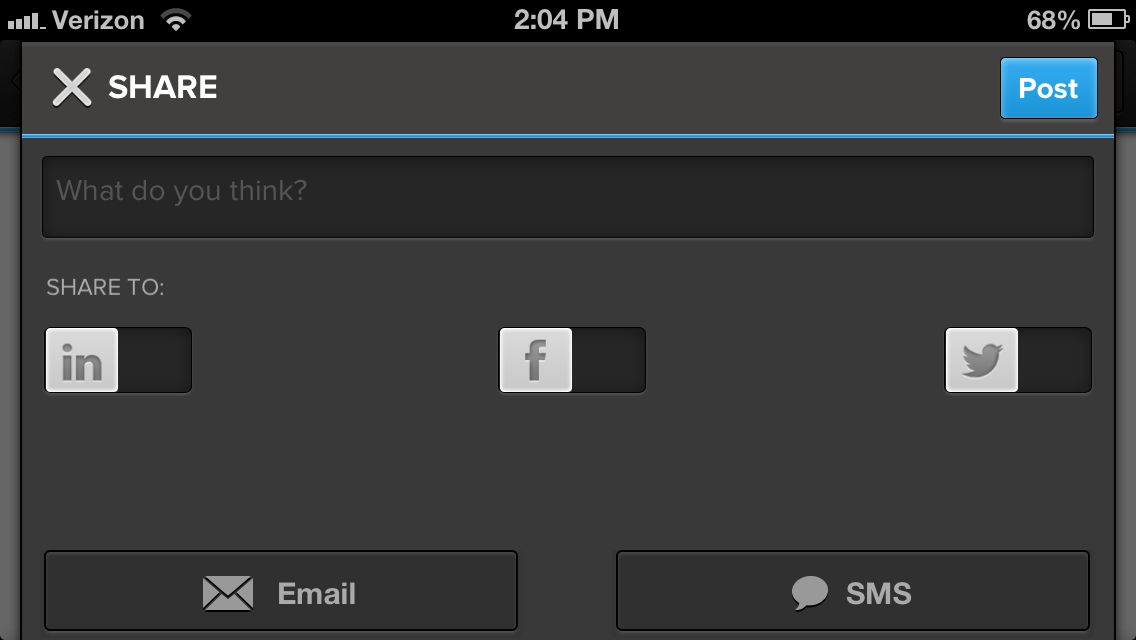
A big update today for the Flipboard app for iPhone and iPad brings new profile pages that will allow content creators to get info on their “readership and curation activity,” a new Friends category in the Content Guide, improved sharing options including SMS, and the ability to save to your camera roll by tapping on an image.

The updated app, version 2.0.2, also includes “Improved navigation for Google Reader RSS folder,” making it easier for those making the switch from Google Reader to find their content.

What’s New in Version 2.0.2

-Get a window onto your readership and curation activity with new profile pages.
-Discover magazines by friends quickly in new Friends category in the Content Guide.
-Select a social network and access options more easily in the improved share menu.
-Share magazines and stories with friends and family via SMS text messaging.
-Save images directly to your device. Tap item’s share icon, then “Save to Camera Roll.”
-Improved navigation for Google Reader RSS folders

Amazon launches Cloud Drive Photos app for iPhone

Site default logo image

Amazon today released an iPhone version of its Amazon Cloud Drive Photos mobile app that it originally launched on Android only back in November. Amazon;’s Cloud Drive Photos app for iPhone, like the Android version, will allow users to back up and view photos to their Amazon Cloud Drive accounts. Up until today, iOS device users have only had access to Amazon’s Cloud Player app for streaming music stored in an Amazon cloud account.

The app provides everything a user might need to ditch Apple’s less than perfect iCloud Photostream feature, including the ability to automatically save photos taken on your iPhone to Cloud Drive, access your entire Cloud Drive photo collection from any device, and easily share through social networks.


Expand
Expanding
Close

Site default logo image

Netflix iOS app updated with auto-play episodes for TV shows, movie recommendations & an enhanced second screen experience

Netflix-iPad-UI

Update: Netflix clarified in a post on its blog that the new auto-play features have rolled out only for the iPad app.

Netflix has updated its iOS app today with new features that brings movie recommendations and a new auto-play feature for TV shows, among other improvements, to iPhone and iPad.

Version 4.1 of the Netflix app now includes and auto-play feature for TV shows that will automatically start the next episode of a season after the last episode ends, a feature that Netflix has included in its apps on other devices. Another new feature displays movie suggestions with three of the best recommendations based on your viewing habits directly after watching a movie.

Netflix also said it added enhanced second screen options in the app:

What’s New in Version 4.1

The new Netflix app makes it even easier to enjoy more movies and TV shows. Enjoy binge watching your favorite TV shows and get the best movie recommendations with this new update.

• Added post-play feature where, when one episode of a TV show ends, the Netflix app automatically cues and then starts the next episode
• In post-play for movies, the three best movie recommendations are displayed at the end of the movie currently being watched
• Added enhanced second screen options

Graphics editing app Pixelmator receives large ‘Blueberry’ update with new shape tools, effects, and more

Site default logo image

If you’re someone that regularly edits photos, or enjoys graphic design work, then you’ve likely used Pixelmator, which is arguably the best alternative to Photoshop on the Mac. Today, the popular $15 app is getting a huge update, known as 2.2 “Blueberry,” which includes over 100 new features. I’ve been testing out the new options, and they’re pretty great…


Expand
Expanding
Close

Site default logo image

Facebook Pages Manager for iOS rebuilt for speed, gains emojis, photo filters, and stickers

Screen Shot 2013-05-08 at 4.59.48 PM

Facebook has updated its Pages Manager application for the iPhone, iPad, and iPod touch by re-building the core of the app. By re-writing the app for speed, the application is now faster for scrolling through page timelines, loading photographs, and more. Facebook previously re-built its other iOS apps for speed, shunning web-based technologies and using more native Objective-C code.

Facebook Page Manager is an app that makes the management of Facebook Pages easy on-the-go. The application originally launched approximately one year ago, and it also includes helpful analytics information for Page owners.

Today’s update also brings improvements to photo uploads such as filter and auto-enhance support.

Facebook’s Stickers and emojis are now accessible for use in messages from this app as well.

The app update is free on the App Store.


Expand
Expanding
Close

Site default logo image

Paper by FiftyThree updated with ‘Made With Paper’ feed, pinch to zoom, & Expressive Ink Engine built on OpenGL

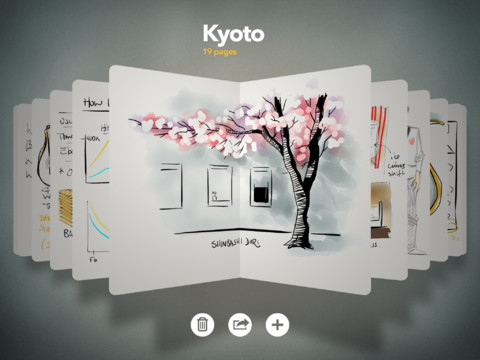
Paper-By-Fifty-Three-iPad-appThe extremely popular 2012 App of the Year ‘Paper by FiftyThree’ has been updated today with a few notable new features making it even easier to create beautiful sketches, illustrations, and more. Among the new features, developer FiftyThree has added a new “Made with Paper” feature that acts as a feed for inspiration displaying ideas and artwork “from creative minds around the world.”
Other new features in version 1.3.1 include pinch to zoom, and a new ink upgrade that introduces the Expressive Ink Engine built on OpenGL for faster rendering.

The free Paper by FiftyThree iPad app is available on the App Store now.

What’s New in Version 1.3.1

EXPLORE. SEE WHAT THE WORLD IS MAKING.

• MADE WITH PAPER—Find inspiration in this feed of fresh ideas from creative minds around the world.
• ZOOM—Get closer to your ideas. Pinch to bring up zoom without losing your place.
• INK UPGRADE―Our Expressive Ink Engine™ is now built on OpenGL for faster rendering.

Site default logo image

Following acquisition, Pulse iOS news app updated with sharing to LinkedIn

IMG_2415

The free Pulse news-reading app for iPad, iPhone, and iPod touch has been updated with support for sharing articles to social network LinkedIn. Of course, this update should come as little surprise as Linkedin acquired Pulse last month for $90 million. Additionally, the new update includes sharing to the Evernote service.


Expand
Expanding
Close

Site default logo image

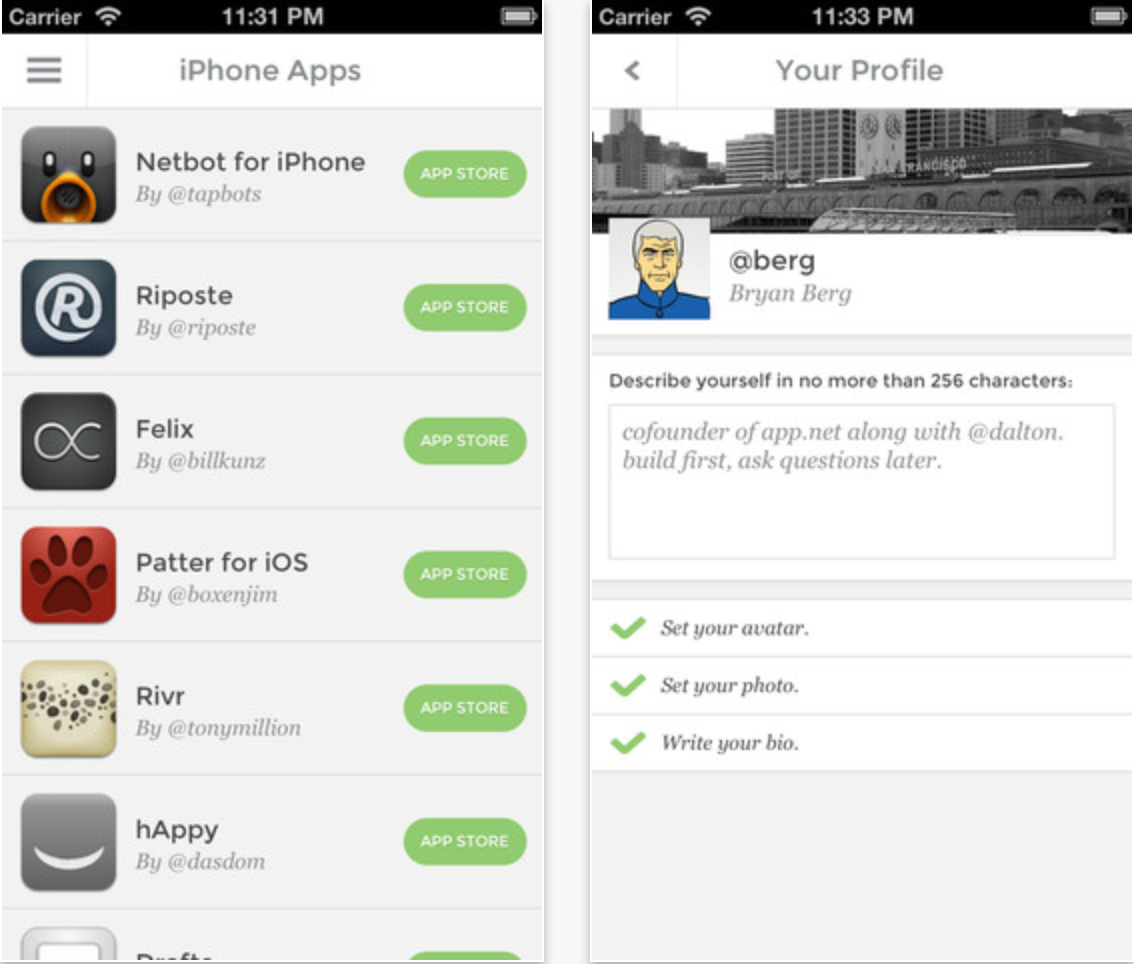
App.net launches ‘Passport’ app for iPhone to manage accounts, find browsing clients, sign up for free

Screen Shot 2013-05-08 at 1.38.52 PM

New Twitter-like social network App.net has launched an iPhone and iPod touch app called “Passport.” The application serves as a simple way to manage App.net accounts, edit your profile, and find and follow other App.net users. Importantly, the “Passport” app does not serve as a browsing client for an App.net feed, but rather as an app primarily focused on finding third-party App.net clients.

Notably, the app allows you to create a free account. Previously, to get a free account, users needed to have been invited by an existing user.

The app is available for free on the App Store. We previously posted a guide to our favorite App.net clients. You can follow us and our staff on App.net.


Expand
Expanding
Close

Site default logo image

Bad Piggies for iOS updated with 15 new levels, ability to record & share in-game tricks

Bad-piggies-record-and-shareRovio has updated its popular Bad Piggies title for iPhone today with a ton of new content including 15 new levels, a new feature that lets users record and share tricks, an all-new sandbox, and a selection of new in-game gadgets. 

The app, however, is yet to receive Rovio’s just announced ‘Account’ feature that lets users save game progress in the cloud and resume playing on any device.

The HD iPad version of the app receives the same update.

What’s New in Version 1.3.0

Rise and swine! It’s a beautiful morning, but the Bad Piggies have just one thing on their mind: FOOD! Use two ALL NEW gadgets in these 15 NEW LEVELS to track down some elusive chocolate cake!

15 new sun-drenched levels!

Record your best tricks in-game and share through your favorite social networks!

Climb walls with the new suction cup gadget!

Punch your way to victory with the new spring-loaded Boxing Glove!

Fill your need for speed in a new Road Hog challenge!

Go crazy in an all-new sandbox!

Site default logo image

Readdle’s PDF Expert iPad app updated with improved annotating, more

mzl.modimvtq.480x480-75

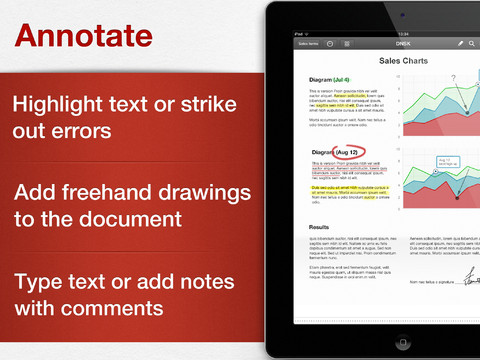
Readdle has updated its popular iPad document storing and annotating app, PDF Expert, with several new features for annotating. 

-Сopy and Paste Annotations

-Move, resize and change properties of multiple annotation

-New layout in annotations toolbar for rect/oval/line/arrow

-Improvement in Text Highlight tool

Additionally, the update includes various other enhancements:

-New Day/Time keyboard for form filling

-New layout in annotations toolbar for rect/oval/line/arrow

-Added save/discard changes prompt to Save as -> Flatten

-Sync folders are supported in pdfefile:// scheme

-Increased timeout for move pages with tap & hold

I’ve been using PDF Expert for a while, and it is truly a powerful, easy-to-use solution for managing PDFs. Today’s update is free, but the app costs $9.99 on the App Store. There is a separate iPhone version as well for the same price.  


Expand
Expanding
Close

Site default logo image

Amazon Cloud Player app gets support for Ford’s voice-controlled SYNC AppLink platform

Amazon-Cloud-Player-App-icon-logoFollowing Spotify’s update early last month, Amazon has updated its Cloud Player iOS app today with support for Ford’s voice-controlled SYNC AppLink platform that allows users to control supported apps on their smartphones through voice commands and buttons on the steering wheel. The update brings Ford SYNC compatibility to the iPhone and iPod touch, as well as improved VoiceOver support and other enhancements.
The updated app will allow users with access to Ford’s SYNC platform in their vehicles to stream songs, albums, and playlists straight from the cloud or stored on the user’s device.

What’s New in Version 2.1.0

– Now supports Ford Sync on iPhone and iPod touch
– Improved experience when adding songs to a playlist
– Improved VoiceOver support

Site default logo image

Boingo Wireless’s iOS app updated with $7.99/month subscription billing via iTunes accounts

Screen Shot 2013-05-07 at 9.47.23 AM

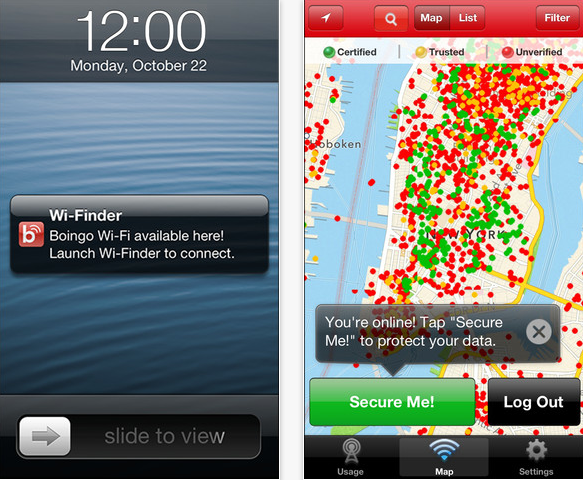
Boingo Wireless has updated its iPhone, iPad, and iPod touch “WiFi Finder” application with the ability to sign up for WiFi hotspot subscriptions with iTunes credentials. Boingo has over 600,000 WiFi hotspots worldwide, and I typically see Boingo hotspots at airports across the country. Being able to sign up via an iTunes-based subcription will make using a Boingo hotspot easier than ever, so even though Boingo is seemingly giving up a 30% cut to Apple for these new subscriptions, their user base will probably grow due to the easier sign up process. The plan via iTunes is $7.99 per month. As it has always done, the WiFi Finder app features a data tracker and a VPN service. The app is available for free on the App Store. 


Expand
Expanding
Close

Site default logo image

RunKeeper iPhone app updated with support for Pebble Bluetooth watch, new languages

RunKeeper, one of the more popular fitness tracking apps for iPhone, was updated today with support for one of the most popular Bluetooth smart watches, the Pebble e-paper smart watch. The app also receives support for new languages including Spanish, French, German, Italian, Brazilian Portuguese and Japanese, as well as other performance improvements and fixes.

The updated app will allow you to use your Pebble smart watch to pause and resume RunKeeper from your wrist and view stats during a work out right on the Pebble’s display:

What’s New in Version 3.3

Support for new languages!
You can now use everything from goals to audio coaching in Spanish, French, German, Italian, Brazilian Portuguese and Japanese!

Track your runs with your Pebble watch!
– Use your Pebble watch to view your stats while working out.
– Pause and resume RunKeeper right from your wrist.

Lots of other improvements and fixes for bugs that you hopefully never noticed!

Site default logo image

Viber releases Mac app for its messaging and VoIP platform, now 200 million users strong

Viber, the company behind the extremely popular free messaging and VoIP mobile apps for iOS and Android, today took another step towards offering a true Skype alternative by releasing native desktop apps for both Mac and PC.

Not only do the new desktop apps sync and integrate seamlessly with the existing mobile apps, they are also Viber’s first apps to allow video calls. As part of the rollout of the new desktop apps, Viber officially moves into version 3.0 and with it brings new features to the iOS and Android apps including video messages, a revamped photo experience, and a new voice engine with support for eight new languages. With the updated mobile apps, you’ll also have the ability to transfer live calls between your iPhone and the Mac app.

Viber Desktop and the latest versions of the Viber app were designed from the ground up for individuals using Viber on multiple devices, so you can always use the app that’s right for you, whether at home, in school, at the office, or on the go. Viber offers far more flexibility than any similar product. Some of the key combined features include:

-Seamlessly transfer calls between Viber Desktop and the Viber app with one click or tap

-Received and Sent messages are shown on all devices, but will only “beep” on the device you are currently using

-Messages and conversations you delete from one device will be removed from all devices

On top of officially unveiling the new desktop apps, the company confirmed today it has now reached over 200 million users in 193 countries.

Site default logo image

Facebook adds ‘Stickers’ to Messenger iPhone app, brings back swipe-to-delete

Screen Shot 2013-05-06 at 3.54.29 PM

Facebook has updated its Facebook Messenger for iPhone and iPod touch application to add the popular Stickers functionality. Stickers will roll out to users gradually and is already available in the standard Facebook for iOS app. Additionally, by popular request, the company has brought back swipe-to-delete functionality for conversations. The update also includes unspecified bug fixes. The app is available for free on the App Store. 


Expand
Expanding
Close

Site default logo image

Gmail for iOS updated with link support for YouTube, Google Maps, Chrome, and more

Screen Shot 2013-05-06 at 10.56.00 AM

Gmail for iOS received an update that includes the ability to open links in Gmail directly to YouTube, Google Maps, and Chrome, assuming the apps are installed.

The feature can be turned off if you prefer.

What’s New in Version 2.2.7182

– YouTube, Google Maps and Chrome links go directly to the app instead of the mobile web, if installed. You can turn this off using the in-app settings.

– Added support for signing out of a single account instead of having to sign out of all accounts at once.

The update is available now in the App Store.

T-Mobile launches subscription based ‘T-Mobile TV’ app for iPhone

Site default logo image

T-Mobile has offered its TV service through an Android app since 2010, but today the carrier has finally released an iPhone version of the app that offers subscription based packages of popular TV shows, sports, and Live or On Demand programming (via TmoNews).

T-Mobile is currently offering 30 days free access to a number of networks including FOX news and Associated Press, Saturday Morning TV, Campus Insiders & ACC Digital Network, but $12.99 a month will get you access to the following:

• Live and On Demand sports from ESPN Mobile TV, NBC Sports, and CBS Sports.
• Kids programming including the Disney Channel, Nickelodeon, Discovery and Animal Planet.
• Streaming news from ABC News Now, Bloomberg, FOX News and FOX Business.
• On Demand Primetime and Reality shows from ABC, CBS, FOX, and NBC and more.
• Includes programming from ABC Family, MTV, Spike TV, Comedy Central, E! and VH1.

T-Mobile is also offering additional discounts on the packages when purchasing 90 or 180 day subscriptions and you’ll be able to subscribe to additional premium packs of content ranging from $5.99 to $7.99 per month that include: Crackle Movies, E!, TLC, The Style Network, Lifetime, PBS Kids, Nick JR, Discovery for Families, and more:
Expand
Expanding
Close

Site default logo image

Verizon’s My FiOS iOS app adds remote control, DVR scheduling, TV listings, more

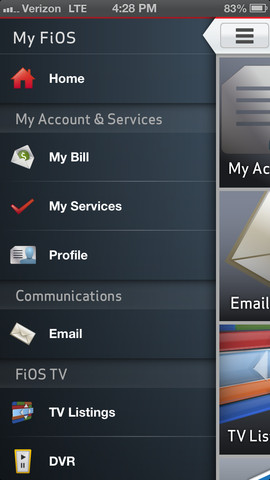
My-FiOS-iOS-App-remote-control-DVRVerizon has just pushed out a nice update to its My FiOS app for Verizon FiOS customers that brings more integration of TV functions to the app. Version 3.3.2.8 of the app now includes the ability to view FiOS TV and VOD listings, set parental controls, and access remote control options for functions such as scheduling DVR recordings & more.

The update also includes Voice Assistant feature for the Verizon support tool and  the ability to opt-in to push notifications “for billing alerts, service outages, etc.”

What’s New in Version 3.3.2.8

Bug fixes
Integration of FiOS TV functions (TV Listings, DVR scheduling and Remote Control)
Enhanced Verizon Support tool – including Voice Assistant function
Support for opt-in Push notifications for billing alerts, service outages, etc.

The free Verizon My FiOS app for iPhone and iPad is available on the App Store now.

Site default logo image

StubHub iOS app gets price alerts, improved search & more interactive venue maps

StubHub Seat MapsThe StubHub iOS app was updated today to version 4.3.0 and added more interactive venue maps (now over 1000), price alerts to get notifications for your favorite events, easier account sign up, improved search, and more.

The updated StubHub app is available for free on the App Store.

What’s New in Version 4.3.0

Finding the tickets you want is even easier with Price Alerts, easy account sign-up, improved search, and more interactive venue maps (1,000+ and counting!).

• Set Price Alerts for your favorite events and get notifications on your device when we find tickets that match what you’re looking for.
• Don’t have a StubHub account yet? Now you can sign up without leaving the StubHub app – and it’s super quick.
• If we don’t find events with tickets in your location, we’ll automatically show you results in all locations.

Site default logo image

YouTube Capture iOS app adds HD enhancement previews, Wi-Fi only uploads, more

YouTube-Capture-01YouTube’s Capture app for filming and sharing video to YouTube was updated today to version 1.3 bringing a few new features alongside performance enhancements. The updated app now includes high definition previews of enhancements, an option to “Only upload on Wi-Fi”, and more:

What’s New:
✓ HD preview of enhancements
✓ “Only upload on Wi-Fi” option
✓ Upload shows time remaining
✓ Faster launch speed

Things We Fixed:
☂ Misbehaving when low on storage space
☂ Misbehaving while uploading

Site default logo image

Instagram updates mobile apps with new ‘Photos of You’ feature

http://vimeo.com/65246801

Instagram announced today that it is updating its iOS and Android apps with a new feature dubbed ‘Photos of You’ making it easier to view and be notified of photos you care about most. The feature will make it easier for users uploading images to add mentions of people or things and also adds a new “Photos of You” section on your profile where tagged photos will gather:

When you upload a photo to Instagram, you’re now able to add the people and things in the photo as easily as you add a location and hashtags. When someone adds you to a photo, you’ll receive a notification and the photo will appear in your “Photos of You” – the new section on your profile where you can curate all of the photos you’ve been added to. Want to make sure you like the photo first? No problem: you can easily adjust your settings so nothing appears on your profile until you approve it.

The feature will be in a sort of beta mode until May 16th at which time the Photos of You section will become visible on users’ public profiles.

Version 3.5 of Instagram with the new Photos of You feature should be hitting the App Store any minute.

You can check out the feature via profiles of a few Instagram employees already using Photos of You:

http://instagram.com/kevin

http://instagram.com/mikeyk

http://instagram.com/Jeffreydgerson

http://instagram.com/Maxvoltar

http://instagram.com/Dantoffey

Site default logo image

Onavo Protect helps secure your data while on open and public Wi-Fi networks

OnavoProtect

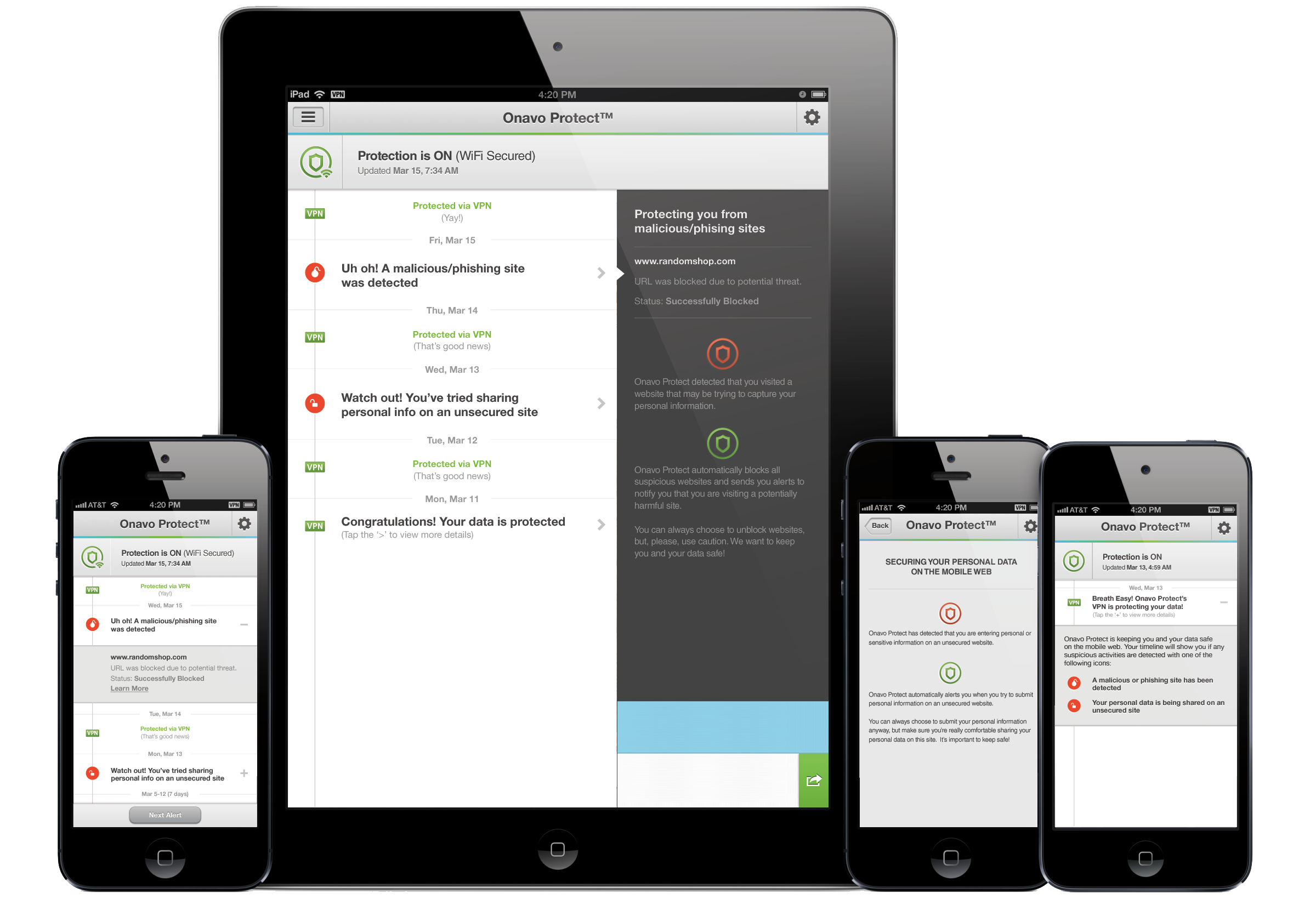
Released today in the App Store, Onavo Protect promises to protect you while browsing the web on your iPhone. The app allows you to set up an always-on VPN connection, adding an extra layer of security to your browsing experience when you’re on public Wi-Fi networks. Unsecured wireless networks open up the possibility of your personal data being intercepted, and Onavo Protect is intended to keep you safe from those with malicious intent. Additionally, the app warns users when the site they are using is attempting to send a password in an insecure manner, and automatically blocks known phishing sites.


Expand
Expanding
Close