How-to

See All Stories

A collection of tutorials, tips, and tricks from the 9to5Mac team helping you fix and get the most out of your favorite gear.

9to5Mac How To tutorials

Top tutorials and guides

iPhone how-tos

Mac how-tos

iPad how-tos

Apple Watch how-tos

The Logic Pros: How to create Retro Synth patches with custom wavetables and multi-voice stacking

In this week’s episode of The Logic Pros, we will take one final look at some of the new additions to Logic Pro X 10.1. We have already gotten a taste of a number of very helpful new features including custom plug-in menus, Track Stacks, the Brush Tool and the powerful new Drummer features, but today Retro Synth is on tap.

While Logic already had a number of classic synth-inspired virtual instruments like ES1, 2 and more, we are talking about instruments that have been around for 10 years+. A serious breath of fresh air for Logic users, Retro Synth (RS) wraps all the major synthesis disciplines of yesteryear – classic subtractive, hard sync, FM and more – into one, neatly packaged virtual instrument. Not only does RS standup to many of the basic analog synth emulations out there, but the LPX 10.1 wavetable updates just put it toe-to-toe with many of the $200+, third-party flagships:
Expand
Expanding
Close

How-To: Go beyond OS X Photos + make amazing wall art from your Mac’s pictures (Part 1)

Apple knew it had something special to share with the world when it released iPhoto in 2002: in addition to printing 20″ by 30″ poster-sized photos, the original iPhoto’s “most stunning feature” (according to Apple) was a page layout tool that quickly turned digital photo collections into printed hardcover books. These were Apple’s acknowledgements that tangible photos still had value in a digital era, and it subsequently added calendars, greeting cards, softcover books, and letterpress cards to iPhoto. Apple’s newer app Photos for Mac hides these options under the File menu at the top of the screen, and hasn’t expanded on them, a shame considering how nice the results look.

But apart from including the poster options in 2002, Apple never added “large-format art” to the list of things its photo apps could produce. Back in 2002, digital cameras were so low-resolution that they struggled to produce pixel-free 4″ by 6″ photos, so it’s no surprise that Apple wasn’t trying to build a market for large prints. Thankfully, a lot has changed since then. Canon currently sells two 50-Megapixel cameras, Sony has one 42-Megapixel camera, and Nikon offers four 36-Megapixel cameras. iPhones and iPads can create up to 43-Megapixel ultra-wide panoramas. A large, properly-composed print from any of these cameras (or even the more common 20- to 25-Megapixel cameras people are using today) will look amazing hanging on the wall of your home or office… if you know how to do it.

I wanted to see what the best options were for large-format photography, so I reached out to a collection of excellent art print services to see how digital photos would look on metal, glass, and canvas — materials Photos doesn’t offer. In Part 1 of this How-To guide, I’m looking at large-format metal prints that apply dyes and gloss directly onto aluminum surfaces, with results as saturated as Apple’s famous “nanochromatic” iPod nanos. A new Part 2 looks at large-format canvas and glass prints. Read on for all the details…


Expand
Expanding
Close

Site default logo image

How likes & other user input work to personalize your Apple Music experience

Apple has talked a lot about how it’s tackling curation better than the other guys by putting a big focus on hand-picked, human curated playlists for Apple Music, but how exactly does a user’s input alter the music the app serves up? The Loop’s Jim Dalrymple spoke directly with Apple to answer that question and put together a guide detailing exactly how likes and other user input work to customize some aspects of Apple Music but not others:

First, let me tell you one of my big problems, or sources of confusion, with likes on streaming services. Let’s say I’m listening to a Metal station and a great song comes on, but I consider it to be Rock. Do I like it? I enjoy the song, but I’m afraid if I like it, more Rock songs will come on the Metal station, diluting it… What if I don’t like it? Will it never show up again, even in Rock? Perhaps I should skip it, but is that equivalent to a “dislike”?

The guide is great if you really want to make the most of the service, but further proof that Apple Music is a complicated mess and not very intuitive for users when it comes to how likes, hearts, and other user input features of the service affect recommendations.

Head over to The Loop for the full guide on how the way you use Apple Music might make for a better, more personalized experience.

How-To: Record live Beats 1 radio shows on your Mac for free

Apple’s Beats 1 global radio station went online this week, and its programming is already grabbing plenty of headlines. The challenge: just like conventional radio, the station doesn’t (yet) offer on-demand recordings of complete past shows. If there’s a DJ, specific artist, new show, or interview you’re really interested in hearing, you’ll need to tune in live… or, if you have a spare iOS 8.4 (or soon, iOS 9) device, you can use this handy guide to record Beats 1 shows using OS X’s free built-in app QuickTime Player. Read on for the details…


Expand
Expanding
Close

How to cancel/stop Apple Music subscriptions from automatic renewal after free trial

Site default logo image

Apple Music officially launched today in iOS 8.4 alongside an integrated radio service featuring the 24/7 live streaming station known as Beats 1. Everyone is getting a free three month trial, but once that ends, Apple will start charging the credit card on your Apple ID with either the $9.99/month plan or the $14.99/month family plan (depending on what you selected when first signing up). If you want to cancel your subscription, or just keep it from auto-renewing so you can go month-to-month and manually activate it when you want, below we’ve put together a quick guide on how to do so across platforms:
Expand
Expanding
Close

How-To: Move your playlists from Spotify, Rdio, and more to Apple Music

Site default logo image

With the launch of Apple Music just around the corner, music lovers currently subscribed to competing services like Spotify and Rdio may be looking to jump ship and give Apple’s offering a try. Apple first confirmed in a Beats Music FAQ that there will be a Beats Music update that allows users to import their libraries to the newer service, but users with music collections elsewhere seem to be out of luck without any official migration tool.

Thankfully, there’s an unofficial route to import all of your playlists from multiple services to Apple Music, but you’ll need to act before the 30th if you don’t already have a Beats Music account as Apple could turn off new subscriptions (and trials) at any moment.

Keep reading for instructions…

The Logic Pros: How to customize Logic’s Drummer, beat-by-beat

In this week’s episode of The Logic Pros, we wanted to dive deeper into Logic Pro X’s Drummer. Considered by many to be a tool for kids, amateurs and even the lazy, Drummer is a much more versatile and customizable feature than you may think. In fact, I would argue it might be one the most interesting and powerful additions to LPX, not to mention one that Apple just hands out for free.

Whether its the slightly embarrassing drummer names or the preset stigma that surrounds it, Drummer tends to be overlooked and, in my opinion, quite underrated. Today we will be taking a closer look at what this feature has to offer, along with how to customize the drummers and the parts they play to work with our original compositions and ideas:
Expand
Expanding
Close

The best Mac desk, chair, decor, and peripherals for your home office

Like Apple Watches, home offices are “personal” — the look and furniture that work well for one person might not seem “right” to another. But the unified metal and glass aesthetic of Apple products works really well with modern office furniture, and there are also some iconic decor items Apple lovers can incorporate into a home office.

I spend a lot of time working from my home office, and have considered it a work in progress ever since I started building it around an aluminum PowerBook many years ago. Below, you’ll find a collection of items that will help you build a beautiful, practical home office that really spotlights your Apple gear, based on a mix of affordable and small investment-worthy choices…


Expand
Expanding
Close

The Logic Pros: 6 powerful new features you may have missed in Logic 10.1

The Logic Pros is a new regular series exploring all of the most interesting gadgets and software for making music on your Mac/iOS devices. If there is any gear you would like us to take a closer hands-on look at, let us know in the comments section below or shoot us an email.

In this week’s edition of The Logic Pros, we will be diving into some of the most tucked away and over-looked features packed inside the release of Logic Pro X 10.1. We saw a number of interesting new features get added including AirDrop/Air Mail, a host of new Drummers, and Retro Synth got a seriously powerful overhaul (something we will be looking at in the future). But there were also a few features that didn’t get much attention, whether it be Logic’s brand new MIDI performance creation tool, its simple embedded automation, smarter quantization, or its fully customizable plug-in menus:
Expand
Expanding
Close

The Logic Pros: How to control anything in Logic using your hardware MIDI controller

The Logic Pros is a new regular series exploring all of the most interesting gadgets and software for making music on your Mac/iOS devices. If there is any gear you would like us to take a closer hands-on look at, let us know in the comments section below or shoot us an email.

In this week’s edition of The Logic Pros, we will be looking at how to map all those fun looking sliders, switches, buttons and encoders on our controllers to various functions inside of Logic Pro X. In many case, we get home with our MIDI controller, plug it in, and it just works. The keys/pads function just as they should, but the plethora of other dials and faders available generally won’t do much, unless you tell them to.

We will be covering the basics of how to get our MIDI keyboard/controller mapped to just about any parameter in our session, along with a few creative ways to bring some of Logic Pro X’s more powerful features into the real world:
Expand
Expanding
Close

How-To: Prepare your iPhone, iPad or Mac for iOS 9 + OS X El Capitan public betas

Up until recently, unfinished “beta” versions of iOS and OS X were only officially available to registered Apple developers, enabling companies to make their apps compatible before the operating systems were publicly released. But to increase openness and expand its pool of beta testers, Apple decided to offer “public betas” of both iOS and OS X to interested users, starting with iOS 8.4 and OS X Yosemite. Very soon, both iOS 9 and OS X El Capitan will become available as public betas under the Apple Beta Software Program, which you can sign up for here.

Should you install these new and unstable betas on your iPad, iPhone, or Mac? What can you really expect after doing so? Below, I’ll provide you with some guidance so you can make an informed decision to participate in the public betas, or hold off…


Expand
Expanding
Close

How to get your content on Apple Music and manage your ‘Connect’ artist profile page

Site default logo image

Now that Apple Music is official and launching at the end of the month to replace Beats Music, artists can already start submitting music and signing up to manage their artist page. Apple Music introduces new social features under the “Connect” branding, allowing artists to share content, post updates, and connect with fans in a number of ways like never before. While some thought these features would be limited to big artists from major labels, Apple surprised somewhat and delivered for independent artists by making the feature open to all. Here’s how artists can take advantage…


Expand
Expanding
Close

How to publish on the new iOS 9 Apple ‘News’ app

Site default logo image

Apple unveiled its brand new iOS 9 “News” app today that will bring a reader experience comparable to magazine-style apps like Flipboard that pull in content from various sources around the web. It’s starting with an initial list of publishers like Vanity Fair, Vogue, GQ, Wired, and others, but here’s how to get your own content in the app.
Expand
Expanding
Close

The Logic Pros: How to create multi-layered synth patches & drum sounds with Track Stacks

The Logic Pros is a new regular series exploring all of the most interesting gadgets and software for making music on your Mac/iOS devices. If there is any gear you would like us to take a closer hands-on look at, let us know in the comments section below or shoot us an email.

In this week’s edition of The Logic Pros, we will be sticking with the basics to highlight one of Logic Pro X’s most helpful additions: Track Stacks. It is mainly used for organizational reasons and to provide a simple way to create sub-mixes inside your DAW, a technique that has been used by recording engineers/song makers for decades, and previous to Track Stacks, required a number of clicks to get up and running.

Most tutorials and articles online that showcase Logic’s macro, auto-grouping feature focus on the track management abilities and the ease with which Track Stacks allow not-as-experienced users to group tracks together in sensible ways. On top of all that, we will be exploring some of the more creative ways to use the feature, including the creation of fat, multi-layered synth patches/drum hits, and the streamlined editing there of:
Expand
Expanding
Close

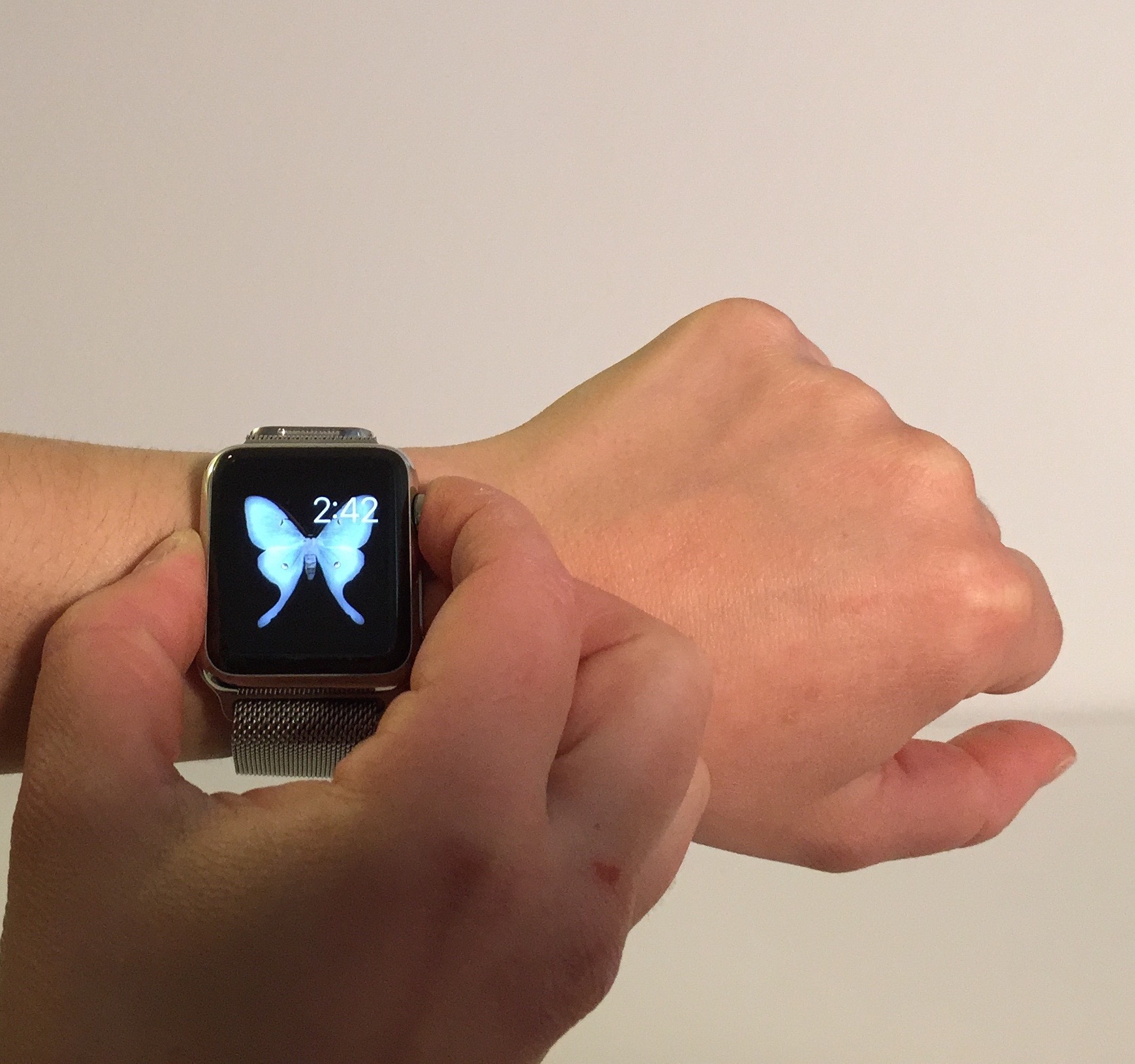
Apple Watch How-To: Take and share screenshots from your Apple Watch

Site default logo image

Now that you have your Apple Watch, you might be curious to know how to take a screenshot from your your new device. The process is a little different from taking screenshots on an iPhone or iPad and the photos aren’t automatically saved to the watch, but you may want to screenshot fitness and activity achievements or show friends your customized Apple Watch face. In this how-to article I will quickly discuss how to take a screenshot on your Apple Watch and how you can make the process easier.


Expand
Expanding
Close

HomeKit documented officially by Apple, as Apple TV confirmed as gateway device

Site default logo image


A new Apple support document for HomeKit has now officially confirmed our earlier report that the Apple TV would serve as a hub for HomeKit devices. The document confirms an Apple TV is needed if you want to control HomeKit accessories while away from home.

If you have an Apple TV (3rd generation or later) with software version 7.0 or later, you can control your HomeKit-enabled accessories when you’re away from home using your iOS device.

Sign in with the same Apple ID on your iOS device and Apple TV, and you’ll be able to use Siri commands to remotely control your accessories.

Apple has also created a page listing the HomeKit devices launched so far, and which we’d expect to be regularly updated as new products are announced … 
Expand
Expanding
Close

How-To: Build a $150-$300 iTunes video + music server for your home

In May 2005, iTunes evolved from a music player into a video library manager, paving the way for video iPods (October 2005), Apple TV (March 2007), and AirPlay video streaming (September 2010). Since then, iTunes libraries have become bigger and more central in homes, as users now stream content stored in iTunes — sometimes called a media “server” — to “clients” including Apple TVs, iPads, iPhones, and iPod touches. Unless you stream all of your content from the iTunes Store, you probably have some space-consuming videos sitting in your computer’s iTunes library, where they can be accessed by client devices so long as both the server computer and iTunes are turned on.

Apple has resisted calls to release a standalone, inexpensive iTunes home media server for years: 2008’s release of Time Capsule came tantalizingly close, but couldn’t act as a standalone streamer. So when my video library became too large to keep on my iMac, I bit the bullet and bought a used Mac mini to serve as an iTunes server. It works well, and consumes a lot less power than keeping my iMac on all the time, but it’s still a full-fledged $700 computer — overkill for streaming videos to the Apple devices in my home.

Today, I’m going to help you build a small, inexpensive, and ultra energy-efficient iTunes media server. Depending on the size of your iTunes library, it could cost as little as $150, or as much as $300, in either case much less expensive than a Mac mini. The key component is Intel’s new Compute Stick, a tiny basic Windows PC that can plug directly into an HDTV, run iTunes, and stream videos across your network. For around $130, you can now get an iView-branded Compute Stick with a CPU similar to the 12″ Retina MacBook, bundled with a wireless keyboard and trackpad. Although there are some important caveats you should understand up front, the Compute Stick can become a ~3-Watt video server using a $20+ microSD card, radically reducing the energy required to stream iTunes content in your home. If you need more storage and power, you can easily add a near-silent $90+ hard drive with 2TB-5TB of capacity


Expand
Expanding
Close

The Logic Pros: Turning iPad into a virtual pedalboard using Logic Remote

Site default logo image

The Logic Pros is a new regular series exploring all of the most interesting gadgets and software for making music on your Mac/iOS devices. If there is any gear you would like us to take a closer hands-on look at, let us know in the comments section below or shoot us an email.

Apple’s Logic Remote app for iPad allows for a lot of control over sessions in Logic Pro X on the Mac— its two main functions include controlling the mixer/transport controls, and using it as a midi controller for playing virtual instruments with user interfaces for keyboards, drumpads, and fretboards. But the app’s other feature is a grid of drumpad-like squares that can be used as buttons for key commands.

My goal was to be able to easily flip through amps and pedals as I jam, rather than having to deal with mouse clicks, opening/highlighting the plug-in I want to interact with, etc. So using Logic Remote, I setup a workflow with custom key commands that makes the drumpad-style interface work like a giant foot pedal for flipping through the awesome set of virtual amps and pedals Logic includes. Here’s how I did it:
Expand
Expanding
Close

How to fix the iOS text message bug causing iPhone crashing/reboot (U: Apple statement, watches too)

Site default logo image

Update: The Guardian notes that the bug also crashes the Apple Watch when you try to reply to a message.

Today news is flying around regarding an iOS bug that causes the Messages app to crash and iPhones to reboot when a certain string of text is received. There isn’t an official fix from Apple yet, but there are a few workarounds and fixes that you can do in the meantime before Apple patches the bug.

Here are a few fixes that users have discovered and sent in:
Expand
Expanding
Close

The Best Mac Accessories and Upgrades

Over the past six months, I’ve published quite a few tutorials to help Mac users improve the performance of older computers, as well as some great guides to the best Mac accessories across a variety of categories. Today, I’m tying them all together in this handy, one-stop roundup of the best Mac accessories and upgrades.

This guide walks you through everything: in one place, you can learn about the best Mac hard drives, RAM upgrades, docks, keyboards, trackpads, stands, bags, and travel accessories out there. And you can also get free apps to improve your Mac’s storage and responsiveness, find plain English explanations of your Mac’s technical specs, and learn about the little security screws Apple uses to tamper-proof its machines. There’s a lot inside, so you may want to bookmark this piece for future reference!…


Expand
Expanding
Close

$100 kit lets you plate Apple Watch with 24K gold DIY-style (Video)

Site default logo image

We’ve seen a number of solutions for getting a gold Apple Watch without spending the $10,000+ price Apple charges for the 18 Karat gold Apple Watch edition. We went hands-on with one of the first companies doing gold plating for Apple Watch, but that requires you to mail-in the device and pay approximately $400 on top of the Watch’s retail price (depending on the model).

Another option is this $100 DIY kit that offers an easy step by step solution for gold plating the Watch yourself with 24K gold…
Expand
Expanding
Close

The Logic Pros: TE’s new pocket-sized synths & how to sync them up with your Mac

The Logic Pros is a new regular series exploring all of the most interesting gadgets and software for making music on your Mac/iOS devices. If there is any gear you would like us to take a closer hands-on look at, let us know in the comments section below or shoot us an email.

Teenage Engineering, best known for its flagship synthesizer/sequencer the OP-1, recently unleashed a new line of tiny music makers on the world known as the Pocket Operators. The PO-12 Rhythm is a drum machine, the PO-14 Sub is a bass module and the PO-16 Factory is dedicated to melodies and lead lines. The appearance of the units may have some writing them off as toys, and considering they were partially inspired by pocket calculators and the Nintendo Game & Watch products, that may not be totally off base. But creativity and musical inspiration come from unexpected places sometimes.

Having gone hands on with the PO-16 model for over a week now, I have found it to be quite a playable little instrument, with its own interesting quirks, creative limitations, and boutique sound. Most examples of the little device in action appear to be freestyle techno jams, song re-creations or somewhat avant guard pieces that don’t seem to offer much in the way of real-life production applications. So I decided to run the new Factory model through its paces, putting it alongside some bigger name virtual/hardware instruments in the space to see how it would hold-up in a more typical Logic or GarageBand production.

Read on for more details on the PO-16, how to sync this bad boy up with your other hardware and to hear how it sits inside a mix with some big name software/hardware…
Expand
Expanding
Close

Site default logo image

Facebook Messenger’s free video calling now available worldwide

After adding support for a new cross-platform video chat service through its Facebook Messenger mobile apps, Facebook has now announced that the feature is rolling out to all worldwide.

The feature first launched back in April for users on iOS and Android in Belgium, Canada, Croatia, Denmark, France, Greece, Ireland, Laos, Lithuania, Mexico, Nigeria, Norway, Oman, Poland, Portugal, the UK, the US and Uruguay. Today, Facebook said the feature is now rolled out globally “with the exception of a few countries” that it’s still working on:

Quick update on video calling in Messenger: we’re happy to share we’ve now rolled out the capability globally, with the exception of a few countries we’re still working on improving quality for.

You can check out the new Facebook Messenger video calling feature through the latest versions of the iOS and Android apps.