iOS

See All Stories

The world’s most advanced mobile operating system

iOS is Apple’s mobile operating system that runs on iPhone, iPad, and iPod touch. Historically, Apple releases a new iOS version once a year, the current version is iOS 13.

In 2007, Steve Jobs introduced the iPhone and iPhone OS. During the event, Jobs referred to the operating system as OS X because it shared a similar Unix core compared to the Mac. When Apple launched the iPhone SDK a year later, they officially changed the name to iPhone OS.

In the summer of 2008, Apple added the App Store to iPhone OS with version 2.0, and this set the stage for the “app economy” that we still enjoy to this day.

Version 3.0 was released in 2009, and it included copy/paste, MMS support, Spotlight, mobile tethering, and push notifications for 3rd party apps.

In version 4, Apple finally renamed iPhone OS to iOS (with the iPad sharing the same software). The major features were multitasking and FaceTime.

iOS 5.0 introduced Notification Center, iMessage, Siri, and iCloud.

iOS 6.0 removes Google Maps in favor of Apple Maps and added the Passbook app (now known as Wallet).

Version 7.0 brought a dramatic redesign of iOS with a new font, flatter icons, a and new Photos app. The redesign was led by Jony Ive.

Version iOS 8.0, Apple finally allowed third-party keyboards and the ability to share files from different apps.

Version 9.0 included Apple Maps, an overhauled Notes app, and multitasking for iPad.

Version 10.0 included an SDK for Siri, Maps, and iMessages.

Version 11.0 included a new iPad Dock, Customizable Control center, drag and drop on iPad, and the Files app with third-party integration.

Version 12.0 added Screen Time features for managing your time on devices, the Shortcuts app, ARKit 2.0, and Memoji.

iOS 13 added Dark Mode, swipe-style typing, a redesigned share sheet, made app downloads 50% smaller, 2x faster app launch speed, Memoji Stickers and Memoji Makeup, HomeKit-enabled routers and HomeKit Secure Video, a new “Sign in with Apple” option for logging into third-party services, all-new Apple Maps, and much more.

Compatible Devices with iOS 13

  • iPhone 11
  • iPhone 11 Pro
  • iPhone 11 Pro Max
  • iPhone XS
  • iPhone XS Max
  • iPhone XR
  • iPhone X
  • iPhone 8
  • iPhone 8 Plus
  • iPhone 7
  • iPhone 7 Plus
  • iPhone 6s
  • iPhone 6s Plus
  • iPhone SE
  • iPod touch (7th generation)
Microsoft improves OneDrive storage limits & pricing as competing iCloud Drive approaches

Site default logo image

Microsoft is making notable improvements to its storage offerings for its OneDrive cloud-based service. The company is announcing today that OneDrive storage at the free tier will be more than doubled, Office 365 storage will see a major increase, and that there will be storage price drops across the board. Here are the three main announcements in more detail:


Expand
Expanding
Close

Site default logo image

Civilization Revolution 2 developed exclusively for mobile arrives on iOS July 2

Update: 7/2/2014 6am: Civilization Revolution 2 is now available in the App Store

2K Games has announced a brand new iteration on its popular world domination, 4X franchise with Sid Meier’s Civilization Revolution 2 for iOS and Android. Despite its name, Revolution 2 is actually the first title in the franchise designed specifically for mobile from the ground up. The current Civilization Revolution title available on iOS is actually a port of the 2008 console title and never made it over to Android devices.

The game will combine the core tactical elements of the series with intuitive controls and a friendly user interface – designed specifically for mobile gamers on touch-pad devices. Civilization fans will also recognize the 16 historical leaders found in the first game, including Abraham Lincoln, Gandhi and Napoleon, alongside leaders such as Churchill and Kennedy, who are making their appearance in the series for the first time

Sid Meier’s Civilization Revolution 2 will be available on July 2 for iPhone and iPad and arrive shortly after that for Android users.

Flyover City Tours discovered in iOS 8 and Yosemite Maps UI, here’s how to try it out

Site default logo image

https://www.youtube.com/watch?v=jQ0UiebO1OY

A few days ago, 9to5Mac published some details about the elusive City Tours feature of iOS 8 found hidden in secret debug menus. It was thought that this was the only way to see the feature. However, reader Stefan Kuijt has now discovered that the feature is actually exposed publicly in the iOS 8 UI, albeit extremely hidden. This means anyone with the iOS 8 beta can try City Tours without any modification. The video above shows the current public user-interface in action, touring a selection of France’s famous landmarks.


Expand
Expanding
Close

Here are the first photos of the 5.5-inch iPhone 6’s alleged display part

Site default logo image

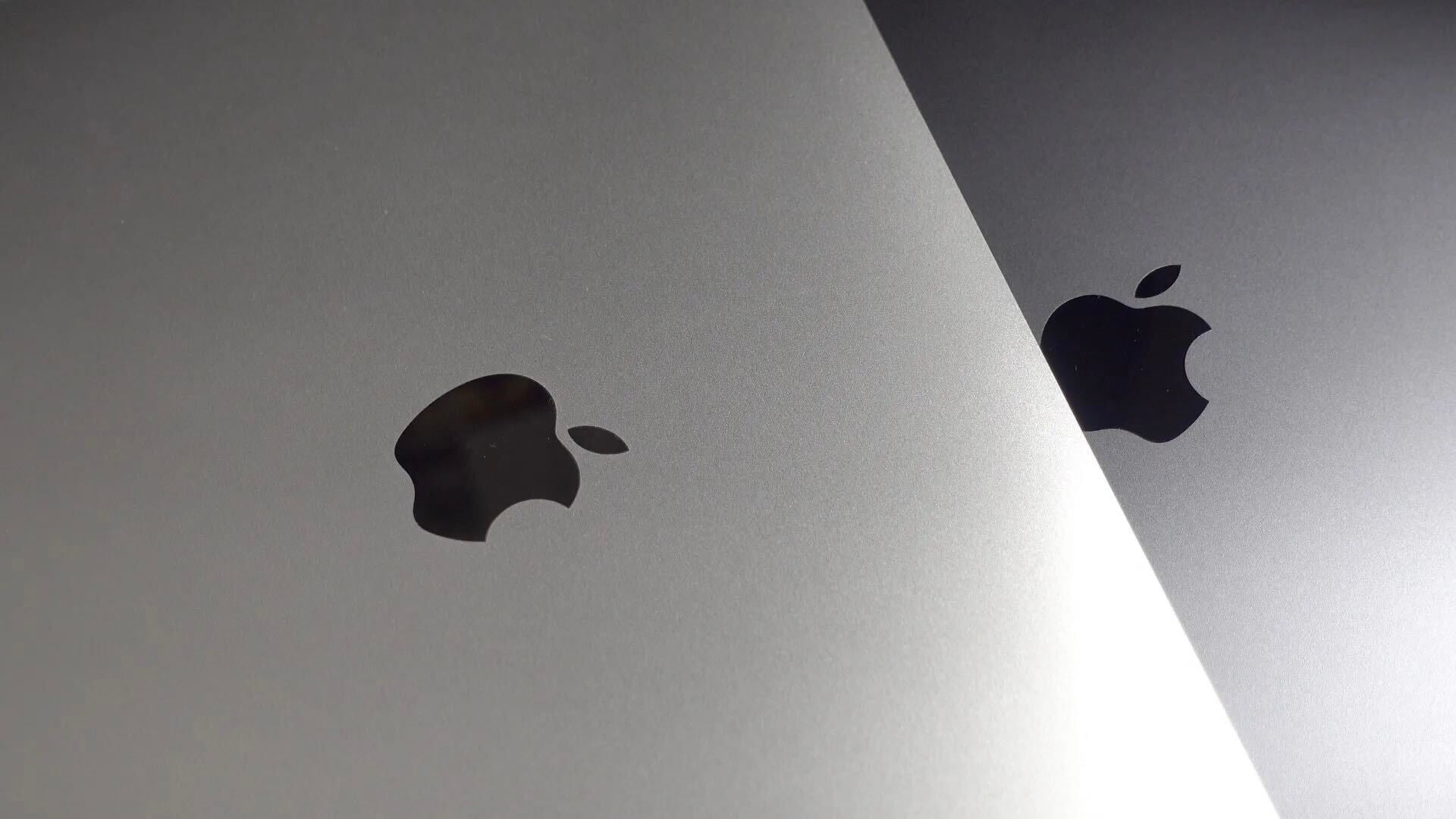
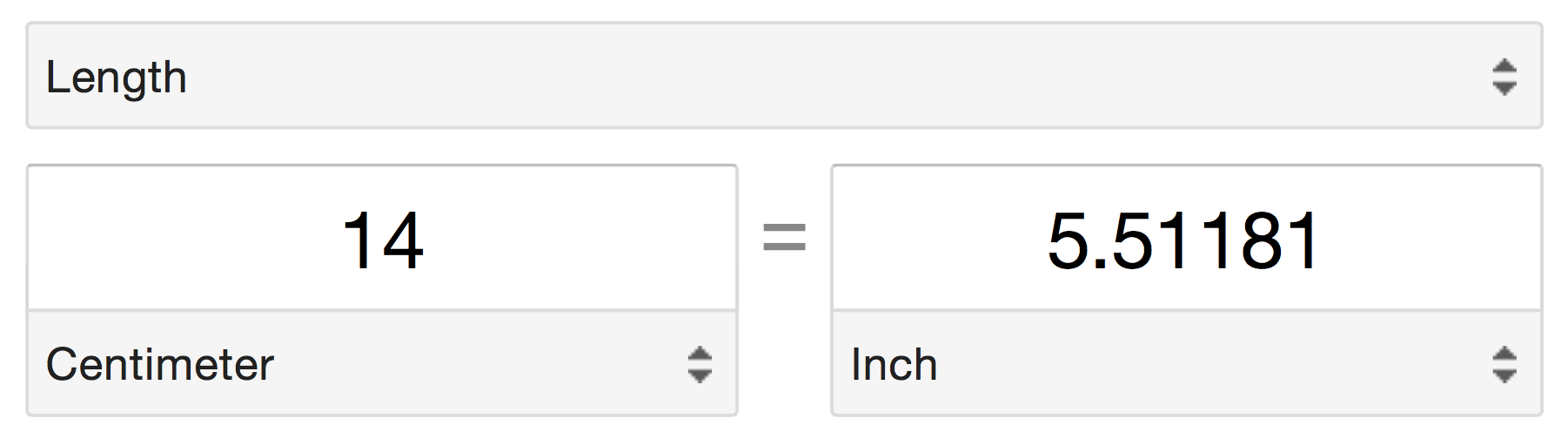
Apple is gearing up to launch two larger iPhone sizes this fall: a 4.7-inch version and a 5.5-inch model. While the 4.7-inch version has been leaked extensively with a thinner body design, the 5.5-inch model only saw its first significant leak in the form of a dummy model last week. Today, Sonny Dickson has exclusively shared with us a pair of photos claimed to be showing the LCD display component for that larger iPhone with 5.5-inch screen. The photos show the display attached to a ruler that indicates a screen with a diagonal measurement of approximately 14cm:

That 14cm converts to the 5.5-inches heavily rumored for the next-generation Apple smartphone. While these photos do not provide us with any breakthrough information about the new iPhone, the photos, at best, do show that Apple is already producing components for the larger sized phone and this means that production is likely nearing. Several reports have indicated that the 5.5-inch model will be in short supply upon launch and that the phone may even be released multiple weeks following the 4.7-inch version…


Expand
Expanding
Close

Site default logo image

iOS 7.1.2 rumored to be coming soon with Mail, iBeacon, and security fixes

Apple is preparing an update to its iOS 7 mobile operating system that will fix issues with Mail attachment encryption, iBeacon connectivity, and security problems that exist in the current version, reports MacRumors. There is also speculation that the new version could make it easier for users to disconnect their phone numbers from iMessage, but there’s no indication that this will be in the 7.1.2 update.

The update is also said to include a possible fix for a glitch that allows access to certain apps from the lockscreen when a passcode is set as we showed you earlier this month.

iOS 7.1 was released earlier this year on March 10, 2014, while iOS 7.1.1 was released on April 22, 2014.

The build is reportedly in the hands of carriers for approval now, and could be released to the public by June 27th.


Apple said to team up with pro athletes to test iWatch fitness capabilities

Site default logo image

Apple has teamed up with some of the sports world’s most notable professional athletes in order to test the upcoming “iWatch’s” fitness capabilities in intense training environments, according to a source with knowledge of the testing. This source says that Apple has invited athletes from the MLB, NHL, and NBA to its Cupertino-based campus on multiple occasions over the past several weeks to brief the players on the upcoming wearable device and provide an opportunity for testing to be conducted in professional conditioning environments.

Apple is said to be working with Los Angeles Lakers basketball player Kobe Bryant, Los Angeles Kings right winger Dustin Brown, and a few other star athletes, including a player from the Boston Red Sox, on the testing project. The athletes are said to have signed non-disclosure-agreements regarding the existence of the upcoming Apple wearable device. Nonetheless, Bryant was spotted at Apple’s campus last month meeting with Apple design chief Jony Ive. Indeed, the meeting between the pair is said to have been in regards to “iWatch” testing…


Expand
Expanding
Close

T-Mobile: 12k consumers (9 per min) signed-up for free iPhone 5s network trial in 24 hrs

Site default logo image

After announcing its new “Test Drive” feature allowing customers to trial an iPhone 5s for free on the T-Mobile network, the carrier is already sharing some stats on the new initiative. According to T-Mobile, “More than 12,000 people have already signed up to start cheating on their carrier.” That means around 500 consumers per hour (or almost 9 per minute) from T-Mobile’s competitors have signed-up to take home an iPhone 5s for a free week-long trial on the T-Mobile network. If T-Mobile’s plan works it could convince at least some of those consumers to make the switch for good.
Expand
Expanding
Close

Significant enhancements coming to AppleCare+, Apple IDs, iOS support

Site default logo image

Apple’s vice president of AppleCare and technical support initiatives, Tara Bunch, held a Town Hall meeting for for AppleCare employees earlier this week, according to several employees in attendance who asked to remain anonymous. During the meeting, Bunch, along with a few other Apple executives, spoke about Apple’s progress in customer service and support over the past few years, improvements from 2013 to 2014, and future plans.

Throughout the meeting, Bunch noted that customer satisfaction numbers from AppleCare and Apple product users are at the top of the industry. Going into the 15th year of AppleCare, Bunch asked employees to celebrate and be proud of their accomplishments, but she also noted that Apple still has room to improve its support practices. Employees in attendance during the meeting have shared some details regarding Apple’s future plans for its support initiatives…


Expand
Expanding
Close

Site default logo image

Skype 5.1 for iOS rolling out with improvements to conversations and favorites

Approximately a week after releasing Skype 5.0 with a completely revamped design and new features, Microsoft is now rolling out version 5.1 with various improvements. Notably, there are enhancements to managing conversations, favorites, and finding the status of Skype contacts. From the Skype blog:

  • You can now delete a conversation from the recent list with a long press on recents. You can also edit messages you’ve recently sent with a long press on the message. (Just as you can long press on an individual message to delete it.)
  • Tap the “add favorites” link to easily fill your favorites screen with the people you contact the most.
  • The People list now matches the desktop better: we have added the “Skype” filter; the “online” filter now includes users set to online, away and do not disturb; and best of all your filter settings are saved.

The update also includes improvements to VoiceOver. The update is rolling out on the App Store today for free. Skype says more improvements are coming in the future. Be sure to check out our look at the new Skype design along with an interview with the lead designer of the software.


Expand
Expanding
Close

Hundreds of businesses in London are about to flip the switch on payments via iBeacons

Site default logo image

In Brixton, South West London, hundreds of businesses will soon integrate iBeacons as part of one of the first real-world networks for mobile payments using Apple’s Bluetooth LE iBeacon tech

In Brixton, businesses introduced a local currency in 2009 that eventually switched from paper into mobile payments by text. Around 250 businesses in the area accept the currency, which is meant to keep the money in the community and support smaller independent local businesses. By the starting of next month, the currency will have its own mobile app called Brixton Pound, and iBeacons will make it easy to automatically prompt users for payments. The Brixton Pound organization teamed up with Dingo for the payment solution and kontakt.io for the iBeacon hardware and integration:
Expand
Expanding
Close

Maps ‘City Tours’ feature hidden in iOS 8 betas, works like a guided Flyover video

Site default logo image

https://www.youtube.com/watch?v=Jz1_FT1ykFw

Although deeper changes to Maps are in the works, Apple did announce a new City Tours feature for iOS 8 discreetly on one of the keynote slides. This feature is not normally available in the current iOS 8 betas, but developer Pierre Blazquez has managed to unlock the feature through a hidden debug screen and shines some light on exactly what ‘City Tours’ entails.

City Tours is best described as a guided-camera Flyover view. After activating the tour, the Maps app changes to satellite mode and begins zooming and panning to different landmarks in the city. For example, in the video, the tour rotates and pans between a couple of different cathedrals. More screenshots after the break …


Expand
Expanding
Close

Site default logo image

Disney launches ‘Star Wars Scene Maker’ iPad app

With hype building surrounding the filming of the latest Star Wars reboot, Disney is taking advantage by launching a new iPad app called ‘Star Wars Scene Maker’. The app allows users to create Star Wars scenes by selecting from various 3D assets like characters and environments, camera angles, dialogue (you can also record your own), musical scores, and more:

MAKE STAR WARS YOUR OWN!

Become the master of your own Star Wars video universe! Create your own scenes, choose your favorite characters, control their actions and dialogue, record your masterpiece, and share your Star Wars story! The Force of your imagination is with you!

FEATURES:

· Create your own Star Wars universe and bring it to life with imaginative play and countless options.

· Select from 3D environments with 3D models of your favorite characters, weapons, and ships.

· Use dialogue straight from the Star Wars films, or record your voice and apply a Darth Vader, Rebel Pilot, or Storm Trooper filter to put your words into any character’s mouth!

· Switch between three cameras, each of which can track or follow the action, to record your scene from multiple angles!

· Chooose a musical score taken from the Star Wars films, write your own iconic Star Wars “Title Crawl” and end credits, and share your finished scene with your friends!

Star Wars Scene Maker is available as a free download for iPads running iOS 7 and up (Disney says it’s “most compatible with the newest generation of iPad”), but you will find some paid in-app purchases and Disney ads within.

Police: iOS 7’s Activation Lock has helped reduce iPhone theft in some cities

Site default logo image

When Apple introduced the new Activation Lock anti-theft system with iOS 7 to help prevent the re-use of stolen iOS devices, some lawmakers saw it as the perfect way to help quell smartphone theft. In fact, many sought to make features like it standard on all mobile devices. Today, the New York Times has released some new numbers that shows a decrease in iPhone theft following the implementation of Activation Lock.

According to New York police, thefts involving Apple products have dropped by 19% in the first half of 2014 compared to the same period in 2013. London and San Francisco authorities have seen even more impressive drops, with 24% and 38% reductions in iOS device thefts, respectively, in the six months following the feature’s release when compared to the six months immediately preceding it.


Expand
Expanding
Close

Site default logo image

Twitter users can now share animated GIFs on iPhone, Android and the web

The internet is a strange place. While you’d probably think that the World Wide Web’s rapid pace would be filled with short-lived trends, some things are making a comeback. The Graphics Interchange Format better known as the GIF was created by Steve Wilhite and introduced by CompuServe way back in 1987.Extremely popular in the 90s, these retro animated images have returned to the web and are flooding social media networks. Not being outdone by its competition, Twitter has finally adopted this classic piece of web culture, but you probably gathered that already by reading the title of this news article.

iPhone 6 likely to sport barometer/air pressure sensors to measure altitude, weather

Site default logo image

Besides a larger display and redesigned metal body, details regarding which features the next-generation iPhone models will pack have been light. However, it appears that the new models could include a new sensor: a barometer.

A barometer is a sensor commonly used for measuring altitude and the sensor is already commonly found in Android devices such as the Galaxy Nexus. A barometer sensor could be used by hikers, mountain climbers, bike riders, and enthusiasts who want accurate knowledge into their current altitude. Barometers, via air pressure data, also measure temperature and weather information.

The information regarding the next-generation iPhone likely including this sensor comes via Xcode 6 and iOS 8, the latest iPhone software development kit and operating system. The software includes updated CoreMotion APIs that clearly reference the new altitude measuring capabilities:


Expand
Expanding
Close

Apple TV likely to gain Continuity this fall, allowing tighter integration with Mac & iOS

Site default logo image

Alongside the introduction of the current Apple TV design in fall 2010, Apple launched AirPlay. In short, AirPlay allows a user to watch a movie, listen to a song, or view a photo on an iPhone, iPad, iPod touch (or Mac in some cases) and stream that content to the Apple TV. AirPlay typically works well and we have even considered it a major innovation in the living room appliances space. Apple has continued to enhance AirPlay over the past few years, allowing the service to integrate with iTunes in the Cloud and function without a WiFi connection.

With OS X Yosemite and iOS 8, Apple has taken the AirPlay idea to new levels. This fall, as Apple previewed at WWDC earlier this month, a user can begin writing an email, viewing a webpage, or sending a text message on one Apple device, and then walk up to a different Apple product and continue that action. This feature is called Handoff and is part of a new suite of features called Continuity. Unlike AirPlay, a click to stream the content is not necessary.

Now, users running the latest iOS, OS X, and Apple TV betas are reporting that Apple could also be working on Handoff and Continuity features for the Apple TV set-top box…


Expand
Expanding
Close

Apple TV software beta brings iCloud Family Sharing and Photos to the big screen

Site default logo image

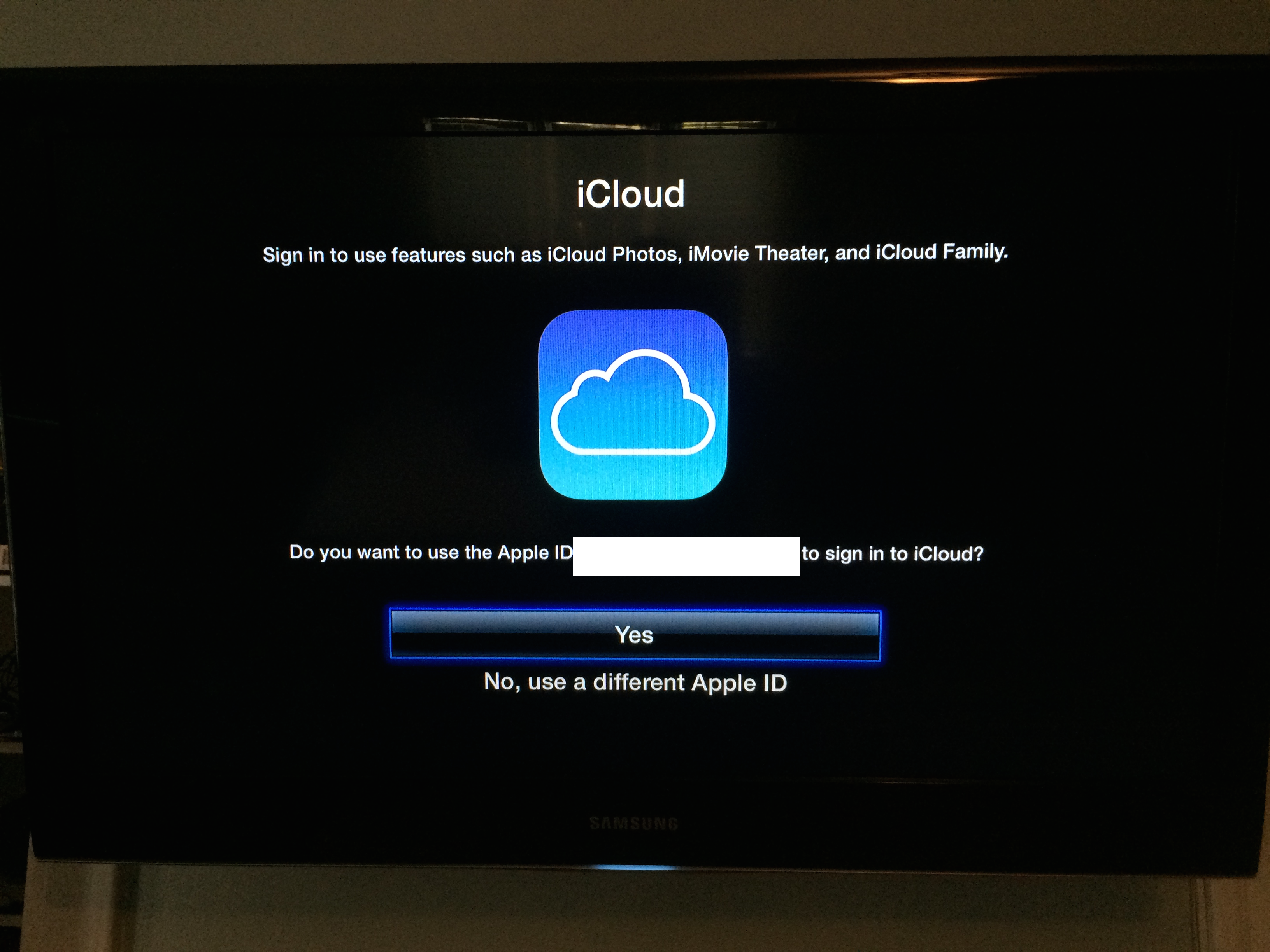
The latest beta software for the Apple TV brings one of iOS 8’s headline features to the (former) hobby device: iCloud Family Sharing. While the feature isn’t yet functional, it’s expected that users will be able to log into one account and access purchased music and movies, shared photos, and more from other devices on the same family sharing account…


Expand
Expanding
Close

Apple seeds update to OS X Yosemite Developer Preview

Site default logo image

Alongside the second beta of iOS 8, Apple has provided an update to the OS X Yosemite Developer Preview. Yosemite brings many new features to the Mac, including a new design, Continuity features, and enhanced applications. We’ll update this post with new discoveries in the new preview as they are found. You can let us know what you find at tips@9to5mac.com. 


Expand
Expanding
Close

Apple seeds iOS 8 beta 2 to developers alongside new Apple TV OS beta

Site default logo image

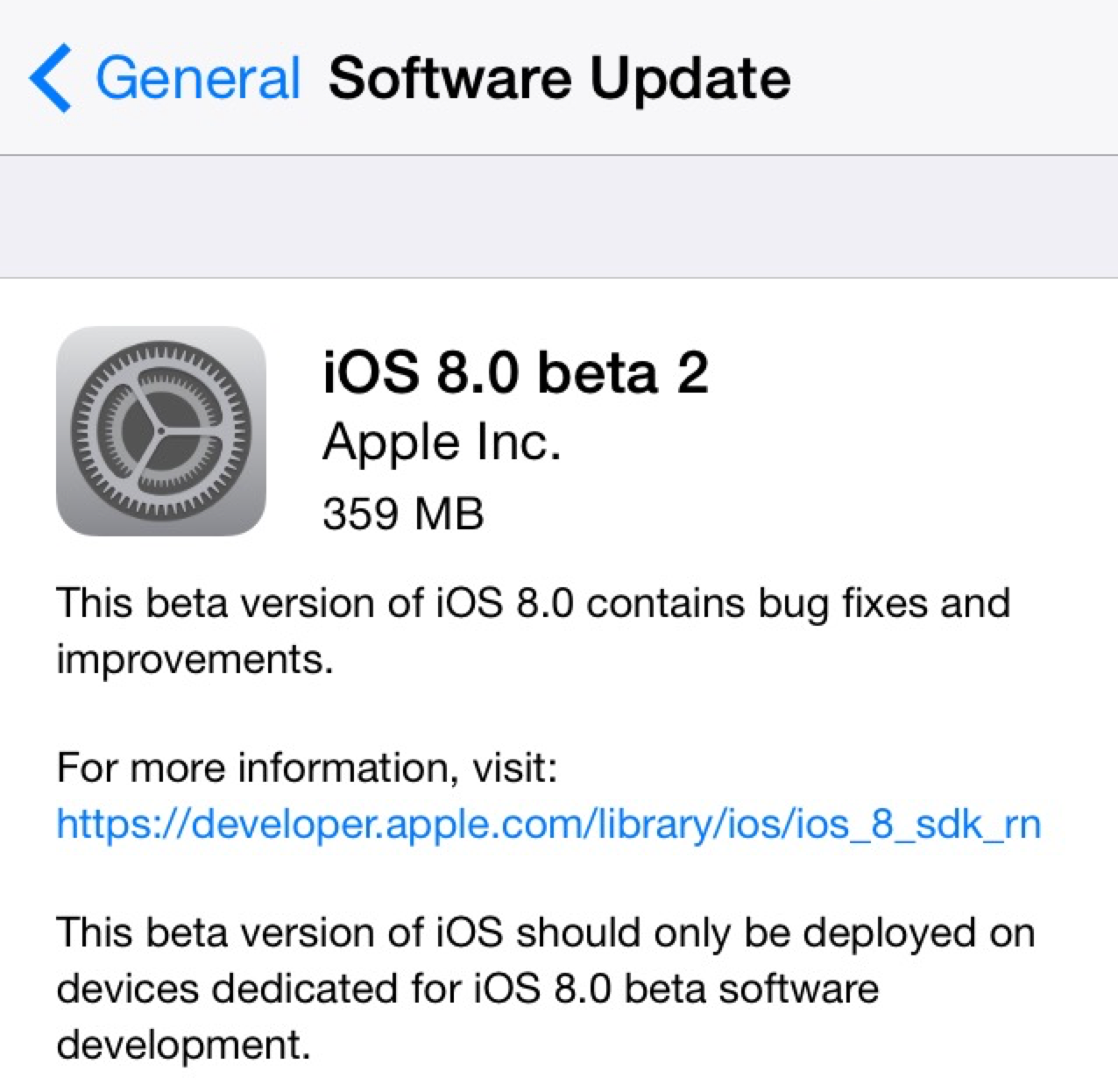
Two weeks following the 2014 Worldwide Developers Conference and the release of the first beta build of iOS 8 to developers, Apple has provided iOS 8 beta 2 to developers. The new release is available over-the-air in iOS 8’s Settings menu, and it’s available for supported iPhones, iPads, and iPod touches.

iOS 8 officially launches this fall and includes several new features for both consumers and developers alike. iOS Device users will experience a new Health app for integrating health and fitness data, improvements to Safari, enhanced Messages features, design tweaks in Mail, and significant changes to notifications, photo management, and the keyboard. Developers will now be able to create third-party keyboards, integrate the Touch ID fingerprint scanner into apps, and integrate third-party home automation products with iOS.

We’ll be updating this post (below) with new features in iOS 8 beta 2 as they are discovered, and you can share your findings with us via email at tips@9to5mac.com. 


Expand
Expanding
Close

Photos: Purported physical mockups for new iPad Air show recessed volume rocker & Touch ID

Site default logo image

Somewhat unsurprisingly, photos of physical mockups (dummy units) purportedly representing the next-generation full-sized iPad Air have surfaced. This comes after several weeks of iPhone 6 dummy shots that solely differ by camera angles. These units are generally created by case makers, so they may have some inaccuracies. Nonetheless, here’s what whoever made these physical mockups is expecting based on whatever information they obtained from the Apple supply chain. As you can see in the image above, the next Air appears to be nearly identical in design to the current Air. More images below:


Expand
Expanding
Close

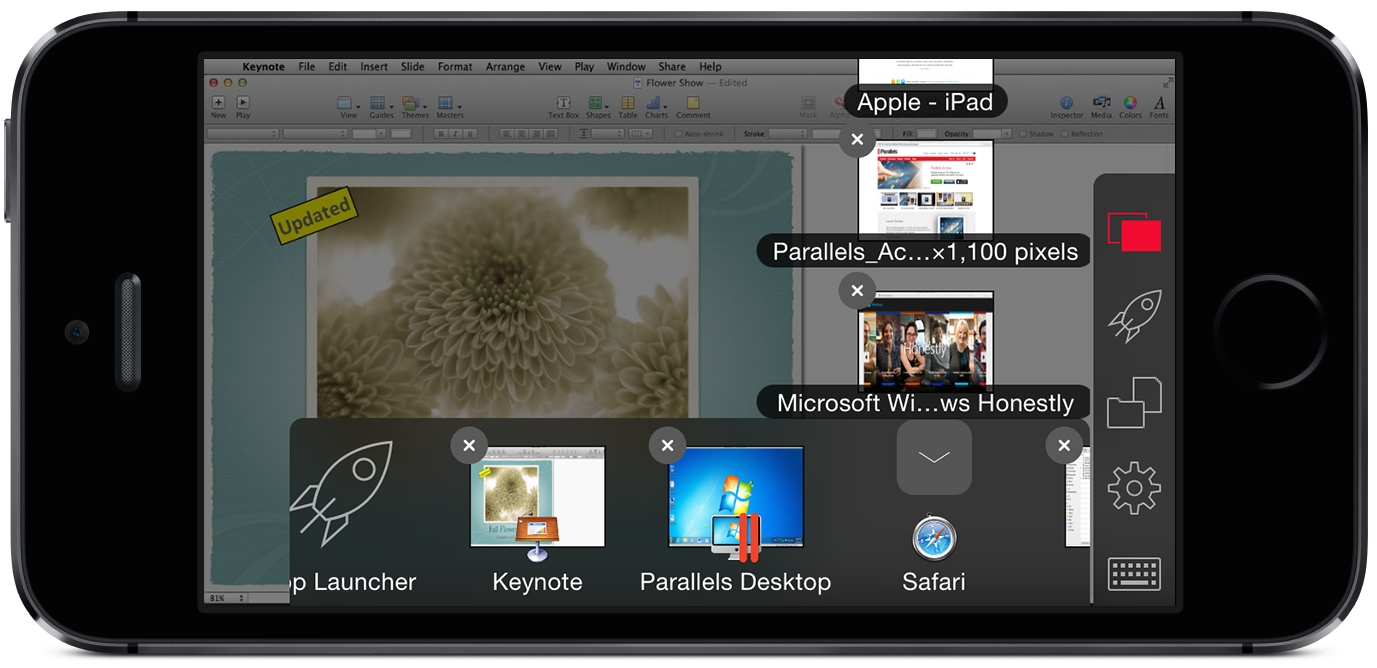
Parallels Access remote access app jumps from iPad to iPhone, gains Finder-like functionality

Site default logo image

The name Parallels is synonymous with software for running the Windows OS on a Mac, but over the past couple of years, the company has turned into so much more. Last year, we reviewed Parallels Access, an application for the Apple iPad that allows the iPad to serve as a conduit for remotely accessing either a Mac or Windows machine. In our review, we noted how blown away we were with the speed and performance of Parallels Access. The software makes accessing and using a computer via the iPad’s touchscreen a breeze, and it provides a huge convenience factor for those times when you need to access something on your home computer but do not have the machine with you.

The application is far and above other remote desktop client applications because of its integration with iOS, OS X, Windows, its speed, and its overall reliability. Parallels Access utilizes gestures, iOS’s native keyboard with autocorrect and editing, “SmartMagnification” and “SmartTap” to make the computer feel responsive and alive on the iPad’s display. The application allows you to use your Mac swiftly and connects over the internet. Now, Parallels is bringing the Parallels Access experience to the smaller screen of the iPhone. In some ways, since it is not a computer replacement like an iPad is for some people, the iPhone feels like a more logical device for using Parallels Access…


Expand
Expanding
Close

Site default logo image

Domino’s Pizza launches voice ordering in mobile apps powered by Nuance

Dominos announced today that its launching a new voice ordering feature in its iPhone and Android apps that is powered by Nuance’s Nina Mobile voice speech recognition, speech synthesis and natural language understanding technology. The company says the feature will provide “a human-like, conversational customer service experience that allows users to speak an order and quickly add items to their cart.” Imagine opening the app and placing your order by saying, for example, “I’d like a large pizza with extra cheese, pepperoni and onions” or “I’ll take a 14-piece order of Hot Wings”.

“There will be a day where typing on keyboards or with thumbs on mobile devices will come to a close; we want to be the ones who continue to advance the technology experience – hand-in-hand with our customers,” said Patrick Doyle, Domino’s Pizza president and CEO. “Our mobile app users who are a part of this launch are truly helping set the foundation for the innovations of today, that will soon enough become the standards of tomorrow.”

The platform, in partnership with Nuance, will redefine technology convenience – and puts Domino’s at the forefront of an intuitive ordering method that is a true first within both traditional and e-commerce retail.

With the updated app rolling out today, you’ll also be able to browse menus, coupons and navigate through the app using your voice. The feature rolls out in beta today and is available in the updated Domino’s Pizza app for iOS now.

Site default logo image

Apple considered buying Parse before building new CloudKit feature itself

In an extensive profile of Parse co-founder and Facebook executive Ilya Sukhar, The Information reveals that Apple considered purchasing the cloud services startup before Facebook:

Mr. Sukhar, a mobile programming prodigy, had already rejected offers from Apple and Dropbox, which were more interested in the company’s four talented founders than its business, according to people who were involved in the conversations. Facebook persuaded Mr. Sukhar and his colleagues that it had much bigger plans.

Apple’s interest in Parse is interesting because of the recently announced CloudKit feature for iOS 8. CloudKit, just like Parse, allows developers to leverage pre-designed and implemented servers to control the backend of applications. This makes the development team and process quicker and simpler for building iOS applications. It’s interesting to see that Apple decided to build a Parse competitor itself rather than move forward in acquiring the company (or another player in the area). The entire profile is well worth a read and it provides an interesting perspective as to how a start-up co-founder has been integrating his company into Facebook.


Expand
Expanding
Close