MacBook Air

See All Stories

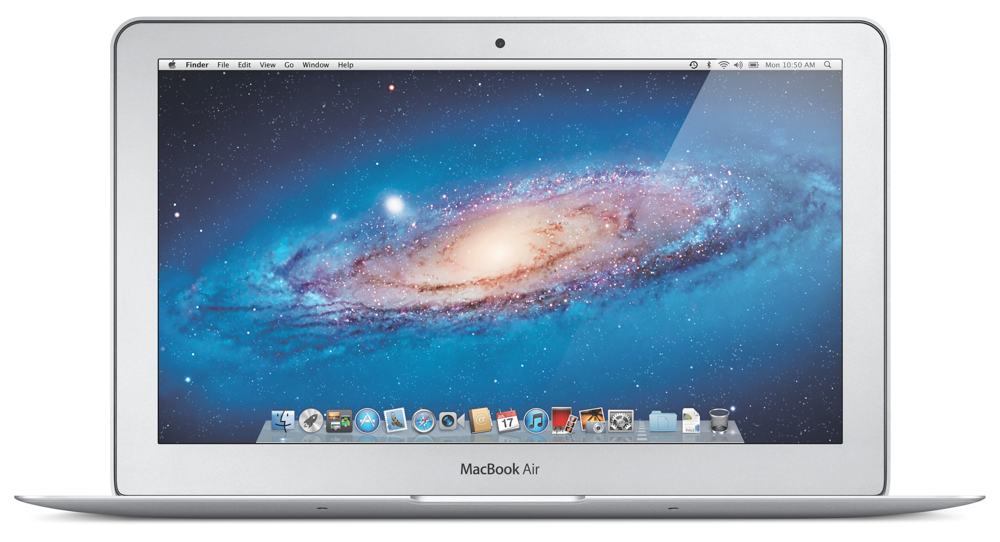
In 2008 Steve Jobs introduced the first ultra-thin, lightweight MacBook Air by dramatically sliding it out of an inter-office envelope. The idea of a dramatically thin, lightweight, and fully functional laptop continues on.
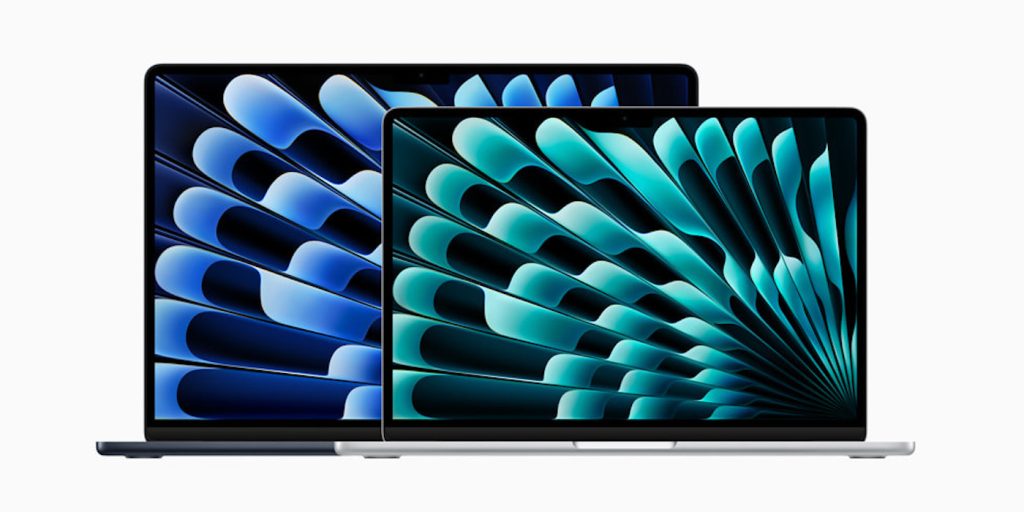
MacBook Air M3 15-inch deals

The MacBook Air is “the default Mac” – the one you should buy if you’re not sure which model you need.

History

The MacBook Air was launched in 2008 as a premium 13-inch model, billed as the world’s thinnest laptop. It was dramatically revealed by Steve Jobs sliding it out of an office envelope.

In 2010, it was joined by an 11-inch model. By 2011, that had become the entry-level MacBook, replacing the plain MacBook in the lineup. Its combination of affordability, portability, cuteness, and suitability for most people’s computer usage saw it become a hugely popular machine with everyone from students to senior business execs.

The 11-inch MacBook Air was discontinued in 2016, leaving only the 13-inch models.

In 2018, we saw the first major update to the then-elderly design. This gave the machine a Retina display, Touch ID, USB-C ports along with a design refresh with smaller bezels, a slimmer form factor, and lighter weight.

In 2020, the MacBook Air was one of the first three machines to make the switch from Intel processors to Apple Silicon in the form of the M1 chip. In 2022, it was joined by an M2 model.

MacBook Air Specs

The 2020 M1 MacBook Air is powered by an 8-core Apple M1 chip, comprising four performance cores and four efficiency cores. It’s available in two almost-identical versions, one with an 8-core GPU, the other with a (chip-binned) 7-core one. The machine is available with either 8GB or 16GB of unified memory. SSD storage options are 256GB, 512GB, 1TB, or 2TB.

The 2022 M2 MacBook Air has a 10-core GPU option, up to 24GB of unified memory, and up to 2TB of SSD storage.

Pricing

M1 MacBook Air (2020) pricing starts at $999 for the 7-core GPU with 8GB unified memory and 256GB SSD.

M2 MacBook Air (2022) pricing starts at $1199 for the 8-core GPU with 8GB unified memory and 256GB SSD.

The machine can be specced up as far as 16GB unified memory and 2TB SSD for $2,049.

Lower prices may be available from Apple’s official Amazon store.

MacBook Air Review

In our video review of the machine, we described it as game-changing.

There is very little negative to say about these MacBooks. Apple has taken a design like the MacBook Air, which it more or less perfected with the early 2020 refresh, and made it 10 times better. This is no hyperbole. These M1-powered MacBooks are such a huge improvement in performance and battery life with virtually no negative baggage. I can’t see myself ever wanting to go back to an Intel-based laptop […]

If I was using an Intel-based MacBook Air, I wouldn’t even consider using a machine with such little memory to handle my day-to-day creative workflow, but Apple’s implementation of unified memory cannot be compared 1:1 with typical RAM configurations.

Basic day-to-day usage is relatively unaffected by the amount of RAM, or lack thereof. The MacBook Air is competent with only 8GB of RAM even when running lots of apps simultaneously, even with a dozen Safari windows, and even when swapping out to the SSD […]

I can attest to the fact that these MacBooks have incredibly long battery life, so much so that it was honestly hard to believe initially. I was able to use my MacBook Air for a full workday, writing, browsing the web, chatting on zoom, and editing video and photos, and the machine was only at 50% by the end of the day. I woke up the next day, and did several hours of zoom video calls and web browsing, and the machine finally gave me a warning to plug in when it reached 10%


Site default logo image

9to5Toys Last Call: LifeProof iPhone cases 25% off, Foscam wireless cams from $55, HDTV (29″-65″) deals, more

Be sure to follow 9to5Toys to keep up with the best gear and deals on the web: TwitterRSS Feed,FacebookGoogle+ and Safari push notifications.

Today’s can’t miss deals:

Last Call updates:

Take $150 off early 2014 MacBook Airs (requires .edu email), deals from $750 (up to 17% off)

Logitech Ultrathin Portfolio Bluetooth iPad Air keyboard case $50 shipped (Reg. $100)

Harman Kardon 7.1-channel, networked A/V receiver refurb $199 shipped (Reg. $600)

[youtube http://www.youtube.com/watch?v=1CyRZ2gsjbs&w=853&h=480]

Infinity Blade II on iOS drops to $0.99 for a very limited time (Reg. $7)

Other deals from today:

More deals still alive:

New products/useful info:

Microsoft/Google/Android:

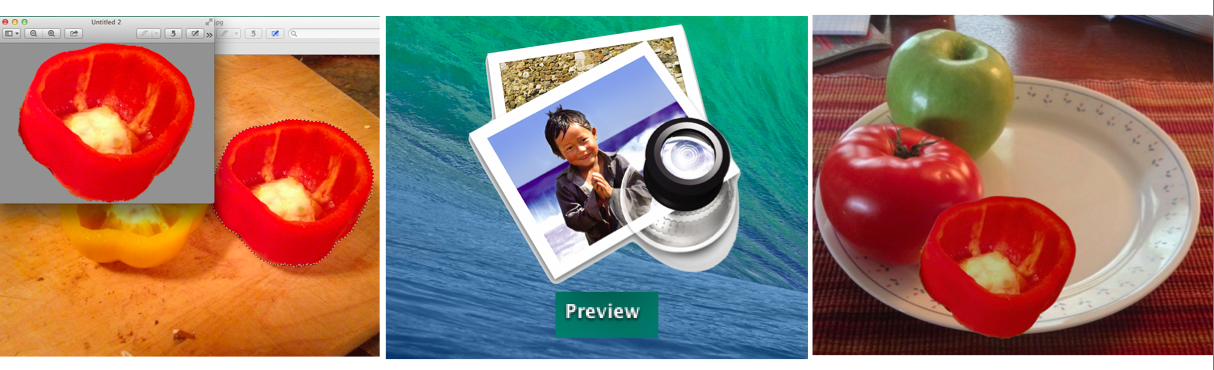
How-to: Get started with Instant Alpha and Smart Lasso in Preview for OS X

Site default logo image

As you may know, Instant Alpha is a feature that allows you to remove an object in an image from its background. You can find this feature in apps like Pages and Keynote, as well as the Preview app that comes built-in on Macs. As we’ve written recently in articles about signatures and marking up images, Preview has a lot of capabilities that don’t get much press.

In this article, you’ll learm how to use Instant Alpha and Smart Lasso to create custom images, remove an object from its background, and some advantages of using Preview to create custom images.

Images created in this way could be used for anything, including fun social media posts. They can be imported into iPhoto, cropped and used in books, calendars, or especially to customize a birthday or greeting card. Depending on what kind of image you want to create, you can really do quite a bit using Preview, Pages and a few other tips and tricks.


Expand
Expanding
Close

Site default logo image

9to5Toys Last Call: New MacBook Airs up to $60 off, Audible $2/month, free $50 Target GC w/ iPads, more

Be sure to follow 9to5Toys to keep up with the best gear and deals on the web: TwitterRSS Feed,FacebookGoogle+ and Safari push notifications.

Today’s can’t miss deals:

Get 3-months of Audible.com access for $1.95/month ($45 value), new customers only

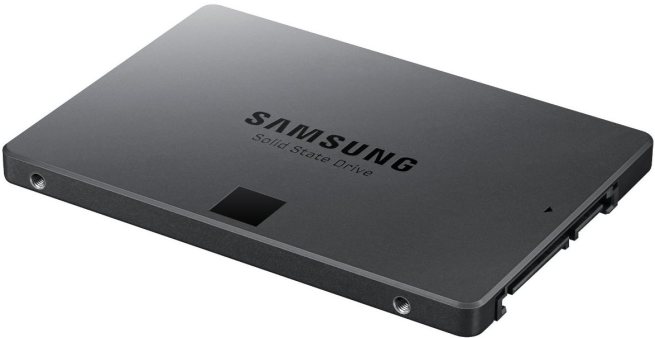
Samsung 840 EVO Series 256GB 2.5″ SATA III SSD: $139 shipped (orig. $250)

$100 Apple iTunes gift card for $85 shipped (15% savings)

Other deals from today:

  • New! D-Link’s new Wi-Fi Smart Plug offers full control over your electronics w/ energy usage monitoring & thermal sensor safety features
  • New! Daily Deals: 1080P Viewsonic displays $100+up, Zooka Wireless Speaker $15, Apple Lightning Cable $10, more
  • New! Games/Apps: LEGO Marvel Super Heroes $25 – $35, Disney Infinity Pack w/ Play Set & more $60, Baldur’s Gate II $10, iOS freebies, more
  • New! 3DSystems Cube Personal 3D Printer (2nd Gen) in Silver: $1000 shipped (Reg. $1300)


More deals still alive:

New products/useful info:

Microsoft/Google/Android:


Site default logo image

9to5Toys Last Call: $100 iTunes GC $85, uNu DX iPhone 5/5s battery case $50, WD 2TB portable HD $90, more

Be sure to follow 9to5Toys to keep up with the best gear and deals on the web: TwitterRSS Feed,FacebookGoogle+ and Safari push notifications.

Today’s can’t miss deals:

Last Call Updates:

$100 Apple iTunes gift card for $85 shipped (15% savings)

uNu DX iPhone 5/5s 2300mAh MFi battery case (black, white, gold, red): $50 shipped (Reg. $90)

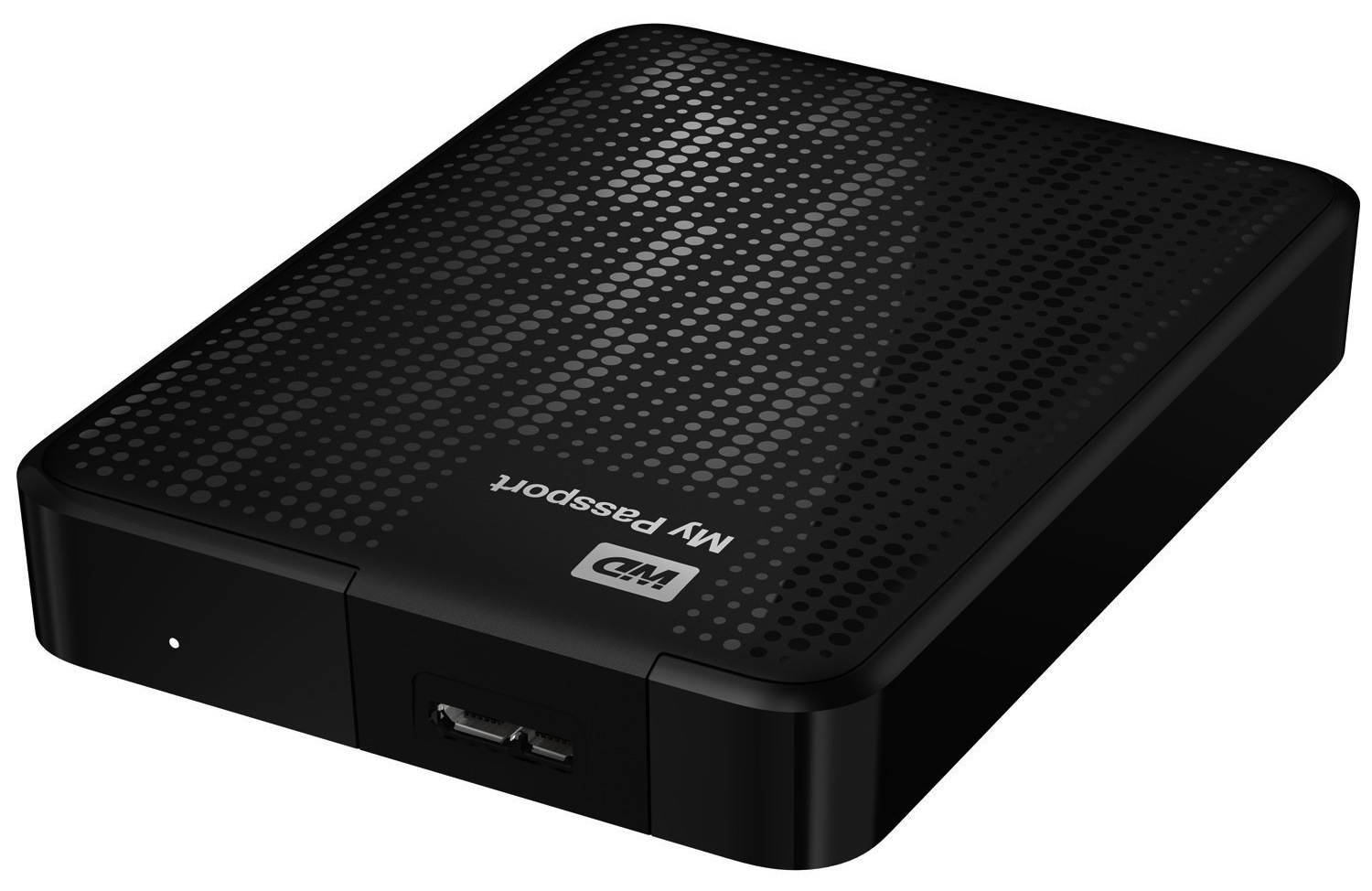
Western Digital My Passport 2 TB Portable Hard Drive $90 shipped (Reg. $200)/ 1TB Ultra $60 shipped (Reg. $120)

2013 Haswell MacBook Air deals: .EDU email address only: 2013 Haswell MacBook Airs from $610 (open-box)$650 (new), Non-EDU from $799 shipped (new, unopened)

Other deals from today:

  • New! Up to 80% off select PNY flash drives, memory cards, and power banks. 128GB as low as $39 shipped
  • New! Daily Deals: 28″ HDTV DVD Combo $150, Logitech Headphones $59, Galaxy Cam $200, BT Speakers, more
  • New! Games/Apps: Metal Gear Solid V: Ground Zeroes $25, Killzone: Shadow Fall $30, iOS freebies, more

More deals still alive:

New products/useful info:

Microsoft/Google/Android:


9to5Toys Last Call: Haswell MacBook Airs from $610, Logitech UE BOOM BT speaker $139, Blu-rays $5 each, more

Site default logo image

Be sure to follow 9to5Toys to keep up with the best gear and deals on the web: TwitterRSS Feed,FacebookGoogle+ and Safari push notifications.

Today’s can’t miss deals:

2013 Haswell MacBook Air deals:


Expand
Expanding
Close

Gamechanger: You can now buy a MacBook Air from Apple online for $599

Site default logo image

From 9to5Toys.com: Update (4/29 12:08pm): Looks like the $599 model is now sold out, but keep a close eye on 9to5Toys we’ll let you know when they are back!

The release of updated MacBook Air models this morning has prompted Apple to drop the price of previous generation refurbished models down to unprecedented levels. The mid 2012 models now start at just $599 and include a 1-year warranty. These models feature dual-core Intel Core i5 processors and LED-backlit widescreen displays. There are currently three different models listed with storage capacities up to 256GB, but that can change at any moment since Apple refurbished inventory is generally extremely limited.


Expand
Expanding
Close

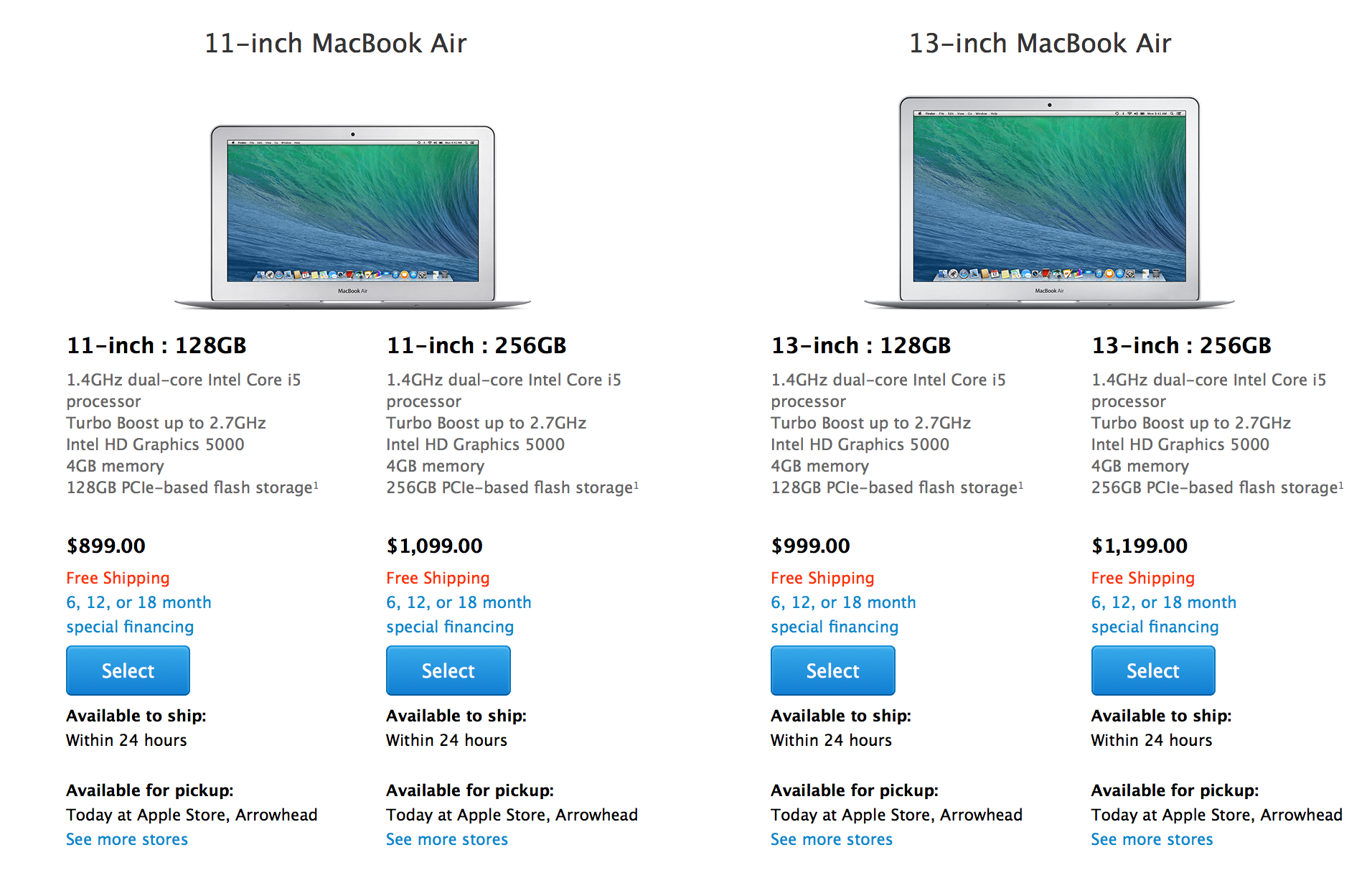
Apple’s MacBook Air lineup updated with faster Haswell processors, now starts at $899

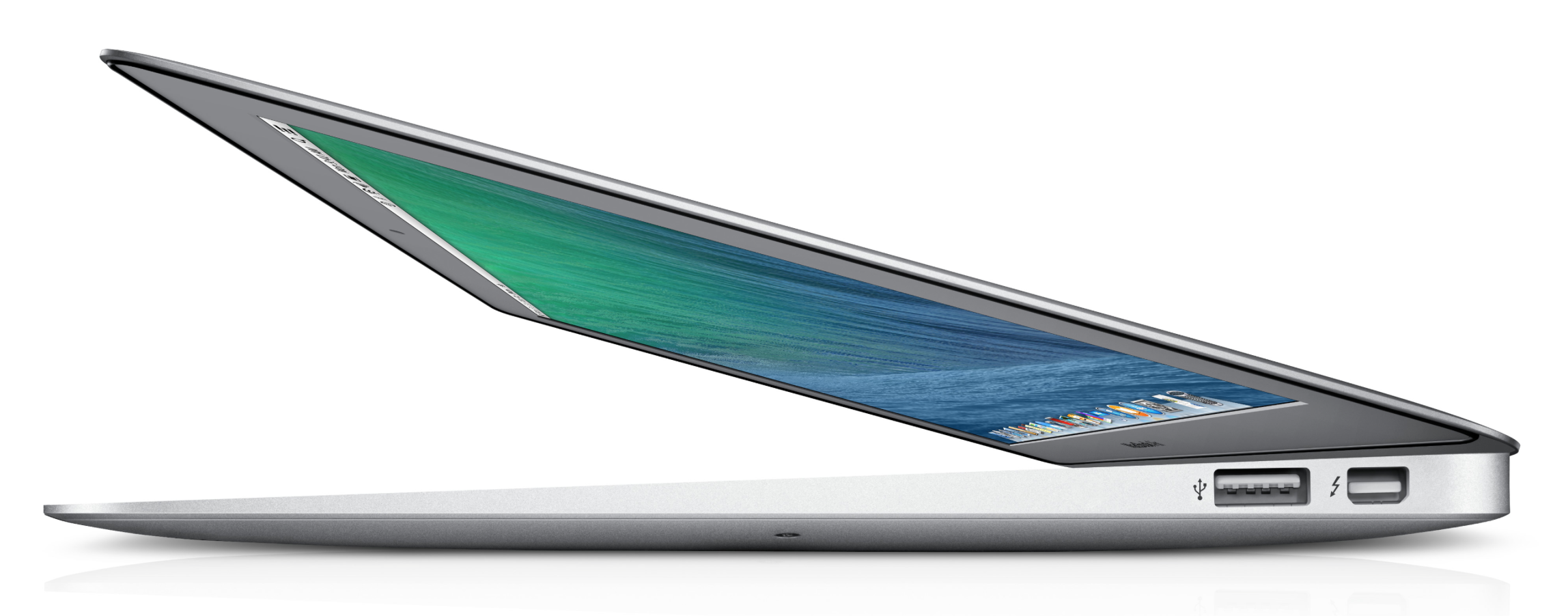
In line with our recent scoops, Apple has updated its MacBook Air lineup early this morning. The refresh features the slightly updated Intel’s Haswell processor and all models are now priced $100 less than the previous models. The design is exactly the same and we don’t expect any significant changes to the MacBook Air lineup until later this year.

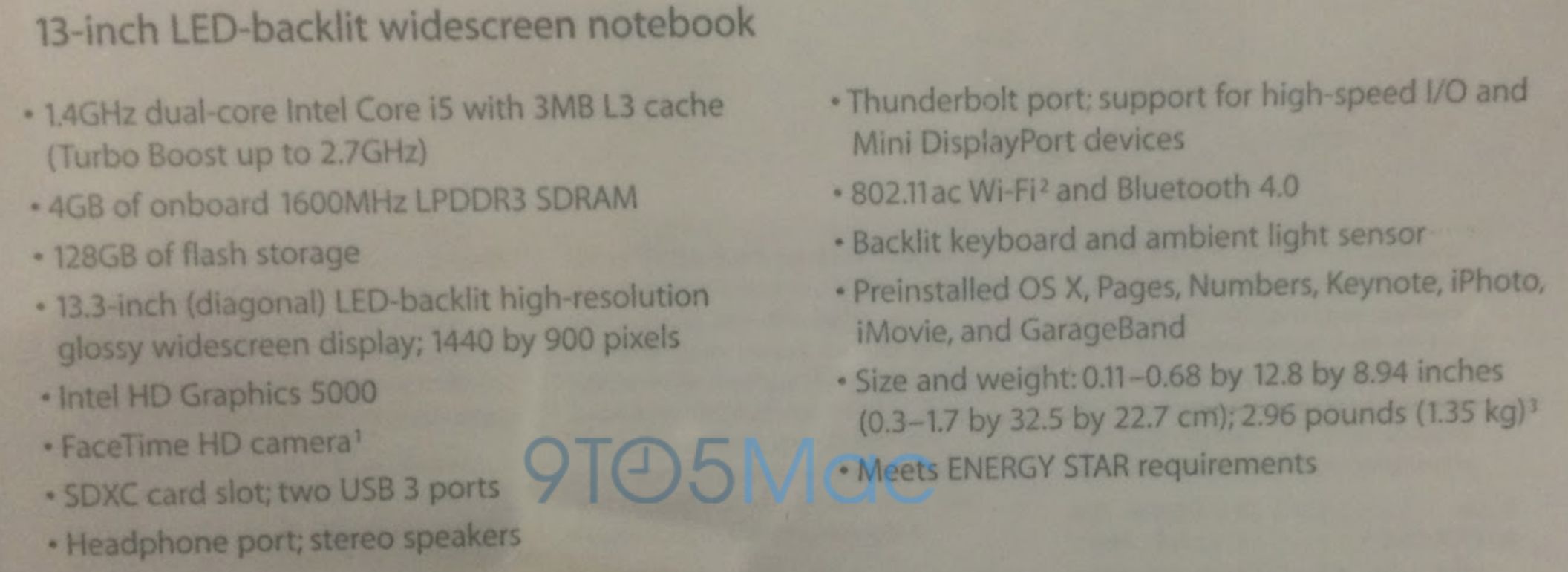
You won’t find much different here, but the 11-inch and 13-inch MacBook Air models have been bumped up to a 1.4GHz dual-core Intel Core i5 processor with 4GB of RAM and 128GB of storage in the low-end configurations and 256GB of storage in the top 11-inch and 13-inch models. These baseline models are configurable with built-to-order options up to a 1.7GHz dual-core Intel Core i7, 8GB of RAM, and 512GB of flash storage. Apple did give one particular spec a slight boost however…


Expand
Expanding
Close

New MacBook Airs likely launching tomorrow

Site default logo image

Update: Here are the specs…

Apple is preparing to launch a refreshed line of MacBook Air laptops as soon as tomorrow, according to multiple sources. These sources say that shipments of new MacBook Airs have begun arriving in large quantities to Apple Stores across the country. Another source adds that Apple Stores are scheduled to re-arrange the placement of Macs in stores to focus on the MacBook Air tomorrow morning…


Expand
Expanding
Close

Site default logo image

Rumor: Minor MacBook Air refresh coming as soon as next week

French site MacG is citing “reliable sources” in suggesting a minor refresh to the MacBook Air line-up next week. With Intel having updated its range of laptop CPUs, it seems likely the 11- and 13-inch machines will see a small increase in speed, from the existing 1.3GHz chip to either 1.4GHz or 1.5GHz.

It’s also possible, though less likely, that Apple would increase the SSD size from the present starting point of 128GB.

If you can wait until later in the year, however, you’ll probably get much more for your money when it’s strongly rumored that Apple will be launching an all-new 12-inch MacBook Air with Retina display in Q3. Ming-Chi Kuo of KGI Securities said we should expect:

  • 12-inch screen, but as portable as current 11-inch MacBook Air and productive as 13-inch MacBook Air
  • Higher-resolution display (Retina)
  • Will “redefine laptop computing” once again just like the current MacBook Air design
  • Thinner/lighter than MacBook Air, new clamshell structure
  • Will run on Intel chip, not Apple-based A8 processor
  • Potentially lower-cost than current Apple notebooks
Site default logo image

Next-gen faster Haswells chips out as soon as next month, could find their way into upgraded MacBook and iMacs

Intel’s next generation of its Haswell CPUs could be out as soon as next month, according to sources cited by TechPowerUp (via TonyMacx86).

According to sources in the IT retail, Intel could launch these new chips, led by the Core i7-4790K, on May 10th in most markets […]

 Intel Core “Haswell” Refresh processors offer marginally better performance over current Core “Haswell” chips, at existing price points (i.e., they will displace existing chips from their current price-points).The 9-series chipset offers features such as M.2 SSD support, making you ready for a tidal wave of 1000 MB/s SSDs that will launch around Computex.

Apple now uses PCIe SSD interface  even in its base model MacBook Air so the mSATA improvement will only benefit PC users and Hackintoshers but the mildly improved performance might find its way into updated iMac or MacBooks due ’round WWDC.

Site default logo image

Expect faster MacBooks with longer battery-life thanks to DDR4 RAM

Matt Margolis is predicting that Apple will be switching from DDR3 to DDR4 RAM for future MacBooks this year, suggesting faster performance and improved battery-life.

One of Apple’s RAM manufacturer. Micron, says that DDR3 bandwidth tops out at around 17GB/s, while DDR4 aims to double this by 2015:

Since the introduction of the iPhone, the industry has responded with an evolutionary transition from 2.6 GB/s LPDDR1, to 8.5 GB/s LPDDR2, to 17 GB/s LPDDR3, the technology currently is powering today’s high-end devices in volume production. DRAM bandwidth has roughly doubled with each generation to keep pace with demand.

The next generation of low-power DRAM (LPDRAM)—also known as LPDDR4—addresses these constraints by doubling the bandwidth of LPDDR3 while maintaining power neutrality. For example, LPDDR4 targets 34 GB/s of total bandwidth for a x64 memory subsystem, doubling the bandwidth target from LPDDR3

The company has not given specific targets for improved battery-life, but says that it aims to reduce power consumption in both active and standby modes.

Margolis suggests that DDR4 RAM may also make it into future iPhones and iPads.

When is Apple going to release a Retina MacBook Air? More signs point to ‘soon’

Following a forum post from a Chinese website, Digitimes is reporting that Apple will indeed ship a brand new MacBook Air with Retina display in the second half of this year.

The Digitimes article offers no specifics on what the new MacBook Air will feature, aside from the Retina display. A forum poster (who has a track record of accuracy) from last week said that the new model of laptop would feature a fan-less design in an even thinner form factor than the current MacBook Airs’ enclosure.


Expand
Expanding
Close

Contestants at Pwn2Own take down Safari, but said OS X security is better than other systems

<a href="http://www.pwn2own.com/photo-gallery/#prettyPhoto[]/13/">Pwn2Own</a>

As usual, the annual Pwn2Own contest featured many hackers targeting the latest operating systems and browsers from the major vendors, including Apple. Threatpost reports that the “Keen Team” focused Safari on Thursday and exploited it with relative ease.

The team took home a $40,000 bounty for their efforts on Safari, as well as a share in a $75,000 prize for co-engineering a zero-day Flash exploit. They say they will donate some of their winnings towards charities representing missing Malaysian Airplane passengers.

The group say that for Safari, they used two different exploit vectors. One vulnerability was a heap overflow in WebKit that enabled arbitrary code execution. The team then used this opening to use another exploit to bypass the application sandbox and run code as if it was user privileged.


Expand
Expanding
Close

TwelveSouth announces new hand-finished ‘Rutledge BookBook’ case for MacBooks

Site default logo image

TwelveSouth, the company behind the popular BookBook series of cases for Apple devices that we’ve reviewed several times in the past, today announced a brand new option for MacBook users. The new “Rutledge BookBook” for MacBook is the first new product in the BookBook lineup in almost three years and the company says it’s also its most unique yet.

While the overall look of the case is much the same as BookBooks that came before it, TwelveSouth says the Rutledge case features a new process of finishing the leather by hand that makes it look even more like an authentic old book. It also makes every Rutledge BookBook unique:
Expand
Expanding
Close

Site default logo image

Get into AAPL in April, suggests analyst, anticipating soft Q2 numbers before new products kick in

Wedge Partners analyst Brian Blair has suggested that Apple’s share price could be temporarily depressed by disappointing Q2 results in March before climbing by as much as 20 percent in response to new products in the fall, reports Barrons.

This gap between what is actually happening at Apple and investor sentiment is providing an opportunity for investors. We believe this opportunity should be taken advantage of before Apple’s next array of products hit the market, though the best time to own the stock may be in April after we get the March quarter/June guide behind us.

Blair cites several factors for expecting the stock to take a hit in March when Apple reports its earnings for its Q2 fiscal year (Q1 calendar year). Among them are the general slowdown in the saturated high-end smartphone market, continued soft demand for the iPhone 5c, overly-optimistic market forecasts for China Mobile sales and a reduction in the number of people upgrading their iPhone as they wait for the rumored larger-screen phone(s) in the fall.

The longer-term outlook is, however, excellent, believes Blair. He expects Touch ID to be rolled out across all iPhones and iPads in readiness for the launch of a mobile payment solution, and he thinks the expected larger iPhone 6 will sell well, especially in Asia.

In terms of completely new products, Blair is predicting the launch of the iWatch in September and a 12-inch display device he expects to see unveiled at WWDC, whether it is the much-rumored iPad Pro or a new 12-inch MacBook Air.

As ever, make your own decisions where investments are concerned …

Via CNET

f.lux for Mac gets smarter with screen-dimming based on daily schedule, Movie Mode and more

f.lux, the popular utility that changes the color temperature of your Mac’s display to reflect the sun’s daylight cycle, has received a major update. Whilst still being in beta, the app can now calibrate your screen based on your actual schedule, not just sunrise and sunset times.

This means the app is now useful for people who have non-standard schedules, such as people who work night shifts. The app smoothly transitions between ‘daytime’,’sunset’ and ‘bedtime’ presets based on the schedule information provided. You tell the app when you wake up and it automatically calculates the color temperature levels for every hour of the day.


Expand
Expanding
Close

Nuance announces Dragon Dictate 4, with pre-recorded transcription features and Gmail integration

Nuance has just announced the next major version of its Mac dictation software, Dragon Dictate 4. The new version improves recognition accuracy as well as several new features, including the ability to machine transcribe from a pre-recorded audio file. You no longer have to be recording a voice live to get transcription.

[youtube=http://www.youtube.com/watch?v=RRfbZ0h4yBo]

We’ve had a quick play with the software and the accuracy is almost scary good compared to older versions of the software. Speaking in a normal voice gives you almost 100% accuracy and even mumbling seems to work. While Mavericks uses the same Nuance speech engine, Dictate 4 has a better interface for transcription and tons of extra features as outlined in the videos above and below.

Dragon Dictate software has also been updated for modern system architectures — it is a 64-bit app now.  This results in better performance and better memory management over its predecessors. The company says it has drastically reduced latency when interpreting speech.

[youtube=http://www.youtube.com/watch?v=YnGKb854CNI]


Expand
Expanding
Close

Site default logo image

Ending today! Get SnagIt, Flux 4, Tunes Cleaner, Boom, Mariner Write, Elite Keylogger Pro and more for $10

From 9to5toys.com:

Stack Social’s ‘Name your own price bundle’ with some solid offerings starting at $10.31 and an email address ends today.

The bundle includes:

If you are feeling generous, 10% of all sales go to a charity of your choice, and get on the leaderboard (which qualifies you to enter a drawing for a MacBook Air).

Opinion: Why I love Apple products, and am just a tiny bit embarrassed to be seen using them

Site default logo image

I love my Apple products. I’ve used Macs since day one. My desk right now has on it my MacBook Pro, MacBook Air, iPad Air, Thunderbolt Display and iPhone. Oh, and an Apple Bluetooth keyboard and Magic Trackpad, of course.

My friends are convinced that I’m incapable of leaving the house without my iPad, and I have to confess that the evidence is on their side. My car has an iPhone dock so I can listen to music and podcasts. If I’m on a plane, train or tube, it’s a near-certainty that I’ll be using my iPad or listening to music on my iPhone – or both.

I love Apple hardware design. Sleek, minimalistic, beautiful. There aren’t that many other really attractive laptops out there, and most of the ones that are have essentially copied Apple’s designs … 
Expand
Expanding
Close

How-to: Use Preview to put signatures on PDF’s, Pages Documents, and Mail messages

Site default logo image

As we have written about in previous articles, Preview is a valuable tool in OS X that does not get a lot of press. In this article, we will review how you can use Preview to capture your signature using the iSight camera on a Mac, then use it in Pages documents, to sign PDF documents, and as an image in your signature in the Mail app.


Expand
Expanding
Close

Site default logo image

How to: Get Spotlight processes back under control when CPU usage goes crazy

If you’re finding that your Mac fans are running a lot more than they used to, you might want to check out whether a couple of Spotlight processes are consuming more than their fair share of CPU cycles.

Ever since the latest Mavericks update, I found that my MacBook Pro seemed to be running hot a lot of the time, with fans ramping up to high levels to cool it. Checking Activity Monitor didn’t seem to be shedding much light on things at first glance. The only two processes using an unusual amount of CPU were mds and mds_stores. These are two processes used by Spotlight when indexing, so I didn’t think too much of it – Spotlight has to do its indexing sometime, right?

But several checks later, these two processes seemed to be helping themselves to significant chunks of CPU on a regular basis, at which point I did some Googling.

I started by disabling Spotlight altogether to confirm that it was the culprit. To do this, I went into Terminal and entered:

sudo mdutil -a -i off

The fans spooled down and all was back to normal. Spotlight was indeed the culprit.

I briefly considered leaving Spotlight off until the next OS X update, but that proved too much of a pain. I keep my most-used apps in the dock, but everything else I habitually launch from Spotlight. CMD-space plus the first letter or two of the app is just too convenient to give up. So I did some more Googling – after switching Spotlight back on with:

sudo mdutil -a -i on

The first tip I found was here, where it suggested deleting the Spotlight database and forcing it to re-index. You can do this in Terminal again:

 sudo rm -rf /.Spotlight-V100/*

Top tip: set this going overnight, as the re-indexing takes a while.

This helped quite a bit, but the mds process still seemed a little greedy. More Googling led me to a suggestion to remove from Spotlight’s indexing any directories with frequently-changing content, especially those used for online backup. You can do this by going into System Preferences, clicking the Privacy tab and then drag-and-dropping onto it any directories you don’t want it to index.

I added my CrashPlan, MobileSync and Dropbox folders – three specific suggestions I’d found – and then for good measure added some others with frequently-changing content.

This did the trick: my fans stayed on low, and Activity Monitor showed the mds processes consuming only tiny amounts of CPU.

I’m not sure how general an issue this – hence making this an aside – but if you’re finding your Mac running hot, it may be worth checking out.

Site default logo image

Offers you can’t refuse: $100 off all MacBooks, up to 70% off 2K iOS games, Samsung 3D BR player $55, more

Be sure to follow 9to5Toys to keep up with the best gear and deals on the web: Twitter, RSS Feed, Facebook, Google+ and subscribe to the new Safari push notifications feature.

Today’s can’t miss deals: 

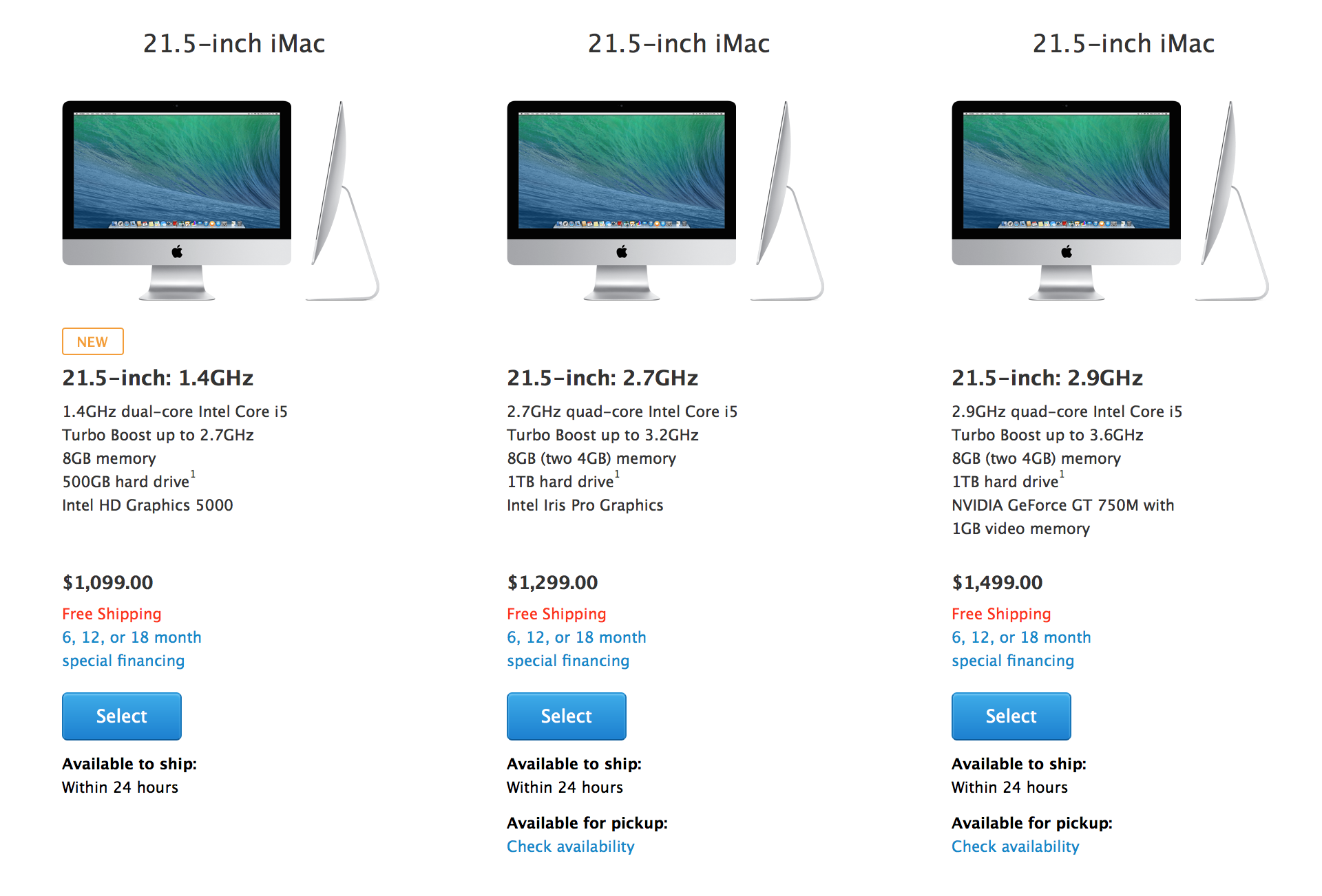
Best Buy 2-Day Doorbusters: $100 off all Apple MacBooks and 21″ iMac for $1,150 ($150 savings)

Game/App Deals: Up to 70% off 2K iOS games, Tilt to Live: $1 (Reg. $3), 100 Rogues: $1 (Reg. $3), iOS freebies, more

Samsung Smart 3D Blu-ray Wifi BluRay player (refurb): $55 shipped. Add Godfather series Blu-ray for an offer you can’t refuse


Other great deals from today:

More great deals still alive:

Apple takes over its homepage to celebrate 30 years of Mac, with accompanying video, timeline and poll

In addition to interviews with the press, Apple is celebrating 30 years of Mac with a full-bleed graphic on its homepage, which links to a minisite that plots how the Mac evolved over the years. The message says that Apple made the Macintosh with a promise to get “the power of technology .. in the hand of everyone”. “This promise has been kept.”, it reads. The dedicated minisite depicts a (scrollable) timeline of the major models of Mac since 1984, spanning the PowerBook, the iMac and ending with the Retina MacBook Pro and the brand new Mac Pro.

See the accompanying video after the break.


Expand
Expanding
Close