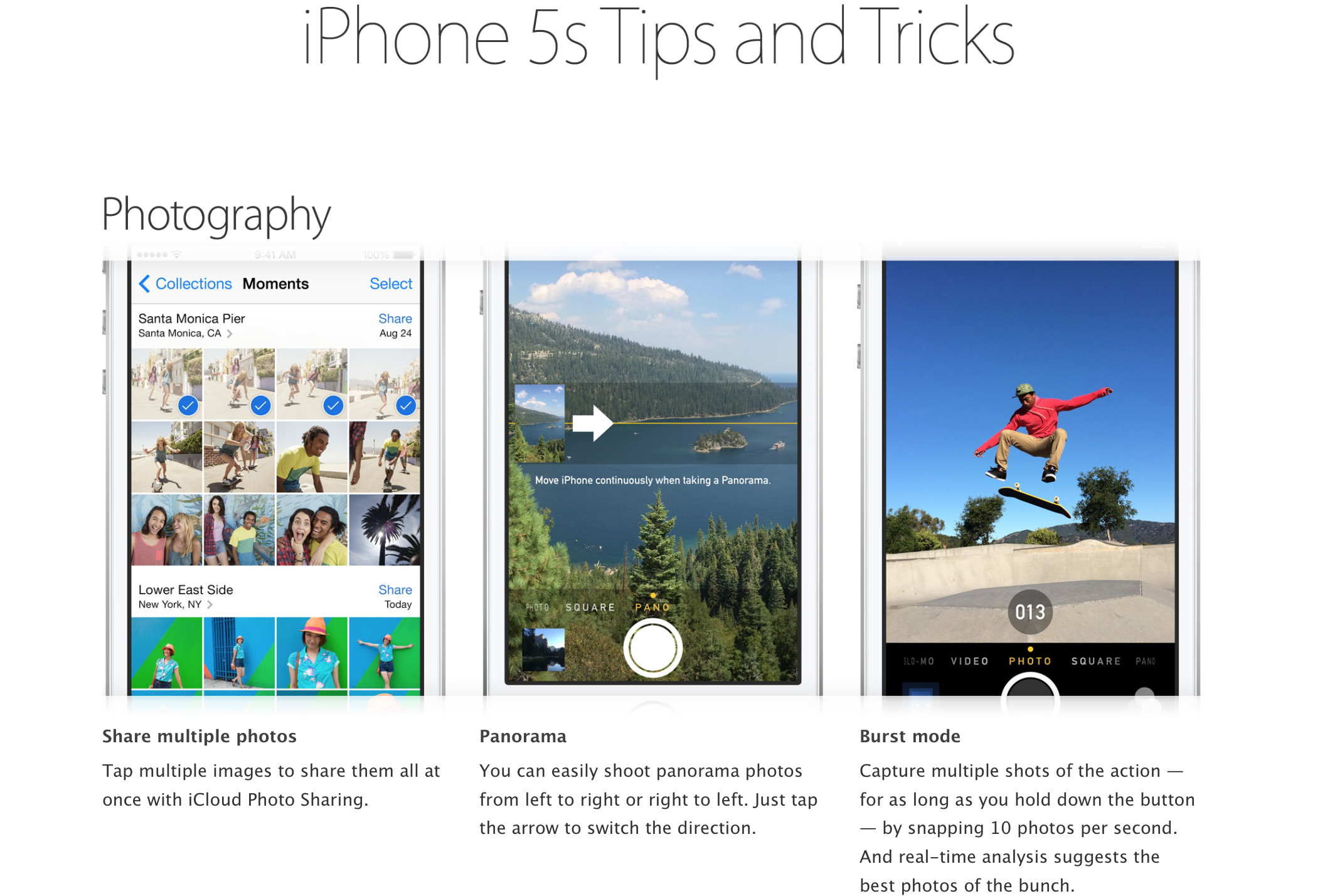
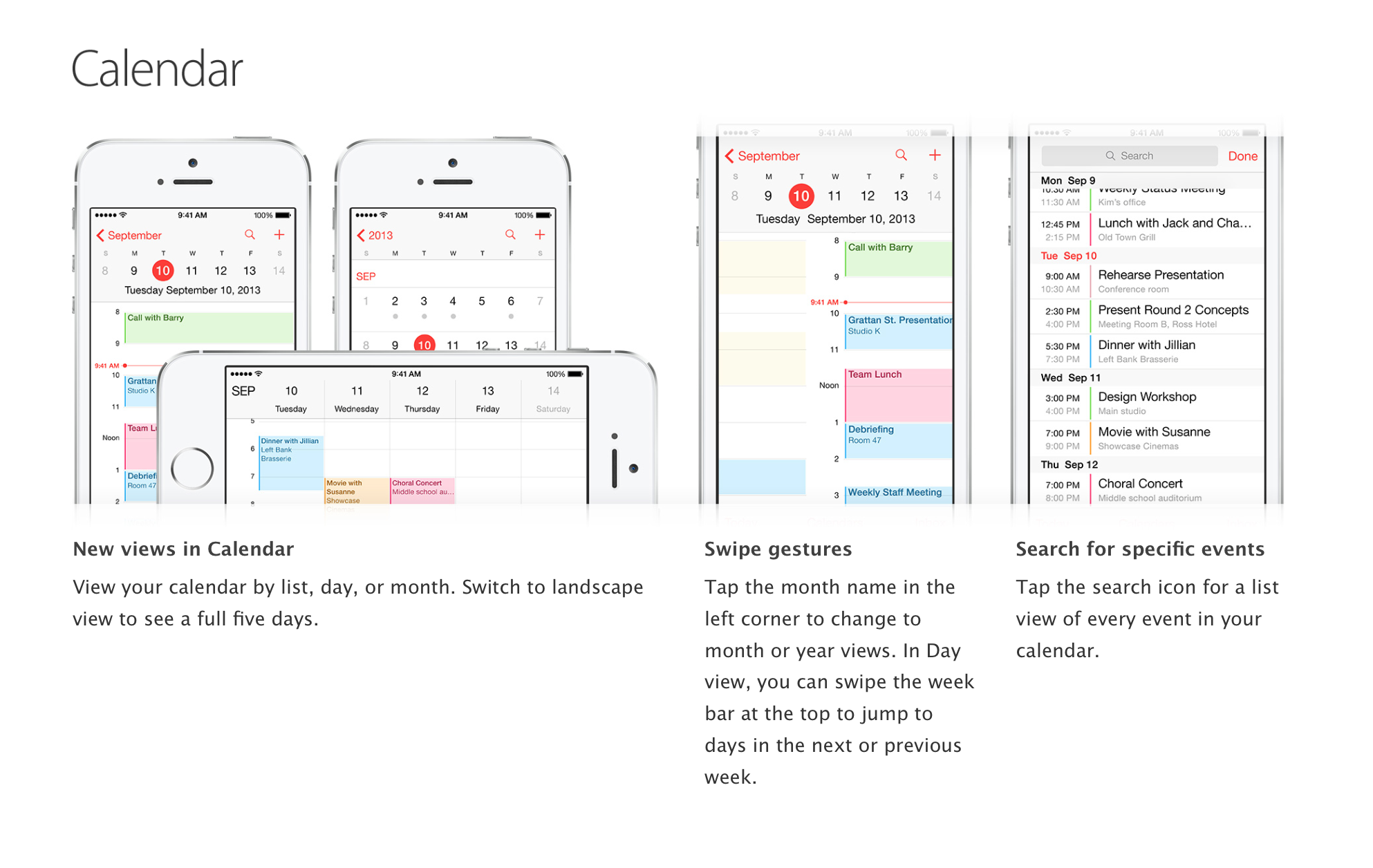
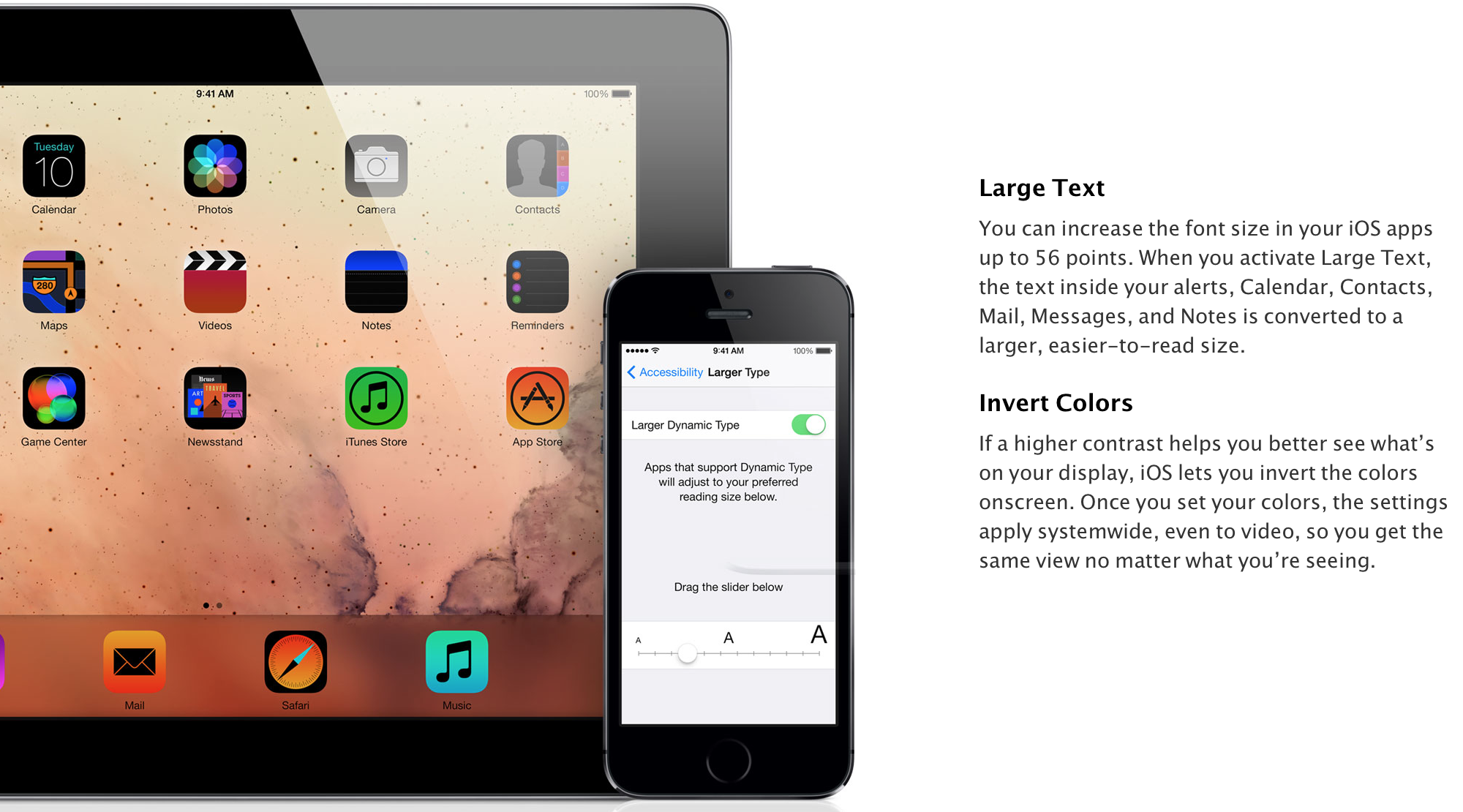
This week Apple has added revamped iPhone support pages detailing a long list of new features and UI tweaks in iOS 7 with a slick new UI that allows users to easily swipe through a carousel of related tips using a layout that’s much better suited for touch screens on iOS devices.
The new design is only available for iOS 7 related tips currently, but it could be a sign of things to come for the rest of Apple’s aging iPhone support pages that force users to navigate through lists of knowledge base articles.
The SuperStacked Mac Bundle: Over $3,000 Worth Of Premium Developer & Designer Tools – $35 today, but price increases everyday it’s on sale. Don’t hesitate!
Fitbit has premiered the new Force fitness tracking watch as its new flagship product. The biggest differentiator for the Force is the new OLED display, wrapped in Fitbit’s signature water-resistant rubberized bracelet design. Instead of simply depicting steps taken as dots, the new Force can bring you detailed tracking information including steps, distance, calories burned, active minutes, and floors climbed.
Fitbit Force is the first and only in its category to be able to capture and display all of these stats on your wrist, as well as wirelessly and automatically sync them to leading Apple & Android smartphones and your computer, helping you push further to achieve your fitness goals.
The Fitbit Force is now able to track floors climbed thanks to the inclusion of an Altimeter. The force features even deeper iPhone integration by sending call notifications directly to your Fitbit, as long as you are running iOS7 on an iPhone 4S or newer. However, early-adopters will have to wait for this feature as it will not be launching alongside the new device. Of course, the Force is also capable of all previous Fitbit offerings like tracking your sleep, wireless Bluetooth 4.0 syncing, and silent wake ups. The battery stores enough juice to last 7-10 days.
The Fitbit Force is available today for $129.95 from Fitbit.com in two colors (black/slate) and will be coming to more retailers in the coming weeks.
Dropcam has been around since 2009, but only truly became a player in the app-enabled home security space early last year with the release of the Dropcam HD Wi-Fi video monitoring system. It separated itself from the normal cast of IP video cameras by offering an insanely easy setup process, beautiful software, and effortless mobile device integration (iOS/Android). These wireless cameras have become so popular that Dropcam is now processing more video than YouTube on a daily basis.
Building on the success of the Dropcam HD, the San Francisco-based startup is now launching the Dropcam Pro. It will not be replacing the HD, but rather joining it as ‘step-up’ version for users who want to get the absolute most out of their video monitoring setup. The Dropcam HD will now be known simply as “Dropcam.” We had the opportunity to spend an entire week with the Dropcam Pro. Keep reading to find out if it lives up to the high expectations set by its predecessor.
The pages detail some of the software-exclusive features to the iPhone 5s in addition to some enhancements that came in iOS 7. For instance, the section’s spends time highlighting the camera app, which arguably received one of the most significant in-app transformations with the launch of the new iOS.
With former MobileMe customers losing their additional 20GB of free storage a couple of days ago, there are probably a bunch of new people eyeing the paid iCloud upgrade options and wondering whether or not to hand over their cash. So we thought it would be a useful to take a look at the other major cloud storage services out there, to see how they compare.
As none of them are trying to hide the filesystem in the way Apple does, they all essentially work in the same way: providing you with a virtual online drive that you treat just like a local folder. There are also OS X and iOS apps for each.
Let’s start with the obvious: if you want something that is totally integrated into both OS X and iOS, and which Just Works, then iCloud is king.
Although the 5GB you get free doesn’t sound like a lot, you actually get more than this in practice – because Apple doesn’t count the space used by any of your iTunes purchases (apps, music, movies/TV shows or books), nor does it count the 1000 most recent photos you get to store in Photostream. If most of the content you want to store came from Apple, and all you want to do additionally is sync your contacts, calendar, notes and so on, the free storage is probably all you need.
iCloud is also a seamless way to store documents if you use Apple’s own iWork software: Pages, Numbers and Keynote. By opting to save documents on iCloud, they are automatically available to you from your Mac(s), iPad and iPhone – as well as on the web.
But if you have a lot of documents, you can pretty soon start bumping up against that 5GB limit. Which is where iCloud’s costs and limitations start to show up … Expand Expanding Close
A large majority of the deals we cover each day come from a variety of ‘Daily Deal’ websites or are so popular that they don’t even last 24 hours. We know you can’t be at your computer every second, so we’re going to round up the best deals each day to make sure you have a fair shot at the deals you want. Be sure to follow 9to5Toys.com so you never miss a deal...Twitter, RSS Feed, Facebook, Google+.
With the new iPhone 5s and 5c rolling in and many users wanting to upgrade to the new devices, it might be wise to increase the value of your phone by unlocking it. Chronic Unlocks, the go-to company for unlocking iPhones (and various Nokias, LGs, BlackBerrys and other smartphones), offers a quick, reliable, and low-cost unlocking service. Expand Expanding Close
For some people, the font sizes on the iPad, iPhone, and iPod touch are too small. Sometimes, these small fonts prevent people from using or purchasing the iOS devices. Thankfully, there are multiple solutions to this potential issue. Below, we’ve rounded up the old fixes and new fixes in iOS 7:



 $50 iTunes gift card for $40: