Jordan manages the internal Partner Program for sponsorships and partnerships across the 9to5 network’s media brands including 9to5Mac, 9to5Google, 9to5Toys, Electrek.co, SpaceExplored and DroneDJ.com.
According to a report from The Times of India, Apple is kicking off an aggressive new trade-in program in India after a successful pilot of the program earlier this year. The new offer will see customers trading in the iPhone 4 for big discounts on the new iPhone 5C and the iPhone 4S. The news comes from sources that say Apple met with executives from its retail partners in the country last week to discuss the new program.
Apple is going to be offering a minimum Rs 13,000 (approx. $207) in trade-in value for the iPhone 4, allowing customers to get their hands on 16GB and 32GB iPhone 5C for Rs 28,900 (approx. $460) and Rs 40,500 (approx. $650) down from the Rs 41,900 and Rs 53,500 the devices normally sell for. Users can also get an iPhone 4S for Rs 18,500 (approx. $300), down from the usual retail cost of roughly $500. Expand Expanding Close
PayPal is releasing an updated iPhone app today that on top of introducing a redesign for iOS 7 also introduces a few new features.
You’ll notice a number of UI tweaks in the new app and a redesign that fits in with the look and feel of iOS 7, but you’ll also now be able to withdraw money from your PayPal balance to your bank account within the Wallet tab. Also new is the ability to pay by scanning QR and bar codes a select retail partners:
Paying just got even easier! Scan a QR or bar code to pay at select merchants
In addition, version 5.2 of PayPal for iPhone includes the ability to choose your home screen for fast access to the features you use most.
What’s New in Version 5.2
5.2
• Need to withdraw some cash from your PayPal balance to your bank? You can do that in your Wallet
• Check out our new iOS7 look and feel
• Paying just got even easier! Scan a QR or bar code to pay at select merchants
• Choose your start screen for fast access to the info you need
• We’re still hard at work finding and fixing bugs
We’re always listening, so please send comments, suggestions, and any words of encouragement to mobile-apps@paypal.com.
Following the announcement for Moga’s new iOS 7 game controller yesterday, Logitech today officially announced its new MFi controller, the PowerShell. Like Moga’s controller, Logitech’s also doubles as a battery pack with a built-in 1500mAh battery (slightly smaller than Moga’s 1800 mAh) and will sell for the same $99 that Moga is asking.
Both of the new controllers are using Apple’s new MFi iOS 7 game controller program, which offers accessory makers and developers one standard framework for implementing support for iOS compatible game controllers. Apple allows two types of game controllers and two configurations all with pressure sensitive buttons and consistent layouts. The first type of controller is the form-fitting controller (like the Moga and the new Logitech), which allows your iOS device to be docked right into the controller. There will also be standalone controllers that connect over Bluetooth.
Logitech is using Apple’s standard MFi configuration, which gives you a D-Pad, A/B/X/Y face buttons, and left and right shoulder buttons. Moga, on the other hand, is using Apple’s extended layout, which adds an extra set of shoulder buttons and left and right thumbsticks. Expand Expanding Close
Developers that are using Google’s Maps APIs to build iOS apps will be pleased with Google’s latest update to its Google Maps SDK for iOS today. Version 1.6 of the SDK brings one notable new feature for developers that are transitioning their apps to iOS 7’s new 64 bit architecture available for devices running Apple’s new A7 processor.
The SDK now fully supports 64-bit architectures with both the 32 and 64 bit binaries built into a single updated GoogleMaps framework. Google notes that “The correct binary will be selected by Xcode based on your build settings.”
Version 1.6 of the new Google Maps SDK for iOS also includes a few other new features including enhanced marker opacity and min/max zoom settings. A full list of what’s new and fixed is below:
The Google Maps SDK for iOS now supports 64-bit architectures. Both 32 and 64 bit binaries are built into the single GoogleMaps framework. The correct binary will be selected by Xcode based on your build settings. For instructions on building 64-bit applications, please refer to Apple’s 64-bit transition guide. (Issue 5806)
Changed some instances of CGFloat to either a float or double where it was more appropriate.
Added the ability to restrict min and max zoom on GMSMapView. (Issue 5882)
Added opacity on GMSTileLayer and GMSMarker.
Core Animation on GMSMapView now requires model values to be set
Resolved issues:
Info windows and tappable regions now rotate correctly with markers. (Issue 5896, Issue 5969)
Padding on a GMSMapView is no longer clamped to its bounds (useful if setting padding on an initially zero-sized map). (Issue 5864)
Copyright information now animates when changing GMSMapView size or padding.
Info windows are removed if their GMSMarker is removed from a GMSMapView. (Issue 5856)
My Location dot uses the last known location information when enabled. (Issue 5590)
Resolved two rare race conditions that were causing crashes. (Issue 5795)
Resolved an issue where retain cycles were causing memory leaks on GMSMapView and GMSPanoramaView.
Back in September Yahoo launched a new Yahoo Screen iOS app, a TV remote-like experience for browsing content from Yahoo and sending content to your TV via AirPlay. Today the company announced that it is launching the Yahoo Screen experience directly on the Apple TV.
Yahoo Screen on Apple TV helps you quickly find all the great video Yahoo has to offer —Saturday Night Live, The Colbert Report, The Daily Show with Jon Stewart, live news and events, music and original Yahoo programs — so you can enjoy on your big screen.
The app appears to be a similar experience as the iOS app, allowing users to browse through content hosted on Yahoo across categories such as news, sports, food and entertainment and instantly stream content to their TV. Yahoo! has made new deals with Viacom that will bring content from Comedy Central and elsewhere, and it will also live stream original Yahoo programs, news, and live events. A few of the shows already available on Yahoo Screen include Saturday Night Live, The Colbert Report, and The Daily Show with Jon Stewart. You’ll also find content from MLB, UFC, The Onion, ABC News, Martha Stewart, and more.
The apps are being pushed out over the air to the Apple TV in the U.S. now, and we’ve also discovered that a new PBS channel has arrived today (pictured above). The app doesn’t require users to have a TV subscription to access content, but it does require users to sign in using Google+, Facebook, or the app’s registration in order to access PBS broadcasts for their location. The app doesn’t have live content, but it does have many of the network’s new shows shortly after they’ve aired.
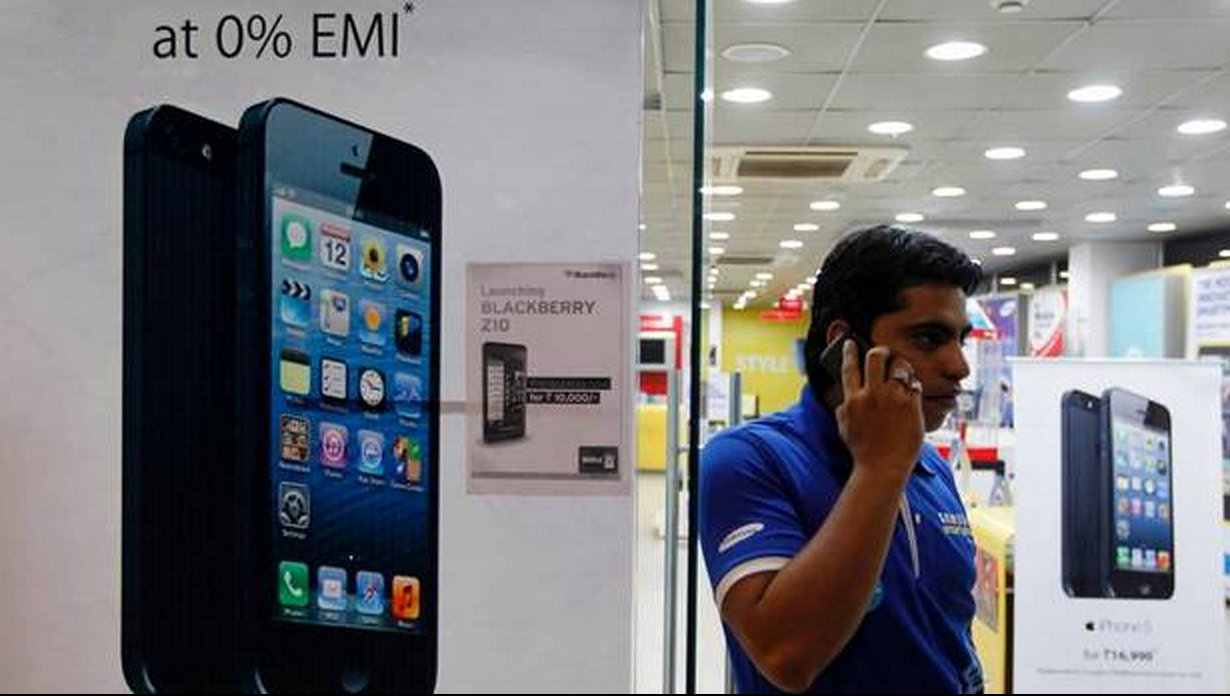
FreedomPop, the wireless service provider offering free and cheap no-contract plans on Sprint’s network, today announced it’s now allowing customers to bring their old Sprint phones to activate on its $0/month wireless plans. We’ve confirmed with the company that will also soon include iPhones.
The company has been around since 2011 with various hotspot products and recently launched its first smartphone direct to customers alongside the world’s first completely free mobile service. A guaranteed 500 MBs of data, 500 text messages, and 200 anytime voice minutes for free each month would sound enticing to anyone, but previously customers would have to pay $99 for an almost two-year old HTC Evo Design to get it. Despite that, FreedomPop says it “immediately sold out” of stock when it launched last month.
That’s about to change today as FreedomPop will now let Sprint customers bring their own device to activate on its free and cheap plans. Although there is no mention of it in the carrier’s press release and some are reporting iPhones aren’t supported, we’ve confirmed FreedomPop will support the iPhone 4 and 4S as well as 20 other Sprint devices initially. Stephen Stokols, FreedomPop’s CEO, tells us it will be another few weeks before the iPhone is compatible, and eventually all Sprint smartphones will be supported. Around 600 devices, including iPhones, will be supported by the end of the month. Expand Expanding Close
The Yahoo Mail app for iPhone and iPad gets a small but nice update today. For anyone that uses the app, the inability to swipe left or right through messages, something you can do in most other popular mail apps, has been quite an annoyance. Today that changes with version 2.0.3 getting the functionality when viewing emails on iPhone and in full-screen mode on the iPad.
The update also includes stability enhancements and bug fixes.
What’s New in Version 2.0.3
– Easily swipe through messages: Swipe left and right to page through messages when reading messages on the iPhone and in full-screen mode on the iPad
– Bug fixes and stability improvements
GigaOM today published a lengthy piece on the state of the solar and fuel cell farm installations that Apple has been building in North Carolina in recent years.
After a visit to the 100-acre, 20 megawatt (MW) solar farm, 10MW fuel cell farm, and another 20 MW solar panel farm situated close to Apple’s North Carolina iCloud data center, the report gives a pretty in-depth look into Apple’s operations, from how its fuel cells work right down to the sheep that eat the grass on its solar farm:
The solar farm across from the data center has over 50,000 panels on 100 acres, and it took about a year to build the entire thing….Each solar panel on Apple’s farms has a microcontroller on its back, and the panels are attached to long, large trackers (the steel poles in the picture). During the day, the computers automatically and gradually tilt the solar panels so that the face of the panels follow the sun throughout the day. The above picture was taken in the late morning, so by the end of the day, the panels will have completely rotated to face where I was standing. The trackers used are single-axis trackers, which basically means they are less complex and less expensive than more precise dual-axis trackers.
You can see in the above picture that the grass is neatly maintained. Apple manages the grass under the panels in a variety of ways, but one of those is a little more unusual. Apple works with a company that ropes in sheep that eat the grass on a portion of the solar farm; when the sheep finish grazing on one spot, they’re moved to the next.
The site decided to take a look into Apple’s decision to take renewable energy into its own hands just as North Carolina utility Duke Energy is requesting that the state allow it to sell clean energy to large corporate customers. Google is one of the large companies interested in purchasing clean energy from the utility, but the hundreds of millions Apple has invested into its own renewable energy efforts have so far made it self-sufficient. The report notes Apple’s two solar farms, along with its fuel cell farm, are producing more than it needs to power its data center by around 10MW:
Apple’s second 20 MW solar panel farm, which is about 15 miles away from the data center near the town of Conover, North Carolina, is also up and running. All told, the three facilities are creating 50 MW of power, which is about 10 MW more than what Apple’s data center uses. Because of state laws, the energy is being pumped into the power grid, and Apple then uses the energy it needs from the grid. But this setup also means Apple doesn’t need large batteries, or other forms of energy storage, to keep the power going when the sun goes down and its solar panels stop producing electricity.
The full feature on GigaOM is worth checking out if you’re interested in Apple’s renewable energy projects.
BestBuy and Sprint are offering a truly rare deal for students leading into the holidays this year. Starting today, students in the US that purchase a smartphone from BestBuy will be able to get 12 months of free talk, text, and data for 12 months. You’ll have to pick up an eligible Student Activated Price device in-store with an Unlimited, My Way plan, but that won’t require a contract and there are plenty of great phones to choose from.
You’ll pay a little more for BestBuy’s student pricing. For example, $699 for a 16GB iPhone 5s or $599 for a Moto X, but the free year of service (normally $70/month) will still save you a ton of money by the end of the first year. There will also be a $36 activation fee per line.
In addition, Best Buy is offering an additional 12 months of free service by adding another phone line to the same account on a two-year contract.
After your free year of service is up you’ll have to cancel your service or hand over the $70/month that the My Way unlimited plan with 1GB of data normally goes for. The deal will be available in BestBuy stores until January 4.
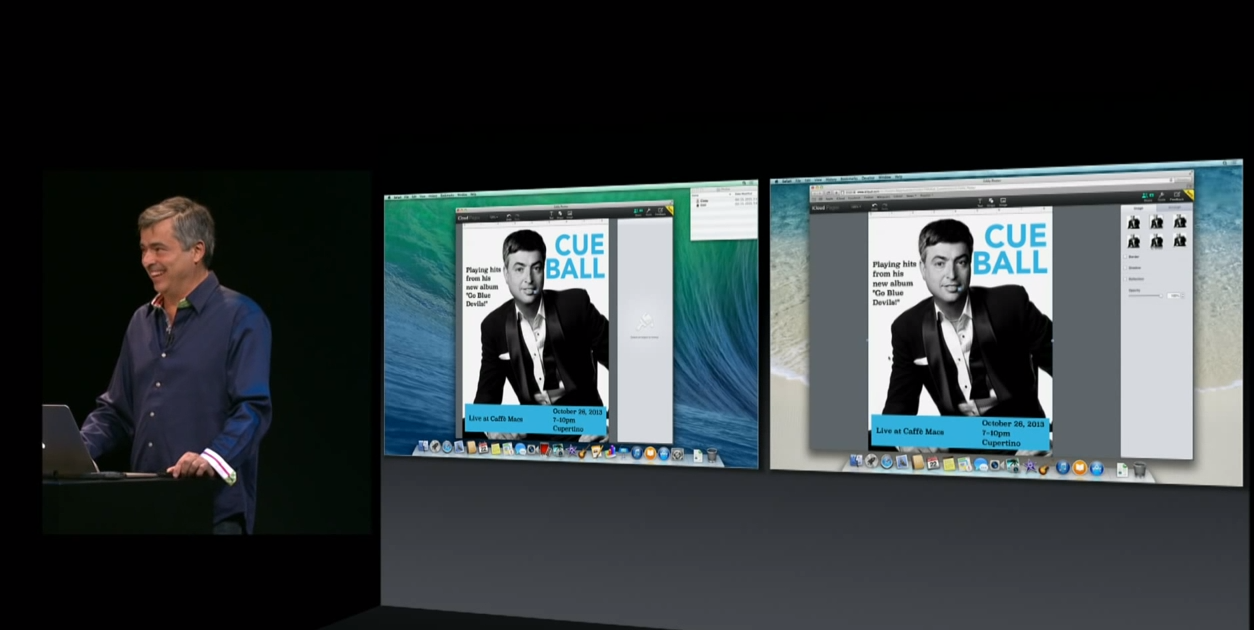
Back at Apple’s October 22nd iPad Air event, the company also unveiled an update to its iWork for iCloud online productivity suite beta that included new real-time collaboration features, easier sharing, and more. The ability to collaborate went live initially, but today Apple is rolling a handful of other new features to the Pages, Numbers, and Keynote iWork for iCloud apps.
New features going live today include a new list to view all collaborators currently working on a project, as well as “cursors and selections” for each person editing a document, presentation, or spreadsheet. Apple also notes that you can now “Instantly jump to a collaborator’s cursor by clicking their name in the collaborator list.”
In addition, all apps today receive new folders to organize files, the ability to print from the Tools menu, and the Keynote app gets right-click to skip slides.
You can check out the new features in the Numbers, Pages, and Keynote app on iCloud.com now. Full list of what’s new below: Expand Expanding Close
Google today is releasing a pretty big update to its Gmail app that on top of introducing tweaked visuals for iOS 7 also includes a handful of new features for iPad.
The iPhone app appears to have received a few tweaks including a slightly redesigned side navigation bar, but the majority of the UI changes are most noticeable in the iPad app. It receives a slimmed down navigation bar on the left that lets users switch between accounts and inboxes in landscape view, as well as new full-screen moss for messages in portrait an composing new emails. Google also says the updated iPad app includes “better scrolling.”
If you hold your iPad in landscape mode, you’ll immediately notice the new left hand navigation bar, which allows you to quickly switch between inbox categories, or between multiple accounts, with a single tap. To help you get through your email faster, you’ll also see a new message counter for each category.
Version 2.7182 of the Gmail iOS app is available on the App Store now.
What’s New in Version 2.7182
iPhone & iPad: Visual update for iOS 7
iPad: Major Update
– New navigation bar to switch between categories and accounts in landscape
– Full screen view of your messages in portrait
– Better scrolling
– Compose new messages in full screen
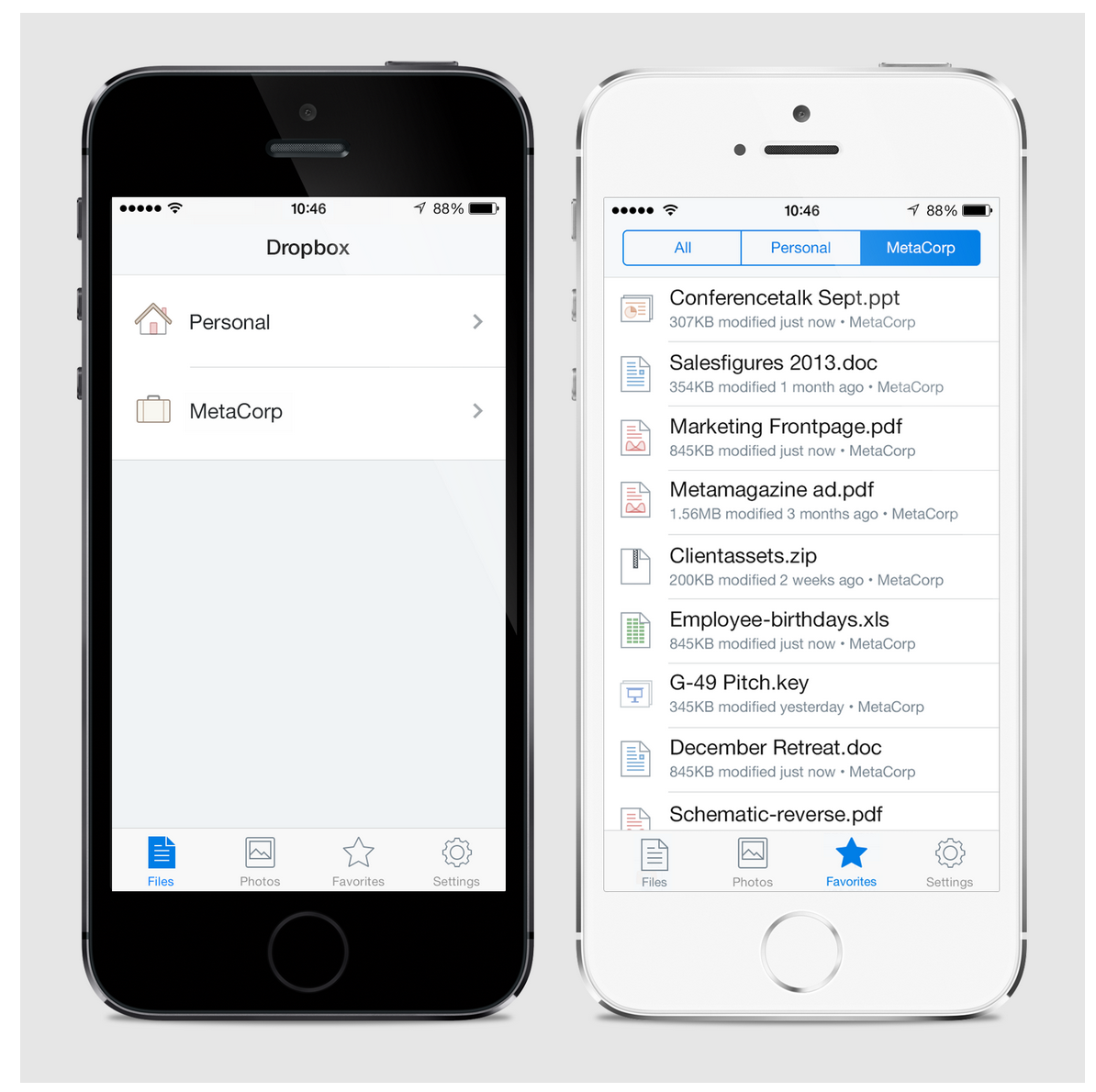
Dropbox today announced some big upcoming changes to Dropbox for Business, its paid enterprise offering that provides accounts for multiple users and enhanced security, support, and team management features. The big new feature is the ability to connect your business account to your personal account and use both simultaneously (pictured above), but the screenshots of an upcoming iOS 7 redesign for Dropbox is what really caught our eye.
Above is the image posted to Dropbox’s blog today showing a completely redesigned iOS app. It looks a lot like a couple images that we’ve got our hands on of the upcoming redesign. Head below for two more shots: Expand Expanding Close
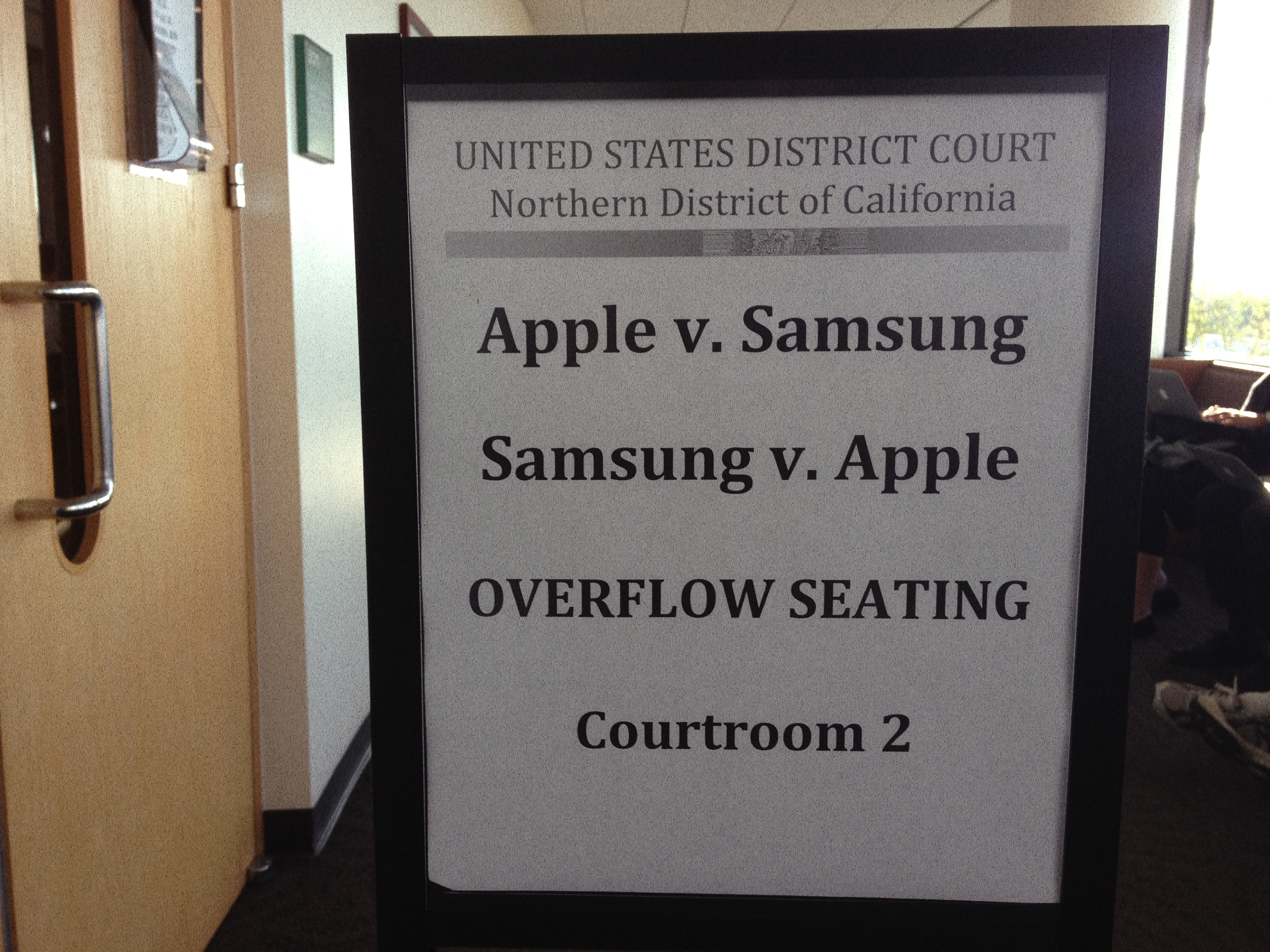
After a judge in March invalidated almost half of the $1B verdict Apple won in its patent infringement case against Samsung in August of 2012, another trial would have to take place to determine how much Samsung would actually owe. It still owes Apple the other approximately $600 million in damages pending an appeal, but today the two companies are in court for a retrial to determine how much of the other roughly $400 million in damages Samsung will be responsible for. CNET reports that Apple’s attorney today told the court it wants $380 million in damages from Samsung, slightly less than the original $410 million in vacated damages:
“We will hear a lot from Samsung, saying no one would have purchased Apple products,” McElhinny said. “But in its heart, Samsung knew it was a two-horse race.”
He pointed to an internal Samsung document as “conclusive evidence Apple lost sales because of Samsung.”
“In a fair fight, that money should have gone to Apple,” McElhinny said.
The $380 million number comes from Apple’s calculations of around $114 million in lost profits, $231 in Samsung’s profits, and $35 million in royalties. Apple says Samsung made around $3.5 billion revenue selling 10.7 million infringing devices. Expand Expanding Close
According to a report from Reuters, Apple is apparently under investigation in Italy related to unpaid taxes on more than $1.34 billion. The report quotes a “a judicial source with direct knowledge of the matter” and noted that the investigation is currently underway with authorities in Milan.
Milan prosecutors say Apple failed to declare to Italian tax authorities 206 million euros in 2010 and 853 million euros in 2011, one of the sources said, confirming a report by Italian magazine L’Espresso.
“The Apple investigation is under way,” the judicial source said on Wednesday, without giving details.
Reuters notes that Italian authorities in June handed down prison sentences and hundreds of million in fines for unpaid taxes to fashion designers Domenico Dolce and Stefano Gabbana.
If I could only make one game recommendation for Mac users, at the moment it would have to be BioShock Infinite. The game received amazing reviews from critics on the consoles and our friends at Aspyr quickly followed up with a flawless Mac version back in August. If you’ve yet to pick up a copy, you now officially have no excuse: GameAgent and 9to5Toys are offering BioShock Infinite for Mac for 75% off from now until Sunday.
That means you’ll get BioShock Infinite for $10 instead of the usual $40, and we’re also throwing in the $4.99 Columbia’s Finest DLC for free. Best price on Amazon: $31
On top of that, GameAgent is giving away some crazy prizes to celebrate its brand new site redesign. The new site has a “Mac Match” feature that lets you setup profiles for your Macs to easily find supported content, and also a new Wish List feature to get automatic deal alerts when games you’re interested in go on sale.
Go create an account on GameAgent.com and make sure to put a name and legit email when completing the contest entry page to win a fully loaded 27-inch iMac with a 3.4GHz Quad-core Intel Core i5, 16GB of RAM, 1TB drive, and NVIDIA GeForce GTX 780M 4GB GDDR5 graphics. It will also come loaded with every BioShock, COD, Duke Nukem, Quake 4, Civilization and Star Wars title GameAgent sells, along with a long list of other titles and DLC, and there are many other prizes too. Full details of the contest rules can be read here (contest rules).
To get your 75% off BioShock Infinite, click here and enter promo code “9to5Mac” at checkout. Deal expires 11:59pm CST, Sunday, November 17. Note: BioShock Infinite through GameAgent is the Mac version of the game and authenticates on Steam.
GameAgent also announced the release of the BioShock Burial at Sea- Episode 1 DLC yesterday with a same day release as the PC title.
Update: GameAgent ran into some “inventory issues” because so many of you are trying to take advantage of this awesome deal. Everything is sorted now and the deal is still live, but if you ran into issues, GameAgent will sort you out:
Update 2: The deal site PC gamer spambots have officially ruined the fun for everyone. GameAgent had to shut the deal down due to a high amount of fraud from bots eating up all the inventory on the deal code. We’re working with GameAgent to bring the deal back. Stay tuned.
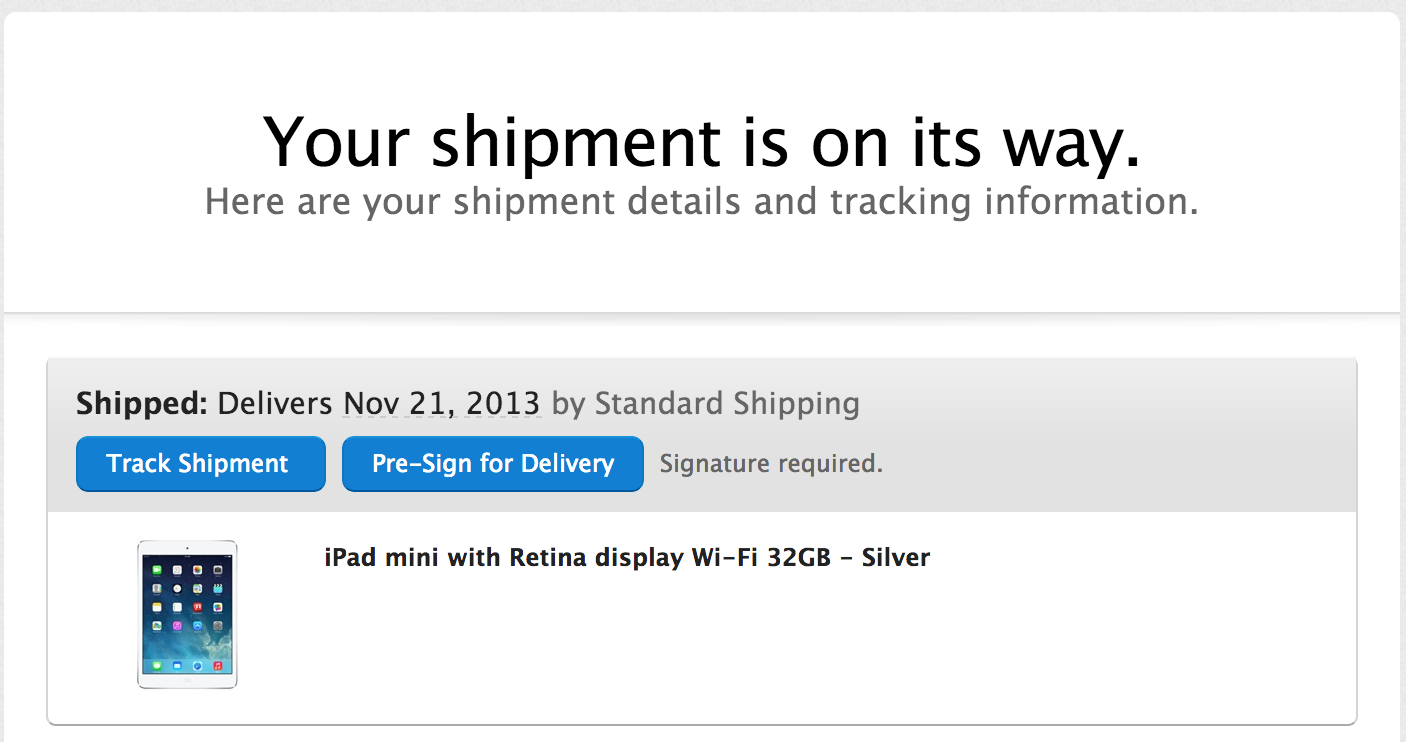
Update: Some 9to5 readers in the UK report an estimated delivery date of Nov. 15th.
Many online orders for the Retina iPad mini have yet to ship, but today a large number of users have now received delivery estimates from Apple and UPS. At least in the US, 9to5 readers report their Retina iPad mini orders will be arriving as early as Monday, Nov. 18. That’s the earliest estimate from UPS, but Apple is also quoting a Nov. 21st delivery date for many day-one iPad mini orders. Shipping times from Apple remain at 1-3 or 5-10 business days for all models of the device in all launch countries, but word has it supplies could be tight leading into the holidays.
My iPad Mini Retina that I ordered yesterday, shipped yesterday. Expected to arrive on Monday!
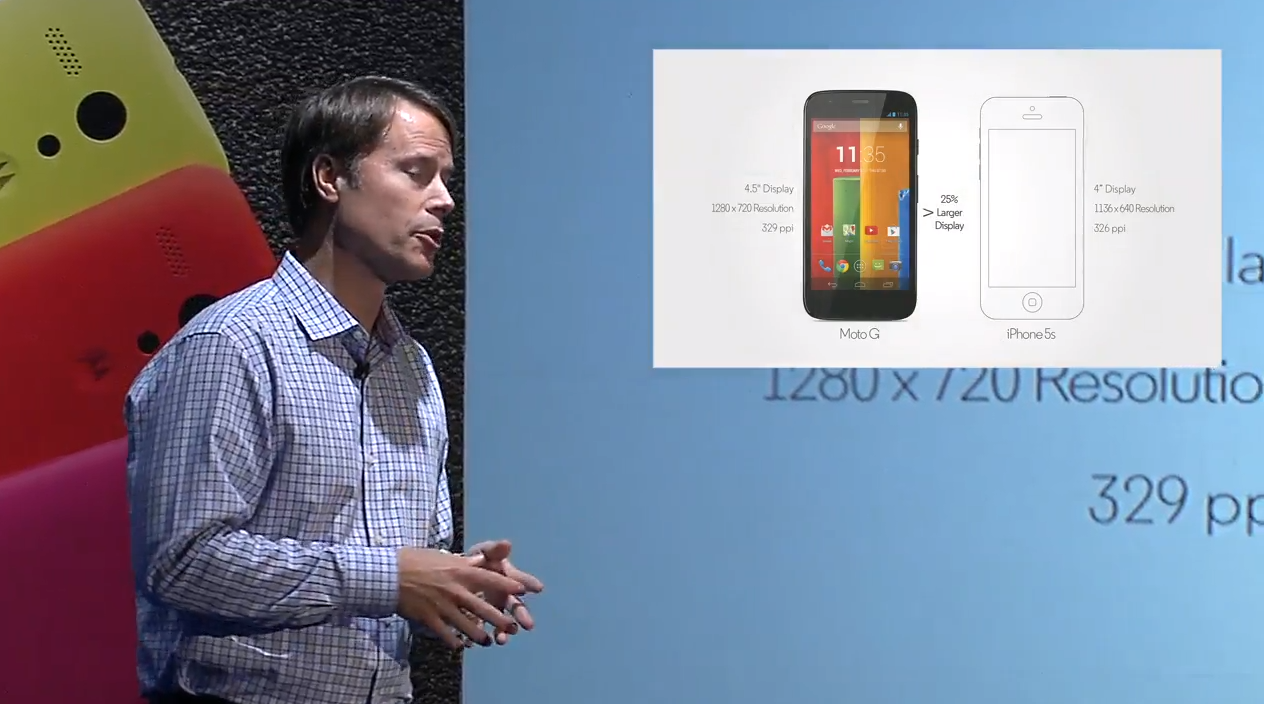
Motorola is hosting a live stream as we speak to announce its new Moto G smartphone, which was rumored to be a slightly lower cost follow up to its flagship Moto X launched earlier this year. At just $179 for the 8GB model of the Moto G off contract, Motorola is strongly positioning the colorful device as a competitor to the iPhone 5c, and it made a point of comparing the devices during its presentation today. While mentioning several times that the Moto G is a third of the price of the iPhone, it also presented the slide above noting that the Moto G “outperforms the most popular smartphone” by beating out the iPhone 5s display in both screen size and resolution.
The other specs might not be anything to brag about, but with really aggressive pricing and colorful replaceable backplates, Motorola could have a serious iPhone 5c competitor on its hand.
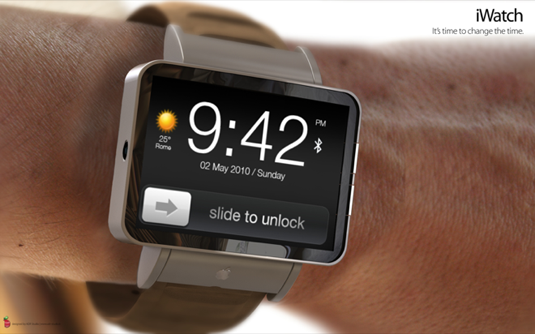
DisplaySearch has a bit of a hit and miss track record when it comes to Apple product launches. The research firm often lands itself square in the analyst category with some pretty out there predictions of 12-inch MacBooks and 65-inch 4K Apple TVs, and today it adds yet another to the list by claiming at a press conference in Taiwan today Apple is planning 1.7-inch and 1.3-inch models of its rumored iWatch. The KoreaHerald reports that DisplaySearch’s David Hsieh claims the various OLED display sizes will be to accommodate the differences in male and female wrist sizes. The report adds that Apple has put its TV efforts on hold to work on the wearables:
“It appears that Apple’s long-rumored TV plans, which were far from concrete anyway, have been put on hold again, possibly to be replaced by a rollout of wearable devices.”
Keep in mind DisplaySearch has changed its prediction since its report last month: It previously predicted 1.3 and 1.63–inch models.
According to DisplaySearch, that means any Apple TV plans for the second half of next year have now been delayed.
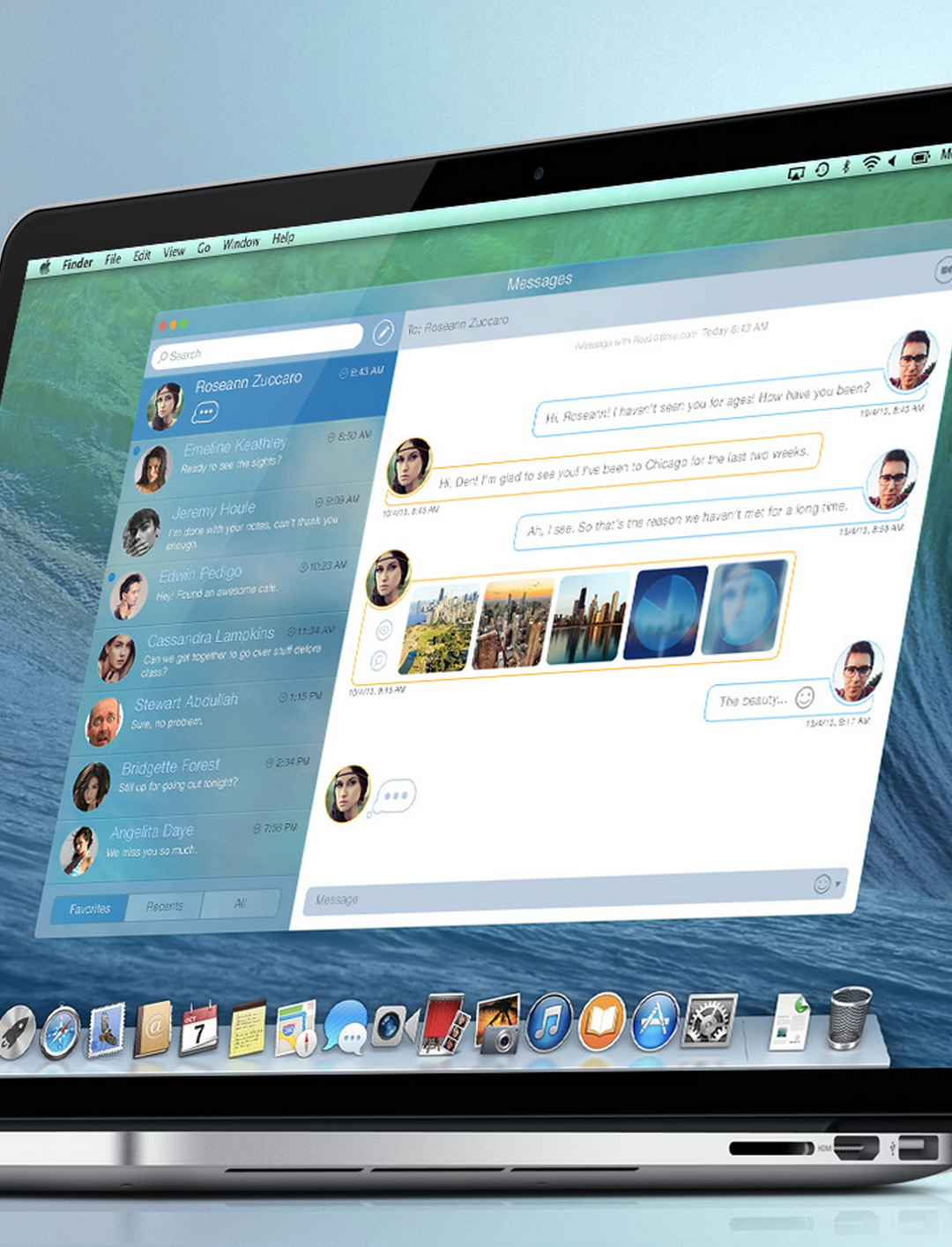
It’s no secret that Messages on OS X, Apple’s IM app that’s integrated with its iMessage service on iOS devices, has long been a frustration for users. The app has received a name change and slightly new look since the iChat days, but it hasn’t improved much in terms of functionality or reliability– some would say it’s gotten worse. While many of you would probably settle for a Messages app that simply works reliably, app developer Denis Pakhaliuk just sent over his concept of a completely revamped Messaging app for OS X.
On top of a redesigned UI that implements “Smart Colors” and some iOS 7-style translucency, the concept imagines a Messages app with much needed filter and sync features, truly instant sync between devices, new indicators for statuses, media uploads, and more.
With permission from Apple, The Computer History Museum and the Digibarn Computer Museum announced today it is publishing the original DOS source code for Apple’s 1978 Apple II. The Apple II was the first fully assembled computer with a monitor that Apple sold following the Apple I and originally retailed for $1298 for the base model with just 4K of memory.
A blog post from The History Computer Museum explains that Apple contracted Paul Laughton of Shepardson Microsystems to write the Disk Operating System for the Apple II in just seven weeks. In April of 78, Steve Jobs and Shepardson signed a contract (pictured below) that would see Apple pay $13,000 for a file manager, a BASIC interface, and utilities. The source code being released today is scans of original documents that Laughton kept over the last 30+ years: Expand Expanding Close
A report from Times Union newspaper today claims Apple could be looking to GlobalFoundries to make chips for the iPhone and iPad at its “Fab 8” plant in Malta, New York (via MacRumors). It’s unclear if the move would be to reduce its dependence on Samsung, its current manufacturing partner for the iPhone and iPad system-on-a-chip, but Times Union says Samsung will go to Fab 8 at least initially to assist GlobalFoundries in preparing to build the chips:
Samsung Electronics, which currently makes the logic microprocessors used in Apple’s popular iPhone and iPad devices at its Austin, Texas fab, will help with the start-up of the Apple program, ensuring that Apple will have a second U.S. source for chips for the popular smart phones and tablets. Logic chips are the workhorse chips that are essentially the brains of a smart phone… It’s unclear if GlobalFoundries will be making the chips with Samsung as the customer on behalf of Apple, or if Apple will be the direct customer, with Samsung helping set up the operation to mirror what it does in Austin. Either way, Apple will be the ultimate customer.
Popular scientific calculator app PCalc was updated today with new features including 64-bit support for the iPhone 5s and new iPads. The updated app also includes a new nighttime theme on iOS 7 called “Samurai Night” that can automatically switch on when it’s dark.
Version 3.1 of PCalc for iPhone and iPad also includes a long list of other new features and fixes:
What’s New in Version 3.1
Added 64-bit support for the iPhone 5s and new iPads.
Added a new darker iOS 7 theme, “Samurai Night”.
Added an option to automatically switch to “Samurai Night” when it’s dark outside.
Added an accounting mode that automatically enters a decimal point and rounds the display to two decimal places.
Added an option to make the text on the keys bold.
Added new commands to the user functions and conversions.
Now display dark menus on an iPhone when using a dark theme.
Now disable the deg / rad buttons when not in decimal mode.
Now support touch typing using VoiceOver.
Fixed a problem adjusting sliders using VoiceOver.
Fixed a problem displaying the tape and registers in certain themes.
Fixed a problem hiding the status bar.
Fixed a problem with double-height status bars.
Fixed the sorting in the “Density” section of the conversions.
Back in October Facebook added the ability to edit posts and comments and also view all of your changes. However, at the time the feature was only available to iPhone users. Today iPad users can finally edit posts too with an update to the Facebook iOS app that just rolled out on the App Store.
Also new in version 6.7 of the app is new languages for icons, but Facebook doesn’t list the specific languages in its release notes.
• Now in additional languages: Use icons to share how you’re feeling and what you’re doing
• Now on iPad: Edit your posts and tap to see all your changes
• Bug fixes
Pinterest today announced on its blog that it’s introducing Safari Push Notifications for users running Apple’s new OS X Mavericks update.
This makes it easy to get real-time updates, like when someone comments on your Pin, or sends you a Pin they think you’ll like. Similar to the push notifications you might see on youriPhone or iPad, you can see alerts in the upper right of your desktop screen.
Pinterest is using Apple’s new Apple Push Notifications Service introduced with Mavericks that allows websites to offer users the ability to receive push notifications on their desktop and in the OS X Notification Center. Pinterest push notifications can be activated by visiting Pinterest in Safari on Mavericks.






 The site decided to take a look into Apple’s decision to take renewable energy into its own hands just as North Carolina utility Duke Energy is requesting that the state allow it to sell clean energy to large corporate customers. Google is one of the large companies interested in purchasing clean energy from the utility, but the hundreds of millions Apple has invested into its own renewable energy efforts have so far made it self-sufficient. The report notes Apple’s two solar farms, along with its fuel cell farm, are producing more than it needs to power its data center by around 10MW:



 A
A