MacBook Pro: The biggest and baddest Mac laptops

See All Stories

Apple's premium laptop comes in 13- and 16-inch screen sizes. Each model includes 2-4 USB-C ports for charging, accessories, and data transfer. Higher-end models also include the Touch Bar.
2021 MacBook Pro

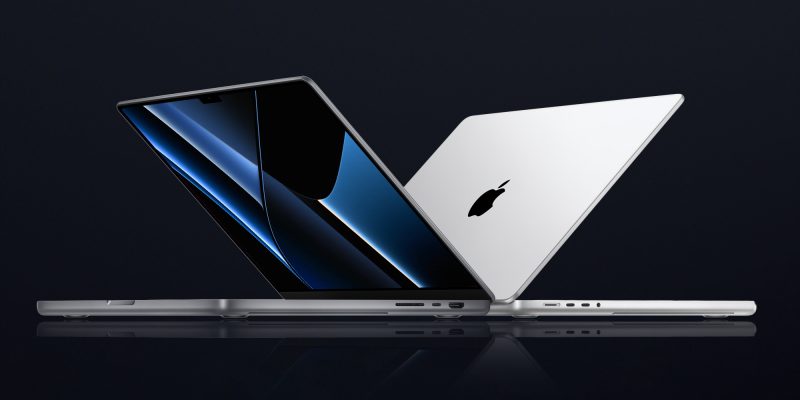
MacBook Pro has been the product name for Apple’s high-end laptop since early 2006 when the transition to Intel processors began. Now, that Pro naming has carried forth as Apple has moved to its own silicon. The latest fourth and fifth-generation Pro Apple notebooks bring dramatically more power with lower heat generation and better battery life thanks to the ARM-based Apple silicon. Keep reading for a brief history of the line and a breakdown of the current lineup.

MacBook Pro history

The first generation MacBook Pro followed in the style of the PowerBook G4 that came before it, but used Intel processors rather than PowerPC chips.

The second generation of the MacBook Pro was the first to really separate itself from the products before, with a unibody enclosure. The third-generation MacBook Pro introduced the retina display as well as MagSafe 2.

Perhaps the most controversial version of the MacBook Pro is the fourth generation. While the third generation received some backlash for the removal of ethernet and the optical drive, the fourth generation was a complete rethinking of the device peripherals. No more MagSafe, no more USB-A ports, and only the 13-inch model kept the function keys. Instead, this redesigned MacBook Pro opted for all Thunderbolt 3 ports and headphone jack. In place of function keys, the MacBook Pro gained an OLED Touch Bar. In late-2020, Apple introduced the M1 chip and updated the 13-inch MacBook Pro. The ARM-based processor brought down power consumption and increased performance.

In October of 2021, Apple introduced the fifth-generation MacBook Pro with not one but two updated versions of the M1 chip, the M1 Pro and M1 Max. The move walked back some of the decisions from the previous generation, adding back an HDMI Port, MagSafe charger, and SD card reader while removing the Touch Bar.

The 2020 13-Inch MacBook Pro

In late 2020, Apple introduced the 13-inch M1 MacBook Pro as the latest update to the fourth-generation MacBook. The MacBook features the same look as previous MacBooks, but like the MacBook Air and Mac Mini, switched to Apple silicon.

Apple’s M1 chip brought ARM architecture to the MacBook line, and this was the first MacBook without an Intel processor.

The M1 chip is a unified design with an 8-core CPU and an 8-core CPU. The processor integrated memory on board, limiting the device to either 8GB or 16GB of unified memory. The 13-inch M1 MacBook Pro is configurable with between 256GB and 2TB of storage and features a Magic Keyboard, rather than the problematic butterfly keyboard.

13-inch MacBook Pro specs

Base Configuration$1,299.00

  • Apple M1 chip with 8‑core CPU, 8‑core GPU, and 16‑core Neural Engine
  • 8GB unified memory
  • 256GB SSD storage
  • 13-inch Retina display with True Tone
  • Backlit Magic Keyboard – US English
  • Touch Bar and Touch ID
  • Two Thunderbolt / USB 4 ports

Max Configuration$2,299.00

  • Apple M1 chip with 8‑core CPU, 8‑core GPU, and 16‑core Neural Engine
  • 16GB unified memory
  • 2TB SSD storage
  • 13-inch Retina display with True Tone
  • Backlit Magic Keyboard – US English
  • Touch Bar and Touch ID
  • Two Thunderbolt / USB 4 ports

13-inch MacBook Pro pricing

The price for the 13-inch M1 MacBook Pro starts at $1,299. Upgrading this base configuration to 16GB of memory adds $200 to the price. Likewise, each step above 256GB of storage – 512GB, 1TB, and 2TB – will add $200 to the price. A fully specced out 13-inch MacBook Pro will run you $2,299.

You can configure your own 13-inch MacBook Pro on Apple’s website.

Current 14-inch and 16-inch MacBook Pro

In October 2021, Apple brought a brand new design to the MacBook Pro line. Apple increased the screen size on the 13-inch, making it a 14-inch, and shrunk the bezels on the 16-inch. This fifth-generation notebook addressed many complaints of the last generation. MagSafe returned, in the form of an improved MagSafe 3, while the MacBook also regained an HDMI port and an SD-card slot.

Also gone is the Touch Bar. Instead, the standard row of function keys return. The latest MacBooks also bring a ProMotion display that was first introduced on the iPad Pro, with a variable refresh rate and mini-LED backlight.

The 2021 MacBooks aren’t without a controversial feature, as while the display has been made larger there is now a large notch for the 1080P FaceTime camera. While FaceID would have been a nice addition in exchange for this small chunk of the screen, there are some reasons this is not totally practical.

14-inch MacBook Pro specs

Base Configuration$1,999.00

  • Apple M1 Pro with 8-core CPU, 14-core GPU, 16-core Neural Engine
  • 16GB unified memory
  • 512GB SSD storage
  • 67W USB-C Power Adapter
  • 14-inch Liquid Retina XDR display
  • Three Thunderbolt 4 ports, HDMI port, SDXC card slot, MagSafe 3 port
  • Backlit Magic Keyboard with Touch ID – US English

Maximum Configuration$5,899.00

  • Apple M1 Max with 10-core CPU, 32-core GPU, 16-core Neural Engine
  • 64GB unified memory
  • 8TB SSD storage
  • 96W USB-C Power Adapter
  • 14-inch Liquid Retina XDR display
  • Three Thunderbolt 4 ports, HDMI port, SDXC card slot, MagSafe 3 port
  • Backlit Magic Keyboard with Touch ID – US English

14-inch MacBook Pro pricing

The 14-inch MacBook Pro starts at $1,999. The base model includes 16GB of memory, 512GB of storage, and an M1 Pro processor with an 8-core CPU and 14-core GPU. There are multiple versions of the M1 Pro processor available, while jumping to an M1 Max processor will cost $500 more, and requires you to jump up to 32GB of memory – a $400 upgrade. Going with the M1 Max processor means you can configure up to the full 64GB of memory, an $800 upgrade.

You can configure up to 8TB of storage in the 2021 14-inch MacBook Pro. Upgrade costs are as follows:

  • 1TB SSD Storage – $200
  • 2TB SSD Storage – $600
  • 4TB SSD Storage – $1,200
  • 8TB SSD Storage – $2,400

You can configure your own 14-inch MacBook Pro on Apple’s website.

16-inch MacBook Pro specs

Base Configuration$2,499.00

  • Apple M1 Pro with 10-core CPU, 16-core GPU, 16-core Neural Engine
  • 16GB unified memory
  • 512GB SSD storage
  • 16-inch Liquid Retina XDR display
  • Three Thunderbolt 4 ports, HDMI port, SDXC card slot, MagSafe 3 port
  • 140W USB-C Power Adapter
  • Backlit Magic Keyboard with Touch ID – US English

Maximum Configuration$6,099.00

  • Apple M1 Max with 10-core CPU, 32-core GPU, 16-core Neural Engine
  • 64GB unified memory
  • 8TB SSD storage
  • 16-inch Liquid Retina XDR display
  • Three Thunderbolt 4 ports, HDMI port, SDXC card slot, MagSafe 3 port
  • 140W USB-C Power Adapter
  • Backlit Magic Keyboard with Touch ID – US English

16-inch MacBook Pro pricing

The 16-inch MacBook Pro starts at $2,499. There is only one M1 Pro processor available on the 16-inch MacBook, and that’s the highest version 10-core CPU, 16-core GPU version of the M1 Pro processor that is a $300 upgrade on the 14-inch MacBook Pro. Of course, you can also step up to the M1 Max processor with either a 24-core or 32-core GPU, a $200 and $400 upgrade respectively (which also requires the $400 upgrade to 32GB of memory). The memory and storage options are all the same as the 14-inch MacBook Pro.

You can configure your own 16-inch MacBook Pro on Apple’s website.

Differences between 13-inch,14-inch, and 16-inch models

The 2021 MacBook Pro lineup is a refreshing change. The return of ports and physical keys make the laptops more versatile, while additions like an XDR display and hardware acceleration for ProRes improves the experience but is harder to quantify for the average user.

13-inch14-inch16-inch
ProcessorM1M1 Pro / M1 MaxM1 Pro / M1 Max
Memory8GB / 16GB16GB / 32GB / 64GB16GB / 32GB / 64GB
Storage512GB, 1TB, 2TB512GB, 1TB, 2TB, 4TB, 8TB512GB, 1TB, 2TB, 4TB, 8TB
Screen2560×1600 pixels 3024×1964 pixels; ProMotion3456×2234 pixels; ProMotion
Weight3.0 pounds (1.4 kg)3.5 pounds (1.6 kg)M1 Pro: 4.7 pounds (2.1 kg)
M1 Max: 4.8 pounds (2.2 kg)
Size (Width x Depth)11.97 x 8.36 inches (30.41 x 21.24 cm)12.31 x 8.71 inches (31.26 x 22.12 cm)14.01 x 9.77 inches (35.57 x 24.81 cm)
Height0.61 inch (1.56 cm)0.61 inch (1.55 cm)0.66 inch (1.68 cm)
Base Price$1,299.00$1,999.00$2,499.00

The $1,999 starting price for Apple latest computer is a harder pill to swallow than the $1,300 13-inch Pro from last year. For an average user, the superb M1 MacBook Air will likely suffice (and that sub-$1,000 price is hard to pass up).

But the 2021 14-inch and 16-inch MacBook Pro are exactly what they need to be, a return to function-over-form that will truly meet the needs of professional users.

Opinion: Apple’s Spring Forward event signals huge changes ahead for Mac, iPad, Apple TV + Apple itself

Although many people expected that Apple’s Spring Forward event would mostly focus on the Apple Watch, more than half of the event — notably, the first part — covered other topics. Collectively, there were so many interesting developments that their individual significance was somewhat lost, particularly given that long-awaited Watch pricing news wrapped up the event.

That’s why I wanted to reconsider what Spring Forward revealed about some of Apple’s non-Watch products. Some of the announcements signal that big changes are ahead for Apple’s Mac, iPad, and Apple TV product lines, as well as Apple itself. Read on for my thoughts, and add yours to the comments section below…


Expand
Expanding
Close

Roundup: All the news from Apple’s Spring Forward event

Apple’s Spring Forward event on March 9 was packed with news, including everything from expected Apple Watch announcements to the debut of the Retina 12″ MacBook, a price drop for Apple TV, the announcement of ResearchKit, and the release of iOS 8.2. Here’s everything you need to know.

First, the Apple TV dropped in price from $99 to $69, and got a three-month exclusive window to launch HBO Now, a standalone $15/month to HBO TV content and on-demand library.

Second, Apple announced ResearchKit, enabling iPhone users to opt-in to large-scale medical research studies using all-new apps to track and provide health information. Five initial apps were released, including heart, glucose, breast cancer, asthma, and Parkinson’s research tools.

[youtube https://www.youtube.com/watch?v=_bhsG8k7GvI&ab_channel=TechnoBuffalo]

Third, Apple officially unveiled the all-new 12″ MacBook, its thinnest and lightest Mac laptop yet, with a Retina display, single USB-C port, and Force Touch trackpad, starting at $1,299. A collection of new USB-C adapters are required to connect the MacBook to traditional USB devices and wired displays. It also updated the older MacBook Air and 13″ Retina MacBook Pro with faster Intel Broadwell processors, faster SSDs, and battery improvements.

[youtube https://www.youtube.com/watch?v=wjiZv0WBR0o&ab_channel=TechnoBuffalo]

Fourth, the Apple Watch finally got its long-awaited battery life (18 hours) and pricing ($349/$549/$10,000/$17,000) details, plus preorder (April 10) and launch (April 24) dates. Additional details on real-world Apple Watch 38mm and 42mm battery life, as well as warranty details, were quietly released online. A small collection of Apple Watch apps were shown off, and accessories including bands and chargers also got priced ($29-$449). One of the accessories actually includes two separate bands in one package.

[youtube https://www.youtube.com/watch?v=dDAP9OWtQro&ab_channel=Apple]

After the event, Apple released iOS 8.2 with Apple Watch support and Health improvements. It also published the official event video, as well as separate Jony Ive-narrated videos showing the aluminum, steel, and gold manufacturing processes for the Apple Watches. To help customers plan their Watch band purchases, Apple released a new band size guide showing the wrist sizes that will fit each of the numerous types of bands (in millimeters).

The Apple Store is back online with Apple Watch, the new MacBook, and more

Site default logo image

The Apple Online Store is back online after going down for Apple’s Spring Forward event today. The upcoming Apple Watch is now listed on the store, allowing users to create their own look and see how much it will cost them ahead of the pre-orders and live in-store previews start next month. Watch bands and accessories are also listed, though they won’t be available until April.

The new MacBook is also on the store, though custom configuration options don’t seem to be showing up just yet.


Expand
Expanding
Close

How-To: Boost your Mac’s speed and prolong its useful life with easy RAM upgrades

Site default logo image

As I’ve spotlighted over the past month, the best way to dramatically speed up an older Mac is to replace its old hard drive with a new solid state drive (SSD). The process is super-easy on MacBooks and Mac Pros, surprisingly manageable on iMacs, and challenging on Mac minis, yielding 3X to 5X speed boosts. But there’s another option that can speed things up with relatively little effort or expertise: upgrading your Mac’s RAM.

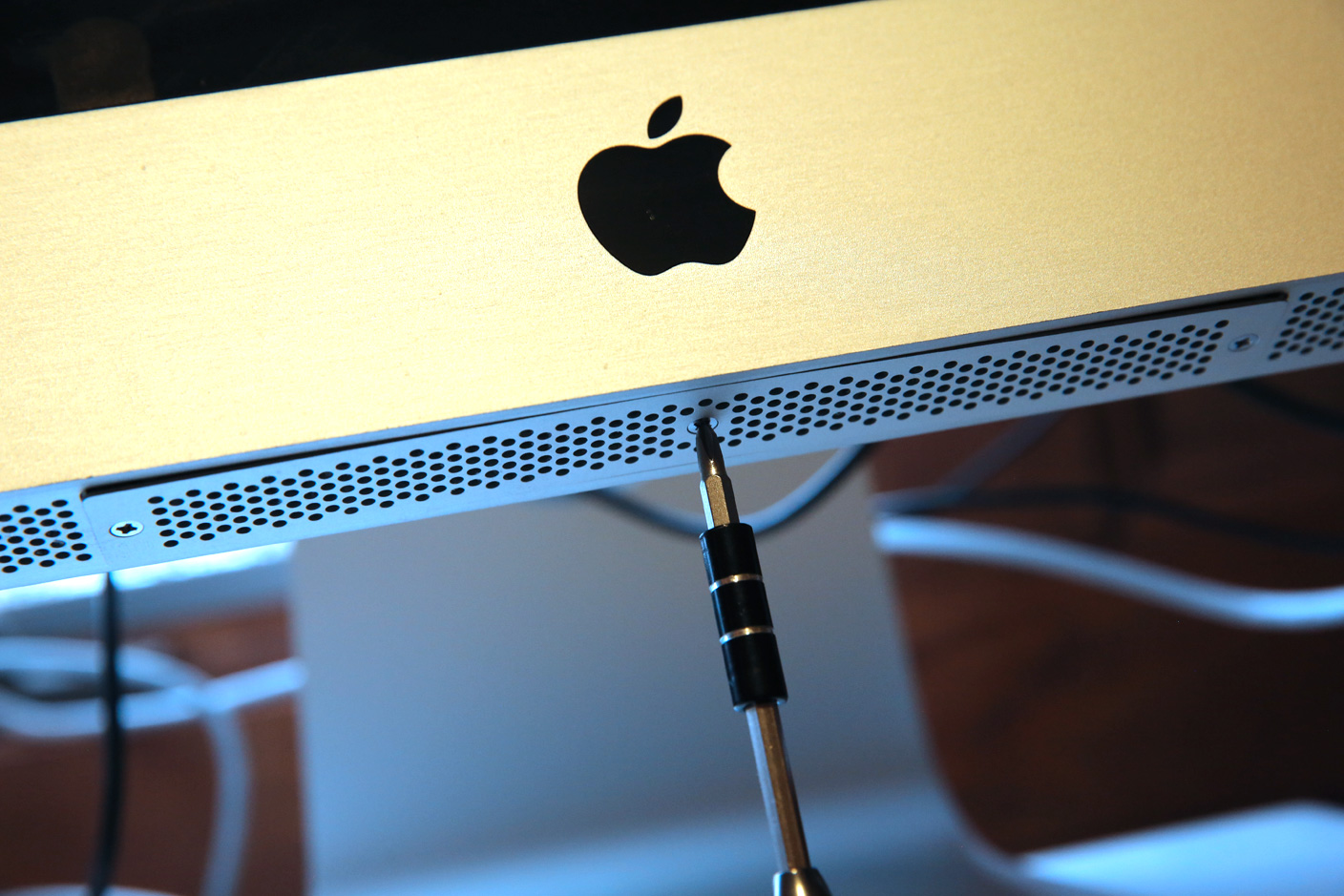
RAM upgrades are easy and cheap. You can expect to pay $90 or less for enough (Mac-safe) RAM to run OS X Yosemite without hiccups, or $180 for enough RAM to guarantee you won’t need more for years. Installing RAM generally doesn’t void your Mac’s warranty, and except for several models, the only tool you’ll need is a small screwdriver. Below, I’ll walk you through your best options.


Expand
Expanding
Close

Opinion: Does the Apple Watch Edition signal future luxury-model iPhones, iPads and Macs?

Site default logo image

Back in April of last year, when a luxury model of the Apple Watch was still a vague rumor, I wrote an opinion piece in which I expressed the view that Apple could indeed pull this off. I went further, and suggested that it could even create an entire range of luxury versions of its existing products, from iPhones to Macs.

Ten months on, with the Apple Watch Edition now real, and the general expectation that it’s going to cost several thousand dollars at least, I thought it was time to revisit that idea. Is a luxury model of the Apple Watch a one-off, or does Apple see this as the first step toward Edition models of its complete product range … ? 
Expand
Expanding
Close

How-To: Upgrade the SSD in your MacBook Air or Retina MacBook Pro, boosting size & speed

Over the past two weeks, I’ve written about the (surprisingly easy) process of adding solid state drives (SSDs) to radically speed up older iMacs, and the varied challenge levels of adding SSDs to older Mac Pros, Mac minis, and non-Retina MacBooks. Today’s guide looks at the easiest SSD installations of all: the MacBook Air and Retina MacBook Pro. A new SSD in one of these machines could have two, four, eight, or sixteen times the original storage, plus two to four times faster speeds.

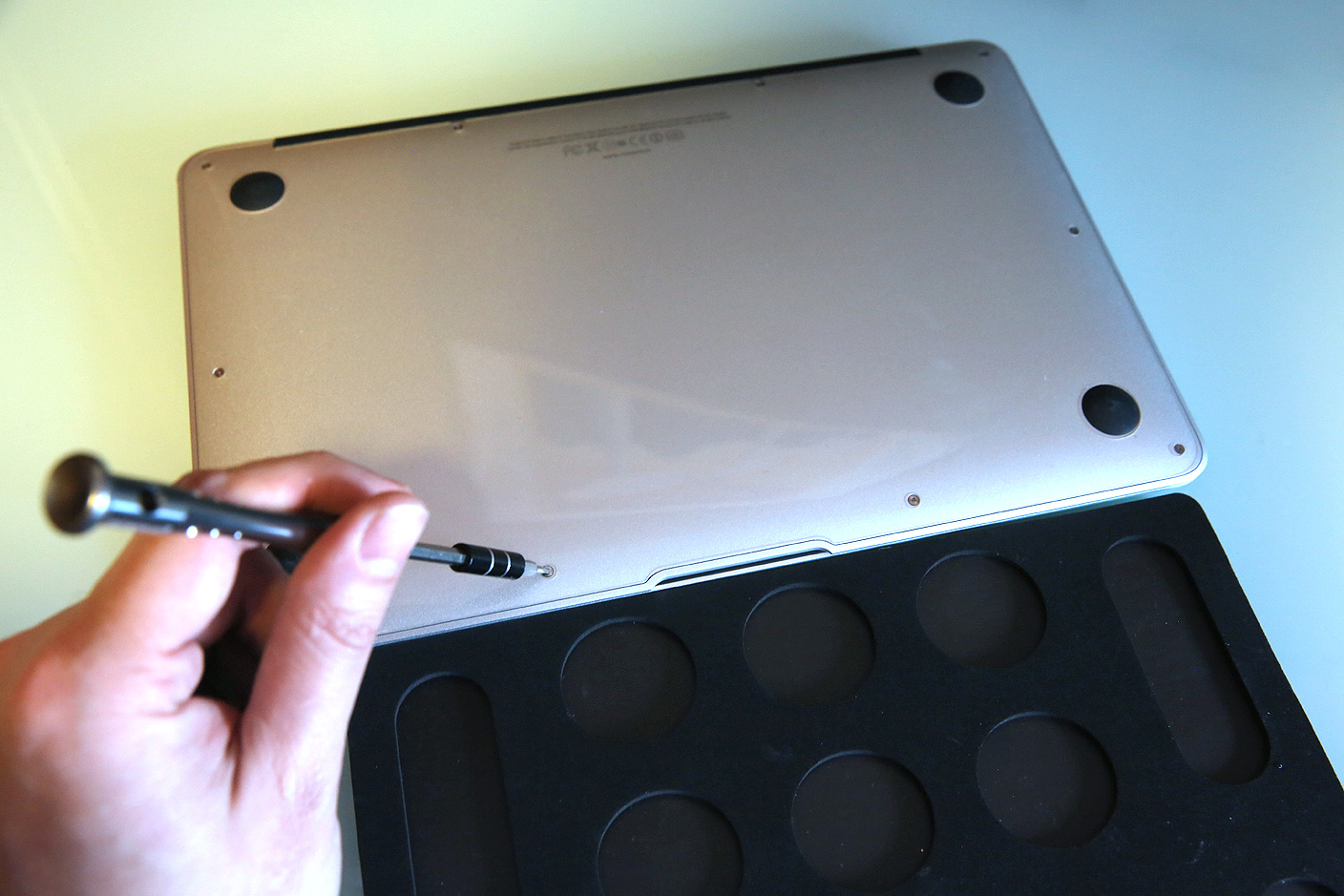
Apple shipped most MacBook Airs and all Retina MacBook Pros with solid state storage, so upgrading these machines for extra capacity and speed is generally as simple as picking a new drive, then using two special screwdrivers during the installation process. Assuming your MacBook is old enough to be out of warranty — except for a few specific models — you’ll find that pretty much anyone can handle this swap with the right tools. Below, I’m going to show those tools to you, as well as the MacBook-ready SSDs that are worth considering…


Expand
Expanding
Close

Apple launches Repair Extension Program for 2011-2013 MacBook Pros with video problems

Site default logo image

Following a number of complaints from consumers regarding graphics issues with Apple’s 2011 MacBook Pro, the company today announced a replacement program to remedy the issue for customers still experiencing problems.

The affected models include 15- and 17-inch MacBook Pros built in 2011, as well as 15-inch Retina MacBook Pros built in 2012 and early 2013. MacBook owners who believe they may have one of these machines can check their warranty coverage on Apple’s website to determine whether they are eligible for a repair under this program.


Expand
Expanding
Close

Review: iLynx 3 changes the shape and feature set of Moshi’s flagship Mac USB hub

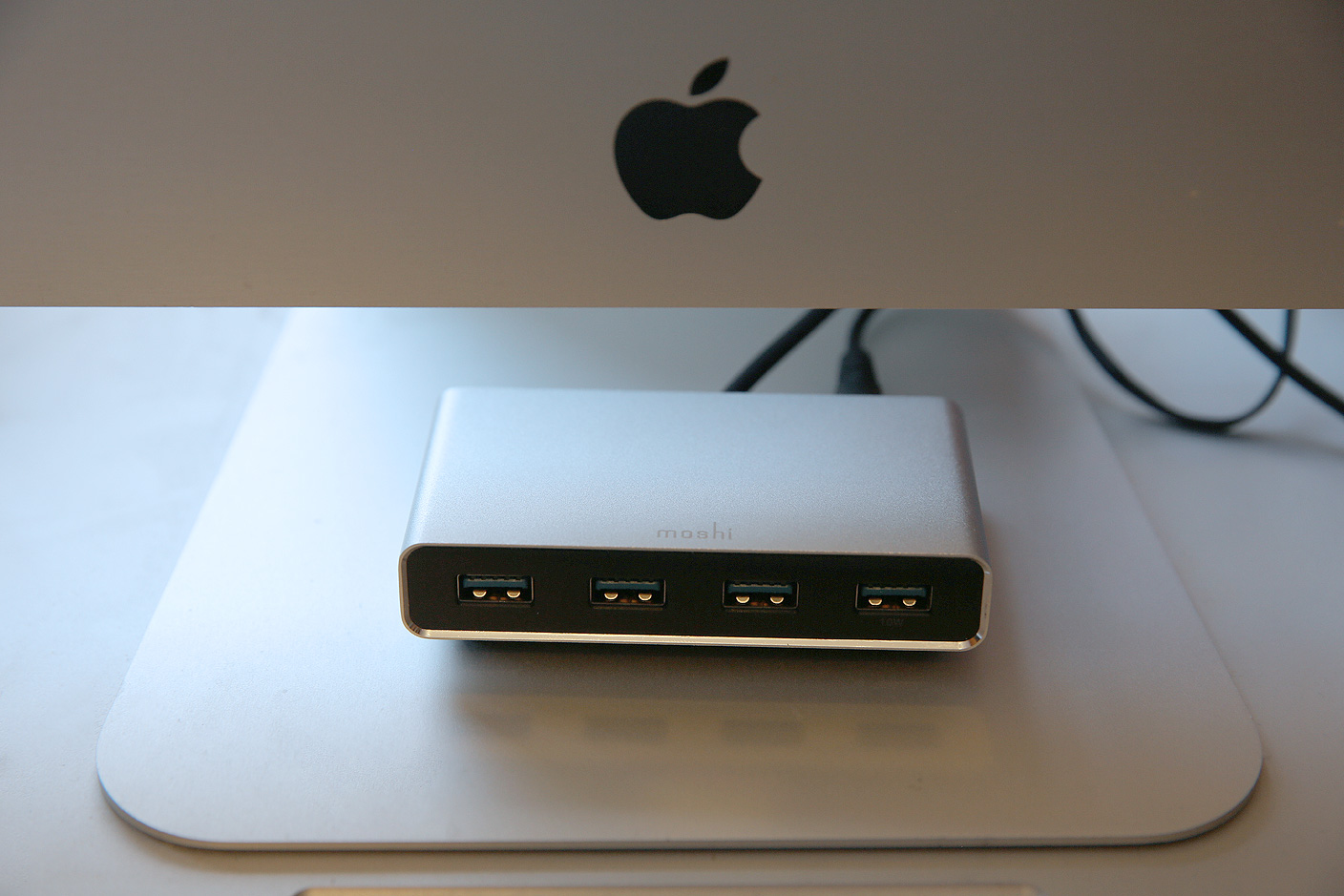
Accessing a Mac’s rear-facing ports can be a hassle, particularly when you’re using short cables. To eliminate that issue, Moshi’s original iLynx combined four USB 2.0 and two FireWire 400 ports into a triangular hub designed primarily to sit in front of an iMac. Later, a cosmetically near-identical sequel called iLynx 800 modestly updated the accessory by updating the ports to FireWire 800.

With FireWire dead and USB 3.0 growing in popularity, there’s a new iLynx in town. iLynx 3 ($60) drops FireWire entirely in favor of an all-USB approach, relying on a combination of USB and wall power to connect up to four devices to your Mac. Read on for the details.


Expand
Expanding
Close

Rumor says Touch ID coming to MacBooks and Magic Mouse/Trackpad for Apple Pay, but there are roadblocks

Site default logo image

When Apple develops a new technology or feature for its hardware, it typically rolls it out on one product then expands it to the rest of the line. For example, Touch ID launched for the iPhone in 2013 and made its way to the iPad with the iPad Air 2 in 2014. For 2015, Touch ID may make its debut on the Mac, according to a rumor from website apple.club.tw. According to the blog, which published legitimate photos of iPad Air 2 Touch ID and A8X chip components last fall, Touch ID will come to Macs this year to enable Apple Pay functionality…


Expand
Expanding
Close

How-To: Update your old MacBook, Mac mini, or Mac Pro hard drive with a fast SSD

My Mac is now silent. After installing a solid state drive (SSD) with no moving parts, the drone of my iMac’s hard drive and fans has given way to such an absence of sound that I only hear the high-pitched squeal of my office lights.

My Mac is now fast. Even with 400GB of available space, OS X Yosemite’s constant hard drive accessing had brought my quad-core, 3.4GHz Core i7 machine to its knees. Now I’m seeing five times the hard drive speeds, apps are loading instantly, and my iMac feels as responsive as the MacBooks and iPads that beat it to the SSD game.

Last week, buoyed by (finally!) reasonable SSD prices and a desire to try a DIY project, I walked through the steps to replace a prior-generation iMac’s hard drive with an SSD. Similarly excited readers have pointed out that older MacBooks and certain other Macs are also easy to upgrade… but at least one Mac (surprise: the Mac mini) is not. So below, I’ll show you some great SSD options that you can install yourself, ask a tech-savvy friend/repair shop to handle for you, or choose as external solutions.


Expand
Expanding
Close

Site default logo image

9to5Toys Last Call: iTunes Free App of the Week, Omaker 10000mAh power bank $17, SSD deals, more

Keep up with the best gear and deals on the web by signing up for the 9to5Toys Newsletter. Also, be sure to check us out on: TwitterRSS FeedFacebookGoogle+ and Safari push notifications.

Today’s can’t miss deals:

Last Call updates:

iTunes Free App of the Week: ProCam 2 ($1.99 value)

Omaker 10,000mAh Dual 2.1A USB Batteries with 1W flashlight: $17 Prime shipped, (+ 5200mAh battery: $30 shipped)

2.5-inch SATA III SSDs: Samsung 850 250GB $110 (Reg. $150), Crucial MX100 256GB $90 (Reg. $128)

Apple discounts nearly forty of the most popular productivity apps for iOS and Mac

Apple 13-inch MacBook Pro w/ Retina display (newest) 2.8GHz/8GB/512GB: $1,599 ($200 off)

Apple 11.6-inch MacBook Air (newest version) 1.4GHz/4GB/128GB $750 (Reg. $899)

Apple 11.6-inch MacBook Air (mid 2013) 1.3GHz/4GB/256GB: $849 (orig. $1,099)

More new gear from today:

More deals still alive:

New products/ongoing promos/info:

Review: Celluon’s PicoPro is an iPhone 6 Plus-sized, battery-powered HD projector

Site default logo image

I grew up with a front-projector TV the size of a coffee table, later owned a rear-projection TV that was somewhat larger than an adult bicycle, and have since tested projectors shaped like DVD players, Mac minis, and iPhone cases. Pico projectors — generally small enough to fit in pockets — typically struggle the most to prove their practicality. Projectors generally need big, powerful lightbulbs to be seen in anything but the dimmest of rooms, and the smaller they are, the worse they tend to be, particularly as they move further from the surfaces they’re protecting on.

Korean developer Celluon — the company behind breakthrough laser keyboards that can create typing surfaces anywhere — is now trying its hand at pico projectors, and I have to admit that I’m far more impressed than I thought I’d be. PicoPro ($349) packs a high-definition video projector, a battery pack, and wireless capabilities into a 0.55″ thick enclosure with the same footprint as an iPhone 6 Plus. Overall, it’s the best small projector I’ve tested: much easier to use, quiet, and capable of delivering a better complete viewing experience. But like competing pico projectors, it also has some noteworthy limitations that you’ll want to be aware of before jumping in.


Expand
Expanding
Close

Review: Libratone’s second-generation Loop brings Bluetooth to the AirPlay-only Danish speaker family

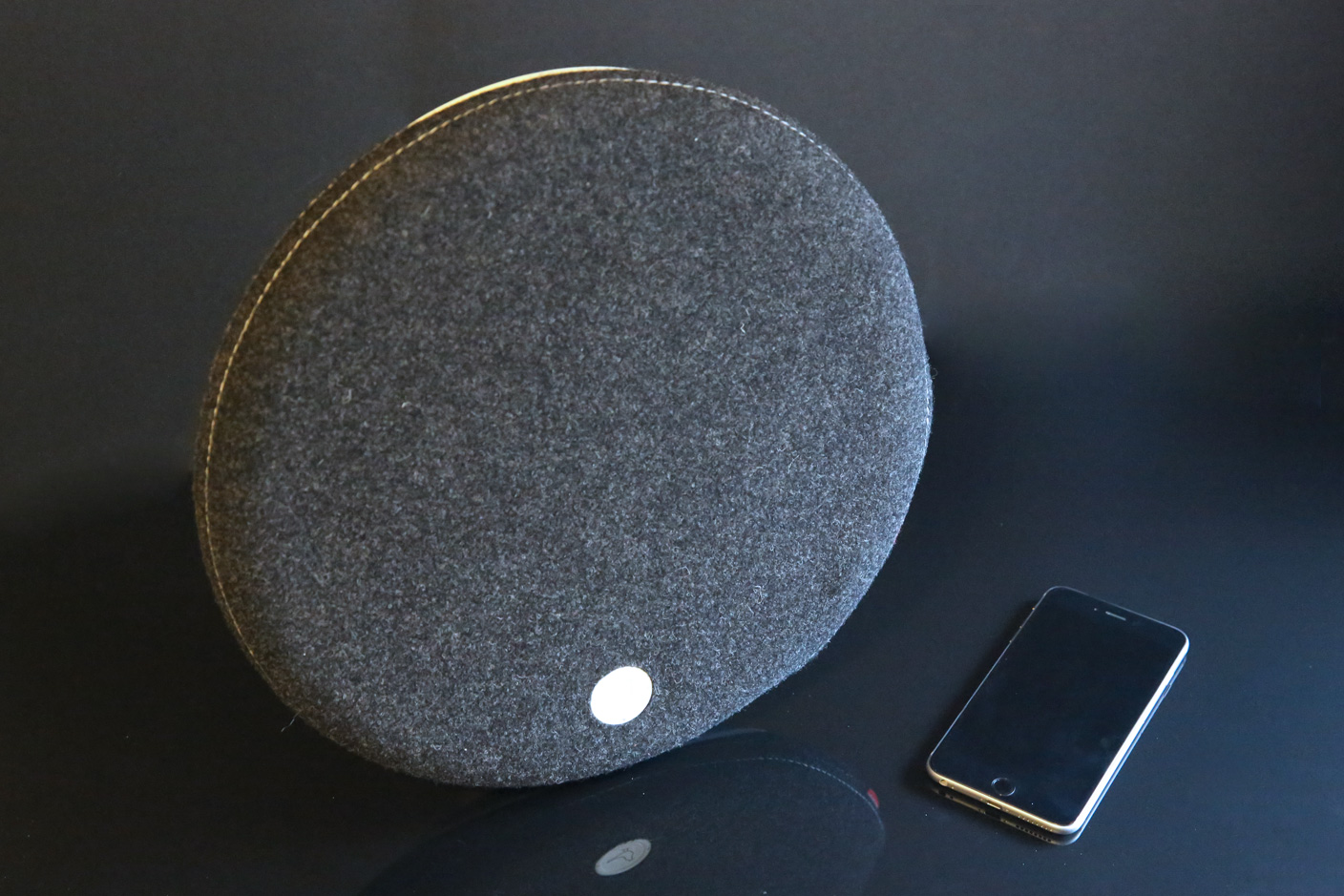
AirPlay isn’t dead as a wireless speaker standard, but it’s not exactly healthy: many models have been discontinued, and new releases have all but stopped. Having previously gone all-in with AirPlay, Danish designer speaker maker Libratone is now rolling out updated versions of its circular Loop, tube-shaped Zipp, and triangular Live systems that augment AirPlay rather than ditching it. The new Libratone Loop ($500) modestly tweaks the prior version to add Bluetooth 4.0 support — a feature that radically increases Loop’s compatibility. Though its high price tag will continue to keep this model out of reach for most consumers, long-awaited and substantial discounts on the prior-generation models (Loop here, Zipp here, Live here) may bolster their appeal.

Having tested the new Loop, my personal feelings are mixed: I applaud Libratone for consistently releasing speakers that look distinctive, working both as design objects and audio systems, but the MSRPs remain somewhat hard to justify given the sonic performance…


Expand
Expanding
Close

Review: CalDigit’s Mac hub Thunderbolt Station 2 competes on pricing, size, and build quality

Site default logo image

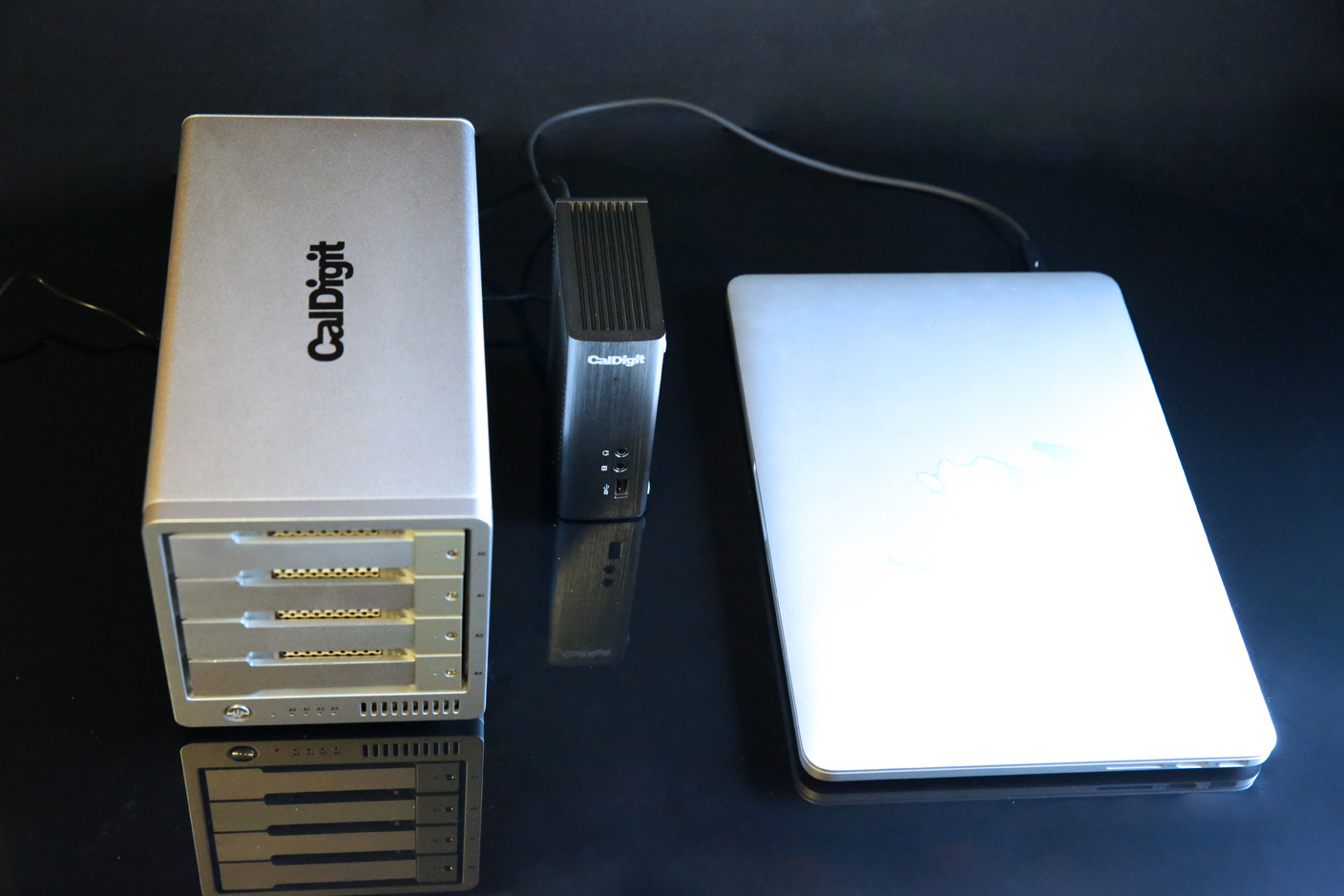
Despite USB 3.0’s growing popularity with consumers, Thunderbolt remains a viable alternative for professional users, particularly video makers willing to pay a premium for guaranteed high speeds. Over the past year, several Thunderbolt 2 hubs have come to market — boxes with one Thunderbolt 2 connection to a computer, one for a Thunderbolt accessory, and multiple ports to connect USB, audio, video, and Ethernet accessories. The idea: keep all of your gear hooked up to the hub, then use a single cable to connect it all to your Mac.

Known for large, heavy, professional-grade Mac accessories, CalDigit has just released Thunderbolt Station 2 ($199), which squeezes the same functionality offered by Belkin’s $300 Thunderbolt 2 Express Dock HD and Elgato’s $230 Thunderbolt 2 Dock (review) into a smaller, denser-feeling enclosure, at a lower MSRP — sort of. In reality, Thunderbolt Station 2 has some very specific benefits and one limitation that place it on par with its competitors, making the choice between them a more personal decision…


Expand
Expanding
Close

Review: LaCie’s Mirror and Seagate’s Seven set new standards for Mac hard drive shininess, thinness

Site default logo image

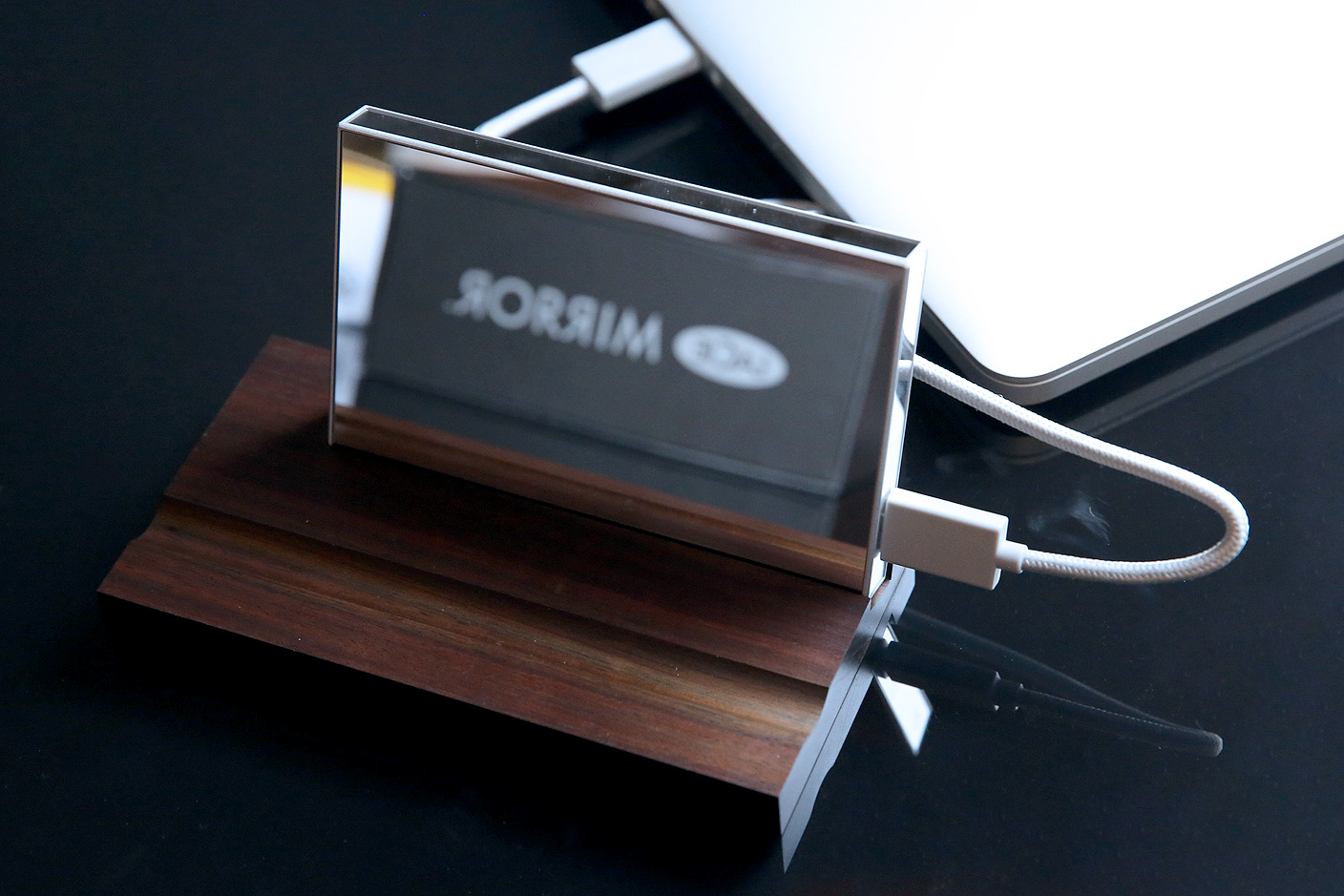
Until last week, the list of companies making visually stunning external hard drives began and ended with one name: LaCie. Partnered with respected industrial designers including Philippe Starck, LaCie has released more drool-worthy accessories than any other company in the Mac space — and that’s saying something. Numerous design successes led to LaCie’s acquisition by hard drive manufacturer Seagate, and at the 2015 CES, their combination bore fruit: the LaCie brand now has another beautiful hard drive called Mirror ($280), and Seagate debuted a designer hard drive called Seven ($100) — the thinnest 500GB portable drive ever made.

Although they’re cosmetically different and arguably designed to suit different users’ needs, Mirror and Seven have a lot in common, so we’re looking at them together in this review. Read on for photos and our hands-on test results.


Expand
Expanding
Close

Site default logo image

9to5Toys Last Call: 13″ Retina MacBook Pro late 2013 $1000 w/MIR, Seagate 5TB HDD $130, iPhone 6/Plus case $2, more

Keep up with the best gear and deals on the web by signing up for the brand new 9to5Toys Newsletter. Also, be sure to check us out on: TwitterRSS FeedFacebookGoogle+ and Safari push notifications.

Today’s can’t miss deals:

Apple 13-inch MacBook Pro w/ Retina display 2.4GHz/4GB/128GB (late 2013) $1,000 w/ MIR (Reg. $1,300)

Seagate 5TB Backup Plus USB 3.0 External Desktop Hard Drive $130 shipped (Reg. $160)

iPhone 6/Plus Ultra Thin TPU Case (multiple colors) for $2 shipped

Review: SmartThings offers an open and flexible home automation experience with a few caveats

More new deals:

More deals still alive:

New products/ongoing promos/info:

Opinion: Does the minimalist 12-inch MacBook Air design represent the future of MacBooks?

Site default logo image

While we’ve been expecting the 12-inch MacBook Air for quite some time and some of the details have long been rumored, the design exclusively revealed in Mark Gurman’s report has raised eyebrows throughout the tech world. Especially the most dramatic element: the reduction of the ports to just one multifunction USB-C socket, a headphone socket and a pair of microphones.

The $64,000 questions are: will this ruthlessly cut-down approach prove workable—and is this a design unique to this one machine, or does it represent the future of all MacBooks … ?


Expand
Expanding
Close

Apple’s next major Mac revealed: the radically new 12-inch MacBook Air

Site default logo image

Apple is preparing an all-new MacBook Air for 2015 with a radically new design that jettisons standards such as full-sized USB ports, MagSafe connectors, and SD card slots in favor of a markedly thinner and lighter body with a higher-resolution display. Sources within Apple, who have used internal prototype versions of the upcoming computer, have provided in-depth details about the machine, and our exclusive artist renditions of the revamped MacBook Air provide the first close look at Apple’s first major step in mobile Mac computing since the Retina MacBook Pro launch in 2012.


Expand
Expanding
Close

Pepcom highlights: Yantouch’s Daisy lamp, Zolt’s MagSafe charger, Brookstone’s Bluetooth signal splitter + more

A MagSafe charger smaller than Apple’s but made by a third-party? Ruggedized rubber hard drives from a company known for Mac-matching aluminum enclosures? Synchronized stereo speakers with color-shifting mood lights for your bedroom? Yes, the annual pre-CES Pepcom event took place in Las Vegas last night, and these were just a few of the products we spotted on the floor. Read on for more details…


Expand
Expanding
Close

Seagate and LaCie debut fashionable/wireless hard drives for iOS and Mac ahead of 2015 CES

Seagate and its LaCie subsidiary have announced five new hard drives just ahead of this week’s 2015 CES, including two new iOS-compatible wireless models and three new Mac-only disks. All except one will be available in January from the company’s web sites.

For iOS, the 500GB Seagate Wireless ($130) is an economical and portable, battery-powered hard disk designed to compete with G-Technology’s G-Connect and Western Digital’s My Passport Wireless. Just under 4″ on each side and less than an inch thick, Seagate’s version is designed to look fun, with your choice of green, blue, gray, red, or white matte housings, and uses integrated Wi-Fi to connect with iOS devices and Macs for media playback as well as Android/Windows/Chrome. It runs for nine hours between charges and can connect to 3 devices simultaneously.

[youtube=http://www.youtube.com/watch?v=6qVU2eWvmg8&w=704&h=396]

Seagate Seven ($100) is a Mac-only alternative that promises to be the world’s thinnest portable hard drive. Made from 100% stainless steel, the enclosure is only 7mm thick and includes a USB 3.0 cable for connecting to a computer, giving up wireless in order to achieve its small size. In a break from traditionally boxy or rounded hard drives, Seven is actually slim enough to let you see the contours of the traditional hard disk mechanism inside. Three additional drives are discussed below…


Expand
Expanding
Close

Review: G-Technology’s G-Drive USB is a pro-grade Mac hard drive at consumer prices, in 2TB-6TB sizes


Professional video editors and filmmakers have raved about G-Technology’s hard drives for over a decade. These users — day-one adopters of Apple’s Mac Pro and MacBook Pro computers — need a lot of hard disk space, fast interfaces, and above all else, reliability. Losing part or all of a project can kill a movie, so nothing is left to chance on the storage side. I’m not a video professional, but as a father, my family photos and home videos are some of my most valuable possessions, and I don’t want to lose them to a hard drive failure. Numerous recommendations led me to Hitachi GST subsidiary G-Technology’s G-Drives years ago, and now there’s a new entry-level model that’s affordable enough for everyone: G-Drive USB ($160-$400, available here for $150 and up).

G-Drive USB offers all the capacity, speed and reliability G-Tech drives are known for, but in a smaller enclosure with fewer ports on the back. I’ve been testing one for the past month, and it’s as excellent as the five earlier G-Tech drives I’ve used since 2006. G-Drive USB isn’t the cheapest hard drive around, but when you care about long-term reliability, it’s worth paying a premium for peace of mind.


Expand
Expanding
Close

Site default logo image

Overheating MacBook fixed by drilling 60 holes in casing for increased airflow

This is an interesting story from an iFixit programmer who attempted to fix his overheating MacBook Pro—an issue that many users have—by drilling a ring of holes in the MacBook’s body to increase airflow under its fans.

With a 1/16” bit, we drilled holes in the bottom case, under the fans (we figured out where the blades of the fan were exposed based on the dust pattern stuck to the inside of the bottom case). The speed holes worked: The boot chime rang. The screen glowed. The fans blew.

It’s too early to know if the fix will help long term, but initially the holes have decreased temperatures to an average in the 40s and 50s opposed to an average between 80º and 90º C and as high as 100º C before the modification.

The holes came only after trying a number of methods of fixing the dead MacBook, including baking the logic board in an oven, which temporarily provided some relief:I cracked open the back of my laptop, disconnected all eleven connectors and three heat sinks from the logic board, and turned the oven up to 340º F. I put my $900 part on a cookie sheet and baked it for seven nerveracking minutes… After it cooled, I reapplied thermal paste, put it all back together, and cheered when it booted. It ran great for the next eight months. Temperatures averaged in the 60s and 70s C—although recently, they began creeping up again.”

The full story of how the overheating MacBook Pro was saved is on iFixit’s blog here.

Mac Pro monitor review: The best 4K & UHD monitors for Mac

Site default logo image

Check out our updated roundup of the best 4K and 5K displays for Mac for 2016.

So Apple didn’t release a 4K (or 5K) standalone Retina display alongside the new 5K iMac, but you can’t hold off any longer on a shiny new display for your Mac Pro. I found myself in the same predicament not too long ago and decided to put a number of displays to the test in recent months. 4K might offer 4x the resolution of your standard 1080p display, but for the short time they’ve been around, they’ve also cost about 4x as much as the alternatives. The good news: There are a few Mac Pro compatible 4K displays (and UHD alternatives) finally starting to hit more reasonable price points just as recent OS X updates fix some issues early adopters first had with the higher resolution displays.

I’ve been testing Mac Pro compatible displays from Dell, Sharp, Samsung, LG, and others that are officially supported by Apple, and put together a list of my thoughts and top picks for those planning on picking up a new Mac Pro this holiday season. Despite my tests being done mostly on a new, stock Mac Pro, these picks stand for Thunderbolt-equipped MacBook users as well.


Expand
Expanding
Close

CalDigit’s Thunderbolt Station 2 starts price war on Thunderbolt 2 docks w/ $170 pre-order, reg. $200

Site default logo image

Looking to grab market share from rival makers of Mac Thunderbolt docks, CalDigit today announced Thunderbolt Station 2, an aggressively-priced Thunderbolt 2 docking hub that promises to surpass earlier Belkin and Elgato units in features and build quality. Redesigned from a prior model, Thunderbolt Station 2 includes the expected twin Thunderbolt 2 ports, three USB 3.0 ports, Ethernet, HDMI and analog audio in/out ports. What’s new are twin eSATA 6G ports and an enclosure that can be mounted vertically or horizontally, saving space on a desk.

With a regular price of $200, it’s already $30 cheaper than Elgato’s Thunderbolt 2 Dock and $100 under Belkin’s Thunderbolt 2 Express Dock HD, but a special $170 pre-order price makes it the most affordable Thunderbolt 2 dock yet.


Expand
Expanding
Close