Jeff is the head of video content production for 9to5. He joined 9to5Mac in 2016, producing videos, walkthroughs, how-tos, written tutorials, and reviews. He takes pride in explaining things simply, clearly, and concisely. Jeff’s videos have been watched hundreds of millions of times by people seeking to learn more about today’s tech. Subscribe to 9to5Mac on YouTube to catch Jeff’s latest videos.
iOS Decoded is Jeff’s flagship video series that breaks down what’s new in iOS betas, including behind-the-scenes deep dives into undiscovered features and exclusive details on the iOS roadmap.
Jeff also produces a weekly podcast, alongside co-host Fernando Silva, entitled 9to5Mac Overtime. A video-first podcast, 9to5Mac Overtime airs weekly on our YouTube channel, but can also be enjoyed in audio form via Apple Podcasts, or your podcast app of choice.
Today, after several years of research and standardization, the Fraunhofer Heinrich Hertz Institute announced the official release of the successor to H.265 HEVC, appropriately named H.266/Versatile Video Coding (VVC). What does that mean for the future of video on Apple devices? Expand Expanding Close
After going in depth with iOS 14 earlier this week, today we focus on macOS Big Sur. The biggest takeaway from my hands-on time with the follow up to macOS Catalina is that Apple’s latest OS is clearly being designed with the future in mind.
Although it’s unmistakably Mac, Big Sur is a departure from previous versions of macOS in terms of aesthetics. Everything, from the dock, to the menu bar, to window chrome, icons, and even sounds have been updated.
I’ve been testing out the iOS 14 beta for the last week, and I’ve been impressed by its relative stability and the vast amount of features packed inside. The sheer ridiculous amount of changes and features aside, I’m most impressed by the number of quality of life improvements found in iOS 14.
In our first hands-on iOS 14 video, we’ll step through over 250 changes and features, including all of the aforementioned QOL improvements such as Picture in Picture, Widgets, App Library, Compact call interface, and more.
In every iMac review that I’ve produced in the last few years, there has been one common complaint among them all: after maintaining the same general look for the past decade, the iMac looks old and outdated.
Yesterday Apple released a new developer beta for iOS 13.6. This release is a follow up to last week’s release of an iOS 13.5.5 beta to developers and public beta testers. Apple renamed the beta and is henceforth referring to yesterday’s release as iOS 13.6 beta 2.
Naming strategies aside, this new iOS 13.6 beta 2 release comes bundled with a few user-visible changes and features. Watch our hands-on video walkthrough for the details. Expand Expanding Close
Recently I got my hands on the Level Lock, a HomeKit-enabled connected home product that allows you to convert your existing deadbolt into a smart lock. The premise of Level Lock is extremely simple, and might be a good choice for those that want to keep the look of their existing hardware, while benefiting from smart features like HomeKit support.
Should you consider the Level Lock? Watch our hands-on video walkthrough for the details. Expand Expanding Close
Although I love using the 16-inch MacBook Pro as my primary workhorse, one of the most frustrating things about using an Apple laptop is how easily the display gets dirty. For years I used to struggle with cleaning my MacBook Pro display, but over the past few years I like to think I’ve finally perfected the screen-cleaning technique.
If you’re looking for the best way to clean your MacBook display, then look no further than this tutorial. In the end, I think you’ll agree, there’s simply no reason to tolerate using a MacBook with a dirty screen.
In this hands-on video walkthrough, I’ll show you my go-to method for keeping my MacBook Pro screen clean, and the products involved to make it happen.
Update: I updated this tutorial to remove the part about spraying cleaner directly on the display. Several commenters (rightly) called this out, and I adjusted the video and post accordingly. Thank you for your feedback.
As we reported previously, Apple News+, Apple’s digital magazine and newspaper subscription service, is getting a new Audio feature in an upcoming version of iOS. It appears that Apple News+ will be included as a part of iOS 13.5.5, which was released yesterday. In this brief hands-on video walkthrough, we take a first look at the upcoming Apple News+ Audio section of the default News app.
Earlier this week we posted a tutorial showcasing how to jailbreak iOS 13.5 on macOS, but we realize that not all iPhone users are Mac users. In today’s tutorial, I’d like to show you how to jailbreak iOS 13.5 using a Windows machine.
This tutorial also showcases how to fix the pesky Could not find AltServer error message. Watch the full video for the details.
Next to the new battery health management and FaceTime adjustments, macOS Catalina 10.15.5 includes a new update for Pro Display XDR owners to be able to fine-tune the calibration of the display by adjusting white point and luminance values to match in-house display calibration targets.
It’s been a long time since I’ve made a post about anything regarding jailbreaking, but this release is big. Thanks to a new 0day kernel vulnerability from @Pwn20wnd, all iPhones, iPads, and iPod touch devices that can run iOS 13.5 can be jailbroken.
In other words, that means that every modern iOS device that you have available to you today can be jailbroken. It wasn’t that long ago when some thought that jailbreaking was dead, but this release proves otherwise.
Watch our brief hands-on video walkthrough as I demonstrate how easy it is to jailbreak a device using the Unc0ver jailbreak tool.
After recently adding native support for ProRes RAW in Adobe Premiere Pro, After Effects and Media Encoder, Adobe has added support for Apple’s Afterburner card in beta builds of Premiere Pro.
As noted by MacRumors, the Apple Afterburner Card will accelerate ProRes 4444 and ProRes 422 video codec decoding in Adobe’s NLE, supplementing other hardware to aid performance. ProRes RAW acceleration is not yet available in the beta. Expand Expanding Close
The 13-inch MacBook Pro (2020) edition is a noteworthy release for a variety of reasons. The most compelling reason to take note is that it’s finally transitioned from the oft-maligned butterfly keyboard to the much-improved Magic Keyboard.
Indeed, with the release of this MacBook Pro, the butterfly keyboard is no more. Should you consider upgrading? Watch our hands-on video for the details.
As I noted in my initial hands-on impressions with the $999 MacBook Air, this base model MacBook Air is a good option for Mac users in search of a no-frills laptop experience. If you’re the type who primarily uses a laptop for everyday tasks like web browsing, writing, spreadsheets, and other things of that ilk, then the MacBook Air is more than capable of handling such needs.
Should you consider the 2020 MacBook Air? Should you upgrade if you’re coming from one of the last two updates? Watch our hands-on video walkthrough for the details. Expand Expanding Close
Last week, Apple’s long-awaited follow-up release to the iPhone SE arrived in the hand of the general public. If you’re a new iPhone SE owner, it’s a great time to familiarize yourself with how to force restart your iPhone SE, enter recovery mode, temporarily disable Touch ID access, and more.
Although you probably won’t use these features often, you may occasionally need to do so. Watch our hands-on video as we show you how to manage your iPhone SE in a variety of ways. Expand Expanding Close
With the release of the new iPad Pro for 2020 and last year’s update to the entry-level iPad, it’s time to take another look at the entire iPad lineup to determine which iPad is best.
The iPad that’s best for me, isn’t necessarily the iPad that’s best for you, and vice versa. In this hands-on video, we discuss which iPad you should buy in 2020. Expand Expanding Close
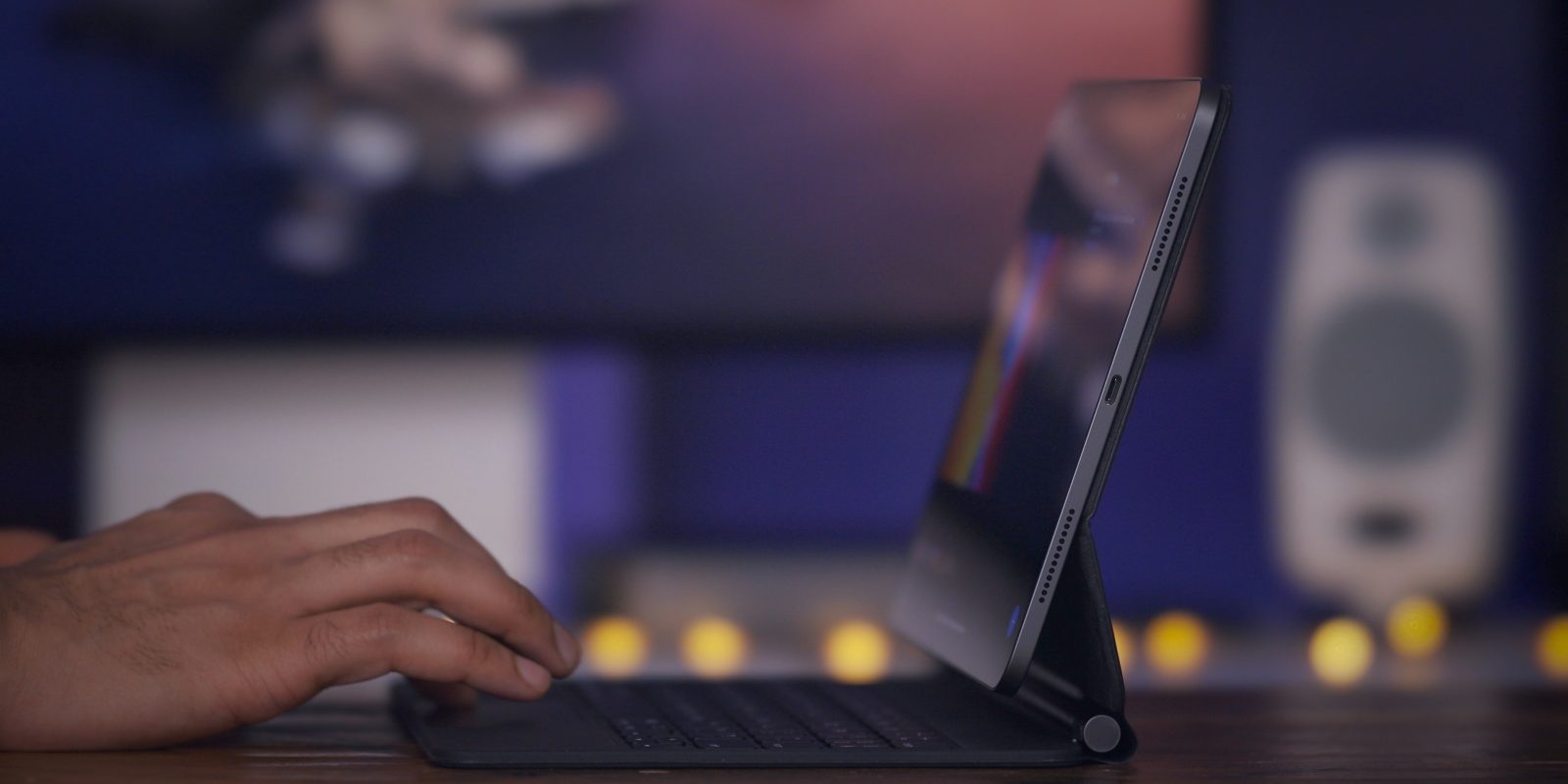
Two days ago the Magic Keyboard for the 11-inch iPad Pro landed on my desk. I’ve been using it constantly since it first arrived, and although it’s not perfect, I absolutely love it.
It’s so good that I can easily say that this is the best iPad accessory in the 10-plus year history of the device, and that includes the Apple Pencil.
Watch our hands-on video as I walk through the top Magic Trackpad for iPad Pro features. I’ll talk about features I like, and things that I don’t like. If you want the details about the Magic Keyboard for iPad Pro, then this is the video for you. Expand Expanding Close
As with every iPhone launch, Apple has produced a variety of official cases to go along with its new iPhone SE hardware. Unlike the iPhone 11, which featured 17 unique official Apple cases at launch, the iPhone SE’s official case options are much more modest.
In total, there are just six new official iPhone SE cases to choose from. We were able to pick up all six for an early hands-on look at every color and case style that Apple offers for this year’s budget iPhone. Watch our brief hands-on commentary for the details. Expand Expanding Close
Yesterday I got my hands on the newest iPad 7 keyboard case offering: the Logitech Combo Touch Keyboard Case with Trackpad. This $149.95 case features a built-in trackpad to take advantage of the new cursor control in iPadOS 13.4.
If you own a 7th-generation iPad (review), this is one of the most useful accessories you can purchase outside of the Apple Pencil. Logitech also sells a version of its new keyboard case for the iPad Air 3. Be sure to subscribe to 9to5mac on YouTube, and watch our full hands-on review inside for the details. Expand Expanding Close
Months after the launch of the Mac Pro, Apple has finally made available the Radeon Pro W5700X MPX Module GPU option during the build-to-order process. The Navi 10-based GPU is a nice addition for video editors working with high quality 10-bit footage. Expand Expanding Close
Now that most of the US (and the world) is under quarantine, communication has largely shifted to live stream video services like Skype, FaceTime, and Zoom. And while it’s easy to initiate or join a live video stream while working from home, with just a little effort, you can make the quality of your WFH live stream setup look a lot better.
In this hands-on walkthrough, we’ll discuss some basic tips that you can use to improve your live-streaming setup while under lockdown. Expand Expanding Close
At the time of its release back in 2018, the Mac mini had the designation of being the most versatile Mac in Apple’s entire desktop lineup. With the release of the Mac Pro, that designation now belongs to Apple’s professional-oriented desktop machine with PCIe expandability.
But the Mac mini remains one of the most value-laden Macs that Apple currently sells, and it’s the second most versatile Mac next to the Mac Pro. Watch our latest episode of The Rewind as I take another look at Apple’s diminutive Mac. Expand Expanding Close
Let’s just cut to the chase: if you already own 2018’s refresh of the iPad Pro, you probably shouldn’t upgrade to the 2020 edition. That’s because this latest iPad Pro is more of an incremental update than its predecessors have traditionally been. In terms of specs, it’s probably the most lukewarm upgrade we’ve had in an iPad Pro since the often-forgotten 9.7-inch model was released in early 2016.
With that in mind, if you want a good idea of what to expect from the 2020 iPad, read our in-depth review of the 2018 model. Most of the hardware aspects still apply, but it’s the software updates that have really pushed the iPad forward over the last few years. The release of iPadOS 13, and now iPadOS 13.4 have transformed Apple’s tablet for the better.
If you held off on the 2018 iPad Pro update, this latest 2020 model should make you happy, as it’s an overall better value thanks to increased RAM and flash storage in the base configuration.
And thanks to the new embedded LiDAR Scanner, which ushers in impressive new AR capabilities, the 2020 iPad Pro also provides us with a sneak preview of what we might expect from Apple’s long-rumored augmented reality headset.
Watch our hands-on video as we discuss the top features and initial impressions of the 2020 iPad Pro. Expand Expanding Close
Slowly but surely, Apple is migrating its Mac laptops off of the horrendous butterfly keyboard switches, and back to the reliable scissor switches that most people overwhelmingly prefer. Although the keyboard is without a doubt the star of the show for this year’s refresh, there are other top MacBook Air features to talk about in this hands-on video. Expand Expanding Close