Latest

Yosemite GM provides an early look at new versions of Pages and Keynote for Mac

Site default logo image

pages

On Tuesday Apple provided developers and beta testers with the GM build of OS X Yosemite, which will likely be the version that ships to consumers later in October (although since this is only a “GM candidate” we may see another build sometime before then). Earlier we noted that this build includes updated videos to demonstrate the trackpad gestures in System Preferences that showed off new iWork icons.

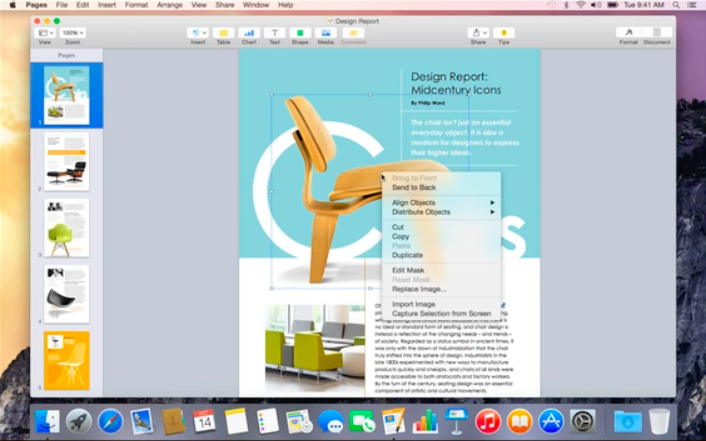
As it turns out, those demo videos also give us a quick look at what will almost certainly be the next major version of Apple’s iWork suite. Above you can see an unreleased version of Pages that features a redesigned toolbar and other tweaks. Another of the videos has our first look at the updated Keynote app:

Expand
Expanding
Close

Site default logo image

Spotify music streaming service finally launches in Canada

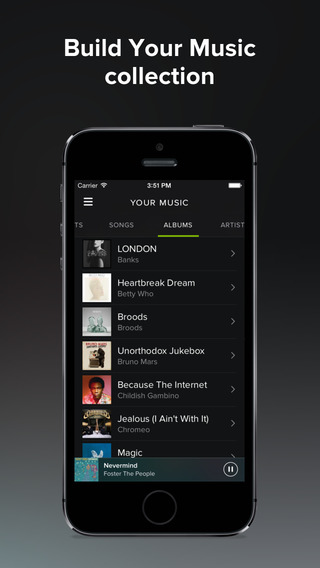
Spotify-albums-iOS-01Spotify announced today that it’s finally expanding into Canada giving Canucks access to the music streaming service that was previously available in the UK, US and a long list of other European and South American countries.

The official announcement comes from Spotify’s blog following a beta period in the country in which the company invited select users to sign-up and try out the service.

Canadians that download the Spotify app will be able to access the service’s usual “fully licensed free tier.” That includes the ability to “shuffle play on mobile or play any song on tablet or desktop,” but users can also pay $10 CAD per month for the unlimited, on-demand experience with the highest quality audio and no ads.

A full list of countries that Spotify is currently available in is here.

Site default logo image

Weather Underground updated with iOS 8 widget featuring radar view and current conditions

The popular Weather Underground app has been updated with support for iOS 8’s widgets that sports a lot more data than most weather widgets will give you. The new at-a-glance view in the Notification Center provides a look at current radar images and current weather conditions.

You can grab the free Weather Underground app from the iOS App Store. For even more iOS 8 widgets, check out our recent round-ups of general-purpose and weather-specific widgets, and more.

Site default logo image

Kindle & Facebook Messenger updated for iPhone 6 support

The list of updated apps for iPhone 6 and iPhone 6 Plus is still somewhat small since developers only learned of the new iPhone display resolutions earlier this month. The Kindle iPhone app from Amazon is joining that short list today, though, with a new version optimized for the iPhone 6.

That means that like iBooks, text you read in Kindle’s iPhone app won’t be fuzzy or scaled up. If you prefer the zoomed up version, however, iPhone 6 users do have that option to make every app larger using the Display Zoom feature found in the accessibilities section of the Settings app on iOS.

Kindle’s previous added a handy widget in Notification Center’s Today view for quickly accessing books you’re reading. Kindle for iOS is available for free on the App Store.

Facebook Messenger has also been updated for the new iPhone models. Notably, the chat app has beat the primary app for the social network in updating for the new iPhones.

iOS 8 Roundup: Apps updated for Health (running list)

Site default logo image


Health iPhone 6 narrow

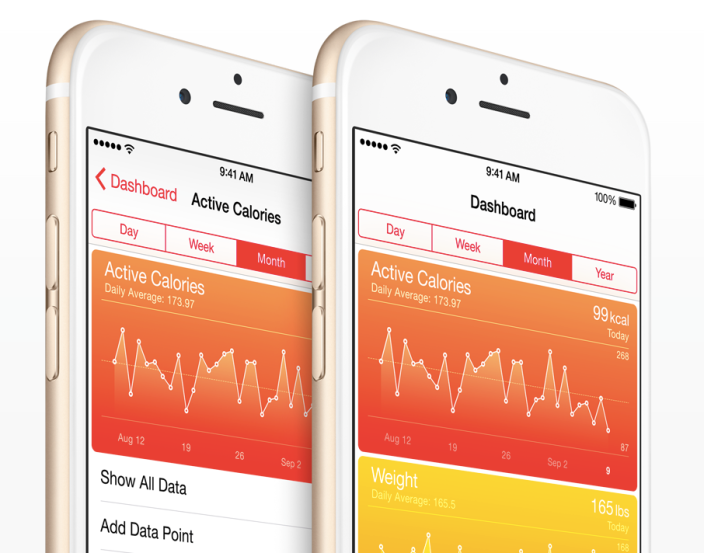
Over the weekend Apple shared a short list of HealthKit apps that work with the new Health app on iOS 8 after a few apps hit the App Store on Friday with HealthKit support included. Several more iPhone apps using HealthKit to share data with Apple’s Health app on iOS 8 have become available and more are anticipated from some big names shortly. We’ll continue to update the list below over the next few weeks with iPhone apps and accessories with HealthKit and Health support to give you a comprehensive list of apps that can put your Health app to better use.
Expand
Expanding
Close

Site default logo image

Waze app now automatically remembers where you park

WazeWaze-app-01, the maps and navigation app acquired by Google last year, today gets an update that introduces a few new features to help improve navigation through user feedback.

First up, the app will now automatically remember and save where you park when using it to navigate to your destination: ”Your parking location will be saved automatically. Plus, you’ll help Waze learn where to find parking & how much time to account.”

Other new features included in today’s version 3.9 update: the ability to “easily add or edit places, business or residential” as well options for adding arrival photos and driving info for specific destinations. In addition, the update adds search autocomplete worldwide for all users.

The Waze app is available now on iPhone and iPad for free.

What’s New in Version 3.9

Version 3.9 introduces Waze Places! Help make information on local places fresh & accurate for everyone.

– Easily add or edit places, business or residential
– Add driving related info like if a place has a parking lot or drive-thru
– Add arrival photos to help others find a place at any time
– Drive with Waze until you park: your parking location will be saved automatically. Plus, you’ll help Waze learn where to find parking & how much time to account
– Search autocomplete added worldwide
– Multiple bug fixes and optimizations

Jawbone’s UP app adds HealthKit support, wristband not required

Site default logo image

Now that Apple has announced its entry into the fitness-tracking wearable space with the Apple Watch, Jawbone, the makers of the UP and UP24 activity trackers, has introduced a version of its UP iPhone app that works without requiring the fitness band. Instead, the new version of Jawbone’s health and fitness iPhone app adds support for Apple’s HealthKit feature and Health app on iOS 8 making UP’s software for tracking activity and sleep as well as logging meals more valuable to iPhone users wanting to fill the new Health app with data.
Expand
Expanding
Close

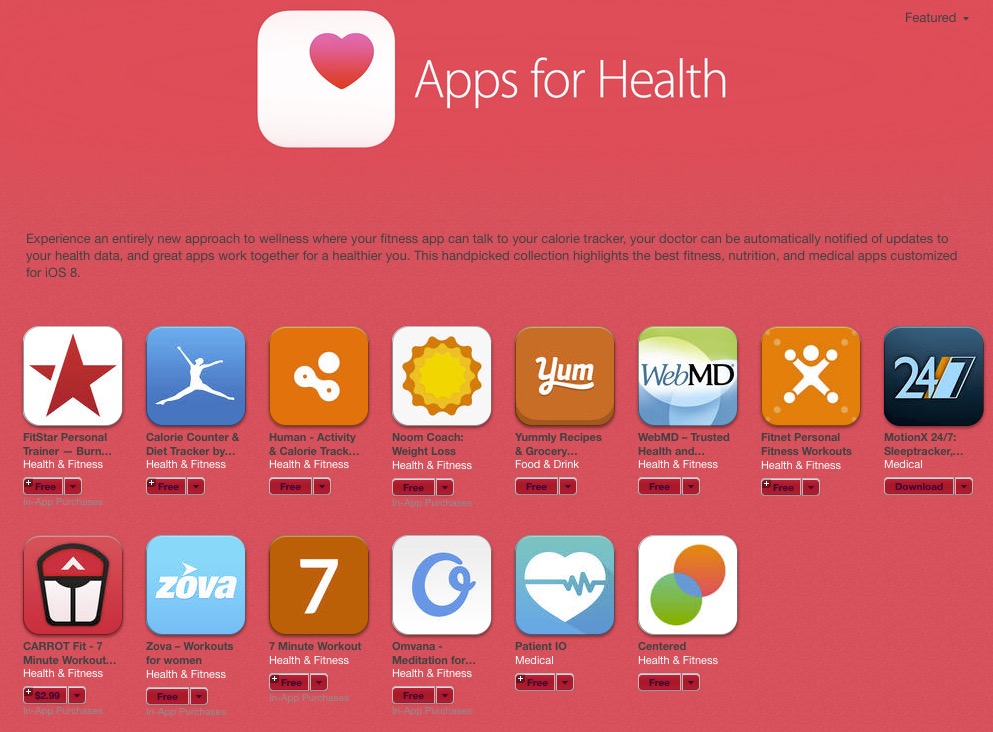
‘Apps for Health’ section hits App Store following Apple’s release of Healthkit enabled iOS 8.0.2

Site default logo image

Apps-for-health

Now that Apple is 8.0.2 rolled out and we’re all relatively stable with a Healthkit-enabled OS, Apple is giving us a new section of the App Store for health-related apps. 

Experience an entirely new approach to wellness where your fitness app can talk to your calorie tracker, your doctor can be automatically notified of updates to your health data, and great apps work together for a healthier you. This handpicked collection highlights the best fitness, nutrition, and medical apps customized for iOS 8.

Red prices on pink background?  They must have moved that Maps launch and iOS 8.0.1 guy over to design. 
Expand
Expanding
Close

Site default logo image

Secret developers launch new notification-focused app called Ping

The developers behind the controversial Secret social app have launched another piece of iOS software today. The new app is called Ping and its entire purpose is to send you notifications when certain events happen. It’s essentially like an automated version of Yo.

When you first launch Ping, you’ll be presented with a screen that allows you to choose what topics you want to be notified about. This can be anything from weather updates to “pickup lines for Friday night.” After you’ve picked a few topics to subscribe to, you close the app and wait. When there’s a change to one of those topics, you’ll get a push notification.

There’s not really much to the application beyond that. New topics can be pushed over-the-air by the developers, and you’ll be notified when new ones become available (several new ones have been added just since the app launched a few hours ago). The developers say that as you use the application it will learn to adapt to what you like or don’t like based on your usage.

Ping is free on the iOS App Store.

Site default logo image

MLB At Bat app will for the first time live stream every World Series game, select Postseason games

MLB-app-01The MLB.com At Bat app was updated today alongside a couple notable announcements including the league’s plan to live stream every World Series game and select Postseason games to all of its MLB.TV Premium subscribers through the app. The 2014 World Series is set to kick off on October 21. 

The release notes add that the app will now also offer “Live Postseason coverage for every game through the 2014 World Series” and a Postseason.TV feature with “Live companion coverage featuring up to 10 alternate camera angles for the AL Wild Card, AL Division Series and AL Championship Series (TBS broadcasts only).”

The update MLB.com At Bat app is available in the App Store now for iPhone and iPad. Regular $129 for the full year, an MLB.TV Premium subscription is available to purchase now for $3.99 for the remainder of the season, World Series, and postseason. 

What’s New in Version 7.4.2

• For the first time we will be streaming live every World Series game and select other Postseason games to all authenticated MLB.TV Premium subscribers
• Live Postseason coverage for every game through the 2014 World Series
• Postseason.TV: Live companion coverage featuring up to 10 alternate camera angles for the AL Wild Card, AL Division Series and AL Championship Series (TBS broadcasts only)
• General performance improvements

HealthKit support added to WebMD, Carrot Fit, Yummly, more

Site default logo image

Healthkit-WWDC-01

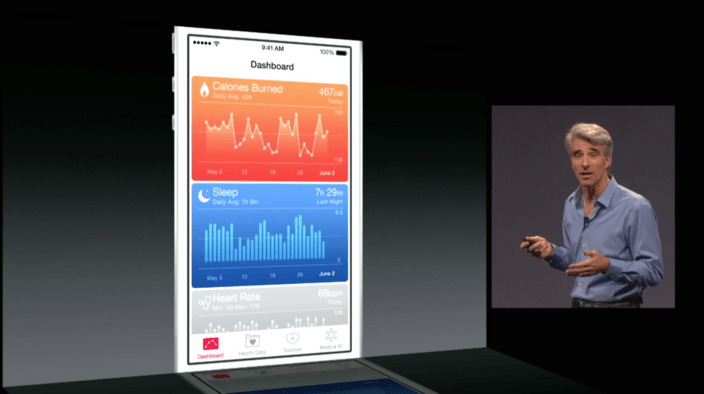
In addition to FitPort and MyFitnessPal, a few more app updates with HealthKit support have become available on the App Store. These updates allow you to share health and fitness data with Apple’s new Health app on iOS 8 now that Apple has enabled HealthKit with the release of iOS 8.0.2 after issues in iOS 8.0 and iOS 8.0.1.

First up is WebMD for iPhone. Users of the WebMD iPhone app can now allow the health information service’s Healthy Target feature to communicate with data shared with Apple’s health app. The benefit to this is WebMD uses this information to create “actionable insights on your health data”. WebMD’s update was previously available on iOS 8 launch day until Apple pulled HealthKit-enabled apps due to a late-discovered bug.

Carrot Fit is another app affected by the launch day issue, but its back today with full HealthKit integration. The unconventional workout app uses data from Apple’s Health app to monitor workouts, weight, and dieting for monitoring your fitness. This is how Carrot describes Fit’s HealthKit integration:
Expand
Expanding
Close

iOS 8 Roundup: The best weather widgets for Notification Center

Site default logo image

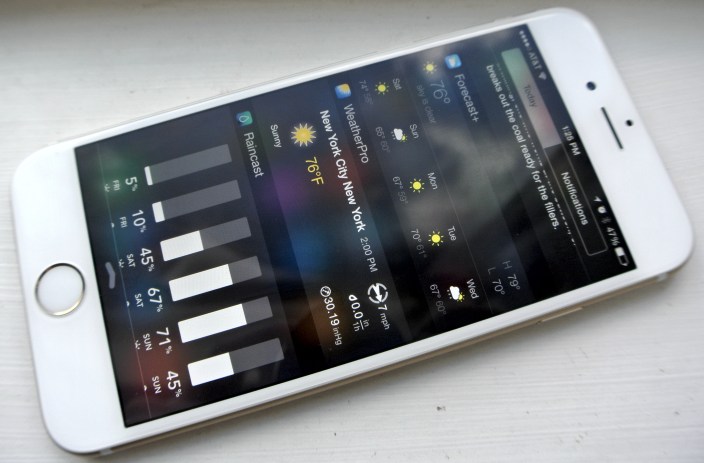
iPhone 6 weather widgets

When Apple introduced iOS 7 with an overhauled design for the iPhone and iPad software, it replaced the weather widget showing current temperature and weekly forecast introduced with iOS 5 with a text summary of the day’s weather conditions. This weather summary includes an icon for the current weather condition as well as a text description like ‘mostly cloudy’, but it tends to give you the high and low temperatures of the day and not the current temperature like Apple’s former weather widget.

Luckily, iOS 8 allows developers to create third-party widgets including – you guessed it – weather widgets with current temperature and forecast. Since iOS 8 was released last week, I’ve been trying a variety of apps with included weather widgets, and below I’ll share with you what I’ve discovered so far.


Expand
Expanding
Close

MyFitnessPal updated w/ HealthKit support for tracking calories, weight, & workouts

Site default logo image

MyFitnessPal, an app focused on helping you track your diet habits and caloric intake, has released a new version today with support for HealthKit and Apple’s new Health app on iOS 8. The new version allows users to interface three types of data with Apple’s Health app and other HealthKit-enabled apps: meal summaries, weight syncing, and workout data from exercises. Specifically, MyFitnessPal can share meal data you add to the app with other HealthKit apps while weight and workout data can be shared back and forth with other apps.
Expand
Expanding
Close

Instagram’s Hyperlapse video shooter adds support for front camera & iPhone 6/6 Plus

Site default logo image

Last month Instagram launched a new video shooting app for iPhone and iPad that combines effects like time-lapse and cinema stabilization called Hyperlapse. Today Instagram is introducing what they call the “selfielapse” by adding support for shooting Hyperlapse videos with the front facing camera on your device using the same features previously only available on the back camera…


Expand
Expanding
Close

Site default logo image

1Password iOS beta previews upcoming iPhone 6/6 Plus enhancements

1password-app-icon-01

The popular password and data management app 1Password was ready on day one with a powerful, systemwide extension for accessing your vault and Touch ID support for unlocking the app with your fingerprint. The latest beta version sent to testers today promises one more useful feature its users will appreciate: iPhone 6 optimization.

The new version of 1Password currently being tested by beta users no longer relies on zoomed scaling on the larger display devices and takes advantage of the new screen sizes more efficiently. iPhone 6 Plus users have shared that the new version supports the new iPad-like split-view introduced to certain Apple apps as well.

1Password recently changed its pricing model from a paid application to a freemium model allowing new customers to try 1Password and unlock pro features within the password management app.

While the iPhone 6/6 Plus-optimized version is currently in beta, 1Password users should expect to see the update on the App Store after adequate testing and approval.

Site default logo image

Metal Gear Rising: Revengeance now available on Mac

[youtube=https://www.youtube.com/watch?v=3InlCxliR7w]

Metal Gear Rising: Revengeance, a spinoff in the popular Metal Gear franchise that was originally released for consoles in 2013, is today arriving for Mac users. Unlike most previous installments in the series, Revengeance replaces the game’s usual stealth-based gameplay for a sword-slashing cyborg ninja named Raiden. It’s technically part of the Metal Gear series and universe, but the incredibly unique hack and slash gameplay mechanics in this title are quite the departure from what Metal Gear fans are used to with previous games in the series. 

METAL GEAR RISING: REVENGEANCE, originally developed by Kojima Productions and Platinum Games, expands the METAL GEAR franchise into exciting new territory with its frenetic action experience. The game seamlessly melds pure action and cinematic storytelling that surrounds Raiden, a child soldier transformed into a half-human, half-cyborg ninja, who uses his high-frequency katana blade to cut through anything that stands in his vengeful path

The game is available starting today on the Mac App Store and on Steam for $24. That’s a promotional price that will increase to the regular $30 after the first 5 days of release. 

Site default logo image

iOS 8’s Notification Center gets a new useful widget: ESPN SportsCenter

The official ESPN SportsCenter app has been updated with support for an iOS 8 Notification Center widget, and it seems awesome thus far. The widget allows you to get quick access to scores from your favorite team (go Lakers) and provides access to ESPN’s radio stations. The update is free on the App Store.


Expand
Expanding
Close

Site default logo image

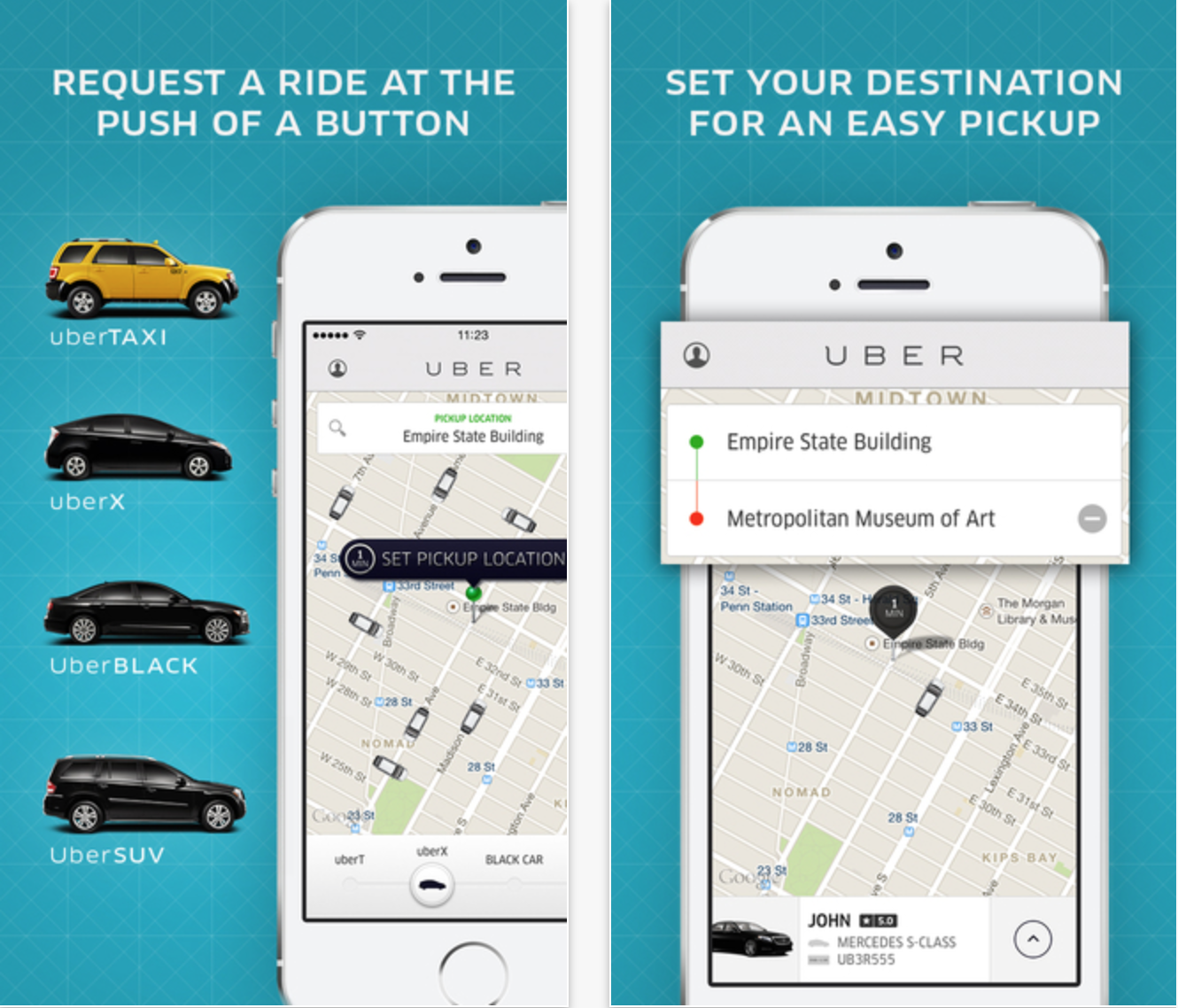
Uber app updated with iPhone 6/6 Plus support

Screenshot 2014-09-24 15.06.55

If you’re an iPhone 6 user running the botched iOS 8.0.1 update and can’t make a phone call to ask for a ride, Uber has some great news for you today. The company has updated its iOS application with full optimization for the iPhone 6 and 6 Plus screens. The update does not add much else today, but expect an update in the near-future with support for the upcoming Apple Pay payment service.


Expand
Expanding
Close

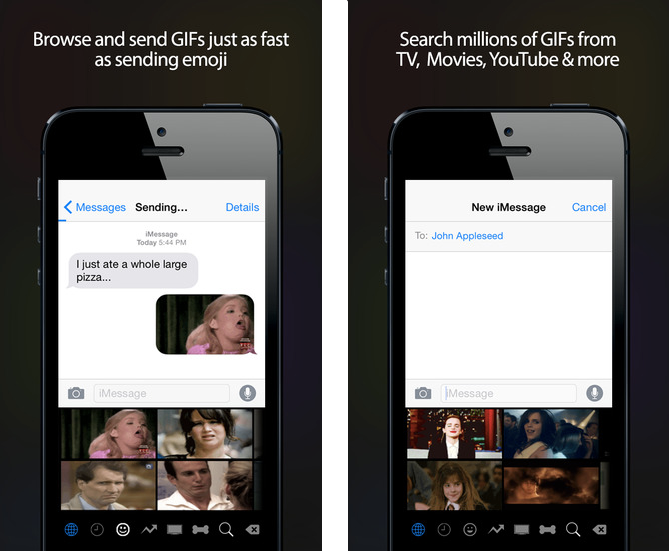
The first GIF Keyboard made for iOS 8 has landed courtesy of Riffsy, and it’s free

GIF Keyboard on the App Store on iTunes 2014-09-23 13-40-31

Although dozens of custom keyboards have been launching left and right just in time for iOS 8, most of them have stayed rather traditional. Yes, there’s new features here and there that are firsts for iOS like the ability to swipe to type using Swype and SwiftKey, but these are still just keyboards for typing letters. A new keyboard from Riffsy called GIF Keyboard, on the other hand, isn’t really a keyboard—it’s a great way to quickly and easily send GIFs to friends using your favorite apps.


Expand
Expanding
Close

Site default logo image

Google’s Currents iOS app redesigned & renamed ‘Google Play Newsstand’

Following the renaming of its Google Currents news reader app to “Google Play Newsstand” on Android back in February, Google has now given a similar treatment to the iOS app. The app, like the Android version earlier this year, also receives a makeover in the process with a streamlined design and new features:

What’s new
• New navigation helping you easily access the articles and editions you love including:
– Read Now – Easily access articles you subscribe to and discover new articles and editions all in one place
– Topics – Subscribe and get news from topics you are most interested in
– My Library – All of your subscriptions will be found here
• A brand new design giving you a streamlined news reading experience

The Google Play Newsstand app is available for free for iPhone and iPad on the App Store now.

Site default logo image

Skype update for iPhone 6 and 6 Plus coming next month

Yesterday, Skype released an update for its iOS app to include iOS 8-optimized notifications and other goodies. However, it has no support for the higher-resolution iPhone 6 and iPhone 6 Plus displays. That will change next month, per a Skype spokesperson:

We’re currently working on an update to Skype for iPhone that scales for iPhone 6 and 6 Plus screen sizes, which we plan to release in the next month.

Unfortunately, that sounds like quite a while. Hopefully the updated version isn’t just bigger, but more optimized for the larger 4.7-inch and 5.5-inch panels.


Expand
Expanding
Close

As shown at WWDC, Bing Search app brings translation extension to Safari

Site default logo image

The Bing Search app has been updated to include the translation feature first demoed at WWDC, as part of the initial unveiling of iOS 8 extensions.

Very simply, downloading the update adds a Bing Translate action to your Activities list in Safari. Enable the action and then visit a website in a foreign language. Pressing the Translate action in the share sheet will machine translate the webpage’s text to the system language, by default. The text content changes inline and happens very quickly.


Expand
Expanding
Close

Site default logo image

New two-factor authentication app Lockdown launches with iCloud syncing, recovery code storage, and more

A new iOS app for managing two-factor authentication keys called Lockdown launched this weekend with a set of unique features like the ability to sync your keys over iCloud with other devices (including an upcoming Mac counterpart). Accounts in the app will also be backed up along with your phone’s data so that you can restore the keys back to a new device, which isn’t possible with other two-factor apps.

Of course, while backing up the keys and syncing them with iCloud provide an increased level of convenience, it’s important to remember that those can also lead to a reduced level of security in some cases. It’s important to balance security with convenience when dealing with something like two-factor authentication, and thankfully Lockdown’s developer recognizes this. All data on the device or backed up to iCloud is encrypted whether it’s in transit or stored on the device or server.

Sites that use two-factor authentication typically also use backup codes for logging into your account in case you lose access to your device. Lockdown offers the ability to store these backup codes right in the app. While that’s an excellent convenience feature, it does somewhat defeat the purpose of the codes. If you’ve stored them only in Lockdown and then lose your phone, you won’t have access to those codes, and thus won’t be able to log into your account. So while this is a handy feature, it’s critical that you store these codes in a secondary location that isn’t on your phone as well.

The developer has told 9to5Mac that an update has been submitted to Apple which includes new features such as support for using Touch ID to protect the application. A Safari extension is planned for a later release to make logging into sites through the phone’s built-in browser even easier.

You can grab Lockdown on the iOS App Store for $3.99.

Site default logo image

Chrome iOS update enables third-party app extensions, iOS 8 support

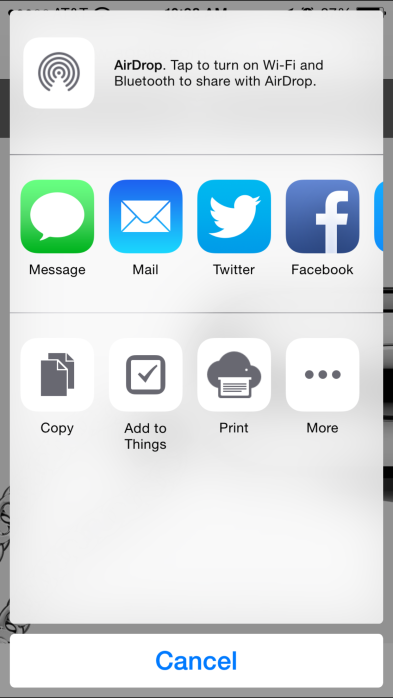
IMG_0352Google today updated its Chrome browser for iPhone and iPad with support for iOS 8’s new third-party App Extensions feature. That means that Chrome’s sharing menu will now show additional sharing options from apps you have installed supporting the new App Extensions feature. We previously put together a roundup of some of the best apps offering App Extensions when iOS 8 launched.

Google says the update, version 37.0.2062.60, also includes iOS 8 compatibility, stability improvements, and bug fixes.

The updated Chrome app for iPhone and iPad is available on the App Store now.

What’s New in Version 37.0.2062.60

• Supports using 3rd party App Extensions to post and share content.
• iOS 8 Compatibility.
• Stability improvements and bug fixes.