iPad (2021)

See All Stories

Apple's tablet debuted in 2010. Since the original version, it's expanded into multiple screen sizes and Pro and non-Pro options.

The iPad is Apple’s base tablet model. In its ninth generation, the iPad focuses on being the perfect tool for education and people who seek a bigger screen to read and surface the web compared to the iPhone. With Apple Pencil and Smart Keyboard support, the iPad has never been better.

History

Site default logo image

The iPad is a line of tablets designed and developed by Apple. It was originally announced in 2010, three years after the first iPhone was introduced. With a 9.7-inch screen and with iPhone OS 3.2 the iPad was a success, hitting 1 million tablets sold in over three months, half the time the first iPhone took to reach this mark.

Steve Jobs then unveiled the iPad 2 in March of 2011. About 33% thinner than its predecessor and 15% lighter, the second generation used the A5 chip, twice as faster as its predecessor. The iPad 2 also introduced front and back cameras that supported FaceTime video calls.

The successor of the iPad 2 wasn’t a success at all. The third generation was introduced in March of 2012 with a Retina display and the A5X processor. The problem with this tablet it was too heavy and the battery didn’t last long enough. In October of the same year, Apple announced the fourth generation with the A6X processor, HD FaceTime camera, improved LTE capabilities, and the Lightning connector.

At this October event, Apple also introduced the first iPad mini. In 2013, Apple went with the first iPad Air and the iPad mini 2. In 2015, the company introduced the first Pro model, with two different sizes.

Site default logo image

In March of 2017, Apple announced the fifth-generation iPad with the A9 processor. It was a budget option compared to the other tablets. It was in 2018 that the company brought expressive news to the base iPad line. The sixth-generation had the A10 Fusion processor and fully supports the first-generation Apple Pencil.

A year later, the seventh generation was announced with a larger 10.2-inch display and support for the Smart Keyboard as well. It retained most of the specs of the previous model.

In September of 2020, the eighth generation was introduced alongside the fourth-generation iPad Air model. The eighth generation received an upgraded processor, now with the A12 Bionic, while keeping the same storage options: 32GB and 128GB.

In September of 2021, the ninth generation was introduced alongside a redesigned iPad mini. This iPad now features the A13 Bionic processor, True Tone support, and new storage options: 64GB and 256GB while keeping the same price.

iPad 9 Specs

Site default logo image

The ninth-generation iPad launched in September of 2021. Available in two colors, Silver and Space Gray, this tablet is made of 100% recyclable aluminum, and supports the first-generation Apple Pencil and Smart Keyboard.

With thinner bezels, the product comes with a 10.2-inch Retina display with a fingerprint-resistant oleophobic coating, and True Tone support for the first time, which adjusts screen content to the color temperature of a room.

This tablet uses the A13 Bionic chip, the same available on the iPhone 11, 11 Pro, and 11 Pro Max. It has an “all-day” battery with up to 10 hours of surfing the web on Wi-Fi or watching videos.

The iPad also comes in 64GB and 256GB storage options and Wi-Fi and Wi-Fi + Cellular versions.

Revamped cameras

Site default logo image

For the first time, this iPad shares the same FaceTime camera as the M1 iPad Pro with the Center Stage experience. With a new 12MP Ultra Wide front camera and Neural Engine, users can enjoy even more engaging video calls.

As users move around, Center Stage automatically pans the camera to keep them in view. When others join in, the camera detects them too, and smoothly zooms out to include them in the conversation. Center Stage makes video calls more natural in FaceTime as well as third-party video-calling apps.

Its main camera is the same: 8MP, f/2.4 aperture, and digital zoom up to 5x.

iPadOS 15

Site default logo image

The ninth-generation iPad comes with the iPadOS 15. Previewed during the WWDC21 keynote, the new operating system brings a redesigned Home Screen with widgets and App Library support.

On iPadOS 15, FaceTime group calls can finally appear in a grid, so it’s easier to see everyone. It’s also possible to share your screen, listen to Apple Music songs together, or watch Apple TV+, HBO Max, Disney+, and others while in a call.

In the productivity section, Apple, unfortunately, didn’t bring all the features pro users wanted to take full advantage of their new M1 iPad Pro, even though Apple made it easier to rely on multitasking features.

There’s a new multitasking menu on the top of the screen. When you click there, it’s possible to see what configurations you can use on Split View or just go to Slide Over with just a tap.

The experience with an external keyboard allows users to get more done with all-new keyboard shortcuts and a redesign of the menu bar.

With the Quick Note feature, users can use the Apple Pencil to add a quick note. They just need to slide the pencil through the bottom right corner to the center of the screen and start writing.

iPadOS 15 launched on September 20. Learn more about it here.

iPadOS 15.1 features

One month after releasing iPadOS 15, Apple released iPadOS 15.1 More notable, the company finally brought SharePlay support for the iPhone, iPad, and Apple TV. Unfortunately, Universal Control wasn’t one of the features added with this new version. Here’s what else is new:

Translate

  • Mandarin Chinese (Taiwan) support in the Translate app and for system-wide translation

Home

  • New automation triggers based on the current reading of a HomeKit-enabled humidity, air quality, or light level sensor

Shortcuts

  • New pre-built actions let you overlay text on images or gifs, plus a new collection of games lets you pass the time with Siri

iPadOS 15.2 features

apple-music-hey-siri-plays-voice-plan-9to5mac-2

Five weeks after releasing iPadOS 15.1, Apple is releasing iPadOS 15.2. It brings more features that were expected to launch alongside iPadOS 15 but, unfortunately, Universal Control is still nowhere to be seen. Here are the top features of this version:

  • Apple Music Voice Plan is a new subscription tier that gives you access to all songs, playlists, and stations in Apple Music using Siri
  • App Privacy Report in Settings lets you see how often apps have accessed your location, photos, camera, microphone, contacts, and more during the last seven days, as well as their network activity
  • Communication safety setting gives parents the ability to enable warnings for children when they receive or send photos that contain nudity
  • Digital Legacy allows you to designate people as Legacy Contacts so they can access your iCloud account and personal information in the event of your death
  • Apple TV app: Store tab lets you browse, buy, and rent movies and TV Shows all in one place

iPadOS 15.3 features

Six weeks after releasing iPadOS 15.2, Apple is releasing iPadOS 15.3. This update foregoes new features in favor of under-the-hood bug fixes and improvements. One of the most notable changes here is a fix for a Safari vulnerability that may have been leaking your browsing history and Google ID data to the websites you visited.

iPadOS 15.4 features

iPadOS 15.4 finally brings one of the most important features expected from iPadOS 15 and that got delayed: Universal Control. Here’s everything new with iPadOS 15.4:

  • Universal Control: This feature allows you to control your Mac and iPad using the same keyboard and mouse/trackpad. Universal Control needs iPadOS 15.4 and macOS Monterey 12.3;
  • New Siri voice: Siri has a fifth American voice. Apple says a member of the LGBTQ+ community recorded the voice and it’s non-binary;
  • More emoji: iPadOS 15.4 also brings new emojis. You can discover all of the new characters here;
  • Shortcuts automation: Adds support for running Personal Automations in the background without requiring a pesky banner notification.

You can learn everything new with this update here.

iPadOS 15.5 features

Different from other software updates, iPadOS 15.5 only improves the Podcast app experience, as Apple focused on Wallet changes for the iPhone this time:

  • Apple Podcasts includes a new setting to limit episodes stored on your iPhone and automatically delete older ones

iPadOS 15.6 features

iPadOS 15.6 is yet another small update for iPad users. Here’s what’s news:

  • TV app adds the option to restart a live sports game already in progress and pause, rewind, or fast-forward.
  • Fixes an issue where Settings may continue to display that device storage is full even if it is available.
  • Fixes an issue that may cause Braille devices to slow down or stop responding when navigating text in Mail.
  • Fixes an issue in Safari where a tab may revert to a previous page.

iPadOS 15.7 features

iPadOS 15.7 only brings bug fixes and some security improvements as the company readies the iPadOS 16 release.

Education

Site default logo image

Apple describes this iPad as the go-to tablet for education. For several years the company discounts this tablet up to 10%.

Apple is always promoting ways students can use the iPad to learn new things: using Augmented Reality, the Apple Pencil, and how to code with Playgrounds.

The company says the “App Store is the best place to discover apps” for education purposes:

Let your curiosity run wild with iPad. The App Store is the best place to discover apps that let you get a leg up in geometry, learn a new language, and attend virtual classes. You can even use augmented reality to learn something exciting, like watching the history of spaceflight unfold in your living room or making characters from your favorite book literally leap off the page.

Release date: When Apple will launch the ninth-generation iPad?

Apple launched the iPad 9 on September 24, 2021.

Pricing

iPad (2021) pricing starts at $329 for the 32GB storage option with Wi-Fi only. The prices can go up to $559 with the 128GB storage option and WI-Fi + Cellular. Here are the full prices of the ninth-generation tablet:

  • 32GB with Wi-Fi: $329
  • 32GB with Wi-Fi + Cellular: $459
  • 128GB with Wi-Fi: $429
  • 128GB with Wi-Fi + Cellular: $559
  • Apple Pencil (1st generation): $99
  • Smart Keyboard: $159

Lower prices may be available from Apple’s official Amazon store.

iPad (2021) Review

Site default logo image

Soon, we’ll review the ninth-generation iPad. As for now, you can watch our video review of the eighth-generation iPad, as we described it as the “best value tablet you can buy:”

“The iPad 8 was never meant to be a huge update. But even still, I think this is easily the best value tablet you can buy. For $329, this tablet has so much to offer: The performance, the great battery life, and the Apple pencil functionality. I’d highly recommend you pick up this tablet if you simply need an inexpensive tablet today that’s going to last you for three to four years with no trouble.”

iPad Deals

Over at 9to5Toys, you can find the best deals on the iPad and other Apple products. Download the 9to5Toys iPhone app to receive push notifications for new deals as well.

Rumors

As of now, Bloomberg‘s Mark Gurman said in his Power On newsletter by the end of 2021 that Apple plans a new entry-level iPad for 2022. In June 2022, 9to5Mac exclusively reported the details of the tenth-generation iPad model.

According to Filipe Espósito, this new entry-level tablet will pack the A14 Bionic chip, 5G compatibility, and, for the first time, USB-C connectivity, unlocking new experiences with the second-generation Apple Pencil. Its display will also increase, although it’s unclear whether it will have the same design as the M1 iPad Air.

This iPad could be released in October of 2022.

Site default logo image

Waze app now automatically remembers where you park

Waze, the maps and navigation app acquired by Google last year, today gets an update that introduces a few new features to help improve navigation through user feedback.

First up, the app will now automatically remember and save where you park when using it to navigate to your destination: ”Your parking location will be saved automatically. Plus, you’ll help Waze learn where to find parking & how much time to account.”

Other new features included in today’s version 3.9 update: the ability to “easily add or edit places, business or residential” as well options for adding arrival photos and driving info for specific destinations. In addition, the update adds search autocomplete worldwide for all users.

The Waze app is available now on iPhone and iPad for free.

What’s New in Version 3.9

Version 3.9 introduces Waze Places! Help make information on local places fresh & accurate for everyone.

– Easily add or edit places, business or residential
– Add driving related info like if a place has a parking lot or drive-thru
– Add arrival photos to help others find a place at any time
– Drive with Waze until you park: your parking location will be saved automatically. Plus, you’ll help Waze learn where to find parking & how much time to account
– Search autocomplete added worldwide
– Multiple bug fixes and optimizations

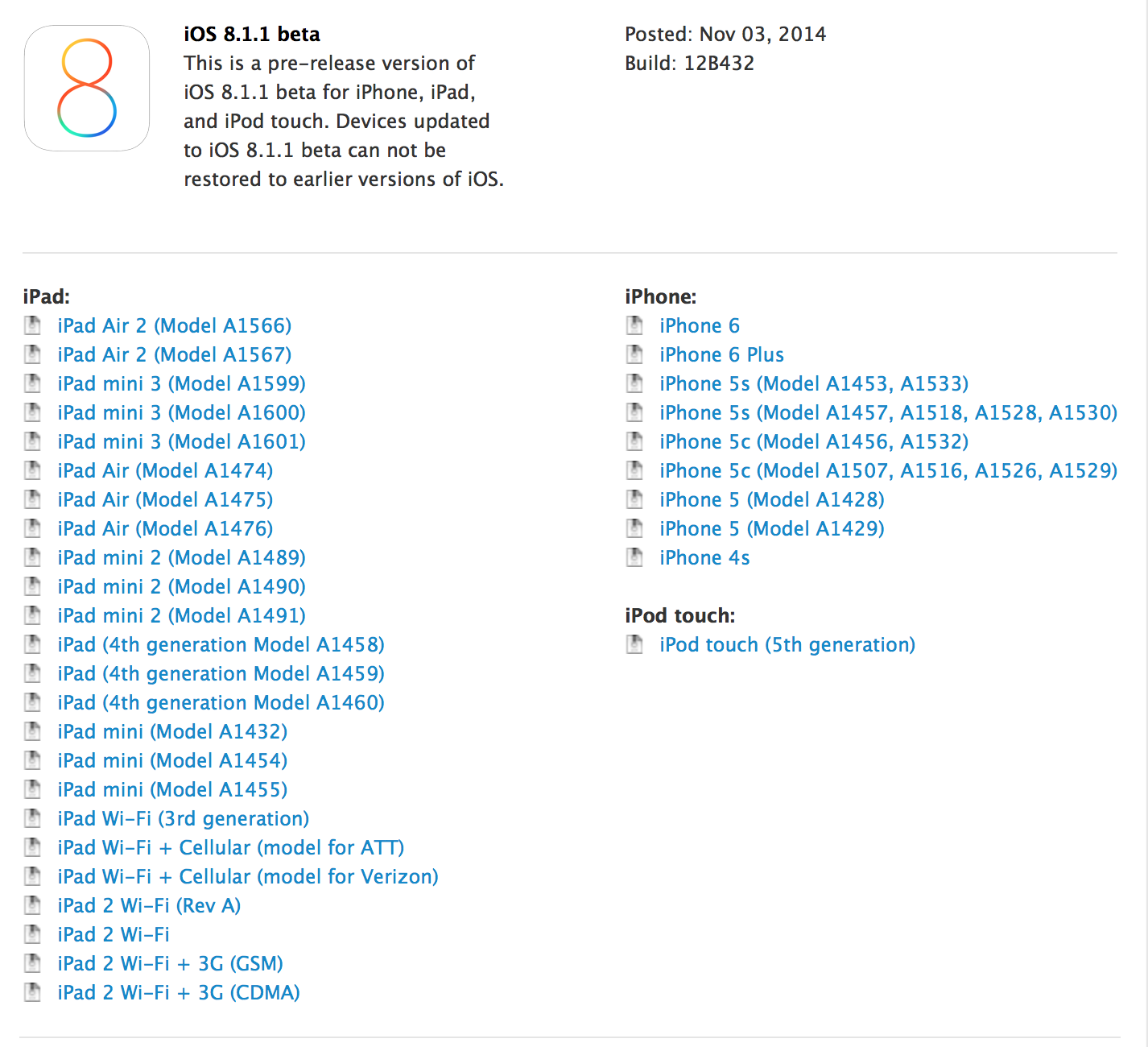
Apple developing iOS 8.1, 8.2, & 8.3 in shift for 2015 launches

Site default logo image

Starting with iOS 5 in 2011, Apple has released a major new iOS version each fall and a notable follow-up update early in the following year. For example, iOS 6 launched in September 2012 and was updated to iOS 6.1 in January, and iOS 7, which was launched in September 2013, was updated to iOS 7.1 with CarPlay and interface improvements in March 2014. But starting with the recently released iOS 8, it appears that Apple has a different development schedule for 2015 and perhaps beyond. According to sources, Apple is already hard at work on three major follow-up versions to iOS 8: iOS 8.1, iOS 8.2, and iOS 8.3.

iOS 8.2 visits to 9to5Mac

We’ve confirmed that these major new versions are in development via two means. First, a developer of a major hardware-connected iOS application has shared with us their analytics, and this data indicates that all three versions are in testing by Apple employees in or around Cupertino, California. Second, and much closer to home, our own Google Analytics for 9to5Mac.com show that iOS users are visiting our website via iOS 8.1, iOS 8.2, and iOS 8.3 devices. iOS 8.1 hits to 9to5Mac.com started appearing even months before iOS 8.0 launched, but 8.2 and 8.3 visits only started picking up following iOS 8’s release in mid-September.

iOS 8.3 visits to 9to5Mac

While Apple works on several iOS features and enhancements over the course of several years, it typically only begins wholly testing major new releases close to the ship dates of the preceding release. Apple working on three significant follow-ups to iOS 8 is a shift from the usual development cycle, one which would normally indicate Apple to be working on just iOS 8.1 as well as iOS 9.0. It’s possible that iOS 9 is also in the works, and of course Apple is always working on nominal bug fix (x.x.1 or .2 or .3) updates, but the fact that 8.1, 8.2, and 8.3 are all in simultaneous development raises some interesting possibilities:


Expand
Expanding
Close

Retina iMacs with OS X Yosemite in late testing within Apple, could launch soon

Site default logo image

A new line of iMacs with ultra high-resolution Retina Displays is in late testing stages within Apple, according to our sources who have used the future desktop computer. While the machine will sport a thin profile similar to that of the current design, which was introduced in 2012, it will be packed with new internals such as faster processors and improved WiFi antennas. The fact that the iMac is in late testing indicates that Apple could be preparing to launch it alongside OS X Yosemite this fall…


Expand
Expanding
Close

Microsoft confirms it’s opening its “first flagship store” a few blocks from Apple’s iconic cube as Steve Jobs backstory revealed

Site default logo image

Microsoft has confirmed its rumored plan to open what it describes as its “first flagship store” on Manhattan’s Fifth Avenue, a few blocks away from Apple’s glass-cubed flagship store, reports the WSJ.

“As our first flagship store, it will serve as the centerpiece of our Microsoft Stores experience,” said David Porter, corporate vice president for Microsoft retail stores. “This is a goal we’ve had since day one—we were only waiting for the right location. And now we have it.”


Expand
Expanding
Close

Review: Intrepid’s Journeyman – an impressive leather messenger bag that can go corporate

Site default logo image

Indiana Jones meets bike messenger meets business briefcase is how I’d describe Intrepid’s $369 Journeyman messenger bag. My carrying case of choice over the past 3 months has been this hybrid satchel/briefcase that you carry like a messenger bag comfortably on your back with a big strap holding it up firmly but comfortably across your chest…
Expand
Expanding
Close

More details on how iOS 8’s MAC address randomization feature works (and when it doesn’t)

Site default logo image

A few days ago Apple published a new privacy page on its website that detailed the various measures it has put in place to protect Mac and iOS users’ personal data. One of those features, which is new in iOS 8, is the automatic randomization of MAC addresses when the device is searching for a Wi-Fi network. This makes it much more difficult to track a device by seeing which Wi-Fi networks have spotted its unique identifier.

A new two-part study by AirTight Networks into how well this security feature works has turned up some interesting results, including several conditions that will stop the phone from randomizing a MAC address. Part one of the study breaks down what exactly needs to happen in order to start this function…


Expand
Expanding
Close

Site default logo image

MLB At Bat app will for the first time live stream every World Series game, select Postseason games

The MLB.com At Bat app was updated today alongside a couple notable announcements including the league’s plan to live stream every World Series game and select Postseason games to all of its MLB.TV Premium subscribers through the app. The 2014 World Series is set to kick off on October 21. 

The release notes add that the app will now also offer “Live Postseason coverage for every game through the 2014 World Series” and a Postseason.TV feature with “Live companion coverage featuring up to 10 alternate camera angles for the AL Wild Card, AL Division Series and AL Championship Series (TBS broadcasts only).”

The update MLB.com At Bat app is available in the App Store now for iPhone and iPad. Regular $129 for the full year, an MLB.TV Premium subscription is available to purchase now for $3.99 for the remainder of the season, World Series, and postseason. 

What’s New in Version 7.4.2

• For the first time we will be streaming live every World Series game and select other Postseason games to all authenticated MLB.TV Premium subscribers
• Live Postseason coverage for every game through the 2014 World Series
• Postseason.TV: Live companion coverage featuring up to 10 alternate camera angles for the AL Wild Card, AL Division Series and AL Championship Series (TBS broadcasts only)
• General performance improvements

iOS 8 Roundup: The best weather widgets for Notification Center

Site default logo image

When Apple introduced iOS 7 with an overhauled design for the iPhone and iPad software, it replaced the weather widget showing current temperature and weekly forecast introduced with iOS 5 with a text summary of the day’s weather conditions. This weather summary includes an icon for the current weather condition as well as a text description like ‘mostly cloudy’, but it tends to give you the high and low temperatures of the day and not the current temperature like Apple’s former weather widget.

Luckily, iOS 8 allows developers to create third-party widgets including – you guessed it – weather widgets with current temperature and forecast. Since iOS 8 was released last week, I’ve been trying a variety of apps with included weather widgets, and below I’ll share with you what I’ve discovered so far.


Expand
Expanding
Close

Site default logo image

Post-it note app lets you import physical notes into your iPhone or iPad

It’s hard to think of anything lower-tech than a Post-it note: you write on a sticky square of paper and slap it onto a physical surface. But 3M has just launched a clever iOS app that allows you to photograph a bunch of Post-it notes, tap on-screen to select the ones you want to keep and then organize them on your iPhone or iPad before outputting to apps like PowerPoint.

The Post-it® Plus App takes the momentum from your collaboration sessions and keeps it rolling. Simply capture your notes, organize and share with everyone. That way your great ideas don’t stop when the meeting ends.

Getting started is easy. Use the app to capture an image of the Post-it® Notes from your work session. Arrange, refine and organize the notes and ideas on your board anyway you see fit. Then share your organized board with your team and send to your favorite applications —including PowerPoint, Excel, Dropbox and plenty more.

The app recognizes any size Post-it note so long as they are square (and, indeed, even works with Mac OS Stickies if you photograph your desktop). It’s a free download from iTunes.

Instagram’s Hyperlapse video shooter adds support for front camera & iPhone 6/6 Plus

Site default logo image

Last month Instagram launched a new video shooting app for iPhone and iPad that combines effects like time-lapse and cinema stabilization called Hyperlapse. Today Instagram is introducing what they call the “selfielapse” by adding support for shooting Hyperlapse videos with the front facing camera on your device using the same features previously only available on the back camera…


Expand
Expanding
Close

Site default logo image

Rumored 12.9-inch iPad Pro said to feature A8X chip w/ enhanced performance

<a href="http://9to5mac.com/2014/03/17/ipad-pro-concept-imagines-an-edge-to-edge-12-9-inch-display-in-new-renders-gallery/" target="_blank">iPad Pro design render</a>

While recent reports have pegged Apple’s rumored larger display tablet for debut early next year, a new report from Asian site Technews.tw (via GforGames) claims the rumored 12.9-inch iPad will run on an “enhanced version” of the A8 chip introduced with the iPhone 6 and iPhone 6 Plus.

According to the site, the iPad Pro, an unofficial name given to the expected larger model, will rely on a new A8X chip to power the largest iOS device yet. Although the next-generation iPad Air and iPad mini with Retina display are both expected to include the same processor as the iPhone 6 and iPhone 6 Plus, Apple has introduced higher performance versions of its chips in the past with the iPad in mind.


Expand
Expanding
Close

Site default logo image

iOS 8’s Notification Center gets a new useful widget: ESPN SportsCenter

The official ESPN SportsCenter app has been updated with support for an iOS 8 Notification Center widget, and it seems awesome thus far. The widget allows you to get quick access to scores from your favorite team (go Lakers) and provides access to ESPN’s radio stations. The update is free on the App Store.


Expand
Expanding
Close

Site default logo image

9to5Toys Last Call: Beats Studio wireless headphones $299, Dragon Dictate 4 $100, LifeProof/Logitech iPad Air cases from $28, more

Be sure to follow 9to5Toys to keep up with the best gear and deals on the web: TwitterRSS FeedFacebookGoogle+ and Safari push notifications.

Today’s can’t miss deals:

Last Call updates:


Noise canceling headphones: Beats by Dr. Dre Studio Wireless $299 (Reg. $380), Bose QC15 $250 (orig. $300)

LifeProof water/shock proof nüüd case for iPad Air $68 shipped (Reg. $130)

Logitech Ultrathin Keyboard Cover for Apple iPad Air (refurb) $28 shipped (Reg. $100)

13.3-inch MacBook Pro w/ Retina display (newest version) $1,300 w/.edu ($199 off)

Small States: The jamstik wireless MIDI guitar controller for iPad, iPhone and Mac, $560 worth of giveaways

Other new deals:

More deals still alive:

More iPhone 6/6 Plus deals, accessories, and trade offers:

New products/ongoing promos:

Apple tops American Customer Satisfaction Index for 11th year running despite dropping three points

Site default logo image

Apple has once again retained its top spot in the annual American Customer Satisfaction Index in the personal computers category – though three points down on its 2013 score. Apple has now held top billing for eleven straight years.

The ASCI continues to lump computers and tablets into the same category, so the scores reflect satisfaction with both Macs and iPads. Scores reflect customer expectations pre-sale, perceived quality, perceived value, customer complaint incidents and customer loyalty … 
Expand
Expanding
Close

Site default logo image

Google’s Currents iOS app redesigned & renamed ‘Google Play Newsstand’

Following the renaming of its Google Currents news reader app to “Google Play Newsstand” on Android back in February, Google has now given a similar treatment to the iOS app. The app, like the Android version earlier this year, also receives a makeover in the process with a streamlined design and new features:

What’s new
• New navigation helping you easily access the articles and editions you love including:
– Read Now – Easily access articles you subscribe to and discover new articles and editions all in one place
– Topics – Subscribe and get news from topics you are most interested in
– My Library – All of your subscriptions will be found here
• A brand new design giving you a streamlined news reading experience

The Google Play Newsstand app is available for free for iPhone and iPad on the App Store now.

Site default logo image

Charge your iPhone 6/Plus twice as quick with these 2.1A USB Car/Chargers/Batteries/Surge protectors

Yesterday, it was revealed that the iPhone 6 and 6 Plus could be charged faster (in some cases as fast as 2 hours to full) using a 2.1A AC charger like the one that comes with the iPad. Curiously, Apple has only included the same 5W 1A iPhone charger that it traditionally has with its iPhone 6 and 6 Plus meaning that your iPhone charge times coming from much smaller iPhones are going to go through the roof.

Not to worry! The 9to5Toys team will get you updated to 2.1A USB ports across the board with the best gear/deals we could find for a wide range of 2.1A USB needs…


The no fuss move is to just get a 12W Apple iPad AC adapter (above). They are at Amazon for $19 Prime shipped. You can’t go wrong appearance and reliability-wise there but perhaps your $20 can be better spent?

Anker makes a product we love called the Anker® 25W 5-Port Desktop USB Charger with PowerIQ™ Technology which sells for $15.99 Prime shipped. That will charge your iPhone 6/Plus fast but gives you 4 more USB outlets and 13 more watts for charging other devices (Tablets, Androids, Cameras, Batteries and more). If you want to step up to a 40W model, you are only at $21.99 Prime shipped. That’s only a few bucks more than Apple’s 1-port option.

Speaking of batteries…

You can also upgrade your external USB batteries with a 2.1 A version that will charge your iPhone faster. A best best is the $20 Omaker Brilliant 10000mAh(2.1Amp+2.1Amp Output) Dual USB Portable Charger External Battery Pack Power bank with 1W Flashlight. I have one of these and it works well all around and feels well made (OK the flashlight isn’t the brightest). It charges via included MicroUSB cable and has DUAL 2.1A outputs for iPhones iPads and anything else you want to throw at it (expect at least 3-4 full iPhone charges). I also favorably reviewed the Lumsing Harmonica ($20) and huge RavPower Xtreme 23000mAh which might be better options depending on your needs.

Want popular brand immediately? Head over to your local Best Buy and grab a Mophie 4000mAh Juice Pack. The Product (Red) version is half price at $39.99 shipped or for pickup.

Don’t forget your car. Typical car USB ports and chargers are only 1A. Step up to more with PowerGen 2×2.4A Charger for $8.99 Prime Shipped. That will provide plenty of juice for 2 iPhone 6s or even add a Tablet instead. Need moar portz!? We LOVE this Omaker 3-port 26W Car charger (pictured above) in all of your favorite iPhone colors (at once) for just $9.99 with free Prime shipping.

You are also going to need an AC travel charger too, right? We love Belkin’s SurgePlus dual 2.1A Travel Charger (we won’t tell if you use this at home all the time too) for $19.99 shipped. Grab a 6 outlet dual 2.1A Belkin version for $22.87 . Monoprice has a similar 3 outlet option for only $13.50 with some shipping.

However, if you just want to charge at 2.1A and get out as cheap as possible, jump on the MonoPrice 2.1A AC wall charger for $5.73 plus a few bucks for shipping.

Apple shipping a slow charger for the iPhone 6 is a mystery but solving it is easy and very inexpensive if you know where to look. Follow 9to5toys.com for all the best gear and deals.

Lead image source

Apple: Almost 50% of the iOS devices that visited the App Store Sunday were iOS 8 (9to5Mac readers: 80%)

Site default logo image

Apple isn’t bragging on its iOS 8 adoption numbers like it has in years past because it appears uptake has been slightly slower. The reason? The much bigger iOS 8 download doesn’t fit on many people’s devices which are often stuffed to capacity with music, movies, photos and apps.

(Hint: Here’s how to slim some GBs off your iOS 8 device or install via iTunes on a Mac/PC which doesn’t require extra space)

Apple’s latest numbers are for Sunday September 21, 2014 and show that from people who visited the App Store on their iOS device, 46% were already on the new iOS 8.  On one hand this number is skewed higher because most of the early adopter nature of frequent App Store visitors but on the other hand many people visit the App Store from older devices that can’t be updated to iOS 8.

Apple’s own numbers show something else slightly troubling. App Store app submissions are being delayed slightly as of iOS 8 launch with only 74% of app updates and 53% of new apps being reviewed. Apple is usually in the high 90% range on iOS as it is with Mac.

As for 9to5Mac readers’ iOS adoption, the numbers are much much higher than the general audience as you’d probably expect. This morning, we’re close to 80% iOS 8 adoption. The pie chart from Google Analytics taken at 5:30 am ET is below:


Expand
Expanding
Close

iMovie for iOS updated with iOS 8 support, video filters, clip speed settings, and more

Site default logo image

Update: Apple seems to have temporarily pulled this update in order to fix widely-reported crashes. It will likely be available again soon.
Update 2: It’s back now.

Apple has pushed out an updated version of iMovie for iOS (version 2.1) today that features support for the newly-released iOS 8 software and several other new features. The update includes 10 new Apple-designed filters that can be applied to your clips, speed settings for projects on newer iOS devices (iPhone 5s, iPad Air, and Retina iPad mini), as well as iCloud Drive support.

You can also now export your videos to other apps using iOS 8’s inter-app connectivity features. An iMovie extension for the Photos application allows you to enhance the videos in your camera roll without leaving the app. Titles can now be created with bi-directional text, and support for five languages has been added.


Expand
Expanding
Close

Apple releases iOS 8 for iPhone, iPad and iPod touch

Site default logo image

After more than three months in beta, iOS 8 brings actionable notifications, improved group chat support, new picture and voice messaging features in Messages, Continuity and Handoff, third-party Today widgets in Notification Center, sharing extensions and much more. Apple has released iOS 8 for almost all of its devices that run iOS 7. The full list of supported devices is as follows:

  • iPhone 4s, iPhone 5, iPhone 5c, iPhone 5s, iPhone 6, iPhone 6 Plus
  • iPad 2, iPad 3, iPad with Retina Display, iPad mini, iPad Air, iPad mini with Retina Display
  • iPod touch, fifth-generation

iOS 8 is now available as an over-the-air update or through iTunes. Go to Settings -> Software Update on your iOS device to update right now. Naturally, iOS 8 will come preinstalled on Apple’s latest iPhones, the 6 and the 6 Plus, when they are delivered later this week.


Expand
Expanding
Close

Site default logo image

Apple rolling out app specifics passwords for iCloud, required starting on Oct. 1

Apple has informed iCloud users via email that the company will begin rolling out an app-specific password feature. The feature allows users with iCloud two-factor authentication enabled to use third-party apps.

Apple explains:

It will be required starting October 1st. Apple has also informed users via email about this morning’s general rollout of two-factor verification for iCloud. 


Expand
Expanding
Close

Site default logo image

WATCH Disney iOS apps updated with AirPlay and Chromecast streaming support

Disney’s popular apps iOS apps including WATCH Disney Channel, WATCH Disney Junior, and WATCH Disney X D have all been updated today with support for AirPlay and Chromecast streaming.

That means that owners of an Apple TV or Google’s Chromecast can now send content from the iPhone and iPad apps to an Apple TV or Chromecast-connected TV. Apple TV already has dedicated Disney channels offering most if not all of content available through the apps, but AirPlay streaming offers another way to get content to the big screen if you prefer browsing from a mobile device.

The updated WATCH Disney Channel, WATCH Disney Junior, and WATCH Disney X D apps are available now on the App Store.

What’s New in Version 4.0.2

AirPlay streaming now available via Apple TV
Casting now available via Google Chromecast

iOS 8 extensions in newly-updated apps not working right now, but should be fixed for tomorrow’s launch

Site default logo image

Update: Apple has resolved the problem overnight. Downloading apps now also loads the embedded extensions successfully, just in time for iOS 8’s public debut …

With iOS 8 set to launch tomorrow, Apple is well underway approving apps and app updates that incorporate the new features of iOS 8. Apps that require iOS 8 are currently ‘Pending An Apple Release’, but apps that support earlier versions are beginning to show up in the store. However, developers have discovered that integrated extensions, like Today widgets, are not working and failing to appear in Notification Center. Both PCalc and OmniFocus have acknowledged these issues, but it applies universally.


Expand
Expanding
Close

Site default logo image

Viber joins the video call party with latest version of iOS & Android apps

FaceTime and Skype have long been popular ways to make free video calls to your friends and family from your iPhone and iPad, but Viber has now joined the party. While video calling has been available on the desktop version of Viber for some time, the mobile app had previously been limited to voice, text and photo messages.

With Viber, everyone in the world can connect. Freely. More than 400 million Viber users text, call, and send photo and video messages worldwide over WiFi or 3G – for free […]

Make video calls from your phone to other Viber contacts on mobile or Desktop. You can also transfer video calls between mobile and Desktop!

The USP of Viber is that no username is needed – only your mobile number. When a contact joins Viber, the service spots that their number is in your contacts app and sends you an alert to let you know.

Viber is a free download from iTunes. Voice and video calls between Viber users are free (bar any data charges on LTE/3G). The company makes its money by selling stickers and offering low-cost outgoing calls worldwide.

IDG shutters Macworld Magazine, much of the editorial staff let go

Site default logo image

[tweet https://twitter.com/pinatubo2000/status/509752111790579712]

[tweet https://twitter.com/jsnell/status/509749300683735041]

International Data Group (IDG) is shutting down Macworld Magazine, the long time Apple periodical according to tweets by staff and conversations I’ve had with personnel.  Dan Miller, Editor, Macworld tweeted the following:

The Macworld.com website will remain open [although as a shell of its former self -ed] with a reduced staff according to Miller, who himself is leaving in a month.

As a former contributor and fan of Macworld.com it is sad to see the publication go. Ironically, the transition from print to digital hastened by Apple’s own iPad and other online tools made the publication one of the last remaining Apple publications in print.

There’s no word yet on the fate of the annual trade show of the same name that has also taken a hit since Apple stopped attending. We’ll update as we hear more.

Update: Dan Miller wrote in to clarify that he never implied that the magazine “would be a shell of its former self”  (even though most of the names and faces that were the backbone of the magazine have been let go).
Expand
Expanding
Close