Mac

See All Stories

Apple’s Mac lineup consists of MacBook, MacBook Air, MacBook Pro, iMac, Mac Pro, and Mac Mini. The Mac runs macOS for its operating system.

Mac lineup

History

The Mac is Apple’s lineup of computers, and it can be considered the company’s oldest product. The name “Mac” comes from the original Macintosh, which was introduced in 1984 and is also considered the first personal computer for the masses to have a graphical user interface. The first Macintosh hit the stores on January 24, 1984, costing $2,945.

Among all these years, Apple has introduced many different Mac models, ranging from desktops to laptops to professional tower machines. The current lineup consists of the MacBook Air, MacBook Pro, Mac mini, iMac, and Mac Pro. However, there have been other Mac models were discontinued, such as the eMac, MacBook, and iMac Pro.

The history of modern Macs began in 1998, a year after Steve Jobs returned to Apple. Apple had dozens of Macintosh computers at that time, but Steve decided to rethink the entire lineup. In 1998, Apple announced the iMac G3, which ditched the floppy disk and serial ports in favor of USB connectors.

Macintosh and iMac G3.

Unlike the Macintosh, the first iMac was considered a huge success — not only for its technology, but also for its unique design with colorful translucent plastic. Apple quickly expanded the Mac lineup with other models, which included the iBook and PowerBook (which became the MacBook and MacBook Pro) and the PowerMac, which is now the Mac Pro.

macOS

What makes a Mac the Mac is the macOS operating system, which has also had a long history since the introduction of the first Macintosh. Initially called Mac OS, the operating system was rebuilt when Steve Jobs returned to Apple.

The first version of Mac OS X was released on March 24, 2001 with a new interface that is still present in some ways in current versions of macOS. Apple’s desktop operating system comes with many free applications such as Pages, Keynote, Numbers, iMovie, and GarageBand.

With macOS, users also have access to deep integrations with other Apple devices. For instance, you can answer calls and send SMS from your iPhone using your Mac. Handoff lets you switch from one device to the other and pick up where you left off. Apple Watch users can unlock their computer without entering a password, and you can even copy and paste between devices.

macOS Sonoma

Apple’s desktop operating system is also integrated with services offered by the company, such as iCloud, Apple Music, and Apple TV+.

The current version of macOS is Sonoma (version 14), which features new slow-motion screen savers, widgets on desktop, camera effects on FaceTime and other apps, web apps, passkey sharing, improved PDF support, and Game Mode. The update also comes with a new API that lets developers easily port Windows games to macOS.

Architecture Transitions

The Mac has had three major architecture transitions in its history. Apple’s first computers ran on Motorola processors, but the company decided to migrate to the new PowerPC platform in 1994. While this brought benefits at the time, the PowerPC processors were not delivering what Apple expected.

It was in 2005 that Apple confirmed the transition from PowerPC to Intel. Intel processors had become faster and more efficient than PowerPC, which enabled the development of new Mac computers that were more powerful and also more compact. Developers have been given access to a Developer Transition Kit running Mac OS X Tiger with Intel Pentium 4 to update their apps before the transition begins.

Power PC, Mac OS X, and Intel processor.

Apple said that the transition would begin in June 2006 and be finished by the end of 2007. However, the transition to Intel was fully completed in August 2006 when the company replaced the PowerMac with the new Intel Mac Pro.

As the years went by, Apple once again felt the need to have more powerful and efficient processors for its computers. This time, the company was already working on its own chips for the iPhone and iPad. In June 2020, Apple confirmed that it was changing the architecture of the Mac, now from Intel to ARM chips, which are called Apple Silicon.

Apple offered a Mac mini DTK running on the same A12Z Bionic chip as the 2020 iPad Pro. This way developers could once again update their apps ahead of the transition. In addition to being more powerful and energy efficient, the ARM architecture of Apple Silicon chips has enabled Macs to run iOS apps for the first time.

Apple M1 chip | Mac

The first Apple Silicon Macs were released in November 2020 with the M1 chip. The company later introduced more powerful variants of the M1 chip, called M1 Pro, M1 Max, and M1 Ultra. Macs with Apple Silicon have become known for being more powerful while consuming much less power, which has resulted in MacBooks with extended battery life.

In June 2022, Apple introduced the M2 chip, which is around 20% faster than the M1 and also supports more RAM. M2 also has more powerful variants: M2 Pro, M2 Max, and M2 Ultra.

Apple unveiled the M3, M3 Pro, and M3 Max chips in October 2023. The main highlight of this generation is the 3 nanometer technology, the same as the A17 Pro chip. The M3 family also features better GPUs with support for hardware-accelerated ray-tracing.

Current Mac lineup

Apple currently sells a variety of Mac computers, which includes MacBooks, Mac mini, iMac, and Mac Pro. While some of the Macs have already been updated with an Apple Silicon chip, others remain with Intel processors.

MacBook Air

The MacBook Air is Apple’s most affordable laptop and it has become popular for its light, compact design. The 2022 version is powered by the M2 chip and is offered with 8GB, 16GB, or 24GB of RAM. Plus, it has a new, edge-to edge 13.6-inch Retina display.

The laptop features Touch ID and has two Thunderbolt 3 compatible USB-C ports, a MagSafe connector for charging, and a headphone jack. Prices start at $1099 in the US. It’s offered in silver, space gray, starlight, and midnight.

M2 MacBook Air.

A year later, Apple introduced the first 15-inch MacBook Air. It has essentially the same hardware as the smaller version with a similar design, but with a larger display. Prices start at $1299 in the US.Apple is still selling the M1 MacBook Air for prices starting at $999.

MacBook Pro

The 2023 MacBook Pro is available in multiple versions, and customers can choose between 14-inch and 16-inch screen sizes. For the first time, Apple has introduced a less expensive version of the 14-inch MacBook Pro with the base M3 chip. This version has the same design and display as the high-end versions, except that it only has two USB-C ports instead of three.

M3 MacBook Pro

The most expensive versions of the MacBook Pro are equipped with the more powerful M3 Pro and M3 Max chips. The laptop can be configured with up to 128GB of RAM and 8TB SSD. These versions also come in a new Space Black color.

Unlike the MacBook Air, the MacBook Pro comes with an HDMI port and an SD card reader. It also features MagSafe and Touch ID on the keyboard. Apple no longer sells MacBooks with the Touch Bar. Prices start at $1,599 in the US.

Mac mini

Mac mini is the cheapest Mac currently available since it’s basically a desktop without a built-in display or other peripherals. The base model with the M2 chip features one Ethernet port, two USB-C/Thunderbolt 4 ports, HDMI 2.0, two USB-A ports, and a headphone jack.

Apple sells a more powerful version of the Mac mini with the M2 Pro chip, which also comes with four USB-C ports instead of two. Mac mini can be configured with up to 32GB of RAM and up to 8TB of storage. Customers can also opt for a 10 Gigabit Ethernet port. The Apple Silicon Mac mini is only available in silver, while the now discontinued Intel model was available in space gray.

Apple Silicon Mac mini.

Prices for the Mac mini start at $599 in the US. Again, it’s worth noting that it doesn’t come with a keyboard or mouse in the box – you need to buy them separately or use your current ones.

Mac Studio

Mac Studio represents a new category between Mac mini and Mac Pro. It features a design based on the Mac mini, but with a taller body to support the more powerful hardware and also a better cooling system.

The new Mac Studio is targeted at professional users who work with demanding tasks such as video editing, 3D rendering, and machine learning. 

Embraced by creative pros everywhere, Mac Studio now delivers next-generation power in the form of the lightning-fast M2 Max and the boundary-breaking M2 Ultra. It packs outrageous performance and extensive connectivity in an unbelievably compact form, putting everything you need within easy reach and transforming any space into a studio.

By default, Mac Studio already comes with the M2 Max chip, 32GB of RAM, and 512GB SSD storage. A more expensive option lets users customize Mac Studio with M2 Ultra. While M2 Max has a 12-core CPU and a 30-core GPU, M2 Ultra doubles all of those specs. The new chip has a 24-core CPU and a 60-core GPU.

Mac Studio can also be configured with up to 192GB of RAM and 8TB of SSD storage. The machine offers up to six Thunderbolt ports, 10 Gigabit Ethernet, headphone jack, two USB-A ports, and one HDMI port.

Mac Studio

Apple has been rumored to be working on new versions of this machine with the M3 Max and M3 Ultra chips. However, these versions may not be ready until 2025. Bloomberg’s Mark Gurman said in November last year that the M3 Ultra chip “hasn’t yet gone into broad testing” inside Apple.

In the US, prices for the Mac Studio with M2 Max chip start at $1999. The M2 Ultra chip version starts at $3999. Just like the Mac mini, Mac Studio doesn’t come with a keyboard and mouse in the box. You can find accessories for your Mac Studio here.

iMac

iMac is Apple’s most popular desktop computer with an all-in-one construction. It features a 4.5K display in its 24-inch version and a 5K display in the 27-inch version. At the same time, Apple still sells an entry-level iMac with a regular 1080p display.

The 24-inch iMac is the first to feature the M1 chip, the same as in the Mac mini, MacBook Air, and MacBook Pro. This allowed Apple to introduce a completely redesigned model with a slimmer design, which is also offered in seven new colors. Customers can customize the new 24-inch iMac with up to 16GB of RAM and 2TB of storage.

Site default logo image

The company ships the 24-inch iMac with Magic Mouse and Magic Keyboard, plus a Lightning cable for recharging accessories. Prices in the US start at $1299. Apple has discontinued its old 21.5-inch iMac and the 27-inch iMac 5K.

Mac Pro

Mac Pro is a computer built for professional users who depend on extremely powerful hardware. Available in tower and rack versions, it has a completely modular design. That means users can replace RAM, SSD, GPU, and other internal components.

By default, it features four USB-C/Thunderbolt 3 ports, two USB-A ports, and two 10Gb Ethernet ports. However, the ports can be expanded using the PCI Express slots. Apple also ships the computer with a Magic Mouse and Magic Keyboard, but it does not come with an external monitor included.

All models feature Intel Xeon W processors, which are the most powerful processors offered by Intel. Consumers can configure Mac Pro with up to 28-core processor, 1.5TB RAM, and 8TB of SSD storage. In addition to supporting multiple dedicated GPUs, Apple also offers the Afterburner card — which accelerates the decoding of ProRes videos.

The company recently updated the Mac Pro with new graphics card modules, which include Radeon Pro W6800X and Radeon Pro W6900X.

Site default logo image

Mac Pro prices start at $5999 in the US.

Rumors about upcoming Macs

Top stories about the Mac

Apps & updates: Things 2.0, Foursquare, Pixelmator, Pomodorable, PDF Expert, more

Site default logo image

[slideshow]

On top of a few great game deals, including savings on Shift 2 Unleashed for iPad and the Mass Effect Infiltrator iOS app, there are  a number of noteworthy apps and updates hitting the App Store today. We will update the list, as always, throughout the day.

Things 2.0: One of the leading iOS and Mac productivity apps was updated today to version 2.0 with a ton of new features. Included in the update is “Things Cloud”. It is a cloud service that syncs your to-dos across Macs and the iOS client. A new Daily Review feature makes important to-dos appear when you need them, and a “revolutionary scrolling Date Picker makes selecting dates more natural than ever.” The UI has also been updated along with a new engine that provides “blazingly fast Things Cloud performance.” These and other new features and improvements are included in the Things for iPad app.

Things 2.0 (Mac App Store): In addition to free updates to the iOS versions of Things, the Mac App Store client was updated today to version 2.0. The update includes the “Things Cloud” service mentioned above, allowing you to sync across platforms, while other new features include a “Daily Review” that presents important to-dos for the day, full Mountain Lion support, Retina graphics, full-screen mode, a number of other enhancements.

Pixelmator version 2.1: Popular image editor Pixelmator was updated on the Mac App Store today with a much needed Retina-ready UI and image-editing engine, iCloud support to keep projects up to date on multiple machines, as well as a new effects browser containing “new Vintage, Miniaturize, Black and White, Rain, and Snow effects.” Also included in the update is full OS X Mountain Lion support and alignment guides to “quickly position, align, and evenly distribute objects in your Pixelmator compositions with pinpoint accuracy.”

Tweetdeck version 1.5.3: Today’s massive update to the popular Mac Twitter client brings a slew of user-interface enhancements such as the ability to use the Columns button to quickly jump to any position. Users can also navigate the arrow buttons to scroll left and right several columns at a time, use swipe gestures on the trackpad to scroll, access key user and Tweet actions from the new actions menu, and fit more columns on screen by enabling Narrow Columns in Settings. The update also boasts improved animations for tweets and column management, performance improvements, and many bug fixes.

Pomodorable version 1.0: Released on the Mac App Store today, Pomodorable is a task management app that its developers said takes a “fresh approach to managing to do lists” by taking full advantage of Notification Center, Notes, Reminders, and other Mountain Lion features. While at first glance it might appear to compete with Things, the app actually includes support for Things and OmniFocus. It allows you to view tasks from those apps within the Pomodorable, and the app is 50 percent off for a limited time following today’s launch.

PDF Expert version 4.2: Readdle’s PDF Expert app was updated recently with a new “Presentation Mode” that allows you to connect an iPad to a projector ” and make interactive non-linear presentations” with content from PDFs, videos, and images. The update also includes live annotation tools, new annotation colours, and a number of other improvements.

Expand
Expanding
Close

Site default logo image

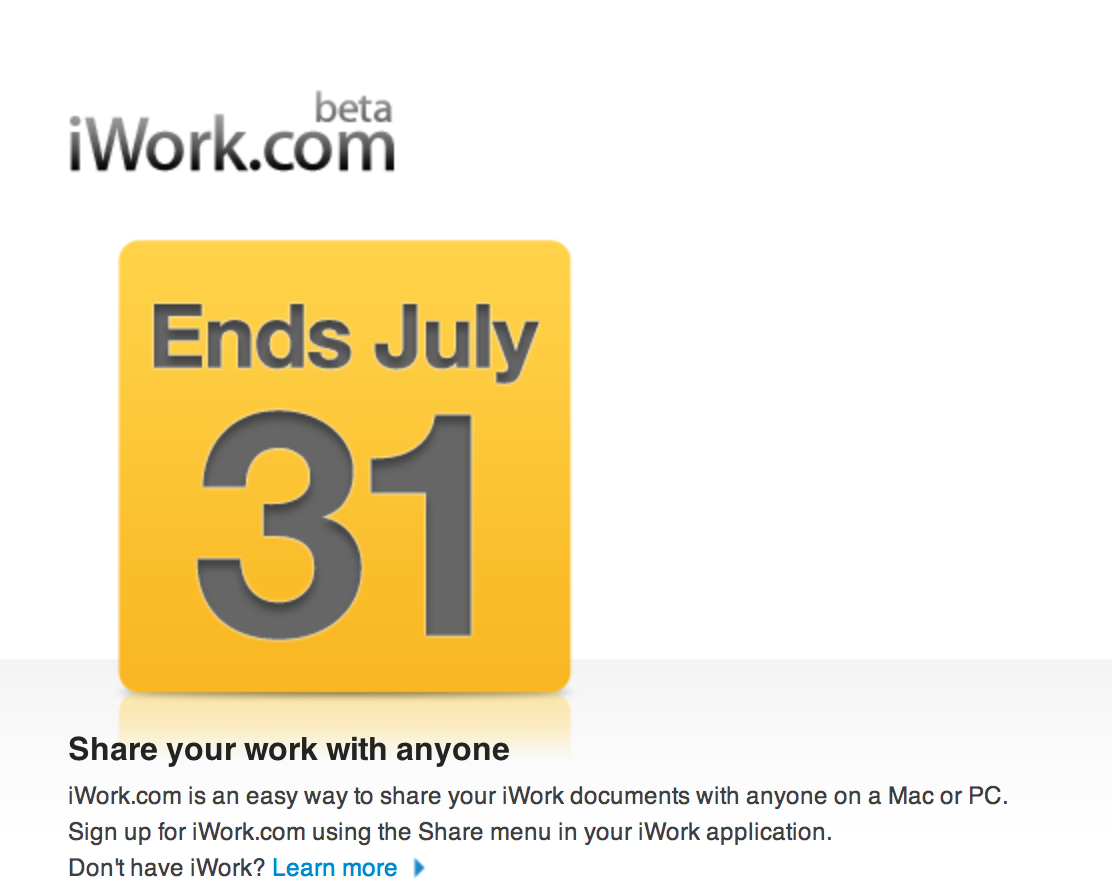
iWork.com finally leaving beta (because it’s dead)

Apple introduced iWork.com at Macworld in 2009 as a beta web service for sharing and collaborating on documents created in the iWork ’09 productivity suite. Since then the site has remained in a perpetual “beta” state, never becoming the full product Apple envisioned.

Like MobileMe, which was shut down one month ago, most of iWork.com’s features have been moved to iCloud, thus removing the need for iWork.com to exist any longer. As of tonight, Apple no longer will allow users to login to the web interface, and although the iWork apps were updated to support iCloud last week, the option to login to iWork.com through the Mac version still exists.

Considering the fact that the current suite is over three years old, many are hoping to see an updated version launch later this year. Apple’s next media event is rumored to be on September 12, and while it will likely be focused on the next-generation iPhone, it’s possible that Apple could surprise us with iWork ’12.


Expand
Expanding
Close

Site default logo image

Morcut/Crisis Mac malware capable of monitoring location, webcam, address book, more

We told you yesterday about the Trojan named “Crisis“, also being referred to as “OSX/Morcut-A”, discovered for OS X, but it is considered low risk for users. Today, we get some more details about the trojan with security company Sophos explaining the Morcut Malware features code for controlling the following:

  • mouse coordinates
  • instant messengers (for instance, Skype [including call data], Adium and MSN Messenger)
  • location
  • internal webcam
  • clipboard contents
  • key presses
  • running applications
  • web URLs
  • screenshots
  • internal microphone
  • calendar data & alerts
  • device information
  • address book contents

The malware appears to have been specifically created with spying on the user as its goal. There have not been any reported cases of infected users, though, so the threat is still considered low risk.

Mountain Lion is live at the Mac App Store for $19.99

As Apple previously announced during its Q3 2012 earnings call yesterday, Mountain Lion is officially available for download in the Mac App Store for $19.99. The download is exclusive to the Mac App Store this year, as we mentioned before, because Apple will not sell the OS via USB sticks or optical discs. The $20 price tag is a $10 drop from Lion, however, and the single purchase will is good for up to five macs via the Mac App Stores purchased apps feature.

[youtube http://www.youtube.com/watch?v=hnJrkai6Eek]

Unfortunately, for those planning to try Mountain Lion in an Apple retail store before upgrading, we reported last night that some Apple Stores had issues getting the OS on in-store demo Macs. There are also many users reporting error messages when trying to download from Apple’s servers. Before you make the switch to 10.8, you might want to check out the list of compatible Mountain Lion apps to make sure you will not run into any problems.

Apple’s full press release is below:


Expand
Expanding
Close

Site default logo image

Mountain Lion installed on a MacPro1,1, here’s how to do it

As pointed out by OWC, a step-by-step instruction guide has popped up courtesy of Mac user Jabbawok that details the steps necessary to get Mountain Lion running on a MacPro1.1 (the models first introduced in 2006). It is not the easiest process ever, forcing you to upgrade the graphics card, have access to a spare SATA HDD, and go through a couple of dozen or so more steps inside Chameleon bootloader, terminal, and elsewhere. The good news is this means there are not a lot of Intel Macs that won’t be able to handle Mountain Lion. You can check out the instructions here, if you are interested, and the author gave a brief explanation below on what prevents the MacPro1.1 models from running Mountain Lion in the first place:

There are two things that prevent 10.8 from installing on a MacPro 1,1. The first is the lack of EFI64. Mountain Lion as has no support for 32bit kernel and extensions so it will not boot. This is true of many early Intel macs… The other thing is that checks are made by the installer; against a supported machines list. If your mac isn’t on the list, it refuses to install.

On a related note, you might make use of popular Mac backup and cloning app Carbon Copy Cloner throughout the process. The app was just updated to version 3.5 with a number of new features including Mountain Lion compatibility.

[tweet https://twitter.com/lfstudios10/status/227501498630823936]

Reminder: Mountain Lion will be free for 30 days for new Mac owners

Site default logo image

Update 2: After a brief time online, Apple appears to have taken down the form to request a copy of Mountain Lion. You’ll still be able to request a copy at Apple’s original link following Mountain Lion’s official release.

Update: As noted by MacRumors, Apple’s form to request a free copy of Mountain Lion for new Mac owners is already live on the company’s website. After entering details about your purchase, personal details, and the serial numbers of your new Mac, Apple sends two emails —one with a password protected redemption code and another containing the password— to open it. The redemption code is not yet working in the Mac App Store.

Apple previously confirmed, when it unveiled the new Retina MacBook Pros and refreshed Mac lineups, that Mountain Lion would be available for free to those who purchased a Mac after June 11 through the Up-to-Date program. Since then, Apple has updated its website to confirm the free copy will be available to new Mac owners for 30 days from the release date, which will likely be sometime after tomorrow’s Q3 earnings call. Those who purchase a new Mac following Mountain Lion’s release will also have 30 days to claim their copy on Apple’s website.


Expand
Expanding
Close

Site default logo image

Twitter reveals how it painstakingly overhauled mobile Web client [Photos]

Twitter recently released an update to its mobile effort, and rival client Tweetbot followed the frenzy by making its public alpha for Mac available today, but the microblogging service is not ready to share the limelight.

Coleen Baik, a designer at Twitter, took to the network’s blog this afternoon to fully detail how it meticulously overhauled mobile.twitter.com.

“We had about nine weeks to design, prototype, develop, test, and calibrate mobile.twitter.com for launch. There were a handful of challenges we took on,” wrote Baik.

A few of the challenges included:

  • Support more than 13 different browsers on thousands of different devices, each with their own rendering idiosyncrasies
  • Accommodate input methods with dissimilar requirements
  • Build layouts with pre-CSS3/HTML5 standards
  • Optimize for browsers with javascript turned off
  • Scale gracefully from resolutions as small as 240 by 240 pixels all the way up to widescreen views on the desktop
  • Minimize page sizes for slower networks
  • Make it look and feel like Twitter, even without images.
  • Pave the way for even more feature consistency with other twitter.com clients

The design team sketched plans for primary views and navigation, “fleshed out details like the Tweet anatomy and interaction flows for tasks like tweeting, searching, and writing direct messages,” and then delved into HTML/CSS wireframes. They even collaborated with Twitter’s mobile engineers to “build out main views like ‘Home,’ ‘Connect,’ ‘Discover,’ and ‘Me.'”

Twitter eventually tested three different versions across 300 devices before making a final decision. After two months of work, the pristine version finally rolled out earlier this week. It immediately met a slew of positive responses.

“Change is always difficult because it means, among other things, having to relearn what was once comfortable and familiar,” Baik contended. “But we hope that the initial pains of readjustment quickly lead you to appreciate this faster, more comfortable and easier-to-use mobile.twitter.com on feature phones and older browsers.”

Visit the Twitter Blog for the entire redesign breakdown.


Expand
Expanding
Close

iOS 6 code points to integration of Apple Maps on Intel-based Macs

Site default logo image

Since Apple unveiled its new in-house Maps app for iOS 6, we have discovered bits and pieces of what it has planned for the final release this fall. Apple already showed off Yelp integration, turn-by-turn navigation, and the 3D flyover mode, and it appears to be utilizing a new Avenir typeface. Today, Techpp posted a code dump from the iOS 6 maps app courtesy of developer Cody Cooper who found some interesting evidence of potential Maps integration with OS X:

Our developer friend, Cody Cooper has now stumbled upon an interesting code dump in iOS 6 maps application which hints at the possibility of Apple Maps coming to Macs in the near future.

During his routine investigation of Maps app, Cody found some interesting bits in the file altitude_manifest.xml

In this XML file, there is a reference to a set of Intel based graphics chipsets for which certain features like Shading are disabled.

While this is not solid proof that Apple is working on a full-blown Maps app for Mac, it could hint at possible integration between core apps and features in Mountain Lion and Maps on iOS. For example, location features in iPhoto could integrate with iOS Maps. As noted in the report, the code refers to shading being disabled for older Intel chipsets, which Cooper guessed could likely not support the app’s shading features. We will do some digging, and then update you if we discover anything new. The public release of Mountain Lion is scheduled for this month.
Expand
Expanding
Close

Site default logo image

Report: Assault rifle wielding assailants botch Apple truck robbery in France

According to a report from AFP picked up by a number of local French websites, including Nowhereelse.fr and Leparisien.fr, a truckload of Apple products traveling through Aulnay-sous-Bois in Paris this morning was taken over at gunpoint by several masked assailants carrying assault rifles. Fortunately, no one appeared to be badly hurt. Police later recovered the products, but the suspects are still on the loose:

Two drivers of a truck carrying hardware Apple were attacked Friday morning around 5 am 45 by several men armed in Aulnay-sous-Bois (Seine-Saint-Denis). The perpetrators – who are three or four according to preliminary results of the survey – are mounted on the truck and drove off with the drivers they have released in a wood Luzarches, in the Val d’Oise.

According to AFP, they were in possession of assault rifles, Kalashnikov or M16. This is in Les Mureaux, near Paris, the police located the truck. It was at that time that two people trying to unload the goods have fled. Shortly before 11 o’clock, the police investigators were conducting scientific surveys on the vehicle of gray.

Site default logo image

Apps and updates: Cabinet PDF Reader, Scoople, iAnnotate PDF, Kindle, dJay and Gemini for Mac, and more

[slideshow]

A slew of popular iOS and Mac apps updated, launched, or went on-sale recently, and 9to5Mac gathered the most noteworthy ones in our usual round up below. Today’s crop includes the iOS Kindle app expanding its offering for children, iAnnotate PDF for iPad beefing sync options, dJay and Gemini for Mac slashing their price tags by half, Sparrow for Mac going Retina, and more.

Check them out:


Expand
Expanding
Close

Site default logo image

Avid sells off its consumer M-Audio brand and video editing apps

Avid is best known for its Pro Tools software, the music industry’s leading DAW used by pros worldwide, and it is the biggest competitor to Apple’s Logic Pro, but perhaps just as popular among Mac musicians is Avid’s consumer M-Audio brand. It offers midi controllers, keyboards, audio interfaces, speakers, and DJ gear.

Today, Avid announced that it will sell off its consumer audio and video product lines to focus on “Media Enterprise and Post & Professional customers and to drive improved operating performance.”

Avid will sell M-Audio to inMusic, the parent company of well-known gear makers Akai, Alesis, and Numark. Its video editing apps, such as the recently launched Avid Studio for iPad, will be sold to Corel Corporation:
Expand
Expanding
Close

Site default logo image

Parallels celebrates its birthday by dropping price to $28, giving away iPads and other schwag

From 9to5Toys.com:

From 9am-11am PT, Parallels drops the price of its flagship Parallels 7 desktop virtualization product to just $28 to celebrate its 6th birthday. The price will increase 5% every 2 hours, so obviously you’ll want to jump on this soon. Parallels is the best-selling, most-trusted solution for running Windows applications on your Mac – without rebooting.

It is also nice for running Linux or even another instance of the Mac OS and for $28 why not?
As an added bonus, Parallels is giving away a few ‘party favors’: just by sharing, you’ll have a chance to win an iPad 3, Parallels Mobile, and Parallels Desktop 7 for Mac.

More information is also available at the Parallels Consumer Tech Blog, or by following Parallels Desktop on Facebook and @ParallelsMac on Twitter.

Update: Originally story said 9am ET.

Smug Alert: Orbitz shows Mac users higher priced hotels by default

Site default logo image

The Wall Street Journal reported that travel-recommendation website Orbitz discovered that those of us who own a Mac are spending as much as $20 to $30 more a night on hotel rooms than PC users on average. That is a whopping 30 percent difference, and the smart folks over at Orbitz are looking to take advantage by changing what listings they show Mac users.

According to the WSJ, Orbitz has a new platform that tracks its visitors habits to recommend a room to match their spending habits, which can be oh-so expensive for those who own a Mac. The company is currently experimenting with a platform that shows hotel rooms matching a Mac user’s spending taste a little better, but Orbitz executives stressed that it is not showing the same room to different people for a different price. For example, the WSJ found listings for a Baton Rouge hotel room were 13 percent more expensive on a search from a Mac compared to a PC. In essence, Mac users are shown the nicer rooms.

(Update: UK retailler Tescos is taking it one step further)

In a Forrester research note released last October, the firm noted that Mac users are falling into the “power laptop user” range, or people who work 45 hours a week on average and have a solid 44 percent more income. They put it: “Most of the Macs today are being freewheeled into the office by executives, top sales reps, and other workaholics.” I certainly think that stands true, because owning an Apple product is an expensive investment. The lowest priced Mac laptop costs $999, which certainly is not cheap and not something everyone can buy. Despite the high price, you are buying a quality product.

To be clear, Orbitz is not putting an “Apple Tax” on the price of hotels. It is just defaulting the higher-end stuff to Mac users, because Orbitz believes Mac users are more likely to choose higher-end hotels.

It is a risky strategy and may put some people off, however. Moreover, as Mac users, it is very easy to get smug about something like this. But does it make good business sense?


Expand
Expanding
Close

Site default logo image

Apple softens its language on Virus susceptibility in wake of Flashback trojan

After Apple released a patch to a Java vulnerability that lead to the infection of roughly 600,000 Macs with the Flashback Trojan earlier this year, there were claims weeks later from security researchers that hundreds of thousands of Macs were still infected. Kaspersky’s CEO claimed Apple is “now entering the same world as Microsoft has been in for more than 10 years.” Now, as noted by PCWorld, Apple appears to be publicly changing its longstanding stance that “it doesn’t get PC viruses.” The statement on Apple’s “Why you’ll love a Mac” website now reads: “It’s built to be safe” (as you can see in the comparison screenshots above).

Another statement on the website switched from “Safeguard your data. By doing nothing” to “It’s built to be safe.” Following the Flashback incident, Kaspersky claimed in April that Apple is “ten years behind Microsoft in terms of security,” and he “expects to see more and more” malware on Macs.

Cyber criminals have now recognised that Mac is an interesting area. Now we have more, it’s not just Flashback or Flashfake. Welcome to Microsoft’s world, Mac. It’s full of malware….Apple is now entering the same world as Microsoft has been in for more than 10 years: updates, security patches and so on,” he added. “We now expect to see more and more because cyber criminals learn from success and this was the first successful one…. They will understand very soon that they have the same problems Microsoft had ten or 12 years ago”

Site default logo image

iTuneUp Bundle for iTunes: $30, Toast 11: $50, Voila Screencapture tool: $15

From 9to5Toys.com:

StackSocial offers the $30 TuneUp Bundle which offers to “Cleanup your iTunes Music Collection. Automagically.” The TuneUp Bundle (Lifetime License) includes:

• Clean — Accurately fixes mislabeled or missing song information (like “Track 01” or “Unknown Artist”) using cutting-edge waveform recognition

• Cover Art — Scans your entire music collection in seconds and automagically™ fills in missing album artwork

• DeDuper— Intelligently finds and removes duplicate music files from your music library using waveform recognition

• Tuniverse — Delivers music videos, artist bios, concert alerts, social network integration and more

(Stacksocial also offers Toast 11 for $50 and Voila screencapture tool for $15)

[youtube=https://www.youtube.com/watch?v=l0IHUnmDfmQ]


Expand
Expanding
Close

Site default logo image

Good Deals: Pixelmator is $15 today, $49.99 Parallels (11 Mac app) bundle ends in a few hours

From 9to5toys.com  (Twitter, Feed) today:

2011 Apple Design award winning image editor Pixelmator is only $15 today at the Mac App Store.  That’s half off and the lowest price we’ve ever seen.

Also, if you are going to put Parallels on your new Mac, MacUpdate has a pretty incredible 11 app bundle for $49.99 (Details). You only have a few hours to hit this one before it expires.

Skype 5.8 for Mac out with redesigned contact list & full 10.8 Mountain Lion support

Site default logo image

Skype updated its Mac client today to version 5.8 to add full support for 10.8 Mountain Lion and a number of features that aim to bring the app up to par with the current Windows version. Perhaps the most notable new feature included in the update is a refined contact list that replaces the old floating menu. Accessible from the “Window” menu, the new Contacts Monitor (pictured right) provides a simplified view of your contacts in a window that can be repositioned and resized. Skype said it is meant to be much like older versions, such as Skype 2.8, that users seemed to prefer. The new contact list also has filters such as “Friends” and “Family,” and the ability to right-click to start a call or new message.

Another new feature for Skype 5.8 on Mac previously only available to Windows users is access to group screen sharing. The feature is for premium subscribers, but it supports up to groups of 10 with only one member of the group required to have a premium subscription. You will also now be able to share your video feed simultaneously while screen-sharing with multiple users.

A few other updates we noticed in the latest release:


Expand
Expanding
Close

Site default logo image

Thunderbolt Software Update 1.2 may lead to boot failure

Apple released Thunderbolt Software Update 1.2 yesterday, but recent reports indicate the update is causing a host of issues for some users.

The Cupertino, Calif.-based Company said the update “adds support for the Apple Thunderbolt to Gigabit Ethernet Adapter,” but many have apparently discovered boot failures and other related problems like kernel panics, stalled boot screens, or “unexpected error” notices following installation.

According to threads in a few Apple discussions, the differentiating results all seem to leave Macs unusable. Fortunately, TidBits heard that reinstalling Lion fixes the complication. The website also claimed reinstalling the Mac OS X 10.7.4 Combo Update will remedy the situation.

Go to TidBits for more information on correcting this allegedly faulty software update.


Expand
Expanding
Close

Apple announces Mountain Lion ships in July for $19.99

Site default logo image

After giving a demonstration for some of the new features in Mountain Lion today, Apple confirmed during its Worldwide Developers Conference keynote that Mountain Lion would ship in July for just $19.99. That price is good for Lion and Snow Leopard users who want to upgrade all their personal Macs. Apple also noted it would be free for all developers attending WWDC. Apple will ship a developer preview today.

Stay tuned to our live blog for the latest updates.

MacUpdate Bundle: Parallels 7, BusyCal, Screenflow, Civ V, lots more, 11 Mac Apps: $49.99

Site default logo image

From 9to5Toys.com:

[youtube=https://www.youtube.com/watch?v=pdv0A5J0vy0]

MacUpdate has one of the better bundles we’ve seen on a wide-ranging set of Mac software. If you are like us and getting a new MacBook next week, you can load it up with software: You are getting a solid deal with the Parallels 7 headliner ($30 off retail), but then you get some great apps up and down the lineup basically for free including:

1) Parallels Desktop 7 ($79.99)
2) BusyCal ($49.99) (first 10,000 bundles)
3) ScreenFlow 3 ($99.00)
4) Civilization V ($39.99) Gods & Kings expansion pack for just $20
5) Jaksta ($49.95)
6) Espionage 3 ($19.99)
7) Attachment Tamer 3 ($14.99)
8) Speed Download 5 ($25.00)
9) KeyCue 6 ($28)
10) A Better Finder Rename 9 ($19.95)
11) My Living Desktop 5 ($29.95)

The total value is $456.80 — MacUpdate is $49.99, as always.

Full release follows:


Expand
Expanding
Close

After nearly two years without an update, Apple to finally revamp Mac Pro next week

Site default logo image

Yesterday, we reported that Apple has an incredible WWDC surprise: major updates to four of its Mac lines. We were able to affirm that three of these updates would cover the redesigned MacBook Pro with a Retina Display, refreshed 11-inch and 13-inch MacBook Airs, and new iMacs in two screen sizes. Besides those three Mac lines updates, we were unsure if the either the Mac mini or the Mac Pro would make it as the fourth update. We speculated that it could be the Mac mini due to the newly available Ivy Bridge processors, but now, reliable sources are reporting that Apple will, in fact, unveil a new Mac Pro at WWDC next week.

Sources have also been able to provide some part numbers and prices to prove this:

MD770LL/A – K5BPLUS,BETTER, BTR-USA

MD771LL/A – K5BPLUS,BEST,BTR-USA

MD772LL/A – K5BPLUS,ULTIMATE,BTR-USA

The pricing is similar to current Mac Pro models. What’s interesting here is that we’ve seen updates to every other line of Macs that Apple carries….except one…The Mac Mini.

Our sources are currently unsure of the feature-set coming with the new Mac Pro, but these sources say that there will likely now be three configurations. Two standard versions of the Mac Pro and a third version with OS X Server capabilities. In early 2011, we reported on some of the work that Apple engineers had been prototyping up for a future version of Apple’s Pro desktop line. For that report, sources said that Apple had been experimenting with a new Mac Pro design that is rackable and stackable. These prototype machines also included space for more storage drives, an important feature now that the Xserve has been long discontinued. With a year having passed since we heard about these prototype Mac Pros and the ability of Thunderbolt to offload a lot of the expandability, the final new Mac Pro designs could be different than the current designs but we haven’t yet heard definitively either way.

MacRumors reported that Apple has begun pulling Mac Pro stock from some of its retail stores. We’ve heard the same from tipsters, left.

With Apple adding the super-fast USB 3.0 technology to its next-generation MacBook Pro, and with Apple’s latest Macs including the even faster Thunderbolt I/O technology, Apple will likely add these faster connection ports to their latest Pro desktop. Since the Mac Pro is Apple’s most high-end machine for professional workers of all types, the most important features are the internals. Earlier this year, Intel released a series of Xeon E5 chips that would seem like a lock for a new Mac Pro. These new Mac Pros will likely also likely feature the latest graphics chips.

Apple last updated the Mac Pro in July 2010, making this upcoming update significant. It is unclear why Apple had left the Mac Pro in its 2010 form for so long, but a reader email from 2011 might explain that. According to the Apple executive who replied to a 9to5Mac reader inquiring about the Mac Pro’s status, Apple had been “investing heavily” in the professional desktop computer. We are unsure what investing heavily will mean for the final product, but it should surely be an incredible update over the nearly two year old model.

The Mac Pro’s demise: greatly exaggerated, indeed.
Expand
Expanding
Close

Site default logo image

Hackintosh Ivy Bridge vs. Sandy Bridge benchmarked, small speed gains but significant power efficiency detailed [Video]

[youtube=http://www.youtube.com/watch?feature=player_embedded&v=oHzLPrXB8Wg#!]

With Apple’s upcoming Mac lineup to include the much-rumored Ivy Bridge upgrade, we get a look today at what the new CPUs might be cable of, courtesy of a comparison to Sandy Bridge, running on a Hackintosh. According to Insanely Great Mac:

How the new Ivy Bridge CPUs look to match up to Intel’s previous generation Sandy Bridge platform. Benchmarks include both stock and over clocked Core i7 3770K and Core i7 2600K. Plus a look at how the new chips may affect the next round of Mac upgrades.