MacBook Pro: The biggest and baddest Mac laptops

See All Stories

Apple's premium laptop comes in 13- and 16-inch screen sizes. Each model includes 2-4 USB-C ports for charging, accessories, and data transfer. Higher-end models also include the Touch Bar.

2021 MacBook Pro

MacBook Pro has been the product name for Apple’s high-end laptop since early 2006 when the transition to Intel processors began. Now, that Pro naming has carried forth as Apple has moved to its own silicon. The latest fourth and fifth-generation Pro Apple notebooks bring dramatically more power with lower heat generation and better battery life thanks to the ARM-based Apple silicon. Keep reading for a brief history of the line and a breakdown of the current lineup.

MacBook Pro history

The first generation MacBook Pro followed in the style of the PowerBook G4 that came before it, but used Intel processors rather than PowerPC chips.

The second generation of the MacBook Pro was the first to really separate itself from the products before, with a unibody enclosure. The third-generation MacBook Pro introduced the retina display as well as MagSafe 2.

Perhaps the most controversial version of the MacBook Pro is the fourth generation. While the third generation received some backlash for the removal of ethernet and the optical drive, the fourth generation was a complete rethinking of the device peripherals. No more MagSafe, no more USB-A ports, and only the 13-inch model kept the function keys. Instead, this redesigned MacBook Pro opted for all Thunderbolt 3 ports and headphone jack. In place of function keys, the MacBook Pro gained an OLED Touch Bar. In late-2020, Apple introduced the M1 chip and updated the 13-inch MacBook Pro. The ARM-based processor brought down power consumption and increased performance.

In October of 2021, Apple introduced the fifth-generation MacBook Pro with not one but two updated versions of the M1 chip, the M1 Pro and M1 Max. The move walked back some of the decisions from the previous generation, adding back an HDMI Port, MagSafe charger, and SD card reader while removing the Touch Bar.

The 2020 13-Inch MacBook Pro

In late 2020, Apple introduced the 13-inch M1 MacBook Pro as the latest update to the fourth-generation MacBook. The MacBook features the same look as previous MacBooks, but like the MacBook Air and Mac Mini, switched to Apple silicon.

Apple’s M1 chip brought ARM architecture to the MacBook line, and this was the first MacBook without an Intel processor.

The M1 chip is a unified design with an 8-core CPU and an 8-core CPU. The processor integrated memory on board, limiting the device to either 8GB or 16GB of unified memory. The 13-inch M1 MacBook Pro is configurable with between 256GB and 2TB of storage and features a Magic Keyboard, rather than the problematic butterfly keyboard.

13-inch MacBook Pro specs

Base Configuration$1,299.00

  • Apple M1 chip with 8‑core CPU, 8‑core GPU, and 16‑core Neural Engine
  • 8GB unified memory
  • 256GB SSD storage
  • 13-inch Retina display with True Tone
  • Backlit Magic Keyboard – US English
  • Touch Bar and Touch ID
  • Two Thunderbolt / USB 4 ports

Max Configuration$2,299.00

  • Apple M1 chip with 8‑core CPU, 8‑core GPU, and 16‑core Neural Engine
  • 16GB unified memory
  • 2TB SSD storage
  • 13-inch Retina display with True Tone
  • Backlit Magic Keyboard – US English
  • Touch Bar and Touch ID
  • Two Thunderbolt / USB 4 ports

13-inch MacBook Pro pricing

The price for the 13-inch M1 MacBook Pro starts at $1,299. Upgrading this base configuration to 16GB of memory adds $200 to the price. Likewise, each step above 256GB of storage – 512GB, 1TB, and 2TB – will add $200 to the price. A fully specced out 13-inch MacBook Pro will run you $2,299.

You can configure your own 13-inch MacBook Pro on Apple’s website.

Current 14-inch and 16-inch MacBook Pro

In October 2021, Apple brought a brand new design to the MacBook Pro line. Apple increased the screen size on the 13-inch, making it a 14-inch, and shrunk the bezels on the 16-inch. This fifth-generation notebook addressed many complaints of the last generation. MagSafe returned, in the form of an improved MagSafe 3, while the MacBook also regained an HDMI port and an SD-card slot.

Also gone is the Touch Bar. Instead, the standard row of function keys return. The latest MacBooks also bring a ProMotion display that was first introduced on the iPad Pro, with a variable refresh rate and mini-LED backlight.

The 2021 MacBooks aren’t without a controversial feature, as while the display has been made larger there is now a large notch for the 1080P FaceTime camera. While FaceID would have been a nice addition in exchange for this small chunk of the screen, there are some reasons this is not totally practical.

14-inch MacBook Pro specs

Base Configuration$1,999.00

  • Apple M1 Pro with 8-core CPU, 14-core GPU, 16-core Neural Engine
  • 16GB unified memory
  • 512GB SSD storage
  • 67W USB-C Power Adapter
  • 14-inch Liquid Retina XDR display
  • Three Thunderbolt 4 ports, HDMI port, SDXC card slot, MagSafe 3 port
  • Backlit Magic Keyboard with Touch ID – US English

Maximum Configuration$5,899.00

  • Apple M1 Max with 10-core CPU, 32-core GPU, 16-core Neural Engine
  • 64GB unified memory
  • 8TB SSD storage
  • 96W USB-C Power Adapter
  • 14-inch Liquid Retina XDR display
  • Three Thunderbolt 4 ports, HDMI port, SDXC card slot, MagSafe 3 port
  • Backlit Magic Keyboard with Touch ID – US English

14-inch MacBook Pro pricing

The 14-inch MacBook Pro starts at $1,999. The base model includes 16GB of memory, 512GB of storage, and an M1 Pro processor with an 8-core CPU and 14-core GPU. There are multiple versions of the M1 Pro processor available, while jumping to an M1 Max processor will cost $500 more, and requires you to jump up to 32GB of memory – a $400 upgrade. Going with the M1 Max processor means you can configure up to the full 64GB of memory, an $800 upgrade.

You can configure up to 8TB of storage in the 2021 14-inch MacBook Pro. Upgrade costs are as follows:

  • 1TB SSD Storage – $200
  • 2TB SSD Storage – $600
  • 4TB SSD Storage – $1,200
  • 8TB SSD Storage – $2,400

You can configure your own 14-inch MacBook Pro on Apple’s website.

16-inch MacBook Pro specs

Base Configuration$2,499.00

  • Apple M1 Pro with 10-core CPU, 16-core GPU, 16-core Neural Engine
  • 16GB unified memory
  • 512GB SSD storage
  • 16-inch Liquid Retina XDR display
  • Three Thunderbolt 4 ports, HDMI port, SDXC card slot, MagSafe 3 port
  • 140W USB-C Power Adapter
  • Backlit Magic Keyboard with Touch ID – US English

Maximum Configuration$6,099.00

  • Apple M1 Max with 10-core CPU, 32-core GPU, 16-core Neural Engine
  • 64GB unified memory
  • 8TB SSD storage
  • 16-inch Liquid Retina XDR display
  • Three Thunderbolt 4 ports, HDMI port, SDXC card slot, MagSafe 3 port
  • 140W USB-C Power Adapter
  • Backlit Magic Keyboard with Touch ID – US English

16-inch MacBook Pro pricing

The 16-inch MacBook Pro starts at $2,499. There is only one M1 Pro processor available on the 16-inch MacBook, and that’s the highest version 10-core CPU, 16-core GPU version of the M1 Pro processor that is a $300 upgrade on the 14-inch MacBook Pro. Of course, you can also step up to the M1 Max processor with either a 24-core or 32-core GPU, a $200 and $400 upgrade respectively (which also requires the $400 upgrade to 32GB of memory). The memory and storage options are all the same as the 14-inch MacBook Pro.

You can configure your own 16-inch MacBook Pro on Apple’s website.

Differences between 13-inch,14-inch, and 16-inch models

The 2021 MacBook Pro lineup is a refreshing change. The return of ports and physical keys make the laptops more versatile, while additions like an XDR display and hardware acceleration for ProRes improves the experience but is harder to quantify for the average user.

13-inch14-inch16-inch
ProcessorM1M1 Pro / M1 MaxM1 Pro / M1 Max
Memory8GB / 16GB16GB / 32GB / 64GB16GB / 32GB / 64GB
Storage512GB, 1TB, 2TB512GB, 1TB, 2TB, 4TB, 8TB512GB, 1TB, 2TB, 4TB, 8TB
Screen2560×1600 pixels 3024×1964 pixels; ProMotion3456×2234 pixels; ProMotion
Weight3.0 pounds (1.4 kg)3.5 pounds (1.6 kg)M1 Pro: 4.7 pounds (2.1 kg)
M1 Max: 4.8 pounds (2.2 kg)
Size (Width x Depth)11.97 x 8.36 inches (30.41 x 21.24 cm)12.31 x 8.71 inches (31.26 x 22.12 cm)14.01 x 9.77 inches (35.57 x 24.81 cm)
Height0.61 inch (1.56 cm)0.61 inch (1.55 cm)0.66 inch (1.68 cm)
Base Price$1,299.00$1,999.00$2,499.00

The $1,999 starting price for Apple latest computer is a harder pill to swallow than the $1,300 13-inch Pro from last year. For an average user, the superb M1 MacBook Air will likely suffice (and that sub-$1,000 price is hard to pass up).

But the 2021 14-inch and 16-inch MacBook Pro are exactly what they need to be, a return to function-over-form that will truly meet the needs of professional users.


MacBook Pro Diary: My take on some of the criticisms being levelled at the new models

Site default logo image

The new MacBook Pro models have been coming under a fair amount of criticism on the Internet. Many are saying that the new machines just aren’t wowing them, especially just after Microsoft demonstrated that it is still possible to do so even in the boring old desktop PC market with the new Surface Studio.

That criticism is absolutely fair enough, and echoes my own views when I said that I was buying it despite not being excited by it.

But some criticisms being directed at the machines seem to me to be misplaced …


Expand
Expanding
Close

Poll: If you’ve decided against buying the new MacBook Pro, what’s the main reason?

Immediately prior to the unveiling of the new MacBook Pro models, some 64% of you were planning to buy them. Interestingly, that number didn’t seem to change at all when we ran a new poll afterwards.

What did change was that that almost all the ‘not sure’ group turned into definite ‘no’ votes – so we thought it would be interesting to find out the reasons for that …


Expand
Expanding
Close

Jony Ive rejected touchscreen Mac, but working on things beyond the Touch Bar

In an interview with CNET, Jony Ive said that his team had rejected a touchscreen Mac ‘many, many years ago.’ He did, though, suggest that Apple is working on other concepts in this general area, beyond the Touch Bar.

Asked why a touchscreen Mac would be inappropriate, Ive said:

For a bunch of practical reasons. It’s difficult to talk [laughs] without going into a lot of details that puts me starting to talk about things that we are working on. I don’t really want to talk much more about it.

We of course think we know one of those things already …


Expand
Expanding
Close

New MacBook Pros lack iconic Mac startup chime, but they do automatically boot when you open the lid (update: here’s how to enable it)

Update: There is apparently a way to make your 2016 MacBook chime again at boot, using an NVRAM tweak — full details here on how to do it. To enable chimes, open Terminal and type sudo nvram BootAudio=%01 This is not documented or officially supported in any way, so mileage may vary. There’s also a flag to disable the auto-boot behavior.

It has been discovered that along with physical function keys, glowing Apple logo and ‘old style’ USB ports, the new MacBook Pros lack the iconic Mac chime when booting up. This is the distinctive noise heard at startup when the Mac passes the initial POST checks; Apple has used the same F-sharp chord sound in its computers since 1998.

The new MacBooks end this tradition as the chime has been removed completely and the machines will make no noise at all on boot, unless there is a fault. However, there seems to be a good reason for this change …


Expand
Expanding
Close

Site default logo image

AgileBits provides sneak preview of 1Password for Mac with Touch ID and Touch Bar support


One of the biggest reasons to upgrade to the new MacBook Pro is for Touch ID. As was revealed during yesterday’s MacBook Pro event, Touch ID will be available to third-party Mac app developers. AgileBits, creator of 1Password for Mac and iOS, has wasted no time and is currently working on implementing Touch ID support into its highly-respected password management app.


Expand
Expanding
Close

New MacBook Pro Touch Bar details: UI interactions, screen specs, Control Strip, and how third party apps can use it

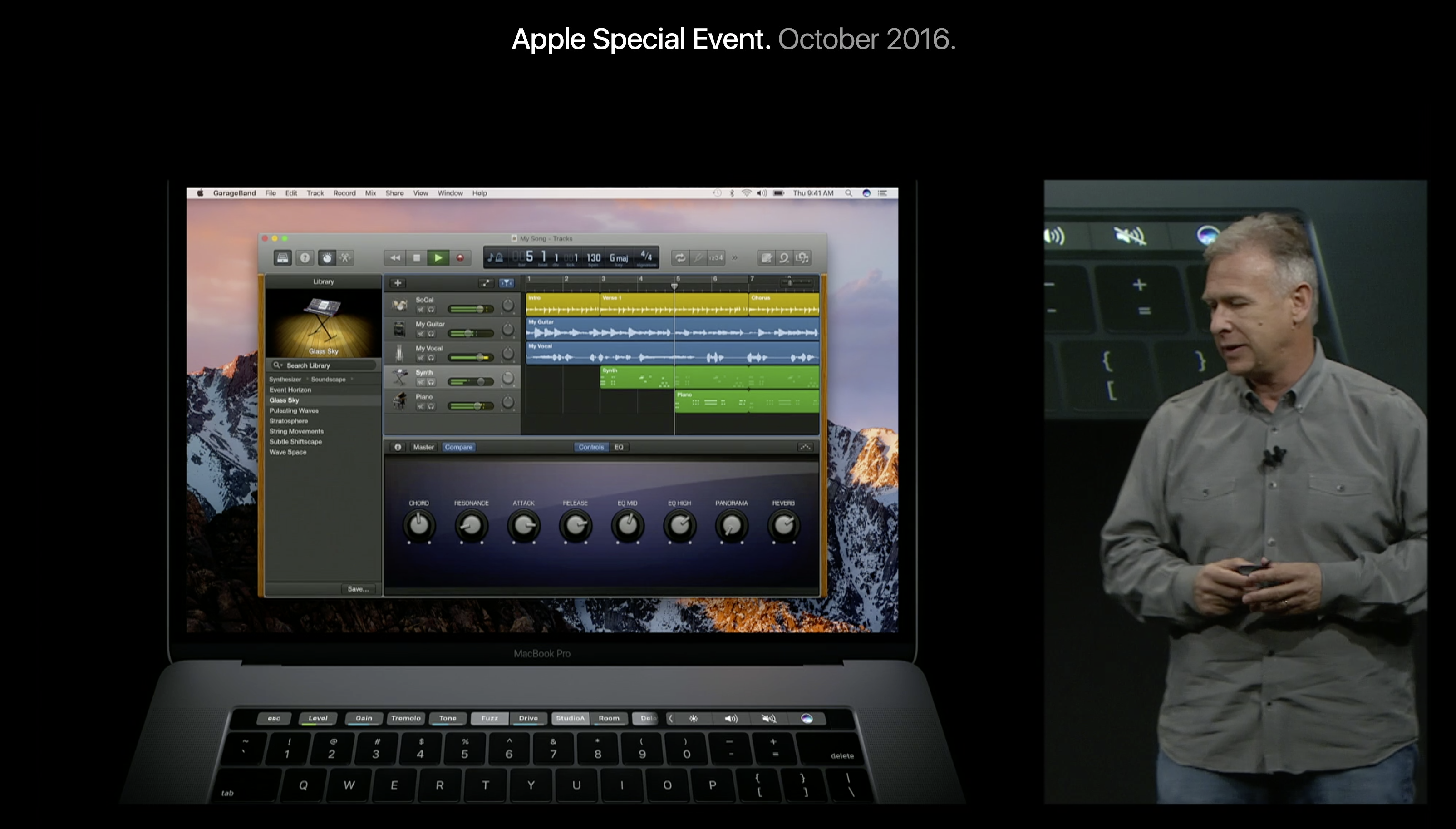
The flagship feature of the new MacBook Pro is the Touch Bar, an OLED display strip that replaces the physical row of function keys. This adds a dynamic zone to top of the keyboard where apps can display custom buttons, sliders, switches and scrubbers to enhance the MacBook experience while adding a new way to interact with Mac applications beyond text input and mouse pointers.

How does the Touch Bar interface work? What is the resolution of the Touch Bar? What is the Control Strip? What can third-party developers do with the Touch Bar? Read on for all the answers and more …


Expand
Expanding
Close

Comment: Apple’s Touch Bar is their foray into touchscreen MacBooks, without having to go all in

Site default logo image

Two days ago Microsoft announced their Microsoft Surface Studio, and I wrote a piece on how it was their answer to Apple’s own desktop solutions. It was hard to compare the products’ philosophies, especially when I don’t think macOS is ready for a complete touchscreen experience. Then Apple announced their new MacBook Pro lineup yesterday and it dawned on me: the Touch Bar on the new MacBook Pro is Apple’s first distinct step into creating a touchscreen display experience in their MacBook line.


Expand
Expanding
Close

Site default logo image

If you thought new MacBook Pros were too expensive, Authorized Apple Retailers already slashing prices, starting at $1,140 ($360 off)

Update (10/28 10:30am): Looks like Amazon is now out of stock of the discounted models. Sign-up for email alerts or check back frequently to see if stock gets replenished.

From 9to5Toys:

The Apple store isn’t the only place selling the just-announced MacBook Pro. Authorized retailers including Amazon, B&H, MacMall and Best Buy are all taking pre-orders with varying delivery estimates. It’s not surprising that Apple’s retail partners are selling the new MacBook Pro, but it is noteworthy in case you have some gift cards, rewards or coupons to burn, not to mention MacMall and B&H only charge tax at the time of purchase for a very limited number of states.

But the biggest discount news? Amazon has a pair of models available right now and they’re the only retailer to be dishing up some big savings: The entry-level 13-inch 256GB configuration without Touch Bar and Touch ID is on sale for $1,139.92 in Space Gray and $1,299 in Silver (Reg. $1,499). The high-end 13-inch 512GB configuration with Touch Bar and Touch ID is down to $1,799 (Reg. $1,999).


Expand
Expanding
Close

MacBook Pro Diary: Why the new model doesn’t wow me, but I’m buying the most expensive one anyway

So, the wait is over and the new MacBook Pro is official. I said yesterday that what we knew then didn’t seem quite enough to justify the ‘hello again’ hype, and I hoped there might be a ‘one more thing’ feature we hadn’t heard about. Alas, there wasn’t.

I also held out just a tiny hope that perhaps the leaked image was a placeholder, and the bezels would be thinner in the real thing. That too wasn’t to be.

However, my late-2011 17-inch MacBook Pro was looking a little long in the tooth despite all its upgrades. The lack of Bluetooth LE, for example, meant no AirDrop and no Apple Watch unlock. Nothing major, and if I didn’t write about Apple stuff for a living I might have held out another year, but I decided I really ought to have the latest and greatest machine even if if didn’t wow me.

And, to be honest, the new MacBook Pro doesn’t …


Expand
Expanding
Close

Making sense of the MacBook Pro GPU options: here’s how the performance compares

Site default logo image

If you haven’t yet ordered your new MacBook Pro, AMD has provided a little help by showing what kind of performance differences you can expect if you opt for any of the upgrades on offer.

If you’re buying the 13-inch model, then you don’t get much in the way of GPU options. All the machines have Intel Iris integrated graphics, and the only difference between them is a 540 chip in the base model versus 550 in the other two – with no configuration options beyond that.

But things get more interesting with the 15-inch MacBook Pro …


Expand
Expanding
Close

Apple raises Mac prices across the board in UK following Brexit currency impact, outdated Mac Pro now £500 more

Excitement over Apple’s new MacBook Pro announcements has been weakened a bit in the UK customers due to sticker shock when looking at the prices. Prices for new MacBook Pro’s have risen in the US a bit already, in the UK this has been amplified by the weak GBP currency following the Brexit vote.

Apple has adjusted UK prices for its entire line of Macs, including those it didn’t update, with prices increases of hundreds of pounds. For example, the outdated 2013 base model Mac Pro now starts at £3000, an increase of £500 overnight. Similarly, the entry level new MacBook Pro with a Touch Bar sets buyers back £1500.


Expand
Expanding
Close

Microsoft announces Office support for new MacBook Pro; here’s how Word, PowerPoint and Excel look on the Touch Bar

Apple announced its new MacBook Pro last night, featuring the all-new Touch Bar screen that replaces the function row with an OLED dynamic display. The touch bar can show shortcuts, controls and quick actions depending on what app you are in and what app you are doing. Apple showed off expansive support for Touch Bar in their stock apps at the event yesterday — and now third-party developers are showing what they can contribute to the new interface.

Microsoft has announced comprehensive updates to Office for Mac 2016 to take advantage of the Touch Bar in Word, PowerPoint, Excel and Outlook. Here’s how it looks …


Expand
Expanding
Close

Site default logo image

New MacBook Pros with Touch Bar slip in shipping time to 3-4 weeks (U: 13-inch now 4-5 weeks)

Update: Shipping times for the 13-inch models with Touch Bar have increased to 4-5 weeks in the US, Canada and other markets through Apple. Availability through third-party retailers may vary.

Apple’s new lineup of MacBook Pros has already started slipping in shipping times. The new models started out shipping in 2 to 3 weeks, but have now slipped into the 3 to 4 week range a few hours after going on sale.


Expand
Expanding
Close

Apple executives talk Touch Bar, MacBook Pro price increase, and more in new interview

Site default logo image

Prior to unveiling the new lineup of MacBooks to the public, Apple executives Phill Schiller, Craig Federighi, and Jony Ive sat down with CNET for an in-depth interview discussing the company’s new products. The executives talked about the decision behind the new Touch Bar, what the future holds, and the price increase that occurred with today’s refresh…


Expand
Expanding
Close

Comparison: Here’s how Apple’s current MacBook lineup looks in terms of specs & price

Site default logo image

After what felt like an incredibly long wait, Apple today officially unveiled its new MacBook lineup. While Apple was once known for simplicity, its latest MacBook lineup is just a tad confusing. In addition to new MacBook Pros with the oft-rumored Touch Bar, Apple also introduced a new 13-inch MacBook Pro and killed off the 11-inch model of the MacBook Air. Head below as we breakdown price points, specs, and more across Apple’s MacBook lineup…


Expand
Expanding
Close

Site default logo image

New 15″ MacBook Pro supports four 4K or two 5K displays simultaneously, 13” more limited

If you like to run multiple external displays at the same time, then you’re going to love the new MacBook Pros. The 15″ MacBook Pro supports a whopping four external 4K displays at the same time. If you prefer to use 5K displays, you’ll be happy to know that the 15″ MacBook Pro supports dual simultaneously 5K displays.
Expand
Expanding
Close

Apple updates Final Cut Pro X & iMovie with support for Touch Bar in new MacBook Pros

Site default logo image

After accidentally leaking the existence of Final Cut Pro 10.3 on its trial website, Apple has officially unveiled the updated release at today’s Hello, Again MacBook Pro keynote. The update, which will available to download today on the Mac App Store, adds support for the Touch Bar in the just-announced 13″ and 15″ MacBook Pro. The update also brings refinements to the app’s revolutionary Magic Timeline.
Expand
Expanding
Close

Apple unveils all-new, redesigned MacBook Pros with OLED Touch Bar, larger trackpad, USB-C, more

Site default logo image

Apple has officially unveiled the new redesigned MacBook Pro at its special event in Cupertino, California. The new design is all metal like the 12-inch MacBook (no plastic along the hinge) and available in space gray (looks darker than 12-inch but we’ll see) and traditional silver. 13-inch and 15-inch options are available. Much more below:


Expand
Expanding
Close

How to view/stream today’s Mac-focused Apple keynote presentation

We’ll of course be bringing you all the news from today’s Mac-focused keynote presentation as it happens, but many also like to watch the live presentation. The ‘hello again’ tagline suggests Apple thinks it’s announcing something pretty special.

The keynote kicks off in the morning in Cupertino, and the start time of course depends on your time-zone:

  • 10am PT
  • 1pm ET
  • 6pm London
  • 7pm Western Europe …


Expand
Expanding
Close

Comment: Prepare to say hello to the first MacBook Pro designed without input from Steve Jobs

Quite a few people have been commenting on Apple’s use of ‘hello again’ as the tagline for tomorrow’s MacBook event. ‘Hello’ featured twice in the launch of the original Macintosh back in 1984: it was displayed on the screen in ‘handwriting’ to show off the graphics capabilities of the machine, and of course the Macintosh famously introduced itself by speaking the words ‘Hello, I’m Macintosh. It sure is great to get out of that bag.’

It was 14 years later before Apple again referenced the greeting, when the first iMac – the colorful cube variety – displayed ‘hello (again)’ on the screen. That was the machine credited with turning around Apple’s fortunes just a year after the company had to be bailed-out by Microsoft. The ‘industry-altering success of the candy-colored iMacs’ as Forbes put it.

So it’s no surprise that Apple’s use of ‘hello again’ as the tagline for tomorrow’s event is being taken as evidence that the company thinks it’s going to be showing us something pretty special …


Expand
Expanding
Close