Latest

gMusic app unofficially brings Google’s new “All Access” subscription music service to iOS

Site default logo image

gMusic-All-Access-iOSWhen Google unveiled its brand new $9.99/month “All Access” Google Play music streaming service earlier this month at its I/O keynote, we quickly learned that the service would not be coming to iOS initially. Google didn’t get into why, but today developers of the popular gMusic iOS app has unofficially brought support for the service to iPhone and iPad.

The app previously acted as client for songs stored in your Google Music library, but with an update to version 6.0 today the All Access subscription service is now officially available to iOS users. The changelog on iTunes also lists the ability to “Create/play Radio Stations” and “Search, listen, and add music to your library from inside the app.”

As for why Google didn’t make it’s own All Access app for iOS, we’ve heard from sources close to the situation that Google wants to submit an app but is currently in a holding pattern with Apple regarding what they will accept.

gMusic: Google Music Player is available on the App Store now for $1.99. The updated app will require users to have a Google Play All Access subscription to access the new features. 
Expand
Expanding
Close

Site default logo image

1Password 4 for Mac beta signups are now open

[tweet https://twitter.com/1Password/status/337670364379373568 align=”center”]

1Password has just announced the private beta for the overhauled version of their Mac client. Users interested in testing the new update can sign up through the 1Password beta page.

1Password 4 for iOS (see our review) launched in December of last year. The new features from that update will finally make their way to the Mac in the upcoming version 4.0 release.

Verizon Cloud service now available on iOS devices

Site default logo image

After announcing that it would be rolling out a new Verizon Cloud service to iOS and Android users back in April, the carrier provided an update today informing us that the service is now available to iOS devices and additional Android users. The app, available for free on the App Store here, will allow users to securely back up and access their content in the cloud.

Verizon Cloud is now available for iOS devices and additional Android devices, including the Samsung Galaxy S4 and the DROID DNA by HTC… Whether customers are looking to save text messages, call logs, contacts, music, multimedia or other files, Verizon Cloud allows for up to 125 GB of storage.

The service will also allow for users to transfer some content from the cloud to multiple devices, including the ability to sync photos and videos, stream music, and access documents. You’ll also be able to backup your computer via a desktop app for Verizon Cloud. 
Expand
Expanding
Close

Site default logo image

Rhapsody releases completely redesigned iPhone app with new UI, full-screen player, much more

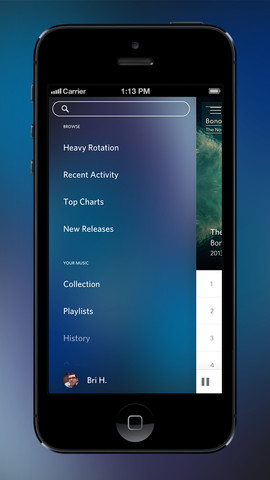
Rhapsody is rolling out an all new iPhone app today following some big updates to competitive music services earlier this week including Pandora and Rdio. Rhapsody is calling this app update “a completely new experience” for iOS and broke down on its blog a ton of changes its made to the UI on top of adding new features like customizable organization for your library and downloads, improved album and artist pages, and a new full-screen player.

         Personalized organization: The music you curate lives in the My Music section, which now has improved organization into two key categories:

o    Library: The central folder for your Rhapsody music when connected to the Internet. Music is sub-categorized by playlists, artists, albums, stations, queue and listening history

o    Downloads: All the music you can’t live without can be downloaded for easy offline playback

·         Upgraded Album and Artist pages: Read a review of an album, shuffle tracks from an artist, and much more

·         Full-screen player: Showcase gorgeous artist and album imagery that takes advantage of iPhone’s full screen real estate

·         Pop-up menus: Easily add tracks to “My Music,” download, add to a queue or favorite by tapping the + image

Site default logo image

Smule ships free, collaborative, interactive ‘Guitar!’ game for iPhone

[youtube http://www.youtube.com/watch?v=xLl8-eJfVME?rel=0]

Smule, one of the early high-profile developers for Apple’s App Store, has launched a new app to follow-up on its taste for music software. The company, today, launched a new free game called “Guitar!” The app sources music from its own with the company’s “Sing!” karaoke app, and this new guitar app works as a virtual guitar for the iPhone’s display. As you improve in your gaming skills, your awarded points will increase in the game.


Expand
Expanding
Close

Site default logo image

iPad version of Mailbox email-management app now available

Image: The Next Web

Image: The Next Web

Update: The iPad version is now out on iTunes as a universal app. 

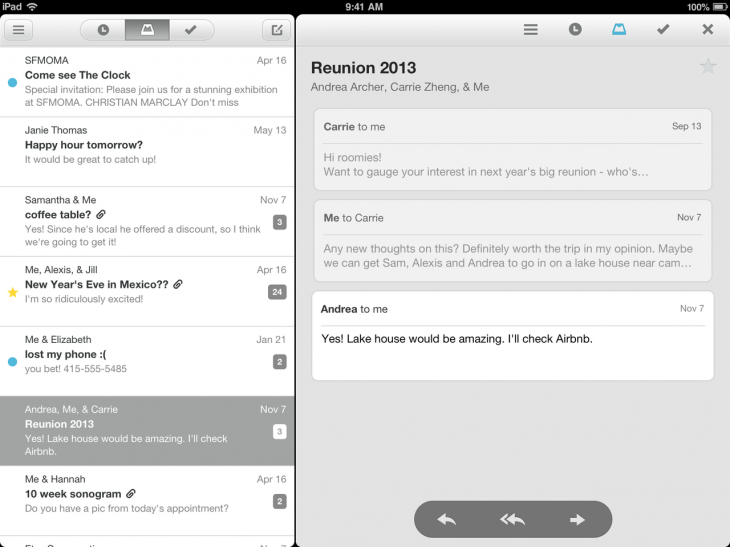
The promised iPad version of the email management app Mailbox recently acquired by Dropbox is launching today, offering essentially the same user-interface as the iPhone original, with the addition of a reading pane to the right.
Expand
Expanding
Close

Site default logo image

Shazam for iPad introduces passive tagging, lyrics display, auto-play in Spotify & Rdio and more

http://www.youtube.com/watch?v=zKOowwejuAQ

A new iPad version of Shazam available today introduces a whole raft of new functions, ranging from passive tagging without user input to the ability to recognise a song and then play it in Spotify or Rdio.

With passive tagging, the app continually listens to any music in the background and automatically tags it, ideal for use in bars where you may idly wonder what a track is but not want to go to the trouble of manually checking. The feature also works in the background, displaying a notification while the iPad is running other apps. Shazam’s claim of one-second tagging appears somewhat optimistic, however: a random sampling of tracks I tested took the usual several seconds.

LyricPlay displays lyrics in sync with the background music (Encore version only), while you can now immediately open the currently-playing track in either Rdio (all versions) or Spotify (Encore version only).

Shazam for iPad also introduces the kind of networked feature which seems to be expected in apps these days even if we’re not quite sure why. You can see which music and TV shows people are currently tagging in your country, city of neighborhood – as well as use a map to see tagging charts for anywhere else in the world.

Site default logo image

Clear for iPhone and Mac gains list sharing via email, multi task pasting, coming soon to iPad

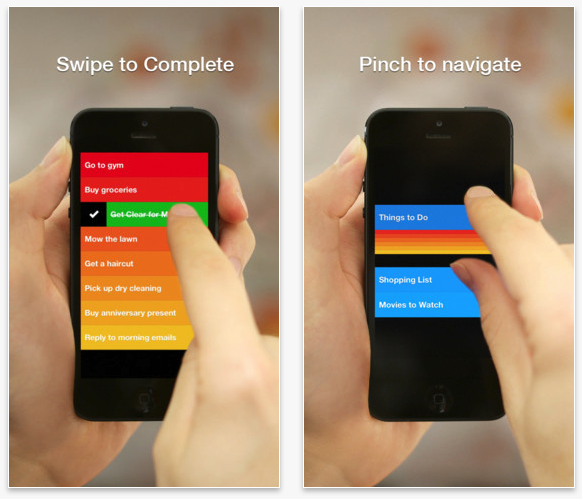
Realmac Software is on the brink of launching its fun new camera app Analog Camera for iPhone, but it has one more major task to mark off its list before we all get our hands on it. With its latest update to Clear, that item can now be swiped right off the list.

Clear on the iPhone and Mac both were updated today receiving a frequently requested feature: list sharing over email.


Expand
Expanding
Close

Site default logo image

Readdle’s Scanner Pro updated with live border detection during scans

Scanner Pro, which lets users scan documents, receipts, and more using their iPhone or iPad, recieved a big update to version 4.5 this week. The update enables live border detection, which allows the app to intelligently find the edges of whatever is being scanned while you photograph it.

In our testing, the border detection was very accurate, although it did have a bit of trouble when the paper and the background where different shades of the same color. The app does still allow you to manually edit the borders to fit the document perfectly, just in case there is a detection error, so any small problems are easy to correct.

The app itself is well-designed and features a solid storage solution for your documents. Multi-page scans are supported and you can save everything to a variety of cloud storage services, including iCloud, Google Drive, Dropbox, and more. You can even fax scanned items right from your iOS device.

Scanner Pro 4.5 is available now on the App Store. Existing users get the update for free, while new customers can get it for $6.99.

Site default logo image

Google rolling out voice search for Chrome on iPhone and iPad in coming days

Chrome for iOS - Voice-Search

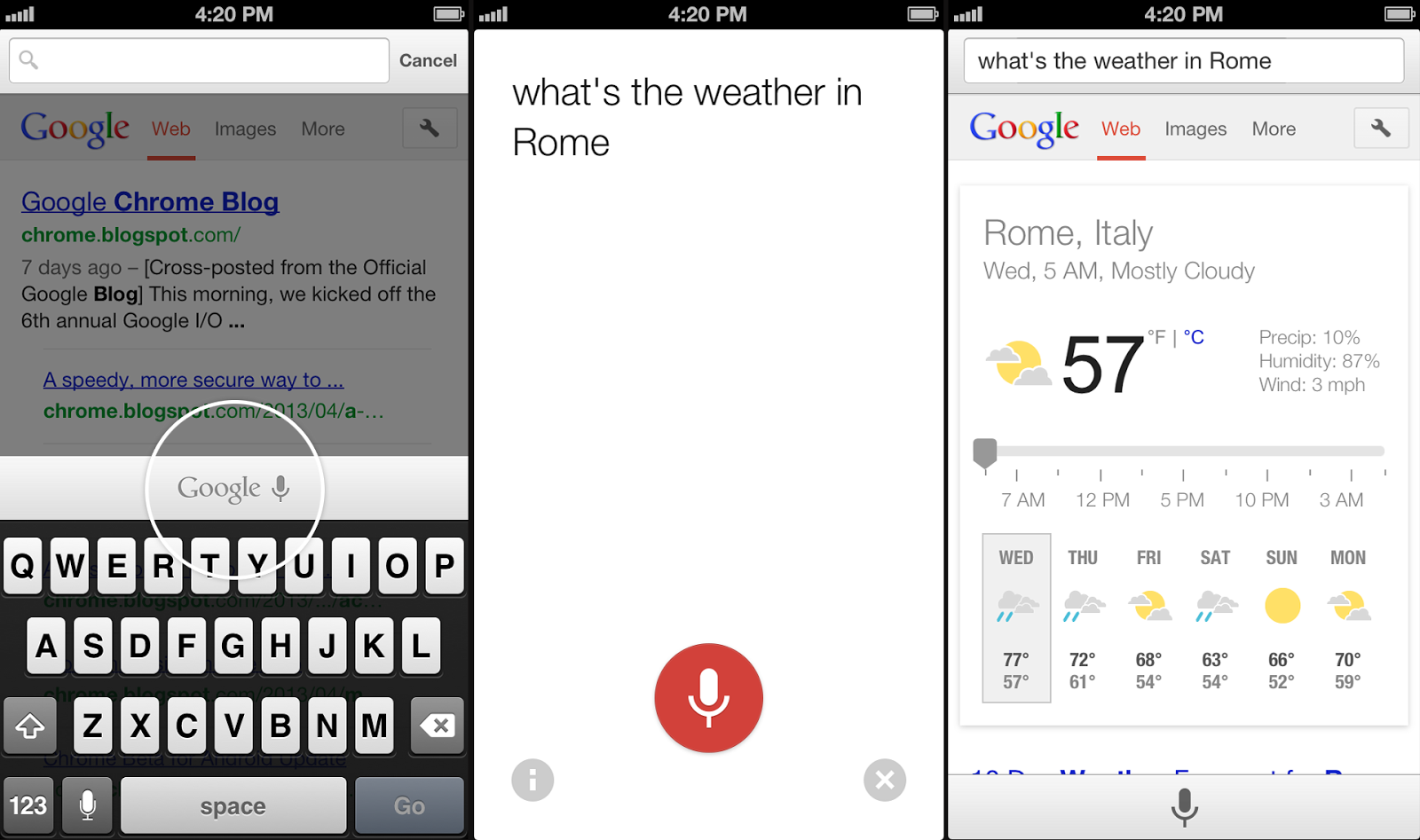
Google announced today on its Chrome blog that a new update will soon be rolling out to its Chrome app for iPhone and iPad that will allow users to access voice search features previously limited to the Google Search app. Using the same omnibox currently included in the app, Google will soon allow users to tap a microphone icon to search using only their voice with a UI similar to the recently redesigned voice search on Mac.

Google said the updated Chrome app should be landing on the App Store in the coming days.

Google also noted that the updated iOS app would provide faster reloading of web pages and an option for third-party apps “to open links in Chrome and then return to the app with just one tap.”

Earlier today Google began rolling out revamped voice search functionality in the Chrome app for Mac users.

Site default logo image

Twitter for Mac updated with Notification Center integration, performance improvements, more

Screen Shot 2013-05-22 at 2.40.23 PM

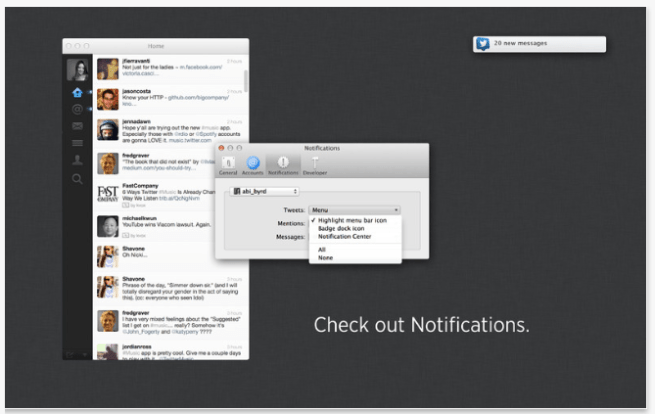
Twitter for Mac is continuously receiving updates and today it received a highly requested feature: Notification Center integration. Users can configure the setting in the preference window within the app.

OS X already offered Twitter integration, but notifications deferred to the web rather than its native client. It was less than a month ago when the app received its first update in countless months, and today’s update demonstrates Twitter’s dedication to its continued development.

Twitter 2.2.1 is now available in the Mac App Store:


Expand
Expanding
Close

Site default logo image

Rdio iOS app updated with improved UI, “Find People” feature & record label search

Rdio-01Following a big update to the Pandora Radio app earlier today, the subscription based Rdio iPhone and iPad app has been updated today with UI improvements, a new “Find People” feature for finding artists and friends to follow, and the ability to search by record label to find artists and albums.

The updates to the app’s UI are most noticeable in a “new, cleaner look for sliding side navigation.” (as pictured to the right)

What’s New in Version 2.2

– Find People. New feature makes following friends and artists easier than ever.
– Labels. Search for a record label to find its top albums and artists.
– Various minor bug fixes and UI improvements, including new, cleaner look for sliding side navigation.

Site default logo image

Stitcher Radio iPhone app updated with simplified ‘Car Mode’ UI for drivers

Stitcher-car_mode_launch_image_blog

Sticher Radio, home to over 15,000+  live radio shows and podcasts, updated its iPhone app today with a new Car Mode feature that makes controlling the app even easier while driving. The new simplified UI features large, easy to see buttons and can be accessed at any time with a tap of the Stitcher logo at the top of the app. It works in both portrait and landscape orientations and is definitely a welcomed improvement for the nearly 60% of its users that Stitcher says listen to the app while in a vehicle.

The updated app also comes with a redesigned front page, one-tap access to search and Sleep timer, and a number of other performance improvements:

What’s New in Version 5.3.0

New! Car Mode for iPhone. A simplified interface that allows you to safely and easily control Stitcher while driving in both portrait and landscape orientations. Tap the Stitcher Logo at top of any screen to select car mode.

Improved! Redesigned Front Page, bringing you breaking news headlines from your favorite media sources.

Improved! Easier one-tap access to the shows you’re looking for via search.

New! Listen to archives of your favorite shows either newest first or chronological order.  To play episodes of your favorite shows in order, tap an episode on the episodes tab. To reverse the order to chronological, tap “Playing Next” then select the playlist order button.

New! Sleep timer quick access via the player screen – tap the equalizer icon while listening to set the sleep timer.

Improved! Faster playback start up for shows you’ve already started listening to.

Improved! Now it’s even easier for new users to get started with our new wizard.

Improved! Improved memory management and bug fixes.

Site default logo image

UPS finally releases iPad app for tracking & scheduling deliveries

UPS announced today that it is finally rolling out a native iPad app that brings the ability to track and schedule deliveries as well as access to features of UPS My Choice® and enhanced mapping features. These features were previously available to users in the free UPS Mobile app for iPhone, but today they come to iPads through the UPS for iPad app available on the App Store now. 

Some of the features below will require enrollment in the UPS My Choice program:

Without logging in, you can: 
– Track packages and freight shipments
– Save up to 5 tracking numbers in your tracking list
– See the current location of your package on a map
– Find UPS service locations via GPS

When you log in, you can also: 
– Sync your recent tracks from ups.com
– Nickname tracked shipments
– Enroll in UPS My Choice
– Use UPS My Choice to take action on your incoming deliveries
– Set your delivery preferences

Site default logo image

eBay’s iPhone app gets new interface, quick sign-up with Drivers License scanning, iPad app gets enhancements

Screen Shot 2013-05-16 at 8.59.44 AM

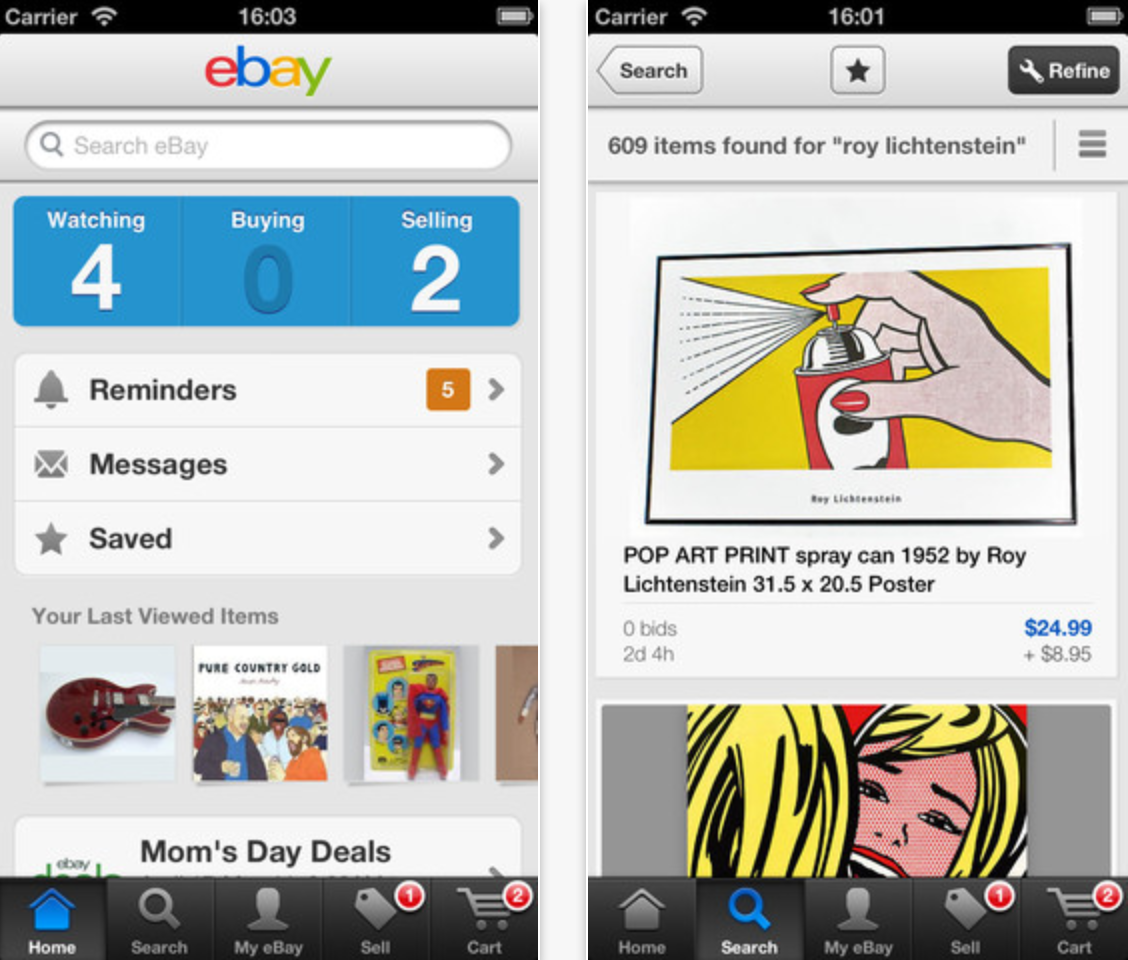
eBay’s iPhone application has received a significant update that affects both the user-interface and some core features.

Notably, the application’s interface has been tweaked for simplicity and features an improved bidding process for soon-to-be-ending auctions, larger photo views, and the ability to checkout multiple items simultaneously in the United States and United Kingdom.

Perhaps the most interesting and handy feature, though, is the ability to quickly sign-up for an eBay account by scanning your Drivers License with the iPhone’s camera. eBay owns high-profile barcode scanning technology, so perhaps that is used to make that new feature a reality. The free update is available on iTunes. 

eBay’s (separate) iPad app also got a notable update today: release notes below.


Expand
Expanding
Close

Site default logo image

Pixelmator 2.2 hits 500,000 downloads in a week and we have promo codes to giveaway!

Pixelmator

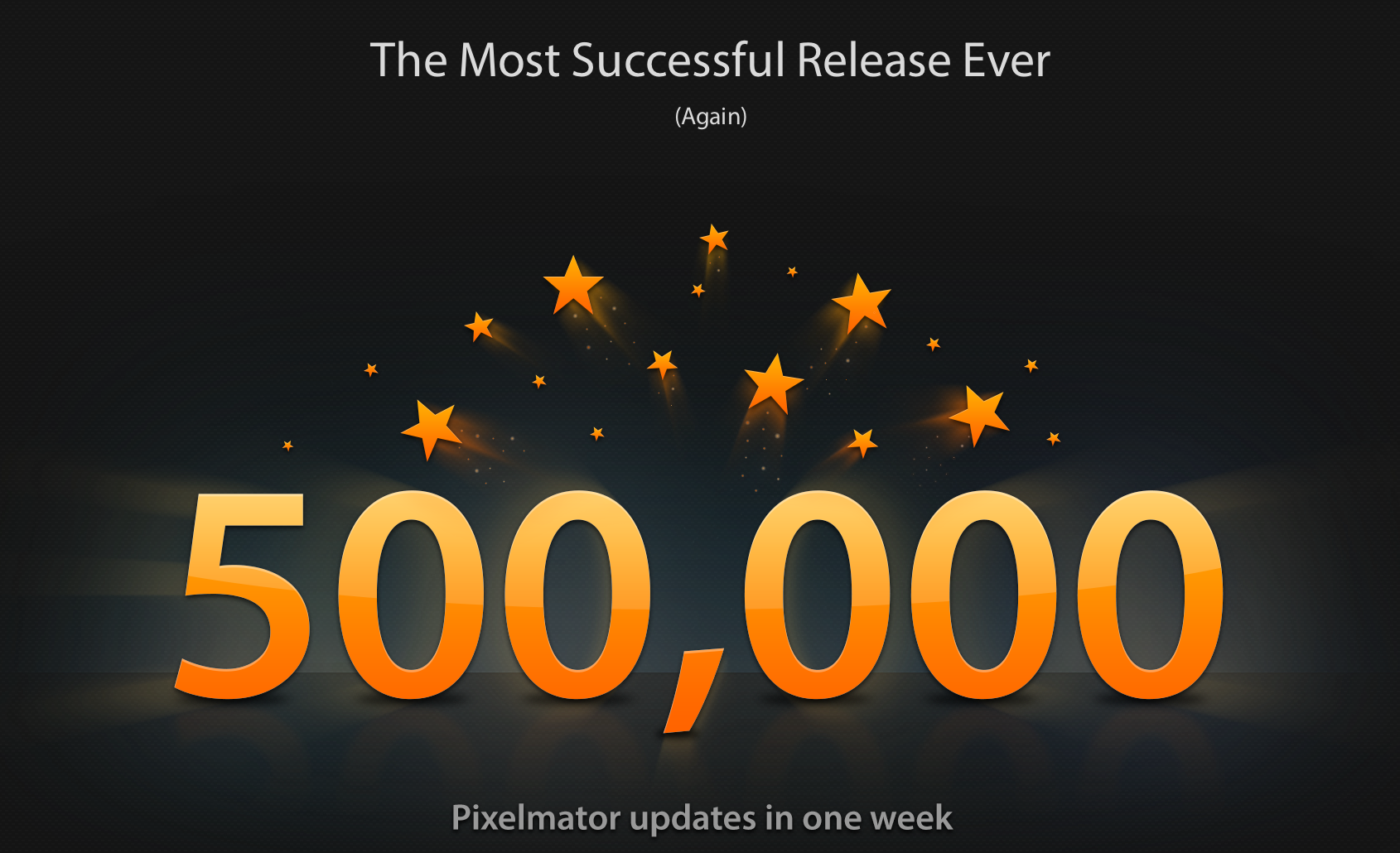
Just last week we gave you our rundown on the latest features to Pixelmator that landed in the 2.2 Blueberry update and were quite impressed how far the inexpensive Photoshop alternative has come. It appears we weren’t the only ones as the developers have just informed us that the new version reached 500,000 downloads since last Thursday making it the company’s most successful release ever:

“Pixelmator 2.2 downloads have surpassed the previous record downloads and topped half a million making it the most successful release in our history,” said Saulius Dailide of the Pixelmator Team. “Also, the customer response to Pixelmator 2.2 is absolutely incredible. We’ve been overwhelmed by the 5-star reviews on the Mac App Store and the fantastic support we receive from our customers.”

Normally the app goes for $14.99 on the Mac App Store, but the Pixelmator team just sent over a few copies for 9to5 readers that we’ll be giving away at the end of the day. To enter, follow us on Twitter then comment on this post, Facebook, or Twitter. We’ll be randomly grabbing winners all day.

You can get a quick look at what’s new in 2.2 in our video review below or check out our full review here.

Apple announces 50 billionth app download winner, awards $10,000 App Store gift card

Site default logo image

Apple-50-billion-app-downloads

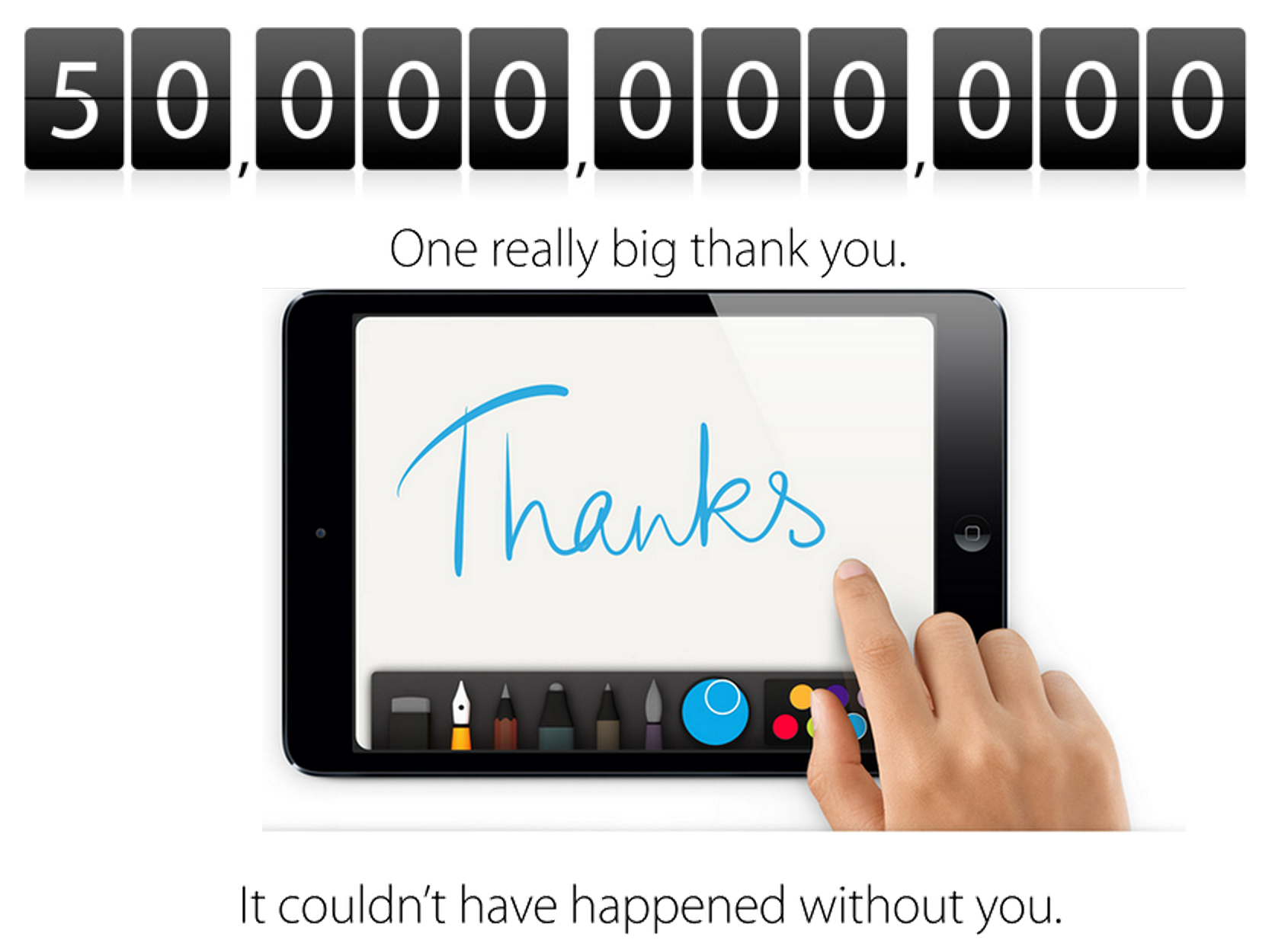
Apple today has officially announced the winner of its $10,000 iTunes gift card giveaway in a press release after reaching 50 billion app downloads yesterday.

And the app that marked the 50 billionth download goes to: Say the Same Thing by Space Inch, LLC. Lucky winner Brandon Ashmore from Mentor, Ohio will be receiving a $10,000 App Store gift card for his download.

Apple’s senior vice president of Internet Software and Services Eddy Cue provided the following statement:

“Apple would like to thank our incredible customers and developers for topping 50 billion apps downloaded,” said Eddy Cue, Apple’s senior vice president of Internet Software and Services. “The App Store completely transformed how people use their mobile devices and created a thriving app ecosystem that has paid out over nine billion dollars to developers. We’re absolutely floored to cross this milestone in less than five years.”

Apple’s full press release below:
Expand
Expanding
Close

DirecTV iPhone app adds ‘Voice Search’ feature, displays dialogue & results onscreen with TV Mode

Site default logo image

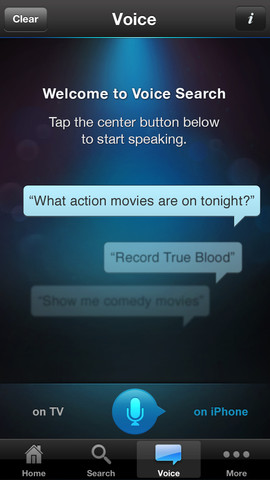
DirecTV-voice-modeDirecTV has updated its iPhone app that allows users to access live and on demand programming, as well as manage their DIRECTV DVR, with new voice recognition features today. Accessible from a new tab called “Voice” within the app, the Voice Search feature allows users to “speak to the app just as you would to a person” in order to find and play specific programs.

As you can see from the screenshot to the right, DirecTV has created a UI similar to Siri and other voice-based apps that allows users to see their dialogue as they speak. The app will also let users switch to a TV mode in order to view dialogue and results from Voice Search on their TV instead of the iPhone’s display.

With Voice Search, DirecTV said users will be able to “search for programs by mentioning title, channel, keyword, actor, time frame, genre and more,” and also “change the channel, record, and play content” at home. The new TV Mode also offers a view of personalized recommendations on the big screen.

The update has not yet hit the iPad app and the TV Mode will require users to have an Internet-connected HR24 DVR model or above.


Expand
Expanding
Close

Site default logo image

Pinterest for iOS updated with push notifications, @mentions, search suggestions, more

Pinterest-01

Pinterest is rolling out a big update to its mobile apps today that brings a number of highly requested features to both the iPhone and iPad. Some of the more notable updates include notifications and push notifications for comments and mentions, the ability to @mention friends from within the app, and improved search that provides suggestions as you type.

The updated app will also now let users invite friends to group boards.

A full list of what’s new in Pinterest 2.4 for iOS is below:

What’s New in Version 2.4

– Send a pin to someone and we’ll seal it with love (iPhone & iPod only)
– Get push notifications so you never miss a beat
– Search…and you shall receive suggestions
– Invite friends to pin with you on group boards
– Pin from more places — now more easily from the web
– Mention your friends (at last)!

Site default logo image

‘Watch ABC’ app goes live on App Store, brings live TV to New York and Philadelphia

On Sunday we noted that Disney’s ABC apps for iOS devices would this week begin live streaming TV to users in New York and Philadelphia. It’s the first time a major broadcaster is offering a live TV experience in its iOS apps and today the updated ABC apps have officially hit the App Store. The ABC Player is now called “Watch ABC” and with it comes the new live TV experience as well as the full length on demand episodes that were previously available. The new live streaming service will also be available to users on Kindle Fire and online at ABC.com.

The live video features will initially be limited to Philadelphia and New York City and starting July 1 users will have to verify their “eligible TV provider account for continued access.” For now eligible cable providers include Comcast, Cablevision, Cox, AT&T U-verse, Charter, and Midcontinent.

There are also plans to roll out the app to other markets this summer including: Los Angeles, Chicago, San Francisco, Houston, Raleigh-Durham and Fresno. 

Watch ABC version 3.0 is available now for iPhone and iPad. 

What’s New in Version 3.0.0

– The ABC Player is now called WATCH ABC.
– Now in select markets, WATCH ABC is a new way to experience ABC television. You can watch your favorite TV shows and local programming – LIVE.*

*Live video available in Philadelphia and New York City area only. Must be within each station’s local viewing area. Program substitutions may apply. Starting July 1, 2013, simply verify your eligible TV provider account for continued access to LIVE video.

Site default logo image

Philips updates ‘Hue’ app with geofencing, recurring schedules & visual cues for weather, email, social media, more

https://www.youtube.com/watch?feature=player_embedded&v=FdvqZNJP6oA

Philips today launched a big update to the Hue app that provides users with control over their network connected Philips Hue lighting system which the company began selling exclusively through Apple Stores last year. Version 1.1 of the app adds a ton of new features including Geofencing to trigger scenes when you leave or return home, recurring schedules for functions such as alarms, a new synchronous scenes, and much more.

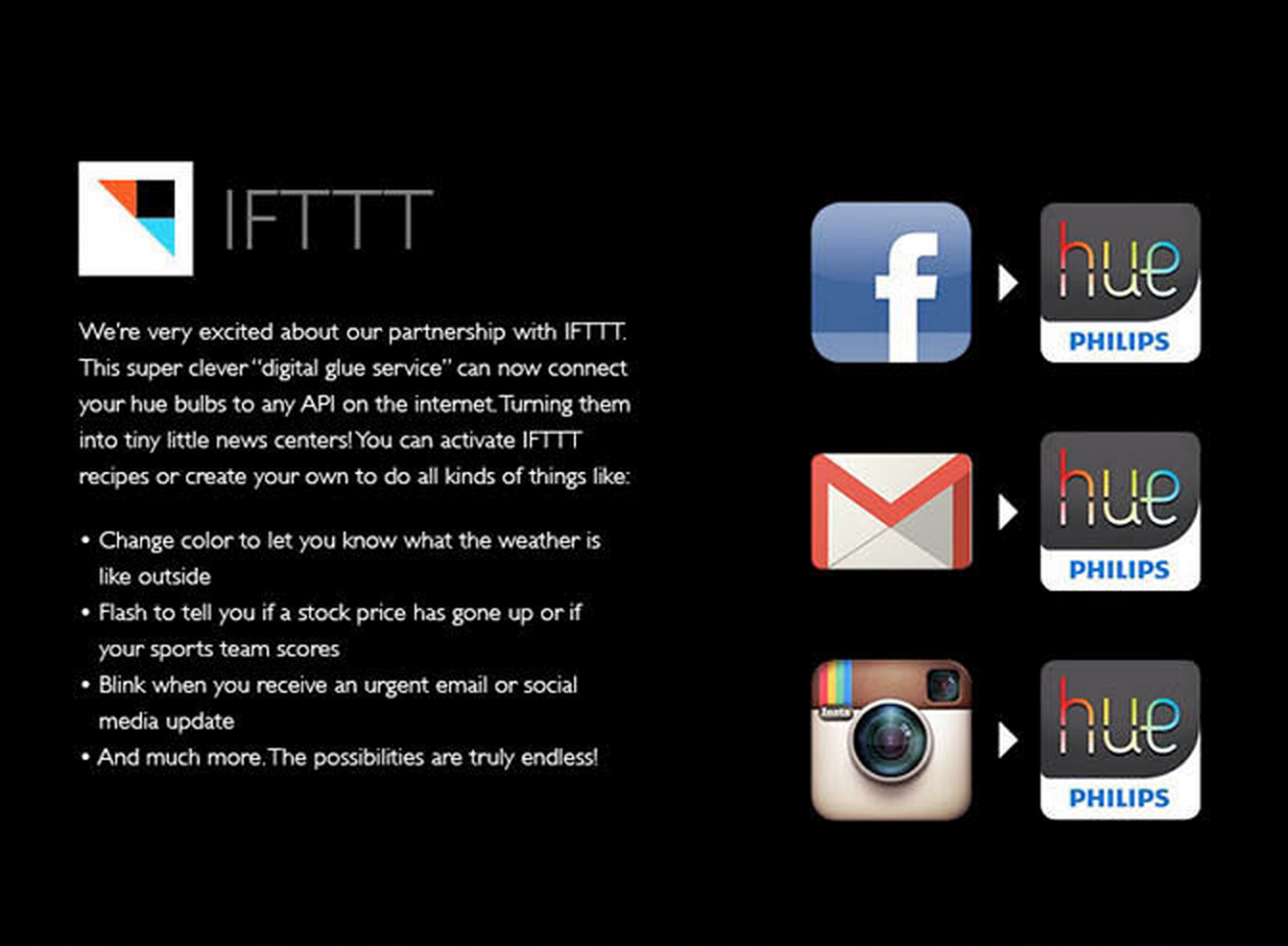
Philips-Hue-app-update-03One of the big announcements accompanying the launch of the updated app is a new IFTTT (If This Then That) channel for Hue. IFTTT is a service that allows online applications to talk to one another by letting users set up actions for one app that are triggered by another. For example, with the Hue channel, users can have “access to any application programming interface (API) on the Internet, allowing Hue smart bulbs to act as informational gateways and visual cues for updates on weather, stock quotes, sports scores, email, social media and more.” Imagine getting a notification through Hue related to a weather forecast or update on a social network.
The Philips Hue starter kit is available now for $199 with 3 bulbs and additional bulbs are available to purchase for $59 each.

A full list of what’s new in the update Philips Hue app is below:

What’s New in Version 1.1.0

– Geofencing feature: Scenes can now automatically turn on when coming home and turn off when leaving home
– Scenes can now be switched on or off using a timer between 1 and 59 minutes
– Alarms can now be set to recur in a weekly schedule and with a random offset for the start and end time
– Fades of alarms now start at the set time instead of ending at the set time
– Increased reliability of alarms
– Improved vibrant colors for LivingColors and hue lights and added support for LivingWhites
– When activating a scene the lights change at the same time synchronously
– Compatible lights can now be added to the system using their serial number

Amazon announces standalone Cloud Player desktop app, Mac version coming soon

Site default logo image

Amazon-Cloud-Player-Mac-App

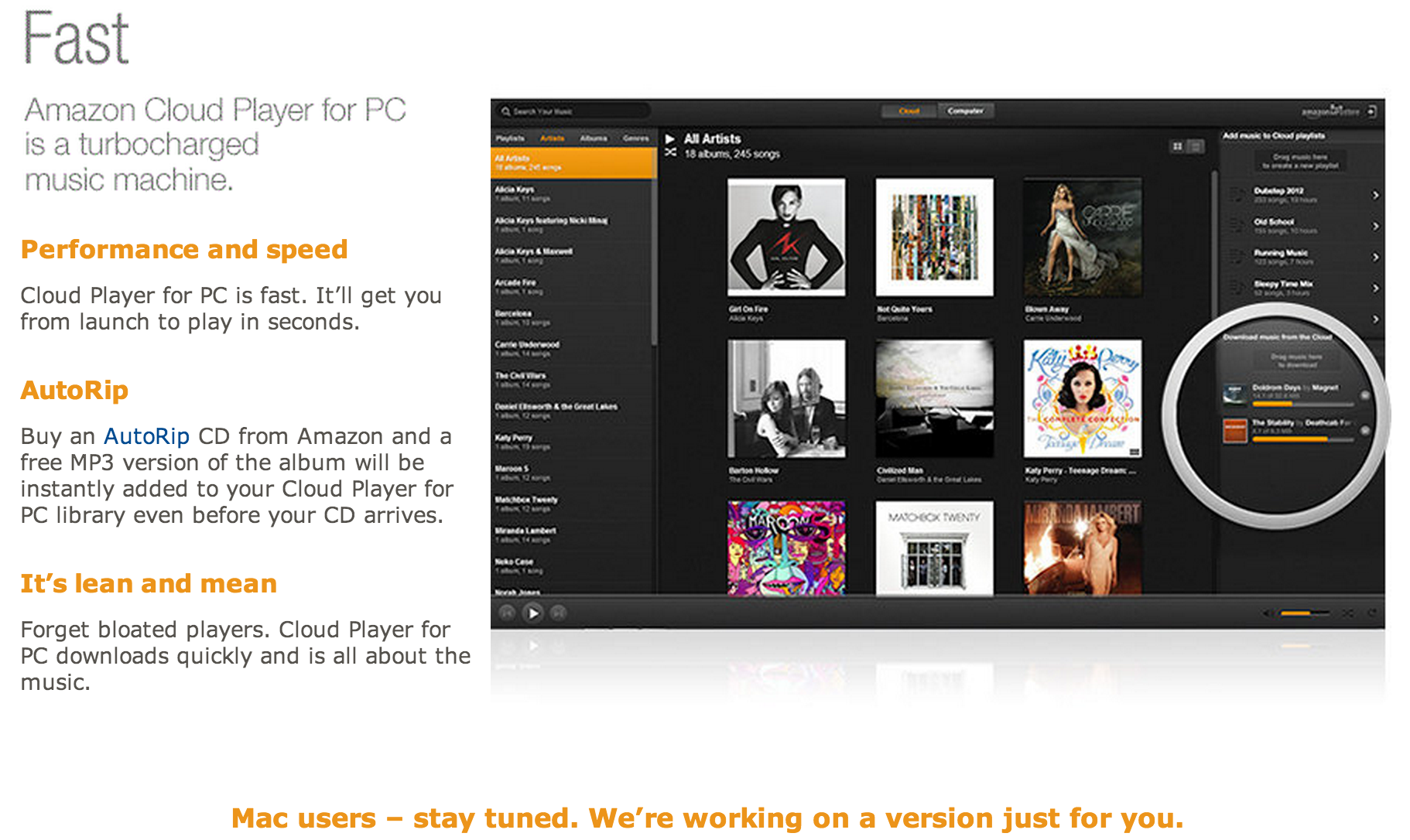
Amazon today announced that it is launching a standalone desktop app for its Cloud Player cloud music service that was previously only available through a web app and mobile apps. The desktop app brings offline support and, like the service on other platforms, will offer its usual unlimited storage of songs purchased through Amazon plus 250 imported songs for free. Unfortunately, today’s roll out only includes an app for PC with Amazon promising Mac users “we’re working on a version just for you.” 
Expand
Expanding
Close

Site default logo image

1Password for iOS updated to version 4.2 with new features and fixes

1password

1Password 4, the popular login manager for iPhone and iPad has been updated to version 4.2 today. The new version sports a bunch of new features and bug fixes, including the ability to search for items in your vault by their URL, improved sharing of vault items, and more. This update also features the fill animation that appeared in the desktop browser extension recently.

The update is available for free on the App Store for existing users. New users can get the fantastic password manager (see our review) for $17.99. The entire change log can be found below.


Expand
Expanding
Close

Site default logo image

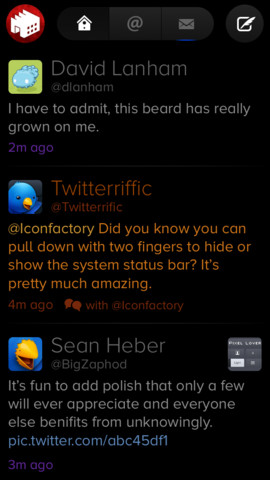
Twitterrific 5 iOS app gets Readability, Droplr support, improved notifications, more

Twitterrific-5-iOS-appThe Twitterrific 5 for Twitter iOS app has been updated today to version 5.2.2 with a number of new features and enhancements. Among them, the popular iOS Twitter client gets support for the Readability bookmarking service, Droplr as a new image service, and a few welcomed performance enhancements such as Indicators in timeline tabs that “are updated as tweets are read” and updating read/unread notifications for tweet timestamps as you scroll.

A full list of what’s new in version 5.2.2 of Twitterrifc for Twitter is below:

What’s New in Version 5.2.2

NEW FEATURES

• Added new bookmarking service: Readability
• Added new image service: Droplr

IMPROVEMENTS

• The read/unread state of tweet timestamps are updated as you scroll
• Indicators in timeline tabs are updated as tweets are read
• Added VoiceOver feedback after performing profile actions (follow, unfollow, etc)
• Third party logins are now cleared out when a service is disabled
• Additional larger font size setting on iPad

BUG FIXES

• Compose attachment buttons are now disabled during @name autocomplete
• Fixed a bug that could cause replies to be counted more than once
• Improved reliability when clearing push notification badges
• VoiceOver no longer repeatedly announces new tweet count
• When composing replies, VoiceOver reads text first instead of original tweet

NOTES

• Yfrog links now open in the in-app browser instead of the photo viewer