Adobe



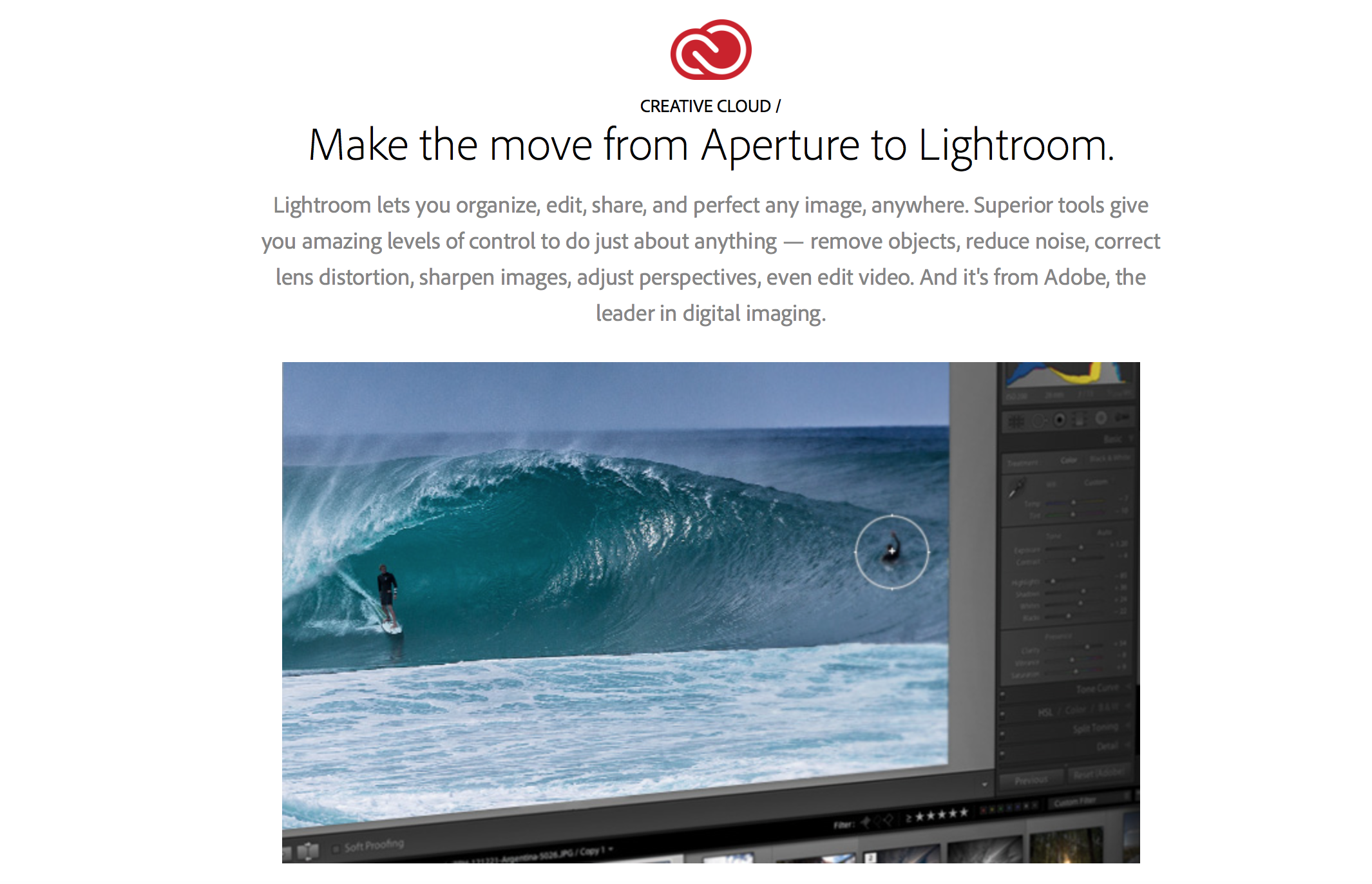
Approximately a month after Apple announced it is discontinuing Aperture and iPhoto in favor of the new Photos app on OS X Yosemite and iOS 8, Adobe is today taking advantage of the Apple shift with a couple of key announcements. First, Adobe has published a new website detailing the advantages of Lightroom over Aperture. More importantly, Adobe has released a comprehensive, step-by-step transition guide for moving from Aperture to Lightroom. The guide also includes some answers to frequently asked questions.
It can be accessed here. Adobe has also announced that it working on software to bring a more automated transition experience:
At Adobe, we’re working on a migration tool to help you bring your photos into Adobe® Photoshop® Lightroom® from Aperture, but if you’re eager to switch before the tool is ready, this guide can help ease your transition. We recognize that this migration may be a challenging process and offer the following resources and methodology to help get you up to speed with Lightroom and provide a road map for successfully migrating your photos.
The first challenge is that the terminology, layout, and controls of the two applications are different. It’s a good idea to start processing photos in Lightroom and become familiar with it before you migrate your photos from Aperture. You can do so by taking some new photos, importing them into Lightroom, and then using Lightroom.

The new Photos app for OS X launches in early 2015, but despite Apple’s claims of significant functionality, a look at what Apple has shown about the app reveals that the functionality mostly mirrors what iOS 8 will gain in September. Adobe has also previously detailed some future Lightroom plans in order to appease professional photo editors.



Adobe has actively been rolling out new and powerful tools for the iPhone and iPad in recent months including Lightroom Mobile for iPad followed later by Lightroom Mobile for iPhone and Photoshop Mix as well as Adobe Voice for creating storytelling from iPad.
Expand
Expanding
Close

Due to a security flaw discovered in its Flash Player software, Adobe released an update to the web plugin earlier this week. Today Apple confirmed that it had updated its plugin blacklist for OS X to stop the system from using a version of Flash Player older than 14.0.0.145 (or 13.0.0.231 on older systems).
According to Apple’s product security team:
Due to security issues in older versions, Apple has updated the web plug-in blocking mechanism to disable all versions prior to Flash Player 14.0.0.145 and 13.0.0.231.
Earlier this week, Apple released OS X 10.9.4 with various enhancements and bug fixes for wake-from-sleep and WiFi connectivity. In addition to those fixes, many professional video editors who use Mac Pros are reporting that graphics rendering and performance issues found in the preceding OS X 10.9.3 have been resolved. Graphics card incompatibility issues with 2013 Mac Pros bundled with AMD D700 and D500 graphics engines resulted in videos stalling during the exporting process, pink and green lines appearing in exported video, and various application crashes and freezes with key video production apps like Adobe Premiere Pro and Blackmagic DaVinci Resolve…
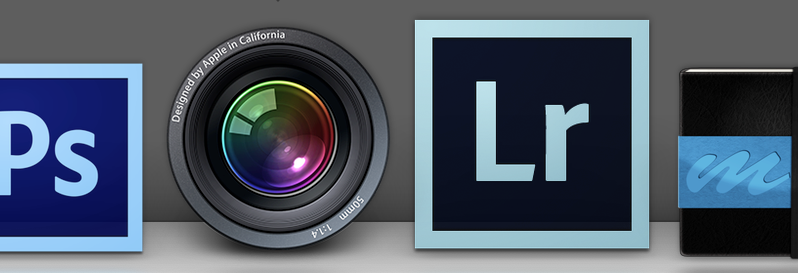
Following Apple’s announcement that it has ceased software development of the Aperture professional photo editing software for Mac and the development of iPhoto on iOS and OS X, Adobe has issued a statement. The digital software company is promoting its Lightroom and Creative Cloud photo editing and management products for the web, iOS, and OS X:
Today, Apple announced they will no longer be developing Aperture in light of their new photography app for OS X. If you are an Aperture or iPhoto customer looking for change, check out our new Creative Cloud Photography plan announced last week, or our standalone Lightroom app for your desktop as alternatives.
Adobe also says that it is “doubling down” on those products and that a “rich roadmap” is ahead for the coming weeks, months and years:

As part of a totally revamped Creative Cloud Photography Plan, Adobe today launched both Lightroom for iPhone, a companion app to the desktop version and twin of the recently launched iPad version, as well as Adobe Mix, a completely new iPad app that brings down many powerful features previously only available on the desktop versions of Photoshop.
Corresponding with these new iOS apps, Adobe has launched new versions of 14 of its Creative Cloud desktop apps. Let’s take a closer look at the new iOS offerings from Adobe.


Alongside a minor update to the app, Adobe Revel has changed their business model slightly. Before, free accounts were limited to uploading just 50 photos every month. Going forward, free accounts get 2 GB of fixed storage for uploads.
Adobe is out today with a new app for iPad that leverages the use of multimedia and speech to create simple and creative animated videos. The app is called Adobe Voice (it may look familiar to you if you recall Ginger) and the creative software company thinks it can make you a better story teller using your iPad. Adobe Voice combines the use of narration, photographs, text, and iconography with a number of templates which include music to create a really neat experience for making crafty videos. Check out my experience (and videos) below.
Expand
Expanding
Close
Adobe has published an update for its mobile photo editing app, Photoshop Express, bringing the version up to 3.3. The update includes a redesigned interface to match iOS 7’s look along with a handful of new features.
Feature-wise, the update adds a ‘green eye’ correction filter, an auto-save feature, improved tool tips, a better photo picker, and new sharing options for Instagram and SMS.
The update is available for free to everyone on the iOS App Store.
What’s New in Version 3.3
• A brand new editing experience with a new look for iOS7
• Share via Instagram or SMS
• Pet-eye (a.k.a. green-eye) correction
• Save your work without saving now that the app resumes where you left off
• Navigation improvements throughout the app, including Tool Tips and updates to the Photo Picker
• Bug fixes and performance improvements.

Be sure to follow 9to5Toys to keep up with the best gear and deals on the web: Twitter, RSS Feed,Facebook, Google+ and subscribe to the new Safari push notifications feature.
Today’s can’t miss deals:
Last Call updates:
Lowe’s Coupon: 10% off online orders (includes Nest Thermostat). Some exclusions apply… http://t.co/7q7RR8c2rE pic.twitter.com/VwZn8FnkWS
— 9to5Toys (@9to5toys) April 17, 2014
RAVPower 10400mAh Power Bank for $26 shipped (Reg. $35) http://t.co/ZIFlKuhRXy
— 9to5Toys (@9to5toys) April 17, 2014
Sling Media Slingbox 350, stream live HDTV to your iPhone/iPad $99 shipped (45% off)
Western Digital Hard Drives:
Adobe Photoshop Elements and Premier Elements 12 (PC/Mac) $75 shipped (50% savings)
2-pack of D-Link DCS-930L wireless network cams with iOS/Android app: $50 shipped (Reg. $160)
Logitech UE 4000 Headphones $19 + $5 shipping (Reg. $100) http://t.co/4V7VkgRYmE
— 9to5Toys (@9to5toys) April 17, 2014
Staples is going to be taking $10 off $50 iTunes gift cards next Monday and Tuesday ONLY. 1 per customer. pic.twitter.com/6Ik8w1Gjsc
— 9to5Toys (@9to5toys) April 17, 2014
Other deals from today:
New games/apps:
Pixelmator (Mac) $15, Windows Store gift cards (apps/xbox games) 20% off, The Lorax (Android) $1: http://t.co/VMuJ3E2ZyJ— 9to5Toys (@9to5toys) April 17, 2014
More deals still alive:
New products/useful info:
Microsoft/Google/Android:
After briefly leaking earlier this year, Adobe is finally ready to show off its Lightroom Mobile for iPad software for photographers and photo editors. The iPad application borrows many of the essential features from the powerful desktop software and is optimized for the touch input user experience key to the tablet. We’ve taken a sneak peek at Lightroom Mobile for iPad, and we have all the details on Adobe’s latest Lightroom update.
Expand
Expanding
Close
Less than three weeks ago, Adobe released a critical security update for its Flash Player plug-in fixing an exploit that allowed machines to be accessed remotely by attackers.
Yet another security update is out today (and strongly recommended). The new build (Version 12.0.0.70) intends to address a vulnerability that allowed attackers to target at least three nonprofit websites according to security firm FireEye and reported by ArsTechnica…
Adobe released a critical security update to its Flash Player plug-in (version 12.0.0.44) on Tuesday that addresses an exploit that put machines at risk of being remotely accessed by attackers. You can grab the latest version of Flash Player here (OS X and Windows) or check for updates in the System Preferences app… or you could remove Flash altogether with Adobe’s uninstaller.

Adobe will soon make the iPad an even more viable solution for mobile content creation: the company will soon unleash a version of its popular Lightroom photo editing suite that is optimized for tablets. References to Lightroom for Mobile appeared on Adobe’s official website earlier this week, but they were immediately removed when we contacted Adobe for comment on the yet-to-be-announced product.
Adobe’s tagline for the product is “Take Lightroom anywhere,” but we were unable to locate screenshots of the application on Adobe’s website. The website also does not specifically note iPad support, but a chat representative from Adobe was able to pull up details about Lightroom for Mobile from Adobe’s systems and said that it is built for iPad.
The representative further indicated that the mobile version would largely lineup with the desktop version in terms of features…

Printing from Photoshop CC is no longer limited to two dimensions, as Adobe has added support for 3D printing to the latest release for Creative Cloud subscribers.
While Photoshop wouldn’t be the obvious tool in which to create 3D objects from scratch, objects can be imported from a 3D scanner, from a modelling tool or from a downloaded file, refined in Photoshop using the new automated mesh repair and support structure generation tools. Once the model is ready to print, it can be sent direct to any of the most popular 3D printers, including the Makerbot Replicator …
Expand
Expanding
Close
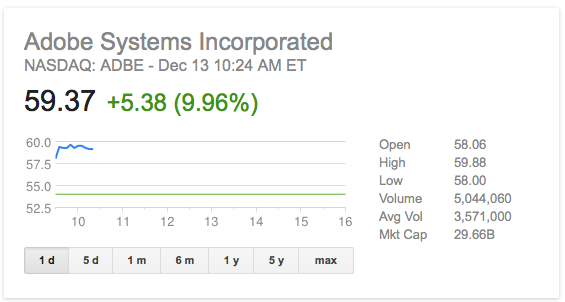
Adobe stock climbed 10 percent to just under $60 in opening trading after announcing Q4 earnings in line with expectations, and strong growth in subscriptions as the company transitions away from one-time purchase licences.
While year-on-year numbers were poor, revenue down almost 10 percent and earnings almost halved, Adobe has been at pains to point out this was expected as it shifted to subscription-based sales.
As Adobe customers migrate from a legacy Creative Suite perpetual licensing model to new Creative Cloud subscriptions, revenue is recognized over time as opposed to at the time of purchase.
See below for a cool infographic of Adobe by the numbers …
Expand
Expanding
Close

From 9to5Toys.com:
Adobe today announced a pretty solid Black Friday deal. Adobe initially launched the Photoshop Photography Program in September to support the needs and workflow of photographers who use CS3 or later. Now, for a limited time, Adobe it is extending this offer to ALL photographers for $9.99/month as an annual subscription – valid from Nov. 20 (9:00 a.m. PST) through Dec. 2, 2013 (11:59 p.m. PST) on Adobe.com…
Expand
Expanding
Close
Context, the photorealistic way to preview your Illustrator designs, has finally left beta, with an official release now available. We reviewed the beta version of Context back in March, but today you can get your hands on the final version…

A federal judge ruled that a lawsuit against Apple and several other companies can proceed as a class-action suit today after determining that a significant number of employees across the tech industry were hurt by “do-not-hire” arrangements between their employers and other companies. The policies in question were practiced by Apple, Google, Adobe, Pixar, and more as a way of keeping their own employees from defecting to competitors for higher pay. Essentially the agreements barred two companies from offering jobs to competing employees for a higher salary. Because doing so gave employees leverage with which to bargain for higher pay at their own jobs, employers were often faced with the decision to either pay any given employee more to keep them around or lose them to a competitor willing to pay more.
Safari 7, introduced with OS X Mavericks, is now better protected against malware and poorly-written Flash code as Flash is finally sandboxed.
Sandboxing means that OS X restricts what the code can do, stopping a badly-written app from crashing the entire browser and preventing malware from getting access to any other part of your Mac. Flash has been sandboxed for some time in Chrome, Firefox and even Internet Explorer.
In an Adobe blog post, Platform Security Strategist Peleus Uhley wrote:
For the technically minded, this means that there is a specific com.macromedia.Flash Player.plugin.sb file defining the security permissions for Flash Player when it runs within the sandboxed plugin process. As you might expect, Flash Player’s capabilities to read and write files will be limited to only those locations it needs to function properly. The sandbox also limits Flash Player’s local connections to device resources and inter-process communication (IPC) channels. Finally, the sandbox limits Flash Player’s networking privileges to prevent unnecessary connection capabilities.
Safari users on OS X Mavericks can view Flash Player content while benefiting from these added security protections. We’d like to thank the Apple security team for working with us to deliver this solution.
Via CNET

Adobe’s Chief Security Officer Brad Arkin announced today on the company’s blog that “sophisticated attacks” on its network have been discovered and that some customer information was compromised in the process:
Cyber attacks are one of the unfortunate realities of doing business today. Given the profile and widespread use of many of our products, Adobe has attracted increasing attention from cyber attackers. Very recently, Adobe’s security team discovered sophisticated attacks on our network, involving the illegal access of customer information as well as source code for numerous Adobe products. We believe these attacks may be related.
Arkin says Adobe’s ongoing investigation has found that the attackers have accessed Adobe IDs and encrypted passwords for approximately 2.9 million customers, but that it does “not believe the attackers removed decrypted credit or debit card numbers.” They were, however, able to get their hands on names, encrypted credit or debit card numbers, expiration dates, and customer order information. The company is also investigating an attack that accessed source code for several Adobe products illegally.
Adobe is of course working with law enforcement and continuing its investigation, but in the meantime it announced it will be contacting customers, banks, law enforcement, and automatically reseting customer passwords:
Expand
Expanding
Close
Adobe has updated its Adobe Revel app today, which allows users to store and access photos and videos in the cloud and sync across Mac, PC, and iOS devices. Previously only available for photos, Adobe has updated its iPhone and iPad apps today to include support for uploading, watching, and sharing videos with the service.
The Adobe Revel service provides unlimited uploads for the first 30 days for free, and 50 photos every month after that. Adobe didn’t specify if the same limits will apply to videos, but upgrading to Revel Premium for $5.99/month will provide unlimited photo and video imports.
In other app news, Apple appears to have started accepting apps compiled with the iOS 7 SDK. We noticed one of the first– Local Cloud Pro— has been updated today with full iOS 7 support including iOS 7’s Dynamic Type and other new features.
[youtube=http://www.youtube.com/watch?v=6TRz-gNdQFg]
Updates out today for Photoshop CC (version 14.1) bring new features for Creative Cloud members including a brand new open source technology that Adobe is calling “Adobe Generator”. The new feature will allow users to automatically create image assets in real-time without the need “of copying, slicing and exporting each layer manually.” Here’s how it works:
Simply add a file extension to the name of your layer or layer group, and Photoshop will automatically create a JPG, PNG or GIF from the contents of that layer. If you make a change to that layer, the file is immediately updated. This means that you now have a folder of images that are always up-to-date with your Photoshop design. If you need larger dimension images for Retina displays, you can also quickly create those by adding a scaling factor.
In Photoshop, Adobe Generator can be turned on by navigating to File -> Generate -> Image Assets and renaming layers with supported tags. Adobe notes some examples in its blog post. For example, “200% logo-retina.png, logo.png” produces both a 2x and a 1x asset, while “heroImage.jpg10” produces a 1x asset with max quality.
Adobe noted that the new generator feature also provides “a real-time connection between Photoshop and Edge Reflow,” allowing users to bring in assets from Photoshop with a single click. Generator is an open source project, which will allow users who know JavaScript to modify or write their own plug-ins using the technology. The company posted the video below that shows developers who are using Generator to write a custom plug-in for a mobile game that allows them to “change the UI of a game in Photoshop while the game is being played.”
Expand
Expanding
Close
From 9to5Toys.com:
A large majority of the deals we cover each day come from a variety of ‘Daily Deal’ websites or are so popular that they don’t even last 24 hours. We know you can’t be at your computer every second, so we’re going to round up the best deals each day to make sure you have a fair shot at the deals you want. Be sure to follow 9to5Toys.com so you never miss a deal... Twitter, RSS Feed, Facebook, Google+.
Genuine Apple Lightning Cable: $8.99 shipped http://t.co/dl9Co0VEZX
— 9to5Toys (@9to5toys) August 26, 2013
Other great deals we love:
Seagate Expansion 3TB Black Desktop USB 3.0 Hard Drive $100 Shipped (Reg. $160)… http://t.co/dbrzTYrGtb
— 9to5Toys (@9to5toys) August 26, 2013
Freebies: