App Store

See All Stories
Site default logo image

1Password iOS app gets automatic backups accessible in iTunes, item printing, more

Popular password manager app 1Password received a nice update today for iPhone and iPad that introduces a few notable new features and the return of one previously removed. Version 4.5.2 of the app now includes automatic backups of data that users can access via iTunes. It also sees the return of item printing, bug fixes and more.

The app also makes some overall performance improvements. Developer AgileBits notes “Sync is now much sync-ier” and “That pesky flickering while viewing an item’s details is no more.”

Version 4.5.2 of the 1Password app for iPhone and iPad is available on the App Store now.

What’s New in 4.5.2

◆ 1Password now keeps automatic backups of your data that are accessible via iTunes
◆ Item printing is back, baby!
◆ Sync is now much sync-ier
◆ That pesky flickering while viewing an item’s details is no more
◆ The report of bug deaths is *not* an exaggeration

Site default logo image

Google Play Music iOS app updated with editable playlists and more

The iOS version of the Google Play Music app has been updated, allowing you to edit playlists directly in the app rather than having to login to the website to do it.

Google has also introduced a few more goodies: Shuffle Artist, which does exactly what the name suggests, and a filter to show only the music you’ve actually downloaded – handy when you want to narrow your selection to your favourites.

Google Play Music is a free download from iTunes.

Site default logo image

Rdio music streaming service adds push notifications to iOS app

Subscription music streaming service Rdio updated its iPhone and iPad app today with one notable new feature for version 2.5.9: Push Notifications.

The new push notifications feature will allow you to get notified for a number of different activities within the app such as music that’s being shared with you, subscribers to your playlists, new followers, and more. You’ll also be able to select which notifications you’d like to receive if you, for example, only want to know when users share new music with you and not every time someone subscribes to one of your playlists.

The app also includes “various UI improvements and minor bug fixes” in the latest release.

Version 2.5.9 of the Rdio app for iPhone and iPad is available on the App Store now.

What’s New in Version 2.5.9

– Push Notifications. Get notified on your mobile device about the activities of your choice, such as music shared with you, new followers, subscribers to your playlists and more.
– Various UI improvements and minor bug fixes.

Site default logo image

Beats Music iOS app drops yearly pricing to $99, extends free trial as Apple confirms deal

Right as news is breaking that the Apple and Beats deal is finally official for $3B, the Beats iOS app has just been updated with new pricing and an extended free trial for all users.

Up from the previous free 7-day trial offered by the service, Beats Music now offers a “no strings attached trial” for 14 days to all users. Most notable in the update, however, is the fact that the service is slashing pricing from $119.88 a year to $99.99/year:

We’ve dropped price of our yearly subscription to $99.99, down from $119.88.

The service will continue to charge $9.99/month for users not purchasing a yearly subscription. The Beats Music website FAQ has been updated to reflect the new pricing and also continues to list $15/month family plans and extended free trials offered to AT&T customers.

Apple also confirmed today that it will continue to operate Beats Music as a separate service including Android and Windows phone apps.

Version 2.1.0 also includes “tons of bug fixes so the whole experience runs smooth as silk.”

What’s New in Version 2.1.0

● We’re stoked to announce that our no strings attached trial has been extended to 14 days to ensure everyone gets ample time to explore the full Beats Music experience.

● We’ve dropped price of our yearly subscription to $99.99, down from $119.88.

● To top it off, we pushed tons of bug fixes so the whole experience runs smooth as silk.

Declining iTunes sales underline need for Apple to launch a subscription music service

Site default logo image

Declining iTunes sales highlighted by Morgan Stanley’s Katy Huberty and reported by Fortune appear to underline the need for Apple to move beyond sales of music downloads and into the subscription music business. iTunes sales are down 24 percent year-on-year.

While the slack is being picked up by app sales – a trend previously noted by Asymco’s Horace Dediu – that falling blue line reflects the wider shift in consumer behaviour from purchasing downloads to subscribing to streaming services noted last year by Billboard magazine … 
Expand
Expanding
Close

Bubble app lets you discover real world items linked to the web w/ iBeacons

Site default logo image

[youtube=https://www.youtube.com/watch?v=NtQSJx2nI9I]

Bubble, a new app launching this week, is about to make it super easy for anyone to link real world items to websites using Apple’s new iBeacon Bluetooth LE technology. Up until now retailers, event planners, and more have been using iBeacons in order to send relevant notifications to users in proximity, but that required users to actually have that specific retailer’s app installed. Bubble, on the other hand, acts as an iBeacon browser of sorts allowing users to discover web content as they come in contact with real world items. 
Expand
Expanding
Close

Site default logo image

Apple releases Safari 7.0.4 & 6.1.4 for OS X with security improvements

Alongside the release of OS X 10.9.3 and iTunes 11.2 last week, Apple released Safari version 7.0.3 and 6.1.4. Apple has since released a minor bug fix to that version of iTunes, and today Apple has released a security update to Safari bringing the latest version to 7.0.4. Users can find the latest version in the Mac App Store.

Safari 6.1.4 and Safari 7.0.4

  • WebKitAvailable for: OS X Lion v10.7.5, OS X Lion Server v10.7.5, OS X Mountain Lion v10.8.5, OS X Mavericks v10.9.3Impact: Visiting a maliciously crafted website may lead to an unexpected application termination or arbitrary code execution

    Description: Multiple memory corruption issues existed in WebKit. These issues were addressed through improved memory handling.

Read Apple’s documentation on the latest version of Safari here.

Facebook announces TV Show and Music ID app updates for iOS and Android

Site default logo image

According to multiple sources, Facebook will unveil a new service today that can identify television shows and music playing in the background. The new software, which will be available via an updated App Store app on iPhone and a Google Play app on Android, will work in tandem with your smartphone hardware’s microphone. Facebook is said to be integrating the feature so Facebook users can more easily share what music they are listening to or what TV show they are currently watching to their Timelines. In iOS 8, Apple will unveil a new Siri feature in partnership with Shazam to identify songs playing in the background. Update: Official announcement after the break…
Expand
Expanding
Close

Site default logo image

Italian authorities give Apple & others 20 days to submit defence to “unfair” in-app purchase claims

An Italian competition organization has given Apple, Google, Amazon and Gameloft twenty days to submit a defence to its investigation into in-app purchases or face a fine of up to €5M ($6.9M), reports ZDNet.

The companies now have 20 days to comply with the requests for information that came with the letter, and to respond with their defences to the allegations. If the alleged violations proved to be true, the three internet giants and the European game developer could each face a fine up to €5m — although the Italian watchdog told ZDNet that the punishment would be proportional to each company’s size.

The complaint is based on two concerns. First, whether consumers are clear about the likely total cost of the app at the time they download it. Second, whether sufficient information is provided about how to prevent or limit in-app purchases, especially in games played by children.

Apple settled a similar complaint with the FTC in January, after last year offering refunds to parents whose children had made in-app purchases. At that time, Tim Cook pointed to the safeguards in place, which include the ability to disable in-app purchases with a single switch, and requiring a password for any purchases made more than 15 minutes after downloading the app.

iOS also now alerts customers that further purchases can be made within 15 minutes without re-entering their iTunes password, and all iTunes apps that offer in-app purchases are labelled as such in the App Store.

Site default logo image

Amazon Cloud Drive Photos app gets revamped albums w/ large cover photos & more

Amazon updated its Cloud Drive Photos app for iOS today with a few nice new features for viewing and managing photos and video stored in the app.

The app, which offers 5GB of storage free and automatically backs up photo and video from your iOS device, now includes a revamped album view with large cover photos in addition to other new photo management features. You’ll also now see your photo as its being uploaded within the progress indicator as well as dates when transitioning between months and years while viewing photos: Swiping through photos in the single photo view now lets you know when you transition between months or years. 

Lastly, Amazon notes the app now includes a filter to sort photos by newest or oldest first.

The updated Amazon Cloud Drive Photos app is available now on the App Store.

What’s New in Version 3.1.0

– New Album View: Quickly scroll through your albums with large, beautiful cover photos for each of them
– Upload Progress: See your photos as their being uploaded to the cloud
– Know when your photos were taken: Swiping through photos in the single photo view now lets you know when you transition between months or years
– Sort your Photos: Choose to see your photos newest first or oldest first
– Bug and Crash Fixes

Site default logo image

Apple under fire from Italian antitrust regulator over freemium app sales model

Italy’s Antitrust and Competition Authority says it is investigating “freemium” apps offered in Apple’s App Store along with similar stores operated by Google and Amazon, saying that customers could be misled by the “free” label, as reported by the Wall Street Journal.

According to the regulatory group, users who download these apps for free could believe that the game is completely free and not know when downloading the app how much it will actually cost.

If Apple is found to have misled customers, the company could be fined as much as €5 million. It’s not likely to put a big dent in Apple’s cash reserve, but the Italian antitrust committee has previously convinced Apple to change its policy regarding AppleCare marketing.

Site default logo image

Flappy Bird creator teases new game in screenshot

Just a day after Flappy Bird creator Dong Nguyen told CNBC his hit iOS game would return to the App Store in August, today the developer is teasing a new game currently in development.

Despite reportedly confirming Flappy Bird would make a return, Nguyen’s tweet about his new game reads, “I am making a new game. So people can forget about Flappy Bird for a while.” 

There aren’t any other details on the game or a timeframe for release, but Nguyen did provide the screenshot above which appears to show similar gameplay to Flappy Bird.

Coda 2.5 won’t be coming to the Mac App Store, but there’s no need to panic

Site default logo image

Mac and iOS development team Panic announced today in a company blog post that the next major version of its Coda web development tool would not be coming to the Mac App Store. The reason? App Store apps need to be sandboxed (a security feature in OS X that doesn’t let apps modify data outside of their designated “sandboxes”), and Coda 2.5 simply doesn’t work as a sandboxed app.

According to Panic, Apple worked with the developers as much as possible to provide temporary exemptions and workarounds that could help alleviate some of the issues encoutered, but ultimately the decision was made to only release the update through the Panic website.


Expand
Expanding
Close

Site default logo image

Flappy Bird will return to App Store in August w/ multiplayer, won’t be as fun

After removing the hit iOS game Flappy Bird from the App Store back in February, the developer confirmed today that the game will make a return in August.

Developer Dong Nguygen confirmed the return date today to CNBC’s Kelly Evans and also claimed that the game would be less addictive, which was originally the main reason he cited for removing the app earlier this year. In addition, the game will also apparently include a multiplayer when making its return to the store.

At its most popular, the original Flappy Bird game was reportedly making as much as $50,000 a day revenue. It didn’t take long for other developers to make clones of the game in order to capitalize on the game’s popularity and many of them remain in the App Store’s top charts for gaming.

Site default logo image

Apple adds iOS Developer interface design guidelines book to iBooks

Apple has added the iOS Human Interface Guidelines for App Store app designers to the iBookstore. Previously, the guidelines were solely available from the online Apple developer portal, and the addition to the iBookstore makes the guidelines for designing iOS 7 apps more easily accessible.

Federico Viticci notes at MacStories that the book is properly optimized for viewing on the iPad:

The 20 MB guide is compatible with iPads as well as Macs running iBooks on OS X Mavericks, and it takes advantage of the app with inline video playback, two-page page layouts, and built-in annotations (plus, of course, font size and color controls for reading settings).

The book can be downloaded for free on iOS or OS X.

Microsoft for Office for iPad shows continued growth with 27 million downloads to date

Site default logo image

Microsoft announced today at the TechEd Conference that Microsoft Office for iPad, which includes Word, PowerPoint, and Excel, has been downloaded from the App Store 27 million times to date. The statistic was first shared on Twitter by Microsoft watcher Paul Thurrot and noted by Business Insider:


Expand
Expanding
Close

Site default logo image

Apple warns developers of scheduled four hour iTunes Connect maintenance happening May 14th


Apple has notified developers via email that iTunes Connect, the website used to manage and submit applications, will be down for maintenance on May 14th. According to the notice, maintenance will began at 8 AM Pacific Time and last for approximately four hours. Apple does not specify if any user-facing changes will be made, but perhaps Apple is making preparations for some announcements coming in just a few weeks at the 2014 Worldwide Developers Conference. Thanks to everyone who sent this in!


Expand
Expanding
Close

Site default logo image

Facebook Poke and Camera pulled from the App Store

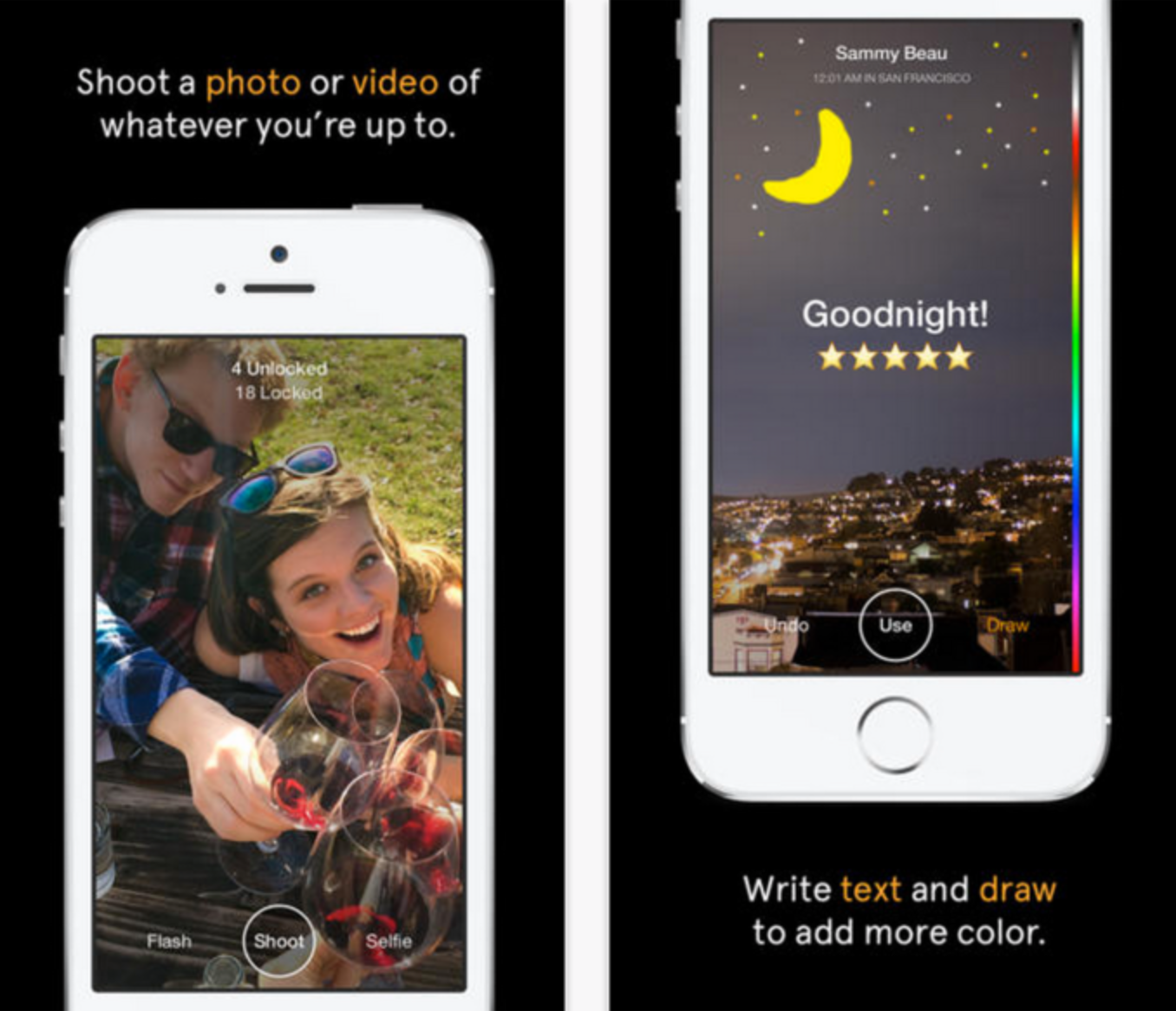
Even though Facebook seemingly wants to break as many of its functions out into separate apps as possible—see Messenger and Pages Manager, for example—it appears that not every function is worthy its own App Store listing. Earlier today the social network pulled two of its iOS apps from sale: Poke (a Snapchat-like photo messenger) and Camera (which is exactly what it sounds like).

Both apps launched in 2012 and didn’t see many big improvements after that. Camera got a few small updates, though they didn’t seem to be much of a priority for the company. At one point a bug left the app’s internal employee settings exposed to all users for several months before being fixed.

Poke, on the other hand, was virtually ignored by Facebook from the day it went live until it was removed from the store. Most of the Camera app’s features were eventually rolled back into the main Facebook app, but Poke was not so fortunate.

Facebook hasn’t provided any reason for pulling either app, but it’s safe to assume that neither was being used that much anymore. The company now seems more focused on its messaging platform, with the recent acquisition of WhatsApp for $19 billion and the announcement that soon messaging would be removed from the main Facebook client in favor of the free Messenger app.


Expand
Expanding
Close

Site default logo image

Apple-partner Vimeo revamps its iOS app with new design, faster video loading

Vimeo has updated its iPhone, iPad, and iPod touch application with a new, lighter design as well as some helpful new features. The “friendlier” design is easier to navigate, lighter, and cleaner and features more user-interface elements to blend into the design aesthetic of iOS 7. Vimeo became an iOS partner last year with integrated Vimeo video uploading in iOS 7.


Expand
Expanding
Close

Site default logo image

D-Link’s new Wi-Fi Smart Plug offers full iPhone control over electronics w/ energy monitoring & thermal safety features

https://www.youtube.com/watch?v=kX8FE8q-Bjw

D-Link has just launched its new Wi-Fi Smart Plug designed to offer users full control over their electrical outlets via the free mobile apps. The small adapters communicate with any existing WiFi network and plug into any electrical outlet. The user can then control power to any of the devices plugged into the adapter.

They come with a few handy features along with basic on/off control. You can create custom schedules for particular outlets and monitor your energy use on connected devices.

You can set device schedules so that you walk into a brightly-lit home every day after work with your favorite song playing and the AC exactly where you want it.

The system also includes a thermal protection system that allows you to manually shut down power on an outlet and includes a thermal sensor that will automatically turn off over heating appliances.

The D-Link Wi-Fi Smart Plug comes in at a slightly lower price tag than the popular $60 WeMo options from Belkin. D-Link is launching its smart plug at $49.99 right now (temporarily out of stock on Amazon) and the mydlink Smart Plug apps for iOS and Android can both be downloaded for free via the App Store and Google Play.

Kamcord mobile gameplay recording platform launches iOS app, hits 3B videos, & picks up $7.1M Series A

Site default logo image

Kamcord, the Y Combinator-backed startup with an SDK that lets developers offer gameplay recording functionality in mobile apps, today announced it has secured another big round of funding as the service hits some impressive milestones and launches a new community iOS app. Even before picking up a $7.1M Series A that it announced today, it’s quickly emerged as the top in-game recording platform and is starting to gain some serious traction with over 5 million videos shared and over 3 billion gameplay videos recorded. That’s compared to 2 million videos shared and 2 billion videos recorded back in February.

The new iOS app, available on the App Store now, will allow users to access the community of shared gameplay videos as well as user profiles, likes, and comments that it first launched as a web based feature on the desktop. The app will also let users search for games and Zitzmann noted, “the early stats for the app are compelling… 30% of users click to download a game every day.”
Expand
Expanding
Close

Site default logo image

Microsoft updates OneNote for iPhone & Mac w/ top requested features

Following updates to the Office apps for iPad yesterday that introduced printing support, Microsoft announced today that it’s updating the OneNote apps for iPhone and Mac with the top requested features from users. Included in the new features for iPhone users is the ability to create new notebook and sections, a revamped look that fits in more with iOS 7, and the Office Lens feature that was already available to iPad users. 

We’ve built Office Lens into OneNote for iPhone. Similar to Office Lens on OneNote for iPad, this popular feature turns your iPhone into a pocket scanner so you can use it to take pictures of things like receipts or whiteboard notes. Then, with Office Lens you can trim, enhance and make pictures more readable. Best thing is, images are automatically synced to OneNote, and if your picture includes printed text, OneNote can recognize the text with optical character recognition (OCR) so you can search for words in the image.

The Mac app gets improved printing, drag and drop images from the web, and much more:

  1. Print notes: You can now print out your lecture notes, travel itineraries or recipes by simply navigating to the page of your choice and bringing up the standard system print dialog from the menu. In addition, you can save the page as a PDF file through the Print dialog.
  2. Drag and drop images: Yes, this is as easy as it sounds! If you are browsing the web for ideas for a remodeling project and find some pictures you want to capture, you can easily drag and drop those into OneNote. If you have an album on your local machine, you can simply drag and drop multiple photos from Finder into OneNote. Additionally, this update also adds image formatting tools so you can restore the size of the picture if it’s been modified from its original state, or rotate pictures as desired.
  3. Format Painter: You may recognize this option from other Office applications. Format Painter is a handy tool to quickly apply the same text formatting throughout your notes. For example, if you copy and paste content from different sources with different formats, you can easily apply the same consistent format across all the content in a couple clicks. WARNING: this tool is highly addictive. Once you start using it, you won’t be able to stop.
  4. Copy and paste formatted content: When using OneNote for project management, class research or travel planning, capturing content from other places into OneNote is essential. Whether it’s formatted text from a Word document, tables from Excel or webpages, you can easily capture rich content and place it in your notes so it looks the same as it did in Word, Excel or on the webpage.
  5. Hyperlinks: Sometimes links can be long, unwieldy and aren’t always self-explanatory. You can now keep your notes organized by adding a display name for links in your notes.

The OneNote for Mac and OneNote for iPhone apps are available on the App Store now.

Microsoft adds printing support to Office for iPad apps, other features

Site default logo image

When Microsoft launched its Office for iPad apps last month, one of the most requested missing features was printing support. Just over a month later, today the company announced in a blog post that it’s updating the Word, Excel, and PowerPoint iPad apps with support for printing in addition to other new features and fixes.

Your top request is here! You can now print Word documents, Excel spreadsheets, and PowerPoint presentations to an AirPrintTM printer. In Word for iPad, you can choose to print a document with or without markup. In Excel, print a selected range, a single worksheet or an entire spreadsheet. Of course, you can select the pages or slides you want to print.

In addition to printing, the company also announced that its updated PowerPoint with SmartGuides, the tool that allows users to easily “align pictures, shapes, and textboxes as you move them around on a slide.” You’ll also find other new features for Excel, as well as fixes and improvements in the other apps:
Expand
Expanding
Close

Site default logo image

Yahoo Mail iPhone app adds weather, web search, news, scores & more (for better or worse)

Yahoo released an interesting update to its Yahoo Mail app for iPhone today. In version 3.0, Yahoo is integrating many of its other services including weather, sports scores, stocks, images, news, and web search directly into the mail app. The goal is to provide users one easy place to access all their content from Yahoo, but it’s unclear what that means for the future of Yahoo’s other iOS apps for each of the services. The feature is currently only available to iPhone users running iOS 7 and up.

When you’re finished reading and replying to your email, see what’s happening in the world by tapping on the News icon. From celebrity gossip to the latest political news, you’ll find it in your personalized, visually rich news stream.

Let’s head over to the Today icon. Here’s where you’ll find a snapshot of the information you care about most every day and search — from your local weather to a news digest to the latest stock quotes and sports scores you care about.

The updated app provides new three new tabs along the bottom—  Mail, News, and Today— with Mail bringing you to your inbox, News providing a stream of all stories from Yahoo, and Today providing an overview of weather, trending content, scores, and access to web search. While I have a feeling that some might not be too happy about their Mail app being bombarded with all this new content, Yahoo has done a pretty good job of keeping it out of the way if you only ever want to see your inbox.

Yahoo Mail version 3.0 is available on the App Store now.

What’s New in Version 3.0

– Feature updates for iPhone iOS7+. Your Yahoo Mail app is now enhanced with news, search, and snapshots of the weather, sports scores, stocks, and News Digest. Access the info you need, all in one app.
– Performance improvements
– Bug fixes

[youtube=https://www.youtube.com/watch?v=pSjEMBLANjw]