Developers

See All Stories
Site default logo image

Instagram details the technology behind its new Hyperlapse app


As you can see above, Instagram’s new Hyperlapse app that debuted yesterday is one of the most simple apps on the surface. It does two things: shoots video in either portrait or landscape and changes speed from 1x to 12x for a time-lapse effect. There’s not very much other user interface aside from the record button and speed slider (and the share screen after you save a video), but under the hood there’s a lot of really smart stuff going on with Hyperlapse.

For those interested in all the under-the-hood work that went in to Hyperlapse’s video stabilization and time-lapse features, Instagram’s engineers behind the app have published a blog post detailing the technology that makes it all work.

The blog post goes into Hyperlapse’s approach to video stabilization, time-lapse stabilization, and adaptive zoom to detail how it all works under the surface. Below is a snippet including a chart describing one of the algorithms used by the app.

Video stabilization is instrumental in capturing beautiful fluid videos. In the movie industry, this is achieved by having the camera operator wear a harness that separates the motion of the camera from the motion of the operator’s body. Since we can’t expect Instagrammers to wear a body harness to capture the world’s moments, we instead developed Cinema, which uses the phone’s built-in gyroscope to measure and remove unwanted hand shake.

The diagram below shows the pipeline of the Cinema stabilization algorithm. We feed gyroscope samples and frames into the stabilizer and obtain a new set of camera orientations as output. These camera orientations correspond to a smooth “synthetic” camera motion with all the unwanted kinks and bumps removed.

If you’re interested in the wonkier side of capturing video and software, give Instagram’s post a read and check out Hyperlapse for iPhone and iPad on the App Store.

Site default logo image

Apple seeds OS X Mavericks 10.9.5 build 13F24 to developers

Apple has released yet another beta build of the upcoming OS X Mavericks 10.9.5 update. The current build number on today’s release is 13F24, while the previously build released to developers for testing came in at 13F18. Apple continues to ask developers to test USB, USB Smart Cards, Safari, Graphics, and Thunderbolt integration with 10.9.5. The update is available for developers running the previous 10.9.5 seed via Software Update in the Mac App Store.

Uber introduces API for integrating the transportation service into other apps

Site default logo image

The popular transportation service Uber has quickly been growing this year with new features like adding your destination right on the smartphone app when requesting a ride and poaching long time Apple engineering manager Chris Blumenberg who managed the Maps team. The service is even integrated into the Google Maps app on iPhone and Android, and check out the Uber care package the company sends new employees.

Today Uber is taking a major step toward integrating its service into even more apps and services as it introduces an API for developers to use in their own apps and a list of partners already planning to take advantage of it.

As of today, we officially open—to all developers—access to many of the primitives that power Uber’s magical experience. Apps can pass a destination address to the Uber app, display pickup times, provide fare estimates, access trip history and more.


Expand
Expanding
Close

Apple seeds iOS 8 beta 4 to developers with redesigned Control Center, Health improvements, more

Site default logo image

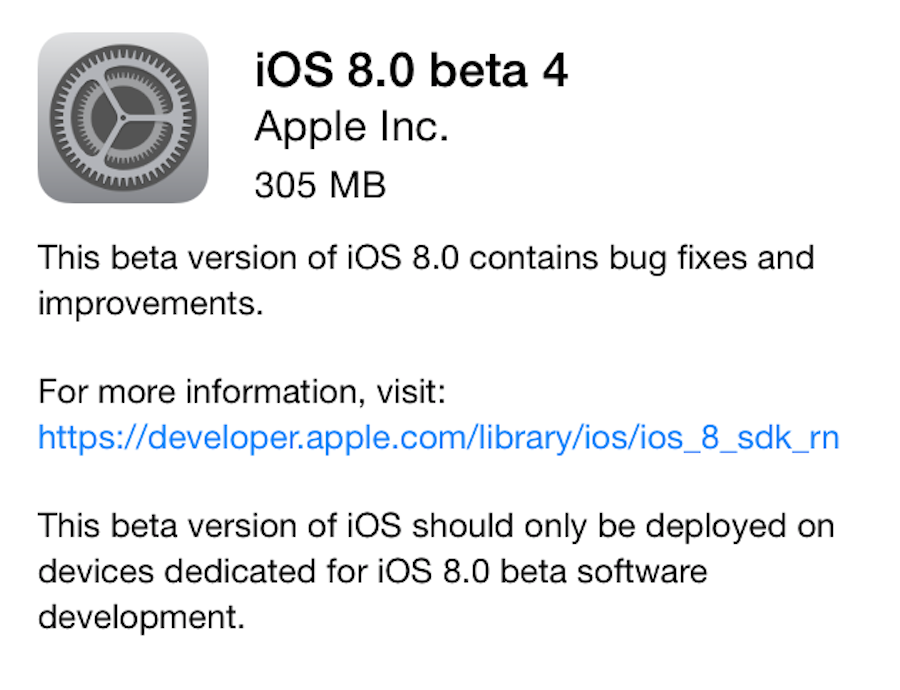
Apple today released iOS 8 beta 4 to developers. It is now available via Software Update in Settings for those running earlier betas of iOS 8 on the iPhone, iPad, and iPod touch. The new update likely brings further design enhancements and bug fixes. iOS 8 comes out this fall and adds new features like health tracking, improved messaging, more efficient email management, and bolstered photo editing. We’ll be updating this post (below) as we discover new changes, and you can send us what you find to tips@9to5mac.com.


Expand
Expanding
Close

iPhone app Numerous previews iOS 8 Notification Center integration

Site default logo image

We’ve already seen a few developers preview how new technologies introduced in iOS 8 make new features possible. Last month we saw 1Password’s iPhone app take advantage of the new access developers have to Touch ID and systemwide Extensions with their iOS 8 beta, and a number of health and fitness app developers have discussed their excitement for Apple’s new HealthKit tool. Today the developers of the fairly new iPhone app Numerous have previewed in a blog post their plans to include an app widget for presenting numbers from the app in the new Today view in Notification Center coming to the iPhone and iPad in iOS 8…
Expand
Expanding
Close

Site default logo image

Epic Games releases Unreal Engine 4.3 with Metal API support on iOS and much more

Epic Games today announced Unreal Engine 4.3, the latest version of their gaming engine technology, which includes over 500 updates. Included in the latest version of Unreal Engine is support for Apple’s new Metal API for game developers, first introduced last month at WWDC, for code compiled with the Xcode 6 beta. Unreal Engine launched version 4.0 earlier this year introducing its current subscription model for developers as well as Mac support.

As mentioned above, Unreal Engine 4.3 includes over 500 updates including new features for Mac, iOS, Android, and more. Below you can read the change log for iOS and Mac.
Expand
Expanding
Close

Site default logo image

Amazon brings its mobile ad network to iOS apps

Amazon announced today that it’s bringing support for its Amazon Mobile Ads API to iOS, allowing app developers to place ads from the Amazon Mobile Ad Network in apps across platforms. The ads were previously only available to display on Android and Fire OS devices.

The Amazon Mobile Ads API lets you place high-quality display ads from the Amazon Mobile Ad Network in your app, helping you better monetize your apps and gain access to highly relevant ads from brand advertisers, including Amazon and its subsidiaries. Starting today, both Interstitial and Banner ads can now be displayed across iOS devices in addition to Android and Fire OS devices.  Beginning on July 25, 2014, ads can also be displayed on the Fire phone.  As a developer, you can now monetize your apps with the Amazon Mobile Ads API across iTunes, Google Play, and the Amazon Appstore while taking advantage of multiple targeting features.

The Amazon Mobile Ad Network rolls out to iOS today for users in the US, the UK, Germany, France, Spain, and Italy.

Amazon has more detailed info about the API on its blog for developers that want to get started integrating the ads in iOS apps.

Estimote introduces iBeacon power management tools for extending battery life

Site default logo image

Estimote, the company behind the iBeacons I tested in my Launch Center Pro 2.3 coverage and used by easyJet in select European airports, is introducing a round of improvements to its beacon product line and corresponding software today. The primary focus of the improvements deals with power management and how Estimote’s iBeacons consume battery. In short, Estimote’s iBeacons are getting smarter about how they connect and stay powered by adding two beacon power modes including Basic and Smart…


Expand
Expanding
Close

Apple launches blog to highlight new Swift programming language

Site default logo image

Apple has launched a blog on its official developer website to promote the new Swift programming language. Swift, which was announced at WWDC 2014, is a successor to the Objective-C programming language for iOS and OS X, and it provides new, cleaner, and more robust tools for developing applications. The blog will be dedicated to Apple engineers working on Swift sharing tidbits behind the language’s development as well as hints. Here’s the first Swift blog post:

Welcome to Swift Blog

This new blog will bring you a behind-the-scenes look into the design of the Swift language by the engineers who created it, in addition to the latest news and hints to turn you into a productive Swift programmer.

Get started with Swift by downloading Xcode 6 beta, now available to all Registered Apple Developers for free. The Swift Resources tab has a ton of great links to videos, documentation, books, and sample code to help you become one of the world’s first Swift experts. There’s never been a better time to get coding!

– The Swift Team

Additionally, the blog now discusses Swift and its compatibility with current and future versions of Apple software. You can read those details below:


Expand
Expanding
Close

Site default logo image

Apple’s new coding language Swift receives significant update for developers alongside new Yosemite and iOS seeds

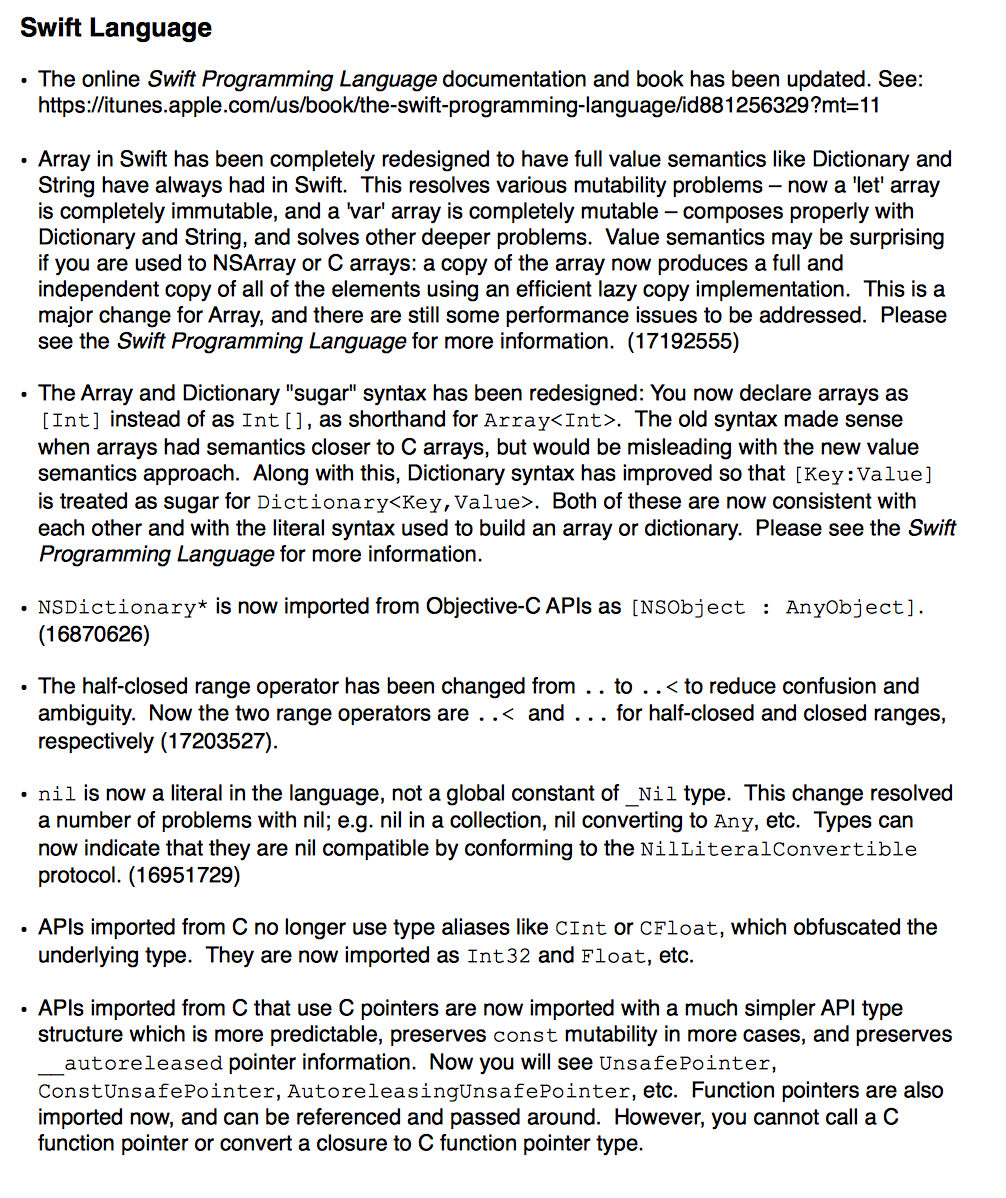
As part of the updates to the Yosemite and iOS betas today, Apple’s new coding language Swift has received several major improvements and tweaks to make the language more consistent and help developers make better, safer apps. The intricacies of the changes are very gibberish to non-developers, but the fixes resolve many of the issues that developers had been requesting. In particular, the new value type model of arrays fixes several inconsistencies and prevents many potential code ‘gotchas’ that could arise in previous Swift builds.

Apple has also updated the ‘Introducing Swift’ iBook to reflect the improvements, if you want to learn in more detail about the changes.

Apple to wipe all CloudKit data on July 7th, including iCloud Photos, Drive & Mail Drop for iOS 8 and Yosemite

Site default logo image

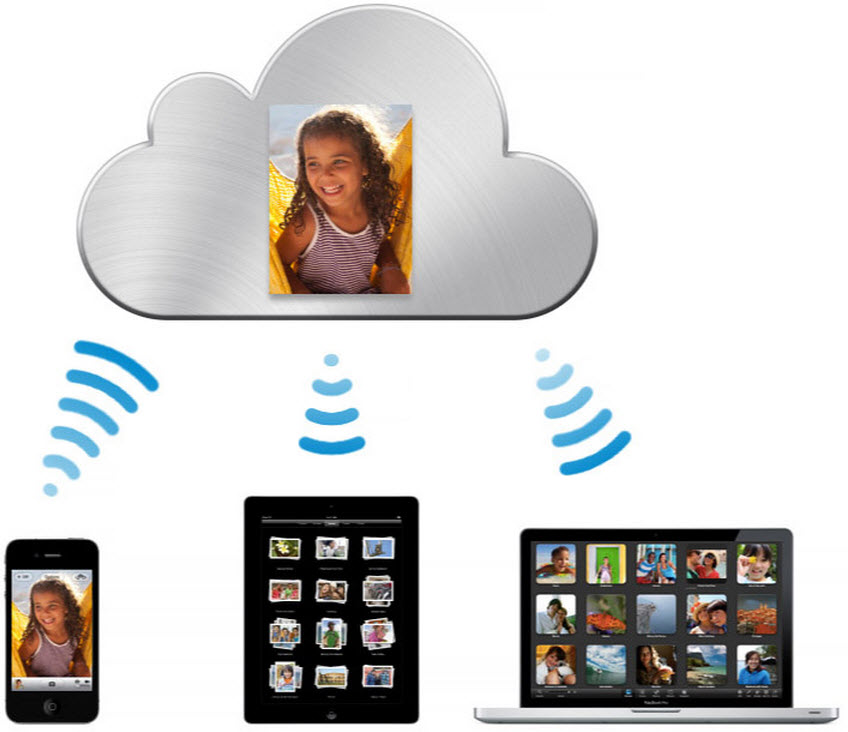
Apple has just informed developers that it will be wiping all CloudKit-based data stores on July 7th. This includes iCloud Photo Library, Mail Drop and iCloud Drive. Apple warned developers that this might happen with the release of the first iOS beta and it is not uncommon for wipes to happen several times during iOS and OS X beta cycles.

Dear Developer,

We will be performing a server-side data wipe on all CloudKit public and private databases for iOS 8 beta and OS X Yosemite Developer Preview users on July 7, 2014. The following iCloud features will be affected: iCloud Drive, iCloud Photo Library, and Mail Drop.

Photos and videos stored in iCloud Photo Library will remain on their original iOS 8 devices and will upload to iCloud Photo Library again automatically. iCloud Drive can be re-enabled from Set up Assistant after upgrade. If you choose to store your documents in iCloud Drive, your Documents & Data will automatically be copied to iCloud Drive. iCloud Drive will not update across earlier seeds or operating systems. Attachments sent through Mail Drop will expire and need to be resent after you upgrade.

If you have any questions, visit the Apple Developer Forums.

Best regards,
Apple Developer Technical Support

Affected files for Mail Drop and iCloud Drive will not transfer across automatically on the release of the next beta seed. Photos and videos will automatically restore, however, as they are not deleted from local storage. It is likely that new seeds of iOS 8 and OS X Yosemite will follow this data wipe, as new seeds of these operating systems are already due.


Expand
Expanding
Close

Site default logo image

Apple pushes OS X 10.9.4 beta build 13E25 to developers

https://9to5mac.com/wp-admin/edit-comments.php

Apple has released another beta of the upcoming 10.9.4 release of its OS X operating system to developers. The new beta has a build number of 13E25. The update is available through Software Update on 10.9.4 systems and can be found on the Mac developer center as well.

The previous build, 13E19, was released on June 19th.


Maps ‘City Tours’ feature hidden in iOS 8 betas, works like a guided Flyover video

Site default logo image

https://www.youtube.com/watch?v=Jz1_FT1ykFw

Although deeper changes to Maps are in the works, Apple did announce a new City Tours feature for iOS 8 discreetly on one of the keynote slides. This feature is not normally available in the current iOS 8 betas, but developer Pierre Blazquez has managed to unlock the feature through a hidden debug screen and shines some light on exactly what ‘City Tours’ entails.

City Tours is best described as a guided-camera Flyover view. After activating the tour, the Maps app changes to satellite mode and begins zooming and panning to different landmarks in the city. For example, in the video, the tour rotates and pans between a couple of different cathedrals. More screenshots after the break …


Expand
Expanding
Close

Apple’s App Store editorial team now curating seven additional categories in Europe

Site default logo image

(Before and after screenshots via The Guardian)

Just over a week ago at WWDC, Apple announced several changes and improvements coming to the App Store this fall with the public release of iOS 8 including new ways to navigate through the App Store as well as explore new apps. As The Guardian points out (via MacStories), App Store customers across Europe will notice improvements in the following categories: health, lifestyle, music, photo and video, productivity, and sports. Prior to the editorial expansion, every App Store category aside from education, games, food, kids, and Newsstand were populated solely by use of an algorithm of new and popular apps…
Expand
Expanding
Close

Site default logo image

Fleksy previews its third-party keyboard already running on iOS 8

In less than 48 hours since Apple officially announced native support for third-party keyboards as a major feature of iOS 8, Fleksy has already implemented their own keyboard on their iOS 8 test devices. Fleksy is also currently taking signups to join its beta program.
Expand
Expanding
Close

iOS 8: Lock screen app shortcuts, iPhoto changes, & App Store reviews

Site default logo image

Update: Explanation of lock screen apps after the break…

Since Apple previewed iOS 8 yesterday during the keynote at WWDC, we’ve been continually trying out the new iPhone and iPad software to get familiar with the changes coming to users this fall. First up is a new way for apps to be promoted on the iPhone using subtle location-based prompts. Similar to how the lock screen features an icon and a swipe up gesture from the lower right corner of the display to quickly access the Camera app, several users are reporting a variety of apps are being featured on the lower left corner prompted by being near a relevant venue.

For instance, in the screen shot displayed above on the left, the user is visiting an Apple Store and an App Store icon appears in the lower left corner. Swiping up from the bottom acts as a shortcut to quickly access the Apple Store app within the App Store. Once installed, the Apple Store app icon then appears on the lock screen when visiting the retailer. While it’s not certain which specific perimeters must be met for this functionality to work, the commonality between other supported App Store apps including Starbucks and ShopSavvy is location.
Expand
Expanding
Close

Site default logo image

Flappy Bird recreated in Swift, Apple’s programming language announced just hours ago

Okay, it may just be Flappy Bird, the addictive game that once took over the news cycle for days and still threatens to return again some day, but the thing here is it was written in Apple’s new programming language for developers called Swift. What’s so special about that? Swift was only announced yesterday, less than 24 hours ago, so what this simple Flappy Bird clone really means is Swift is off to a good start given its only a few hours old. You can view the code for the Swift version of Flappy Bird by Nate Murray on Github, and read more about Apple’s new programming language Swift on iBooks.

Apple makes it easy for devs (and others) to screencast iOS apps with OS X Yosemite

Site default logo image

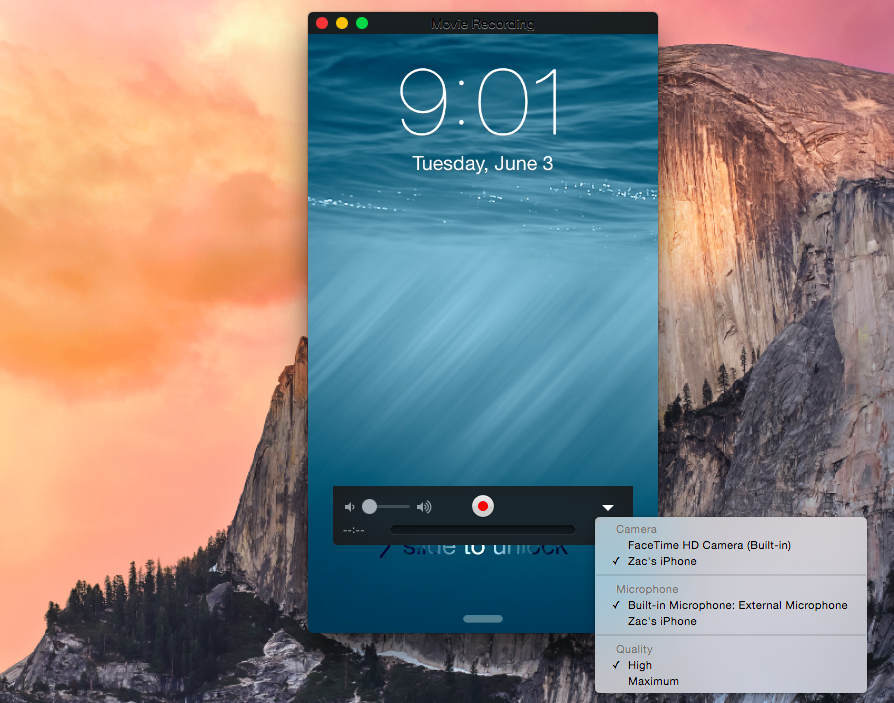
Apple has added a handy feature into OS X to easily capture the screen of an iPad or iPhone on the Mac itself. Apple positions the feature as a way to help developers quickly make app previews, which Apple introduced as part of iOS 8’s improvements to the App Store, but there is no reason why this couldn’t be used by others for different purposes.

When plugging an iPad or iPhone running iOS 8 into a Mac running OS X Yosemite via USB, the iOS device now shows up as a standard camera input. This means any video app can be used to record the screen of the iOS device without the need for additional hardware.

Although Apple is targeting the feature at developers in its documentation for making app previews, it is not limited to being a developer-only feature.


Expand
Expanding
Close

Xcode 6 features resizable iPhone and iPad simulators, leading the way for iPhones with new screen resolutions

Site default logo image

Xcode 6 includes new iOS Simulator features that allow developers to resize the simulated screen for any arbitrary resolution. 9to5Mac first reported this was imminent in May.

Although the feature is very temperamental in the first beta, it clearly leads the way to a future with a much more diverse lineup of screen resolutions. This allows developers to test for future iOS devices that do not exist today — such as 4.7 inch and 5.5 inch iPhones for example.


Expand
Expanding
Close

Site default logo image

Apple updates WWDC iPhone & iPad app w/ video download support, bug fixes

Apple has released WWDC 2.1 for iOS bringing with it the ability to download session videos. Previously, viewing session videos required an active connection to the Internet and watching videos over again required a stream as well. The update also includes bug fixes according to the release notes. WWDC for iPhone and iPad is available for free on the App Store.

https://twitter.com/gregbarbosa/status/473585851180777472


Apple announces new Xcode, ‘Swift’ programming language

Site default logo image

Apple has introduced a brand new programming language alongside a brand new version of Xcode.

Swift is a big deal for developers. The language includes loads of features third-party developers have been asking for. It sits alongside Objective-C and C, meaning developers can interchange between languages in the same project.


Expand
Expanding
Close

Apple announces HomeKit API for iOS, will serve as a central hub for home automation

Along with several other new APIs for developers, Apple has announced HomeKit which allows all home automation accessories/devices to work together. The new API will allow home automation developers to centralize all home automation in iOS without needing separate apps to access each device’s specific features. These devices include locks, lights, cameras, doors, thermostats, plugs, switches, and more.


Expand
Expanding
Close